# RoboTwin 2.0
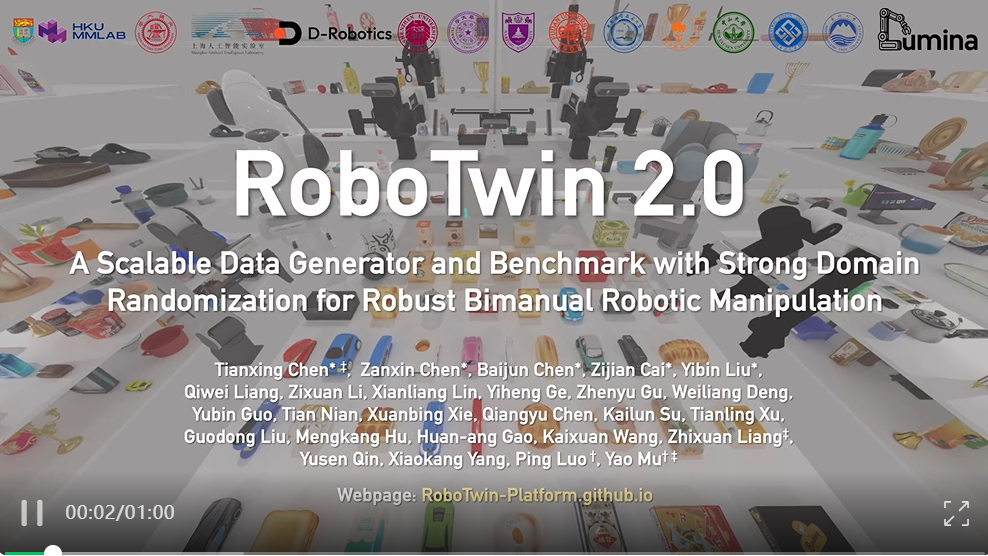
RoboTwin 2.0 is a **large-scale dual-arm manipulation benchmark** built on the SAPIEN physics engine. It provides a standardized evaluation protocol for bimanual robotic policies across 50 tasks (as of upstream `main`) with strong domain randomization (clutter, lighting, background, tabletop height, and language instructions).
- Paper: [RoboTwin 2.0: A Scalable Data Generator and Benchmark with Strong Domain Randomization for Robust Bimanual Robotic Manipulation](https://arxiv.org/abs/2506.18088)
- GitHub: [RoboTwin-Platform/RoboTwin](https://github.com/RoboTwin-Platform/RoboTwin)
- Leaderboard: [robotwin-platform.github.io/leaderboard](https://robotwin-platform.github.io/leaderboard)
- Dataset: [lerobot/robotwin_unified](https://huggingface.co/datasets/lerobot/robotwin_unified)
## Overview
| Property | Value |
| ------------- | -------------------------------------------------------- |
| Tasks | 50 dual-arm manipulation tasks |
| Robot | Aloha-AgileX bimanual (14 DOF, 7 per arm) |
| Action space | 14-dim joint-space, continuous in `[-1, 1]` |
| Cameras | `head_camera`, `left_camera`, `right_camera` |
| Simulator | SAPIEN (not MuJoCo) |
| Eval protocol | 100 episodes/task, 50 demo_clean demonstrations |
| Eval settings | **Easy** (`demo_clean`) and **Hard** (`demo_randomized`) |
## Available tasks
RoboTwin 2.0 ships 50 dual-arm manipulation tasks in its upstream `envs/` directory. The canonical list is the `ROBOTWIN_TASKS` tuple in `src/lerobot/envs/robotwin.py`, mirrored verbatim from the upstream repo. Example tasks:
| Task | CLI name | Category |
| ------------------------ | ------------------------ | ----------------- |
| Beat block with hammer | `beat_block_hammer` | Tool use |
| Click bell / alarm clock | `click_bell` | Precision press |
| Stack blocks (2 / 3) | `stack_blocks_two/three` | Stacking |
| Stack bowls (2 / 3) | `stack_bowls_two/three` | Stacking |
| Handover block / mic | `handover_block` | Bimanual coord. |
| Lift pot | `lift_pot` | Bimanual lift |
| Shake bottle | `shake_bottle` | Continuous motion |
| Turn switch | `turn_switch` | Articulated obj |
| Stamp seal | `stamp_seal` | Precision place |
| Scan object | `scan_object` | Mobile manip. |
Pass a comma-separated list to `--env.task` to run multiple tasks in a single eval sweep.
`open_laptop` is currently broken upstream (its `check_success()` uses
`self.arm_tag`, which is only set inside the scripted-expert `play_once()`
path and therefore unavailable during normal policy eval). Avoid it until the
upstream bug is fixed, or patch the task to default `self.arm_tag = "left"` in
`load_actors()`.
## Dataset
The RoboTwin 2.0 dataset is available in **LeRobot v3.0 format** on the Hugging Face Hub:
```
lerobot/robotwin_unified
```
It contains over 100,000 pre-collected trajectories across all 50 tasks (79.6 GB, Apache 2.0 license). No format conversion is needed — it is already in the correct LeRobot v3.0 schema with video observations and action labels.
You can load it directly with the HF Datasets library:
```python
from datasets import load_dataset
ds = load_dataset("lerobot/robotwin_unified", split="train")
```
## Installation
RoboTwin 2.0 requires **Linux** with an NVIDIA GPU (CUDA 12.1 recommended). Installation takes approximately 20 minutes.
### 1. Create a conda environment
```bash
conda create -n robotwin python=3.10 -y
conda activate robotwin
```
### 2. Install LeRobot
```bash
git clone https://github.com/huggingface/lerobot.git
cd lerobot
pip install -e "."
```
### 3. Install RoboTwin 2.0
```bash
git clone https://github.com/RoboTwin-Platform/RoboTwin.git
cd RoboTwin
bash script/_install.sh
bash script/_download_assets.sh
```
The install script handles all Python dependencies including SAPIEN, CuRobo, mplib, and pytorch3d.
If the automated install fails, install manually:
```bash
pip install -r requirements.txt
pip install "git+https://github.com/facebookresearch/pytorch3d.git@stable"
cd envs && git clone https://github.com/NVlabs/curobo.git && cd curobo
pip install -e . --no-build-isolation
```
Then apply the required mplib fix: in `mplib/planner.py` line 807, remove `or collide` from the conditional.
### 4. Add RoboTwin to PYTHONPATH
The RoboTwin task modules must be importable by LeRobot. From within the `RoboTwin/` directory:
```bash
export PYTHONPATH="${PYTHONPATH}:$(pwd)"
```
Add this to your shell profile to make it permanent.
## Evaluation
### Standard evaluation (recommended)
Evaluate a policy on a single task with the official protocol (100 episodes):
```bash
lerobot-eval \
--policy.path="your-hf-policy-id" \
--env.type=robotwin \
--env.task=beat_block_hammer \
--eval.batch_size=1 \
--eval.n_episodes=100
```
### Single-task quick check
```bash
lerobot-eval \
--policy.path="your-hf-policy-id" \
--env.type=robotwin \
--env.task=beat_block_hammer \
--eval.batch_size=1 \
--eval.n_episodes=5
```
### Multi-task sweep
Evaluate on several tasks in one run:
```bash
lerobot-eval \
--policy.path="your-hf-policy-id" \
--env.type=robotwin \
--env.task=beat_block_hammer,click_bell,handover_block,stack_blocks_two \
--eval.batch_size=1 \
--eval.n_episodes=100
```
### Full benchmark (all 50 tasks)
```bash
lerobot-eval \
--policy.path="your-hf-policy-id" \
--env.type=robotwin \
--env.task=adjust_bottle,beat_block_hammer,blocks_ranking_rgb,blocks_ranking_size,click_alarmclock,click_bell,dump_bin_bigbin,grab_roller,handover_block,handover_mic,hanging_mug,lift_pot,move_can_pot,move_pillbottle_pad,move_playingcard_away,move_stapler_pad,open_microwave,pick_diverse_bottles,pick_dual_bottles,place_a2b_left,place_a2b_right,place_bread_basket,place_bread_skillet,place_burger_fries,place_can_basket,place_cans_plasticbox,place_container_plate,place_dual_shoes,place_empty_cup,place_fan,place_mouse_pad,place_object_basket,place_object_scale,place_object_stand,place_phone_stand,place_shoe,press_stapler,put_bottles_dustbin,put_object_cabinet,rotate_qrcode,scan_object,shake_bottle,shake_bottle_horizontally,stack_blocks_three,stack_blocks_two,stack_bowls_three,stack_bowls_two,stamp_seal,turn_switch \
--eval.batch_size=1 \
--eval.n_episodes=100
```
`open_laptop` is intentionally omitted above because of the upstream
`self.arm_tag` bug (see the **Available tasks** section). Re-add it once the
upstream fix lands.
## Camera configuration
By default, all three cameras are included:
| Camera key | Description |
| -------------- | ------------------------------ |
| `head_camera` | Torso-mounted overhead view |
| `left_camera` | Left arm wrist-mounted camera |
| `right_camera` | Right arm wrist-mounted camera |
To use a subset of cameras, override `--env.camera_names`:
```bash
lerobot-eval \
--policy.path="your-hf-policy-id" \
--env.type=robotwin \
--env.task=beat_block_hammer \
--env.camera_names="head_camera,left_camera" \
--eval.batch_size=1 \
--eval.n_episodes=10
```
## Environment config reference
Key parameters for `RoboTwinEnvConfig`:
| Parameter | Default | Description |
| -------------------- | ---------------------------------------- | ---------------------------------- |
| `task` | `"beat_block_hammer"` | Comma-separated task name(s) |
| `fps` | `25` | Simulation FPS |
| `episode_length` | `300` | Max steps per episode |
| `obs_type` | `"pixels_agent_pos"` | `"pixels"` or `"pixels_agent_pos"` |
| `camera_names` | `"head_camera,left_camera,right_camera"` | Comma-separated active cameras |
| `observation_height` | `240` | Camera pixel height |
| `observation_width` | `320` | Camera pixel width |
## Leaderboard submission
Results can be submitted to the [RoboTwin 2.0 leaderboard](https://robotwin-platform.github.io/leaderboard). The official protocol requires:
- Training on 50 `demo_clean` demonstrations per task
- Evaluating 100 episodes per task
- Reporting success rate separately for **Easy** (`demo_clean`) and **Hard** (`demo_randomized`) settings
For submission instructions, refer to the [RoboTwin 2.0 documentation](https://robotwin-platform.github.io/doc/).