mirror of
https://github.com/huggingface/lerobot.git
synced 2026-05-13 15:49:53 +00:00
Compare commits
4 Commits
| Author | SHA1 | Date | |
|---|---|---|---|
 Francesco Capuano Francesco Capuano
|
6eaf6a861a | ||
|
Francesco Capuano
|
cdd6cb606c | ||
|
Jade Choghari
|
f6cd24be17 | ||
|
Jade Choghari
|
54c6b8ae52 |
@@ -78,7 +78,7 @@ jobs:
|
||||
python-version: ${{ env.PYTHON_VERSION }}
|
||||
|
||||
- name: Install lerobot with all extras
|
||||
run: uv sync --all-extras --no-extra groot # TODO(Steven): Make flash-attn optional
|
||||
run: uv sync --all-extras
|
||||
|
||||
- name: Run pytest (all extras)
|
||||
run: uv run pytest tests -vv --maxfail=10
|
||||
|
||||
@@ -119,7 +119,6 @@ jobs:
|
||||
TRITON_CACHE_DIR: /home/user_lerobot/.cache/triton
|
||||
container:
|
||||
image: ${{ needs.build-docker-cpu-nightly.outputs.image_tag }} # zizmor: ignore[unpinned-images]
|
||||
options: --shm-size "16gb"
|
||||
credentials:
|
||||
username: ${{ secrets.DOCKERHUB_LEROBOT_USERNAME }}
|
||||
password: ${{ secrets.DOCKERHUB_LEROBOT_PASSWORD }}
|
||||
@@ -159,36 +158,3 @@ jobs:
|
||||
run: pytest tests -vv --maxfail=10
|
||||
- name: Run end-to-end tests
|
||||
run: make test-end-to-end
|
||||
|
||||
# This job runs multi-GPU training tests with 4 GPUs
|
||||
nightly-multi-gpu-tests:
|
||||
name: Nightly Multi-GPU Tests
|
||||
needs: [build-docker-gpu-nightly]
|
||||
runs-on:
|
||||
group: aws-g4dn-12xlarge # Instance with 4 GPUs
|
||||
env:
|
||||
HF_HOME: /home/user_lerobot/.cache/huggingface
|
||||
HF_LEROBOT_HOME: /home/user_lerobot/.cache/huggingface/lerobot
|
||||
TORCH_HOME: /home/user_lerobot/.cache/torch
|
||||
TRITON_CACHE_DIR: /home/user_lerobot/.cache/triton
|
||||
CUDA_VISIBLE_DEVICES: "0,1,2,3"
|
||||
container:
|
||||
image: ${{ needs.build-docker-gpu-nightly.outputs.image_tag }} # zizmor: ignore[unpinned-images]
|
||||
options: --gpus all --shm-size "16gb"
|
||||
credentials:
|
||||
username: ${{ secrets.DOCKERHUB_LEROBOT_USERNAME }}
|
||||
password: ${{ secrets.DOCKERHUB_LEROBOT_PASSWORD }}
|
||||
defaults:
|
||||
run:
|
||||
shell: bash
|
||||
working-directory: /lerobot
|
||||
steps:
|
||||
- name: Verify GPU availability
|
||||
run: |
|
||||
nvidia-smi
|
||||
python -c "import torch; print(f'PyTorch CUDA available: {torch.cuda.is_available()}'); print(f'Number of GPUs: {torch.cuda.device_count()}')"
|
||||
|
||||
- name: Run multi-GPU training tests
|
||||
# TODO(Steven): Investigate why motors tests are failing in multi-GPU setup
|
||||
run: pytest tests -vv --maxfail=10 --ignore=tests/motors/
|
||||
timeout-minutes: 10
|
||||
|
||||
@@ -82,14 +82,6 @@ jobs:
|
||||
exit 1
|
||||
fi
|
||||
|
||||
- name: Remove Tags with Git dependencies
|
||||
# TODO(Steven): Temporary patch to remove pi from PyPi 0.4.0 release due to its reliance on git dependencies.
|
||||
run: |
|
||||
echo "::info:: Checking for Git dependencies to remove from pyproject.toml..."
|
||||
grep -E '@ git\+https|lerobot\[pi\]' pyproject.toml | sed 's/^/::warning:: Removing line: /' || true
|
||||
sed -E -i '/@ git\+https|lerobot\[pi\]/d' pyproject.toml
|
||||
echo "::info:: Git dependencies removed. Proceeding with build."
|
||||
|
||||
- name: Install build dependencies
|
||||
run: python -m pip install build
|
||||
|
||||
@@ -111,7 +103,7 @@ jobs:
|
||||
- name: Publish to TestPyPI for pre-releases
|
||||
# True for tags like 'v0.2.0-rc1'
|
||||
if: startsWith(github.ref, 'refs/tags/v') && contains(github.ref, '-')
|
||||
uses: pypa/gh-action-pypi-publish@v1.13.0 # zizmor: ignore[unpinned-uses, use-trusted-publishing]
|
||||
uses: pypa/gh-action-pypi-publish@v1.12.4 # zizmor: ignore[unpinned-uses, use-trusted-publishing]
|
||||
with:
|
||||
repository-url: https://test.pypi.org/legacy/
|
||||
verbose: true
|
||||
@@ -119,7 +111,7 @@ jobs:
|
||||
|
||||
- name: Publish to PyPI
|
||||
if: startsWith(github.ref, 'refs/tags/v') && !contains(github.ref, '-')
|
||||
uses: pypa/gh-action-pypi-publish@v1.13.0 # zizmor: ignore[unpinned-uses, use-trusted-publishing]
|
||||
uses: pypa/gh-action-pypi-publish@v1.12.4 # zizmor: ignore[unpinned-uses, use-trusted-publishing]
|
||||
with:
|
||||
verbose: true
|
||||
print-hash: true
|
||||
@@ -146,7 +138,7 @@ jobs:
|
||||
- name: Setup uv and Python
|
||||
uses: astral-sh/setup-uv@v6 # zizmor: ignore[unpinned-uses]
|
||||
with:
|
||||
enable-cache: true # zizmor: ignore[cache-poisoning]
|
||||
enable-cache: true
|
||||
version: ${{ env.UV_VERSION }}
|
||||
python-version: ${{ env.PYTHON_VERSION }}
|
||||
- name: Create uv virtual environment
|
||||
|
||||
@@ -27,17 +27,15 @@ env:
|
||||
This issue was closed because it has been stalled for 14 days with no activity.
|
||||
Feel free to reopen if is still relevant, or to ping a collaborator if you have any questions.
|
||||
CLOSE_PR_MESSAGE: >
|
||||
This PR was closed because it has been stalled for 21 days with no activity.
|
||||
This PR was closed because it has been stalled for 14 days with no activity.
|
||||
Feel free to reopen if is still relevant, or to ping a collaborator if you have any questions.
|
||||
WARN_ISSUE_MESSAGE: >
|
||||
This issue has been automatically marked as stale because it has not had
|
||||
recent activity (6 months). It will be closed if no further activity occurs.
|
||||
Any change, comment or update to this issue will reset this count.
|
||||
recent activity (1 year). It will be closed if no further activity occurs.
|
||||
Thank you for your contributions.
|
||||
WARN_PR_MESSAGE: >
|
||||
This PR has been automatically marked as stale because it has not had
|
||||
recent activity (1 year). It will be closed if no further activity occurs.
|
||||
Any change, comment or update to this PR will reset this count.
|
||||
Thank you for your contributions.
|
||||
|
||||
jobs:
|
||||
@@ -58,10 +56,10 @@ jobs:
|
||||
stale-pr-label: stale
|
||||
exempt-issue-labels: never-stale
|
||||
exempt-pr-labels: never-stale
|
||||
days-before-issue-stale: 180
|
||||
days-before-issue-stale: 180 # TODO(Steven): Will modify this to 90 after initial cleanup
|
||||
days-before-issue-close: 14
|
||||
days-before-pr-stale: 365
|
||||
days-before-pr-close: 21
|
||||
days-before-pr-stale: 180
|
||||
days-before-pr-close: 14
|
||||
delete-branch: true
|
||||
close-issue-message: ${{ env.CLOSE_ISSUE_MESSAGE }}
|
||||
close-pr-message: ${{ env.CLOSE_PR_MESSAGE }}
|
||||
|
||||
@@ -1,183 +0,0 @@
|
||||
# Copyright 2025 The HuggingFace Inc. team. All rights reserved.
|
||||
#
|
||||
# Licensed under the Apache License, Version 2.0 (the "License");
|
||||
# you may not use this file except in compliance with the License.
|
||||
# You may obtain a copy of the License at
|
||||
#
|
||||
# http://www.apache.org/licenses/LICENSE-2.0
|
||||
#
|
||||
# Unless required by applicable law or agreed to in writing, software
|
||||
# distributed under the License is distributed on an "AS IS" BASIS,
|
||||
# WITHOUT WARRANTIES OR CONDITIONS OF ANY KIND, either express or implied.
|
||||
# See the License for the specific language governing permissions and
|
||||
# limitations under the License.
|
||||
|
||||
# This workflow handles full testing with unboud dependencies versions.
|
||||
name: Unbound Dependency Tests
|
||||
|
||||
on:
|
||||
# Allows running this workflow manually from the Actions tab
|
||||
workflow_dispatch:
|
||||
|
||||
# Run on the 1st and 15th of every month at 09:00 UTC
|
||||
schedule:
|
||||
- cron: '0 2 1,15 * *'
|
||||
|
||||
permissions:
|
||||
contents: read
|
||||
|
||||
# Sets up the environment variables
|
||||
env:
|
||||
UV_VERSION: "0.8.0"
|
||||
PYTHON_VERSION: "3.10"
|
||||
DOCKER_IMAGE_NAME: huggingface/lerobot-gpu:unbound
|
||||
|
||||
# Ensures that only the latest action is built, canceling older runs.
|
||||
concurrency:
|
||||
group: ${{ github.workflow }}-${{ github.head_ref || github.run_id }}
|
||||
cancel-in-progress: true
|
||||
|
||||
jobs:
|
||||
|
||||
# This job runs the E2E tests + pytest with all unbound extras
|
||||
full-tests:
|
||||
name: Full Unbound Tests
|
||||
runs-on: ubuntu-latest
|
||||
env:
|
||||
MUJOCO_GL: egl
|
||||
steps:
|
||||
- uses: actions/checkout@v4
|
||||
with:
|
||||
lfs: true
|
||||
persist-credentials: false
|
||||
|
||||
- name: Install apt dependencies
|
||||
run: |
|
||||
sudo apt-get update && sudo apt-get install -y build-essential \
|
||||
git curl libglib2.0-0 libegl1-mesa-dev ffmpeg libusb-1.0-0-dev \
|
||||
speech-dispatcher libgeos-dev portaudio19-dev
|
||||
|
||||
- name: Setup uv and Python
|
||||
uses: astral-sh/setup-uv@v6 # zizmor: ignore[unpinned-uses]
|
||||
with:
|
||||
enable-cache: true
|
||||
version: ${{ env.UV_VERSION }}
|
||||
python-version: ${{ env.PYTHON_VERSION }}
|
||||
|
||||
- name: Unbound dependencies
|
||||
run: |
|
||||
sed -i 's/,[[:space:]]*<[0-9\.]*//g' pyproject.toml
|
||||
echo "Dependencies unbound:" && cat pyproject.toml
|
||||
|
||||
- name: Install lerobot with all extras
|
||||
run: uv sync --all-extras --no-extra groot # TODO(Steven): Make flash-attn optional
|
||||
|
||||
- name: Run pytest (all extras)
|
||||
run: uv run pytest tests -vv
|
||||
|
||||
- name: Run end-to-end tests
|
||||
run: uv run make test-end-to-end
|
||||
|
||||
# This job builds a GPU enabled image for testing
|
||||
build-and-push-docker:
|
||||
name: Build and Push Docker
|
||||
runs-on:
|
||||
group: aws-general-8-plus
|
||||
outputs:
|
||||
image_tag: ${{ env.DOCKER_IMAGE_NAME }}
|
||||
env:
|
||||
GITHUB_REF: ${{ github.ref }}
|
||||
steps:
|
||||
- name: Install Git LFS
|
||||
run: |
|
||||
sudo apt-get update
|
||||
sudo apt-get install git-lfs
|
||||
git lfs install
|
||||
- uses: actions/checkout@v4
|
||||
with:
|
||||
lfs: true
|
||||
persist-credentials: false
|
||||
- name: Set up Docker Buildx
|
||||
uses: docker/setup-buildx-action@v3 # zizmor: ignore[unpinned-uses]
|
||||
with:
|
||||
cache-binary: false
|
||||
- name: Login to Docker Hub
|
||||
uses: docker/login-action@v3 # zizmor: ignore[unpinned-uses]
|
||||
with:
|
||||
username: ${{ secrets.DOCKERHUB_LEROBOT_USERNAME }}
|
||||
password: ${{ secrets.DOCKERHUB_LEROBOT_PASSWORD }}
|
||||
- name: Build and push Docker image
|
||||
uses: docker/build-push-action@v6 # zizmor: ignore[unpinned-uses]
|
||||
with:
|
||||
context: .
|
||||
file: ./docker/Dockerfile.internal
|
||||
push: true
|
||||
tags: ${{ env.DOCKER_IMAGE_NAME }}
|
||||
build-args: |
|
||||
UNBOUND_DEPS=true
|
||||
|
||||
# This job runs pytest with all unbound extras in a GPU enabled host
|
||||
# It runs everytime a test image is created
|
||||
gpu-tests:
|
||||
name: GPU Unbound Tests
|
||||
needs: [build-and-push-docker]
|
||||
runs-on:
|
||||
group: aws-g6-4xlarge-plus
|
||||
env:
|
||||
HF_HOME: /home/user_lerobot/.cache/huggingface
|
||||
HF_LEROBOT_HOME: /home/user_lerobot/.cache/huggingface/lerobot
|
||||
TORCH_HOME: /home/user_lerobot/.cache/torch
|
||||
TRITON_CACHE_DIR: /home/user_lerobot/.cache/triton
|
||||
container:
|
||||
image: ${{ needs.build-and-push-docker.outputs.image_tag }} # zizmor: ignore[unpinned-images]
|
||||
options: --gpus all --shm-size "16gb"
|
||||
credentials:
|
||||
username: ${{ secrets.DOCKERHUB_LEROBOT_USERNAME }}
|
||||
password: ${{ secrets.DOCKERHUB_LEROBOT_PASSWORD }}
|
||||
defaults:
|
||||
run:
|
||||
shell: bash
|
||||
working-directory: /lerobot
|
||||
steps:
|
||||
- name: Run pytest on GPU
|
||||
run: pytest tests -vv
|
||||
- name: Run end-to-end tests
|
||||
run: make test-end-to-end
|
||||
|
||||
# This job deletes the test image recently created
|
||||
# It runs everytime after the gpu-tests have finished
|
||||
delete-unbound-image:
|
||||
name: Delete Unbound Image
|
||||
needs: [gpu-tests, build-and-push-docker]
|
||||
if: always() && needs.build-and-push-docker.result == 'success'
|
||||
runs-on: ubuntu-latest
|
||||
steps:
|
||||
- name: Get Docker Hub Token and Delete Image
|
||||
# zizmor: ignore[template-injection]
|
||||
run: |
|
||||
IMAGE_NAME=$(echo "${{ needs.build-and-push-docker.outputs.image_tag }}" | cut -d':' -f1)
|
||||
IMAGE_TAG=$(echo "${{ needs.build-and-push-docker.outputs.image_tag }}" | cut -d':' -f2)
|
||||
|
||||
echo "Attempting to delete image: $IMAGE_NAME:$IMAGE_TAG"
|
||||
|
||||
TOKEN=$(curl -s -H "Content-Type: application/json" \
|
||||
-X POST \
|
||||
-d '{"username": "${{ secrets.DOCKERHUB_LEROBOT_USERNAME }}", "password": "${{ secrets.DOCKERHUB_LEROBOT_PASSWORD }}"}' \
|
||||
https://hub.docker.com/v2/users/login/ | jq -r .token)
|
||||
|
||||
if [ "$TOKEN" == "null" ] || [ -z "$TOKEN" ]; then
|
||||
echo "::error::Failed to get Docker Hub token."
|
||||
exit 1
|
||||
fi
|
||||
|
||||
HTTP_RESPONSE=$(curl -s -o /dev/null -w "%{http_code}" \
|
||||
-H "Authorization: JWT ${TOKEN}" \
|
||||
-X DELETE \
|
||||
https://hub.docker.com/v2/repositories/${IMAGE_NAME}/tags/${IMAGE_TAG}/)
|
||||
|
||||
if [ "$HTTP_RESPONSE" -eq 204 ]; then
|
||||
echo "Successfully deleted Docker image tag: $IMAGE_NAME:$IMAGE_TAG"
|
||||
else
|
||||
echo "::error::Failed to delete Docker image. HTTP status: $HTTP_RESPONSE"
|
||||
exit 1
|
||||
fi
|
||||
+11
-12
@@ -26,7 +26,7 @@ repos:
|
||||
|
||||
##### General Code Quality & Formatting #####
|
||||
- repo: https://github.com/pre-commit/pre-commit-hooks
|
||||
rev: v6.0.0
|
||||
rev: v5.0.0
|
||||
hooks:
|
||||
- id: check-added-large-files
|
||||
args: ['--maxkb=1024']
|
||||
@@ -39,20 +39,20 @@ repos:
|
||||
- id: trailing-whitespace
|
||||
|
||||
- repo: https://github.com/astral-sh/ruff-pre-commit
|
||||
rev: v0.14.1
|
||||
rev: v0.12.4
|
||||
hooks:
|
||||
- id: ruff-format
|
||||
- id: ruff
|
||||
args: [--fix, --exit-non-zero-on-fix]
|
||||
|
||||
- repo: https://github.com/adhtruong/mirrors-typos
|
||||
rev: v1.38.1
|
||||
rev: v1.34.0
|
||||
hooks:
|
||||
- id: typos
|
||||
args: [--force-exclude]
|
||||
|
||||
- repo: https://github.com/asottile/pyupgrade
|
||||
rev: v3.21.0
|
||||
rev: v3.20.0
|
||||
hooks:
|
||||
- id: pyupgrade
|
||||
args: [--py310-plus]
|
||||
@@ -68,12 +68,12 @@ repos:
|
||||
|
||||
##### Security #####
|
||||
- repo: https://github.com/gitleaks/gitleaks
|
||||
rev: v8.28.0
|
||||
rev: v8.27.2
|
||||
hooks:
|
||||
- id: gitleaks
|
||||
|
||||
- repo: https://github.com/woodruffw/zizmor-pre-commit
|
||||
rev: v1.15.2
|
||||
rev: v1.11.0
|
||||
hooks:
|
||||
- id: zizmor
|
||||
|
||||
@@ -86,12 +86,11 @@ repos:
|
||||
|
||||
# TODO(Steven): Uncomment when ready to use
|
||||
##### Static Analysis & Typing #####
|
||||
- repo: https://github.com/pre-commit/mirrors-mypy
|
||||
rev: v1.18.2
|
||||
hooks:
|
||||
- id: mypy
|
||||
args: [--config-file=pyproject.toml]
|
||||
exclude: ^(examples|benchmarks|tests)/
|
||||
# - repo: https://github.com/pre-commit/mirrors-mypy
|
||||
# rev: v1.16.0
|
||||
# hooks:
|
||||
# - id: mypy
|
||||
# args: [--python-version=3.10]
|
||||
|
||||
##### Docstring Checks #####
|
||||
# - repo: https://github.com/akaihola/darglint2
|
||||
|
||||
+2
-1
@@ -72,6 +72,7 @@ post it.
|
||||
|
||||
Look at our implementations for [datasets](./src/lerobot/datasets/), [policies](./src/lerobot/policies/),
|
||||
environments ([aloha](https://github.com/huggingface/gym-aloha),
|
||||
[xarm](https://github.com/huggingface/gym-xarm),
|
||||
[pusht](https://github.com/huggingface/gym-pusht))
|
||||
and follow the same api design.
|
||||
|
||||
@@ -137,7 +138,7 @@ Follow these steps to start contributing:
|
||||
4. for development, we advise to use a tool like `poetry` or `uv` instead of just `pip` to easily track our dependencies.
|
||||
Follow the instructions to [install poetry](https://python-poetry.org/docs/#installation) (use a version >=2.1.0) or to [install uv](https://docs.astral.sh/uv/getting-started/installation/#installation-methods) if you don't have one of them already.
|
||||
|
||||
Set up a development environment with conda:
|
||||
Set up a development environment with conda or miniconda:
|
||||
|
||||
```bash
|
||||
conda create -y -n lerobot-dev python=3.10 && conda activate lerobot-dev
|
||||
|
||||
@@ -119,9 +119,10 @@ test-tdmpc-ete-train:
|
||||
--policy.type=tdmpc \
|
||||
--policy.device=$(DEVICE) \
|
||||
--policy.push_to_hub=false \
|
||||
--env.type=pusht \
|
||||
--env.type=xarm \
|
||||
--env.task=XarmLift-v0 \
|
||||
--env.episode_length=5 \
|
||||
--dataset.repo_id=lerobot/pusht_image \
|
||||
--dataset.repo_id=lerobot/xarm_lift_medium \
|
||||
--dataset.image_transforms.enable=true \
|
||||
--dataset.episodes="[0]" \
|
||||
--batch_size=2 \
|
||||
@@ -139,10 +140,9 @@ test-tdmpc-ete-eval:
|
||||
lerobot-eval \
|
||||
--policy.path=tests/outputs/tdmpc/checkpoints/000002/pretrained_model \
|
||||
--policy.device=$(DEVICE) \
|
||||
--env.type=pusht \
|
||||
--env.type=xarm \
|
||||
--env.episode_length=5 \
|
||||
--env.observation_height=96 \
|
||||
--env.observation_width=96 \
|
||||
--env.task=XarmLift-v0 \
|
||||
--eval.n_episodes=1 \
|
||||
--eval.batch_size=1
|
||||
|
||||
|
||||
@@ -104,14 +104,14 @@ LeRobot works with Python 3.10+ and PyTorch 2.2+.
|
||||
|
||||
### Environment Setup
|
||||
|
||||
Create a virtual environment with Python 3.10 and activate it, e.g. with [`miniforge`](https://conda-forge.org/download/):
|
||||
Create a virtual environment with Python 3.10 and activate it, e.g. with [`miniconda`](https://docs.anaconda.com/free/miniconda/index.html):
|
||||
|
||||
```bash
|
||||
conda create -y -n lerobot python=3.10
|
||||
conda activate lerobot
|
||||
```
|
||||
|
||||
When using `conda`, install `ffmpeg` in your environment:
|
||||
When using `miniconda`, install `ffmpeg` in your environment:
|
||||
|
||||
```bash
|
||||
conda install ffmpeg -c conda-forge
|
||||
@@ -185,11 +185,6 @@ _Replace `[...]` with your desired features._
|
||||
For a full list of optional dependencies, see:
|
||||
https://pypi.org/project/lerobot/
|
||||
|
||||
> [!NOTE]
|
||||
> For lerobot 0.4.0, if you want to install pi tags, you will have to do: `pip install "lerobot[pi]@git+https://github.com/huggingface/lerobot.git"`.
|
||||
>
|
||||
> This will be solved in the next patch release
|
||||
|
||||
### Weights & Biases
|
||||
|
||||
To use [Weights and Biases](https://docs.wandb.ai/quickstart) for experiment tracking, log in with
|
||||
@@ -202,7 +197,7 @@ wandb login
|
||||
|
||||
### Visualize datasets
|
||||
|
||||
Check out [example 1](https://github.com/huggingface/lerobot/blob/main/examples/dataset/load_lerobot_dataset.py) that illustrates how to use our dataset class which automatically downloads data from the Hugging Face hub.
|
||||
Check out [example 1](https://github.com/huggingface/lerobot/blob/main/examples/1_load_lerobot_dataset.py) that illustrates how to use our dataset class which automatically downloads data from the Hugging Face hub.
|
||||
|
||||
You can also locally visualize episodes from a dataset on the hub by executing our script from the command line:
|
||||
|
||||
@@ -212,13 +207,13 @@ lerobot-dataset-viz \
|
||||
--episode-index 0
|
||||
```
|
||||
|
||||
or from a dataset in a local folder with the `root` option and the `--mode local` (in the following case the dataset will be searched for in `./my_local_data_dir/lerobot/pusht`)
|
||||
or from a dataset in a local folder with the `root` option and the `--local-files-only` (in the following case the dataset will be searched for in `./my_local_data_dir/lerobot/pusht`)
|
||||
|
||||
```bash
|
||||
lerobot-dataset-viz \
|
||||
--repo-id lerobot/pusht \
|
||||
--root ./my_local_data_dir \
|
||||
--mode local \
|
||||
--local-files-only 1 \
|
||||
--episode-index 0
|
||||
```
|
||||
|
||||
@@ -315,7 +310,7 @@ To upload these to the hub, run the following:
|
||||
huggingface-cli upload ${hf_user}/${repo_name} path/to/pretrained_model
|
||||
```
|
||||
|
||||
See [lerobot_eval.py](https://github.com/huggingface/lerobot/blob/main/src/lerobot/scripts/lerobot_eval.py) for an example of how other people may use your policy.
|
||||
See [eval.py](https://github.com/huggingface/lerobot/blob/main/src/lerobot/scripts/eval.py) for an example of how other people may use your policy.
|
||||
|
||||
### Acknowledgment
|
||||
|
||||
@@ -342,3 +337,7 @@ If you want, you can cite this work with:
|
||||
## Star History
|
||||
|
||||
[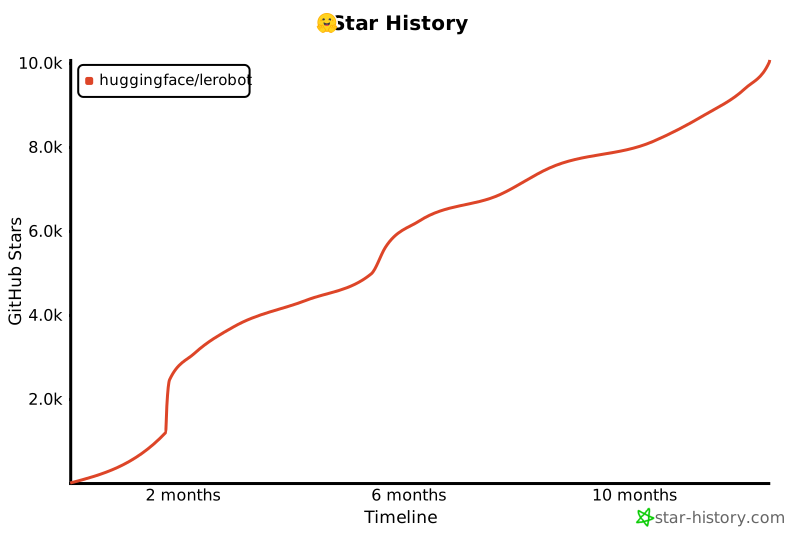](https://star-history.com/#huggingface/lerobot&Timeline)
|
||||
|
||||
```
|
||||
|
||||
```
|
||||
|
||||
@@ -0,0 +1,378 @@
|
||||
"""
|
||||
Benchmark memory footprint and inference latency of a policy on arbitrary devices.
|
||||
|
||||
This script loads a pretrained policy directly (similar to the async inference server)
|
||||
and generates dummy input data based on the policy's input_features to perform
|
||||
accurate benchmarking without requiring datasets.
|
||||
"""
|
||||
|
||||
import argparse
|
||||
import os
|
||||
import signal
|
||||
import statistics
|
||||
from contextlib import contextmanager
|
||||
from datetime import datetime
|
||||
from pathlib import Path
|
||||
|
||||
import psutil
|
||||
import torch
|
||||
from tqdm import tqdm
|
||||
|
||||
from lerobot.configs.types import FeatureType
|
||||
from lerobot.policies.factory import get_policy_class
|
||||
from lerobot.policies.pretrained import PreTrainedPolicy
|
||||
|
||||
|
||||
class TimeoutException:
|
||||
pass
|
||||
|
||||
|
||||
@contextmanager
|
||||
def timeout(seconds):
|
||||
def signal_handler(signum, frame):
|
||||
raise TimeoutException(f"Timed out after {seconds} seconds")
|
||||
|
||||
# On Windows, signal is not available, so we can't use this timeout mechanism
|
||||
if not hasattr(signal, "SIGALRM"):
|
||||
yield
|
||||
return
|
||||
|
||||
old_handler = signal.signal(signal.SIGALRM, signal_handler)
|
||||
try:
|
||||
# signal.alarm expects integer seconds
|
||||
# for float seconds, we can use setitimer
|
||||
signal.setitimer(signal.ITIMER_REAL, seconds)
|
||||
yield
|
||||
finally:
|
||||
signal.setitimer(signal.ITIMER_REAL, 0)
|
||||
signal.signal(signal.SIGALRM, old_handler)
|
||||
|
||||
|
||||
def bytes_to_human(n: int) -> str:
|
||||
for unit in ["B", "KB", "MB", "GB", "TB"]:
|
||||
if n < 1024:
|
||||
return f"{n:.2f} {unit}"
|
||||
n /= 1024
|
||||
return f"{n:.2f} PB"
|
||||
|
||||
|
||||
def percentile(values: list[float], p: float) -> float:
|
||||
if not values:
|
||||
return float("nan")
|
||||
k = (len(values) - 1) * (p / 100.0)
|
||||
f = int(k)
|
||||
c = min(f + 1, len(values) - 1)
|
||||
if f == c:
|
||||
return values[f]
|
||||
return values[f] + (values[c] - values[f]) * (k - f)
|
||||
|
||||
|
||||
def generate_dummy_observation(input_features: dict, device: str = "cpu") -> dict:
|
||||
"""Generate dummy observation data based on policy input features."""
|
||||
dummy_obs = {}
|
||||
|
||||
for key, feature in input_features.items():
|
||||
shape = feature.shape
|
||||
|
||||
if feature.type == FeatureType.VISUAL:
|
||||
# Images: random values in [0, 1] range (already normalized)
|
||||
dummy_obs[key] = torch.rand(shape, dtype=torch.float32, device=device)
|
||||
elif feature.type in [FeatureType.STATE, FeatureType.ACTION, FeatureType.ENV]:
|
||||
# State/action/env: random normal distribution
|
||||
dummy_obs[key] = torch.randn(shape, dtype=torch.float32, device=device)
|
||||
else:
|
||||
# Default: random normal for unknown types
|
||||
dummy_obs[key] = torch.randn(shape, dtype=torch.float32, device=device)
|
||||
|
||||
# Add batch dimension
|
||||
for key in dummy_obs:
|
||||
dummy_obs[key] = dummy_obs[key].unsqueeze(0)
|
||||
|
||||
# Add task string for language-conditioned policies
|
||||
dummy_obs["task"] = ""
|
||||
|
||||
return dummy_obs
|
||||
|
||||
|
||||
def main():
|
||||
parser = argparse.ArgumentParser(description="Policy inference benchmark")
|
||||
parser.add_argument(
|
||||
"--policy-id", type=str, required=True, help="Model ID or local path to pretrained policy"
|
||||
)
|
||||
parser.add_argument(
|
||||
"--policy-type", type=str, required=True, help="Type of policy (smolvla, act, diffusion, etc.)"
|
||||
)
|
||||
parser.add_argument(
|
||||
"--device", type=str, default="mps", choices=["cuda", "cpu", "mps"], help="Device to run on"
|
||||
)
|
||||
parser.add_argument("--seed", type=int, default=42, help="Random seed")
|
||||
parser.add_argument(
|
||||
"--num-samples", type=int, default=100, help="Number of inference samples to benchmark"
|
||||
)
|
||||
parser.add_argument("--warmup", type=int, default=10, help="Number of warmup samples (not timed)")
|
||||
parser.add_argument(
|
||||
"--output-dir", type=str, default="outputs/benchmarks", help="Directory to save benchmark results"
|
||||
)
|
||||
parser.add_argument(
|
||||
"--timeout",
|
||||
type=float,
|
||||
default=0.3,
|
||||
help="Timeout for each inference pass in seconds (default: 0.3s = 300ms)",
|
||||
)
|
||||
args = parser.parse_args()
|
||||
|
||||
# Seed & deterministic-ish setup
|
||||
torch.manual_seed(args.seed)
|
||||
if args.device == "cuda":
|
||||
torch.cuda.manual_seed_all(args.seed)
|
||||
torch.backends.cudnn.benchmark = False
|
||||
torch.backends.cudnn.deterministic = False # leave False to avoid perf cliffs
|
||||
|
||||
# Resolve device availability
|
||||
device = args.device.lower()
|
||||
if device == "cuda" and not torch.cuda.is_available():
|
||||
print("[!] CUDA requested but unavailable. Falling back to CPU.")
|
||||
device = "cpu"
|
||||
elif device == "mps" and not (hasattr(torch.backends, "mps") and torch.backends.mps.is_available()):
|
||||
print("[!] MPS requested but unavailable. Falling back to CPU.")
|
||||
device = "cpu"
|
||||
|
||||
use_cuda = device == "cuda"
|
||||
|
||||
# Create output directory and log file
|
||||
output_dir = Path(args.output_dir)
|
||||
output_dir.mkdir(parents=True, exist_ok=True)
|
||||
timestamp = datetime.now().strftime("%Y%m%d_%H%M%S")
|
||||
policy_name = args.policy_id.replace("/", "_").replace("\\", "_")
|
||||
log_file = output_dir / f"benchmark_{args.policy_type}_{policy_name}_{device}_{timestamp}.txt"
|
||||
|
||||
# Load policy directly from pretrained (similar to async inference server)
|
||||
print(f"Loading policy {args.policy_type} from {args.policy_id}...")
|
||||
policy_class = get_policy_class(args.policy_type)
|
||||
policy: PreTrainedPolicy = policy_class.from_pretrained(args.policy_id)
|
||||
policy.eval()
|
||||
policy.to(device)
|
||||
|
||||
print(f"Policy loaded on {device}")
|
||||
print(f"Input features: {list(policy.config.input_features.keys())}")
|
||||
print(f"Output features: {list(policy.config.output_features.keys())}")
|
||||
|
||||
# Generate dummy observation based on policy input features
|
||||
dummy_observation = generate_dummy_observation(policy.config.input_features, device)
|
||||
dummy_observation["task"] = ""
|
||||
|
||||
# Helper to sync for fair timings
|
||||
def _sync(dev_=device):
|
||||
if dev_ == "cuda" and torch.cuda.is_available():
|
||||
torch.cuda.synchronize()
|
||||
elif dev_ == "mps" and hasattr(torch, "mps"):
|
||||
try:
|
||||
torch.mps.synchronize()
|
||||
except AttributeError:
|
||||
pass # MPS sync not available in this PyTorch version
|
||||
|
||||
# Warmup (to stabilize kernels/caches)
|
||||
print("Warming up...")
|
||||
with torch.no_grad():
|
||||
policy.reset()
|
||||
for _ in range(args.warmup):
|
||||
_ = policy.select_action(dummy_observation)
|
||||
_sync()
|
||||
|
||||
# Memory footprint before timing
|
||||
process = psutil.Process(os.getpid())
|
||||
rss_before = process.memory_info().rss
|
||||
if use_cuda:
|
||||
torch.cuda.reset_peak_memory_stats()
|
||||
|
||||
# PyTorch timing with Event objects for more accurate GPU timing
|
||||
print(f"Running benchmark: {args.num_samples} samples...")
|
||||
|
||||
if use_cuda:
|
||||
# Use CUDA Events for precise GPU timing
|
||||
start_events = []
|
||||
end_events = []
|
||||
timeout_count = 0
|
||||
|
||||
with torch.no_grad():
|
||||
for forward in tqdm(range(args.num_samples), desc="Trials"):
|
||||
start_event = torch.cuda.Event(enable_timing=True)
|
||||
end_event = torch.cuda.Event(enable_timing=True)
|
||||
try:
|
||||
with timeout(args.timeout):
|
||||
start_event.record()
|
||||
_ = policy.select_action(dummy_observation)
|
||||
end_event.record()
|
||||
|
||||
start_events.append(start_event)
|
||||
end_events.append(end_event)
|
||||
except TimeoutException:
|
||||
timeout_count += 1
|
||||
# Add placeholder for timeout
|
||||
start_events.append(None)
|
||||
end_events.append(None)
|
||||
print(f"\n[!] Timeout on forward {forward + 1}")
|
||||
continue
|
||||
|
||||
# Synchronize and collect timing results
|
||||
torch.cuda.synchronize()
|
||||
per_forward_ms = []
|
||||
for start_event, end_event in zip(start_events, end_events, strict=True):
|
||||
if start_event is None:
|
||||
per_forward_ms.append(args.timeout * 1000)
|
||||
else:
|
||||
per_forward_ms.append(start_event.elapsed_time(end_event))
|
||||
|
||||
if timeout_count > 0:
|
||||
print(f"[!] {timeout_count} inference passes timed out (>{args.timeout * 1000:.1f}ms)")
|
||||
|
||||
else:
|
||||
# Use simple time.perf_counter for CPU/MPS timing with timeout
|
||||
import time
|
||||
|
||||
per_forward_ms = []
|
||||
timeout_count = 0
|
||||
|
||||
with torch.no_grad():
|
||||
for sample in tqdm(range(args.num_samples), desc="Samples"):
|
||||
try:
|
||||
with timeout(args.timeout):
|
||||
start_time = time.perf_counter()
|
||||
_ = policy.select_action(dummy_observation)
|
||||
end_time = time.perf_counter()
|
||||
|
||||
per_forward_ms.append((end_time - start_time) * 1000) # Convert to ms
|
||||
except TimeoutException:
|
||||
timeout_count += 1
|
||||
per_forward_ms.append(args.timeout * 1000)
|
||||
print(f"\n[!] Timeout on sample {sample + 1}")
|
||||
continue
|
||||
|
||||
if timeout_count > 0:
|
||||
print(f"[!] {timeout_count} inference passes timed out (>{args.timeout * 1000:.1f}ms)")
|
||||
|
||||
# Memory footprint after timing
|
||||
rss_after = process.memory_info().rss
|
||||
rss_delta = rss_after - rss_before
|
||||
cuda_peak = torch.cuda.max_memory_allocated() if use_cuda else 0
|
||||
|
||||
# Sort timing results for percentile calculations
|
||||
per_forward_ms_sorted = sorted(per_forward_ms)
|
||||
|
||||
mean_ms = statistics.fmean(per_forward_ms) if per_forward_ms else float("nan")
|
||||
std_ms = statistics.pstdev(per_forward_ms) if len(per_forward_ms) > 1 else 0.0
|
||||
min_ms = per_forward_ms_sorted[0] if per_forward_ms_sorted else float("nan")
|
||||
max_ms = per_forward_ms_sorted[-1] if per_forward_ms_sorted else float("nan")
|
||||
p50_ms = percentile(per_forward_ms_sorted, 50)
|
||||
p95_ms = percentile(per_forward_ms_sorted, 95)
|
||||
|
||||
# Model size
|
||||
num_params = sum(p.numel() for p in policy.parameters())
|
||||
|
||||
# Prepare results for logging
|
||||
results = {
|
||||
"timestamp": datetime.now().isoformat(),
|
||||
"policy_type": args.policy_type,
|
||||
"policy_id": args.policy_id,
|
||||
"device": device,
|
||||
"num_trials": args.num_samples,
|
||||
"forwards_per_trial": 1,
|
||||
"warmup": args.warmup,
|
||||
"timeout_ms": args.timeout * 1000,
|
||||
"seed": args.seed,
|
||||
"num_params": num_params,
|
||||
"timeout_count": timeout_count,
|
||||
"latency_mean_ms": mean_ms,
|
||||
"latency_std_ms": std_ms,
|
||||
"latency_min_ms": min_ms,
|
||||
"latency_max_ms": max_ms,
|
||||
"latency_p50_ms": p50_ms,
|
||||
"latency_p95_ms": p95_ms,
|
||||
"cpu_rss_before": rss_before,
|
||||
"cpu_rss_after": rss_after,
|
||||
"cpu_rss_delta": rss_delta,
|
||||
"cuda_peak_alloc": cuda_peak,
|
||||
"input_features": list(policy.config.input_features.keys()),
|
||||
"output_features": list(policy.config.output_features.keys()),
|
||||
}
|
||||
|
||||
# Format and write results to log file
|
||||
log_content = f"""
|
||||
=== LeRobot Policy Inference Benchmark ===
|
||||
Timestamp: {results["timestamp"]}
|
||||
Policy: {results["policy_type"]} ({results["policy_id"]})
|
||||
Device: {results["device"]}
|
||||
Seed: {results["seed"]}
|
||||
|
||||
=== Model Information ===
|
||||
Parameters: {results["num_params"]:,}
|
||||
Input Features: {", ".join(results["input_features"])}
|
||||
Output Features: {", ".join(results["output_features"])}
|
||||
|
||||
=== Benchmark Configuration ===
|
||||
Samples: {results["num_trials"]}
|
||||
Warmup: {results["warmup"]}
|
||||
Total Measurements: {len(per_forward_ms)}
|
||||
Timeout: {results["timeout_ms"]:.1f}ms
|
||||
Timeouts: {results["timeout_count"]} / {results["num_trials"]}
|
||||
|
||||
=== Latency Results (ms) ===
|
||||
Mean: {results["latency_mean_ms"]:.3f}
|
||||
Std Dev: {results["latency_std_ms"]:.3f}
|
||||
Min: {results["latency_min_ms"]:.3f}
|
||||
Max: {results["latency_max_ms"]:.3f}
|
||||
P50: {results["latency_p50_ms"]:.3f}
|
||||
P95: {results["latency_p95_ms"]:.3f}
|
||||
|
||||
=== Memory Footprint ===
|
||||
CPU RSS Before: {bytes_to_human(results["cpu_rss_before"])}
|
||||
CPU RSS After: {bytes_to_human(results["cpu_rss_after"])} (Δ {bytes_to_human(results["cpu_rss_delta"])})
|
||||
"""
|
||||
|
||||
if use_cuda:
|
||||
log_content += f"CUDA Peak: {bytes_to_human(results['cuda_peak_alloc'])} (reset before timing)\n"
|
||||
|
||||
log_content += f"""
|
||||
=== Raw Timing Data (first 20 measurements, ms) ===
|
||||
{", ".join(f"{t:.3f}" for t in per_forward_ms[:20])}
|
||||
{"..." if len(per_forward_ms) > 20 else ""}
|
||||
|
||||
=== Summary Statistics ===
|
||||
Timing Method: {"CUDA Events" if use_cuda else "torch.utils.benchmark.Timer"}
|
||||
Device Available: {torch.cuda.is_available() if device == "cuda" else torch.backends.mps.is_available() if device == "mps" else True}
|
||||
PyTorch Version: {torch.__version__}
|
||||
|
||||
Benchmark completed successfully at {datetime.now().strftime("%Y-%m-%d %H:%M:%S")}
|
||||
"""
|
||||
|
||||
# Write to log file
|
||||
with open(log_file, "w") as f:
|
||||
f.write(log_content)
|
||||
|
||||
# Print to console (shorter version)
|
||||
print("\n=== Inference Benchmark Results ===")
|
||||
print(f"Policy: {args.policy_type} ({args.policy_id})")
|
||||
print(f"Device: {device}")
|
||||
print(f"Samples: {args.num_samples} | Warmup: {args.warmup}")
|
||||
print(f"Model params: {num_params:,}")
|
||||
|
||||
print("\nLatency per forward (ms):")
|
||||
print(f" mean: {mean_ms:.3f} std: {std_ms:.3f}")
|
||||
print(f" min: {min_ms:.3f} max: {max_ms:.3f}")
|
||||
print(f" p50: {p50_ms:.3f} p95: {p95_ms:.3f}")
|
||||
|
||||
print("\nMemory footprint:")
|
||||
print(f" CPU RSS before: {bytes_to_human(rss_before)}")
|
||||
print(f" CPU RSS after : {bytes_to_human(rss_after)} (Δ {bytes_to_human(rss_delta)})")
|
||||
if use_cuda:
|
||||
print(
|
||||
f" CUDA peak allocated: {bytes_to_human(cuda_peak)} "
|
||||
f"(reset by reset_peak_memory_stats before timing)"
|
||||
)
|
||||
|
||||
print(f"\nResults saved to: {log_file}")
|
||||
print("Benchmark completed successfully!")
|
||||
|
||||
|
||||
if __name__ == "__main__":
|
||||
main()
|
||||
@@ -35,13 +35,12 @@ import torch
|
||||
from skimage.metrics import mean_squared_error, peak_signal_noise_ratio, structural_similarity
|
||||
from tqdm import tqdm
|
||||
|
||||
from benchmarks.video.benchmark import TimeBenchmark
|
||||
from lerobot.datasets.lerobot_dataset import LeRobotDataset
|
||||
from lerobot.datasets.video_utils import (
|
||||
decode_video_frames_torchvision,
|
||||
encode_video_frames,
|
||||
)
|
||||
from lerobot.utils.constants import OBS_IMAGE
|
||||
from lerobot.utils.benchmark import TimeBenchmark
|
||||
|
||||
BASE_ENCODING = OrderedDict(
|
||||
[
|
||||
@@ -118,7 +117,7 @@ def save_first_episode(imgs_dir: Path, dataset: LeRobotDataset) -> None:
|
||||
hf_dataset = dataset.hf_dataset.with_format(None)
|
||||
|
||||
# We only save images from the first camera
|
||||
img_keys = [key for key in hf_dataset.features if key.startswith(OBS_IMAGE)]
|
||||
img_keys = [key for key in hf_dataset.features if key.startswith("observation.image")]
|
||||
imgs_dataset = hf_dataset.select_columns(img_keys[0])
|
||||
|
||||
for i, item in enumerate(
|
||||
|
||||
@@ -75,14 +75,6 @@ RUN uv venv --python python${PYTHON_VERSION}
|
||||
# Install Python dependencies for caching
|
||||
COPY --chown=user_lerobot:user_lerobot pyproject.toml README.md MANIFEST.in ./
|
||||
COPY --chown=user_lerobot:user_lerobot src/ src/
|
||||
|
||||
ARG UNBOUND_DEPS=false
|
||||
|
||||
RUN if [ "$UNBOUND_DEPS" = "true" ]; then \
|
||||
sed -i 's/,[[:space:]]*<[0-9\.]*//g' pyproject.toml; \
|
||||
echo "Dependencies unbound:" && cat pyproject.toml; \
|
||||
fi
|
||||
|
||||
RUN uv pip install --no-cache ".[all]"
|
||||
|
||||
# Copy the rest of the application source code
|
||||
|
||||
@@ -61,14 +61,6 @@ RUN uv venv
|
||||
# Install Python dependencies for caching
|
||||
COPY --chown=user_lerobot:user_lerobot pyproject.toml README.md MANIFEST.in ./
|
||||
COPY --chown=user_lerobot:user_lerobot src/ src/
|
||||
|
||||
ARG UNBOUND_DEPS=false
|
||||
|
||||
RUN if [ "$UNBOUND_DEPS" = "true" ]; then \
|
||||
sed -i 's/,[[:space:]]*<[0-9\.]*//g' pyproject.toml; \
|
||||
echo "Dependencies unbound:" && cat pyproject.toml; \
|
||||
fi
|
||||
|
||||
RUN uv pip install --no-cache ".[all]"
|
||||
|
||||
# Copy the rest of the application code
|
||||
|
||||
@@ -7,6 +7,8 @@
|
||||
- sections:
|
||||
- local: il_robots
|
||||
title: Imitation Learning for Robots
|
||||
- local: il_sim
|
||||
title: Imitation Learning in Sim
|
||||
- local: cameras
|
||||
title: Cameras
|
||||
- local: integrate_hardware
|
||||
@@ -17,39 +19,20 @@
|
||||
title: Train RL in Simulation
|
||||
- local: async
|
||||
title: Use Async Inference
|
||||
- local: multi_gpu_training
|
||||
title: Multi GPU training
|
||||
title: "Tutorials"
|
||||
- sections:
|
||||
- local: lerobot-dataset-v3
|
||||
title: Using LeRobotDataset
|
||||
- local: porting_datasets_v3
|
||||
title: Porting Large Datasets
|
||||
- local: using_dataset_tools
|
||||
title: Using the Dataset Tools
|
||||
title: "Datasets"
|
||||
- sections:
|
||||
- local: act
|
||||
title: ACT
|
||||
- local: smolvla
|
||||
title: SmolVLA
|
||||
- local: pi0
|
||||
title: π₀ (Pi0)
|
||||
- local: pi05
|
||||
title: π₀.₅ (Pi05)
|
||||
- local: groot
|
||||
title: NVIDIA GR00T N1.5
|
||||
title: "Policies"
|
||||
- sections:
|
||||
- local: envhub
|
||||
title: Environments from the Hub
|
||||
- local: il_sim
|
||||
title: Imitation Learning in Sim
|
||||
title: Finetune SmolVLA
|
||||
- local: libero
|
||||
title: Using Libero
|
||||
- local: metaworld
|
||||
title: Using MetaWorld
|
||||
title: "Simulation"
|
||||
title: "Policies"
|
||||
|
||||
- sections:
|
||||
- local: introduction_processors
|
||||
title: Introduction to Robot Processors
|
||||
|
||||
@@ -1,92 +0,0 @@
|
||||
# ACT (Action Chunking with Transformers)
|
||||
|
||||
ACT is a **lightweight and efficient policy for imitation learning**, especially well-suited for fine-grained manipulation tasks. It's the **first model we recommend when you're starting out** with LeRobot due to its fast training time, low computational requirements, and strong performance.
|
||||
|
||||
<div class="video-container">
|
||||
<iframe
|
||||
width="100%"
|
||||
height="415"
|
||||
src="https://www.youtube.com/embed/ft73x0LfGpM"
|
||||
title="LeRobot ACT Tutorial"
|
||||
frameborder="0"
|
||||
allow="accelerometer; autoplay; clipboard-write; encrypted-media; gyroscope; picture-in-picture"
|
||||
allowfullscreen
|
||||
></iframe>
|
||||
</div>
|
||||
|
||||
_Watch this tutorial from the LeRobot team to learn how ACT works: [LeRobot ACT Tutorial](https://www.youtube.com/watch?v=ft73x0LfGpM)_
|
||||
|
||||
## Model Overview
|
||||
|
||||
Action Chunking with Transformers (ACT) was introduced in the paper [Learning Fine-Grained Bimanual Manipulation with Low-Cost Hardware](https://arxiv.org/abs/2304.13705) by Zhao et al. The policy was designed to enable precise, contact-rich manipulation tasks using affordable hardware and minimal demonstration data.
|
||||
|
||||
### Why ACT is Great for Beginners
|
||||
|
||||
ACT stands out as an excellent starting point for several reasons:
|
||||
|
||||
- **Fast Training**: Trains in a few hours on a single GPU
|
||||
- **Lightweight**: Only ~80M parameters, making it efficient and easy to work with
|
||||
- **Data Efficient**: Often achieves high success rates with just 50 demonstrations
|
||||
|
||||
### Architecture
|
||||
|
||||
ACT uses a transformer-based architecture with three main components:
|
||||
|
||||
1. **Vision Backbone**: ResNet-18 processes images from multiple camera viewpoints
|
||||
2. **Transformer Encoder**: Synthesizes information from camera features, joint positions, and a learned latent variable
|
||||
3. **Transformer Decoder**: Generates coherent action sequences using cross-attention
|
||||
|
||||
The policy takes as input:
|
||||
|
||||
- Multiple RGB images (e.g., from wrist cameras, front/top cameras)
|
||||
- Current robot joint positions
|
||||
- A latent style variable `z` (learned during training, set to zero during inference)
|
||||
|
||||
And outputs a chunk of `k` future action sequences.
|
||||
|
||||
## Installation Requirements
|
||||
|
||||
1. Install LeRobot by following our [Installation Guide](./installation).
|
||||
2. ACT is included in the base LeRobot installation, so no additional dependencies are needed!
|
||||
|
||||
## Training ACT
|
||||
|
||||
ACT works seamlessly with the standard LeRobot training pipeline. Here's a complete example for training ACT on your dataset:
|
||||
|
||||
```bash
|
||||
lerobot-train \
|
||||
--dataset.repo_id=${HF_USER}/your_dataset \
|
||||
--policy.type=act \
|
||||
--output_dir=outputs/train/act_your_dataset \
|
||||
--job_name=act_your_dataset \
|
||||
--policy.device=cuda \
|
||||
--wandb.enable=true \
|
||||
--policy.repo_id=${HF_USER}/act_policy
|
||||
```
|
||||
|
||||
### Training Tips
|
||||
|
||||
1. **Start with defaults**: ACT's default hyperparameters work well for most tasks
|
||||
2. **Training duration**: Expect a few hours for 100k training steps on a single GPU
|
||||
3. **Batch size**: Start with batch size 8 and adjust based on your GPU memory
|
||||
|
||||
### Train using Google Colab
|
||||
|
||||
If your local computer doesn't have a powerful GPU, you can utilize Google Colab to train your model by following the [ACT training notebook](./notebooks#training-act).
|
||||
|
||||
## Evaluating ACT
|
||||
|
||||
Once training is complete, you can evaluate your ACT policy using the `lerobot-record` command with your trained policy. This will run inference and record evaluation episodes:
|
||||
|
||||
```bash
|
||||
lerobot-record \
|
||||
--robot.type=so100_follower \
|
||||
--robot.port=/dev/ttyACM0 \
|
||||
--robot.id=my_robot \
|
||||
--robot.cameras="{ front: {type: opencv, index_or_path: 0, width: 640, height: 480, fps: 30}}" \
|
||||
--display_data=true \
|
||||
--dataset.repo_id=${HF_USER}/eval_act_your_dataset \
|
||||
--dataset.num_episodes=10 \
|
||||
--dataset.single_task="Your task description" \
|
||||
--policy.path=${HF_USER}/act_policy
|
||||
```
|
||||
+13
-13
@@ -31,15 +31,15 @@ Then, spin up a policy server (in one terminal, or in a separate machine) specif
|
||||
You can spin up a policy server running:
|
||||
|
||||
```shell
|
||||
python -m lerobot.async_inference.policy_server \
|
||||
--host=127.0.0.1 \
|
||||
--port=8080
|
||||
python src/lerobot/scripts/server/policy_server.py \
|
||||
--host=127.0.0.1 \
|
||||
--port=8080 \
|
||||
```
|
||||
|
||||
This will start a policy server listening on `127.0.0.1:8080` (`localhost`, port 8080). At this stage, the policy server is empty, as all information related to which policy to run and with which parameters are specified during the first handshake with the client. Spin up a client with:
|
||||
|
||||
```shell
|
||||
python -m lerobot.async_inference.robot_client \
|
||||
python src/lerobot/scripts/server/robot_client.py \
|
||||
--server_address=127.0.0.1:8080 \ # SERVER: the host address and port of the policy server
|
||||
--robot.type=so100_follower \ # ROBOT: your robot type
|
||||
--robot.port=/dev/tty.usbmodem585A0076841 \ # ROBOT: your robot port
|
||||
@@ -113,17 +113,17 @@ As such, spinning up a policy server is as easy as specifying the host address a
|
||||
<hfoptions id="start_policy_server">
|
||||
<hfoption id="Command">
|
||||
```bash
|
||||
python -m lerobot.async_inference.policy_server \
|
||||
--host=127.0.0.1 \
|
||||
--port=8080
|
||||
python -m lerobot.scripts.server.policy_server \
|
||||
--host="localhost" \
|
||||
--port=8080
|
||||
```
|
||||
</hfoption>
|
||||
<hfoption id="API example">
|
||||
|
||||
<!-- prettier-ignore-start -->
|
||||
```python
|
||||
from lerobot.async_inference.configs import PolicyServerConfig
|
||||
from lerobot.async_inference.policy_server import serve
|
||||
from lerobot.scripts.server.configs import PolicyServerConfig
|
||||
from lerobot.scripts.server.policy_server import serve
|
||||
|
||||
config = PolicyServerConfig(
|
||||
host="localhost",
|
||||
@@ -148,7 +148,7 @@ The `RobotClient` streams observations to the `PolicyServer`, and receives actio
|
||||
<hfoptions id="start_robot_client">
|
||||
<hfoption id="Command">
|
||||
```bash
|
||||
python -m lerobot.async_inference.robot_client \
|
||||
python src/lerobot/scripts/server/robot_client.py \
|
||||
--server_address=127.0.0.1:8080 \ # SERVER: the host address and port of the policy server
|
||||
--robot.type=so100_follower \ # ROBOT: your robot type
|
||||
--robot.port=/dev/tty.usbmodem585A0076841 \ # ROBOT: your robot port
|
||||
@@ -171,9 +171,9 @@ python -m lerobot.async_inference.robot_client \
|
||||
import threading
|
||||
from lerobot.robots.so100_follower import SO100FollowerConfig
|
||||
from lerobot.cameras.opencv.configuration_opencv import OpenCVCameraConfig
|
||||
from lerobot.async_inference.configs import RobotClientConfig
|
||||
from lerobot.async_inference.robot_client import RobotClient
|
||||
from lerobot.async_inference.helpers import visualize_action_queue_size
|
||||
from lerobot.scripts.server.configs import RobotClientConfig
|
||||
from lerobot.scripts.server.robot_client import RobotClient
|
||||
from lerobot.scripts.server.helpers import visualize_action_queue_size
|
||||
|
||||
# 1. Create the robot instance
|
||||
"""Check out the cameras available in your setup by running `python lerobot/find_cameras.py`"""
|
||||
|
||||
@@ -1,424 +0,0 @@
|
||||
# Loading Environments from the Hub
|
||||
|
||||
The **EnvHub** feature allows you to load simulation environments directly from the Hugging Face Hub with a single line of code. This unlocks a powerful new model for collaboration: instead of environments being locked away inside monolithic libraries, anyone can publish custom environments and share them with the community.
|
||||
|
||||
## Overview
|
||||
|
||||
With EnvHub, you can:
|
||||
|
||||
- Load environments from the Hub instantly
|
||||
- Share your custom simulation tasks with the community
|
||||
- Version control your environments using Git
|
||||
- Distribute complex physics simulations without packaging hassles
|
||||
|
||||
## Quick Start
|
||||
|
||||
Loading an environment from the Hub is as simple as:
|
||||
|
||||
```python
|
||||
from lerobot.envs.factory import make_env
|
||||
|
||||
# Load a hub environment (requires explicit consent to run remote code)
|
||||
env = make_env("lerobot/cartpole-env", trust_remote_code=True)
|
||||
```
|
||||
|
||||
<Tip warning={true}>
|
||||
**Security Notice**: Loading environments from the Hub executes Python code
|
||||
from third-party repositories. Only use `trust_remote_code=True` with
|
||||
repositories you trust. We strongly recommend pinning to a specific commit
|
||||
hash for reproducibility and security.
|
||||
</Tip>
|
||||
|
||||
## What is EnvHub?
|
||||
|
||||
EnvHub is a framework that allows researchers and developers to:
|
||||
|
||||
1. **Publish environments** to the Hugging Face Hub as Git repositories
|
||||
2. **Load environments** dynamically without installing them as packages
|
||||
3. **Version and track** environment changes using Git semantics
|
||||
4. **Discover** new simulation tasks shared by the community
|
||||
|
||||
This design means you can go from discovering an interesting environment on the Hub to running experiments in seconds, without worrying about dependency conflicts or complex installation procedures.
|
||||
|
||||
## Repository Structure
|
||||
|
||||
To make your environment loadable from the Hub, your repository must contain at minimum:
|
||||
|
||||
### Required Files
|
||||
|
||||
**`env.py`** (or custom Python file)
|
||||
|
||||
- Must expose a `make_env(n_envs: int, use_async_envs: bool)` function
|
||||
- This function should return one of:
|
||||
- A `gym.vector.VectorEnv` (most common)
|
||||
- A single `gym.Env` (will be automatically wrapped)
|
||||
- A dict mapping `{suite_name: {task_id: VectorEnv}}` (for multi-task benchmarks)
|
||||
|
||||
### Optional Files
|
||||
|
||||
**`requirements.txt`**
|
||||
|
||||
- List any additional dependencies your environment needs
|
||||
- Users will need to install these manually before loading your environment
|
||||
|
||||
**`README.md`**
|
||||
|
||||
- Document your environment: what task it implements, observation/action spaces, rewards, etc.
|
||||
- Include usage examples and any special setup instructions
|
||||
|
||||
**`.gitignore`**
|
||||
|
||||
- Exclude unnecessary files from your repository
|
||||
|
||||
### Example Repository Structure
|
||||
|
||||
```
|
||||
my-environment-repo/
|
||||
├── env.py # Main environment definition (required)
|
||||
├── requirements.txt # Dependencies (optional)
|
||||
├── README.md # Documentation (recommended)
|
||||
├── assets/ # Images, videos, etc. (optional)
|
||||
│ └── demo.gif
|
||||
└── configs/ # Config files if needed (optional)
|
||||
└── task_config.yaml
|
||||
```
|
||||
|
||||
## Creating Your Environment Repository
|
||||
|
||||
### Step 1: Define Your Environment
|
||||
|
||||
Create an `env.py` file with a `make_env` function:
|
||||
|
||||
```python
|
||||
# env.py
|
||||
import gymnasium as gym
|
||||
|
||||
def make_env(n_envs: int = 1, use_async_envs: bool = False):
|
||||
"""
|
||||
Create vectorized environments for your custom task.
|
||||
|
||||
Args:
|
||||
n_envs: Number of parallel environments
|
||||
use_async_envs: Whether to use AsyncVectorEnv or SyncVectorEnv
|
||||
|
||||
Returns:
|
||||
gym.vector.VectorEnv or dict mapping suite names to vectorized envs
|
||||
"""
|
||||
def _make_single_env():
|
||||
# Create your custom environment
|
||||
return gym.make("CartPole-v1")
|
||||
|
||||
# Choose vector environment type
|
||||
env_cls = gym.vector.AsyncVectorEnv if use_async_envs else gym.vector.SyncVectorEnv
|
||||
|
||||
# Create vectorized environment
|
||||
vec_env = env_cls([_make_single_env for _ in range(n_envs)])
|
||||
|
||||
return vec_env
|
||||
```
|
||||
|
||||
### Step 2: Test Locally
|
||||
|
||||
Before uploading, test your environment locally:
|
||||
|
||||
```python
|
||||
from lerobot.envs.utils import _load_module_from_path, _call_make_env, _normalize_hub_result
|
||||
|
||||
# Load your module
|
||||
module = _load_module_from_path("./env.py")
|
||||
|
||||
# Test the make_env function
|
||||
result = _call_make_env(module, n_envs=2, use_async_envs=False)
|
||||
normalized = _normalize_hub_result(result)
|
||||
|
||||
# Verify it works
|
||||
suite_name = next(iter(normalized))
|
||||
env = normalized[suite_name][0]
|
||||
obs, info = env.reset()
|
||||
print(f"Observation shape: {obs.shape if hasattr(obs, 'shape') else type(obs)}")
|
||||
env.close()
|
||||
```
|
||||
|
||||
### Step 3: Upload to the Hub
|
||||
|
||||
Upload your repository to Hugging Face:
|
||||
|
||||
```bash
|
||||
# Install huggingface_hub if needed
|
||||
pip install huggingface_hub
|
||||
|
||||
# Login to Hugging Face
|
||||
huggingface-cli login
|
||||
|
||||
# Create a new repository
|
||||
huggingface-cli repo create my-custom-env --type space --org my-org
|
||||
|
||||
# Initialize git and push
|
||||
git init
|
||||
git add .
|
||||
git commit -m "Initial environment implementation"
|
||||
git remote add origin https://huggingface.co/my-org/my-custom-env
|
||||
git push -u origin main
|
||||
```
|
||||
|
||||
Alternatively, use the `huggingface_hub` Python API:
|
||||
|
||||
```python
|
||||
from huggingface_hub import HfApi
|
||||
|
||||
api = HfApi()
|
||||
|
||||
# Create repository
|
||||
api.create_repo("my-custom-env", repo_type="space")
|
||||
|
||||
# Upload files
|
||||
api.upload_folder(
|
||||
folder_path="./my-env-folder",
|
||||
repo_id="username/my-custom-env",
|
||||
repo_type="space",
|
||||
)
|
||||
```
|
||||
|
||||
## Loading Environments from the Hub
|
||||
|
||||
### Basic Usage
|
||||
|
||||
```python
|
||||
from lerobot.envs.factory import make_env
|
||||
|
||||
# Load from the hub
|
||||
envs_dict = make_env(
|
||||
"username/my-custom-env",
|
||||
n_envs=4,
|
||||
trust_remote_code=True
|
||||
)
|
||||
|
||||
# Access the environment
|
||||
suite_name = next(iter(envs_dict))
|
||||
env = envs_dict[suite_name][0]
|
||||
|
||||
# Use it like any gym environment
|
||||
obs, info = env.reset()
|
||||
action = env.action_space.sample()
|
||||
obs, reward, terminated, truncated, info = env.step(action)
|
||||
```
|
||||
|
||||
### Advanced: Pinning to Specific Versions
|
||||
|
||||
For reproducibility and security, pin to a specific Git revision:
|
||||
|
||||
```python
|
||||
# Pin to a specific branch
|
||||
env = make_env("username/my-env@main", trust_remote_code=True)
|
||||
|
||||
# Pin to a specific commit (recommended for papers/experiments)
|
||||
env = make_env("username/my-env@abc123def456", trust_remote_code=True)
|
||||
|
||||
# Pin to a tag
|
||||
env = make_env("username/my-env@v1.0.0", trust_remote_code=True)
|
||||
```
|
||||
|
||||
### Custom File Paths
|
||||
|
||||
If your environment definition is not in `env.py`:
|
||||
|
||||
```python
|
||||
# Load from a custom file
|
||||
env = make_env("username/my-env:custom_env.py", trust_remote_code=True)
|
||||
|
||||
# Combine with version pinning
|
||||
env = make_env("username/my-env@v1.0:envs/task_a.py", trust_remote_code=True)
|
||||
```
|
||||
|
||||
### Async Environments
|
||||
|
||||
For better performance with multiple environments:
|
||||
|
||||
```python
|
||||
envs_dict = make_env(
|
||||
"username/my-env",
|
||||
n_envs=8,
|
||||
use_async_envs=True, # Use AsyncVectorEnv for parallel execution
|
||||
trust_remote_code=True
|
||||
)
|
||||
```
|
||||
|
||||
## URL Format Reference
|
||||
|
||||
The hub URL format supports several patterns:
|
||||
|
||||
| Pattern | Description | Example |
|
||||
| -------------------- | ------------------------------ | -------------------------------------- |
|
||||
| `user/repo` | Load `env.py` from main branch | `make_env("lerobot/pusht-env")` |
|
||||
| `user/repo@revision` | Load from specific revision | `make_env("lerobot/pusht-env@main")` |
|
||||
| `user/repo:path` | Load custom file | `make_env("lerobot/envs:pusht.py")` |
|
||||
| `user/repo@rev:path` | Revision + custom file | `make_env("lerobot/envs@v1:pusht.py")` |
|
||||
|
||||
## Multi-Task Environments
|
||||
|
||||
For benchmarks with multiple tasks (like LIBERO), return a nested dictionary:
|
||||
|
||||
```python
|
||||
def make_env(n_envs: int = 1, use_async_envs: bool = False):
|
||||
env_cls = gym.vector.AsyncVectorEnv if use_async_envs else gym.vector.SyncVectorEnv
|
||||
|
||||
# Return dict: {suite_name: {task_id: VectorEnv}}
|
||||
return {
|
||||
"suite_1": {
|
||||
0: env_cls([lambda: gym.make("Task1-v0") for _ in range(n_envs)]),
|
||||
1: env_cls([lambda: gym.make("Task2-v0") for _ in range(n_envs)]),
|
||||
},
|
||||
"suite_2": {
|
||||
0: env_cls([lambda: gym.make("Task3-v0") for _ in range(n_envs)]),
|
||||
}
|
||||
}
|
||||
```
|
||||
|
||||
## Security Considerations
|
||||
|
||||
<Tip warning={true}>
|
||||
**Important**: The `trust_remote_code=True` flag is required to execute
|
||||
environment code from the Hub. This is by design for security.
|
||||
</Tip>
|
||||
|
||||
When loading environments from the Hub:
|
||||
|
||||
1. **Review the code first**: Visit the repository and inspect `env.py` before loading
|
||||
2. **Pin to commits**: Use specific commit hashes for reproducibility
|
||||
3. **Check dependencies**: Review `requirements.txt` for suspicious packages
|
||||
4. **Use trusted sources**: Prefer official organizations or well-known researchers
|
||||
5. **Sandbox if needed**: Run untrusted code in isolated environments (containers, VMs)
|
||||
|
||||
Example of safe usage:
|
||||
|
||||
```python
|
||||
# ❌ BAD: Loading without inspection
|
||||
env = make_env("random-user/untrusted-env", trust_remote_code=True)
|
||||
|
||||
# ✅ GOOD: Review code, then pin to specific commit
|
||||
# 1. Visit https://huggingface.co/trusted-org/verified-env
|
||||
# 2. Review the env.py file
|
||||
# 3. Copy the commit hash
|
||||
env = make_env("trusted-org/verified-env@a1b2c3d4", trust_remote_code=True)
|
||||
```
|
||||
|
||||
## Example: CartPole from the Hub
|
||||
|
||||
Here's a complete example using the reference CartPole environment:
|
||||
|
||||
```python
|
||||
from lerobot.envs.factory import make_env
|
||||
import numpy as np
|
||||
|
||||
# Load the environment
|
||||
envs_dict = make_env("lerobot/cartpole-env", n_envs=4, trust_remote_code=True)
|
||||
|
||||
# Get the vectorized environment
|
||||
suite_name = next(iter(envs_dict))
|
||||
env = envs_dict[suite_name][0]
|
||||
|
||||
# Run a simple episode
|
||||
obs, info = env.reset()
|
||||
done = np.zeros(env.num_envs, dtype=bool)
|
||||
total_reward = np.zeros(env.num_envs)
|
||||
|
||||
while not done.all():
|
||||
# Random policy
|
||||
action = env.action_space.sample()
|
||||
obs, reward, terminated, truncated, info = env.step(action)
|
||||
total_reward += reward
|
||||
done = terminated | truncated
|
||||
|
||||
print(f"Average reward: {total_reward.mean():.2f}")
|
||||
env.close()
|
||||
```
|
||||
|
||||
## Benefits of EnvHub
|
||||
|
||||
### For Environment Authors
|
||||
|
||||
- **Easy distribution**: No PyPI packaging required
|
||||
- **Version control**: Use Git for environment versioning
|
||||
- **Rapid iteration**: Push updates instantly
|
||||
- **Documentation**: Hub README renders beautifully
|
||||
- **Community**: Reach LeRobot users directly
|
||||
|
||||
### For Researchers
|
||||
|
||||
- **Quick experiments**: Load any environment in one line
|
||||
- **Reproducibility**: Pin to specific commits
|
||||
- **Discovery**: Browse environments on the Hub
|
||||
- **No conflicts**: No need to install conflicting packages
|
||||
|
||||
### For the Community
|
||||
|
||||
- **Growing ecosystem**: More diverse simulation tasks
|
||||
- **Standardization**: Common `make_env` API
|
||||
- **Collaboration**: Fork and improve existing environments
|
||||
- **Accessibility**: Lower barrier to sharing research
|
||||
|
||||
## Troubleshooting
|
||||
|
||||
### "Refusing to execute remote code"
|
||||
|
||||
You must explicitly pass `trust_remote_code=True`:
|
||||
|
||||
```python
|
||||
env = make_env("user/repo", trust_remote_code=True)
|
||||
```
|
||||
|
||||
### "Module X not found"
|
||||
|
||||
The hub environment has dependencies you need to install:
|
||||
|
||||
```bash
|
||||
# Check the repo's requirements.txt and install dependencies
|
||||
pip install gymnasium numpy
|
||||
```
|
||||
|
||||
### "make_env not found in module"
|
||||
|
||||
Your `env.py` must expose a `make_env` function:
|
||||
|
||||
```python
|
||||
def make_env(n_envs: int, use_async_envs: bool):
|
||||
# Your implementation
|
||||
pass
|
||||
```
|
||||
|
||||
### Environment returns wrong type
|
||||
|
||||
The `make_env` function must return:
|
||||
|
||||
- A `gym.vector.VectorEnv`, or
|
||||
- A single `gym.Env`, or
|
||||
- A dict `{suite_name: {task_id: VectorEnv}}`
|
||||
|
||||
## Best Practices
|
||||
|
||||
1. **Document your environment**: Include observation/action space descriptions, reward structure, and termination conditions in your README
|
||||
2. **Add requirements.txt**: List all dependencies with versions
|
||||
3. **Test thoroughly**: Verify your environment works locally before pushing
|
||||
4. **Use semantic versioning**: Tag releases with version numbers
|
||||
5. **Add examples**: Include usage examples in your README
|
||||
6. **Keep it simple**: Minimize dependencies when possible
|
||||
7. **License your work**: Add a LICENSE file to clarify usage terms
|
||||
|
||||
## Future Directions
|
||||
|
||||
The EnvHub ecosystem enables exciting possibilities:
|
||||
|
||||
- **GPU-accelerated physics**: Share Isaac Gym or Brax environments
|
||||
- **Photorealistic rendering**: Distribute environments with advanced graphics
|
||||
- **Multi-agent scenarios**: Complex interaction tasks
|
||||
- **Real-world simulators**: Digital twins of physical setups
|
||||
- **Procedural generation**: Infinite task variations
|
||||
- **Domain randomization**: Pre-configured DR pipelines
|
||||
|
||||
As more researchers and developers contribute, the diversity and quality of available environments will grow, benefiting the entire robotics learning community.
|
||||
|
||||
## See Also
|
||||
|
||||
- [Hugging Face Hub Documentation](https://huggingface.co/docs/hub/en/index)
|
||||
- [Gymnasium Documentation](https://gymnasium.farama.org/index.html)
|
||||
- [Example Hub Environment](https://huggingface.co/lerobot/cartpole-env)
|
||||
@@ -1,125 +0,0 @@
|
||||
# GR00T N1.5 Policy
|
||||
|
||||
GR00T N1.5 is an open foundation model from NVIDIA designed for generalized humanoid robot reasoning and skills. It is a cross-embodiment model that accepts multimodal input, including language and images, to perform manipulation tasks in diverse environments.
|
||||
|
||||
This document outlines the specifics of its integration and usage within the LeRobot framework.
|
||||
|
||||
## Model Overview
|
||||
|
||||
NVIDIA Isaac GR00T N1.5 is an upgraded version of the GR00T N1 foundation model. It is built to improve generalization and language-following abilities for humanoid robots.
|
||||
|
||||
Developers and researchers can post-train GR00T N1.5 with their own real or synthetic data to adapt it for specific humanoid robots or tasks.
|
||||
|
||||
GR00T N1.5 (specifically the GR00T-N1.5-3B model) is built using pre-trained vision and language encoders. It utilizes a flow matching action transformer to model a chunk of actions, conditioned on vision, language, and proprioception.
|
||||
|
||||
Its strong performance comes from being trained on an expansive and diverse humanoid dataset, which includes:
|
||||
|
||||
- Real captured data from robots.
|
||||
- Synthetic data generated using NVIDIA Isaac GR00T Blueprint.
|
||||
- Internet-scale video data.
|
||||
|
||||
This approach allows the model to be highly adaptable through post-training for specific embodiments, tasks, and environments.
|
||||
|
||||
## Installation Requirements
|
||||
|
||||
As of today, GR00T N1.5 requires flash attention for it's internal working.
|
||||
|
||||
We are working on making this optional, but in the meantime that means that we require an extra installation step and it can only be used in CUDA enabled devices.
|
||||
|
||||
1. Following the Environment Setup of our [Installation Guide](./installation). **Attention** don't install `lerobot` in this step.
|
||||
2. Install [Flash Attention](https://github.com/Dao-AILab/flash-attention) by running:
|
||||
|
||||
```bash
|
||||
# Check https://pytorch.org/get-started/locally/ for your system
|
||||
pip install "torch>=2.2.1,<2.8.0" "torchvision>=0.21.0,<0.23.0" # --index-url https://download.pytorch.org/whl/cu1XX
|
||||
pip install ninja "packaging>=24.2,<26.0" # flash attention dependencies
|
||||
pip install "flash-attn>=2.5.9,<3.0.0" --no-build-isolation
|
||||
python -c "import flash_attn; print(f'Flash Attention {flash_attn.__version__} imported successfully')"
|
||||
```
|
||||
|
||||
3. Install LeRobot by running:
|
||||
|
||||
```bash
|
||||
pip install lerobot[groot]
|
||||
```
|
||||
|
||||
## Usage
|
||||
|
||||
To use GR00T in your LeRobot configuration, specify the policy type as:
|
||||
|
||||
```python
|
||||
policy.type=groot
|
||||
```
|
||||
|
||||
## Training
|
||||
|
||||
### Training Command Example
|
||||
|
||||
Here's a complete training command for finetuning the base GR00T model on your own dataset:
|
||||
|
||||
```bash
|
||||
# Using a multi-GPU setup
|
||||
accelerate launch \
|
||||
--multi_gpu \
|
||||
--num_processes=$NUM_GPUS \
|
||||
$(which lerobot-train) \
|
||||
--output_dir=$OUTPUT_DIR \
|
||||
--save_checkpoint=true \
|
||||
--batch_size=$BATCH_SIZE \
|
||||
--steps=$NUM_STEPS \
|
||||
--save_freq=$SAVE_FREQ \
|
||||
--log_freq=$LOG_FREQ \
|
||||
--policy.push_to_hub=true \
|
||||
--policy.type=groot \
|
||||
--policy.repo_id=$REPO_ID \
|
||||
--policy.tune_diffusion_model=false \
|
||||
--dataset.repo_id=$DATASET_ID \
|
||||
--wandb.enable=true \
|
||||
--wandb.disable_artifact=true \
|
||||
--job_name=$JOB_NAME
|
||||
```
|
||||
|
||||
## Performance Results
|
||||
|
||||
### Libero Benchmark Results
|
||||
|
||||
> [!NOTE]
|
||||
> Follow our instructions for Libero usage: [Libero](./libero)
|
||||
|
||||
GR00T has demonstrated strong performance on the Libero benchmark suite. To compare and test its LeRobot implementation, we finetuned the GR00T N1.5 model for 30k steps on the Libero dataset and compared the results to the GR00T reference results.
|
||||
|
||||
| Benchmark | LeRobot Implementation | GR00T Reference |
|
||||
| ------------------ | ---------------------- | --------------- |
|
||||
| **Libero Spatial** | 82.0% | 92.0% |
|
||||
| **Libero Object** | 99.0% | 92.0% |
|
||||
| **Libero Long** | 82.0% | 76.0% |
|
||||
| **Average** | 87.0% | 87.0% |
|
||||
|
||||
These results demonstrate GR00T's strong generalization capabilities across diverse robotic manipulation tasks. To reproduce these results, you can follow the instructions in the [Libero](https://huggingface.co/docs/lerobot/libero) section.
|
||||
|
||||
### Evaluate in your hardware setup
|
||||
|
||||
Once you have trained your model using your parameters you can run inference in your downstream task. Follow the instructions in [Imitation Learning for Robots](./il_robots). For example:
|
||||
|
||||
```bash
|
||||
lerobot-record \
|
||||
--robot.type=bi_so100_follower \
|
||||
--robot.left_arm_port=/dev/ttyACM1 \
|
||||
--robot.right_arm_port=/dev/ttyACM0 \
|
||||
--robot.id=bimanual_follower \
|
||||
--robot.cameras='{ right: {"type": "opencv", "index_or_path": 0, "width": 640, "height": 480, "fps": 30},
|
||||
left: {"type": "opencv", "index_or_path": 2, "width": 640, "height": 480, "fps": 30},
|
||||
top: {"type": "opencv", "index_or_path": 4, "width": 640, "height": 480, "fps": 30},
|
||||
}' \
|
||||
--display_data=true \
|
||||
--dataset.repo_id=<user>/eval_groot-bimanual \
|
||||
--dataset.num_episodes=10 \
|
||||
--dataset.single_task="Grab and handover the red cube to the other arm"
|
||||
--policy.path=<user>/groot-bimanual # your trained model
|
||||
--dataset.episode_time_s=30
|
||||
--dataset.reset_time_s=10
|
||||
```
|
||||
|
||||
## License
|
||||
|
||||
This model follows the **Apache 2.0 License**, consistent with the original [GR00T repository](https://github.com/NVIDIA/Isaac-GR00T).
|
||||
+11
-8
@@ -95,6 +95,7 @@ class HILSerlProcessorConfig:
|
||||
class ObservationConfig:
|
||||
add_joint_velocity_to_observation: bool = False # Add joint velocities to state
|
||||
add_current_to_observation: bool = False # Add motor currents to state
|
||||
add_ee_pose_to_observation: bool = False # Add end-effector pose to state
|
||||
display_cameras: bool = False # Display camera feeds during execution
|
||||
|
||||
class ImagePreprocessingConfig:
|
||||
@@ -104,6 +105,7 @@ class ImagePreprocessingConfig:
|
||||
class GripperConfig:
|
||||
use_gripper: bool = True # Enable gripper control
|
||||
gripper_penalty: float = 0.0 # Penalty for inappropriate gripper usage
|
||||
gripper_penalty_in_reward: bool = False # Include gripper penalty in reward
|
||||
|
||||
class ResetConfig:
|
||||
fixed_reset_joint_positions: Any | None = None # Joint positions for reset
|
||||
@@ -286,6 +288,7 @@ You can enable multiple observation processing features simultaneously:
|
||||
"observation": {
|
||||
"add_joint_velocity_to_observation": true,
|
||||
"add_current_to_observation": true,
|
||||
"add_ee_pose_to_observation": false,
|
||||
"display_cameras": false
|
||||
}
|
||||
}
|
||||
@@ -301,19 +304,19 @@ Before collecting demonstrations, you need to determine the appropriate operatio
|
||||
|
||||
This helps simplify the problem of learning on the real robot in two ways: 1) by limiting the robot's operational space to a specific region that solves the task and avoids unnecessary or unsafe exploration, and 2) by allowing training in end-effector space rather than joint space. Empirically, learning in joint space for reinforcement learning in manipulation is often a harder problem - some tasks are nearly impossible to learn in joint space but become learnable when the action space is transformed to end-effector coordinates.
|
||||
|
||||
**Using lerobot-find-joint-limits**
|
||||
**Using find_joint_limits.py**
|
||||
|
||||
This script helps you find the safe operational bounds for your robot's end-effector. Given that you have a follower and leader arm, you can use the script to find the bounds for the follower arm that will be applied during training.
|
||||
Bounding the action space will reduce the redundant exploration of the agent and guarantees safety.
|
||||
|
||||
```bash
|
||||
lerobot-find-joint-limits \
|
||||
--robot.type=so100_follower \
|
||||
--robot.port=/dev/tty.usbmodem58760431541 \
|
||||
--robot.id=black \
|
||||
--teleop.type=so100_leader \
|
||||
--teleop.port=/dev/tty.usbmodem58760431551 \
|
||||
--teleop.id=blue
|
||||
python -m lerobot.scripts.find_joint_limits \
|
||||
--robot.type=so100_follower \
|
||||
--robot.port=/dev/tty.usbmodem58760431541 \
|
||||
--robot.id=black \
|
||||
--teleop.type=so100_leader \
|
||||
--teleop.port=/dev/tty.usbmodem58760431551 \
|
||||
--teleop.id=blue
|
||||
```
|
||||
|
||||
**Workflow**
|
||||
|
||||
@@ -165,7 +165,7 @@ huggingface-cli login --token ${HUGGINGFACE_TOKEN} --add-to-git-credential
|
||||
Then store your Hugging Face repository name in a variable:
|
||||
|
||||
```bash
|
||||
HF_USER=$(hf auth whoami | head -n 1)
|
||||
HF_USER=$(huggingface-cli whoami | head -n 1)
|
||||
echo $HF_USER
|
||||
```
|
||||
|
||||
@@ -200,7 +200,7 @@ from lerobot.teleoperators.so100_leader.config_so100_leader import SO100LeaderCo
|
||||
from lerobot.teleoperators.so100_leader.so100_leader import SO100Leader
|
||||
from lerobot.utils.control_utils import init_keyboard_listener
|
||||
from lerobot.utils.utils import log_say
|
||||
from lerobot.utils.visualization_utils import init_rerun
|
||||
from lerobot.utils.visualization_utils import _init_rerun
|
||||
from lerobot.record import record_loop
|
||||
|
||||
NUM_EPISODES = 5
|
||||
@@ -237,7 +237,7 @@ dataset = LeRobotDataset.create(
|
||||
|
||||
# Initialize the keyboard listener and rerun visualization
|
||||
_, events = init_keyboard_listener()
|
||||
init_rerun(session_name="recording")
|
||||
_init_rerun(session_name="recording")
|
||||
|
||||
# Connect the robot and teleoperator
|
||||
robot.connect()
|
||||
@@ -513,14 +513,13 @@ from lerobot.cameras.opencv.configuration_opencv import OpenCVCameraConfig
|
||||
from lerobot.datasets.lerobot_dataset import LeRobotDataset
|
||||
from lerobot.datasets.utils import hw_to_dataset_features
|
||||
from lerobot.policies.act.modeling_act import ACTPolicy
|
||||
from lerobot.policies.factory import make_pre_post_processors
|
||||
from lerobot.robots.so100_follower.config_so100_follower import SO100FollowerConfig
|
||||
from lerobot.robots.so100_follower.so100_follower import SO100Follower
|
||||
from lerobot.scripts.lerobot_record import record_loop
|
||||
from lerobot.utils.control_utils import init_keyboard_listener
|
||||
from lerobot.utils.utils import log_say
|
||||
from lerobot.utils.visualization_utils import init_rerun
|
||||
|
||||
from lerobot.utils.visualization_utils import _init_rerun
|
||||
from lerobot.record import record_loop
|
||||
from lerobot.policies.factory import make_processor
|
||||
|
||||
NUM_EPISODES = 5
|
||||
FPS = 30
|
||||
@@ -558,12 +557,12 @@ dataset = LeRobotDataset.create(
|
||||
|
||||
# Initialize the keyboard listener and rerun visualization
|
||||
_, events = init_keyboard_listener()
|
||||
init_rerun(session_name="recording")
|
||||
_init_rerun(session_name="recording")
|
||||
|
||||
# Connect the robot
|
||||
robot.connect()
|
||||
|
||||
preprocessor, postprocessor = make_pre_post_processors(
|
||||
preprocessor, postprocessor = make_processor(
|
||||
policy_cfg=policy,
|
||||
pretrained_path=HF_MODEL_ID,
|
||||
dataset_stats=dataset.meta.stats,
|
||||
|
||||
@@ -1,15 +1,8 @@
|
||||
# Installation
|
||||
|
||||
## Install [`miniforge`](https://conda-forge.org/download/)
|
||||
|
||||
```bash
|
||||
wget "https://github.com/conda-forge/miniforge/releases/latest/download/Miniforge3-$(uname)-$(uname -m).sh"
|
||||
bash Miniforge3-$(uname)-$(uname -m).sh
|
||||
```
|
||||
|
||||
## Environment Setup
|
||||
|
||||
Create a virtual environment with Python 3.10, using conda:
|
||||
Create a virtual environment with Python 3.10, using [`Miniconda`](https://docs.anaconda.com/miniconda/install/#quick-command-line-install)
|
||||
|
||||
```bash
|
||||
conda create -y -n lerobot python=3.10
|
||||
@@ -21,7 +14,7 @@ Then activate your conda environment, you have to do this each time you open a s
|
||||
conda activate lerobot
|
||||
```
|
||||
|
||||
When using `conda`, install `ffmpeg` in your environment:
|
||||
When using `miniconda`, install `ffmpeg` in your environment:
|
||||
|
||||
```bash
|
||||
conda install ffmpeg -c conda-forge
|
||||
@@ -81,9 +74,6 @@ _Replace `[...]` with your desired features._
|
||||
For a full list of optional dependencies, see:
|
||||
https://pypi.org/project/lerobot/
|
||||
|
||||
> [!NOTE]
|
||||
> For lerobot 0.4.0, if you want to install pi, you will have to do: `pip install "lerobot[pi]@git+https://github.com/huggingface/lerobot.git"`
|
||||
|
||||
### Troubleshooting
|
||||
|
||||
If you encounter build errors, you may need to install additional dependencies: `cmake`, `build-essential`, and `ffmpeg libs`.
|
||||
@@ -101,7 +91,7 @@ LeRobot provides optional extras for specific functionalities. Multiple extras c
|
||||
|
||||
### Simulations
|
||||
|
||||
Install environment packages: `aloha` ([gym-aloha](https://github.com/huggingface/gym-aloha)), or `pusht` ([gym-pusht](https://github.com/huggingface/gym-pusht))
|
||||
Install environment packages: `aloha` ([gym-aloha](https://github.com/huggingface/gym-aloha)), `xarm` ([gym-xarm](https://github.com/huggingface/gym-xarm)), or `pusht` ([gym-pusht](https://github.com/huggingface/gym-pusht))
|
||||
Example:
|
||||
|
||||
```bash
|
||||
|
||||
@@ -8,7 +8,7 @@ To that end, we provide the [`Robot`](https://github.com/huggingface/lerobot/blo
|
||||
|
||||
- Your own robot which exposes a communication interface (e.g. serial, CAN, TCP)
|
||||
- A way to read sensor data and send motor commands programmatically, e.g. manufacturer's SDK or API, or your own protocol implementation.
|
||||
- LeRobot installed in your environment. Follow our [Installation Guide](./installation).
|
||||
- LeRobot installed in your environment. Follow our [Installation Guide](./installation.mdx).
|
||||
|
||||
## Choose your motors
|
||||
|
||||
@@ -65,7 +65,7 @@ class MyCoolRobotConfig(RobotConfig):
|
||||
```
|
||||
<!-- prettier-ignore-end -->
|
||||
|
||||
[Cameras tutorial](./cameras) to understand how to detect and add your camera.
|
||||
[Cameras tutorial](./cameras.mdx) to understand how to detect and add your camera.
|
||||
|
||||
Next, we'll create our actual robot class which inherits from `Robot`. This abstract class defines a contract you must follow for your robot to be usable with the rest of the LeRobot tools.
|
||||
|
||||
@@ -208,36 +208,34 @@ LeRobot supports saving and loading calibration data automatically. This is usef
|
||||
|
||||
<!-- prettier-ignore-start -->
|
||||
```python
|
||||
@property
|
||||
def is_calibrated(self) -> bool:
|
||||
return True
|
||||
|
||||
def calibrate(self) -> None:
|
||||
pass
|
||||
```
|
||||
<!-- prettier-ignore-end -->
|
||||
> @property
|
||||
> def is_calibrated(self) -> bool:
|
||||
> return True
|
||||
>
|
||||
> def calibrate(self) -> None:
|
||||
> pass
|
||||
> ```
|
||||
|
||||
### `is_calibrated`
|
||||
|
||||
This should reflect whether your robot has the required calibration loaded.
|
||||
|
||||
<!-- prettier-ignore-start -->
|
||||
```python
|
||||
```
|
||||
<!-- prettier-ignore-end -->python
|
||||
@property
|
||||
def is_calibrated(self) -> bool:
|
||||
return self.bus.is_calibrated
|
||||
```
|
||||
<!-- prettier-ignore-end -->
|
||||
|
||||
### `calibrate()`
|
||||
|
||||
The goal of the calibration is twofold:
|
||||
|
||||
- Know the physical range of motion of each motors in order to only send commands within this range.
|
||||
- Normalize raw motors positions to sensible continuous values (e.g. percentages, degrees) instead of arbitrary discrete value dependant on the specific motor used that will not replicate elsewhere.
|
||||
- Know the physical range of motion of each motors in order to only send commands within this range.
|
||||
- Normalize raw motors positions to sensible continuous values (e.g. percentages, degrees) instead of arbitrary discrete value dependant on the specific motor used that will not replicate elsewhere.
|
||||
|
||||
It should implement the logic for calibration (if relevant) and update the `self.calibration` dictionary. If you are using Feetech or Dynamixel motors, our bus interfaces already include methods to help with this.
|
||||
|
||||
|
||||
<!-- prettier-ignore-start -->
|
||||
```python
|
||||
def calibrate(self) -> None:
|
||||
@@ -337,134 +335,6 @@ For implementing teleoperation devices, we also provide a [`Teleoperator`](https
|
||||
|
||||
The main differences are in the I/O functions: a teleoperator allows you to produce action via `get_action` and can receive feedback actions via `send_feedback`. Feedback could be anything controllable on the teleoperation device that could help the person controlling it understand the consequences of the actions sent. Think motion/force feedback on a leader arm, vibrations on a gamepad controller for example. To implement a teleoperator, you can follow this same tutorial and adapt it for these two methods.
|
||||
|
||||
## Using Your Own `LeRobot` Devices 🔌
|
||||
|
||||
You can easily extend `lerobot` with your own custom hardware—be it a camera, robot, or teleoperation device—by creating a separate, installable Python package. If you follow a few simple conventions, the `lerobot` command-line tools (like `lerobot-teleop` and `lerobot-record`) will **automatically discover and integrate your creations** without requiring any changes to the `lerobot` source code.
|
||||
|
||||
This guide outlines the conventions your plugin must follow.
|
||||
|
||||
### The 4 Core Conventions
|
||||
|
||||
To ensure your custom device is discoverable, you must adhere to the following four rules.
|
||||
|
||||
#### 1\. Create an Installable Package with a Specific Prefix
|
||||
|
||||
Your project must be a standard, installable Python package. Crucially, the name of your package (as defined in `pyproject.toml` or `setup.py`) must begin with one of these prefixes:
|
||||
|
||||
- `lerobot_robot_` for a robot.
|
||||
- `lerobot_camera_` for a camera.
|
||||
- `lerobot_teleoperator_` for a teleoperation device.
|
||||
|
||||
This prefix system is how `lerobot` automatically finds your plugin in the Python environment.
|
||||
|
||||
#### 2\. Follow the `SomethingConfig`/`Something` Naming Pattern
|
||||
|
||||
Your device's implementation class must be named after its configuration class, simply by removing the `Config` suffix.
|
||||
|
||||
- **Config Class:** `MyAwesomeTeleopConfig`
|
||||
- **Device Class:** `MyAwesomeTeleop`
|
||||
|
||||
#### 3\. Place Your Files in a Predictable Structure
|
||||
|
||||
The device class (`MyAwesomeTeleop`) must be located in a predictable module relative to its configuration class (`MyAwesomeTeleopConfig`). `lerobot` will automatically search in these locations:
|
||||
|
||||
- In the **same module** as the config class.
|
||||
- In a **submodule named after the device** (e.g., `my_awesome_teleop.py`).
|
||||
|
||||
The recommended and simplest structure is to place them in separate, clearly named files within the same directory.
|
||||
|
||||
#### 4\. Expose Classes in `__init__.py`
|
||||
|
||||
Your package's `__init__.py` file should import and expose both the configuration and the device classes, making them easily accessible.
|
||||
|
||||
### Putting It All Together: A Complete Example
|
||||
|
||||
Let's create a new teleoperator called `my_awesome_teleop`.
|
||||
|
||||
#### Directory Structure
|
||||
|
||||
Here is what the project folder should look like. The package name, `lerobot_teleoperator_my_awesome_teleop`, follows **Convention \#1**.
|
||||
|
||||
```
|
||||
lerobot_teleoperator_my_awesome_teleop/
|
||||
├── pyproject.toml # (or setup.py) lists lerobot as a dependency
|
||||
└── lerobot_teleoperator_my_awesome_teleop/
|
||||
├── __init__.py
|
||||
├── config_my_awesome_teleop.py
|
||||
└── my_awesome_teleop.py
|
||||
```
|
||||
|
||||
#### File Contents
|
||||
|
||||
- **`config_my_awesome_teleop.py`**: Defines the configuration class. Note the `Config` suffix (**Convention \#2**).
|
||||
|
||||
```python
|
||||
from dataclasses import dataclass
|
||||
|
||||
from lerobot.teleoperators.config import TeleoperatorConfig
|
||||
|
||||
@TeleoperatorConfig.register_subclass("my_awesome_teleop")
|
||||
@dataclass
|
||||
class MyAwesomeTeleopConfig(TeleoperatorConfig):
|
||||
# Your configuration fields go here
|
||||
port: str = "192.168.1.1"
|
||||
```
|
||||
|
||||
- **`my_awesome_teleop.py`**: Implements the device. The class name `MyAwesomeTeleop` matches its config class name (**Convention \#2**). This file structure adheres to **Convention \#3**.
|
||||
|
||||
```python
|
||||
from lerobot.teleoperators.teleoperator import Teleoperator
|
||||
|
||||
from .config_my_awesome_teleop import MyAwesomeTeleopConfig
|
||||
|
||||
class MyAwesomeTeleop(Teleoperator):
|
||||
config_class = MyAwesomeTeleopConfig
|
||||
name = "my_awesome_teleop"
|
||||
|
||||
def __init__(self, config: MyAwesomeTeleopConfig):
|
||||
super().__init__(config)
|
||||
self.config = config
|
||||
|
||||
# Your device logic (e.g., connect) goes here
|
||||
```
|
||||
|
||||
- **`__init__.py`**: Exposes the key classes (**Convention \#4**).
|
||||
|
||||
```python
|
||||
from .config_my_awesome_teleop import MyAwesomeTeleopConfig
|
||||
from .my_awesome_teleop import MyAwesomeTeleop
|
||||
```
|
||||
|
||||
### Installation and Usage
|
||||
|
||||
1. **Install your new plugin in your Python environment.** You can install your local plugin package using `pip`'s editable mode or from PyPi.
|
||||
|
||||
```bash
|
||||
# Locally
|
||||
# Navigate to your plugin's root directory and install it
|
||||
cd lerobot_teleoperator_my_awesome_teleop
|
||||
pip install -e .
|
||||
|
||||
# From PyPi
|
||||
pip install lerobot_teleoperator_my_awesome_teleop
|
||||
```
|
||||
|
||||
2. **Use it directly from the command line.** Now, you can use your custom device by referencing its type.
|
||||
|
||||
```bash
|
||||
lerobot-teleoperate --teleop.type=my_awesome_teleop \
|
||||
# other arguments
|
||||
```
|
||||
|
||||
And that's it\! Your custom device is now fully integrated.
|
||||
|
||||
### Looking for an example ?
|
||||
|
||||
Check out these two packages from the community:
|
||||
|
||||
- https://github.com/SpesRobotics/lerobot-robot-xarm
|
||||
- https://github.com/SpesRobotics/lerobot-teleoperator-teleop
|
||||
|
||||
## Wrapping Up
|
||||
|
||||
Once your robot class is complete, you can leverage the LeRobot ecosystem:
|
||||
|
||||
@@ -297,9 +297,9 @@ LeRobot provides many registered processor steps. Here are the most commonly use
|
||||
|
||||
### Next Steps
|
||||
|
||||
- **[Implement Your Own Processor](./implement_your_own_processor)** - Create custom processor steps
|
||||
- **[Debug Your Pipeline](./debug_processor_pipeline)** - Troubleshoot and optimize pipelines
|
||||
- **[Processors for Robots and Teleoperators](./processors_robots_teleop)** - Real-world integration patterns
|
||||
- **[Implement Your Own Processor](implement_your_own_processor.mdx)** - Create custom processor steps
|
||||
- **[Debug Your Pipeline](debug_processor_pipeline.mdx)** - Troubleshoot and optimize pipelines
|
||||
- **[Processors for Robots and Teleoperators](processors_robots_teleop.mdx)** - Real-world integration patterns
|
||||
|
||||
## Summary
|
||||
|
||||
|
||||
@@ -277,7 +277,7 @@ leader.disconnect()
|
||||
</hfoption>
|
||||
</hfoptions>
|
||||
|
||||
Congrats 🎉, your robot is all set to learn a task on its own. Start training it by following this tutorial: [Getting started with real-world robots](./il_robots)
|
||||
Congrats 🎉, your robot is all set to learn a task on its own. Start training it by following this tutorial: [Getting started with real-world robots](./getting_started_real_world_robot)
|
||||
|
||||
> [!TIP]
|
||||
> If you have any questions or need help, please reach out on [Discord](https://discord.com/invite/s3KuuzsPFb).
|
||||
|
||||
@@ -323,7 +323,7 @@ To replay an episode run the API example below, make sure to change `remote_ip`,
|
||||
python examples/lekiwi/replay.py
|
||||
```
|
||||
|
||||
Congrats 🎉, your robot is all set to learn a task on its own. Start training it by the training part of this tutorial: [Getting started with real-world robots](./il_robots)
|
||||
Congrats 🎉, your robot is all set to learn a task on its own. Start training it by the training part of this tutorial: [Getting started with real-world robots](./getting_started_real_world_robot)
|
||||
|
||||
## Evaluate your policy
|
||||
|
||||
|
||||
@@ -279,36 +279,3 @@ python -m lerobot.datasets.v30.convert_dataset_v21_to_v30 --repo-id=<HF_USER/DAT
|
||||
- Aggregates parquet files: `episode-0000.parquet`, `episode-0001.parquet`, … → **`file-0000.parquet`**, …
|
||||
- Aggregates mp4 files: `episode-0000.mp4`, `episode-0001.mp4`, … → **`file-0000.mp4`**, …
|
||||
- Updates `meta/episodes/*` (chunked Parquet) with per‑episode lengths, tasks, and byte/frame offsets.
|
||||
|
||||
## Common Issues
|
||||
|
||||
### Always call `finalize()` before pushing
|
||||
|
||||
When creating or recording datasets, you **must** call `dataset.finalize()` to properly close parquet writers. See the [PR #1903](https://github.com/huggingface/lerobot/pull/1903) for more details.
|
||||
|
||||
```python
|
||||
from lerobot.datasets.lerobot_dataset import LeRobotDataset
|
||||
|
||||
# Create dataset and record episodes
|
||||
dataset = LeRobotDataset.create(...)
|
||||
|
||||
for episode in range(num_episodes):
|
||||
# Record frames
|
||||
for frame in episode_data:
|
||||
dataset.add_frame(frame)
|
||||
dataset.save_episode()
|
||||
|
||||
# Call finalize() when done recording and before push_to_hub()
|
||||
dataset.finalize() # Closes parquet writers, writes metadata footers
|
||||
dataset.push_to_hub()
|
||||
```
|
||||
|
||||
**Why is this necessary?**
|
||||
|
||||
Dataset v3.0 uses incremental parquet writing with buffered metadata for efficiency. The `finalize()` method:
|
||||
|
||||
- Flushes any buffered episode metadata to disk
|
||||
- Closes parquet writers to write footer metadata, otherwise the parquet files will be corrupt
|
||||
- Ensures the dataset is valid for loading
|
||||
|
||||
Without calling `finalize()`, your parquet files will be incomplete and the dataset won't load properly.
|
||||
|
||||
+4
-44
@@ -33,7 +33,7 @@ To Install LIBERO, after following LeRobot official instructions, just do:
|
||||
Evaluate a policy on one LIBERO suite:
|
||||
|
||||
```bash
|
||||
lerobot-eval \
|
||||
python src/lerobot/scripts/eval.py \
|
||||
--policy.path="your-policy-id" \
|
||||
--env.type=libero \
|
||||
--env.task=libero_object \
|
||||
@@ -52,7 +52,7 @@ lerobot-eval \
|
||||
Benchmark a policy across multiple suites at once:
|
||||
|
||||
```bash
|
||||
lerobot-eval \
|
||||
python src/lerobot/scripts/eval.py \
|
||||
--policy.path="your-policy-id" \
|
||||
--env.type=libero \
|
||||
--env.task=libero_object,libero_spatial \
|
||||
@@ -103,11 +103,10 @@ For reference, here is the **original dataset** published by Physical Intelligen
|
||||
### Example training command
|
||||
|
||||
```bash
|
||||
lerobot-train \
|
||||
python src/lerobot/scripts/train.py \
|
||||
--policy.type=smolvla \
|
||||
--policy.repo_id=${HF_USER}/libero-test \
|
||||
--policy.load_vlm_weights=true \
|
||||
--dataset.repo_id=HuggingFaceVLA/libero \
|
||||
--dataset.repo_id=jadechoghari/smol-libero3 \
|
||||
--env.type=libero \
|
||||
--env.task=libero_10 \
|
||||
--output_dir=./outputs/ \
|
||||
@@ -125,42 +124,3 @@ lerobot-train \
|
||||
LeRobot uses MuJoCo for simulation. You need to set the rendering backend before training or evaluation:
|
||||
|
||||
- `export MUJOCO_GL=egl` → for headless servers (e.g. HPC, cloud)
|
||||
|
||||
## Reproducing π₀.₅ results
|
||||
|
||||
We reproduce the results of π₀.₅ on the LIBERO benchmark using the LeRobot implementation. We take the Physical Intelligence LIBERO base model (`pi05_libero`) and finetune for an additional 6k steps in bfloat16, with batch size of 256 on 8 H100 GPUs using the [HuggingFace LIBERO dataset](https://huggingface.co/datasets/HuggingFaceVLA/libero).
|
||||
|
||||
The finetuned model can be found here:
|
||||
|
||||
- **π₀.₅ LIBERO**: [lerobot/pi05_libero_finetuned](https://huggingface.co/lerobot/pi05_libero_finetuned)
|
||||
|
||||
We then evaluate the finetuned model using the LeRobot LIBERO implementation, by running the following command:
|
||||
|
||||
```bash
|
||||
lerobot-eval \
|
||||
--output_dir=/logs/ \
|
||||
--env.type=libero \
|
||||
--env.task=libero_spatial,libero_object,libero_goal,libero_10 \
|
||||
--eval.batch_size=1 \
|
||||
--eval.n_episodes=10 \
|
||||
--policy.path=pi05_libero_finetuned \
|
||||
--policy.n_action_steps=10 \
|
||||
--output_dir=./eval_logs/ \
|
||||
--env.max_parallel_tasks=1
|
||||
```
|
||||
|
||||
**Note:** We set `n_action_steps=10`, similar to the original OpenPI implementation.
|
||||
|
||||
### Results
|
||||
|
||||
We obtain the following results on the LIBERO benchmark:
|
||||
|
||||
| Model | LIBERO Spatial | LIBERO Object | LIBERO Goal | LIBERO 10 | Average |
|
||||
| -------- | -------------- | ------------- | ----------- | --------- | -------- |
|
||||
| **π₀.₅** | 97.0 | 99.0 | 98.0 | 96.0 | **97.5** |
|
||||
|
||||
These results are consistent with the original [results](https://github.com/Physical-Intelligence/openpi/tree/main/examples/libero#results) reported by Physical Intelligence:
|
||||
|
||||
| Model | LIBERO Spatial | LIBERO Object | LIBERO Goal | LIBERO 10 | Average |
|
||||
| -------- | -------------- | ------------- | ----------- | --------- | --------- |
|
||||
| **π₀.₅** | 98.8 | 98.2 | 98.0 | 92.4 | **96.85** |
|
||||
|
||||
@@ -1,80 +0,0 @@
|
||||
# Meta-World
|
||||
|
||||
Meta-World is a well-designed, open-source simulation benchmark for multi-task and meta reinforcement learning in continuous-control robotic manipulation. It gives researchers a shared, realistic playground to test whether algorithms can _learn many different tasks_ and _generalize quickly to new ones_ — two central challenges for real-world robotics.
|
||||
|
||||
- 📄 [MetaWorld paper](https://arxiv.org/pdf/1910.10897)
|
||||
- 💻 [Original MetaWorld repo](https://github.com/Farama-Foundation/Metaworld)
|
||||
|
||||
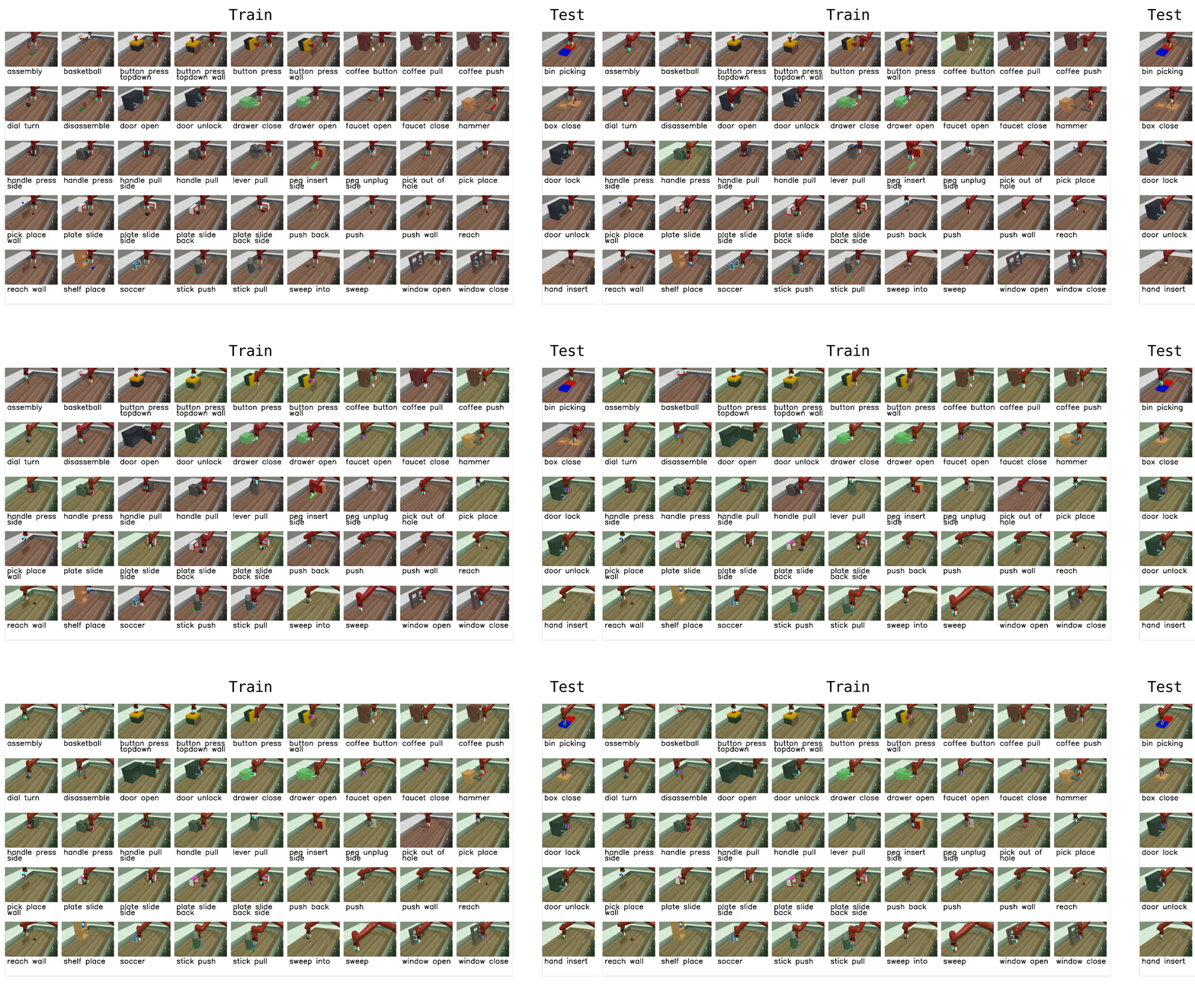
|
||||
|
||||
## Why Meta-World matters
|
||||
|
||||
- **Diverse, realistic tasks.** Meta-World bundles a large suite of simulated manipulation tasks (50 in the MT50 suite) using everyday objects and a common tabletop Sawyer arm. This diversity exposes algorithms to a wide variety of dynamics, contacts and goal specifications while keeping a consistent control and observation structure.
|
||||
- **Focus on generalization and multi-task learning.** By evaluating across task distributions that share structure but differ in goals and objects, Meta-World reveals whether an agent truly learns transferable skills rather than overfitting to a narrow task.
|
||||
- **Standardized evaluation protocol.** It provides clear evaluation modes and difficulty splits, so different methods can be compared fairly across easy, medium, hard and very-hard regimes.
|
||||
- **Empirical insight.** Past evaluations on Meta-World show impressive progress on some fronts, but also highlight that current multi-task and meta-RL methods still struggle with large, diverse task sets. That gap points to important research directions.
|
||||
|
||||
## What it enables in LeRobot
|
||||
|
||||
In LeRobot, you can evaluate any policy or vision-language-action (VLA) model on Meta-World tasks and get a clear success-rate measure. The integration is designed to be straightforward:
|
||||
|
||||
- We provide a LeRobot-ready dataset for Meta-World (MT50) on the HF Hub: `https://huggingface.co/datasets/lerobot/metaworld_mt50`.
|
||||
- This dataset is formatted for the MT50 evaluation that uses all 50 tasks (the most challenging multi-task setting).
|
||||
- MT50 gives the policy a one-hot task vector and uses fixed object/goal positions for consistency.
|
||||
|
||||
- Task descriptions and the exact keys required for evaluation are available in the repo/dataset — use these to ensure your policy outputs the right success signals.
|
||||
|
||||
## Quick start, train a SmolVLA policy on Meta-World
|
||||
|
||||
Example command to train a SmolVLA policy on a subset of tasks:
|
||||
|
||||
```bash
|
||||
lerobot-train \
|
||||
--policy.type=smolvla \
|
||||
--policy.repo_id=${HF_USER}/metaworld-test \
|
||||
--policy.load_vlm_weights=true \
|
||||
--dataset.repo_id=lerobot/metaworld_mt50 \
|
||||
--env.type=metaworld \
|
||||
--env.task=assembly-v3,dial-turn-v3,handle-press-side-v3 \
|
||||
--output_dir=./outputs/ \
|
||||
--steps=100000 \
|
||||
--batch_size=4 \
|
||||
--eval.batch_size=1 \
|
||||
--eval.n_episodes=1 \
|
||||
--eval_freq=1000
|
||||
```
|
||||
|
||||
Notes:
|
||||
|
||||
- `--env.task` accepts explicit task lists (comma separated) or difficulty groups (e.g., `env.task="hard"`).
|
||||
- Adjust `batch_size`, `steps`, and `eval_freq` to match your compute budget.
|
||||
- **Gymnasium Assertion Error**: if you encounter an error like
|
||||
`AssertionError: ['human', 'rgb_array', 'depth_array']` when running MetaWorld environments, this comes from a mismatch between MetaWorld and your Gymnasium version.
|
||||
We recommend using:
|
||||
|
||||
```bash
|
||||
pip install "gymnasium==1.1.0"
|
||||
```
|
||||
|
||||
to ensure proper compatibility.
|
||||
|
||||
## Quick start — evaluate a trained policy
|
||||
|
||||
To evaluate a trained policy on the Meta-World medium difficulty split:
|
||||
|
||||
```bash
|
||||
lerobot-eval \
|
||||
--policy.path="your-policy-id" \
|
||||
--env.type=metaworld \
|
||||
--env.task=medium \
|
||||
--eval.batch_size=1 \
|
||||
--eval.n_episodes=2
|
||||
```
|
||||
|
||||
This will run episodes and return per-task success rates using the standard Meta-World evaluation keys.
|
||||
|
||||
## Practical tips
|
||||
|
||||
- If you care about generalization, run on the full MT50 suite — it’s intentionally challenging and reveals strengths/weaknesses better than a few narrow tasks.
|
||||
- Use the one-hot task conditioning for multi-task training (MT10 / MT50 conventions) so policies have explicit task context.
|
||||
- Inspect the dataset task descriptions and the `info["is_success"]` keys when writing post-processing or logging so your success metrics line up with the benchmark.
|
||||
@@ -1,125 +0,0 @@
|
||||
# Multi-GPU Training
|
||||
|
||||
This guide shows you how to train policies on multiple GPUs using [Hugging Face Accelerate](https://huggingface.co/docs/accelerate).
|
||||
|
||||
## Installation
|
||||
|
||||
First, ensure you have accelerate installed:
|
||||
|
||||
```bash
|
||||
pip install accelerate
|
||||
```
|
||||
|
||||
## Training with Multiple GPUs
|
||||
|
||||
You can launch training in two ways:
|
||||
|
||||
### Option 1: Without config (specify parameters directly)
|
||||
|
||||
You can specify all parameters directly in the command without running `accelerate config`:
|
||||
|
||||
```bash
|
||||
accelerate launch \
|
||||
--multi_gpu \
|
||||
--num_processes=2 \
|
||||
$(which lerobot-train) \
|
||||
--dataset.repo_id=${HF_USER}/my_dataset \
|
||||
--policy.type=act \
|
||||
--policy.repo_id=${HF_USER}/my_trained_policy \
|
||||
--output_dir=outputs/train/act_multi_gpu \
|
||||
--job_name=act_multi_gpu \
|
||||
--wandb.enable=true
|
||||
```
|
||||
|
||||
**Key accelerate parameters:**
|
||||
|
||||
- `--multi_gpu`: Enable multi-GPU training
|
||||
- `--num_processes=2`: Number of GPUs to use
|
||||
- `--mixed_precision=fp16`: Use fp16 mixed precision (or `bf16` if supported)
|
||||
|
||||
### Option 2: Using accelerate config
|
||||
|
||||
If you prefer to save your configuration, you can optionally configure accelerate for your hardware setup by running:
|
||||
|
||||
```bash
|
||||
accelerate config
|
||||
```
|
||||
|
||||
This interactive setup will ask you questions about your training environment (number of GPUs, mixed precision settings, etc.) and saves the configuration for future use. For a simple multi-GPU setup on a single machine, you can use these recommended settings:
|
||||
|
||||
- Compute environment: This machine
|
||||
- Number of machines: 1
|
||||
- Number of processes: (number of GPUs you want to use)
|
||||
- GPU ids to use: (leave empty to use all)
|
||||
- Mixed precision: fp16 or bf16 (recommended for faster training)
|
||||
|
||||
Then launch training with:
|
||||
|
||||
```bash
|
||||
accelerate launch $(which lerobot-train) \
|
||||
--dataset.repo_id=${HF_USER}/my_dataset \
|
||||
--policy.type=act \
|
||||
--policy.repo_id=${HF_USER}/my_trained_policy \
|
||||
--output_dir=outputs/train/act_multi_gpu \
|
||||
--job_name=act_multi_gpu \
|
||||
--wandb.enable=true
|
||||
```
|
||||
|
||||
## How It Works
|
||||
|
||||
When you launch training with accelerate:
|
||||
|
||||
1. **Automatic detection**: LeRobot automatically detects if it's running under accelerate
|
||||
2. **Data distribution**: Your batch is automatically split across GPUs
|
||||
3. **Gradient synchronization**: Gradients are synchronized across GPUs during backpropagation
|
||||
4. **Single process logging**: Only the main process logs to wandb and saves checkpoints
|
||||
|
||||
## Learning Rate and Training Steps Scaling
|
||||
|
||||
**Important:** LeRobot does **NOT** automatically scale learning rates or training steps based on the number of GPUs. This gives you full control over your training hyperparameters.
|
||||
|
||||
### Why No Automatic Scaling?
|
||||
|
||||
Many distributed training frameworks automatically scale the learning rate by the number of GPUs (e.g., `lr = base_lr × num_gpus`).
|
||||
However, LeRobot keeps the learning rate exactly as you specify it.
|
||||
|
||||
### When and How to Scale
|
||||
|
||||
If you want to scale your hyperparameters when using multiple GPUs, you should do it manually:
|
||||
|
||||
**Learning Rate Scaling:**
|
||||
|
||||
```bash
|
||||
# Example: 2 GPUs with linear LR scaling
|
||||
# Base LR: 1e-4, with 2 GPUs -> 2e-4
|
||||
accelerate launch --num_processes=2 $(which lerobot-train) \
|
||||
--optimizer.lr=2e-4 \
|
||||
--dataset.repo_id=lerobot/pusht \
|
||||
--policy=act
|
||||
```
|
||||
|
||||
**Training Steps Scaling:**
|
||||
|
||||
Since the effective batch size `bs` increases with multiple GPUs (batch_size × num_gpus), you may want to reduce the number of training steps proportionally:
|
||||
|
||||
```bash
|
||||
# Example: 2 GPUs with effective batch size 2x larger
|
||||
# Original: batch_size=8, steps=100000
|
||||
# With 2 GPUs: batch_size=8 (16 in total), steps=50000
|
||||
accelerate launch --num_processes=2 $(which lerobot-train) \
|
||||
--batch_size=8 \
|
||||
--steps=50000 \
|
||||
--dataset.repo_id=lerobot/pusht \
|
||||
--policy=act
|
||||
```
|
||||
|
||||
## Notes
|
||||
|
||||
- The `--policy.use_amp` flag in `lerobot-train` is only used when **not** running with accelerate. When using accelerate, mixed precision is controlled by accelerate's configuration.
|
||||
- Training logs, checkpoints, and hub uploads are only done by the main process to avoid conflicts. Non-main processes have console logging disabled to prevent duplicate output.
|
||||
- The effective batch size is `batch_size × num_gpus`. If you use 4 GPUs with `--batch_size=8`, your effective batch size is 32.
|
||||
- Learning rate scheduling is handled correctly across multiple processes—LeRobot sets `step_scheduler_with_optimizer=False` to prevent accelerate from adjusting scheduler steps based on the number of processes.
|
||||
- When saving or pushing models, LeRobot automatically unwraps the model from accelerate's distributed wrapper to ensure compatibility.
|
||||
- WandB integration automatically initializes only on the main process, preventing multiple runs from being created.
|
||||
|
||||
For more advanced configurations and troubleshooting, see the [Accelerate documentation](https://huggingface.co/docs/accelerate). If you want to learn more about how to train on a large number of GPUs, checkout this awesome guide: [Ultrascale Playbook](https://huggingface.co/spaces/nanotron/ultrascale-playbook).
|
||||
@@ -79,7 +79,7 @@ After running the example:
|
||||
- Android: after starting the script, open the printed local URL on your phone, tap Start, then press and hold Move.
|
||||
- iOS: open HEBI Mobile I/O first; B1 enables motion. A3 controls the gripper.
|
||||
|
||||
Additionally you can customize mapping or safety limits by editing the processor steps shown in the examples. You can also remap inputs (e.g., use a different analog input) or adapt the pipeline to other robots (e.g., LeKiwi) by modifying the input and kinematics steps. More about this in the [Processors for Robots and Teleoperators](./processors_robots_teleop) guide.
|
||||
Additionally you can customize mapping or safety limits by editing the processor steps shown in the examples. You can also remap inputs (e.g., use a different analog input) or adapt the pipeline to other robots (e.g., LeKiwi) by modifying the input and kinematics steps. More about this in the [Processors for Robots and Teleoperators](./processors_robots_teleop.mdx) guide.
|
||||
|
||||
- Run this example to record a dataset, which saves absolute end effector observations and actions:
|
||||
|
||||
@@ -136,12 +136,13 @@ Additionally you can customize mapping or safety limits by editing the processor
|
||||
),
|
||||
```
|
||||
|
||||
- The `EEBoundsAndSafety` step clamps EE motion to a workspace and checks for large ee step jumps to ensure safety. The `end_effector_bounds` are the bounds for the EE pose and can be modified to change the workspace. The `max_ee_step_m` are the step limits for the EE pose and can be modified to change the safety limits.
|
||||
- The `EEBoundsAndSafety` step clamps EE motion to a workspace and checks for large ee step jumps to ensure safety. The `end_effector_bounds` are the bounds for the EE pose and can be modified to change the workspace. The `max_ee_step_m` and `max_ee_twist_step_rad` are the step limits for the EE pose and can be modified to change the safety limits.
|
||||
|
||||
```examples/phone_to_so100/teleoperate.py
|
||||
EEBoundsAndSafety(
|
||||
end_effector_bounds={"min": [-1.0, -1.0, -1.0], "max": [1.0, 1.0, 1.0]},
|
||||
max_ee_step_m=0.10,
|
||||
max_ee_twist_step_rad=0.50,
|
||||
)
|
||||
```
|
||||
|
||||
|
||||
@@ -1,84 +0,0 @@
|
||||
# π₀ (Pi0)
|
||||
|
||||
π₀ is a **Vision-Language-Action model for general robot control**, from Physical Intelligence. The LeRobot implementation is adapted from their open source [OpenPI](https://github.com/Physical-Intelligence/openpi) repository.
|
||||
|
||||
## Model Overview
|
||||
|
||||
π₀ represents a breakthrough in robotics as the first general-purpose robot foundation model developed by [Physical Intelligence](https://www.physicalintelligence.company/blog/pi0). Unlike traditional robot programs that are narrow specialists programmed for repetitive motions, π₀ is designed to be a generalist policy that can understand visual inputs, interpret natural language instructions, and control a variety of different robots across diverse tasks.
|
||||
|
||||
### The Vision for Physical Intelligence
|
||||
|
||||
As described by Physical Intelligence, while AI has achieved remarkable success in digital domains, from chess-playing to drug discovery, human intelligence still dramatically outpaces AI in the physical world. To paraphrase Moravec's paradox, winning a game of chess represents an "easy" problem for AI, but folding a shirt or cleaning up a table requires solving some of the most difficult engineering problems ever conceived. π₀ represents a first step toward developing artificial physical intelligence that enables users to simply ask robots to perform any task they want, just like they can with large language models.
|
||||
|
||||
### Architecture and Approach
|
||||
|
||||
π₀ combines several key innovations:
|
||||
|
||||
- **Flow Matching**: Uses a novel method to augment pre-trained VLMs with continuous action outputs via flow matching (a variant of diffusion models)
|
||||
- **Cross-Embodiment Training**: Trained on data from 8 distinct robot platforms including UR5e, Bimanual UR5e, Franka, Bimanual Trossen, Bimanual ARX, Mobile Trossen, and Mobile Fibocom
|
||||
- **Internet-Scale Pre-training**: Inherits semantic knowledge from a pre-trained 3B parameter Vision-Language Model
|
||||
- **High-Frequency Control**: Outputs motor commands at up to 50 Hz for real-time dexterous manipulation
|
||||
|
||||
## Installation Requirements
|
||||
|
||||
1. Install LeRobot by following our [Installation Guide](./installation).
|
||||
2. Install Pi0 dependencies by running:
|
||||
|
||||
```bash
|
||||
pip install -e ".[pi]"
|
||||
```
|
||||
|
||||
> [!NOTE]
|
||||
> For lerobot 0.4.0, if you want to install pi tag, you will have to do: `pip install "lerobot[pi]@git+https://github.com/huggingface/lerobot.git"`.
|
||||
>
|
||||
> This will be solved in the next patch release
|
||||
|
||||
## Training Data and Capabilities
|
||||
|
||||
π₀ is trained on the largest robot interaction dataset to date, combining three key data sources:
|
||||
|
||||
1. **Internet-Scale Pre-training**: Vision-language data from the web for semantic understanding
|
||||
2. **Open X-Embodiment Dataset**: Open-source robot manipulation datasets
|
||||
3. **Physical Intelligence Dataset**: Large and diverse dataset of dexterous tasks across 8 distinct robots
|
||||
|
||||
## Usage
|
||||
|
||||
To use π₀ in LeRobot, specify the policy type as:
|
||||
|
||||
```python
|
||||
policy.type=pi0
|
||||
```
|
||||
|
||||
## Training
|
||||
|
||||
For training π₀, you can use the standard LeRobot training script with the appropriate configuration:
|
||||
|
||||
```bash
|
||||
python src/lerobot/scripts/lerobot_train.py \
|
||||
--dataset.repo_id=your_dataset \
|
||||
--policy.type=pi0 \
|
||||
--output_dir=./outputs/pi0_training \
|
||||
--job_name=pi0_training \
|
||||
--policy.pretrained_path=lerobot/pi0_base \
|
||||
--policy.repo_id=your_repo_id \
|
||||
--policy.compile_model=true \
|
||||
--policy.gradient_checkpointing=true \
|
||||
--policy.dtype=bfloat16 \
|
||||
--steps=3000 \
|
||||
--policy.device=cuda \
|
||||
--batch_size=32
|
||||
```
|
||||
|
||||
### Key Training Parameters
|
||||
|
||||
- **`--policy.compile_model=true`**: Enables model compilation for faster training
|
||||
- **`--policy.gradient_checkpointing=true`**: Reduces memory usage significantly during training
|
||||
- **`--policy.dtype=bfloat16`**: Use mixed precision training for efficiency
|
||||
- **`--batch_size=32`**: Batch size for training, adapt this based on your GPU memory
|
||||
- **`--policy.pretrained_path=lerobot/pi0_base`**: The base π₀ model you want to finetune, options are:
|
||||
- [lerobot/pi0_base](https://huggingface.co/lerobot/pi0_base)
|
||||
- [lerobot/pi0_libero](https://huggingface.co/lerobot/pi0_libero) (specifically trained on the Libero dataset)
|
||||
|
||||
## License
|
||||
|
||||
This model follows the **Apache 2.0 License**, consistent with the original [OpenPI repository](https://github.com/Physical-Intelligence/openpi).
|
||||
@@ -1,112 +0,0 @@
|
||||
# π₀.₅ (Pi05) Policy
|
||||
|
||||
π₀.₅ is a **Vision-Language-Action model with open-world generalization**, from Physical Intelligence. The LeRobot implementation is adapted from their open source [OpenPI](https://github.com/Physical-Intelligence/openpi) repository.
|
||||
|
||||
## Model Overview
|
||||
|
||||
π₀.₅ represents a significant evolution from π₀, developed by [Physical Intelligence](https://www.physicalintelligence.company/blog/pi05) to address a big challenge in robotics: **open-world generalization**. While robots can perform impressive tasks in controlled environments, π₀.₅ is designed to generalize to entirely new environments and situations that were never seen during training.
|
||||
|
||||
### The Generalization Challenge
|
||||
|
||||
As Physical Intelligence explains, the fundamental challenge isn't performing tasks of agility or dexterity, but generalization, the ability to correctly perform tasks in new settings with new objects. Consider a robot cleaning different homes: each home has different objects in different places. Generalization must occur at multiple levels:
|
||||
|
||||
- **Physical Level**: Understanding how to pick up a spoon (by the handle) or plate (by the edge), even with unseen objects in cluttered environments
|
||||
- **Semantic Level**: Understanding task semantics, where to put clothes and shoes (laundry hamper, not on the bed), and what tools are appropriate for cleaning spills
|
||||
- **Environmental Level**: Adapting to "messy" real-world environments like homes, grocery stores, offices, and hospitals
|
||||
|
||||
### Co-Training on Heterogeneous Data
|
||||
|
||||
The breakthrough innovation in π₀.₅ is **co-training on heterogeneous data sources**. The model learns from:
|
||||
|
||||
1. **Multimodal Web Data**: Image captioning, visual question answering, object detection
|
||||
2. **Verbal Instructions**: Humans coaching robots through complex tasks step-by-step
|
||||
3. **Subtask Commands**: High-level semantic behavior labels (e.g., "pick up the pillow" for an unmade bed)
|
||||
4. **Cross-Embodiment Robot Data**: Data from various robot platforms with different capabilities
|
||||
5. **Multi-Environment Data**: Static robots deployed across many different homes
|
||||
6. **Mobile Manipulation Data**: ~400 hours of mobile robot demonstrations
|
||||
|
||||
This diverse training mixture creates a "curriculum" that enables generalization across physical, visual, and semantic levels simultaneously.
|
||||
|
||||
## Installation Requirements
|
||||
|
||||
1. Install LeRobot by following our [Installation Guide](./installation).
|
||||
2. Install Pi0.5 dependencies by running:
|
||||
|
||||
```bash
|
||||
pip install -e ".[pi]"
|
||||
```
|
||||
|
||||
> [!NOTE]
|
||||
> For lerobot 0.4.0, if you want to install pi tag, you will have to do: `pip install "lerobot[pi]@git+https://github.com/huggingface/lerobot.git"`.
|
||||
>
|
||||
> This will be solved in the next patch release
|
||||
|
||||
## Usage
|
||||
|
||||
To use π₀.₅ in your LeRobot configuration, specify the policy type as:
|
||||
|
||||
```python
|
||||
policy.type=pi05
|
||||
```
|
||||
|
||||
## Training
|
||||
|
||||
### Training Command Example
|
||||
|
||||
Here's a complete training command for finetuning the base π₀.₅ model on your own dataset:
|
||||
|
||||
```bash
|
||||
python src/lerobot/scripts/lerobot_train.py\
|
||||
--dataset.repo_id=your_dataset \
|
||||
--policy.type=pi05 \
|
||||
--output_dir=./outputs/pi05_training \
|
||||
--job_name=pi05_training \
|
||||
--policy.repo_id=your_repo_id \
|
||||
--policy.pretrained_path=lerobot/pi05_base \
|
||||
--policy.compile_model=true \
|
||||
--policy.gradient_checkpointing=true \
|
||||
--wandb.enable=true \
|
||||
--policy.dtype=bfloat16 \
|
||||
--steps=3000 \
|
||||
--policy.device=cuda \
|
||||
--batch_size=32
|
||||
```
|
||||
|
||||
### Key Training Parameters
|
||||
|
||||
- **`--policy.compile_model=true`**: Enables model compilation for faster training
|
||||
- **`--policy.gradient_checkpointing=true`**: Reduces memory usage significantly during training
|
||||
- **`--policy.dtype=bfloat16`**: Use mixed precision training for efficiency
|
||||
- **`--batch_size=32`**: Batch size for training, adapt this based on your GPU memory
|
||||
- **`--policy.pretrained_path=lerobot/pi05_base`**: The base π₀.₅ model you want to finetune, options are:
|
||||
- [lerobot/pi05_base](https://huggingface.co/lerobot/pi05_base)
|
||||
- [lerobot/pi05_libero](https://huggingface.co/lerobot/pi05_libero) (specifically trained on the Libero dataset)
|
||||
|
||||
If your dataset is not converted with `quantiles`, you can convert it with the following command:
|
||||
|
||||
```bash
|
||||
python src/lerobot/datasets/v30/augment_dataset_quantile_stats.py \
|
||||
--repo-id=your_dataset \
|
||||
```
|
||||
|
||||
Or train pi05 with this normalization mapping: `--policy.normalization_mapping='{"ACTION": "MEAN_STD", "STATE": "MEAN_STD", "VISUAL": "IDENTITY"}'`
|
||||
|
||||
## Performance Results
|
||||
|
||||
### Libero Benchmark Results
|
||||
|
||||
π₀.₅ has demonstrated strong performance on the Libero benchmark suite. To compare and test its LeRobot implementation, we finetuned the libero base model for an additional 6k steps on the Libero dataset and compared the results to the OpenPI reference results.
|
||||
|
||||
| Benchmark | LeRobot Implementation | OpenPI Reference |
|
||||
| ------------------ | ---------------------- | ---------------- |
|
||||
| **Libero Spatial** | 97.0% | 98.8% |
|
||||
| **Libero Object** | 99.0% | 98.2% |
|
||||
| **Libero Goal** | 98.0% | 98.0% |
|
||||
| **Libero 10** | 96.0% | 92.4% |
|
||||
| **Average** | 97.5% | 96.85% |
|
||||
|
||||
These results demonstrate π₀.₅'s strong generalization capabilities across diverse robotic manipulation tasks. To reproduce these results, you can follow the instructions in the [Libero](https://huggingface.co/docs/lerobot/libero) section.
|
||||
|
||||
## License
|
||||
|
||||
This model follows the **Apache 2.0 License**, consistent with the original [OpenPI repository](https://github.com/Physical-Intelligence/openpi).
|
||||
@@ -1,27 +0,0 @@
|
||||
## Research Paper
|
||||
|
||||
Paper: https://research.nvidia.com/labs/gear/gr00t-n1_5/
|
||||
|
||||
## Repository
|
||||
|
||||
Code: https://github.com/NVIDIA/Isaac-GR00T
|
||||
|
||||
## Citation
|
||||
|
||||
```bibtex
|
||||
@inproceedings{gr00tn1_2025,
|
||||
archivePrefix = {arxiv},
|
||||
eprint = {2503.14734},
|
||||
title = {{GR00T} {N1}: An Open Foundation Model for Generalist Humanoid Robots},
|
||||
author = {NVIDIA and Johan Bjorck andFernando Castañeda, Nikita Cherniadev and Xingye Da and Runyu Ding and Linxi "Jim" Fan and Yu Fang and Dieter Fox and Fengyuan Hu and Spencer Huang and Joel Jang and Zhenyu Jiang and Jan Kautz and Kaushil Kundalia and Lawrence Lao and Zhiqi Li and Zongyu Lin and Kevin Lin and Guilin Liu and Edith Llontop and Loic Magne and Ajay Mandlekar and Avnish Narayan and Soroush Nasiriany and Scott Reed and You Liang Tan and Guanzhi Wang and Zu Wang and Jing Wang and Qi Wang and Jiannan Xiang and Yuqi Xie and Yinzhen Xu and Zhenjia Xu and Seonghyeon Ye and Zhiding Yu and Ao Zhang and Hao Zhang and Yizhou Zhao and Ruijie Zheng and Yuke Zhu},
|
||||
month = {March},
|
||||
year = {2025},
|
||||
booktitle = {ArXiv Preprint},
|
||||
}
|
||||
```
|
||||
|
||||
## Additional Resources
|
||||
|
||||
Blog: https://developer.nvidia.com/isaac/gr00t
|
||||
|
||||
Hugging Face Model: https://huggingface.co/nvidia/GR00T-N1.5-3B
|
||||
@@ -38,7 +38,7 @@ phone_to_robot_ee_pose_processor = RobotProcessorPipeline[RobotAction, RobotActi
|
||||
kinematics=kinematics_solver, end_effector_step_sizes={"x": 0.5, "y": 0.5, "z": 0.5}, motor_names=list(robot.bus.motors.keys()),
|
||||
),
|
||||
EEBoundsAndSafety(
|
||||
end_effector_bounds={"min": [-1.0, -1.0, -1.0], "max": [1.0, 1.0, 1.0]}, max_ee_step_m=0.20,
|
||||
end_effector_bounds={"min": [-1.0, -1.0, -1.0], "max": [1.0, 1.0, 1.0]}, max_ee_step_m=0.20, max_ee_twist_step_rad=0.50,
|
||||
),
|
||||
GripperVelocityToJoint(),
|
||||
],
|
||||
|
||||
@@ -1,4 +1,4 @@
|
||||
# SmolVLA
|
||||
# Finetune SmolVLA
|
||||
|
||||
SmolVLA is Hugging Face’s lightweight foundation model for robotics. Designed for easy fine-tuning on LeRobot datasets, it helps accelerate your development!
|
||||
|
||||
@@ -29,7 +29,7 @@ SmolVLA is Hugging Face’s lightweight foundation model for robotics. Designed
|
||||
## Collect a dataset
|
||||
|
||||
SmolVLA is a base model, so fine-tuning on your own data is required for optimal performance in your setup.
|
||||
We recommend recording ~50 episodes of your task as a starting point. Follow our guide to get started: [Recording a Dataset](./il_robots)
|
||||
We recommend recording ~50 episodes of your task as a starting point. Follow our guide to get started: [Recording a Dataset](https://huggingface.co/docs/lerobot/getting_started_real_world_robot#record-a-dataset)
|
||||
|
||||
<Tip>
|
||||
|
||||
@@ -93,7 +93,7 @@ lerobot-train --help
|
||||
|
||||
## Evaluate the finetuned model and run it in real-time
|
||||
|
||||
Similarly for when recording an episode, it is recommended that you are logged in to the HuggingFace Hub. You can follow the corresponding steps: [Record a dataset](./il_robots).
|
||||
Similarly for when recording an episode, it is recommended that you are logged in to the HuggingFace Hub. You can follow the corresponding steps: [Record a dataset](./getting_started_real_world_robot#record-a-dataset).
|
||||
Once you are logged in, you can run inference in your setup by doing:
|
||||
|
||||
```bash
|
||||
|
||||
@@ -634,7 +634,7 @@ leader.disconnect()
|
||||
</hfoption>
|
||||
</hfoptions>
|
||||
|
||||
Congrats 🎉, your robot is all set to learn a task on its own. Start training it by following this tutorial: [Getting started with real-world robots](./il_robots)
|
||||
Congrats 🎉, your robot is all set to learn a task on its own. Start training it by following this tutorial: [Getting started with real-world robots](./getting_started_real_world_robot)
|
||||
|
||||
> [!TIP]
|
||||
> If you have any questions or need help, please reach out on [Discord](https://discord.com/invite/s3KuuzsPFb).
|
||||
|
||||
@@ -430,7 +430,7 @@ leader.disconnect()
|
||||
</hfoption>
|
||||
</hfoptions>
|
||||
|
||||
Congrats 🎉, your robot is all set to learn a task on its own. Start training it by following this tutorial: [Getting started with real-world robots](./il_robots)
|
||||
Congrats 🎉, your robot is all set to learn a task on its own. Start training it by following this tutorial: [Getting started with real-world robots](./getting_started_real_world_robot)
|
||||
|
||||
> [!TIP]
|
||||
> If you have any questions or need help, please reach out on [Discord](https://discord.com/invite/s3KuuzsPFb).
|
||||
|
||||
@@ -1,102 +0,0 @@
|
||||
# Using Dataset Tools
|
||||
|
||||
This guide covers the dataset tools utilities available in LeRobot for modifying and editing existing datasets.
|
||||
|
||||
## Overview
|
||||
|
||||
LeRobot provides several utilities for manipulating datasets:
|
||||
|
||||
1. **Delete Episodes** - Remove specific episodes from a dataset
|
||||
2. **Split Dataset** - Divide a dataset into multiple smaller datasets
|
||||
3. **Merge Datasets** - Combine multiple datasets into one. The datasets must have identical features, and episodes are concatenated in the order specified in `repo_ids`
|
||||
4. **Add Features** - Add new features to a dataset
|
||||
5. **Remove Features** - Remove features from a dataset
|
||||
|
||||
The core implementation is in `lerobot.datasets.dataset_tools`.
|
||||
An example script detailing how to use the tools API is available in `examples/dataset/use_dataset_tools.py`.
|
||||
|
||||
## Command-Line Tool: lerobot-edit-dataset
|
||||
|
||||
`lerobot-edit-dataset` is a command-line script for editing datasets. It can be used to delete episodes, split datasets, merge datasets, add features, and remove features.
|
||||
|
||||
Run `lerobot-edit-dataset --help` for more information on the configuration of each operation.
|
||||
|
||||
### Usage Examples
|
||||
|
||||
#### Delete Episodes
|
||||
|
||||
Remove specific episodes from a dataset. This is useful for filtering out undesired data.
|
||||
|
||||
```bash
|
||||
# Delete episodes 0, 2, and 5 (modifies original dataset)
|
||||
lerobot-edit-dataset \
|
||||
--repo_id lerobot/pusht \
|
||||
--operation.type delete_episodes \
|
||||
--operation.episode_indices "[0, 2, 5]"
|
||||
|
||||
# Delete episodes and save to a new dataset (preserves original dataset)
|
||||
lerobot-edit-dataset \
|
||||
--repo_id lerobot/pusht \
|
||||
--new_repo_id lerobot/pusht_after_deletion \
|
||||
--operation.type delete_episodes \
|
||||
--operation.episode_indices "[0, 2, 5]"
|
||||
```
|
||||
|
||||
#### Split Dataset
|
||||
|
||||
Divide a dataset into multiple subsets.
|
||||
|
||||
```bash
|
||||
# Split by fractions (e.g. 80% train, 20% test, 20% val)
|
||||
lerobot-edit-dataset \
|
||||
--repo_id lerobot/pusht \
|
||||
--operation.type split \
|
||||
--operation.splits '{"train": 0.8, "test": 0.2, "val": 0.2}'
|
||||
|
||||
# Split by specific episode indices
|
||||
lerobot-edit-dataset \
|
||||
--repo_id lerobot/pusht \
|
||||
--operation.type split \
|
||||
--operation.splits '{"task1": [0, 1, 2, 3], "task2": [4, 5]}'
|
||||
```
|
||||
|
||||
There are no constraints on the split names, they can be determined by the user. Resulting datasets are saved under the repo id with the split name appended, e.g. `lerobot/pusht_train`, `lerobot/pusht_task1`, `lerobot/pusht_task2`.
|
||||
|
||||
#### Merge Datasets
|
||||
|
||||
Combine multiple datasets into a single dataset.
|
||||
|
||||
```bash
|
||||
# Merge train and validation splits back into one dataset
|
||||
lerobot-edit-dataset \
|
||||
--repo_id lerobot/pusht_merged \
|
||||
--operation.type merge \
|
||||
--operation.repo_ids "['lerobot/pusht_train', 'lerobot/pusht_val']"
|
||||
```
|
||||
|
||||
#### Remove Features
|
||||
|
||||
Remove features from a dataset.
|
||||
|
||||
```bash
|
||||
# Remove a camera feature
|
||||
lerobot-edit-dataset \
|
||||
--repo_id lerobot/pusht \
|
||||
--operation.type remove_feature \
|
||||
--operation.feature_names "['observation.images.top']"
|
||||
```
|
||||
|
||||
### Push to Hub
|
||||
|
||||
Add the `--push_to_hub` flag to any command to automatically upload the resulting dataset to the Hugging Face Hub:
|
||||
|
||||
```bash
|
||||
lerobot-edit-dataset \
|
||||
--repo_id lerobot/pusht \
|
||||
--new_repo_id lerobot/pusht_after_deletion \
|
||||
--operation.type delete_episodes \
|
||||
--operation.episode_indices "[0, 2, 5]" \
|
||||
--push_to_hub
|
||||
```
|
||||
|
||||
There is also a tool for adding features to a dataset that is not yet covered in `lerobot-edit-dataset`.
|
||||
@@ -44,7 +44,6 @@ from lerobot.robots import ( # noqa: F401
|
||||
so100_follower,
|
||||
so101_follower,
|
||||
)
|
||||
from lerobot.utils.constants import ACTION
|
||||
from lerobot.utils.robot_utils import busy_wait
|
||||
from lerobot.utils.utils import (
|
||||
init_logging,
|
||||
@@ -79,16 +78,16 @@ def replay(cfg: ReplayConfig):
|
||||
|
||||
robot = make_robot_from_config(cfg.robot)
|
||||
dataset = LeRobotDataset(cfg.dataset.repo_id, root=cfg.dataset.root, episodes=[cfg.dataset.episode])
|
||||
actions = dataset.hf_dataset.select_columns(ACTION)
|
||||
actions = dataset.hf_dataset.select_columns("action")
|
||||
robot.connect()
|
||||
|
||||
log_say("Replaying episode", cfg.play_sounds, blocking=True)
|
||||
for idx in range(dataset.num_frames):
|
||||
start_episode_t = time.perf_counter()
|
||||
|
||||
action_array = actions[idx][ACTION]
|
||||
action_array = actions[idx]["action"]
|
||||
action = {}
|
||||
for i, name in enumerate(dataset.features[ACTION]["names"]):
|
||||
for i, name in enumerate(dataset.features["action"]["names"]):
|
||||
key = f"{name.removeprefix('main_')}.pos"
|
||||
action[key] = action_array[i].item()
|
||||
|
||||
|
||||
@@ -132,15 +132,17 @@ print(f"\n{dataset[0][camera_key].shape=}") # (4, c, h, w)
|
||||
print(f"{dataset[0]['observation.state'].shape=}") # (6, c)
|
||||
print(f"{dataset[0]['action'].shape=}\n") # (64, c)
|
||||
|
||||
if __name__ == "__main__":
|
||||
dataloader = torch.utils.data.DataLoader(
|
||||
dataset,
|
||||
num_workers=4,
|
||||
batch_size=32,
|
||||
shuffle=True,
|
||||
)
|
||||
for batch in dataloader:
|
||||
print(f"{batch[camera_key].shape=}") # (32, 4, c, h, w)
|
||||
print(f"{batch['observation.state'].shape=}") # (32, 6, c)
|
||||
print(f"{batch['action'].shape=}") # (32, 64, c)
|
||||
break
|
||||
# Finally, our datasets are fully compatible with PyTorch dataloaders and samplers because they are just
|
||||
# PyTorch datasets.
|
||||
dataloader = torch.utils.data.DataLoader(
|
||||
dataset,
|
||||
num_workers=4,
|
||||
batch_size=32,
|
||||
shuffle=True,
|
||||
)
|
||||
|
||||
for batch in dataloader:
|
||||
print(f"{batch[camera_key].shape=}") # (32, 4, c, h, w)
|
||||
print(f"{batch['observation.state'].shape=}") # (32, 6, c)
|
||||
print(f"{batch['action'].shape=}") # (32, 64, c)
|
||||
break
|
||||
|
||||
@@ -1,124 +0,0 @@
|
||||
#!/usr/bin/env python
|
||||
|
||||
# Copyright 2025 The HuggingFace Inc. team. All rights reserved.
|
||||
#
|
||||
# Licensed under the Apache License, Version 2.0 (the "License");
|
||||
# you may not use this file except in compliance with the License.
|
||||
# You may obtain a copy of the License at
|
||||
#
|
||||
# http://www.apache.org/licenses/LICENSE-2.0
|
||||
#
|
||||
# Unless required by applicable law or agreed to in writing, software
|
||||
# distributed under the License is distributed on an "AS IS" BASIS,
|
||||
# WITHOUT WARRANTIES OR CONDITIONS OF ANY KIND, either express or implied.
|
||||
# See the License for the specific language governing permissions and
|
||||
# limitations under the License.
|
||||
|
||||
"""
|
||||
Example script demonstrating dataset tools utilities.
|
||||
|
||||
This script shows how to:
|
||||
1. Delete episodes from a dataset
|
||||
2. Split a dataset into train/val sets
|
||||
3. Add/remove features
|
||||
4. Merge datasets
|
||||
|
||||
Usage:
|
||||
python examples/dataset/use_dataset_tools.py
|
||||
"""
|
||||
|
||||
import numpy as np
|
||||
|
||||
from lerobot.datasets.dataset_tools import (
|
||||
add_features,
|
||||
delete_episodes,
|
||||
merge_datasets,
|
||||
modify_features,
|
||||
remove_feature,
|
||||
split_dataset,
|
||||
)
|
||||
from lerobot.datasets.lerobot_dataset import LeRobotDataset
|
||||
|
||||
|
||||
def main():
|
||||
dataset = LeRobotDataset("lerobot/pusht")
|
||||
|
||||
print(f"Original dataset: {dataset.meta.total_episodes} episodes, {dataset.meta.total_frames} frames")
|
||||
print(f"Features: {list(dataset.meta.features.keys())}")
|
||||
|
||||
print("\n1. Deleting episodes 0 and 2...")
|
||||
filtered_dataset = delete_episodes(dataset, episode_indices=[0, 2], repo_id="lerobot/pusht_filtered")
|
||||
print(f"Filtered dataset: {filtered_dataset.meta.total_episodes} episodes")
|
||||
|
||||
print("\n2. Splitting dataset into train/val...")
|
||||
splits = split_dataset(
|
||||
dataset,
|
||||
splits={"train": 0.8, "val": 0.2},
|
||||
)
|
||||
print(f"Train split: {splits['train'].meta.total_episodes} episodes")
|
||||
print(f"Val split: {splits['val'].meta.total_episodes} episodes")
|
||||
|
||||
print("\n3. Adding features...")
|
||||
|
||||
reward_values = np.random.randn(dataset.meta.total_frames).astype(np.float32)
|
||||
|
||||
def compute_success(row_dict, episode_index, frame_index):
|
||||
episode_length = 10
|
||||
return float(frame_index >= episode_length - 10)
|
||||
|
||||
dataset_with_features = add_features(
|
||||
dataset,
|
||||
features={
|
||||
"reward": (
|
||||
reward_values,
|
||||
{"dtype": "float32", "shape": (1,), "names": None},
|
||||
),
|
||||
"success": (
|
||||
compute_success,
|
||||
{"dtype": "float32", "shape": (1,), "names": None},
|
||||
),
|
||||
},
|
||||
repo_id="lerobot/pusht_with_features",
|
||||
)
|
||||
|
||||
print(f"New features: {list(dataset_with_features.meta.features.keys())}")
|
||||
|
||||
print("\n4. Removing the success feature...")
|
||||
dataset_cleaned = remove_feature(
|
||||
dataset_with_features, feature_names="success", repo_id="lerobot/pusht_cleaned"
|
||||
)
|
||||
print(f"Features after removal: {list(dataset_cleaned.meta.features.keys())}")
|
||||
|
||||
print("\n5. Using modify_features to add and remove features simultaneously...")
|
||||
dataset_modified = modify_features(
|
||||
dataset_with_features,
|
||||
add_features={
|
||||
"discount": (
|
||||
np.ones(dataset.meta.total_frames, dtype=np.float32) * 0.99,
|
||||
{"dtype": "float32", "shape": (1,), "names": None},
|
||||
),
|
||||
},
|
||||
remove_features="reward",
|
||||
repo_id="lerobot/pusht_modified",
|
||||
)
|
||||
print(f"Modified features: {list(dataset_modified.meta.features.keys())}")
|
||||
|
||||
print("\n6. Merging train and val splits back together...")
|
||||
merged = merge_datasets([splits["train"], splits["val"]], output_repo_id="lerobot/pusht_merged")
|
||||
print(f"Merged dataset: {merged.meta.total_episodes} episodes")
|
||||
|
||||
print("\n7. Complex workflow example...")
|
||||
|
||||
if len(dataset.meta.camera_keys) > 1:
|
||||
camera_to_remove = dataset.meta.camera_keys[0]
|
||||
print(f"Removing camera: {camera_to_remove}")
|
||||
dataset_no_cam = remove_feature(
|
||||
dataset, feature_names=camera_to_remove, repo_id="pusht_no_first_camera"
|
||||
)
|
||||
print(f"Remaining cameras: {dataset_no_cam.meta.camera_keys}")
|
||||
|
||||
print("\nDone! Check ~/.cache/huggingface/lerobot/ for the created datasets.")
|
||||
|
||||
|
||||
if __name__ == "__main__":
|
||||
main()
|
||||
@@ -19,12 +19,11 @@ from lerobot.datasets.utils import hw_to_dataset_features
|
||||
from lerobot.policies.act.modeling_act import ACTPolicy
|
||||
from lerobot.policies.factory import make_pre_post_processors
|
||||
from lerobot.processor import make_default_processors
|
||||
from lerobot.record import record_loop
|
||||
from lerobot.robots.lekiwi import LeKiwiClient, LeKiwiClientConfig
|
||||
from lerobot.scripts.lerobot_record import record_loop
|
||||
from lerobot.utils.constants import ACTION, OBS_STR
|
||||
from lerobot.utils.control_utils import init_keyboard_listener
|
||||
from lerobot.utils.utils import log_say
|
||||
from lerobot.utils.visualization_utils import init_rerun
|
||||
from lerobot.utils.visualization_utils import _init_rerun
|
||||
|
||||
NUM_EPISODES = 2
|
||||
FPS = 30
|
||||
@@ -42,8 +41,8 @@ robot = LeKiwiClient(robot_config)
|
||||
policy = ACTPolicy.from_pretrained(HF_MODEL_ID)
|
||||
|
||||
# Configure the dataset features
|
||||
action_features = hw_to_dataset_features(robot.action_features, ACTION)
|
||||
obs_features = hw_to_dataset_features(robot.observation_features, OBS_STR)
|
||||
action_features = hw_to_dataset_features(robot.action_features, "action")
|
||||
obs_features = hw_to_dataset_features(robot.observation_features, "observation")
|
||||
dataset_features = {**action_features, **obs_features}
|
||||
|
||||
# Create the dataset
|
||||
@@ -74,7 +73,7 @@ teleop_action_processor, robot_action_processor, robot_observation_processor = m
|
||||
|
||||
# Initialize the keyboard listener and rerun visualization
|
||||
listener, events = init_keyboard_listener()
|
||||
init_rerun(session_name="lekiwi_evaluate")
|
||||
_init_rerun(session_name="lekiwi_evaluate")
|
||||
|
||||
if not robot.is_connected:
|
||||
raise ValueError("Robot is not connected!")
|
||||
@@ -133,6 +132,4 @@ while recorded_episodes < NUM_EPISODES and not events["stop_recording"]:
|
||||
log_say("Stop recording")
|
||||
robot.disconnect()
|
||||
listener.stop()
|
||||
|
||||
dataset.finalize()
|
||||
dataset.push_to_hub()
|
||||
|
||||
@@ -17,15 +17,14 @@
|
||||
from lerobot.datasets.lerobot_dataset import LeRobotDataset
|
||||
from lerobot.datasets.utils import hw_to_dataset_features
|
||||
from lerobot.processor import make_default_processors
|
||||
from lerobot.record import record_loop
|
||||
from lerobot.robots.lekiwi.config_lekiwi import LeKiwiClientConfig
|
||||
from lerobot.robots.lekiwi.lekiwi_client import LeKiwiClient
|
||||
from lerobot.scripts.lerobot_record import record_loop
|
||||
from lerobot.teleoperators.keyboard import KeyboardTeleop, KeyboardTeleopConfig
|
||||
from lerobot.teleoperators.so100_leader import SO100Leader, SO100LeaderConfig
|
||||
from lerobot.utils.constants import ACTION, OBS_STR
|
||||
from lerobot.utils.control_utils import init_keyboard_listener
|
||||
from lerobot.utils.utils import log_say
|
||||
from lerobot.utils.visualization_utils import init_rerun
|
||||
from lerobot.utils.visualization_utils import _init_rerun
|
||||
|
||||
NUM_EPISODES = 2
|
||||
FPS = 30
|
||||
@@ -48,8 +47,8 @@ keyboard = KeyboardTeleop(keyboard_config)
|
||||
teleop_action_processor, robot_action_processor, robot_observation_processor = make_default_processors()
|
||||
|
||||
# Configure the dataset features
|
||||
action_features = hw_to_dataset_features(robot.action_features, ACTION)
|
||||
obs_features = hw_to_dataset_features(robot.observation_features, OBS_STR)
|
||||
action_features = hw_to_dataset_features(robot.action_features, "action")
|
||||
obs_features = hw_to_dataset_features(robot.observation_features, "observation")
|
||||
dataset_features = {**action_features, **obs_features}
|
||||
|
||||
# Create the dataset
|
||||
@@ -70,7 +69,7 @@ keyboard.connect()
|
||||
|
||||
# Initialize the keyboard listener and rerun visualization
|
||||
listener, events = init_keyboard_listener()
|
||||
init_rerun(session_name="lekiwi_record")
|
||||
_init_rerun(session_name="lekiwi_record")
|
||||
|
||||
if not robot.is_connected or not leader_arm.is_connected or not keyboard.is_connected:
|
||||
raise ValueError("Robot or teleop is not connected!")
|
||||
@@ -130,6 +129,4 @@ robot.disconnect()
|
||||
leader_arm.disconnect()
|
||||
keyboard.disconnect()
|
||||
listener.stop()
|
||||
|
||||
dataset.finalize()
|
||||
dataset.push_to_hub()
|
||||
|
||||
@@ -19,7 +19,6 @@ import time
|
||||
from lerobot.datasets.lerobot_dataset import LeRobotDataset
|
||||
from lerobot.robots.lekiwi.config_lekiwi import LeKiwiClientConfig
|
||||
from lerobot.robots.lekiwi.lekiwi_client import LeKiwiClient
|
||||
from lerobot.utils.constants import ACTION
|
||||
from lerobot.utils.robot_utils import busy_wait
|
||||
from lerobot.utils.utils import log_say
|
||||
|
||||
@@ -35,7 +34,7 @@ robot = LeKiwiClient(robot_config)
|
||||
dataset = LeRobotDataset("<hf_username>/<dataset_repo_id>", episodes=[EPISODE_IDX])
|
||||
# Filter dataset to only include frames from the specified episode since episodes are chunked in dataset V3.0
|
||||
episode_frames = dataset.hf_dataset.filter(lambda x: x["episode_index"] == EPISODE_IDX)
|
||||
actions = episode_frames.select_columns(ACTION)
|
||||
actions = episode_frames.select_columns("action")
|
||||
|
||||
# Connect to the robot
|
||||
robot.connect()
|
||||
@@ -50,7 +49,7 @@ for idx in range(len(episode_frames)):
|
||||
|
||||
# Get recorded action from dataset
|
||||
action = {
|
||||
name: float(actions[idx][ACTION][i]) for i, name in enumerate(dataset.features[ACTION]["names"])
|
||||
name: float(actions[idx]["action"][i]) for i, name in enumerate(dataset.features["action"]["names"])
|
||||
}
|
||||
|
||||
# Send action to robot
|
||||
|
||||
@@ -20,7 +20,7 @@ from lerobot.robots.lekiwi import LeKiwiClient, LeKiwiClientConfig
|
||||
from lerobot.teleoperators.keyboard.teleop_keyboard import KeyboardTeleop, KeyboardTeleopConfig
|
||||
from lerobot.teleoperators.so100_leader import SO100Leader, SO100LeaderConfig
|
||||
from lerobot.utils.robot_utils import busy_wait
|
||||
from lerobot.utils.visualization_utils import init_rerun, log_rerun_data
|
||||
from lerobot.utils.visualization_utils import _init_rerun, log_rerun_data
|
||||
|
||||
FPS = 30
|
||||
|
||||
@@ -41,7 +41,7 @@ leader_arm.connect()
|
||||
keyboard.connect()
|
||||
|
||||
# Init rerun viewer
|
||||
init_rerun(session_name="lekiwi_teleop")
|
||||
_init_rerun(session_name="lekiwi_teleop")
|
||||
|
||||
if not robot.is_connected or not leader_arm.is_connected or not keyboard.is_connected:
|
||||
raise ValueError("Robot or teleop is not connected!")
|
||||
|
||||
@@ -34,16 +34,16 @@ from lerobot.processor.converters import (
|
||||
transition_to_observation,
|
||||
transition_to_robot_action,
|
||||
)
|
||||
from lerobot.record import record_loop
|
||||
from lerobot.robots.so100_follower.config_so100_follower import SO100FollowerConfig
|
||||
from lerobot.robots.so100_follower.robot_kinematic_processor import (
|
||||
ForwardKinematicsJointsToEE,
|
||||
InverseKinematicsEEToJoints,
|
||||
)
|
||||
from lerobot.robots.so100_follower.so100_follower import SO100Follower
|
||||
from lerobot.scripts.lerobot_record import record_loop
|
||||
from lerobot.utils.control_utils import init_keyboard_listener
|
||||
from lerobot.utils.utils import log_say
|
||||
from lerobot.utils.visualization_utils import init_rerun
|
||||
from lerobot.utils.visualization_utils import _init_rerun
|
||||
|
||||
NUM_EPISODES = 5
|
||||
FPS = 30
|
||||
@@ -137,7 +137,7 @@ robot.connect()
|
||||
|
||||
# Initialize the keyboard listener and rerun visualization
|
||||
listener, events = init_keyboard_listener()
|
||||
init_rerun(session_name="phone_so100_evaluate")
|
||||
_init_rerun(session_name="phone_so100_evaluate")
|
||||
|
||||
if not robot.is_connected:
|
||||
raise ValueError("Robot is not connected!")
|
||||
@@ -194,6 +194,4 @@ for episode_idx in range(NUM_EPISODES):
|
||||
log_say("Stop recording")
|
||||
robot.disconnect()
|
||||
listener.stop()
|
||||
|
||||
dataset.finalize()
|
||||
dataset.push_to_hub()
|
||||
|
||||
@@ -26,6 +26,7 @@ from lerobot.processor.converters import (
|
||||
transition_to_observation,
|
||||
transition_to_robot_action,
|
||||
)
|
||||
from lerobot.record import record_loop
|
||||
from lerobot.robots.so100_follower.config_so100_follower import SO100FollowerConfig
|
||||
from lerobot.robots.so100_follower.robot_kinematic_processor import (
|
||||
EEBoundsAndSafety,
|
||||
@@ -35,13 +36,12 @@ from lerobot.robots.so100_follower.robot_kinematic_processor import (
|
||||
InverseKinematicsEEToJoints,
|
||||
)
|
||||
from lerobot.robots.so100_follower.so100_follower import SO100Follower
|
||||
from lerobot.scripts.lerobot_record import record_loop
|
||||
from lerobot.teleoperators.phone.config_phone import PhoneConfig, PhoneOS
|
||||
from lerobot.teleoperators.phone.phone_processor import MapPhoneActionToRobotAction
|
||||
from lerobot.teleoperators.phone.teleop_phone import Phone
|
||||
from lerobot.utils.control_utils import init_keyboard_listener
|
||||
from lerobot.utils.utils import log_say
|
||||
from lerobot.utils.visualization_utils import init_rerun
|
||||
from lerobot.utils.visualization_utils import _init_rerun
|
||||
|
||||
NUM_EPISODES = 2
|
||||
FPS = 30
|
||||
@@ -84,6 +84,7 @@ phone_to_robot_ee_pose_processor = RobotProcessorPipeline[tuple[RobotAction, Rob
|
||||
EEBoundsAndSafety(
|
||||
end_effector_bounds={"min": [-1.0, -1.0, -1.0], "max": [1.0, 1.0, 1.0]},
|
||||
max_ee_step_m=0.20,
|
||||
max_ee_twist_step_rad=0.50,
|
||||
),
|
||||
GripperVelocityToJoint(speed_factor=20.0),
|
||||
],
|
||||
@@ -142,7 +143,7 @@ phone.connect()
|
||||
|
||||
# Initialize the keyboard listener and rerun visualization
|
||||
listener, events = init_keyboard_listener()
|
||||
init_rerun(session_name="phone_so100_record")
|
||||
_init_rerun(session_name="phone_so100_record")
|
||||
|
||||
if not robot.is_connected or not phone.is_connected:
|
||||
raise ValueError("Robot or teleop is not connected!")
|
||||
@@ -200,6 +201,4 @@ log_say("Stop recording")
|
||||
robot.disconnect()
|
||||
phone.disconnect()
|
||||
listener.stop()
|
||||
|
||||
dataset.finalize()
|
||||
dataset.push_to_hub()
|
||||
|
||||
@@ -28,7 +28,6 @@ from lerobot.robots.so100_follower.robot_kinematic_processor import (
|
||||
InverseKinematicsEEToJoints,
|
||||
)
|
||||
from lerobot.robots.so100_follower.so100_follower import SO100Follower
|
||||
from lerobot.utils.constants import ACTION
|
||||
from lerobot.utils.robot_utils import busy_wait
|
||||
from lerobot.utils.utils import log_say
|
||||
|
||||
@@ -67,7 +66,7 @@ robot_ee_to_joints_processor = RobotProcessorPipeline[tuple[RobotAction, RobotOb
|
||||
dataset = LeRobotDataset(HF_REPO_ID, episodes=[EPISODE_IDX])
|
||||
# Filter dataset to only include frames from the specified episode since episodes are chunked in dataset V3.0
|
||||
episode_frames = dataset.hf_dataset.filter(lambda x: x["episode_index"] == EPISODE_IDX)
|
||||
actions = episode_frames.select_columns(ACTION)
|
||||
actions = episode_frames.select_columns("action")
|
||||
|
||||
# Connect to the robot
|
||||
robot.connect()
|
||||
@@ -82,7 +81,7 @@ for idx in range(len(episode_frames)):
|
||||
|
||||
# Get recorded action from dataset
|
||||
ee_action = {
|
||||
name: float(actions[idx][ACTION][i]) for i, name in enumerate(dataset.features[ACTION]["names"])
|
||||
name: float(actions[idx]["action"][i]) for i, name in enumerate(dataset.features["action"]["names"])
|
||||
}
|
||||
|
||||
# Get robot observation
|
||||
|
||||
@@ -33,7 +33,7 @@ from lerobot.teleoperators.phone.config_phone import PhoneConfig, PhoneOS
|
||||
from lerobot.teleoperators.phone.phone_processor import MapPhoneActionToRobotAction
|
||||
from lerobot.teleoperators.phone.teleop_phone import Phone
|
||||
from lerobot.utils.robot_utils import busy_wait
|
||||
from lerobot.utils.visualization_utils import init_rerun, log_rerun_data
|
||||
from lerobot.utils.visualization_utils import _init_rerun, log_rerun_data
|
||||
|
||||
FPS = 30
|
||||
|
||||
@@ -67,6 +67,7 @@ phone_to_robot_joints_processor = RobotProcessorPipeline[tuple[RobotAction, Robo
|
||||
EEBoundsAndSafety(
|
||||
end_effector_bounds={"min": [-1.0, -1.0, -1.0], "max": [1.0, 1.0, 1.0]},
|
||||
max_ee_step_m=0.10,
|
||||
max_ee_twist_step_rad=0.50,
|
||||
),
|
||||
GripperVelocityToJoint(
|
||||
speed_factor=20.0,
|
||||
@@ -86,7 +87,7 @@ robot.connect()
|
||||
teleop_device.connect()
|
||||
|
||||
# Init rerun viewer
|
||||
init_rerun(session_name="phone_so100_teleop")
|
||||
_init_rerun(session_name="phone_so100_teleop")
|
||||
|
||||
if not robot.is_connected or not teleop_device.is_connected:
|
||||
raise ValueError("Robot or teleop is not connected!")
|
||||
|
||||
@@ -362,8 +362,6 @@ def port_droid(
|
||||
lerobot_dataset.save_episode()
|
||||
logging.info("Save_episode")
|
||||
|
||||
lerobot_dataset.finalize()
|
||||
|
||||
if push_to_hub:
|
||||
lerobot_dataset.push_to_hub(
|
||||
# Add openx tag, since it belongs to the openx collection of datasets
|
||||
|
||||
@@ -1,263 +0,0 @@
|
||||
# RTC Profiling Guide
|
||||
|
||||
This guide explains how to profile RTC (Real-Time Chunking) performance to identify bottlenecks and understand why RTC might be slower than expected.
|
||||
|
||||
## Quick Start
|
||||
|
||||
### 1. Profile with Real Robot (Profiled Version)
|
||||
|
||||
Use `eval_with_real_robot_profiled.py` to profile actual robot execution:
|
||||
|
||||
```bash
|
||||
# With RTC enabled
|
||||
uv run examples/rtc/eval_with_real_robot_profiled.py \
|
||||
--policy.path=helper2424/pi05_check_rtc \
|
||||
--policy.device=mps \
|
||||
--rtc.enabled=true \
|
||||
--rtc.execution_horizon=20 \
|
||||
--robot.type=so100_follower \
|
||||
--robot.port=/dev/tty.usbmodem58FA0834591 \
|
||||
--robot.id=so100_follower \
|
||||
--robot.cameras="{ gripper: {type: opencv, index_or_path: 0, width: 640, height: 480, fps: 30}, front: {type: opencv, index_or_path: 1, width: 640, height: 480, fps: 30}}" \
|
||||
--task="Move green small object into the purple platform" \
|
||||
--duration=30
|
||||
|
||||
# Without RTC for comparison
|
||||
uv run examples/rtc/eval_with_real_robot_profiled.py \
|
||||
--policy.path=helper2424/pi05_check_rtc \
|
||||
--policy.device=mps \
|
||||
--rtc.enabled=false \
|
||||
--robot.type=so100_follower \
|
||||
--robot.port=/dev/tty.usbmodem58FA0834591 \
|
||||
--robot.id=so100_follower \
|
||||
--robot.cameras="{ gripper: {type: opencv, index_or_path: 0, width: 640, height: 480, fps: 30}, front: {type: opencv, index_or_path: 1, width: 640, height: 480, fps: 30}}" \
|
||||
--task="Move green small object into the purple platform" \
|
||||
--duration=30
|
||||
```
|
||||
|
||||
**Output**: At the end of execution, you'll see a detailed breakdown of timing for each component:
|
||||
- `get_actions.policy_inference` - Time spent in policy inference
|
||||
- `get_actions.preprocessing` - Time spent preprocessing observations
|
||||
- `get_actions.postprocessing` - Time spent postprocessing actions
|
||||
- `get_actions.action_queue_merge` - Time spent merging actions with RTC
|
||||
- `robot.get_observation` - Time to get observations from robot
|
||||
- `robot.send_action` - Time to send actions to robot
|
||||
- And more...
|
||||
|
||||
### 2. Profile Without Robot (Comparison Script)
|
||||
|
||||
Use `profile_rtc_comparison.py` to profile just the policy inference without needing a robot:
|
||||
|
||||
```bash
|
||||
uv run examples/rtc/profile_rtc_comparison.py \
|
||||
--policy_path=helper2424/pi05_check_rtc \
|
||||
--device=mps \
|
||||
--num_iterations=50 \
|
||||
--execution_horizon=20
|
||||
```
|
||||
|
||||
**Output**: Side-by-side comparison of performance with and without RTC, including:
|
||||
- Mean/min/max inference times
|
||||
- Throughput (iterations per second)
|
||||
- Verdict on whether RTC is faster or slower
|
||||
|
||||
### 3. Enable Detailed Method-Level Profiling
|
||||
|
||||
For even more granular profiling, add the `--enable_detailed_profiling` flag:
|
||||
|
||||
```bash
|
||||
uv run examples/rtc/profile_rtc_comparison.py \
|
||||
--policy_path=helper2424/pi05_check_rtc \
|
||||
--device=mps \
|
||||
--num_iterations=50 \
|
||||
--execution_horizon=20 \
|
||||
--enable_detailed_profiling
|
||||
```
|
||||
|
||||
This will show timing for individual methods within the policy.
|
||||
|
||||
## Understanding the Output
|
||||
|
||||
### Key Metrics to Look At
|
||||
|
||||
1. **get_actions.policy_inference** - This should be the largest component
|
||||
- If RTC is enabled, this includes the RTC guidance overhead
|
||||
- Compare this with/without RTC to see the overhead
|
||||
|
||||
2. **get_actions.preprocessing** - Image preprocessing and normalization
|
||||
- Should be relatively fast
|
||||
- If slow, consider optimizing image processing
|
||||
|
||||
3. **get_actions.postprocessing** - Action denormalization
|
||||
- Should be minimal
|
||||
- If slow, check postprocessor implementation
|
||||
|
||||
4. **get_actions.action_queue_merge** - RTC-specific merging logic
|
||||
- Only present when RTC is enabled
|
||||
- If this is taking significant time, the RTC algorithm may need optimization
|
||||
|
||||
5. **robot.get_observation** - Robot communication overhead
|
||||
- If slow, check camera/sensor latency
|
||||
- Consider reducing image resolution
|
||||
|
||||
6. **robot.send_action** - Action execution overhead
|
||||
- Should be very fast
|
||||
- If slow, check robot communication
|
||||
|
||||
### Expected Performance
|
||||
|
||||
For a typical Pi0 policy on Apple Silicon (MPS):
|
||||
- **Without RTC**: ~100-200ms per inference
|
||||
- **With RTC**: Should be similar or slightly faster due to action reuse
|
||||
- **Preprocessing**: ~5-20ms depending on number of cameras
|
||||
- **Postprocessing**: ~1-5ms
|
||||
|
||||
If RTC is significantly slower, likely causes:
|
||||
1. **RTC overhead exceeds benefits** - The guidance computation is expensive
|
||||
2. **Execution horizon too small** - Not reusing enough actions to amortize overhead
|
||||
3. **No compilation** - Try with `--use_torch_compile`
|
||||
4. **Large prev_actions buffer** - Copying/processing previous actions is slow
|
||||
|
||||
## Profiling Your Own Code
|
||||
|
||||
### Using the Profiling Decorator
|
||||
|
||||
Add profiling to your own methods:
|
||||
|
||||
```python
|
||||
from lerobot.utils.profiling import profile_method, enable_profiling, print_profiling_summary
|
||||
|
||||
# Enable profiling
|
||||
enable_profiling()
|
||||
|
||||
# Decorate methods you want to profile
|
||||
@profile_method
|
||||
def my_slow_function(x):
|
||||
# ... your code ...
|
||||
return result
|
||||
|
||||
# At end of execution
|
||||
print_profiling_summary()
|
||||
```
|
||||
|
||||
### Using Profile Context Manager
|
||||
|
||||
For profiling specific code blocks:
|
||||
|
||||
```python
|
||||
from lerobot.utils.profiling import profile_section, enable_profiling
|
||||
|
||||
enable_profiling()
|
||||
|
||||
with profile_section("data_loading"):
|
||||
data = load_data()
|
||||
|
||||
with profile_section("model_inference"):
|
||||
output = model(data)
|
||||
```
|
||||
|
||||
### Adding Profiling to Policy Methods
|
||||
|
||||
To profile specific parts of the Pi0 policy, you can add decorators:
|
||||
|
||||
```python
|
||||
# In src/lerobot/policies/pi0/modeling_pi0.py
|
||||
from lerobot.utils.profiling import profile_method, profile_section
|
||||
|
||||
class Pi0Policy:
|
||||
@profile_method
|
||||
def predict_action_chunk(self, obs, inference_delay=0, prev_chunk_left_over=None):
|
||||
# ... existing code ...
|
||||
pass
|
||||
|
||||
def _generate_actions_with_rtc(self, ...):
|
||||
with profile_section("rtc.guidance_computation"):
|
||||
# ... guidance code ...
|
||||
pass
|
||||
|
||||
with profile_section("rtc.action_merging"):
|
||||
# ... merging code ...
|
||||
pass
|
||||
```
|
||||
|
||||
## Analyzing Results
|
||||
|
||||
### Comparison Checklist
|
||||
|
||||
When comparing RTC vs non-RTC performance, check:
|
||||
|
||||
- [ ] Is `policy_inference` time higher with RTC?
|
||||
- [ ] Is `action_queue_merge` taking significant time?
|
||||
- [ ] Are you running enough iterations to amortize warmup?
|
||||
- [ ] Is torch.compile enabled for fair comparison?
|
||||
- [ ] Is the execution horizon large enough? (should be >= 10-20)
|
||||
- [ ] Are you testing on the same hardware/device?
|
||||
|
||||
### Common Bottlenecks
|
||||
|
||||
1. **Image preprocessing dominates**
|
||||
- Solution: Reduce image resolution, use fewer cameras, or optimize preprocessing
|
||||
|
||||
2. **Action queue operations are slow**
|
||||
- Solution: Review queue implementation, consider using ring buffer
|
||||
|
||||
3. **RTC guidance is expensive**
|
||||
- Solution: Reduce guidance weight, simplify guidance computation, use torch.compile
|
||||
|
||||
4. **Robot communication is slow**
|
||||
- Solution: Increase baud rate, reduce action frequency, optimize protocol
|
||||
|
||||
5. **Memory allocation overhead**
|
||||
- Solution: Pre-allocate buffers, reuse tensors, avoid unnecessary copies
|
||||
|
||||
## Advanced: Adding Custom Metrics
|
||||
|
||||
You can add custom timing metrics to the profiled script:
|
||||
|
||||
```python
|
||||
from lerobot.utils.profiling import record_timing
|
||||
|
||||
start = time.perf_counter()
|
||||
# ... your code ...
|
||||
duration = time.perf_counter() - start
|
||||
record_timing("my_custom_metric", duration)
|
||||
```
|
||||
|
||||
## Troubleshooting
|
||||
|
||||
### Profiling shows RTC is slower by >50%
|
||||
|
||||
1. Check if torch.compile is enabled: `--use_torch_compile`
|
||||
2. Increase execution horizon: `--rtc.execution_horizon=30`
|
||||
3. Verify inference_delay is calculated correctly
|
||||
4. Profile with `--enable_detailed_profiling` to find exact bottleneck
|
||||
|
||||
### Profiling output is empty
|
||||
|
||||
1. Make sure profiling is enabled with `enable_profiling()`
|
||||
2. Verify you're running enough iterations (at least 10)
|
||||
3. Check that code is actually executing (not short-circuited)
|
||||
|
||||
### Inconsistent results between runs
|
||||
|
||||
1. Run more iterations: `--num_iterations=100`
|
||||
2. Increase warmup iterations
|
||||
3. Check for thermal throttling on device
|
||||
4. Ensure no other processes competing for resources
|
||||
|
||||
## Next Steps
|
||||
|
||||
1. Run both profiling scripts (with/without robot)
|
||||
2. Compare timing breakdowns
|
||||
3. Identify the largest bottleneck
|
||||
4. Focus optimization efforts on that component
|
||||
5. Re-run profiling to verify improvements
|
||||
|
||||
## Questions?
|
||||
|
||||
If profiling reveals unexpected bottlenecks or you need help interpreting results, please share:
|
||||
- The full profiling output
|
||||
- Your configuration (RTC enabled/disabled, execution horizon, etc.)
|
||||
- Hardware specs (device type, memory, etc.)
|
||||
- Policy type and size
|
||||
|
||||
@@ -1,208 +0,0 @@
|
||||
# RTC Profiling - Quick Start
|
||||
|
||||
Quick reference for profiling Pi0 with RTC to identify performance bottlenecks.
|
||||
|
||||
## 🚀 Quick Commands
|
||||
|
||||
### 1. Profile with Real Robot
|
||||
|
||||
```bash
|
||||
# With RTC enabled (profiled version)
|
||||
uv run examples/rtc/eval_with_real_robot_profiled.py \
|
||||
--policy.path=helper2424/pi05_check_rtc \
|
||||
--policy.device=mps \
|
||||
--rtc.enabled=true \
|
||||
--rtc.execution_horizon=20 \
|
||||
--robot.type=so100_follower \
|
||||
--robot.port=/dev/tty.usbmodem58FA0834591 \
|
||||
--robot.cameras="{ gripper: {type: opencv, index_or_path: 0}, front: {type: opencv, index_or_path: 1}}" \
|
||||
--task="Pick up object" \
|
||||
--duration=30
|
||||
```
|
||||
|
||||
### 2. Compare RTC vs No-RTC (No Robot Needed)
|
||||
|
||||
```bash
|
||||
uv run examples/rtc/profile_rtc_comparison.py \
|
||||
--policy_path=helper2424/pi05_check_rtc \
|
||||
--device=mps \
|
||||
--num_iterations=50 \
|
||||
--execution_horizon=20
|
||||
```
|
||||
|
||||
### 3. Detailed RTC Method Profiling
|
||||
|
||||
```bash
|
||||
uv run examples/rtc/profile_pi0_rtc_detailed.py \
|
||||
--policy_path=helper2424/pi05_check_rtc \
|
||||
--device=mps \
|
||||
--num_iterations=20 \
|
||||
--execution_horizon=20 \
|
||||
--enable_rtc_profiling
|
||||
```
|
||||
|
||||
## 📊 What Each Tool Does
|
||||
|
||||
| Tool | Purpose | Needs Robot? |
|
||||
|------|---------|--------------|
|
||||
| `eval_with_real_robot_profiled.py` | Profile actual robot execution with RTC | ✅ Yes |
|
||||
| `profile_rtc_comparison.py` | Compare RTC vs no-RTC side-by-side | ❌ No |
|
||||
| `profile_pi0_rtc_detailed.py` | Deep dive into RTC internals | ❌ No |
|
||||
|
||||
## 🔍 Key Metrics to Watch
|
||||
|
||||
### Overall Performance
|
||||
- **iteration.policy_inference** - Total policy inference time
|
||||
- **iteration.preprocessing** - Image preprocessing time
|
||||
- **iteration.postprocessing** - Action denormalization time
|
||||
|
||||
### RTC-Specific (with `--enable_rtc_profiling`)
|
||||
- **rtc.denoise_step.base_denoising** - Time without RTC overhead
|
||||
- **rtc.denoise_step.autograd_correction** - Gradient computation time
|
||||
- **rtc.denoise_step.guidance_computation** - Total RTC guidance overhead
|
||||
|
||||
### Robot Communication
|
||||
- **robot.get_observation** - Time to get robot state
|
||||
- **robot.send_action** - Time to send action command
|
||||
|
||||
## 🎯 Quick Diagnosis
|
||||
|
||||
### RTC is slower than expected?
|
||||
|
||||
1. **Check if torch.compile is enabled**
|
||||
```bash
|
||||
# Add this flag
|
||||
--use_torch_compile
|
||||
```
|
||||
|
||||
2. **Try larger execution horizon**
|
||||
```bash
|
||||
# Increase to amortize RTC overhead
|
||||
--rtc.execution_horizon=30
|
||||
```
|
||||
|
||||
3. **Profile to find bottleneck**
|
||||
```bash
|
||||
uv run examples/rtc/profile_pi0_rtc_detailed.py \
|
||||
--policy_path=helper2424/pi05_check_rtc \
|
||||
--device=mps \
|
||||
--enable_rtc_profiling
|
||||
```
|
||||
|
||||
### Preprocessing is slow?
|
||||
|
||||
- Reduce image resolution in robot config
|
||||
- Use fewer cameras
|
||||
- Check camera FPS settings
|
||||
|
||||
### Policy inference is slow?
|
||||
|
||||
- Enable torch.compile
|
||||
- Check device (MPS vs CUDA vs CPU)
|
||||
- Try smaller model if available
|
||||
|
||||
## 📈 Expected Performance
|
||||
|
||||
### Typical timings on Apple Silicon (MPS):
|
||||
|
||||
| Component | Time (ms) | Notes |
|
||||
|-----------|-----------|-------|
|
||||
| Policy inference | 100-200 | Depends on model size |
|
||||
| Preprocessing | 5-20 | Depends on #cameras |
|
||||
| Postprocessing | 1-5 | Usually fast |
|
||||
| RTC overhead | 10-50 | Should be < 50% of base |
|
||||
|
||||
### When RTC helps:
|
||||
- ✅ Execution horizon ≥ 10
|
||||
- ✅ Inference time > action execution rate
|
||||
- ✅ Using torch.compile
|
||||
- ✅ Proper inference_delay calculation
|
||||
|
||||
### When RTC might not help:
|
||||
- ❌ Very fast inference already
|
||||
- ❌ Small execution horizon (< 5)
|
||||
- ❌ No compilation (interpreted mode)
|
||||
- ❌ Inference delay not accounted for
|
||||
|
||||
## 🛠️ Adding Profiling to Your Code
|
||||
|
||||
### Quick snippet:
|
||||
|
||||
```python
|
||||
from lerobot.utils.profiling import enable_profiling, print_profiling_summary, profile_section
|
||||
|
||||
# Enable at start
|
||||
enable_profiling()
|
||||
|
||||
# Profile sections
|
||||
with profile_section("my_operation"):
|
||||
# ... your code ...
|
||||
pass
|
||||
|
||||
# Print at end
|
||||
print_profiling_summary()
|
||||
```
|
||||
|
||||
### Profile specific methods:
|
||||
|
||||
```python
|
||||
from lerobot.utils.profiling import profile_method
|
||||
|
||||
@profile_method
|
||||
def my_slow_function():
|
||||
# ... your code ...
|
||||
pass
|
||||
```
|
||||
|
||||
## 📝 Example Output
|
||||
|
||||
```
|
||||
PROFILING SUMMARY
|
||||
================================================================================
|
||||
Function Count Mean (ms)
|
||||
--------------------------------------------------------------------------------
|
||||
iteration.policy_inference 20 150.23
|
||||
iteration.preprocessing 20 12.45
|
||||
rtc.denoise_step.guidance_computation 200 15.67
|
||||
rtc.denoise_step.autograd_correction 200 8.23
|
||||
rtc.denoise_step.base_denoising 200 120.45
|
||||
================================================================================
|
||||
```
|
||||
|
||||
## 🚨 Common Issues
|
||||
|
||||
### "No profiling data available"
|
||||
- Did you call `enable_profiling()`?
|
||||
- Running enough iterations?
|
||||
|
||||
### Inconsistent results
|
||||
- Increase `--num_iterations`
|
||||
- Check for thermal throttling
|
||||
- Close other applications
|
||||
|
||||
### Can't find bottleneck
|
||||
- Enable `--enable_rtc_profiling` for detailed breakdown
|
||||
- Check both preprocessing and inference
|
||||
- Compare with and without RTC
|
||||
|
||||
## 📖 More Details
|
||||
|
||||
See `PROFILING_GUIDE.md` for comprehensive documentation.
|
||||
|
||||
## 🤔 Still Slow?
|
||||
|
||||
1. Run comparison: `profile_rtc_comparison.py`
|
||||
2. Run detailed profiling: `profile_pi0_rtc_detailed.py --enable_rtc_profiling`
|
||||
3. Share output for help (include device, model, settings)
|
||||
|
||||
## ✅ Quick Checklist
|
||||
|
||||
Before asking for help, verify:
|
||||
|
||||
- [ ] Ran comparison script (with/without RTC)
|
||||
- [ ] Tried torch.compile
|
||||
- [ ] Tested different execution horizons (10, 20, 30)
|
||||
- [ ] Profiled with detailed RTC profiling
|
||||
- [ ] Checked preprocessing vs inference split
|
||||
- [ ] Verified hardware (device type, thermal state)
|
||||
|
||||
@@ -1,352 +0,0 @@
|
||||
# RTC Profiling Toolkit
|
||||
|
||||
Complete toolkit for profiling Pi0 with RTC to identify performance bottlenecks.
|
||||
|
||||
## 📦 What's Included
|
||||
|
||||
### Scripts
|
||||
|
||||
1. **`eval_with_real_robot_profiled.py`**
|
||||
- Profiled version of the real robot eval script
|
||||
- Adds timing measurements throughout execution
|
||||
- Works with actual robot hardware
|
||||
- Same usage as original but with profiling output
|
||||
|
||||
2. **`profile_rtc_comparison.py`**
|
||||
- Side-by-side comparison of RTC vs no-RTC
|
||||
- No robot needed (uses mock observations)
|
||||
- Shows clear verdict on whether RTC is helping
|
||||
- Great for quick performance checks
|
||||
|
||||
3. **`profile_pi0_rtc_detailed.py`**
|
||||
- Most detailed profiling available
|
||||
- Can enable RTC method-level profiling
|
||||
- Provides insights and recommendations
|
||||
- Perfect for deep-dive investigations
|
||||
|
||||
4. **`add_rtc_profiling.py`**
|
||||
- Monkey-patching utility for RTC internals
|
||||
- Profiles individual RTC operations
|
||||
- Can be applied without modifying source
|
||||
- Shows exactly where RTC spends time
|
||||
|
||||
### Utilities
|
||||
|
||||
5. **`src/lerobot/utils/profiling.py`**
|
||||
- Core profiling utilities
|
||||
- Decorators for method profiling
|
||||
- Context managers for code blocks
|
||||
- Statistics collection and reporting
|
||||
|
||||
### Documentation
|
||||
|
||||
6. **`PROFILING_GUIDE.md`** - Comprehensive guide
|
||||
7. **`PROFILING_QUICK_START.md`** - Quick reference
|
||||
|
||||
## 🚀 Quick Start
|
||||
|
||||
### Step 1: Compare Performance
|
||||
|
||||
Run this first to see if RTC is actually slower:
|
||||
|
||||
```bash
|
||||
uv run examples/rtc/profile_rtc_comparison.py \
|
||||
--policy_path=helper2424/pi05_check_rtc \
|
||||
--device=mps \
|
||||
--num_iterations=50 \
|
||||
--execution_horizon=20
|
||||
```
|
||||
|
||||
**Expected output:**
|
||||
```
|
||||
COMPARISON SUMMARY
|
||||
================================================================================
|
||||
Metric Without RTC With RTC Difference
|
||||
--------------------------------------------------------------------------------
|
||||
Mean time (ms) 150.23 165.45 +15.22
|
||||
Throughput (iter/s) 6.66 6.05 -0.61
|
||||
================================================================================
|
||||
VERDICT
|
||||
✗ RTC is SLOWER by 10.1%
|
||||
Mean time increased by 15.22 ms
|
||||
|
||||
Possible reasons:
|
||||
- RTC overhead exceeds benefits at current execution horizon
|
||||
- No torch.compile enabled
|
||||
```
|
||||
|
||||
### Step 2: Identify Bottleneck
|
||||
|
||||
If RTC is slower, find out why:
|
||||
|
||||
```bash
|
||||
uv run examples/rtc/profile_pi0_rtc_detailed.py \
|
||||
--policy_path=helper2424/pi05_check_rtc \
|
||||
--device=mps \
|
||||
--num_iterations=20 \
|
||||
--execution_horizon=20 \
|
||||
--enable_rtc_profiling
|
||||
```
|
||||
|
||||
**Expected output:**
|
||||
```
|
||||
PROFILING SUMMARY
|
||||
================================================================================
|
||||
Function Count Mean (ms) Total (s)
|
||||
------------------------------------------------------------------------------------
|
||||
iteration.policy_inference 20 150.23 3.00
|
||||
rtc.denoise_step.guidance_computation 200 15.67 3.13
|
||||
rtc.denoise_step.autograd_correction 200 8.23 1.65
|
||||
iteration.preprocessing 20 12.45 0.25
|
||||
================================================================================
|
||||
|
||||
KEY INSIGHTS
|
||||
================================================================================
|
||||
Time breakdown:
|
||||
Policy inference: 150.23 ms (87.2%)
|
||||
Preprocessing: 12.45 ms (7.2%)
|
||||
Postprocessing: 2.10 ms (1.2%)
|
||||
|
||||
RTC breakdown:
|
||||
Base denoising: 120.45 ms
|
||||
Guidance compute: 15.67 ms
|
||||
Autograd correct: 8.23 ms
|
||||
RTC overhead: 23.90 ms (19.8% of base)
|
||||
|
||||
Recommendations:
|
||||
⚠ RTC autograd overhead is significant
|
||||
→ This is expected, but consider increasing execution_horizon
|
||||
→ Try torch.compile if not already enabled
|
||||
💡 torch.compile not enabled
|
||||
→ Try --use_torch_compile for potential speedup
|
||||
================================================================================
|
||||
```
|
||||
|
||||
### Step 3: Try Optimizations
|
||||
|
||||
Based on recommendations:
|
||||
|
||||
```bash
|
||||
# Try with torch.compile
|
||||
uv run examples/rtc/profile_rtc_comparison.py \
|
||||
--policy_path=helper2424/pi05_check_rtc \
|
||||
--device=mps \
|
||||
--num_iterations=50 \
|
||||
--execution_horizon=20 \
|
||||
--use_torch_compile
|
||||
|
||||
# Try larger execution horizon
|
||||
uv run examples/rtc/profile_rtc_comparison.py \
|
||||
--policy_path=helper2424/pi05_check_rtc \
|
||||
--device=mps \
|
||||
--num_iterations=50 \
|
||||
--execution_horizon=30
|
||||
```
|
||||
|
||||
### Step 4: Profile Real Robot (Optional)
|
||||
|
||||
Test with actual hardware:
|
||||
|
||||
```bash
|
||||
uv run examples/rtc/eval_with_real_robot_profiled.py \
|
||||
--policy.path=helper2424/pi05_check_rtc \
|
||||
--policy.device=mps \
|
||||
--rtc.enabled=true \
|
||||
--rtc.execution_horizon=20 \
|
||||
--robot.type=so100_follower \
|
||||
--robot.port=/dev/tty.usbmodem58FA0834591 \
|
||||
--robot.cameras="{...}" \
|
||||
--task="Pick up object" \
|
||||
--duration=30
|
||||
```
|
||||
|
||||
## 🎯 Common Scenarios
|
||||
|
||||
### "RTC is 2x slower!"
|
||||
|
||||
This usually means:
|
||||
- RTC overhead is high but not getting benefits
|
||||
- Need to enable torch.compile
|
||||
- Execution horizon too small
|
||||
- Inference delay not calculated correctly
|
||||
|
||||
**Try:**
|
||||
1. `--use_torch_compile`
|
||||
2. Increase `--execution_horizon` to 30+
|
||||
3. Check inference_delay calculation
|
||||
|
||||
### "RTC is only slightly slower"
|
||||
|
||||
This is expected! RTC overhead is about 10-30% typically.
|
||||
The benefit comes during **execution**, not single inference:
|
||||
- Actions are reused across chunks
|
||||
- Overall system latency is reduced
|
||||
- Robot gets smoother actions
|
||||
|
||||
### "Want to optimize specific part"
|
||||
|
||||
Use the profiling utilities:
|
||||
|
||||
```python
|
||||
from lerobot.utils.profiling import enable_profiling, profile_section, print_profiling_summary
|
||||
|
||||
enable_profiling()
|
||||
|
||||
with profile_section("my_custom_operation"):
|
||||
# Your code here
|
||||
pass
|
||||
|
||||
print_profiling_summary()
|
||||
```
|
||||
|
||||
## 📊 Understanding Results
|
||||
|
||||
### Key Metrics
|
||||
|
||||
**Policy Inference Time**
|
||||
- Time for forward pass through model
|
||||
- Should be largest component (70-90%)
|
||||
- Includes RTC guidance if enabled
|
||||
|
||||
**Preprocessing Time**
|
||||
- Image normalization, resizing
|
||||
- Should be < 20% of total
|
||||
- If high: reduce image resolution
|
||||
|
||||
**RTC Guidance Overhead**
|
||||
- Extra time for RTC guidance computation
|
||||
- Typically 10-30% of base inference
|
||||
- If > 50%: RTC may not be beneficial at current settings
|
||||
|
||||
**Autograd Correction**
|
||||
- Time computing gradients for RTC
|
||||
- Usually 5-15% of base inference
|
||||
- Can be reduced with torch.compile
|
||||
|
||||
### Expected Ranges (Apple Silicon MPS)
|
||||
|
||||
| Metric | Good | Acceptable | Poor |
|
||||
|--------|------|------------|------|
|
||||
| Policy inference | 100-150ms | 150-250ms | >250ms |
|
||||
| Preprocessing | <20ms | 20-50ms | >50ms |
|
||||
| RTC overhead | 10-30% | 30-50% | >50% |
|
||||
|
||||
## 🔧 Optimization Guide
|
||||
|
||||
### If RTC overhead is too high:
|
||||
|
||||
1. **Enable compilation:**
|
||||
```bash
|
||||
--use_torch_compile
|
||||
```
|
||||
Expected improvement: 20-40% faster
|
||||
|
||||
2. **Increase execution horizon:**
|
||||
```bash
|
||||
--execution_horizon=30 # or higher
|
||||
```
|
||||
Amortizes RTC cost over more actions
|
||||
|
||||
3. **Check guidance weight:**
|
||||
```python
|
||||
# In config
|
||||
rtc.max_guidance_weight=1.0 # try 0.5 for less overhead
|
||||
```
|
||||
|
||||
### If preprocessing is slow:
|
||||
|
||||
1. **Reduce image resolution:**
|
||||
```python
|
||||
# In robot config
|
||||
cameras={
|
||||
"gripper": {"width": 320, "height": 240} # instead of 640x480
|
||||
}
|
||||
```
|
||||
|
||||
2. **Use fewer cameras:**
|
||||
- Profile which cameras are essential
|
||||
- Remove unnecessary views
|
||||
|
||||
### If inference is generally slow:
|
||||
|
||||
1. Use torch.compile (if not already)
|
||||
2. Check device is correct (MPS vs CUDA)
|
||||
3. Verify model is in eval mode
|
||||
4. Check for unnecessary gradient tracking
|
||||
|
||||
## 🐛 Troubleshooting
|
||||
|
||||
### Empty profiling output
|
||||
```python
|
||||
# Make sure to enable profiling!
|
||||
from lerobot.utils.profiling import enable_profiling
|
||||
enable_profiling()
|
||||
```
|
||||
|
||||
### Inconsistent timings
|
||||
- Run more iterations (50-100)
|
||||
- Check thermal throttling
|
||||
- Close background apps
|
||||
- Use `--warmup_iterations=10`
|
||||
|
||||
### Can't find bottleneck
|
||||
1. Start with `profile_rtc_comparison.py`
|
||||
2. Then run `profile_pi0_rtc_detailed.py --enable_rtc_profiling`
|
||||
3. Compare with/without RTC
|
||||
4. Check each component separately
|
||||
|
||||
## 📖 Full Documentation
|
||||
|
||||
- **`PROFILING_GUIDE.md`** - Complete reference with examples
|
||||
- **`PROFILING_QUICK_START.md`** - Quick commands and tips
|
||||
|
||||
## 🤝 Getting Help
|
||||
|
||||
If you're still experiencing issues:
|
||||
|
||||
1. Run comparison script and save output
|
||||
2. Run detailed profiling and save output
|
||||
3. Include:
|
||||
- Policy path
|
||||
- Device type
|
||||
- RTC settings (execution_horizon, etc.)
|
||||
- Hardware specs
|
||||
- Full profiling output
|
||||
|
||||
## 🎓 Learning More
|
||||
|
||||
### Profiling your own code:
|
||||
|
||||
```python
|
||||
from lerobot.utils.profiling import profile_method, enable_profiling
|
||||
|
||||
enable_profiling()
|
||||
|
||||
@profile_method
|
||||
def my_function():
|
||||
# Automatically profiled
|
||||
pass
|
||||
```
|
||||
|
||||
### RTC internals:
|
||||
|
||||
```python
|
||||
from examples.rtc.add_rtc_profiling import monkey_patch_rtc_profiling
|
||||
|
||||
enable_profiling()
|
||||
monkey_patch_rtc_profiling()
|
||||
|
||||
# Now RTC methods are profiled
|
||||
policy.predict_action_chunk(...)
|
||||
```
|
||||
|
||||
## ✨ Next Steps
|
||||
|
||||
1. Run `profile_rtc_comparison.py` to establish baseline
|
||||
2. Use `profile_pi0_rtc_detailed.py` to find bottlenecks
|
||||
3. Apply optimizations (torch.compile, larger horizon)
|
||||
4. Re-run comparison to verify improvements
|
||||
5. Test with real robot using profiled version
|
||||
|
||||
Happy profiling! 🚀
|
||||
|
||||
@@ -1,251 +0,0 @@
|
||||
# Real-Time Chunking (RTC) Examples
|
||||
|
||||
This directory contains examples and evaluation scripts for Real-Time Chunking (RTC), a technique for improving action chunking policies in real-time robot control.
|
||||
|
||||
## Overview
|
||||
|
||||
Real-Time Chunking addresses the challenge of maintaining consistency and reactivity when using action chunking policies with non-negligible inference latency. It uses a guidance technique during diffusion sampling to blend new action predictions with previously planned actions.
|
||||
|
||||
**Key Benefits:**
|
||||
|
||||
- Maintains consistency between consecutive action chunks
|
||||
- Reduces jitter and improves smoothness
|
||||
- Adapts to inference delays dynamically
|
||||
|
||||
**Reference:** [Physical Intelligence - Real-Time Chunking](https://www.physicalintelligence.company/download/real_time_chunking.pdf)
|
||||
|
||||
## Scripts
|
||||
|
||||
### 1. `eval_dataset.py`
|
||||
|
||||
Offline evaluation on dataset samples with detailed visualization and validation.
|
||||
|
||||
**Features:**
|
||||
|
||||
- Compare RTC vs non-RTC predictions on two random dataset samples
|
||||
- Validate RTC behavior (delay region, blend region, post-horizon region)
|
||||
- Generate debug visualizations:
|
||||
- Denoising step comparisons (x_t, v_t, x1_t, corrections)
|
||||
- Final action predictions comparison
|
||||
- Support for torch.compile() optimization
|
||||
- Memory-efficient sequential policy loading for large models
|
||||
|
||||
**Usage:**
|
||||
|
||||
```bash
|
||||
# Basic usage with SmolVLA policy
|
||||
uv run python examples/rtc/eval_dataset.py \
|
||||
--policy.path=helper2424/smolvla_check_rtc_last3 \
|
||||
--dataset.repo_id=helper2424/check_rtc \
|
||||
--rtc.execution_horizon=8 \
|
||||
--device=mps \
|
||||
--rtc.max_guidance_weight=10.0 \
|
||||
--seed=10
|
||||
|
||||
# With Pi0.5 policy on CUDA
|
||||
uv run python examples/rtc/eval_dataset.py \
|
||||
--policy.path=lerobot/pi05_libero_finetuned \
|
||||
--dataset.repo_id=HuggingFaceVLA/libero \
|
||||
--rtc.execution_horizon=8 \
|
||||
--device=cuda
|
||||
|
||||
# With Pi0 policy
|
||||
uv run python examples/rtc/eval_dataset.py \
|
||||
--policy.path=lerobot/pi0_libero_finetuned \
|
||||
--dataset.repo_id=HuggingFaceVLA/libero \
|
||||
--rtc.execution_horizon=8 \
|
||||
--device=cuda
|
||||
|
||||
# With torch.compile for faster inference
|
||||
uv run python examples/rtc/eval_dataset.py \
|
||||
--policy.path=helper2424/smolvla_check_rtc_last3 \
|
||||
--dataset.repo_id=helper2424/check_rtc \
|
||||
--rtc.execution_horizon=8 \
|
||||
--device=cuda \
|
||||
--use_torch_compile=true \
|
||||
--torch_compile_mode=max-autotune
|
||||
|
||||
# Enable CUDA graphs (advanced - may cause tensor aliasing errors)
|
||||
uv run python examples/rtc/eval_dataset.py \
|
||||
--policy.path=helper2424/smolvla_check_rtc_last3 \
|
||||
--dataset.repo_id=helper2424/check_rtc \
|
||||
--use_torch_compile=true \
|
||||
--torch_compile_backend=inductor \
|
||||
--torch_compile_mode=max-autotune \
|
||||
--torch_compile_disable_cudagraphs=false
|
||||
```
|
||||
|
||||
**Key Parameters:**
|
||||
|
||||
- `--policy.path`: Path to pretrained policy
|
||||
- `--dataset.repo_id`: Dataset to evaluate on
|
||||
- `--rtc.execution_horizon`: Number of steps to maintain consistency (default: 20)
|
||||
- `--rtc.max_guidance_weight`: Maximum guidance weight (default: 10.0)
|
||||
- `--rtc.prefix_attention_schedule`: Schedule type (ZEROS, ONES, LINEAR, EXP)
|
||||
- `--inference_delay`: Inference delay for RTC (default: 4)
|
||||
- `--seed`: Random seed for reproducibility (default: 42)
|
||||
- `--output_dir`: Directory to save visualizations (default: rtc_debug_output)
|
||||
- `--device`: Device to use (cuda, cpu, mps, auto)
|
||||
- `--use_torch_compile`: Enable torch.compile() for faster inference
|
||||
|
||||
**Output:**
|
||||
|
||||
The script generates several visualization files in `rtc_debug_output/`:
|
||||
|
||||
- `denoising_xt_comparison.png` - Noisy state evolution during denoising
|
||||
- `denoising_vt_comparison.png` - Velocity predictions during denoising
|
||||
- `denoising_x1t_comparison.png` - Predicted final states during denoising
|
||||
- `denoising_correction_comparison.png` - RTC guidance corrections applied
|
||||
- `final_actions_comparison.png` - Final action predictions (prev_chunk, no_rtc, rtc)
|
||||
|
||||
The script also validates RTC behavior and reports:
|
||||
|
||||
- ✅ Delay region [0:inference_delay]: RTC = prev_chunk
|
||||
- ✅ Blend region [inference_delay:execution_horizon]: prev_chunk ≤ RTC ≤ no_rtc
|
||||
- ✅ Post-horizon [execution_horizon:]: RTC = no_rtc
|
||||
|
||||
### 2. `eval_with_real_robot.py`
|
||||
|
||||
Real-time evaluation on physical robots or simulation environments.
|
||||
|
||||
**Features:**
|
||||
|
||||
- Run policy with RTC on real robot or simulation
|
||||
- Multi-threaded action execution and inference
|
||||
- Action queue management with proper timing
|
||||
- Latency tracking and adaptive inference delay
|
||||
- Support for both robots and gym environments
|
||||
- Support for torch.compile() optimization
|
||||
|
||||
**Usage:**
|
||||
|
||||
```bash
|
||||
# With real robot
|
||||
uv run python examples/rtc/eval_with_real_robot.py \
|
||||
--policy.path=lerobot/smolvla_base \
|
||||
--robot.type=so100 \
|
||||
--task="pick up the cup" \
|
||||
--duration=30.0
|
||||
|
||||
# With simulation environment
|
||||
uv run python examples/rtc/eval_with_real_robot.py \
|
||||
--policy.path=lerobot/smolvla_base \
|
||||
--env.type=pusht \
|
||||
--duration=60.0
|
||||
|
||||
# With policy compilation (CUDA only, not MPS)
|
||||
uv run python examples/rtc/eval_with_real_robot.py \
|
||||
--policy.path=lerobot/smolvla_base \
|
||||
--robot.type=so100 \
|
||||
--use_torch_compile=true \
|
||||
--torch_compile_mode=max-autotune
|
||||
```
|
||||
|
||||
**Key Parameters:**
|
||||
|
||||
- `--policy.path`: Path to pretrained policy
|
||||
- `--robot.type` or `--env.type`: Robot or environment to use
|
||||
- `--task`: Task description (for VLA models)
|
||||
- `--rtc.execution_horizon`: Number of steps to maintain consistency (default: 10)
|
||||
- `--rtc.max_guidance_weight`: Maximum guidance weight (default: 1.0)
|
||||
- `--rtc.prefix_attention_schedule`: Schedule type (ZEROS, ONES, LINEAR, EXP)
|
||||
- `--duration`: How long to run (seconds, default: 30.0)
|
||||
- `--fps`: Action execution frequency (Hz, default: 10.0)
|
||||
- `--action_queue_size_to_get_new_actions`: Queue size threshold to request new actions (default: 30)
|
||||
- `--device`: Device to use (cuda, cpu, mps, auto)
|
||||
- `--use_torch_compile`: Enable torch.compile() for faster inference
|
||||
|
||||
## Understanding RTC Parameters
|
||||
|
||||
### `execution_horizon`
|
||||
|
||||
Number of timesteps from previous chunk to maintain consistency with. Higher values mean more consistency but potentially less reactivity.
|
||||
|
||||
**Typical values:** 8-12 steps for dataset evaluation, 10 steps for real-time execution
|
||||
|
||||
### `max_guidance_weight`
|
||||
|
||||
Upper bound on guidance strength. Higher values give stronger consistency but may over-constrain new predictions.
|
||||
|
||||
**Typical values:**
|
||||
|
||||
- Dataset evaluation: 10.0-100.0 (can be higher for analysis)
|
||||
- Real-time execution: 1.0-10.0 (more conservative)
|
||||
|
||||
### `prefix_attention_schedule`
|
||||
|
||||
How to weight consistency across the overlap region:
|
||||
|
||||
- `ZEROS`: Binary (full weight up to inference_delay, then zero)
|
||||
- `ONES`: Full weight across entire execution_horizon
|
||||
- `LINEAR`: Linear decay from inference_delay to execution_horizon
|
||||
- `EXP`: Exponential decay (recommended)
|
||||
|
||||
**Recommended:** `EXP`
|
||||
|
||||
### `inference_delay`
|
||||
|
||||
Number of timesteps from the prefix to use for guidance. Typically calculated dynamically based on inference latency in real-time execution, but fixed for dataset evaluation.
|
||||
|
||||
**Typical values:** 3-5 steps for dataset evaluation
|
||||
|
||||
### `action_queue_size_to_get_new_actions` (real-time only)
|
||||
|
||||
Threshold for requesting new action chunks. Should be higher than `inference_delay + execution_horizon` to ensure smooth operation.
|
||||
|
||||
**Typical values:** 20-30 steps
|
||||
|
||||
## Validation Rules (Dataset Evaluation)
|
||||
|
||||
The dataset evaluation script validates that RTC behavior matches expectations:
|
||||
|
||||
1. **Delay Region [0:inference_delay]**: RTC actions should equal previous chunk
|
||||
- Ensures consistency during the inference delay period
|
||||
|
||||
2. **Blend Region [inference_delay:execution_horizon]**: RTC should be between prev_chunk and no_rtc
|
||||
- Smooth transition from previous plan to new predictions
|
||||
|
||||
3. **Post-Horizon [execution_horizon:]**: RTC should equal no_rtc
|
||||
- Full adoption of new predictions after execution horizon
|
||||
|
||||
## Tips
|
||||
|
||||
1. **Start with dataset evaluation** (`eval_dataset.py`) to understand RTC behavior and tune parameters before running on robot
|
||||
2. **Use visualizations** to debug unexpected behavior - check denoising steps and final actions
|
||||
3. **Tune execution_horizon** based on your inference latency and action frequency
|
||||
4. **Monitor validation output** - failures indicate potential implementation issues or misconfigured parameters
|
||||
5. **Compare different schedules** - EXP usually works best but LINEAR can be more interpretable
|
||||
|
||||
## Troubleshooting
|
||||
|
||||
### Validation fails in delay region
|
||||
|
||||
- Check that `prev_chunk_left_over` is properly passed to the policy
|
||||
- Verify RTC guidance is being applied during denoising
|
||||
- Look at denoising visualizations to see where guidance diverges
|
||||
|
||||
### Validation fails in post-horizon region
|
||||
|
||||
- RTC and no_rtc use different noise - verify same noise is being used for comparison
|
||||
- Check that weights are correctly zeroed out after execution horizon
|
||||
- Review prefix_attention_schedule visualization
|
||||
|
||||
### Poor performance on real robot
|
||||
|
||||
- Increase `action_queue_size_to_get_new_actions` if you see warnings
|
||||
- Reduce `max_guidance_weight` if robot is too conservative
|
||||
- Try different `prefix_attention_schedule` values
|
||||
- Enable torch.compile() for faster inference (CUDA only)
|
||||
|
||||
### Memory issues with large models
|
||||
|
||||
- The dataset evaluation script loads policies sequentially to minimize memory
|
||||
- For real-time execution, only one policy is loaded
|
||||
- Use smaller batch sizes if needed
|
||||
|
||||
## Related Documentation
|
||||
|
||||
- [RTC Implementation](../../src/lerobot/policies/rtc/modeling_rtc.py)
|
||||
- [RTC Configuration](../../src/lerobot/policies/rtc/configuration_rtc.py)
|
||||
- [Action Queue](../../src/lerobot/policies/rtc/action_queue.py)
|
||||
- [Physical Intelligence Paper](https://www.physicalintelligence.company/download/real_time_chunking.pdf)
|
||||
@@ -1,202 +0,0 @@
|
||||
#!/usr/bin/env python
|
||||
|
||||
"""
|
||||
Script to add profiling instrumentation to RTCProcessor.
|
||||
|
||||
This script shows which methods to profile in the RTC code to identify bottlenecks.
|
||||
You can either:
|
||||
1. Apply these changes directly to modeling_rtc.py
|
||||
2. Use monkey patching to add profiling without modifying source
|
||||
3. Use as reference for manual instrumentation
|
||||
|
||||
Usage:
|
||||
# Option 1: Monkey patch (no source changes)
|
||||
python examples/rtc/add_rtc_profiling.py
|
||||
|
||||
# Option 2: Apply changes to source
|
||||
# Copy the profiled methods below into src/lerobot/policies/rtc/modeling_rtc.py
|
||||
"""
|
||||
|
||||
import logging
|
||||
|
||||
import torch
|
||||
from torch import Tensor
|
||||
|
||||
from lerobot.policies.rtc.modeling_rtc import RTCProcessor
|
||||
from lerobot.utils.profiling import ProfileContext, enable_profiling, is_profiling_enabled
|
||||
|
||||
logger = logging.getLogger(__name__)
|
||||
|
||||
|
||||
def profile_denoise_step(self, x_t, prev_chunk_left_over, inference_delay, time, original_denoise_step_partial, execution_horizon=None) -> Tensor:
|
||||
"""Profiled version of denoise_step."""
|
||||
|
||||
if not is_profiling_enabled():
|
||||
# Call original implementation if profiling disabled
|
||||
return self._original_denoise_step(x_t, prev_chunk_left_over, inference_delay, time, original_denoise_step_partial, execution_horizon)
|
||||
|
||||
with ProfileContext("rtc.denoise_step.total"):
|
||||
# In the original implementation, the time goes from 0 to 1 and
|
||||
# In our implementation, the time goes from 1 to 0
|
||||
# So we need to invert the time
|
||||
tau = 1 - time
|
||||
|
||||
if prev_chunk_left_over is None:
|
||||
# First step, no guidance - return v_t
|
||||
with ProfileContext("rtc.denoise_step.base_denoising"):
|
||||
v_t = original_denoise_step_partial(x_t)
|
||||
return v_t
|
||||
|
||||
with ProfileContext("rtc.denoise_step.setup"):
|
||||
x_t = x_t.clone().detach()
|
||||
|
||||
squeezed = False
|
||||
if len(x_t.shape) < 3:
|
||||
x_t = x_t.unsqueeze(0)
|
||||
squeezed = True
|
||||
|
||||
if len(prev_chunk_left_over.shape) < 3:
|
||||
prev_chunk_left_over = prev_chunk_left_over.unsqueeze(0)
|
||||
|
||||
if execution_horizon is None:
|
||||
execution_horizon = self.rtc_config.execution_horizon
|
||||
|
||||
if execution_horizon > prev_chunk_left_over.shape[1]:
|
||||
execution_horizon = prev_chunk_left_over.shape[1]
|
||||
|
||||
batch_size = x_t.shape[0]
|
||||
action_chunk_size = x_t.shape[1]
|
||||
action_dim = x_t.shape[2]
|
||||
|
||||
# Padding
|
||||
with ProfileContext("rtc.denoise_step.padding"):
|
||||
if prev_chunk_left_over.shape[1] < action_chunk_size or prev_chunk_left_over.shape[2] < action_dim:
|
||||
padded = torch.zeros(batch_size, action_chunk_size, action_dim).to(x_t.device)
|
||||
padded[:, : prev_chunk_left_over.shape[1], : prev_chunk_left_over.shape[2]] = prev_chunk_left_over
|
||||
prev_chunk_left_over = padded
|
||||
|
||||
# Get prefix weights
|
||||
with ProfileContext("rtc.denoise_step.get_prefix_weights"):
|
||||
weights = (
|
||||
self.get_prefix_weights(inference_delay, execution_horizon, action_chunk_size)
|
||||
.to(x_t.device)
|
||||
.unsqueeze(0)
|
||||
.unsqueeze(-1)
|
||||
)
|
||||
|
||||
# Main RTC guidance computation
|
||||
with ProfileContext("rtc.denoise_step.guidance_computation"):
|
||||
with torch.enable_grad():
|
||||
# Base denoising
|
||||
with ProfileContext("rtc.denoise_step.base_denoising"):
|
||||
v_t = original_denoise_step_partial(x_t)
|
||||
|
||||
x_t.requires_grad_(True)
|
||||
|
||||
# Compute x1_t
|
||||
with ProfileContext("rtc.denoise_step.compute_x1_t"):
|
||||
x1_t = x_t - time * v_t
|
||||
|
||||
# Compute error
|
||||
with ProfileContext("rtc.denoise_step.compute_error"):
|
||||
err = (prev_chunk_left_over - x1_t) * weights
|
||||
grad_outputs = err.clone().detach()
|
||||
|
||||
# Compute correction via autograd
|
||||
with ProfileContext("rtc.denoise_step.autograd_correction"):
|
||||
correction = torch.autograd.grad(x1_t, x_t, grad_outputs, retain_graph=False)[0]
|
||||
|
||||
# Compute guidance weight
|
||||
with ProfileContext("rtc.denoise_step.compute_guidance_weight"):
|
||||
max_guidance_weight = torch.as_tensor(self.rtc_config.max_guidance_weight)
|
||||
tau_tensor = torch.as_tensor(tau)
|
||||
squared_one_minus_tau = (1 - tau_tensor) ** 2
|
||||
inv_r2 = (squared_one_minus_tau + tau_tensor**2) / (squared_one_minus_tau)
|
||||
c = torch.nan_to_num((1 - tau_tensor) / tau_tensor, posinf=max_guidance_weight)
|
||||
guidance_weight = torch.nan_to_num(c * inv_r2, posinf=max_guidance_weight)
|
||||
guidance_weight = torch.minimum(guidance_weight, max_guidance_weight)
|
||||
|
||||
# Apply guidance
|
||||
with ProfileContext("rtc.denoise_step.apply_guidance"):
|
||||
result = v_t - guidance_weight * correction
|
||||
|
||||
# Cleanup
|
||||
with ProfileContext("rtc.denoise_step.cleanup"):
|
||||
if squeezed:
|
||||
result = result.squeeze(0)
|
||||
correction = correction.squeeze(0)
|
||||
x1_t = x1_t.squeeze(0)
|
||||
err = err.squeeze(0)
|
||||
|
||||
self.track(
|
||||
time=time,
|
||||
x1_t=x1_t,
|
||||
correction=correction,
|
||||
err=err,
|
||||
weights=weights,
|
||||
guidance_weight=guidance_weight,
|
||||
inference_delay=inference_delay,
|
||||
execution_horizon=execution_horizon,
|
||||
)
|
||||
|
||||
return result
|
||||
|
||||
|
||||
def monkey_patch_rtc_profiling():
|
||||
"""Apply profiling to RTCProcessor via monkey patching.
|
||||
|
||||
This modifies the RTCProcessor class at runtime to add profiling
|
||||
without changing source files.
|
||||
"""
|
||||
logger.info("Applying RTC profiling monkey patch...")
|
||||
|
||||
# Save original method
|
||||
RTCProcessor._original_denoise_step = RTCProcessor.denoise_step
|
||||
|
||||
# Replace with profiled version
|
||||
RTCProcessor.denoise_step = profile_denoise_step
|
||||
|
||||
logger.info("✓ RTC profiling enabled")
|
||||
|
||||
|
||||
def print_usage():
|
||||
"""Print usage instructions."""
|
||||
print("\n" + "="*80)
|
||||
print("RTC PROFILING INSTRUMENTATION")
|
||||
print("="*80)
|
||||
print("\nThis script provides profiling for RTCProcessor methods.")
|
||||
print("\nOption 1: Monkey Patch (Recommended)")
|
||||
print("-" * 40)
|
||||
print("Add to your script:")
|
||||
print("""
|
||||
from lerobot.utils.profiling import enable_profiling, print_profiling_summary
|
||||
from examples.rtc.add_rtc_profiling import monkey_patch_rtc_profiling
|
||||
|
||||
# Enable profiling
|
||||
enable_profiling()
|
||||
monkey_patch_rtc_profiling()
|
||||
|
||||
# ... run your code ...
|
||||
|
||||
# Print results
|
||||
print_profiling_summary()
|
||||
""")
|
||||
|
||||
print("\nOption 2: Manual Source Modification")
|
||||
print("-" * 40)
|
||||
print("1. Copy profile_denoise_step() from this file")
|
||||
print("2. Replace denoise_step() in src/lerobot/policies/rtc/modeling_rtc.py")
|
||||
print("3. Add profiling imports at top of file")
|
||||
|
||||
print("\nKey Metrics to Watch:")
|
||||
print("-" * 40)
|
||||
print("- rtc.denoise_step.base_denoising - Time for base policy inference")
|
||||
print("- rtc.denoise_step.autograd_correction - Time computing gradients")
|
||||
print("- rtc.denoise_step.guidance_computation - Total guidance overhead")
|
||||
print("- rtc.denoise_step.get_prefix_weights - Time computing weights")
|
||||
print("="*80 + "\n")
|
||||
|
||||
|
||||
if __name__ == "__main__":
|
||||
print_usage()
|
||||
|
||||
File diff suppressed because it is too large
Load Diff
@@ -1,549 +0,0 @@
|
||||
#!/usr/bin/env python
|
||||
|
||||
# Copyright 2025 The HuggingFace Inc. team. All rights reserved.
|
||||
#
|
||||
# Licensed under the Apache License, Version 2.0 (the "License");
|
||||
# you may not use this file except in compliance with the License.
|
||||
# You may obtain a copy of the License at
|
||||
#
|
||||
# http://www.apache.org/licenses/LICENSE-2.0
|
||||
#
|
||||
# Unless required by applicable law or agreed to in writing, software
|
||||
# distributed under the License is distributed on an "AS IS" BASIS,
|
||||
# WITHOUT WARRANTIES OR CONDITIONS OF ANY KIND, either express or implied.
|
||||
# See the License for the specific language governing permissions and
|
||||
# limitations under the License.
|
||||
|
||||
"""
|
||||
Demo script showing how to use Real-Time Chunking (RTC) with action chunking policies on real robots.
|
||||
|
||||
This script demonstrates:
|
||||
1. Creating a robot and policy (SmolVLA, Pi0, etc.) with RTC
|
||||
2. Consuming actions from the policy while the robot executes
|
||||
3. Periodically requesting new action chunks in the background using threads
|
||||
4. Managing action buffers and timing for real-time operation
|
||||
|
||||
For simulation environments, see eval_with_simulation.py
|
||||
|
||||
Usage:
|
||||
# Run RTC with Real robot with RTC
|
||||
uv run examples/rtc/eval_with_real_robot.py \
|
||||
--policy.path=helper2424/smolvla_check_rtc_last3 \
|
||||
--policy.device=mps \
|
||||
--rtc.enabled=true \
|
||||
--rtc.execution_horizon=20 \
|
||||
--robot.type=so100_follower \
|
||||
--robot.port=/dev/tty.usbmodem58FA0834591 \
|
||||
--robot.id=so100_follower \
|
||||
--robot.cameras="{ gripper: {type: opencv, index_or_path: 1, width: 640, height: 480, fps: 30}, front: {type: opencv, index_or_path: 0, width: 640, height: 480, fps: 30}}" \
|
||||
--task="Move green small object into the purple platform" \
|
||||
--duration=120
|
||||
|
||||
# Run RTC with Real robot without RTC
|
||||
uv run examples/rtc/eval_with_real_robot.py \
|
||||
--policy.path=helper2424/smolvla_check_rtc_last3 \
|
||||
--policy.device=mps \
|
||||
--rtc.enabled=false \
|
||||
--robot.type=so100_follower \
|
||||
--robot.port=/dev/tty.usbmodem58FA0834591 \
|
||||
--robot.id=so100_follower \
|
||||
--robot.cameras="{ gripper: {type: opencv, index_or_path: 1, width: 640, height: 480, fps: 30}, front: {type: opencv, index_or_path: 0, width: 640, height: 480, fps: 30}}" \
|
||||
--task="Move green small object into the purple platform" \
|
||||
--duration=120
|
||||
|
||||
# Run RTC with Real robot with pi0.5 policy
|
||||
uv run examples/rtc/eval_with_real_robot.py \
|
||||
--policy.path=helper2424/pi05_check_rtc \
|
||||
--policy.device=mps \
|
||||
--rtc.enabled=true \
|
||||
--rtc.execution_horizon=20 \
|
||||
--robot.type=so100_follower \
|
||||
--robot.port=/dev/tty.usbmodem58FA0834591 \
|
||||
--robot.id=so100_follower \
|
||||
--robot.cameras="{ gripper: {type: opencv, index_or_path: 0, width: 640, height: 480, fps: 30}, front: {type: opencv, index_or_path: 1, width: 640, height: 480, fps: 30}}" \
|
||||
--task="Move green small object into the purple platform" \
|
||||
--duration=120
|
||||
"""
|
||||
|
||||
import logging
|
||||
import math
|
||||
import sys
|
||||
import time
|
||||
import traceback
|
||||
from dataclasses import dataclass, field
|
||||
from threading import Event, Lock, Thread
|
||||
|
||||
import torch
|
||||
from torch import Tensor
|
||||
|
||||
from lerobot.cameras.opencv.configuration_opencv import OpenCVCameraConfig # noqa: F401
|
||||
from lerobot.cameras.realsense.configuration_realsense import RealSenseCameraConfig # noqa: F401
|
||||
from lerobot.configs import parser
|
||||
from lerobot.configs.policies import PreTrainedConfig
|
||||
from lerobot.configs.types import RTCAttentionSchedule
|
||||
from lerobot.datasets.utils import build_dataset_frame, hw_to_dataset_features
|
||||
from lerobot.policies.factory import get_policy_class, make_pre_post_processors
|
||||
from lerobot.policies.rtc.action_queue import ActionQueue
|
||||
from lerobot.policies.rtc.configuration_rtc import RTCConfig
|
||||
from lerobot.policies.rtc.latency_tracker import LatencyTracker
|
||||
from lerobot.processor.factory import (
|
||||
make_default_robot_action_processor,
|
||||
make_default_robot_observation_processor,
|
||||
)
|
||||
from lerobot.rl.process import ProcessSignalHandler
|
||||
from lerobot.robots import ( # noqa: F401
|
||||
Robot,
|
||||
RobotConfig,
|
||||
koch_follower,
|
||||
so100_follower,
|
||||
so101_follower,
|
||||
)
|
||||
from lerobot.robots.utils import make_robot_from_config
|
||||
from lerobot.utils.constants import OBS_IMAGES
|
||||
from lerobot.utils.hub import HubMixin
|
||||
from lerobot.utils.utils import init_logging
|
||||
|
||||
logging.basicConfig(level=logging.INFO)
|
||||
logger = logging.getLogger(__name__)
|
||||
|
||||
|
||||
class RobotWrapper:
|
||||
def __init__(self, robot: Robot):
|
||||
self.robot = robot
|
||||
self.lock = Lock()
|
||||
|
||||
def get_observation(self) -> dict[str, Tensor]:
|
||||
with self.lock:
|
||||
return self.robot.get_observation()
|
||||
|
||||
def send_action(self, action: Tensor):
|
||||
with self.lock:
|
||||
self.robot.send_action(action)
|
||||
|
||||
def observation_features(self) -> list[str]:
|
||||
with self.lock:
|
||||
return self.robot.observation_features
|
||||
|
||||
def action_features(self) -> list[str]:
|
||||
with self.lock:
|
||||
return self.robot.action_features
|
||||
|
||||
|
||||
@dataclass
|
||||
class RTCDemoConfig(HubMixin):
|
||||
"""Configuration for RTC demo with action chunking policies and real robots."""
|
||||
|
||||
# Policy configuration
|
||||
policy: PreTrainedConfig | None = None
|
||||
|
||||
# Robot configuration
|
||||
robot: RobotConfig | None = None
|
||||
|
||||
# RTC configuration
|
||||
rtc: RTCConfig = field(
|
||||
default_factory=lambda: RTCConfig(
|
||||
execution_horizon=10,
|
||||
max_guidance_weight=1.0,
|
||||
prefix_attention_schedule=RTCAttentionSchedule.EXP,
|
||||
)
|
||||
)
|
||||
|
||||
# Demo parameters
|
||||
duration: float = 30.0 # Duration to run the demo (seconds)
|
||||
fps: float = 10.0 # Action execution frequency (Hz)
|
||||
|
||||
# Compute device
|
||||
device: str | None = None # Device to run on (cuda, cpu, auto)
|
||||
|
||||
# Get new actions horizon. The amount of executed steps after which will be requested new actions.
|
||||
# It should be higher than inference delay + execution horizon.
|
||||
action_queue_size_to_get_new_actions: int = 30
|
||||
|
||||
# Task to execute
|
||||
task: str = field(default="", metadata={"help": "Task to execute"})
|
||||
|
||||
# Torch compile configuration
|
||||
use_torch_compile: bool = field(
|
||||
default=False,
|
||||
metadata={"help": "Use torch.compile for faster inference (PyTorch 2.0+)"},
|
||||
)
|
||||
|
||||
torch_compile_backend: str = field(
|
||||
default="inductor",
|
||||
metadata={"help": "Backend for torch.compile (inductor, aot_eager, cudagraphs)"},
|
||||
)
|
||||
|
||||
torch_compile_mode: str = field(
|
||||
default="default",
|
||||
metadata={"help": "Compilation mode (default, reduce-overhead, max-autotune)"},
|
||||
)
|
||||
|
||||
torch_compile_disable_cudagraphs: bool = field(
|
||||
default=True,
|
||||
metadata={
|
||||
"help": "Disable CUDA graphs in torch.compile. Required due to in-place tensor "
|
||||
"operations in denoising loop (x_t += dt * v_t) which cause tensor aliasing issues."
|
||||
},
|
||||
)
|
||||
|
||||
def __post_init__(self):
|
||||
# HACK: We parse again the cli args here to get the pretrained path if there was one.
|
||||
policy_path = parser.get_path_arg("policy")
|
||||
if policy_path:
|
||||
cli_overrides = parser.get_cli_overrides("policy")
|
||||
self.policy = PreTrainedConfig.from_pretrained(policy_path, cli_overrides=cli_overrides)
|
||||
self.policy.pretrained_path = policy_path
|
||||
else:
|
||||
raise ValueError("Policy path is required")
|
||||
|
||||
# Validate that robot configuration is provided
|
||||
if self.robot is None:
|
||||
raise ValueError("Robot configuration must be provided")
|
||||
|
||||
@classmethod
|
||||
def __get_path_fields__(cls) -> list[str]:
|
||||
"""This enables the parser to load config from the policy using `--policy.path=local/dir`"""
|
||||
return ["policy"]
|
||||
|
||||
|
||||
def is_image_key(k: str) -> bool:
|
||||
return k.startswith(OBS_IMAGES)
|
||||
|
||||
|
||||
def get_actions(
|
||||
policy,
|
||||
robot: RobotWrapper,
|
||||
robot_observation_processor,
|
||||
action_queue: ActionQueue,
|
||||
shutdown_event: Event,
|
||||
cfg: RTCDemoConfig,
|
||||
):
|
||||
"""Thread function to request action chunks from the policy.
|
||||
|
||||
Args:
|
||||
policy: The policy instance (SmolVLA, Pi0, etc.)
|
||||
robot: The robot instance for getting observations
|
||||
robot_observation_processor: Processor for raw robot observations
|
||||
action_queue: Queue to put new action chunks
|
||||
shutdown_event: Event to signal shutdown
|
||||
cfg: Demo configuration
|
||||
"""
|
||||
try:
|
||||
logger.info("[GET_ACTIONS] Starting get actions thread")
|
||||
|
||||
latency_tracker = LatencyTracker() # Track latency of action chunks
|
||||
fps = cfg.fps
|
||||
time_per_chunk = 1.0 / fps
|
||||
|
||||
dataset_features = hw_to_dataset_features(robot.observation_features(), "observation")
|
||||
policy_device = policy.config.device
|
||||
|
||||
# Load preprocessor and postprocessor from pretrained files
|
||||
# The stats are embedded in the processor .safetensors files
|
||||
logger.info(f"[GET_ACTIONS] Loading preprocessor/postprocessor from {cfg.policy.pretrained_path}")
|
||||
|
||||
preprocessor, postprocessor = make_pre_post_processors(
|
||||
policy_cfg=cfg.policy,
|
||||
pretrained_path=cfg.policy.pretrained_path,
|
||||
dataset_stats=None, # Will load from pretrained processor files
|
||||
preprocessor_overrides={
|
||||
"device_processor": {"device": cfg.policy.device},
|
||||
},
|
||||
)
|
||||
|
||||
logger.info("[GET_ACTIONS] Preprocessor/postprocessor loaded successfully with embedded stats")
|
||||
|
||||
get_actions_threshold = cfg.action_queue_size_to_get_new_actions
|
||||
|
||||
if not cfg.rtc.enabled:
|
||||
get_actions_threshold = 0
|
||||
|
||||
while not shutdown_event.is_set():
|
||||
if action_queue.qsize() <= get_actions_threshold:
|
||||
current_time = time.perf_counter()
|
||||
action_index_before_inference = action_queue.get_action_index()
|
||||
prev_actions = action_queue.get_left_over()
|
||||
|
||||
inference_latency = latency_tracker.max()
|
||||
inference_delay = math.ceil(inference_latency / time_per_chunk)
|
||||
|
||||
obs = robot.get_observation()
|
||||
|
||||
# Apply robot observation processor
|
||||
obs_processed = robot_observation_processor(obs)
|
||||
|
||||
obs_with_policy_features = build_dataset_frame(
|
||||
dataset_features, obs_processed, prefix="observation"
|
||||
)
|
||||
|
||||
for name in obs_with_policy_features:
|
||||
obs_with_policy_features[name] = torch.from_numpy(obs_with_policy_features[name])
|
||||
if "image" in name:
|
||||
obs_with_policy_features[name] = (
|
||||
obs_with_policy_features[name].type(torch.float32) / 255
|
||||
)
|
||||
obs_with_policy_features[name] = (
|
||||
obs_with_policy_features[name].permute(2, 0, 1).contiguous()
|
||||
)
|
||||
obs_with_policy_features[name] = obs_with_policy_features[name].unsqueeze(0)
|
||||
obs_with_policy_features[name] = obs_with_policy_features[name].to(policy_device)
|
||||
|
||||
obs_with_policy_features["task"] = [cfg.task] # Task should be a list, not a string!
|
||||
obs_with_policy_features["robot_type"] = (
|
||||
robot.robot.name if hasattr(robot.robot, "name") else ""
|
||||
)
|
||||
|
||||
preproceseded_obs = preprocessor(obs_with_policy_features)
|
||||
|
||||
# Generate actions WITH RTC
|
||||
actions = policy.predict_action_chunk(
|
||||
preproceseded_obs,
|
||||
inference_delay=inference_delay,
|
||||
prev_chunk_left_over=prev_actions,
|
||||
)
|
||||
|
||||
# Store original actions (before postprocessing) for RTC
|
||||
original_actions = actions.squeeze(0).clone()
|
||||
|
||||
postprocessed_actions = postprocessor(actions)
|
||||
|
||||
postprocessed_actions = postprocessed_actions.squeeze(0)
|
||||
|
||||
new_latency = time.perf_counter() - current_time
|
||||
new_delay = math.ceil(new_latency / time_per_chunk)
|
||||
latency_tracker.add(new_latency)
|
||||
|
||||
if cfg.action_queue_size_to_get_new_actions < cfg.rtc.execution_horizon + new_delay:
|
||||
logger.warning(
|
||||
"[GET_ACTIONS] cfg.action_queue_size_to_get_new_actions Too small, It should be higher than inference delay + execution horizon."
|
||||
)
|
||||
|
||||
action_queue.merge(
|
||||
original_actions, postprocessed_actions, new_delay, action_index_before_inference
|
||||
)
|
||||
else:
|
||||
# Small sleep to prevent busy waiting
|
||||
time.sleep(0.1)
|
||||
|
||||
logger.info("[GET_ACTIONS] get actions thread shutting down")
|
||||
except Exception as e:
|
||||
logger.error(f"[GET_ACTIONS] Fatal exception in get_actions thread: {e}")
|
||||
logger.error(traceback.format_exc())
|
||||
sys.exit(1)
|
||||
|
||||
|
||||
def actor_control(
|
||||
robot: RobotWrapper,
|
||||
robot_action_processor,
|
||||
action_queue: ActionQueue,
|
||||
shutdown_event: Event,
|
||||
cfg: RTCDemoConfig,
|
||||
):
|
||||
"""Thread function to execute actions on the robot.
|
||||
|
||||
Args:
|
||||
robot: The robot instance
|
||||
action_queue: Queue to get actions from
|
||||
shutdown_event: Event to signal shutdown
|
||||
cfg: Demo configuration
|
||||
"""
|
||||
try:
|
||||
logger.info("[ACTOR] Starting actor thread")
|
||||
|
||||
action_count = 0
|
||||
action_interval = 1.0 / cfg.fps
|
||||
|
||||
while not shutdown_event.is_set():
|
||||
start_time = time.perf_counter()
|
||||
|
||||
# Try to get an action from the queue with timeout
|
||||
action = action_queue.get()
|
||||
|
||||
if action is not None:
|
||||
action = action.cpu()
|
||||
action_dict = {key: action[i].item() for i, key in enumerate(robot.action_features())}
|
||||
action_processed = robot_action_processor((action_dict, None))
|
||||
robot.send_action(action_processed)
|
||||
|
||||
action_count += 1
|
||||
|
||||
dt_s = time.perf_counter() - start_time
|
||||
time.sleep(max(0, (action_interval - dt_s) - 0.001))
|
||||
|
||||
logger.info(f"[ACTOR] Actor thread shutting down. Total actions executed: {action_count}")
|
||||
except Exception as e:
|
||||
logger.error(f"[ACTOR] Fatal exception in actor_control thread: {e}")
|
||||
logger.error(traceback.format_exc())
|
||||
sys.exit(1)
|
||||
|
||||
|
||||
def _apply_torch_compile(policy, cfg: RTCDemoConfig):
|
||||
"""Apply torch.compile to the policy's predict_action_chunk method.
|
||||
|
||||
Args:
|
||||
policy: Policy instance to compile
|
||||
cfg: Configuration containing torch compile settings
|
||||
|
||||
Returns:
|
||||
Policy with compiled predict_action_chunk method
|
||||
"""
|
||||
|
||||
# PI models handle their own compilation
|
||||
if policy.type == "pi05" or policy.type == "pi0":
|
||||
return policy
|
||||
|
||||
try:
|
||||
# Check if torch.compile is available (PyTorch 2.0+)
|
||||
if not hasattr(torch, "compile"):
|
||||
logger.warning(
|
||||
f"torch.compile is not available. Requires PyTorch 2.0+. "
|
||||
f"Current version: {torch.__version__}. Skipping compilation."
|
||||
)
|
||||
return policy
|
||||
|
||||
logger.info("Applying torch.compile to predict_action_chunk...")
|
||||
logger.info(f" Backend: {cfg.torch_compile_backend}")
|
||||
logger.info(f" Mode: {cfg.torch_compile_mode}")
|
||||
logger.info(f" Disable CUDA graphs: {cfg.torch_compile_disable_cudagraphs}")
|
||||
|
||||
# Compile the predict_action_chunk method
|
||||
# - CUDA graphs disabled to prevent tensor aliasing from in-place ops (x_t += dt * v_t)
|
||||
compile_kwargs = {
|
||||
"backend": cfg.torch_compile_backend,
|
||||
"mode": cfg.torch_compile_mode,
|
||||
}
|
||||
|
||||
# Disable CUDA graphs if requested (prevents tensor aliasing issues)
|
||||
if cfg.torch_compile_disable_cudagraphs:
|
||||
compile_kwargs["options"] = {"triton.cudagraphs": False}
|
||||
|
||||
original_method = policy.predict_action_chunk
|
||||
compiled_method = torch.compile(original_method, **compile_kwargs)
|
||||
policy.predict_action_chunk = compiled_method
|
||||
logger.info("✓ Successfully compiled predict_action_chunk")
|
||||
|
||||
except Exception as e:
|
||||
logger.error(f"Failed to apply torch.compile: {e}")
|
||||
logger.warning("Continuing without torch.compile")
|
||||
|
||||
return policy
|
||||
|
||||
|
||||
@parser.wrap()
|
||||
def demo_cli(cfg: RTCDemoConfig):
|
||||
"""Main entry point for RTC demo with draccus configuration."""
|
||||
|
||||
# Initialize logging
|
||||
init_logging()
|
||||
|
||||
logger.info(f"Using device: {cfg.device}")
|
||||
|
||||
# Setup signal handler for graceful shutdown
|
||||
signal_handler = ProcessSignalHandler(use_threads=True, display_pid=False)
|
||||
shutdown_event = signal_handler.shutdown_event
|
||||
|
||||
policy = None
|
||||
robot = None
|
||||
get_actions_thread = None
|
||||
actor_thread = None
|
||||
|
||||
policy_class = get_policy_class(cfg.policy.type)
|
||||
|
||||
# Load config and set compile_model for pi0/pi05 models
|
||||
config = PreTrainedConfig.from_pretrained(cfg.policy.pretrained_path)
|
||||
|
||||
if cfg.policy.type == "pi05" or cfg.policy.type == "pi0":
|
||||
config.compile_model = cfg.use_torch_compile
|
||||
|
||||
policy = policy_class.from_pretrained(cfg.policy.pretrained_path, config=config)
|
||||
|
||||
# Turn on RTC
|
||||
policy.config.rtc_config = cfg.rtc
|
||||
|
||||
# Init RTC processort, as by default if RTC disabled in the config
|
||||
# The processor won't be created
|
||||
policy.init_rtc_processor()
|
||||
|
||||
assert policy.name in ["smolvla", "pi05", "pi0"], "Only smolvla, pi05, and pi0 are supported for RTC"
|
||||
|
||||
policy = policy.to(cfg.device)
|
||||
policy.eval()
|
||||
|
||||
# Apply torch.compile to predict_action_chunk method if enabled
|
||||
if cfg.use_torch_compile:
|
||||
policy = _apply_torch_compile(policy, cfg)
|
||||
|
||||
# Create robot
|
||||
logger.info(f"Initializing robot: {cfg.robot.type}")
|
||||
robot = make_robot_from_config(cfg.robot)
|
||||
robot.connect()
|
||||
robot_wrapper = RobotWrapper(robot)
|
||||
|
||||
# Create robot observation processor
|
||||
robot_observation_processor = make_default_robot_observation_processor()
|
||||
robot_action_processor = make_default_robot_action_processor()
|
||||
|
||||
# Create action queue for communication between threads
|
||||
action_queue = ActionQueue(cfg.rtc)
|
||||
|
||||
# Start chunk requester thread
|
||||
get_actions_thread = Thread(
|
||||
target=get_actions,
|
||||
args=(policy, robot_wrapper, robot_observation_processor, action_queue, shutdown_event, cfg),
|
||||
daemon=True,
|
||||
name="GetActions",
|
||||
)
|
||||
get_actions_thread.start()
|
||||
logger.info("Started get actions thread")
|
||||
|
||||
# Start action executor thread
|
||||
actor_thread = Thread(
|
||||
target=actor_control,
|
||||
args=(robot_wrapper, robot_action_processor, action_queue, shutdown_event, cfg),
|
||||
daemon=True,
|
||||
name="Actor",
|
||||
)
|
||||
actor_thread.start()
|
||||
logger.info("Started actor thread")
|
||||
|
||||
logger.info("Started stop by duration thread")
|
||||
|
||||
# Main thread monitors for duration or shutdown
|
||||
logger.info(f"Running demo for {cfg.duration} seconds...")
|
||||
start_time = time.time()
|
||||
|
||||
while not shutdown_event.is_set() and (time.time() - start_time) < cfg.duration:
|
||||
time.sleep(10)
|
||||
|
||||
# Log queue status periodically
|
||||
if int(time.time() - start_time) % 5 == 0:
|
||||
logger.info(f"[MAIN] Action queue size: {action_queue.qsize()}")
|
||||
|
||||
if time.time() - start_time > cfg.duration:
|
||||
break
|
||||
|
||||
logger.info("Demo duration reached or shutdown requested")
|
||||
|
||||
# Signal shutdown
|
||||
shutdown_event.set()
|
||||
|
||||
# Wait for threads to finish
|
||||
if get_actions_thread and get_actions_thread.is_alive():
|
||||
logger.info("Waiting for chunk requester thread to finish...")
|
||||
get_actions_thread.join()
|
||||
|
||||
if actor_thread and actor_thread.is_alive():
|
||||
logger.info("Waiting for action executor thread to finish...")
|
||||
actor_thread.join()
|
||||
|
||||
# Cleanup robot
|
||||
if robot:
|
||||
robot.disconnect()
|
||||
logger.info("Robot disconnected")
|
||||
|
||||
logger.info("Cleanup completed")
|
||||
|
||||
|
||||
if __name__ == "__main__":
|
||||
demo_cli()
|
||||
logging.info("RTC demo finished")
|
||||
@@ -1,631 +0,0 @@
|
||||
#!/usr/bin/env python
|
||||
|
||||
# Copyright 2025 The HuggingFace Inc. team. All rights reserved.
|
||||
#
|
||||
# Licensed under the Apache License, Version 2.0 (the "License");
|
||||
# you may not use this file except in compliance with the License.
|
||||
# You may obtain a copy of the License at
|
||||
#
|
||||
# http://www.apache.org/licenses/LICENSE-2.0
|
||||
#
|
||||
# Unless required by applicable law or agreed to in writing, software
|
||||
# distributed under the License is distributed on an "AS IS" BASIS,
|
||||
# WITHOUT WARRANTIES OR CONDITIONS OF ANY KIND, either express or implied.
|
||||
# See the License for the specific language governing permissions and
|
||||
# limitations under the License.
|
||||
|
||||
"""
|
||||
Profiled version of eval_with_real_robot.py for performance analysis.
|
||||
|
||||
This version adds detailed timing measurements for:
|
||||
- Policy inference
|
||||
- Preprocessing
|
||||
- Postprocessing
|
||||
- Action queue operations
|
||||
- Robot communication
|
||||
- Thread execution times
|
||||
|
||||
Usage: Same as eval_with_real_robot.py but with profiling output.
|
||||
"""
|
||||
|
||||
import logging
|
||||
import math
|
||||
import sys
|
||||
import time
|
||||
import traceback
|
||||
from collections import defaultdict
|
||||
from dataclasses import dataclass, field
|
||||
from threading import Event, Lock, Thread
|
||||
|
||||
import torch
|
||||
from torch import Tensor
|
||||
|
||||
from lerobot.cameras.opencv.configuration_opencv import OpenCVCameraConfig # noqa: F401
|
||||
from lerobot.cameras.realsense.configuration_realsense import RealSenseCameraConfig # noqa: F401
|
||||
from lerobot.configs import parser
|
||||
from lerobot.configs.policies import PreTrainedConfig
|
||||
from lerobot.configs.types import RTCAttentionSchedule
|
||||
from lerobot.datasets.utils import build_dataset_frame, hw_to_dataset_features
|
||||
from lerobot.policies.factory import get_policy_class, make_pre_post_processors
|
||||
from lerobot.policies.rtc.action_queue import ActionQueue
|
||||
from lerobot.policies.rtc.configuration_rtc import RTCConfig
|
||||
from lerobot.policies.rtc.latency_tracker import LatencyTracker
|
||||
from lerobot.processor.factory import (
|
||||
make_default_robot_action_processor,
|
||||
make_default_robot_observation_processor,
|
||||
)
|
||||
from lerobot.rl.process import ProcessSignalHandler
|
||||
from lerobot.robots import ( # noqa: F401
|
||||
Robot,
|
||||
RobotConfig,
|
||||
koch_follower,
|
||||
so100_follower,
|
||||
so101_follower,
|
||||
)
|
||||
from lerobot.robots.utils import make_robot_from_config
|
||||
from lerobot.utils.constants import OBS_IMAGES
|
||||
from lerobot.utils.hub import HubMixin
|
||||
from lerobot.utils.utils import init_logging
|
||||
|
||||
logging.basicConfig(level=logging.INFO)
|
||||
logger = logging.getLogger(__name__)
|
||||
|
||||
|
||||
class ProfileTimer:
|
||||
"""Context manager and utility class for timing code sections."""
|
||||
|
||||
def __init__(self, name: str, stats_dict: dict):
|
||||
self.name = name
|
||||
self.stats_dict = stats_dict
|
||||
self.start_time = None
|
||||
|
||||
def __enter__(self):
|
||||
self.start_time = time.perf_counter()
|
||||
return self
|
||||
|
||||
def __exit__(self, *args):
|
||||
elapsed = time.perf_counter() - self.start_time
|
||||
if self.name not in self.stats_dict:
|
||||
self.stats_dict[self.name] = []
|
||||
self.stats_dict[self.name].append(elapsed)
|
||||
|
||||
|
||||
class ProfilingStats:
|
||||
"""Global profiling statistics collector."""
|
||||
|
||||
def __init__(self):
|
||||
self.stats = defaultdict(list)
|
||||
self.lock = Lock()
|
||||
|
||||
def record(self, name: str, duration: float):
|
||||
with self.lock:
|
||||
self.stats[name].append(duration)
|
||||
|
||||
def timer(self, name: str):
|
||||
"""Return a context manager for timing."""
|
||||
return ProfileTimer(name, self.stats)
|
||||
|
||||
def get_summary(self) -> dict[str, dict[str, float]]:
|
||||
"""Get summary statistics for all timings."""
|
||||
with self.lock:
|
||||
summary = {}
|
||||
for name, times in self.stats.items():
|
||||
if times:
|
||||
summary[name] = {
|
||||
"count": len(times),
|
||||
"mean": sum(times) / len(times),
|
||||
"min": min(times),
|
||||
"max": max(times),
|
||||
"total": sum(times),
|
||||
}
|
||||
return summary
|
||||
|
||||
def print_summary(self):
|
||||
"""Print formatted summary of all timings."""
|
||||
summary = self.get_summary()
|
||||
|
||||
logger.info("\n" + "=" * 80)
|
||||
logger.info("PROFILING SUMMARY")
|
||||
logger.info("=" * 80)
|
||||
|
||||
# Sort by total time (descending)
|
||||
sorted_items = sorted(summary.items(), key=lambda x: x[1]["total"], reverse=True)
|
||||
|
||||
for name, stats in sorted_items:
|
||||
logger.info(f"\n{name}:")
|
||||
logger.info(f" Count: {stats['count']}")
|
||||
logger.info(f" Mean: {stats['mean']*1000:.2f} ms")
|
||||
logger.info(f" Min: {stats['min']*1000:.2f} ms")
|
||||
logger.info(f" Max: {stats['max']*1000:.2f} ms")
|
||||
logger.info(f" Total: {stats['total']:.2f} s")
|
||||
logger.info(f" Hz: {stats['count']/stats['total']:.2f}")
|
||||
|
||||
logger.info("\n" + "=" * 80)
|
||||
|
||||
|
||||
# Global profiling stats
|
||||
profiling_stats = ProfilingStats()
|
||||
|
||||
|
||||
class RobotWrapper:
|
||||
def __init__(self, robot: Robot):
|
||||
self.robot = robot
|
||||
self.lock = Lock()
|
||||
|
||||
def get_observation(self) -> dict[str, Tensor]:
|
||||
with profiling_stats.timer("robot.get_observation"):
|
||||
with self.lock:
|
||||
return self.robot.get_observation()
|
||||
|
||||
def send_action(self, action: Tensor):
|
||||
with profiling_stats.timer("robot.send_action"):
|
||||
with self.lock:
|
||||
self.robot.send_action(action)
|
||||
|
||||
def observation_features(self) -> list[str]:
|
||||
with self.lock:
|
||||
return self.robot.observation_features
|
||||
|
||||
def action_features(self) -> list[str]:
|
||||
with self.lock:
|
||||
return self.robot.action_features
|
||||
|
||||
|
||||
@dataclass
|
||||
class RTCDemoConfig(HubMixin):
|
||||
"""Configuration for RTC demo with action chunking policies and real robots."""
|
||||
|
||||
# Policy configuration
|
||||
policy: PreTrainedConfig | None = None
|
||||
|
||||
# Robot configuration
|
||||
robot: RobotConfig | None = None
|
||||
|
||||
# RTC configuration
|
||||
rtc: RTCConfig = field(
|
||||
default_factory=lambda: RTCConfig(
|
||||
execution_horizon=10,
|
||||
max_guidance_weight=1.0,
|
||||
prefix_attention_schedule=RTCAttentionSchedule.EXP,
|
||||
)
|
||||
)
|
||||
|
||||
# Demo parameters
|
||||
duration: float = 30.0 # Duration to run the demo (seconds)
|
||||
fps: float = 10.0 # Action execution frequency (Hz)
|
||||
|
||||
# Compute device
|
||||
device: str | None = None # Device to run on (cuda, cpu, auto)
|
||||
|
||||
# Get new actions horizon. The amount of executed steps after which will be requested new actions.
|
||||
# It should be higher than inference delay + execution horizon.
|
||||
action_queue_size_to_get_new_actions: int = 30
|
||||
|
||||
# Task to execute
|
||||
task: str = field(default="", metadata={"help": "Task to execute"})
|
||||
|
||||
# Torch compile configuration
|
||||
use_torch_compile: bool = field(
|
||||
default=False,
|
||||
metadata={"help": "Use torch.compile for faster inference (PyTorch 2.0+)"},
|
||||
)
|
||||
|
||||
torch_compile_backend: str = field(
|
||||
default="inductor",
|
||||
metadata={"help": "Backend for torch.compile (inductor, aot_eager, cudagraphs)"},
|
||||
)
|
||||
|
||||
torch_compile_mode: str = field(
|
||||
default="default",
|
||||
metadata={"help": "Compilation mode (default, reduce-overhead, max-autotune)"},
|
||||
)
|
||||
|
||||
torch_compile_disable_cudagraphs: bool = field(
|
||||
default=True,
|
||||
metadata={
|
||||
"help": "Disable CUDA graphs in torch.compile. Required due to in-place tensor "
|
||||
"operations in denoising loop (x_t += dt * v_t) which cause tensor aliasing issues."
|
||||
},
|
||||
)
|
||||
|
||||
def __post_init__(self):
|
||||
# HACK: We parse again the cli args here to get the pretrained path if there was one.
|
||||
policy_path = parser.get_path_arg("policy")
|
||||
if policy_path:
|
||||
cli_overrides = parser.get_cli_overrides("policy")
|
||||
self.policy = PreTrainedConfig.from_pretrained(policy_path, cli_overrides=cli_overrides)
|
||||
self.policy.pretrained_path = policy_path
|
||||
else:
|
||||
raise ValueError("Policy path is required")
|
||||
|
||||
# Validate that robot configuration is provided
|
||||
if self.robot is None:
|
||||
raise ValueError("Robot configuration must be provided")
|
||||
|
||||
@classmethod
|
||||
def __get_path_fields__(cls) -> list[str]:
|
||||
"""This enables the parser to load config from the policy using `--policy.path=local/dir`"""
|
||||
return ["policy"]
|
||||
|
||||
|
||||
def is_image_key(k: str) -> bool:
|
||||
return k.startswith(OBS_IMAGES)
|
||||
|
||||
|
||||
def get_actions(
|
||||
policy,
|
||||
robot: RobotWrapper,
|
||||
robot_observation_processor,
|
||||
action_queue: ActionQueue,
|
||||
shutdown_event: Event,
|
||||
cfg: RTCDemoConfig,
|
||||
):
|
||||
"""Thread function to request action chunks from the policy with profiling.
|
||||
|
||||
Args:
|
||||
policy: The policy instance (SmolVLA, Pi0, etc.)
|
||||
robot: The robot instance for getting observations
|
||||
robot_observation_processor: Processor for raw robot observations
|
||||
action_queue: Queue to put new action chunks
|
||||
shutdown_event: Event to signal shutdown
|
||||
cfg: Demo configuration
|
||||
"""
|
||||
try:
|
||||
logger.info("[GET_ACTIONS] Starting get actions thread")
|
||||
|
||||
latency_tracker = LatencyTracker() # Track latency of action chunks
|
||||
fps = cfg.fps
|
||||
time_per_chunk = 1.0 / fps
|
||||
|
||||
dataset_features = hw_to_dataset_features(robot.observation_features(), "observation")
|
||||
policy_device = policy.config.device
|
||||
|
||||
# Load preprocessor and postprocessor from pretrained files
|
||||
logger.info(f"[GET_ACTIONS] Loading preprocessor/postprocessor from {cfg.policy.pretrained_path}")
|
||||
|
||||
preprocessor, postprocessor = make_pre_post_processors(
|
||||
policy_cfg=cfg.policy,
|
||||
pretrained_path=cfg.policy.pretrained_path,
|
||||
dataset_stats=None, # Will load from pretrained processor files
|
||||
preprocessor_overrides={
|
||||
"device_processor": {"device": cfg.policy.device},
|
||||
},
|
||||
)
|
||||
|
||||
logger.info("[GET_ACTIONS] Preprocessor/postprocessor loaded successfully with embedded stats")
|
||||
|
||||
get_actions_threshold = cfg.action_queue_size_to_get_new_actions
|
||||
|
||||
if not cfg.rtc.enabled:
|
||||
get_actions_threshold = 0
|
||||
|
||||
inference_count = 0
|
||||
|
||||
while not shutdown_event.is_set():
|
||||
if action_queue.qsize() <= get_actions_threshold:
|
||||
with profiling_stats.timer("get_actions.total_iteration"):
|
||||
inference_count += 1
|
||||
logger.info(f"[GET_ACTIONS] Starting inference #{inference_count}")
|
||||
|
||||
current_time = time.perf_counter()
|
||||
action_index_before_inference = action_queue.get_action_index()
|
||||
|
||||
with profiling_stats.timer("get_actions.get_prev_actions"):
|
||||
prev_actions = action_queue.get_left_over()
|
||||
|
||||
inference_latency = latency_tracker.max()
|
||||
inference_delay = math.ceil(inference_latency / time_per_chunk)
|
||||
|
||||
# Get observation
|
||||
obs = robot.get_observation()
|
||||
|
||||
# Apply robot observation processor
|
||||
with profiling_stats.timer("get_actions.robot_obs_processing"):
|
||||
obs_processed = robot_observation_processor(obs)
|
||||
|
||||
# Build dataset frame
|
||||
with profiling_stats.timer("get_actions.build_dataset_frame"):
|
||||
obs_with_policy_features = build_dataset_frame(
|
||||
dataset_features, obs_processed, prefix="observation"
|
||||
)
|
||||
|
||||
# Convert to tensors and normalize
|
||||
with profiling_stats.timer("get_actions.tensor_conversion"):
|
||||
for name in obs_with_policy_features:
|
||||
obs_with_policy_features[name] = torch.from_numpy(obs_with_policy_features[name])
|
||||
if "image" in name:
|
||||
obs_with_policy_features[name] = (
|
||||
obs_with_policy_features[name].type(torch.float32) / 255
|
||||
)
|
||||
obs_with_policy_features[name] = (
|
||||
obs_with_policy_features[name].permute(2, 0, 1).contiguous()
|
||||
)
|
||||
obs_with_policy_features[name] = obs_with_policy_features[name].unsqueeze(0)
|
||||
obs_with_policy_features[name] = obs_with_policy_features[name].to(policy_device)
|
||||
|
||||
obs_with_policy_features["task"] = [cfg.task]
|
||||
obs_with_policy_features["robot_type"] = (
|
||||
robot.robot.name if hasattr(robot.robot, "name") else ""
|
||||
)
|
||||
|
||||
# Preprocessing
|
||||
with profiling_stats.timer("get_actions.preprocessing"):
|
||||
preproceseded_obs = preprocessor(obs_with_policy_features)
|
||||
|
||||
# Policy inference
|
||||
with profiling_stats.timer("get_actions.policy_inference"):
|
||||
actions = policy.predict_action_chunk(
|
||||
preproceseded_obs,
|
||||
inference_delay=inference_delay,
|
||||
prev_chunk_left_over=prev_actions,
|
||||
)
|
||||
|
||||
# Clone for RTC
|
||||
with profiling_stats.timer("get_actions.clone_actions"):
|
||||
original_actions = actions.squeeze(0).clone()
|
||||
|
||||
# Postprocessing
|
||||
with profiling_stats.timer("get_actions.postprocessing"):
|
||||
postprocessed_actions = postprocessor(actions)
|
||||
postprocessed_actions = postprocessed_actions.squeeze(0)
|
||||
|
||||
# Update latency tracker
|
||||
new_latency = time.perf_counter() - current_time
|
||||
new_delay = math.ceil(new_latency / time_per_chunk)
|
||||
latency_tracker.add(new_latency)
|
||||
|
||||
logger.info(
|
||||
f"[GET_ACTIONS] Inference #{inference_count} completed in {new_latency*1000:.2f}ms "
|
||||
f"(delay={new_delay} chunks)"
|
||||
)
|
||||
|
||||
if cfg.action_queue_size_to_get_new_actions < cfg.rtc.execution_horizon + new_delay:
|
||||
logger.warning(
|
||||
"[GET_ACTIONS] cfg.action_queue_size_to_get_new_actions Too small, "
|
||||
"It should be higher than inference delay + execution horizon."
|
||||
)
|
||||
|
||||
# Merge into action queue
|
||||
with profiling_stats.timer("get_actions.action_queue_merge"):
|
||||
action_queue.merge(
|
||||
original_actions, postprocessed_actions, new_delay, action_index_before_inference
|
||||
)
|
||||
else:
|
||||
# Small sleep to prevent busy waiting
|
||||
time.sleep(0.1)
|
||||
|
||||
logger.info("[GET_ACTIONS] get actions thread shutting down")
|
||||
except Exception as e:
|
||||
logger.error(f"[GET_ACTIONS] Fatal exception in get_actions thread: {e}")
|
||||
logger.error(traceback.format_exc())
|
||||
sys.exit(1)
|
||||
|
||||
|
||||
def actor_control(
|
||||
robot: RobotWrapper,
|
||||
robot_action_processor,
|
||||
action_queue: ActionQueue,
|
||||
shutdown_event: Event,
|
||||
cfg: RTCDemoConfig,
|
||||
):
|
||||
"""Thread function to execute actions on the robot with profiling.
|
||||
|
||||
Args:
|
||||
robot: The robot instance
|
||||
action_queue: Queue to get actions from
|
||||
shutdown_event: Event to signal shutdown
|
||||
cfg: Demo configuration
|
||||
"""
|
||||
try:
|
||||
logger.info("[ACTOR] Starting actor thread")
|
||||
|
||||
action_count = 0
|
||||
action_interval = 1.0 / cfg.fps
|
||||
|
||||
while not shutdown_event.is_set():
|
||||
start_time = time.perf_counter()
|
||||
|
||||
with profiling_stats.timer("actor.total_iteration"):
|
||||
# Get action from queue
|
||||
with profiling_stats.timer("actor.queue_get"):
|
||||
action = action_queue.get()
|
||||
|
||||
if action is not None:
|
||||
# Process action
|
||||
with profiling_stats.timer("actor.action_processing"):
|
||||
action = action.cpu()
|
||||
action_dict = {key: action[i].item() for i, key in enumerate(robot.action_features())}
|
||||
action_processed = robot_action_processor((action_dict, None))
|
||||
|
||||
# Send to robot (includes robot.send_action timing)
|
||||
robot.send_action(action_processed)
|
||||
action_count += 1
|
||||
|
||||
# Sleep to maintain target FPS
|
||||
dt_s = time.perf_counter() - start_time
|
||||
sleep_time = max(0, (action_interval - dt_s) - 0.001)
|
||||
if sleep_time > 0:
|
||||
time.sleep(sleep_time)
|
||||
|
||||
logger.info(f"[ACTOR] Actor thread shutting down. Total actions executed: {action_count}")
|
||||
except Exception as e:
|
||||
logger.error(f"[ACTOR] Fatal exception in actor_control thread: {e}")
|
||||
logger.error(traceback.format_exc())
|
||||
sys.exit(1)
|
||||
|
||||
|
||||
def _apply_torch_compile(policy, cfg: RTCDemoConfig):
|
||||
"""Apply torch.compile to the policy's predict_action_chunk method.
|
||||
|
||||
Args:
|
||||
policy: Policy instance to compile
|
||||
cfg: Configuration containing torch compile settings
|
||||
|
||||
Returns:
|
||||
Policy with compiled predict_action_chunk method
|
||||
"""
|
||||
|
||||
# PI models handle their own compilation
|
||||
if policy.type == "pi05" or policy.type == "pi0":
|
||||
return policy
|
||||
|
||||
try:
|
||||
# Check if torch.compile is available (PyTorch 2.0+)
|
||||
if not hasattr(torch, "compile"):
|
||||
logger.warning(
|
||||
f"torch.compile is not available. Requires PyTorch 2.0+. "
|
||||
f"Current version: {torch.__version__}. Skipping compilation."
|
||||
)
|
||||
return policy
|
||||
|
||||
logger.info("Applying torch.compile to predict_action_chunk...")
|
||||
logger.info(f" Backend: {cfg.torch_compile_backend}")
|
||||
logger.info(f" Mode: {cfg.torch_compile_mode}")
|
||||
logger.info(f" Disable CUDA graphs: {cfg.torch_compile_disable_cudagraphs}")
|
||||
|
||||
# Compile the predict_action_chunk method
|
||||
compile_kwargs = {
|
||||
"backend": cfg.torch_compile_backend,
|
||||
"mode": cfg.torch_compile_mode,
|
||||
}
|
||||
|
||||
# Disable CUDA graphs if requested (prevents tensor aliasing issues)
|
||||
if cfg.torch_compile_disable_cudagraphs:
|
||||
compile_kwargs["options"] = {"triton.cudagraphs": False}
|
||||
|
||||
original_method = policy.predict_action_chunk
|
||||
compiled_method = torch.compile(original_method, **compile_kwargs)
|
||||
policy.predict_action_chunk = compiled_method
|
||||
logger.info("✓ Successfully compiled predict_action_chunk")
|
||||
|
||||
except Exception as e:
|
||||
logger.error(f"Failed to apply torch.compile: {e}")
|
||||
logger.warning("Continuing without torch.compile")
|
||||
|
||||
return policy
|
||||
|
||||
|
||||
@parser.wrap()
|
||||
def demo_cli(cfg: RTCDemoConfig):
|
||||
"""Main entry point for RTC demo with profiling."""
|
||||
|
||||
# Initialize logging
|
||||
init_logging()
|
||||
|
||||
logger.info(f"Using device: {cfg.device}")
|
||||
logger.info("=" * 80)
|
||||
logger.info("PROFILING MODE ENABLED")
|
||||
logger.info("=" * 80)
|
||||
|
||||
# Setup signal handler for graceful shutdown
|
||||
signal_handler = ProcessSignalHandler(use_threads=True, display_pid=False)
|
||||
shutdown_event = signal_handler.shutdown_event
|
||||
|
||||
policy = None
|
||||
robot = None
|
||||
get_actions_thread = None
|
||||
actor_thread = None
|
||||
|
||||
policy_class = get_policy_class(cfg.policy.type)
|
||||
|
||||
# Load config and set compile_model for pi0/pi05 models
|
||||
config = PreTrainedConfig.from_pretrained(cfg.policy.pretrained_path)
|
||||
|
||||
if cfg.policy.type == "pi05" or cfg.policy.type == "pi0":
|
||||
config.compile_model = cfg.use_torch_compile
|
||||
|
||||
policy = policy_class.from_pretrained(cfg.policy.pretrained_path, config=config)
|
||||
|
||||
# Turn on RTC
|
||||
policy.config.rtc_config = cfg.rtc
|
||||
|
||||
# Init RTC processor
|
||||
policy.init_rtc_processor()
|
||||
|
||||
assert policy.name in ["smolvla", "pi05", "pi0"], "Only smolvla, pi05, and pi0 are supported for RTC"
|
||||
|
||||
policy = policy.to(cfg.device)
|
||||
policy.eval()
|
||||
|
||||
# Apply torch.compile to predict_action_chunk method if enabled
|
||||
if cfg.use_torch_compile:
|
||||
policy = _apply_torch_compile(policy, cfg)
|
||||
|
||||
# Create robot
|
||||
logger.info(f"Initializing robot: {cfg.robot.type}")
|
||||
robot = make_robot_from_config(cfg.robot)
|
||||
robot.connect()
|
||||
robot_wrapper = RobotWrapper(robot)
|
||||
|
||||
# Create robot observation processor
|
||||
robot_observation_processor = make_default_robot_observation_processor()
|
||||
robot_action_processor = make_default_robot_action_processor()
|
||||
|
||||
# Create action queue for communication between threads
|
||||
action_queue = ActionQueue(cfg.rtc)
|
||||
|
||||
# Start chunk requester thread
|
||||
get_actions_thread = Thread(
|
||||
target=get_actions,
|
||||
args=(policy, robot_wrapper, robot_observation_processor, action_queue, shutdown_event, cfg),
|
||||
daemon=True,
|
||||
name="GetActions",
|
||||
)
|
||||
get_actions_thread.start()
|
||||
logger.info("Started get actions thread")
|
||||
|
||||
# Start action executor thread
|
||||
actor_thread = Thread(
|
||||
target=actor_control,
|
||||
args=(robot_wrapper, robot_action_processor, action_queue, shutdown_event, cfg),
|
||||
daemon=True,
|
||||
name="Actor",
|
||||
)
|
||||
actor_thread.start()
|
||||
logger.info("Started actor thread")
|
||||
|
||||
logger.info("Started stop by duration thread")
|
||||
|
||||
# Main thread monitors for duration or shutdown
|
||||
logger.info(f"Running demo for {cfg.duration} seconds...")
|
||||
start_time = time.time()
|
||||
|
||||
while not shutdown_event.is_set() and (time.time() - start_time) < cfg.duration:
|
||||
time.sleep(10)
|
||||
|
||||
# Log queue status periodically
|
||||
if int(time.time() - start_time) % 5 == 0:
|
||||
logger.info(f"[MAIN] Action queue size: {action_queue.qsize()}")
|
||||
|
||||
if time.time() - start_time > cfg.duration:
|
||||
break
|
||||
|
||||
logger.info("Demo duration reached or shutdown requested")
|
||||
|
||||
# Signal shutdown
|
||||
shutdown_event.set()
|
||||
|
||||
# Wait for threads to finish
|
||||
if get_actions_thread and get_actions_thread.is_alive():
|
||||
logger.info("Waiting for chunk requester thread to finish...")
|
||||
get_actions_thread.join()
|
||||
|
||||
if actor_thread and actor_thread.is_alive():
|
||||
logger.info("Waiting for action executor thread to finish...")
|
||||
actor_thread.join()
|
||||
|
||||
# Cleanup robot
|
||||
if robot:
|
||||
robot.disconnect()
|
||||
logger.info("Robot disconnected")
|
||||
|
||||
# Print profiling summary
|
||||
profiling_stats.print_summary()
|
||||
|
||||
logger.info("Cleanup completed")
|
||||
|
||||
|
||||
if __name__ == "__main__":
|
||||
demo_cli()
|
||||
logging.info("RTC demo finished")
|
||||
|
||||
@@ -1,358 +0,0 @@
|
||||
#!/usr/bin/env python
|
||||
|
||||
"""
|
||||
Comprehensive profiling script for Pi0 with RTC.
|
||||
|
||||
This script demonstrates how to use all the profiling tools to identify
|
||||
bottlenecks in Pi0 policy inference with RTC enabled.
|
||||
|
||||
It profiles:
|
||||
1. Overall inference time
|
||||
2. RTC-specific operations (guidance, weights, etc.)
|
||||
3. Preprocessing/postprocessing
|
||||
4. Individual method timings
|
||||
|
||||
Usage:
|
||||
uv run examples/rtc/profile_pi0_rtc_detailed.py \
|
||||
--policy_path=helper2424/pi05_check_rtc \
|
||||
--device=mps \
|
||||
--num_iterations=20 \
|
||||
--execution_horizon=20 \
|
||||
--enable_rtc_profiling
|
||||
"""
|
||||
|
||||
import argparse
|
||||
import logging
|
||||
import sys
|
||||
import time
|
||||
|
||||
import numpy as np
|
||||
import torch
|
||||
|
||||
from lerobot.configs.policies import PreTrainedConfig
|
||||
from lerobot.configs.types import RTCAttentionSchedule
|
||||
from lerobot.policies.factory import get_policy_class, make_pre_post_processors
|
||||
from lerobot.policies.rtc.configuration_rtc import RTCConfig
|
||||
from lerobot.utils.profiling import (
|
||||
ProfileContext,
|
||||
clear_profiling_stats,
|
||||
enable_profiling,
|
||||
get_profiling_stats,
|
||||
print_profiling_summary,
|
||||
)
|
||||
|
||||
# Import monkey patching for RTC profiling
|
||||
try:
|
||||
from examples.rtc.add_rtc_profiling import monkey_patch_rtc_profiling
|
||||
except ImportError:
|
||||
logging.warning("Could not import add_rtc_profiling, detailed RTC profiling disabled")
|
||||
monkey_patch_rtc_profiling = None
|
||||
|
||||
logging.basicConfig(level=logging.INFO)
|
||||
logger = logging.getLogger(__name__)
|
||||
|
||||
|
||||
def create_mock_observation(policy_config, device: str) -> dict:
|
||||
"""Create a mock observation matching policy requirements.
|
||||
|
||||
Args:
|
||||
policy_config: Policy configuration
|
||||
device: Device to create tensors on
|
||||
|
||||
Returns:
|
||||
Mock observation dictionary
|
||||
"""
|
||||
obs = {}
|
||||
|
||||
# Create mock state observation
|
||||
state_dim = 10 # Typical robot state dimension
|
||||
obs["observation.state"] = torch.randn(1, state_dim, device=device)
|
||||
|
||||
# Create mock images if needed
|
||||
# For Pi0, we typically need at least one image
|
||||
image_height = 224
|
||||
image_width = 224
|
||||
|
||||
# Common image keys for Pi0
|
||||
image_keys = ["observation.images.gripper", "observation.images.front"]
|
||||
|
||||
for key in image_keys:
|
||||
# Images should be [B, C, H, W] and normalized to [0, 1]
|
||||
obs[key] = torch.rand(1, 3, image_height, image_width, device=device)
|
||||
|
||||
# Add task
|
||||
obs["task"] = ["Pick up the object"]
|
||||
|
||||
# Add language tokens and attention mask (required for Pi0)
|
||||
# These are mock values - in real usage they come from tokenizer
|
||||
max_seq_len = 32
|
||||
obs["observation.language_tokens"] = torch.randint(0, 1000, (1, max_seq_len), device=device)
|
||||
obs["observation.language_attention_mask"] = torch.ones(1, max_seq_len, device=device)
|
||||
|
||||
return obs
|
||||
|
||||
|
||||
def profile_single_iteration(
|
||||
policy,
|
||||
preprocessor,
|
||||
postprocessor,
|
||||
observation: dict,
|
||||
prev_actions: torch.Tensor | None,
|
||||
use_rtc: bool,
|
||||
inference_delay: int = 0,
|
||||
) -> tuple[torch.Tensor, torch.Tensor | None, dict]:
|
||||
"""Profile a single inference iteration.
|
||||
|
||||
Args:
|
||||
policy: Policy instance
|
||||
preprocessor: Observation preprocessor
|
||||
postprocessor: Action postprocessor
|
||||
observation: Input observation
|
||||
prev_actions: Previous action chunk (for RTC)
|
||||
use_rtc: Whether RTC is enabled
|
||||
inference_delay: Inference delay in timesteps
|
||||
|
||||
Returns:
|
||||
Tuple of (actions, new_prev_actions, timings)
|
||||
"""
|
||||
timings = {}
|
||||
|
||||
with ProfileContext("iteration.total"):
|
||||
# Preprocessing
|
||||
with ProfileContext("iteration.preprocessing"):
|
||||
preprocessed_obs = preprocessor(observation)
|
||||
|
||||
# Policy inference
|
||||
with ProfileContext("iteration.policy_inference"):
|
||||
if use_rtc:
|
||||
actions = policy.predict_action_chunk(
|
||||
preprocessed_obs,
|
||||
inference_delay=inference_delay,
|
||||
prev_chunk_left_over=prev_actions,
|
||||
)
|
||||
else:
|
||||
actions = policy.predict_action_chunk(preprocessed_obs)
|
||||
|
||||
# Clone for next iteration (if RTC)
|
||||
new_prev_actions = None
|
||||
if use_rtc:
|
||||
with ProfileContext("iteration.prepare_prev_actions"):
|
||||
execution_horizon = policy.config.rtc_config.execution_horizon
|
||||
if actions.shape[1] > execution_horizon:
|
||||
new_prev_actions = actions[:, execution_horizon:].clone()
|
||||
|
||||
# Postprocessing
|
||||
with ProfileContext("iteration.postprocessing"):
|
||||
processed_actions = postprocessor(actions)
|
||||
|
||||
return processed_actions, new_prev_actions, timings
|
||||
|
||||
|
||||
def main():
|
||||
parser = argparse.ArgumentParser(description="Detailed profiling for Pi0 with RTC")
|
||||
parser.add_argument("--policy_path", type=str, required=True, help="Path to pretrained policy")
|
||||
parser.add_argument("--device", type=str, default="cuda", help="Device (cuda/cpu/mps)")
|
||||
parser.add_argument("--num_iterations", type=int, default=20, help="Number of iterations")
|
||||
parser.add_argument("--execution_horizon", type=int, default=10, help="RTC execution horizon")
|
||||
parser.add_argument("--warmup_iterations", type=int, default=5, help="Warmup iterations")
|
||||
parser.add_argument("--enable_rtc_profiling", action="store_true", help="Enable detailed RTC profiling")
|
||||
parser.add_argument("--use_torch_compile", action="store_true", help="Use torch.compile")
|
||||
|
||||
args = parser.parse_args()
|
||||
|
||||
logger.info("="*80)
|
||||
logger.info("DETAILED PI0 RTC PROFILING")
|
||||
logger.info("="*80)
|
||||
logger.info(f"Policy: {args.policy_path}")
|
||||
logger.info(f"Device: {args.device}")
|
||||
logger.info(f"Iterations: {args.num_iterations}")
|
||||
logger.info(f"Execution Horizon: {args.execution_horizon}")
|
||||
logger.info(f"RTC Profiling: {args.enable_rtc_profiling}")
|
||||
logger.info("="*80 + "\n")
|
||||
|
||||
# Enable profiling
|
||||
enable_profiling()
|
||||
|
||||
# Apply RTC profiling if requested
|
||||
if args.enable_rtc_profiling:
|
||||
if monkey_patch_rtc_profiling is not None:
|
||||
monkey_patch_rtc_profiling()
|
||||
logger.info("✓ Detailed RTC profiling enabled\n")
|
||||
else:
|
||||
logger.warning("⚠ Could not enable detailed RTC profiling\n")
|
||||
|
||||
# Load policy
|
||||
logger.info("Loading policy...")
|
||||
config = PreTrainedConfig.from_pretrained(args.policy_path)
|
||||
|
||||
if hasattr(config, "compile_model"):
|
||||
config.compile_model = args.use_torch_compile
|
||||
|
||||
policy_class = get_policy_class(config.type)
|
||||
policy = policy_class.from_pretrained(args.policy_path, config=config)
|
||||
|
||||
# Configure RTC
|
||||
policy.config.rtc_config = RTCConfig(
|
||||
enabled=True,
|
||||
execution_horizon=args.execution_horizon,
|
||||
max_guidance_weight=1.0,
|
||||
prefix_attention_schedule=RTCAttentionSchedule.EXP,
|
||||
)
|
||||
policy.init_rtc_processor()
|
||||
|
||||
policy = policy.to(args.device)
|
||||
policy.eval()
|
||||
|
||||
logger.info(f"✓ Policy loaded: {config.type}\n")
|
||||
|
||||
# Create preprocessor and postprocessor
|
||||
logger.info("Loading preprocessor/postprocessor...")
|
||||
preprocessor, postprocessor = make_pre_post_processors(
|
||||
policy_cfg=config,
|
||||
pretrained_path=args.policy_path,
|
||||
dataset_stats=None,
|
||||
preprocessor_overrides={
|
||||
"device_processor": {"device": args.device},
|
||||
},
|
||||
)
|
||||
logger.info("✓ Preprocessor/postprocessor loaded\n")
|
||||
|
||||
# Create mock observation
|
||||
logger.info("Creating mock observation...")
|
||||
observation = create_mock_observation(config, args.device)
|
||||
logger.info("✓ Mock observation created\n")
|
||||
|
||||
# Warmup
|
||||
logger.info(f"Warming up ({args.warmup_iterations} iterations)...")
|
||||
prev_actions = None
|
||||
for i in range(args.warmup_iterations):
|
||||
with torch.no_grad():
|
||||
_, prev_actions, _ = profile_single_iteration(
|
||||
policy=policy,
|
||||
preprocessor=preprocessor,
|
||||
postprocessor=postprocessor,
|
||||
observation=observation,
|
||||
prev_actions=prev_actions,
|
||||
use_rtc=True,
|
||||
inference_delay=0,
|
||||
)
|
||||
|
||||
# Clear warmup stats
|
||||
clear_profiling_stats()
|
||||
logger.info("✓ Warmup complete\n")
|
||||
|
||||
# Profiled run WITH RTC
|
||||
logger.info(f"Running profiled iterations WITH RTC ({args.num_iterations} iterations)...")
|
||||
prev_actions = None
|
||||
iteration_times = []
|
||||
|
||||
for i in range(args.num_iterations):
|
||||
start = time.perf_counter()
|
||||
|
||||
with torch.no_grad():
|
||||
_, prev_actions, _ = profile_single_iteration(
|
||||
policy=policy,
|
||||
preprocessor=preprocessor,
|
||||
postprocessor=postprocessor,
|
||||
observation=observation,
|
||||
prev_actions=prev_actions,
|
||||
use_rtc=True,
|
||||
inference_delay=0,
|
||||
)
|
||||
|
||||
# Sync CUDA if needed
|
||||
if args.device.startswith("cuda"):
|
||||
torch.cuda.synchronize()
|
||||
|
||||
elapsed = time.perf_counter() - start
|
||||
iteration_times.append(elapsed)
|
||||
|
||||
if (i + 1) % 5 == 0:
|
||||
logger.info(f" Completed {i+1}/{args.num_iterations}")
|
||||
|
||||
logger.info("✓ Profiling complete\n")
|
||||
|
||||
# Print summary statistics
|
||||
logger.info("\n" + "="*80)
|
||||
logger.info("ITERATION TIMING SUMMARY")
|
||||
logger.info("="*80)
|
||||
|
||||
times_arr = np.array(iteration_times)
|
||||
logger.info(f"Mean time: {np.mean(times_arr)*1000:.2f} ms")
|
||||
logger.info(f"Median time: {np.median(times_arr)*1000:.2f} ms")
|
||||
logger.info(f"Std dev: {np.std(times_arr)*1000:.2f} ms")
|
||||
logger.info(f"Min time: {np.min(times_arr)*1000:.2f} ms")
|
||||
logger.info(f"Max time: {np.max(times_arr)*1000:.2f} ms")
|
||||
logger.info(f"Total time: {np.sum(times_arr):.2f} s")
|
||||
logger.info(f"Throughput: {len(times_arr)/np.sum(times_arr):.2f} iter/s")
|
||||
logger.info("="*80 + "\n")
|
||||
|
||||
# Print detailed profiling breakdown
|
||||
print_profiling_summary(sort_by="total")
|
||||
|
||||
# Print key insights
|
||||
stats = get_profiling_stats()
|
||||
|
||||
logger.info("\n" + "="*80)
|
||||
logger.info("KEY INSIGHTS")
|
||||
logger.info("="*80)
|
||||
|
||||
# Find bottlenecks
|
||||
if stats:
|
||||
policy_inference_time = stats.get("iteration.policy_inference", {}).get("mean", 0)
|
||||
preprocessing_time = stats.get("iteration.preprocessing", {}).get("mean", 0)
|
||||
postprocessing_time = stats.get("iteration.postprocessing", {}).get("mean", 0)
|
||||
|
||||
total_time = policy_inference_time + preprocessing_time + postprocessing_time
|
||||
|
||||
if total_time > 0:
|
||||
logger.info(f"\nTime breakdown:")
|
||||
logger.info(f" Policy inference: {policy_inference_time*1000:.2f} ms ({policy_inference_time/total_time*100:.1f}%)")
|
||||
logger.info(f" Preprocessing: {preprocessing_time*1000:.2f} ms ({preprocessing_time/total_time*100:.1f}%)")
|
||||
logger.info(f" Postprocessing: {postprocessing_time*1000:.2f} ms ({postprocessing_time/total_time*100:.1f}%)")
|
||||
|
||||
# RTC-specific insights
|
||||
if args.enable_rtc_profiling:
|
||||
rtc_guidance = stats.get("rtc.denoise_step.guidance_computation", {}).get("mean", 0)
|
||||
rtc_autograd = stats.get("rtc.denoise_step.autograd_correction", {}).get("mean", 0)
|
||||
rtc_base = stats.get("rtc.denoise_step.base_denoising", {}).get("mean", 0)
|
||||
|
||||
if rtc_guidance > 0:
|
||||
logger.info(f"\nRTC breakdown:")
|
||||
logger.info(f" Base denoising: {rtc_base*1000:.2f} ms")
|
||||
logger.info(f" Guidance compute: {rtc_guidance*1000:.2f} ms")
|
||||
logger.info(f" Autograd correct: {rtc_autograd*1000:.2f} ms")
|
||||
logger.info(f" RTC overhead: {(rtc_guidance - rtc_base)*1000:.2f} ms")
|
||||
|
||||
# Recommendations
|
||||
logger.info("\nRecommendations:")
|
||||
|
||||
if preprocessing_time > policy_inference_time * 0.3:
|
||||
logger.info(" ⚠ Preprocessing is taking >30% of time")
|
||||
logger.info(" → Consider reducing image resolution")
|
||||
logger.info(" → Consider using fewer cameras")
|
||||
|
||||
if args.enable_rtc_profiling and rtc_autograd > rtc_base * 0.5:
|
||||
logger.info(" ⚠ RTC autograd overhead is significant")
|
||||
logger.info(" → This is expected, but consider increasing execution_horizon")
|
||||
logger.info(" → Try torch.compile if not already enabled")
|
||||
|
||||
if not args.use_torch_compile:
|
||||
logger.info(" 💡 torch.compile not enabled")
|
||||
logger.info(" → Try --use_torch_compile for potential speedup")
|
||||
|
||||
logger.info("="*80 + "\n")
|
||||
|
||||
|
||||
if __name__ == "__main__":
|
||||
try:
|
||||
main()
|
||||
except KeyboardInterrupt:
|
||||
logger.info("\n\nProfiling interrupted by user")
|
||||
sys.exit(0)
|
||||
except Exception as e:
|
||||
logger.error(f"\n\nError during profiling: {e}")
|
||||
import traceback
|
||||
traceback.print_exc()
|
||||
sys.exit(1)
|
||||
|
||||
@@ -1,347 +0,0 @@
|
||||
#!/usr/bin/env python
|
||||
|
||||
"""
|
||||
Script to compare performance with and without RTC enabled.
|
||||
|
||||
This script helps identify whether RTC is actually improving or degrading performance
|
||||
by running multiple inference passes and collecting detailed timing statistics.
|
||||
|
||||
Usage:
|
||||
# Profile with mock data (no robot needed)
|
||||
uv run examples/rtc/profile_rtc_comparison.py \
|
||||
--policy_path=helper2424/pi05_check_rtc \
|
||||
--device=mps \
|
||||
--num_iterations=50
|
||||
|
||||
# Profile with specific RTC config
|
||||
uv run examples/rtc/profile_rtc_comparison.py \
|
||||
--policy_path=helper2424/pi05_check_rtc \
|
||||
--device=mps \
|
||||
--num_iterations=50 \
|
||||
--execution_horizon=20
|
||||
"""
|
||||
|
||||
import argparse
|
||||
import logging
|
||||
import time
|
||||
from dataclasses import dataclass
|
||||
|
||||
import numpy as np
|
||||
import torch
|
||||
|
||||
from lerobot.configs.policies import PreTrainedConfig
|
||||
from lerobot.configs.types import RTCAttentionSchedule
|
||||
from lerobot.policies.factory import get_policy_class, make_pre_post_processors
|
||||
from lerobot.policies.rtc.configuration_rtc import RTCConfig
|
||||
from lerobot.utils.profiling import (
|
||||
clear_profiling_stats,
|
||||
enable_profiling,
|
||||
get_profiling_stats,
|
||||
print_profiling_summary,
|
||||
)
|
||||
|
||||
logging.basicConfig(level=logging.INFO)
|
||||
logger = logging.getLogger(__name__)
|
||||
|
||||
|
||||
@dataclass
|
||||
class ProfileResults:
|
||||
"""Results from profiling run."""
|
||||
|
||||
mode: str # "with_rtc" or "without_rtc"
|
||||
mean_time: float
|
||||
std_time: float
|
||||
min_time: float
|
||||
max_time: float
|
||||
times: list[float]
|
||||
throughput: float # iterations per second
|
||||
|
||||
|
||||
def create_mock_observation(policy, device: str) -> dict:
|
||||
"""Create a mock observation for testing.
|
||||
|
||||
Args:
|
||||
policy: Policy instance
|
||||
device: Device to create tensors on
|
||||
|
||||
Returns:
|
||||
Mock observation dictionary
|
||||
"""
|
||||
# Get expected input shapes from policy config
|
||||
# This is a simplified version - adjust based on actual policy requirements
|
||||
obs = {}
|
||||
|
||||
# Mock image observations (if needed)
|
||||
if hasattr(policy.config, "input_shapes"):
|
||||
for key, shape in policy.config.input_shapes.items():
|
||||
if "image" in key:
|
||||
# Typical image shape: (batch, channels, height, width)
|
||||
obs[key] = torch.randn(1, *shape, device=device)
|
||||
else:
|
||||
obs[key] = torch.randn(1, *shape, device=device)
|
||||
|
||||
# Add task if needed
|
||||
if "task" in policy.config.__dict__ or hasattr(policy, "accepts_task"):
|
||||
obs["task"] = ["Pick up the object"]
|
||||
|
||||
# Mock state observation
|
||||
obs["observation.state"] = torch.randn(1, 10, device=device) # Adjust size as needed
|
||||
|
||||
return obs
|
||||
|
||||
|
||||
def profile_inference(
|
||||
policy, observation: dict, num_iterations: int, use_rtc: bool, execution_horizon: int = 10
|
||||
) -> ProfileResults:
|
||||
"""Profile policy inference with or without RTC.
|
||||
|
||||
Args:
|
||||
policy: Policy instance
|
||||
observation: Observation dictionary
|
||||
num_iterations: Number of inference iterations to run
|
||||
use_rtc: Whether to enable RTC
|
||||
execution_horizon: Execution horizon for RTC
|
||||
|
||||
Returns:
|
||||
ProfileResults with timing statistics
|
||||
"""
|
||||
mode = "with_rtc" if use_rtc else "without_rtc"
|
||||
logger.info(f"\n{'='*80}")
|
||||
logger.info(f"Profiling: {mode.upper()}")
|
||||
logger.info(f"{'='*80}")
|
||||
|
||||
# Configure RTC
|
||||
if use_rtc:
|
||||
policy.config.rtc_config.enabled = True
|
||||
policy.config.rtc_config.execution_horizon = execution_horizon
|
||||
policy.init_rtc_processor()
|
||||
else:
|
||||
policy.config.rtc_config.enabled = False
|
||||
|
||||
times = []
|
||||
prev_actions = None
|
||||
|
||||
# Warmup
|
||||
logger.info("Warming up (5 iterations)...")
|
||||
for _ in range(5):
|
||||
with torch.no_grad():
|
||||
if use_rtc:
|
||||
_ = policy.predict_action_chunk(
|
||||
observation, inference_delay=0, prev_chunk_left_over=prev_actions
|
||||
)
|
||||
else:
|
||||
_ = policy.predict_action_chunk(observation)
|
||||
|
||||
# Actual profiling
|
||||
logger.info(f"Running {num_iterations} profiled iterations...")
|
||||
for i in range(num_iterations):
|
||||
start = time.perf_counter()
|
||||
|
||||
with torch.no_grad():
|
||||
if use_rtc:
|
||||
actions = policy.predict_action_chunk(
|
||||
observation, inference_delay=0, prev_chunk_left_over=prev_actions
|
||||
)
|
||||
# Simulate consuming some actions for next iteration
|
||||
if actions.shape[1] > execution_horizon:
|
||||
prev_actions = actions[:, execution_horizon:].clone()
|
||||
else:
|
||||
prev_actions = None
|
||||
else:
|
||||
actions = policy.predict_action_chunk(observation)
|
||||
|
||||
# Synchronize if using CUDA
|
||||
if observation["observation.state"].device.type == "cuda":
|
||||
torch.cuda.synchronize()
|
||||
|
||||
elapsed = time.perf_counter() - start
|
||||
times.append(elapsed)
|
||||
|
||||
if (i + 1) % 10 == 0:
|
||||
logger.info(f" Completed {i+1}/{num_iterations} iterations")
|
||||
|
||||
# Calculate statistics
|
||||
times_arr = np.array(times)
|
||||
results = ProfileResults(
|
||||
mode=mode,
|
||||
mean_time=float(np.mean(times_arr)),
|
||||
std_time=float(np.std(times_arr)),
|
||||
min_time=float(np.min(times_arr)),
|
||||
max_time=float(np.max(times_arr)),
|
||||
times=times,
|
||||
throughput=num_iterations / sum(times),
|
||||
)
|
||||
|
||||
logger.info(f"\nResults for {mode}:")
|
||||
logger.info(f" Mean time: {results.mean_time*1000:.2f} ms")
|
||||
logger.info(f" Std dev: {results.std_time*1000:.2f} ms")
|
||||
logger.info(f" Min time: {results.min_time*1000:.2f} ms")
|
||||
logger.info(f" Max time: {results.max_time*1000:.2f} ms")
|
||||
logger.info(f" Throughput: {results.throughput:.2f} iter/s")
|
||||
|
||||
return results
|
||||
|
||||
|
||||
def compare_results(results_without_rtc: ProfileResults, results_with_rtc: ProfileResults):
|
||||
"""Compare and print results from both runs.
|
||||
|
||||
Args:
|
||||
results_without_rtc: Results from run without RTC
|
||||
results_with_rtc: Results from run with RTC
|
||||
"""
|
||||
logger.info(f"\n{'='*80}")
|
||||
logger.info("COMPARISON SUMMARY")
|
||||
logger.info(f"{'='*80}")
|
||||
|
||||
mean_diff = results_with_rtc.mean_time - results_without_rtc.mean_time
|
||||
mean_diff_pct = (mean_diff / results_without_rtc.mean_time) * 100
|
||||
|
||||
throughput_diff = results_with_rtc.throughput - results_without_rtc.throughput
|
||||
throughput_diff_pct = (throughput_diff / results_without_rtc.throughput) * 100
|
||||
|
||||
logger.info(f"\n{'Metric':<30} {'Without RTC':>15} {'With RTC':>15} {'Difference':>15}")
|
||||
logger.info("-" * 80)
|
||||
logger.info(
|
||||
f"{'Mean time (ms)':<30} "
|
||||
f"{results_without_rtc.mean_time*1000:>15.2f} "
|
||||
f"{results_with_rtc.mean_time*1000:>15.2f} "
|
||||
f"{mean_diff*1000:>+15.2f}"
|
||||
)
|
||||
logger.info(
|
||||
f"{'Std dev (ms)':<30} "
|
||||
f"{results_without_rtc.std_time*1000:>15.2f} "
|
||||
f"{results_with_rtc.std_time*1000:>15.2f} "
|
||||
f"{(results_with_rtc.std_time - results_without_rtc.std_time)*1000:>+15.2f}"
|
||||
)
|
||||
logger.info(
|
||||
f"{'Min time (ms)':<30} "
|
||||
f"{results_without_rtc.min_time*1000:>15.2f} "
|
||||
f"{results_with_rtc.min_time*1000:>15.2f} "
|
||||
f"{(results_with_rtc.min_time - results_without_rtc.min_time)*1000:>+15.2f}"
|
||||
)
|
||||
logger.info(
|
||||
f"{'Max time (ms)':<30} "
|
||||
f"{results_without_rtc.max_time*1000:>15.2f} "
|
||||
f"{results_with_rtc.max_time*1000:>15.2f} "
|
||||
f"{(results_with_rtc.max_time - results_without_rtc.max_time)*1000:>+15.2f}"
|
||||
)
|
||||
logger.info(
|
||||
f"{'Throughput (iter/s)':<30} "
|
||||
f"{results_without_rtc.throughput:>15.2f} "
|
||||
f"{results_with_rtc.throughput:>15.2f} "
|
||||
f"{throughput_diff:>+15.2f}"
|
||||
)
|
||||
|
||||
logger.info(f"\n{'='*80}")
|
||||
logger.info("VERDICT")
|
||||
logger.info(f"{'='*80}")
|
||||
|
||||
if mean_diff_pct < -5:
|
||||
logger.info(f"✓ RTC is FASTER by {abs(mean_diff_pct):.1f}%")
|
||||
logger.info(f" Mean time reduced by {abs(mean_diff)*1000:.2f} ms")
|
||||
elif mean_diff_pct > 5:
|
||||
logger.info(f"✗ RTC is SLOWER by {mean_diff_pct:.1f}%")
|
||||
logger.info(f" Mean time increased by {mean_diff*1000:.2f} ms")
|
||||
logger.info("\n Possible reasons:")
|
||||
logger.info(" - RTC overhead exceeds benefits at current execution horizon")
|
||||
logger.info(" - Inference delay calculation not accounting for RTC processing")
|
||||
logger.info(" - Additional tensor operations in RTC guidance")
|
||||
else:
|
||||
logger.info(f"≈ Performance is SIMILAR (difference: {mean_diff_pct:+.1f}%)")
|
||||
|
||||
logger.info(f"{'='*80}\n")
|
||||
|
||||
|
||||
def main():
|
||||
parser = argparse.ArgumentParser(description="Profile RTC performance")
|
||||
parser.add_argument(
|
||||
"--policy_path", type=str, required=True, help="Path to pretrained policy"
|
||||
)
|
||||
parser.add_argument(
|
||||
"--device", type=str, default="cuda", help="Device to run on (cuda/cpu/mps)"
|
||||
)
|
||||
parser.add_argument(
|
||||
"--num_iterations", type=int, default=50, help="Number of inference iterations"
|
||||
)
|
||||
parser.add_argument(
|
||||
"--execution_horizon", type=int, default=10, help="RTC execution horizon"
|
||||
)
|
||||
parser.add_argument(
|
||||
"--enable_detailed_profiling",
|
||||
action="store_true",
|
||||
help="Enable detailed method-level profiling",
|
||||
)
|
||||
parser.add_argument(
|
||||
"--use_torch_compile", action="store_true", help="Use torch.compile for faster inference"
|
||||
)
|
||||
|
||||
args = parser.parse_args()
|
||||
|
||||
# Load policy
|
||||
logger.info(f"Loading policy from {args.policy_path}")
|
||||
config = PreTrainedConfig.from_pretrained(args.policy_path)
|
||||
policy_class = get_policy_class(config.type)
|
||||
|
||||
# Set compile flag if needed
|
||||
if hasattr(config, "compile_model"):
|
||||
config.compile_model = args.use_torch_compile
|
||||
|
||||
policy = policy_class.from_pretrained(args.policy_path, config=config)
|
||||
|
||||
# Initialize RTC config
|
||||
policy.config.rtc_config = RTCConfig(
|
||||
execution_horizon=args.execution_horizon,
|
||||
max_guidance_weight=1.0,
|
||||
prefix_attention_schedule=RTCAttentionSchedule.EXP,
|
||||
)
|
||||
|
||||
policy = policy.to(args.device)
|
||||
policy.eval()
|
||||
|
||||
logger.info(f"Policy loaded: {config.type}")
|
||||
logger.info(f"Device: {args.device}")
|
||||
logger.info(f"Execution horizon: {args.execution_horizon}")
|
||||
|
||||
# Create mock observation
|
||||
logger.info("Creating mock observation...")
|
||||
observation = create_mock_observation(policy, args.device)
|
||||
|
||||
# Enable detailed profiling if requested
|
||||
if args.enable_detailed_profiling:
|
||||
enable_profiling()
|
||||
logger.info("Detailed profiling enabled")
|
||||
|
||||
# Profile without RTC
|
||||
results_without_rtc = profile_inference(
|
||||
policy=policy,
|
||||
observation=observation,
|
||||
num_iterations=args.num_iterations,
|
||||
use_rtc=False,
|
||||
execution_horizon=args.execution_horizon,
|
||||
)
|
||||
|
||||
if args.enable_detailed_profiling:
|
||||
logger.info("\nDetailed profiling stats (WITHOUT RTC):")
|
||||
print_profiling_summary()
|
||||
clear_profiling_stats()
|
||||
|
||||
# Profile with RTC
|
||||
results_with_rtc = profile_inference(
|
||||
policy=policy,
|
||||
observation=observation,
|
||||
num_iterations=args.num_iterations,
|
||||
use_rtc=True,
|
||||
execution_horizon=args.execution_horizon,
|
||||
)
|
||||
|
||||
if args.enable_detailed_profiling:
|
||||
logger.info("\nDetailed profiling stats (WITH RTC):")
|
||||
print_profiling_summary()
|
||||
|
||||
# Compare results
|
||||
compare_results(results_without_rtc, results_with_rtc)
|
||||
|
||||
|
||||
if __name__ == "__main__":
|
||||
main()
|
||||
|
||||
@@ -34,16 +34,16 @@ from lerobot.processor.converters import (
|
||||
transition_to_observation,
|
||||
transition_to_robot_action,
|
||||
)
|
||||
from lerobot.record import record_loop
|
||||
from lerobot.robots.so100_follower.config_so100_follower import SO100FollowerConfig
|
||||
from lerobot.robots.so100_follower.robot_kinematic_processor import (
|
||||
ForwardKinematicsJointsToEE,
|
||||
InverseKinematicsEEToJoints,
|
||||
)
|
||||
from lerobot.robots.so100_follower.so100_follower import SO100Follower
|
||||
from lerobot.scripts.lerobot_record import record_loop
|
||||
from lerobot.utils.control_utils import init_keyboard_listener
|
||||
from lerobot.utils.utils import log_say
|
||||
from lerobot.utils.visualization_utils import init_rerun
|
||||
from lerobot.utils.visualization_utils import _init_rerun
|
||||
|
||||
NUM_EPISODES = 5
|
||||
FPS = 30
|
||||
@@ -138,7 +138,7 @@ robot.connect()
|
||||
|
||||
# Initialize the keyboard listener and rerun visualization
|
||||
listener, events = init_keyboard_listener()
|
||||
init_rerun(session_name="so100_so100_evaluate")
|
||||
_init_rerun(session_name="so100_so100_evaluate")
|
||||
|
||||
if not robot.is_connected:
|
||||
raise ValueError("Robot is not connected!")
|
||||
@@ -195,6 +195,4 @@ for episode_idx in range(NUM_EPISODES):
|
||||
log_say("Stop recording")
|
||||
robot.disconnect()
|
||||
listener.stop()
|
||||
|
||||
dataset.finalize()
|
||||
dataset.push_to_hub()
|
||||
|
||||
@@ -27,6 +27,7 @@ from lerobot.processor.converters import (
|
||||
transition_to_observation,
|
||||
transition_to_robot_action,
|
||||
)
|
||||
from lerobot.record import record_loop
|
||||
from lerobot.robots.so100_follower.config_so100_follower import SO100FollowerConfig
|
||||
from lerobot.robots.so100_follower.robot_kinematic_processor import (
|
||||
EEBoundsAndSafety,
|
||||
@@ -34,12 +35,11 @@ from lerobot.robots.so100_follower.robot_kinematic_processor import (
|
||||
InverseKinematicsEEToJoints,
|
||||
)
|
||||
from lerobot.robots.so100_follower.so100_follower import SO100Follower
|
||||
from lerobot.scripts.lerobot_record import record_loop
|
||||
from lerobot.teleoperators.so100_leader.config_so100_leader import SO100LeaderConfig
|
||||
from lerobot.teleoperators.so100_leader.so100_leader import SO100Leader
|
||||
from lerobot.utils.control_utils import init_keyboard_listener
|
||||
from lerobot.utils.utils import log_say
|
||||
from lerobot.utils.visualization_utils import init_rerun
|
||||
from lerobot.utils.visualization_utils import _init_rerun
|
||||
|
||||
NUM_EPISODES = 2
|
||||
FPS = 30
|
||||
@@ -101,6 +101,7 @@ ee_to_follower_joints = RobotProcessorPipeline[tuple[RobotAction, RobotObservati
|
||||
EEBoundsAndSafety(
|
||||
end_effector_bounds={"min": [-1.0, -1.0, -1.0], "max": [1.0, 1.0, 1.0]},
|
||||
max_ee_step_m=0.10,
|
||||
max_ee_twist_step_rad=0.50,
|
||||
),
|
||||
InverseKinematicsEEToJoints(
|
||||
kinematics=follower_kinematics_solver,
|
||||
@@ -142,7 +143,7 @@ follower.connect()
|
||||
|
||||
# Initialize the keyboard listener and rerun visualization
|
||||
listener, events = init_keyboard_listener()
|
||||
init_rerun(session_name="recording_phone")
|
||||
_init_rerun(session_name="recording_phone")
|
||||
|
||||
if not leader.is_connected or not follower.is_connected:
|
||||
raise ValueError("Robot or teleop is not connected!")
|
||||
@@ -199,6 +200,4 @@ log_say("Stop recording")
|
||||
leader.disconnect()
|
||||
follower.disconnect()
|
||||
listener.stop()
|
||||
|
||||
dataset.finalize()
|
||||
dataset.push_to_hub()
|
||||
|
||||
@@ -29,7 +29,6 @@ from lerobot.robots.so100_follower.robot_kinematic_processor import (
|
||||
InverseKinematicsEEToJoints,
|
||||
)
|
||||
from lerobot.robots.so100_follower.so100_follower import SO100Follower
|
||||
from lerobot.utils.constants import ACTION
|
||||
from lerobot.utils.robot_utils import busy_wait
|
||||
from lerobot.utils.utils import log_say
|
||||
|
||||
@@ -68,7 +67,7 @@ robot_ee_to_joints_processor = RobotProcessorPipeline[tuple[RobotAction, RobotOb
|
||||
dataset = LeRobotDataset(HF_REPO_ID, episodes=[EPISODE_IDX])
|
||||
# Filter dataset to only include frames from the specified episode since episodes are chunked in dataset V3.0
|
||||
episode_frames = dataset.hf_dataset.filter(lambda x: x["episode_index"] == EPISODE_IDX)
|
||||
actions = episode_frames.select_columns(ACTION)
|
||||
actions = episode_frames.select_columns("action")
|
||||
|
||||
# Connect to the robot
|
||||
robot.connect()
|
||||
@@ -83,7 +82,7 @@ for idx in range(len(episode_frames)):
|
||||
|
||||
# Get recorded action from dataset
|
||||
ee_action = {
|
||||
name: float(actions[idx][ACTION][i]) for i, name in enumerate(dataset.features[ACTION]["names"])
|
||||
name: float(actions[idx]["action"][i]) for i, name in enumerate(dataset.features["action"]["names"])
|
||||
}
|
||||
|
||||
# Get robot observation
|
||||
|
||||
@@ -33,7 +33,7 @@ from lerobot.robots.so100_follower.so100_follower import SO100Follower
|
||||
from lerobot.teleoperators.so100_leader.config_so100_leader import SO100LeaderConfig
|
||||
from lerobot.teleoperators.so100_leader.so100_leader import SO100Leader
|
||||
from lerobot.utils.robot_utils import busy_wait
|
||||
from lerobot.utils.visualization_utils import init_rerun, log_rerun_data
|
||||
from lerobot.utils.visualization_utils import _init_rerun, log_rerun_data
|
||||
|
||||
FPS = 30
|
||||
|
||||
@@ -78,6 +78,7 @@ ee_to_follower_joints = RobotProcessorPipeline[tuple[RobotAction, RobotObservati
|
||||
EEBoundsAndSafety(
|
||||
end_effector_bounds={"min": [-1.0, -1.0, -1.0], "max": [1.0, 1.0, 1.0]},
|
||||
max_ee_step_m=0.10,
|
||||
max_ee_twist_step_rad=0.50,
|
||||
),
|
||||
InverseKinematicsEEToJoints(
|
||||
kinematics=follower_kinematics_solver,
|
||||
@@ -94,7 +95,7 @@ follower.connect()
|
||||
leader.connect()
|
||||
|
||||
# Init rerun viewer
|
||||
init_rerun(session_name="so100_so100_EE_teleop")
|
||||
_init_rerun(session_name="so100_so100_EE_teleop")
|
||||
|
||||
print("Starting teleop loop...")
|
||||
while True:
|
||||
|
||||
@@ -20,13 +20,13 @@ from pathlib import Path
|
||||
import torch
|
||||
|
||||
from lerobot.configs.types import FeatureType
|
||||
from lerobot.constants import ACTION
|
||||
from lerobot.datasets.lerobot_dataset import LeRobotDatasetMetadata
|
||||
from lerobot.datasets.streaming_dataset import StreamingLeRobotDataset
|
||||
from lerobot.datasets.utils import dataset_to_policy_features
|
||||
from lerobot.policies.act.configuration_act import ACTConfig
|
||||
from lerobot.policies.act.modeling_act import ACTPolicy
|
||||
from lerobot.policies.factory import make_pre_post_processors
|
||||
from lerobot.utils.constants import ACTION
|
||||
|
||||
|
||||
def main():
|
||||
|
||||
@@ -1,98 +0,0 @@
|
||||
"""This script demonstrates how to train ACT Policy on a real-world dataset."""
|
||||
|
||||
from pathlib import Path
|
||||
|
||||
import torch
|
||||
|
||||
from lerobot.configs.types import FeatureType
|
||||
from lerobot.datasets.lerobot_dataset import LeRobotDataset, LeRobotDatasetMetadata
|
||||
from lerobot.datasets.utils import dataset_to_policy_features
|
||||
from lerobot.policies.act.configuration_act import ACTConfig
|
||||
from lerobot.policies.act.modeling_act import ACTPolicy
|
||||
from lerobot.policies.factory import make_pre_post_processors
|
||||
|
||||
|
||||
def make_delta_timestamps(delta_indices: list[int] | None, fps: int) -> list[float]:
|
||||
if delta_indices is None:
|
||||
return [0]
|
||||
|
||||
return [i / fps for i in delta_indices]
|
||||
|
||||
|
||||
output_directory = Path("outputs/robot_learning_tutorial/act")
|
||||
output_directory.mkdir(parents=True, exist_ok=True)
|
||||
|
||||
# Select your device
|
||||
device = torch.device("mps") # or "cuda" or "cpu"
|
||||
|
||||
dataset_id = "lerobot/svla_so101_pickplace"
|
||||
|
||||
# This specifies the inputs the model will be expecting and the outputs it will produce
|
||||
dataset_metadata = LeRobotDatasetMetadata(dataset_id)
|
||||
features = dataset_to_policy_features(dataset_metadata.features)
|
||||
|
||||
output_features = {key: ft for key, ft in features.items() if ft.type is FeatureType.ACTION}
|
||||
input_features = {key: ft for key, ft in features.items() if key not in output_features}
|
||||
|
||||
cfg = ACTConfig(input_features=input_features, output_features=output_features)
|
||||
policy = ACTPolicy(cfg)
|
||||
preprocessor, postprocessor = make_pre_post_processors(cfg, dataset_stats=dataset_metadata.stats)
|
||||
|
||||
policy.train()
|
||||
policy.to(device)
|
||||
|
||||
# To perform action chunking, ACT expects a given number of actions as targets
|
||||
delta_timestamps = {
|
||||
"action": make_delta_timestamps(cfg.action_delta_indices, dataset_metadata.fps),
|
||||
}
|
||||
|
||||
# add image features if they are present
|
||||
delta_timestamps |= {
|
||||
k: make_delta_timestamps(cfg.observation_delta_indices, dataset_metadata.fps) for k in cfg.image_features
|
||||
}
|
||||
|
||||
# Instantiate the dataset
|
||||
dataset = LeRobotDataset(dataset_id, delta_timestamps=delta_timestamps)
|
||||
|
||||
# Create the optimizer and dataloader for offline training
|
||||
optimizer = cfg.get_optimizer_preset().build(policy.parameters())
|
||||
batch_size = 32
|
||||
dataloader = torch.utils.data.DataLoader(
|
||||
dataset,
|
||||
batch_size=batch_size,
|
||||
shuffle=True,
|
||||
pin_memory=device.type != "cpu",
|
||||
drop_last=True,
|
||||
)
|
||||
|
||||
# Number of training steps and logging frequency
|
||||
training_steps = 1
|
||||
log_freq = 1
|
||||
|
||||
# Run training loop
|
||||
step = 0
|
||||
done = False
|
||||
while not done:
|
||||
for batch in dataloader:
|
||||
batch = preprocessor(batch)
|
||||
loss, _ = policy.forward(batch)
|
||||
loss.backward()
|
||||
optimizer.step()
|
||||
optimizer.zero_grad()
|
||||
|
||||
if step % log_freq == 0:
|
||||
print(f"step: {step} loss: {loss.item():.3f}")
|
||||
step += 1
|
||||
if step >= training_steps:
|
||||
done = True
|
||||
break
|
||||
|
||||
# Save the policy checkpoint, alongside the pre/post processors
|
||||
policy.save_pretrained(output_directory)
|
||||
preprocessor.save_pretrained(output_directory)
|
||||
postprocessor.save_pretrained(output_directory)
|
||||
|
||||
# Save all assets to the Hub
|
||||
policy.push_to_hub("fracapuano/robot_learning_tutorial_act")
|
||||
preprocessor.push_to_hub("fracapuano/robot_learning_tutorial_act")
|
||||
postprocessor.push_to_hub("fracapuano/robot_learning_tutorial_act")
|
||||
@@ -1,57 +0,0 @@
|
||||
import torch
|
||||
|
||||
from lerobot.cameras.opencv.configuration_opencv import OpenCVCameraConfig
|
||||
from lerobot.datasets.lerobot_dataset import LeRobotDatasetMetadata
|
||||
from lerobot.policies.act.modeling_act import ACTPolicy
|
||||
from lerobot.policies.factory import make_pre_post_processors
|
||||
from lerobot.policies.utils import build_inference_frame, make_robot_action
|
||||
from lerobot.robots.so100_follower.config_so100_follower import SO100FollowerConfig
|
||||
from lerobot.robots.so100_follower.so100_follower import SO100Follower
|
||||
|
||||
device = torch.device("mps") # or "cuda" or "cpu"
|
||||
model_id = "fracapuano/robot_learning_tutorial_act"
|
||||
model = ACTPolicy.from_pretrained(model_id)
|
||||
|
||||
dataset_id = "lerobot/svla_so101_pickplace"
|
||||
# This only downloads the metadata for the dataset, ~10s of MB even for large-scale datasets
|
||||
dataset_metadata = LeRobotDatasetMetadata(dataset_id)
|
||||
preprocess, postprocess = make_pre_post_processors(model.config, dataset_stats=dataset_metadata.stats)
|
||||
|
||||
# # find ports using lerobot-find-port
|
||||
follower_port = ... # something like "/dev/tty.usbmodem58760431631"
|
||||
|
||||
# # the robot ids are used the load the right calibration files
|
||||
follower_id = ... # something like "follower_so100"
|
||||
|
||||
MAX_EPISODES = 5
|
||||
MAX_STEPS_PER_EPISODE = 20
|
||||
|
||||
# Robot and environment configuration
|
||||
# Camera keys must match the name and resolutions of the ones used for training!
|
||||
# You can check the camera keys expected by a model in the info.json card on the model card on the Hub
|
||||
camera_config = {
|
||||
"side": OpenCVCameraConfig(index_or_path=0, width=640, height=480, fps=30),
|
||||
"up": OpenCVCameraConfig(index_or_path=1, width=640, height=480, fps=30),
|
||||
}
|
||||
|
||||
robot_cfg = SO100FollowerConfig(port=follower_port, id=follower_id, cameras=camera_config)
|
||||
robot = SO100Follower(robot_cfg)
|
||||
robot.connect()
|
||||
|
||||
for _ in range(MAX_EPISODES):
|
||||
for _ in range(MAX_STEPS_PER_EPISODE):
|
||||
obs = robot.get_observation()
|
||||
obs_frame = build_inference_frame(
|
||||
observation=obs, ds_features=dataset_metadata.features, device=device
|
||||
)
|
||||
|
||||
obs = preprocess(obs_frame)
|
||||
|
||||
action = model.select_action(obs)
|
||||
action = postprocess(action)
|
||||
|
||||
action = make_robot_action(action, dataset_metadata.features)
|
||||
|
||||
robot.send_action(action)
|
||||
|
||||
print("Episode finished! Starting new episode...")
|
||||
@@ -1,11 +0,0 @@
|
||||
from lerobot.async_inference.configs import PolicyServerConfig
|
||||
from lerobot.async_inference.policy_server import serve
|
||||
|
||||
host = ... # something like "127.0.0.1" if you're exposing to localhost
|
||||
port = ... # something like 8080
|
||||
|
||||
config = PolicyServerConfig(
|
||||
host=host,
|
||||
port=port,
|
||||
)
|
||||
serve(config)
|
||||
@@ -1,55 +0,0 @@
|
||||
import threading
|
||||
|
||||
from lerobot.async_inference.configs import RobotClientConfig
|
||||
from lerobot.async_inference.helpers import visualize_action_queue_size
|
||||
from lerobot.async_inference.robot_client import RobotClient
|
||||
from lerobot.cameras.opencv.configuration_opencv import OpenCVCameraConfig
|
||||
from lerobot.robots.so100_follower import SO100FollowerConfig
|
||||
|
||||
# these cameras must match the ones expected by the policy - find your cameras with lerobot-find-cameras
|
||||
# check the config.json on the Hub for the policy you are using to see the expected camera specs
|
||||
camera_cfg = {
|
||||
"up": OpenCVCameraConfig(index_or_path=0, width=640, height=480, fps=30),
|
||||
"side": OpenCVCameraConfig(index_or_path=1, width=640, height=480, fps=30),
|
||||
}
|
||||
|
||||
# # find ports using lerobot-find-port
|
||||
follower_port = ... # something like "/dev/tty.usbmodem58760431631"
|
||||
|
||||
# # the robot ids are used the load the right calibration files
|
||||
follower_id = ... # something like "follower_so100"
|
||||
|
||||
robot_cfg = SO100FollowerConfig(port=follower_port, id=follower_id, cameras=camera_cfg)
|
||||
|
||||
server_address = ... # something like "127.0.0.1:8080" if using localhost
|
||||
|
||||
# 3. Create client configuration
|
||||
client_cfg = RobotClientConfig(
|
||||
robot=robot_cfg,
|
||||
server_address=server_address,
|
||||
policy_device="mps",
|
||||
policy_type="act",
|
||||
pretrained_name_or_path="fracapuano/robot_learning_tutorial_act",
|
||||
chunk_size_threshold=0.5, # g
|
||||
actions_per_chunk=50, # make sure this is less than the max actions of the policy
|
||||
)
|
||||
|
||||
# 4. Create and start client
|
||||
client = RobotClient(client_cfg)
|
||||
|
||||
# 5. Provide a textual description of the task
|
||||
task = ...
|
||||
|
||||
if client.start():
|
||||
# Start action receiver thread
|
||||
action_receiver_thread = threading.Thread(target=client.receive_actions, daemon=True)
|
||||
action_receiver_thread.start()
|
||||
|
||||
try:
|
||||
# Run the control loop
|
||||
client.control_loop(task)
|
||||
except KeyboardInterrupt:
|
||||
client.stop()
|
||||
action_receiver_thread.join()
|
||||
# (Optionally) plot the action queue size
|
||||
visualize_action_queue_size(client.action_queue_size)
|
||||
@@ -1,99 +0,0 @@
|
||||
"""This script demonstrates how to train Diffusion Policy on a real-world dataset."""
|
||||
|
||||
from pathlib import Path
|
||||
|
||||
import torch
|
||||
|
||||
from lerobot.configs.types import FeatureType
|
||||
from lerobot.datasets.lerobot_dataset import LeRobotDataset, LeRobotDatasetMetadata
|
||||
from lerobot.datasets.utils import dataset_to_policy_features
|
||||
from lerobot.policies.diffusion.configuration_diffusion import DiffusionConfig
|
||||
from lerobot.policies.diffusion.modeling_diffusion import DiffusionPolicy
|
||||
from lerobot.policies.factory import make_pre_post_processors
|
||||
|
||||
|
||||
def make_delta_timestamps(delta_indices: list[int] | None, fps: int) -> list[float]:
|
||||
if delta_indices is None:
|
||||
return [0]
|
||||
|
||||
return [i / fps for i in delta_indices]
|
||||
|
||||
|
||||
output_directory = Path("outputs/robot_learning_tutorial/diffusion")
|
||||
output_directory.mkdir(parents=True, exist_ok=True)
|
||||
|
||||
# Select your device
|
||||
device = torch.device("mps") # or "cuda" or "cpu"
|
||||
|
||||
dataset_id = "lerobot/svla_so101_pickplace"
|
||||
|
||||
# This specifies the inputs the model will be expecting and the outputs it will produce
|
||||
dataset_metadata = LeRobotDatasetMetadata(dataset_id)
|
||||
features = dataset_to_policy_features(dataset_metadata.features)
|
||||
|
||||
output_features = {key: ft for key, ft in features.items() if ft.type is FeatureType.ACTION}
|
||||
input_features = {key: ft for key, ft in features.items() if key not in output_features}
|
||||
|
||||
cfg = DiffusionConfig(input_features=input_features, output_features=output_features)
|
||||
policy = DiffusionPolicy(cfg)
|
||||
preprocessor, postprocessor = make_pre_post_processors(cfg, dataset_stats=dataset_metadata.stats)
|
||||
|
||||
policy.train()
|
||||
policy.to(device)
|
||||
|
||||
# To perform action chunking, ACT expects a given number of actions as targets
|
||||
delta_timestamps = {
|
||||
"observation.state": make_delta_timestamps(cfg.observation_delta_indices, dataset_metadata.fps),
|
||||
"action": make_delta_timestamps(cfg.action_delta_indices, dataset_metadata.fps),
|
||||
}
|
||||
|
||||
# add image features if they are present
|
||||
delta_timestamps |= {
|
||||
k: make_delta_timestamps(cfg.observation_delta_indices, dataset_metadata.fps) for k in cfg.image_features
|
||||
}
|
||||
|
||||
# Instantiate the dataset
|
||||
dataset = LeRobotDataset(dataset_id, delta_timestamps=delta_timestamps)
|
||||
|
||||
# Create the optimizer and dataloader for offline training
|
||||
optimizer = cfg.get_optimizer_preset().build(policy.parameters())
|
||||
batch_size = 32
|
||||
dataloader = torch.utils.data.DataLoader(
|
||||
dataset,
|
||||
batch_size=batch_size,
|
||||
shuffle=True,
|
||||
pin_memory=device.type != "cpu",
|
||||
drop_last=True,
|
||||
)
|
||||
|
||||
# Number of training steps and logging frequency
|
||||
training_steps = 1
|
||||
log_freq = 1
|
||||
|
||||
# Run training loop
|
||||
step = 0
|
||||
done = False
|
||||
while not done:
|
||||
for batch in dataloader:
|
||||
batch = preprocessor(batch)
|
||||
loss, _ = policy.forward(batch)
|
||||
loss.backward()
|
||||
optimizer.step()
|
||||
optimizer.zero_grad()
|
||||
|
||||
if step % log_freq == 0:
|
||||
print(f"step: {step} loss: {loss.item():.3f}")
|
||||
step += 1
|
||||
if step >= training_steps:
|
||||
done = True
|
||||
break
|
||||
|
||||
# Save the policy checkpoint, alongside the pre/post processors
|
||||
policy.save_pretrained(output_directory)
|
||||
preprocessor.save_pretrained(output_directory)
|
||||
postprocessor.save_pretrained(output_directory)
|
||||
|
||||
# Save all assets to the Hub
|
||||
policy.push_to_hub("fracapuano/robot_learning_tutorial_diffusion")
|
||||
preprocessor.push_to_hub("fracapuano/robot_learning_tutorial_diffusion")
|
||||
postprocessor.push_to_hub("fracapuano/robot_learning_tutorial_diffusion")
|
||||
@@ -1,60 +0,0 @@
|
||||
import torch
|
||||
|
||||
from lerobot.cameras.opencv.configuration_opencv import OpenCVCameraConfig
|
||||
from lerobot.datasets.lerobot_dataset import LeRobotDatasetMetadata
|
||||
from lerobot.policies.diffusion.modeling_diffusion import DiffusionPolicy
|
||||
from lerobot.policies.factory import make_pre_post_processors
|
||||
from lerobot.policies.utils import build_inference_frame, make_robot_action
|
||||
from lerobot.robots.so100_follower.config_so100_follower import SO100FollowerConfig
|
||||
from lerobot.robots.so100_follower.so100_follower import SO100Follower
|
||||
|
||||
device = torch.device("mps") # or "cuda" or "cpu"
|
||||
model_id = "fracapuano/robot_learning_tutorial_diffusion"
|
||||
|
||||
model = DiffusionPolicy.from_pretrained(model_id)
|
||||
|
||||
dataset_id = "lerobot/svla_so101_pickplace"
|
||||
# This only downloads the metadata for the dataset, ~10s of MB even for large-scale datasets
|
||||
dataset_metadata = LeRobotDatasetMetadata(dataset_id)
|
||||
preprocess, postprocess = make_pre_post_processors(
|
||||
model.config, model_id, dataset_stats=dataset_metadata.stats
|
||||
)
|
||||
|
||||
MAX_EPISODES = 5
|
||||
MAX_STEPS_PER_EPISODE = 20
|
||||
|
||||
|
||||
# # find ports using lerobot-find-port
|
||||
follower_port = ... # something like "/dev/tty.usbmodem58760431631"
|
||||
|
||||
# # the robot ids are used the load the right calibration files
|
||||
follower_id = ... # something like "follower_so100"
|
||||
|
||||
# Robot and environment configuration
|
||||
# Camera keys must match the name and resolutions of the ones used for training!
|
||||
# You can check the camera keys expected by a model in the info.json card on the model card on the Hub
|
||||
camera_config = {
|
||||
"side": OpenCVCameraConfig(index_or_path=0, width=640, height=480, fps=30),
|
||||
"up": OpenCVCameraConfig(index_or_path=1, width=640, height=480, fps=30),
|
||||
}
|
||||
|
||||
robot_cfg = SO100FollowerConfig(port=follower_port, id=follower_id, cameras=camera_config)
|
||||
robot = SO100Follower(robot_cfg)
|
||||
robot.connect()
|
||||
|
||||
|
||||
for _ in range(MAX_EPISODES):
|
||||
for _ in range(MAX_STEPS_PER_EPISODE):
|
||||
obs = robot.get_observation()
|
||||
obs_frame = build_inference_frame(
|
||||
observation=obs, ds_features=dataset_metadata.features, device=device
|
||||
)
|
||||
|
||||
obs = preprocess(obs_frame)
|
||||
|
||||
action = model.select_action(obs)
|
||||
action = postprocess(action)
|
||||
action = make_robot_action(action, dataset_metadata.features)
|
||||
robot.send_action(action)
|
||||
|
||||
print("Episode finished! Starting new episode...")
|
||||
@@ -1,67 +0,0 @@
|
||||
import torch
|
||||
|
||||
from lerobot.cameras.opencv.configuration_opencv import OpenCVCameraConfig
|
||||
from lerobot.datasets.utils import hw_to_dataset_features
|
||||
from lerobot.policies.factory import make_pre_post_processors
|
||||
from lerobot.policies.pi0.modeling_pi0 import PI0Policy
|
||||
from lerobot.policies.utils import build_inference_frame, make_robot_action
|
||||
from lerobot.robots.so100_follower.config_so100_follower import SO100FollowerConfig
|
||||
from lerobot.robots.so100_follower.so100_follower import SO100Follower
|
||||
|
||||
MAX_EPISODES = 5
|
||||
MAX_STEPS_PER_EPISODE = 20
|
||||
|
||||
device = torch.device("mps") # or "cuda" or "cpu"
|
||||
model_id = "lerobot/pi0_base"
|
||||
|
||||
model = PI0Policy.from_pretrained(model_id)
|
||||
|
||||
preprocess, postprocess = make_pre_post_processors(
|
||||
model.config,
|
||||
model_id,
|
||||
# This overrides allows to run on MPS, otherwise defaults to CUDA (if available)
|
||||
preprocessor_overrides={"device_processor": {"device": str(device)}},
|
||||
)
|
||||
|
||||
# find ports using lerobot-find-port
|
||||
follower_port = ... # something like "/dev/tty.usbmodem58760431631"
|
||||
|
||||
# the robot ids are used the load the right calibration files
|
||||
follower_id = ... # something like "follower_so100"
|
||||
|
||||
# Robot and environment configuration
|
||||
# Camera keys must match the name and resolutions of the ones used for training!
|
||||
# You can check the camera keys expected by a model in the info.json card on the model card on the Hub
|
||||
camera_config = {
|
||||
"base_0_rgb": OpenCVCameraConfig(index_or_path=0, width=640, height=480, fps=30),
|
||||
"left_wrist_0_rgb": OpenCVCameraConfig(index_or_path=1, width=640, height=480, fps=30),
|
||||
"right_wrist_0_rgb": OpenCVCameraConfig(index_or_path=2, width=640, height=480, fps=30),
|
||||
}
|
||||
|
||||
robot_cfg = SO100FollowerConfig(port=follower_port, id=follower_id, cameras=camera_config)
|
||||
robot = SO100Follower(robot_cfg)
|
||||
robot.connect()
|
||||
|
||||
task = "" # something like "pick the red block"
|
||||
robot_type = "" # something like "so100_follower" for multi-embodiment datasets
|
||||
|
||||
# This is used to match the raw observation keys to the keys expected by the policy
|
||||
action_features = hw_to_dataset_features(robot.action_features, "action")
|
||||
obs_features = hw_to_dataset_features(robot.observation_features, "observation")
|
||||
dataset_features = {**action_features, **obs_features}
|
||||
|
||||
for _ in range(MAX_EPISODES):
|
||||
for _ in range(MAX_STEPS_PER_EPISODE):
|
||||
obs = robot.get_observation()
|
||||
obs_frame = build_inference_frame(
|
||||
observation=obs, ds_features=dataset_features, device=device, task=task, robot_type=robot_type
|
||||
)
|
||||
|
||||
obs = preprocess(obs_frame)
|
||||
|
||||
action = model.select_action(obs)
|
||||
action = postprocess(action)
|
||||
action = make_robot_action(action, dataset_features)
|
||||
robot.send_action(action)
|
||||
|
||||
print("Episode finished! Starting new episode...")
|
||||
@@ -1,345 +0,0 @@
|
||||
import multiprocessing as mp
|
||||
import signal
|
||||
from pathlib import Path
|
||||
from queue import Empty, Full
|
||||
|
||||
import torch
|
||||
import torch.optim as optim
|
||||
|
||||
from lerobot.datasets.lerobot_dataset import LeRobotDataset
|
||||
from lerobot.datasets.utils import hw_to_dataset_features
|
||||
from lerobot.envs.configs import HILSerlProcessorConfig, HILSerlRobotEnvConfig
|
||||
from lerobot.policies.sac.configuration_sac import SACConfig
|
||||
from lerobot.policies.sac.modeling_sac import SACPolicy
|
||||
from lerobot.policies.sac.reward_model.modeling_classifier import Classifier
|
||||
from lerobot.rl.buffer import ReplayBuffer
|
||||
from lerobot.rl.gym_manipulator import make_robot_env
|
||||
from lerobot.robots.so100_follower import SO100FollowerConfig
|
||||
from lerobot.teleoperators.so100_leader import SO100LeaderConfig
|
||||
from lerobot.teleoperators.utils import TeleopEvents
|
||||
|
||||
LOG_EVERY = 10
|
||||
SEND_EVERY = 10
|
||||
|
||||
|
||||
def run_learner(
|
||||
transitions_queue: mp.Queue,
|
||||
parameters_queue: mp.Queue,
|
||||
shutdown_event: mp.Event,
|
||||
policy_learner: SACPolicy,
|
||||
online_buffer: ReplayBuffer,
|
||||
offline_buffer: ReplayBuffer,
|
||||
lr: float = 3e-4,
|
||||
batch_size: int = 32,
|
||||
device: torch.device = "mps",
|
||||
):
|
||||
"""The learner process - trains SAC policy on transitions streamed from the actor, updating parameters
|
||||
for the actor to adopt."""
|
||||
policy_learner.train()
|
||||
policy_learner.to(device)
|
||||
|
||||
# Create Adam optimizer from scratch - simple and clean
|
||||
optimizer = optim.Adam(policy_learner.parameters(), lr=lr)
|
||||
|
||||
print(f"[LEARNER] Online buffer capacity: {online_buffer.capacity}")
|
||||
print(f"[LEARNER] Offline buffer capacity: {offline_buffer.capacity}")
|
||||
|
||||
training_step = 0
|
||||
|
||||
while not shutdown_event.is_set():
|
||||
# retrieve incoming transitions from the actor process
|
||||
try:
|
||||
transitions = transitions_queue.get(timeout=0.1)
|
||||
for transition in transitions:
|
||||
# HIL-SERL: Add ALL transitions to online buffer
|
||||
online_buffer.add(**transition)
|
||||
|
||||
# HIL-SERL: Add ONLY human intervention transitions to offline buffer
|
||||
is_intervention = transition.get("complementary_info", {}).get("is_intervention", False)
|
||||
if is_intervention:
|
||||
offline_buffer.add(**transition)
|
||||
print(
|
||||
f"[LEARNER] Human intervention detected! Added to offline buffer (now {len(offline_buffer)} transitions)"
|
||||
)
|
||||
|
||||
except Empty:
|
||||
pass # No transitions available, continue
|
||||
|
||||
# Train if we have enough data
|
||||
if len(online_buffer) >= policy_learner.config.online_step_before_learning:
|
||||
# Sample from online buffer (autonomous + human data)
|
||||
online_batch = online_buffer.sample(batch_size // 2)
|
||||
|
||||
# Sample from offline buffer (human demonstrations only, either precollected or at runtime)
|
||||
offline_batch = offline_buffer.sample(batch_size // 2)
|
||||
|
||||
# Combine batches - this is the key HIL-SERL mechanism!
|
||||
batch = {}
|
||||
for key in online_batch:
|
||||
if key in offline_batch:
|
||||
batch[key] = torch.cat([online_batch[key], offline_batch[key]], dim=0)
|
||||
else:
|
||||
batch[key] = online_batch[key]
|
||||
|
||||
loss, _ = policy_learner.forward(batch)
|
||||
|
||||
optimizer.zero_grad()
|
||||
loss.backward()
|
||||
optimizer.step()
|
||||
training_step += 1
|
||||
|
||||
if training_step % LOG_EVERY == 0:
|
||||
print(
|
||||
f"[LEARNER] Training step {training_step}, Loss: {loss.item():.4f}, "
|
||||
f"Buffers: Online={len(online_buffer)}, Offline={len(offline_buffer)}"
|
||||
)
|
||||
|
||||
# Send updated parameters to actor every 10 training steps
|
||||
if training_step % SEND_EVERY == 0:
|
||||
try:
|
||||
state_dict = {k: v.cpu() for k, v in policy_learner.state_dict().items()}
|
||||
parameters_queue.put_nowait(state_dict)
|
||||
print("[LEARNER] Sent updated parameters to actor")
|
||||
except Full:
|
||||
# Missing write due to queue not being consumed (should happen rarely)
|
||||
pass
|
||||
|
||||
print("[LEARNER] Learner process finished")
|
||||
|
||||
|
||||
def run_actor(
|
||||
transitions_queue: mp.Queue,
|
||||
parameters_queue: mp.Queue,
|
||||
shutdown_event: mp.Event,
|
||||
policy_actor: SACPolicy,
|
||||
reward_classifier: Classifier,
|
||||
env_cfg: HILSerlRobotEnvConfig,
|
||||
device: torch.device = "mps",
|
||||
output_directory: Path | None = None,
|
||||
):
|
||||
"""The actor process - interacts with environment and collects data.
|
||||
The policy is frozen and only the parameters are updated, popping the most recent ones from a queue."""
|
||||
policy_actor.eval()
|
||||
policy_actor.to(device)
|
||||
|
||||
reward_classifier.eval()
|
||||
reward_classifier.to(device)
|
||||
|
||||
# Create robot environment inside the actor process
|
||||
env, teleop_device = make_robot_env(env_cfg)
|
||||
|
||||
try:
|
||||
for episode in range(MAX_EPISODES):
|
||||
if shutdown_event.is_set():
|
||||
break
|
||||
|
||||
obs, _info = env.reset()
|
||||
episode_reward = 0.0
|
||||
step = 0
|
||||
episode_transitions = []
|
||||
|
||||
print(f"[ACTOR] Starting episode {episode + 1}")
|
||||
|
||||
while step < MAX_STEPS_PER_EPISODE and not shutdown_event.is_set():
|
||||
try:
|
||||
new_params = parameters_queue.get_nowait()
|
||||
policy_actor.load_state_dict(new_params)
|
||||
print("[ACTOR] Updated policy parameters from learner")
|
||||
except Empty: # No new updated parameters available from learner, waiting
|
||||
pass
|
||||
|
||||
# Get action from policy
|
||||
policy_obs = make_policy_obs(obs, device=device)
|
||||
action_tensor = policy_actor.select_action(policy_obs) # predicts a single action
|
||||
action = action_tensor.squeeze(0).cpu().numpy()
|
||||
|
||||
# Step environment
|
||||
next_obs, _env_reward, terminated, truncated, _info = env.step(action)
|
||||
done = terminated or truncated
|
||||
|
||||
# Predict reward
|
||||
policy_next_obs = make_policy_obs(next_obs, device=device)
|
||||
reward = reward_classifier.predict_reward(policy_next_obs)
|
||||
|
||||
if reward >= 1.0 and not done: # success detected! halt episode
|
||||
terminated = True
|
||||
done = True
|
||||
|
||||
# In HIL-SERL, human interventions come from the teleop device
|
||||
is_intervention = False
|
||||
if hasattr(teleop_device, "get_teleop_events"):
|
||||
# Real intervention detection from teleop device
|
||||
teleop_events = teleop_device.get_teleop_events()
|
||||
is_intervention = teleop_events.get(TeleopEvents.IS_INTERVENTION, False)
|
||||
|
||||
# Store transition with intervention metadata
|
||||
transition = {
|
||||
"state": policy_obs,
|
||||
"action": action,
|
||||
"reward": float(reward) if hasattr(reward, "item") else reward,
|
||||
"next_state": policy_next_obs,
|
||||
"done": done,
|
||||
"truncated": truncated,
|
||||
"complementary_info": {
|
||||
"is_intervention": is_intervention,
|
||||
},
|
||||
}
|
||||
|
||||
episode_transitions.append(transition)
|
||||
|
||||
episode_reward += reward
|
||||
step += 1
|
||||
|
||||
obs = next_obs
|
||||
|
||||
if done:
|
||||
break
|
||||
|
||||
# Send episode transitions to learner
|
||||
transitions_queue.put_nowait(episode_transitions)
|
||||
|
||||
except KeyboardInterrupt:
|
||||
print("[ACTOR] Interrupted by user")
|
||||
finally:
|
||||
# Clean up
|
||||
if hasattr(env, "robot") and env.robot.is_connected:
|
||||
env.robot.disconnect()
|
||||
if teleop_device and hasattr(teleop_device, "disconnect"):
|
||||
teleop_device.disconnect()
|
||||
if output_directory is not None:
|
||||
policy_actor.save_pretrained(output_directory)
|
||||
print(f"[ACTOR] Latest actor policy saved at: {output_directory}")
|
||||
|
||||
print("[ACTOR] Actor process finished")
|
||||
|
||||
|
||||
def make_policy_obs(obs, device: torch.device = "cpu"):
|
||||
return {
|
||||
"observation.state": torch.from_numpy(obs["agent_pos"]).float().unsqueeze(0).to(device),
|
||||
**{
|
||||
f"observation.image.{k}": torch.from_numpy(obs["pixels"][k]).float().unsqueeze(0).to(device)
|
||||
for k in obs["pixels"]
|
||||
},
|
||||
}
|
||||
|
||||
|
||||
"""Main function - coordinates actor and learner processes."""
|
||||
|
||||
device = "mps" # or "cuda" or "cpu"
|
||||
output_directory = Path("outputs/robot_learning_tutorial/hil_serl")
|
||||
output_directory.mkdir(parents=True, exist_ok=True)
|
||||
|
||||
# find ports using lerobot-find-port
|
||||
follower_port = ...
|
||||
leader_port = ...
|
||||
|
||||
# the robot ids are used the load the right calibration files
|
||||
follower_id = ...
|
||||
leader_id = ...
|
||||
|
||||
# A pretrained model (to be used in-distribution!)
|
||||
reward_classifier_id = "fracapuano/reward_classifier_hil_serl_example"
|
||||
reward_classifier = Classifier.from_pretrained(reward_classifier_id)
|
||||
|
||||
reward_classifier.to(device)
|
||||
reward_classifier.eval()
|
||||
|
||||
MAX_EPISODES = 5
|
||||
MAX_STEPS_PER_EPISODE = 20
|
||||
|
||||
# Robot and environment configuration
|
||||
robot_cfg = SO100FollowerConfig(port=follower_port, id=follower_id)
|
||||
teleop_cfg = SO100LeaderConfig(port=leader_port, id=leader_id)
|
||||
processor_cfg = HILSerlProcessorConfig(control_mode="leader")
|
||||
|
||||
env_cfg = HILSerlRobotEnvConfig(robot=robot_cfg, teleop=teleop_cfg, processor=processor_cfg)
|
||||
|
||||
# Create robot environment
|
||||
env, teleop_device = make_robot_env(env_cfg)
|
||||
|
||||
obs_features = hw_to_dataset_features(env.robot.observation_features, "observation")
|
||||
action_features = hw_to_dataset_features(env.robot.action_features, "action")
|
||||
|
||||
# Create SAC policy for action selection
|
||||
policy_cfg = SACConfig(
|
||||
device=device,
|
||||
input_features=obs_features,
|
||||
output_features=action_features,
|
||||
)
|
||||
|
||||
policy_actor = SACPolicy(policy_cfg)
|
||||
policy_learner = SACPolicy(policy_cfg)
|
||||
|
||||
demonstrations_repo_id = "lerobot/example_hil_serl_dataset"
|
||||
offline_dataset = LeRobotDataset(repo_id=demonstrations_repo_id)
|
||||
|
||||
# Online buffer: initialized from scratch
|
||||
online_replay_buffer = ReplayBuffer(device=device, state_keys=list(obs_features.keys()))
|
||||
# Offline buffer: Created from dataset (pre-populated it with demonstrations)
|
||||
offline_replay_buffer = ReplayBuffer.from_lerobot_dataset(
|
||||
lerobot_dataset=offline_dataset, device=device, state_keys=list(obs_features.keys())
|
||||
)
|
||||
|
||||
# Create communication channels between learner and actor processes
|
||||
transitions_queue = mp.Queue(maxsize=10)
|
||||
parameters_queue = mp.Queue(maxsize=2)
|
||||
shutdown_event = mp.Event()
|
||||
|
||||
|
||||
# Signal handler for graceful shutdown
|
||||
def signal_handler(sig):
|
||||
print(f"\nSignal {sig} received, shutting down...")
|
||||
shutdown_event.set()
|
||||
|
||||
|
||||
signal.signal(signal.SIGINT, signal_handler)
|
||||
signal.signal(signal.SIGTERM, signal_handler)
|
||||
|
||||
# Create processes
|
||||
learner_process = mp.Process(
|
||||
target=run_learner,
|
||||
args=(
|
||||
transitions_queue,
|
||||
parameters_queue,
|
||||
shutdown_event,
|
||||
policy_learner,
|
||||
online_replay_buffer,
|
||||
offline_replay_buffer,
|
||||
),
|
||||
kwargs={"device": device}, # can run on accelerated hardware for training
|
||||
)
|
||||
|
||||
actor_process = mp.Process(
|
||||
target=run_actor,
|
||||
args=(
|
||||
transitions_queue,
|
||||
parameters_queue,
|
||||
shutdown_event,
|
||||
policy_actor,
|
||||
reward_classifier,
|
||||
env_cfg,
|
||||
output_directory,
|
||||
),
|
||||
kwargs={"device": "cpu"}, # actor is frozen, can run on CPU or accelerate for inference
|
||||
)
|
||||
|
||||
learner_process.start()
|
||||
actor_process.start()
|
||||
|
||||
try:
|
||||
# Wait for actor to finish (it controls the episode loop)
|
||||
actor_process.join()
|
||||
shutdown_event.set()
|
||||
learner_process.join(timeout=10)
|
||||
|
||||
except KeyboardInterrupt:
|
||||
print("Main process interrupted")
|
||||
shutdown_event.set()
|
||||
actor_process.join(timeout=5)
|
||||
learner_process.join(timeout=10)
|
||||
|
||||
finally:
|
||||
if learner_process.is_alive():
|
||||
learner_process.terminate()
|
||||
if actor_process.is_alive():
|
||||
actor_process.terminate()
|
||||
@@ -1,62 +0,0 @@
|
||||
import torch
|
||||
|
||||
from lerobot.datasets.lerobot_dataset import LeRobotDataset
|
||||
from lerobot.policies.factory import make_policy, make_pre_post_processors
|
||||
from lerobot.policies.sac.reward_model.configuration_classifier import RewardClassifierConfig
|
||||
|
||||
# Device to use for training
|
||||
device = "mps" # or "cuda", or "cpu"
|
||||
|
||||
# Load the dataset used for training
|
||||
repo_id = "lerobot/example_hil_serl_dataset"
|
||||
dataset = LeRobotDataset(repo_id)
|
||||
|
||||
# Configure the policy to extract features from the image frames
|
||||
camera_keys = dataset.meta.camera_keys
|
||||
|
||||
config = RewardClassifierConfig(
|
||||
num_cameras=len(camera_keys),
|
||||
device=device,
|
||||
# backbone model to extract features from the image frames
|
||||
model_name="microsoft/resnet-18",
|
||||
)
|
||||
|
||||
# Make policy, preprocessor, and optimizer
|
||||
policy = make_policy(config, ds_meta=dataset.meta)
|
||||
optimizer = config.get_optimizer_preset().build(policy.parameters())
|
||||
preprocessor, _ = make_pre_post_processors(policy_cfg=config, dataset_stats=dataset.meta.stats)
|
||||
|
||||
|
||||
classifier_id = "fracapuano/reward_classifier_hil_serl_example"
|
||||
|
||||
# Instantiate a dataloader
|
||||
dataloader = torch.utils.data.DataLoader(dataset, batch_size=16, shuffle=True)
|
||||
|
||||
# Training loop
|
||||
num_epochs = 5
|
||||
for epoch in range(num_epochs):
|
||||
total_loss = 0
|
||||
total_accuracy = 0
|
||||
for batch in dataloader:
|
||||
# Preprocess the batch and move it to the correct device.
|
||||
batch = preprocessor(batch)
|
||||
|
||||
# Forward pass
|
||||
loss, output_dict = policy.forward(batch)
|
||||
|
||||
# Backward pass and optimization
|
||||
optimizer.zero_grad()
|
||||
loss.backward()
|
||||
optimizer.step()
|
||||
|
||||
total_loss += loss.item()
|
||||
total_accuracy += output_dict["accuracy"]
|
||||
|
||||
avg_loss = total_loss / len(dataloader)
|
||||
avg_accuracy = total_accuracy / len(dataloader)
|
||||
print(f"Epoch {epoch + 1}/{num_epochs}, Loss: {avg_loss:.4f}, Accuracy: {avg_accuracy:.2f}%")
|
||||
|
||||
print("Training finished!")
|
||||
|
||||
# You can now save the trained policy.
|
||||
policy.push_to_hub(classifier_id)
|
||||
@@ -1,66 +0,0 @@
|
||||
import torch
|
||||
|
||||
from lerobot.cameras.opencv.configuration_opencv import OpenCVCameraConfig
|
||||
from lerobot.datasets.utils import hw_to_dataset_features
|
||||
from lerobot.policies.factory import make_pre_post_processors
|
||||
from lerobot.policies.smolvla.modeling_smolvla import SmolVLAPolicy
|
||||
from lerobot.policies.utils import build_inference_frame, make_robot_action
|
||||
from lerobot.robots.so100_follower.config_so100_follower import SO100FollowerConfig
|
||||
from lerobot.robots.so100_follower.so100_follower import SO100Follower
|
||||
|
||||
MAX_EPISODES = 5
|
||||
MAX_STEPS_PER_EPISODE = 20
|
||||
|
||||
device = torch.device("mps") # or "cuda" or "cpu"
|
||||
model_id = "lerobot/smolvla_base"
|
||||
|
||||
model = SmolVLAPolicy.from_pretrained(model_id)
|
||||
|
||||
preprocess, postprocess = make_pre_post_processors(
|
||||
model.config,
|
||||
model_id,
|
||||
# This overrides allows to run on MPS, otherwise defaults to CUDA (if available)
|
||||
preprocessor_overrides={"device_processor": {"device": str(device)}},
|
||||
)
|
||||
|
||||
# find ports using lerobot-find-port
|
||||
follower_port = ... # something like "/dev/tty.usbmodem58760431631"
|
||||
|
||||
# the robot ids are used the load the right calibration files
|
||||
follower_id = ... # something like "follower_so100"
|
||||
|
||||
# Robot and environment configuration
|
||||
# Camera keys must match the name and resolutions of the ones used for training!
|
||||
# You can check the camera keys expected by a model in the info.json card on the model card on the Hub
|
||||
camera_config = {
|
||||
"camera1": OpenCVCameraConfig(index_or_path=0, width=640, height=480, fps=30),
|
||||
"camera2": OpenCVCameraConfig(index_or_path=1, width=640, height=480, fps=30),
|
||||
}
|
||||
|
||||
robot_cfg = SO100FollowerConfig(port=follower_port, id=follower_id, cameras=camera_config)
|
||||
robot = SO100Follower(robot_cfg)
|
||||
robot.connect()
|
||||
|
||||
task = "" # something like "pick the red block"
|
||||
robot_type = "" # something like "so100_follower" for multi-embodiment datasets
|
||||
|
||||
# This is used to match the raw observation keys to the keys expected by the policy
|
||||
action_features = hw_to_dataset_features(robot.action_features, "action")
|
||||
obs_features = hw_to_dataset_features(robot.observation_features, "observation")
|
||||
dataset_features = {**action_features, **obs_features}
|
||||
|
||||
for _ in range(MAX_EPISODES):
|
||||
for _ in range(MAX_STEPS_PER_EPISODE):
|
||||
obs = robot.get_observation()
|
||||
obs_frame = build_inference_frame(
|
||||
observation=obs, ds_features=dataset_features, device=device, task=task, robot_type=robot_type
|
||||
)
|
||||
|
||||
obs = preprocess(obs_frame)
|
||||
|
||||
action = model.select_action(obs)
|
||||
action = postprocess(action)
|
||||
action = make_robot_action(action, dataset_features)
|
||||
robot.send_action(action)
|
||||
|
||||
print("Episode finished! Starting new episode...")
|
||||
+62
-155
@@ -25,7 +25,7 @@ discord = "https://discord.gg/s3KuuzsPFb"
|
||||
|
||||
[project]
|
||||
name = "lerobot"
|
||||
version = "0.4.2"
|
||||
version = "0.3.4"
|
||||
description = "🤗 LeRobot: State-of-the-art Machine Learning for Real-World Robotics in Pytorch"
|
||||
readme = "README.md"
|
||||
license = { text = "Apache-2.0" }
|
||||
@@ -59,30 +59,28 @@ keywords = ["lerobot", "huggingface", "robotics", "machine learning", "artifici
|
||||
dependencies = [
|
||||
|
||||
# Hugging Face dependencies
|
||||
"datasets>=4.0.0,<4.2.0",
|
||||
"diffusers>=0.27.2,<0.36.0",
|
||||
"huggingface-hub[hf-transfer,cli]>=0.34.2,<0.36.0",
|
||||
"accelerate>=1.10.0,<2.0.0",
|
||||
"datasets>=4.0.0",
|
||||
"diffusers>=0.27.2",
|
||||
"huggingface-hub[hf-transfer,cli]>=0.34.2",
|
||||
|
||||
# Core dependencies
|
||||
"setuptools>=71.0.0,<81.0.0",
|
||||
"cmake>=3.29.0.1,<4.2.0",
|
||||
"einops>=0.8.0,<0.9.0",
|
||||
"opencv-python-headless>=4.9.0,<4.13.0",
|
||||
"av>=15.0.0,<16.0.0",
|
||||
"jsonlines>=4.0.0,<5.0.0",
|
||||
"packaging>=24.2,<26.0",
|
||||
"pynput>=1.7.7,<1.9.0",
|
||||
"pyserial>=3.5,<4.0",
|
||||
"wandb>=0.20.0,<0.22.0", # TODO: Bumb dependency (compatible with protobuf)
|
||||
"cmake>=3.29.0.1",
|
||||
"einops>=0.8.0",
|
||||
"opencv-python-headless>=4.9.0",
|
||||
"av>=14.2.0",
|
||||
"jsonlines>=4.0.0",
|
||||
"packaging>=24.2",
|
||||
"pynput>=1.7.7",
|
||||
"pyserial>=3.5",
|
||||
"wandb>=0.20.0",
|
||||
|
||||
"torch>=2.2.1,<2.8.0", # TODO: Bumb dependency
|
||||
"torchcodec>=0.2.1,<0.6.0; sys_platform != 'win32' and (sys_platform != 'linux' or (platform_machine != 'aarch64' and platform_machine != 'arm64' and platform_machine != 'armv7l')) and (sys_platform != 'darwin' or platform_machine != 'x86_64')", # TODO: Bumb dependency
|
||||
"torchvision>=0.21.0,<0.23.0", # TODO: Bumb dependency
|
||||
|
||||
"draccus==0.10.0", # TODO: Remove ==
|
||||
"gymnasium>=1.1.1,<2.0.0",
|
||||
"rerun-sdk>=0.24.0,<0.27.0",
|
||||
"gymnasium>=0.29.1,<1.0.0", # TODO: Bumb dependency
|
||||
"rerun-sdk>=0.21.0,<0.23.0", # TODO: Bumb dependency
|
||||
|
||||
# Support dependencies
|
||||
"deepdiff>=7.0.1,<9.0.0",
|
||||
@@ -94,57 +92,51 @@ dependencies = [
|
||||
[project.optional-dependencies]
|
||||
|
||||
# Common
|
||||
pygame-dep = ["pygame>=2.5.1,<2.7.0"]
|
||||
placo-dep = ["placo>=0.9.6,<0.10.0"]
|
||||
transformers-dep = ["transformers>=4.53.0,<5.0.0"]
|
||||
grpcio-dep = ["grpcio==1.73.1", "protobuf==6.31.0"] # TODO: Bumb dependency (compatible with wandb)
|
||||
matplotlib-dep = ["matplotlib>=3.10.3,<4.0.0"]
|
||||
pygame-dep = ["pygame>=2.5.1"]
|
||||
placo-dep = ["placo>=0.9.6"]
|
||||
transformers-dep = ["transformers>=4.52.0"]
|
||||
grpcio-dep = ["grpcio==1.73.1", "protobuf==6.31.0"]
|
||||
|
||||
# Motors
|
||||
feetech = ["feetech-servo-sdk>=1.0.0,<2.0.0"]
|
||||
dynamixel = ["dynamixel-sdk>=3.7.31,<3.9.0"]
|
||||
feetech = ["feetech-servo-sdk>=1.0.0"]
|
||||
dynamixel = ["dynamixel-sdk>=3.7.31"]
|
||||
|
||||
# Robots
|
||||
gamepad = ["lerobot[pygame-dep]", "hidapi>=0.14.0,<0.15.0"]
|
||||
gamepad = ["lerobot[pygame-dep]", "hidapi>=0.14.0"]
|
||||
hopejr = ["lerobot[feetech]", "lerobot[pygame-dep]"]
|
||||
lekiwi = ["lerobot[feetech]", "pyzmq>=26.2.1,<28.0.0"]
|
||||
reachy2 = ["reachy2_sdk>=1.0.14,<1.1.0"]
|
||||
lekiwi = ["lerobot[feetech]", "pyzmq>=26.2.1"]
|
||||
reachy2 = ["reachy2_sdk>=1.0.14"]
|
||||
kinematics = ["lerobot[placo-dep]"]
|
||||
intelrealsense = [
|
||||
"pyrealsense2>=2.55.1.6486,<2.57.0 ; sys_platform != 'darwin'",
|
||||
"pyrealsense2-macosx>=2.54,<2.55.0 ; sys_platform == 'darwin'",
|
||||
"pyrealsense2>=2.55.1.6486 ; sys_platform != 'darwin'",
|
||||
"pyrealsense2-macosx>=2.54 ; sys_platform == 'darwin'",
|
||||
]
|
||||
phone = ["hebi-py>=2.8.0,<2.12.0", "teleop>=0.1.0,<0.2.0", "fastapi<1.0"]
|
||||
phone = ["hebi-py>=2.8.0", "teleop>=0.1.0"]
|
||||
# stretch = [
|
||||
# "hello-robot-stretch-body>=0.7.27 ; sys_platform == 'linux'",
|
||||
# "pyrender @ git+https://github.com/mmatl/pyrender.git ; sys_platform == 'linux'",
|
||||
# "pyrealsense2>=2.55.1.6486 ; sys_platform != 'darwin'"
|
||||
# ] # TODO: Currently not supported
|
||||
|
||||
# Policies
|
||||
pi = ["transformers @ git+https://github.com/huggingface/transformers.git@fix/lerobot_openpi"]
|
||||
smolvla = ["lerobot[transformers-dep]", "num2words>=0.5.14,<0.6.0", "accelerate>=1.7.0,<2.0.0", "safetensors>=0.4.3,<1.0.0"]
|
||||
groot = [
|
||||
"lerobot[transformers-dep]",
|
||||
"peft>=0.13.0,<1.0.0",
|
||||
"dm-tree>=0.1.8,<1.0.0",
|
||||
"timm>=1.0.0,<1.1.0",
|
||||
"safetensors>=0.4.3,<1.0.0",
|
||||
"Pillow>=10.0.0,<13.0.0",
|
||||
"decord>=0.6.0,<1.0.0; (platform_machine == 'AMD64' or platform_machine == 'x86_64')",
|
||||
"ninja>=1.11.1,<2.0.0",
|
||||
"flash-attn>=2.5.9,<3.0.0 ; sys_platform != 'darwin'"
|
||||
]
|
||||
hilserl = ["lerobot[transformers-dep]", "gym-hil>=0.1.13,<0.2.0", "lerobot[grpcio-dep]", "lerobot[placo-dep]"]
|
||||
pi0 = ["lerobot[transformers-dep]"]
|
||||
smolvla = ["lerobot[transformers-dep]", "num2words>=0.5.14", "accelerate>=1.7.0", "safetensors>=0.4.3"]
|
||||
hilserl = ["lerobot[transformers-dep]", "gym-hil>=0.1.11", "lerobot[grpcio-dep]", "lerobot[placo-dep]"]
|
||||
|
||||
# Features
|
||||
async = ["lerobot[grpcio-dep]", "lerobot[matplotlib-dep]"]
|
||||
async = ["lerobot[grpcio-dep]", "matplotlib>=3.10.3"]
|
||||
|
||||
# Development
|
||||
dev = ["pre-commit>=3.7.0,<5.0.0", "debugpy>=1.8.1,<1.9.0", "lerobot[grpcio-dep]", "grpcio-tools==1.73.1"]
|
||||
test = ["pytest>=8.1.0,<9.0.0", "pytest-timeout>=2.4.0,<3.0.0", "pytest-cov>=5.0.0,<8.0.0", "mock-serial>=0.0.1,<0.1.0 ; sys_platform != 'win32'"]
|
||||
video_benchmark = ["scikit-image>=0.23.2,<0.26.0", "pandas>=2.2.2,<2.4.0"]
|
||||
dev = ["pre-commit>=3.7.0", "debugpy>=1.8.1", "lerobot[grpcio-dep]", "grpcio-tools==1.73.1"]
|
||||
test = ["pytest>=8.1.0", "pytest-timeout>=2.4.0", "pytest-cov>=5.0.0", "mock-serial>=0.0.1 ; sys_platform != 'win32'"]
|
||||
video_benchmark = ["scikit-image>=0.23.2", "pandas>=2.2.2"]
|
||||
|
||||
# Simulation
|
||||
aloha = ["gym-aloha>=0.1.2,<0.2.0"]
|
||||
pusht = ["gym-pusht>=0.1.5,<0.2.0", "pymunk>=6.6.0,<7.0.0"] # TODO: Fix pymunk version in gym-pusht instead
|
||||
libero = ["lerobot[transformers-dep]", "hf-libero>=0.1.3,<0.2.0"]
|
||||
metaworld = ["metaworld==3.0.0"]
|
||||
aloha = ["gym-aloha>=0.1.1"]
|
||||
pusht = ["gym-pusht>=0.1.5", "pymunk>=6.6.0,<7.0.0"] # TODO: Fix pymunk version in gym-pusht instead
|
||||
xarm = ["gym-xarm>=0.1.1"]
|
||||
libero = ["lerobot[transformers-dep]", "libero @ git+https://github.com/huggingface/lerobot-libero.git@main#egg=libero"]
|
||||
|
||||
|
||||
# All
|
||||
all = [
|
||||
@@ -155,9 +147,8 @@ all = [
|
||||
"lerobot[reachy2]",
|
||||
"lerobot[kinematics]",
|
||||
"lerobot[intelrealsense]",
|
||||
"lerobot[pi]",
|
||||
"lerobot[pi0]",
|
||||
"lerobot[smolvla]",
|
||||
# "lerobot[groot]", TODO(Steven): Gr00t requires specific installation instructions for flash-attn
|
||||
"lerobot[hilserl]",
|
||||
"lerobot[async]",
|
||||
"lerobot[dev]",
|
||||
@@ -165,26 +156,24 @@ all = [
|
||||
"lerobot[video_benchmark]",
|
||||
"lerobot[aloha]",
|
||||
"lerobot[pusht]",
|
||||
"lerobot[xarm]",
|
||||
"lerobot[phone]",
|
||||
"lerobot[libero]",
|
||||
"lerobot[metaworld]",
|
||||
]
|
||||
|
||||
[project.scripts]
|
||||
lerobot-calibrate="lerobot.scripts.lerobot_calibrate:main"
|
||||
lerobot-find-cameras="lerobot.scripts.lerobot_find_cameras:main"
|
||||
lerobot-find-port="lerobot.scripts.lerobot_find_port:main"
|
||||
lerobot-record="lerobot.scripts.lerobot_record:main"
|
||||
lerobot-replay="lerobot.scripts.lerobot_replay:main"
|
||||
lerobot-setup-motors="lerobot.scripts.lerobot_setup_motors:main"
|
||||
lerobot-teleoperate="lerobot.scripts.lerobot_teleoperate:main"
|
||||
lerobot-eval="lerobot.scripts.lerobot_eval:main"
|
||||
lerobot-train="lerobot.scripts.lerobot_train:main"
|
||||
lerobot-calibrate="lerobot.calibrate:main"
|
||||
lerobot-find-cameras="lerobot.find_cameras:main"
|
||||
lerobot-find-port="lerobot.find_port:main"
|
||||
lerobot-record="lerobot.record:main"
|
||||
lerobot-replay="lerobot.replay:main"
|
||||
lerobot-setup-motors="lerobot.setup_motors:main"
|
||||
lerobot-teleoperate="lerobot.teleoperate:main"
|
||||
lerobot-eval="lerobot.scripts.eval:main"
|
||||
lerobot-train="lerobot.scripts.train:main"
|
||||
lerobot-dataset-viz="lerobot.scripts.lerobot_dataset_viz:main"
|
||||
lerobot-info="lerobot.scripts.lerobot_info:main"
|
||||
lerobot-find-joint-limits="lerobot.scripts.lerobot_find_joint_limits:main"
|
||||
lerobot-imgtransform-viz="lerobot.scripts.lerobot_imgtransform_viz:main"
|
||||
lerobot-edit-dataset="lerobot.scripts.lerobot_edit_dataset:main"
|
||||
|
||||
# ---------------- Tool Configurations ----------------
|
||||
[tool.setuptools.packages.find]
|
||||
@@ -211,7 +200,7 @@ exclude = ["tests/artifacts/**/*.safetensors", "*_pb2.py", "*_pb2_grpc.py"]
|
||||
# N: pep8-naming
|
||||
# TODO: Uncomment rules when ready to use
|
||||
select = [
|
||||
"E", "W", "F", "I", "B", "C4", "T20", "N", "UP", "SIM" #, "A", "S", "D", "RUF"
|
||||
"E", "W", "F", "I", "B", "C4", "T20", "N" # "SIM", "A", "S", "D", "RUF", "UP"
|
||||
]
|
||||
ignore = [
|
||||
"E501", # Line too long
|
||||
@@ -242,6 +231,9 @@ exclude_dirs = [
|
||||
"tests",
|
||||
"benchmarks",
|
||||
"src/lerobot/datasets/push_dataset_to_hub",
|
||||
"src/lerobot/datasets/v2/convert_dataset_v1_to_v2",
|
||||
"src/lerobot/policies/pi0/conversion_scripts",
|
||||
"src/lerobot/scripts/push_dataset_to_hub.py",
|
||||
]
|
||||
skips = ["B101", "B311", "B404", "B603", "B615"]
|
||||
|
||||
@@ -256,8 +248,6 @@ default.extend-ignore-identifiers-re = [
|
||||
"pn",
|
||||
"ser",
|
||||
"ein",
|
||||
"thw",
|
||||
"inpt",
|
||||
]
|
||||
|
||||
# TODO: Uncomment when ready to use
|
||||
@@ -276,91 +266,8 @@ default.extend-ignore-identifiers-re = [
|
||||
# color = true
|
||||
# paths = ["src/lerobot"]
|
||||
|
||||
# TODO: Enable mypy gradually module by module across multiple PRs
|
||||
# Uncomment [tool.mypy] first, then uncomment individual module overrides as they get proper type annotations
|
||||
|
||||
[tool.mypy]
|
||||
python_version = "3.10"
|
||||
ignore_missing_imports = true
|
||||
follow_imports = "skip"
|
||||
# [tool.mypy]
|
||||
# python_version = "3.10"
|
||||
# warn_return_any = true
|
||||
# warn_unused_configs = true
|
||||
# strict = true
|
||||
# disallow_untyped_defs = true
|
||||
# disallow_incomplete_defs = true
|
||||
# check_untyped_defs = true
|
||||
|
||||
[[tool.mypy.overrides]]
|
||||
module = "lerobot.*"
|
||||
ignore_errors = true
|
||||
|
||||
[[tool.mypy.overrides]]
|
||||
module = "lerobot.envs.*"
|
||||
ignore_errors = false
|
||||
|
||||
|
||||
# [[tool.mypy.overrides]]
|
||||
# module = "lerobot.utils.*"
|
||||
# ignore_errors = false
|
||||
|
||||
[[tool.mypy.overrides]]
|
||||
module = "lerobot.configs.*"
|
||||
ignore_errors = false
|
||||
|
||||
# extra strictness for configs
|
||||
disallow_untyped_defs = true
|
||||
disallow_incomplete_defs = true
|
||||
check_untyped_defs = true
|
||||
|
||||
# [[tool.mypy.overrides]]
|
||||
# module = "lerobot.optim.*"
|
||||
# ignore_errors = false
|
||||
|
||||
[[tool.mypy.overrides]]
|
||||
module = "lerobot.model.*"
|
||||
ignore_errors = false
|
||||
|
||||
# [[tool.mypy.overrides]]
|
||||
# module = "lerobot.processor.*"
|
||||
# ignore_errors = false
|
||||
|
||||
# [[tool.mypy.overrides]]
|
||||
# module = "lerobot.datasets.*"
|
||||
# ignore_errors = false
|
||||
|
||||
[[tool.mypy.overrides]]
|
||||
module = "lerobot.cameras.*"
|
||||
ignore_errors = false
|
||||
|
||||
# [[tool.mypy.overrides]]
|
||||
# module = "lerobot.motors.*"
|
||||
# ignore_errors = false
|
||||
|
||||
# [[tool.mypy.overrides]]
|
||||
# module = "lerobot.robots.*"
|
||||
# ignore_errors = false
|
||||
|
||||
# [[tool.mypy.overrides]]
|
||||
# module = "lerobot.teleoperators.*"
|
||||
# ignore_errors = false
|
||||
|
||||
# [[tool.mypy.overrides]]
|
||||
# module = "lerobot.policies.*"
|
||||
# ignore_errors = false
|
||||
|
||||
# [[tool.mypy.overrides]]
|
||||
# module = "lerobot.rl.*"
|
||||
# ignore_errors = false
|
||||
|
||||
|
||||
# [[tool.mypy.overrides]]
|
||||
# module = "lerobot.async_inference.*"
|
||||
# ignore_errors = false
|
||||
|
||||
# [[tool.mypy.overrides]]
|
||||
# module = "lerobot.transport.*"
|
||||
# ignore_errors = false
|
||||
|
||||
# [[tool.mypy.overrides]]
|
||||
# module = "lerobot.scripts.*"
|
||||
# ignore_errors = false
|
||||
# ignore_missing_imports = false
|
||||
|
||||
+120
-325
@@ -1,4 +1,3 @@
|
||||
#
|
||||
# This file is autogenerated by pip-compile with Python 3.10
|
||||
# by the following command:
|
||||
#
|
||||
@@ -13,62 +12,47 @@ absl-py==2.3.1
|
||||
# dm-tree
|
||||
# labmaze
|
||||
# mujoco
|
||||
# tensorboard
|
||||
accelerate==1.11.0
|
||||
# via
|
||||
# lerobot
|
||||
# peft
|
||||
accelerate==1.9.0
|
||||
# via lerobot
|
||||
aiohappyeyeballs==2.6.1
|
||||
# via aiohttp
|
||||
aiohttp==3.13.1
|
||||
aiohttp==3.12.15
|
||||
# via fsspec
|
||||
aiosignal==1.4.0
|
||||
# via aiohttp
|
||||
annotated-types==0.7.0
|
||||
# via pydantic
|
||||
antlr4-python3-runtime==4.9.3
|
||||
# via
|
||||
# hydra-core
|
||||
# omegaconf
|
||||
anyio==4.11.0
|
||||
# via
|
||||
# starlette
|
||||
# watchfiles
|
||||
asttokens==3.0.0
|
||||
# via stack-data
|
||||
async-timeout==5.0.1
|
||||
# via aiohttp
|
||||
attrs==25.4.0
|
||||
attrs==25.3.0
|
||||
# via
|
||||
# aiohttp
|
||||
# dm-tree
|
||||
# jsonlines
|
||||
# jsonschema
|
||||
# referencing
|
||||
# rerun-sdk
|
||||
av==15.1.0
|
||||
av==15.0.0
|
||||
# via lerobot
|
||||
bddl==1.0.1
|
||||
# via libero
|
||||
certifi==2025.10.5
|
||||
blinker==1.9.0
|
||||
# via flask
|
||||
certifi==2025.7.14
|
||||
# via
|
||||
# requests
|
||||
# sentry-sdk
|
||||
cffi==2.0.0
|
||||
cffi==1.17.1
|
||||
# via pymunk
|
||||
cfgv==3.4.0
|
||||
# via pre-commit
|
||||
charset-normalizer==3.4.4
|
||||
charset-normalizer==3.4.2
|
||||
# via requests
|
||||
click==8.3.0
|
||||
click==8.2.1
|
||||
# via
|
||||
# uvicorn
|
||||
# flask
|
||||
# wandb
|
||||
cloudpickle==3.1.1
|
||||
# via
|
||||
# gymnasium
|
||||
# libero
|
||||
cmake==4.1.0
|
||||
# via gymnasium
|
||||
cmake==4.0.3
|
||||
# via lerobot
|
||||
cmeel==0.57.3
|
||||
# via
|
||||
@@ -110,27 +94,27 @@ coal-library==3.0.1
|
||||
# via pin
|
||||
contourpy==1.3.2
|
||||
# via matplotlib
|
||||
coverage[toml]==7.11.0
|
||||
coverage[toml]==7.10.1
|
||||
# via pytest-cov
|
||||
cycler==0.12.1
|
||||
# via matplotlib
|
||||
datasets==4.1.1
|
||||
datasets==3.6.0
|
||||
# via lerobot
|
||||
debugpy==1.8.17
|
||||
debugpy==1.8.15
|
||||
# via lerobot
|
||||
decorator==5.2.1
|
||||
# via ipython
|
||||
deepdiff==8.6.1
|
||||
deepdiff==8.5.0
|
||||
# via lerobot
|
||||
diffusers==0.35.2
|
||||
diffusers==0.34.0
|
||||
# via lerobot
|
||||
dill==0.4.0
|
||||
dill==0.3.8
|
||||
# via
|
||||
# datasets
|
||||
# multiprocess
|
||||
distlib==0.4.0
|
||||
# via virtualenv
|
||||
dm-control==1.0.34
|
||||
dm-control==1.0.14
|
||||
# via gym-aloha
|
||||
dm-env==1.6
|
||||
# via dm-control
|
||||
@@ -138,45 +122,29 @@ dm-tree==0.1.9
|
||||
# via
|
||||
# dm-control
|
||||
# dm-env
|
||||
# lerobot
|
||||
docopt==0.6.2
|
||||
# via num2words
|
||||
draccus==0.10.0
|
||||
# via lerobot
|
||||
dynamixel-sdk==3.8.4
|
||||
dynamixel-sdk==3.7.31
|
||||
# via lerobot
|
||||
easydict==1.13
|
||||
# via libero
|
||||
egl-probe @ git+https://github.com/huggingface/egl_probe.git
|
||||
# via
|
||||
# libero
|
||||
# robomimic
|
||||
eigenpy==3.10.3
|
||||
# via coal-library
|
||||
einops==0.8.1
|
||||
# via
|
||||
# lerobot
|
||||
# libero
|
||||
# via lerobot
|
||||
eiquadprog==1.2.9
|
||||
# via placo
|
||||
etils[epath,epy]==1.13.0
|
||||
# via mujoco
|
||||
exceptiongroup==1.3.0
|
||||
# via
|
||||
# anyio
|
||||
# ipython
|
||||
# pytest
|
||||
executing==2.2.1
|
||||
executing==2.2.0
|
||||
# via stack-data
|
||||
farama-notifications==0.0.4
|
||||
# via gymnasium
|
||||
fastapi==0.119.1
|
||||
# via teleop
|
||||
fastjsonschema==2.21.2
|
||||
# via nbformat
|
||||
feetech-servo-sdk==1.0.0
|
||||
# via lerobot
|
||||
filelock==3.20.0
|
||||
filelock==3.18.0
|
||||
# via
|
||||
# datasets
|
||||
# diffusers
|
||||
@@ -184,25 +152,24 @@ filelock==3.20.0
|
||||
# torch
|
||||
# transformers
|
||||
# virtualenv
|
||||
fonttools==4.60.1
|
||||
flask==3.1.1
|
||||
# via lerobot
|
||||
fonttools==4.59.0
|
||||
# via matplotlib
|
||||
frozenlist==1.8.0
|
||||
frozenlist==1.7.0
|
||||
# via
|
||||
# aiohttp
|
||||
# aiosignal
|
||||
fsspec[http]==2025.9.0
|
||||
fsspec[http]==2025.3.0
|
||||
# via
|
||||
# datasets
|
||||
# etils
|
||||
# huggingface-hub
|
||||
# torch
|
||||
future==1.0.0
|
||||
# via libero
|
||||
gitdb==4.0.12
|
||||
# via gitpython
|
||||
gitpython==3.1.45
|
||||
# via wandb
|
||||
glfw==2.10.0
|
||||
glfw==2.9.0
|
||||
# via
|
||||
# dm-control
|
||||
# mujoco
|
||||
@@ -210,79 +177,61 @@ grpcio==1.73.1
|
||||
# via
|
||||
# grpcio-tools
|
||||
# lerobot
|
||||
# reachy2-sdk
|
||||
# reachy2-sdk-api
|
||||
# tensorboard
|
||||
grpcio-tools==1.73.1
|
||||
# via
|
||||
# lerobot
|
||||
# reachy2-sdk-api
|
||||
gym-aloha==0.1.3
|
||||
# via lerobot
|
||||
gym-hil==0.1.13
|
||||
gym-aloha==0.1.1
|
||||
# via lerobot
|
||||
gym-pusht==0.1.6
|
||||
gym-hil==0.1.10
|
||||
# via lerobot
|
||||
gymnasium==1.2.1
|
||||
gym-pusht==0.1.5
|
||||
# via lerobot
|
||||
gym-xarm==0.1.1
|
||||
# via lerobot
|
||||
gymnasium==0.29.1
|
||||
# via
|
||||
# gym-aloha
|
||||
# gym-hil
|
||||
# gym-pusht
|
||||
# gym-xarm
|
||||
# gymnasium-robotics
|
||||
# lerobot
|
||||
# libero
|
||||
# metaworld
|
||||
h11==0.16.0
|
||||
# via uvicorn
|
||||
h5py==3.15.1
|
||||
# via robomimic
|
||||
hebi-py==2.11.0
|
||||
# via lerobot
|
||||
# pettingzoo
|
||||
gymnasium-robotics==1.2.4
|
||||
# via gym-xarm
|
||||
hf-transfer==0.1.9
|
||||
# via huggingface-hub
|
||||
hf-xet==1.1.10
|
||||
hf-xet==1.1.5
|
||||
# via huggingface-hub
|
||||
hidapi==0.14.0.post4
|
||||
# via
|
||||
# gym-hil
|
||||
# lerobot
|
||||
httptools==0.7.1
|
||||
# via uvicorn
|
||||
huggingface-hub[cli,hf-transfer]==0.35.3
|
||||
huggingface-hub[cli,hf-transfer]==0.34.3
|
||||
# via
|
||||
# accelerate
|
||||
# datasets
|
||||
# diffusers
|
||||
# lerobot
|
||||
# peft
|
||||
# timm
|
||||
# tokenizers
|
||||
# transformers
|
||||
hydra-core==1.3.2
|
||||
# via libero
|
||||
identify==2.6.15
|
||||
identify==2.6.12
|
||||
# via pre-commit
|
||||
idna==3.11
|
||||
idna==3.10
|
||||
# via
|
||||
# anyio
|
||||
# requests
|
||||
# yarl
|
||||
imageio[ffmpeg]==2.37.0
|
||||
# via
|
||||
# gym-aloha
|
||||
# gym-hil
|
||||
# gymnasium-robotics
|
||||
# lerobot
|
||||
# metaworld
|
||||
# robomimic
|
||||
# scikit-image
|
||||
imageio-ffmpeg==0.6.0
|
||||
# via
|
||||
# imageio
|
||||
# robomimic
|
||||
# via imageio
|
||||
importlib-metadata==8.7.0
|
||||
# via diffusers
|
||||
importlib-resources==6.5.2
|
||||
# via etils
|
||||
iniconfig==2.3.0
|
||||
iniconfig==2.1.0
|
||||
# via pytest
|
||||
inquirerpy==0.3.4
|
||||
# via huggingface-hub
|
||||
@@ -290,71 +239,50 @@ ipython==8.37.0
|
||||
# via meshcat
|
||||
ischedule==1.2.7
|
||||
# via placo
|
||||
itsdangerous==2.2.0
|
||||
# via flask
|
||||
jedi==0.19.2
|
||||
# via ipython
|
||||
jinja2==3.1.6
|
||||
# via torch
|
||||
# via
|
||||
# flask
|
||||
# gymnasium-robotics
|
||||
# torch
|
||||
jsonlines==4.0.0
|
||||
# via lerobot
|
||||
jsonschema==4.25.1
|
||||
# via nbformat
|
||||
jsonschema-specifications==2025.9.1
|
||||
# via jsonschema
|
||||
jupyter-core==5.9.1
|
||||
# via nbformat
|
||||
jupytext==1.18.1
|
||||
# via bddl
|
||||
kiwisolver==1.4.9
|
||||
kiwisolver==1.4.8
|
||||
# via matplotlib
|
||||
labmaze==1.0.6
|
||||
# via dm-control
|
||||
lazy-loader==0.4
|
||||
# via scikit-image
|
||||
libero @ git+https://github.com/huggingface/lerobot-libero.git@main
|
||||
# via lerobot
|
||||
llvmlite==0.45.1
|
||||
# via numba
|
||||
lxml==6.0.2
|
||||
lxml==6.0.0
|
||||
# via dm-control
|
||||
markdown==3.9
|
||||
# via tensorboard
|
||||
markdown-it-py==4.0.0
|
||||
# via
|
||||
# jupytext
|
||||
# mdit-py-plugins
|
||||
markupsafe==3.0.3
|
||||
markupsafe==3.0.2
|
||||
# via
|
||||
# flask
|
||||
# jinja2
|
||||
# werkzeug
|
||||
matplotlib==3.10.7
|
||||
# via
|
||||
# lerobot
|
||||
# libero
|
||||
matplotlib-inline==0.2.1
|
||||
matplotlib==3.10.5
|
||||
# via lerobot
|
||||
matplotlib-inline==0.1.7
|
||||
# via ipython
|
||||
mdit-py-plugins==0.5.0
|
||||
# via jupytext
|
||||
mdurl==0.1.2
|
||||
# via markdown-it-py
|
||||
mergedeep==1.3.4
|
||||
# via draccus
|
||||
meshcat==0.3.2
|
||||
# via placo
|
||||
metaworld==3.0.0
|
||||
# via lerobot
|
||||
mock-serial==0.0.1
|
||||
# via lerobot
|
||||
mpmath==1.3.0
|
||||
# via sympy
|
||||
mujoco==3.3.7
|
||||
mujoco==2.3.7
|
||||
# via
|
||||
# dm-control
|
||||
# gym-aloha
|
||||
# gym-hil
|
||||
# libero
|
||||
# metaworld
|
||||
# robosuite
|
||||
multidict==6.7.0
|
||||
# gym-xarm
|
||||
# gymnasium-robotics
|
||||
multidict==6.6.3
|
||||
# via
|
||||
# aiohttp
|
||||
# yarl
|
||||
@@ -362,25 +290,17 @@ multiprocess==0.70.16
|
||||
# via datasets
|
||||
mypy-extensions==1.1.0
|
||||
# via typing-inspect
|
||||
nbformat==5.10.4
|
||||
# via jupytext
|
||||
networkx==3.4.2
|
||||
# via
|
||||
# bddl
|
||||
# scikit-image
|
||||
# torch
|
||||
ninja==1.13.0
|
||||
# via lerobot
|
||||
nodeenv==1.9.1
|
||||
# via pre-commit
|
||||
num2words==0.5.14
|
||||
# via lerobot
|
||||
numba==0.62.1
|
||||
# via robosuite
|
||||
numpy==2.2.6
|
||||
# via
|
||||
# accelerate
|
||||
# bddl
|
||||
# cmeel-boost
|
||||
# contourpy
|
||||
# datasets
|
||||
@@ -389,43 +309,25 @@ numpy==2.2.6
|
||||
# dm-env
|
||||
# dm-tree
|
||||
# gymnasium
|
||||
# h5py
|
||||
# hebi-py
|
||||
# gymnasium-robotics
|
||||
# imageio
|
||||
# labmaze
|
||||
# libero
|
||||
# matplotlib
|
||||
# meshcat
|
||||
# metaworld
|
||||
# mujoco
|
||||
# numba
|
||||
# opencv-python
|
||||
# opencv-python-headless
|
||||
# pandas
|
||||
# peft
|
||||
# pyquaternion
|
||||
# reachy2-sdk
|
||||
# pettingzoo
|
||||
# rerun-sdk
|
||||
# robomimic
|
||||
# robosuite
|
||||
# scikit-image
|
||||
# scipy
|
||||
# shapely
|
||||
# teleop
|
||||
# tensorboard
|
||||
# tensorboardx
|
||||
# tifffile
|
||||
# torchvision
|
||||
# transformers
|
||||
# transforms3d
|
||||
omegaconf==2.3.0
|
||||
# via hydra-core
|
||||
opencv-python==4.12.0.88
|
||||
# via
|
||||
# gym-pusht
|
||||
# libero
|
||||
# reachy2-sdk
|
||||
# robosuite
|
||||
# via gym-pusht
|
||||
opencv-python-headless==4.12.0.88
|
||||
# via lerobot
|
||||
orderly-set==5.5.0
|
||||
@@ -435,63 +337,53 @@ packaging==25.0
|
||||
# accelerate
|
||||
# datasets
|
||||
# huggingface-hub
|
||||
# hydra-core
|
||||
# jupytext
|
||||
# lazy-loader
|
||||
# lerobot
|
||||
# matplotlib
|
||||
# peft
|
||||
# pytest
|
||||
# reachy2-sdk
|
||||
# scikit-image
|
||||
# tensorboard
|
||||
# tensorboardx
|
||||
# transformers
|
||||
# wandb
|
||||
pandas==2.3.3
|
||||
pandas==2.3.1
|
||||
# via
|
||||
# datasets
|
||||
# lerobot
|
||||
parso==0.8.5
|
||||
parso==0.8.4
|
||||
# via jedi
|
||||
peft==0.17.1
|
||||
# via lerobot
|
||||
pettingzoo==1.24.3
|
||||
# via gymnasium-robotics
|
||||
pexpect==4.9.0
|
||||
# via ipython
|
||||
pfzy==0.3.4
|
||||
# via inquirerpy
|
||||
pillow==12.0.0
|
||||
pillow==11.3.0
|
||||
# via
|
||||
# diffusers
|
||||
# imageio
|
||||
# lerobot
|
||||
# matplotlib
|
||||
# meshcat
|
||||
# rerun-sdk
|
||||
# robosuite
|
||||
# scikit-image
|
||||
# tensorboard
|
||||
# torchvision
|
||||
pin==3.4.0
|
||||
# via placo
|
||||
placo==0.9.14
|
||||
# via lerobot
|
||||
platformdirs==4.5.0
|
||||
platformdirs==4.3.8
|
||||
# via
|
||||
# jupyter-core
|
||||
# virtualenv
|
||||
# wandb
|
||||
pluggy==1.6.0
|
||||
# via
|
||||
# pytest
|
||||
# pytest-cov
|
||||
pre-commit==4.3.0
|
||||
pre-commit==4.2.0
|
||||
# via lerobot
|
||||
prompt-toolkit==3.0.52
|
||||
prompt-toolkit==3.0.51
|
||||
# via
|
||||
# inquirerpy
|
||||
# ipython
|
||||
propcache==0.4.1
|
||||
propcache==0.3.2
|
||||
# via
|
||||
# aiohttp
|
||||
# yarl
|
||||
@@ -500,17 +392,11 @@ protobuf==6.31.0
|
||||
# dm-control
|
||||
# grpcio-tools
|
||||
# lerobot
|
||||
# reachy2-sdk
|
||||
# reachy2-sdk-api
|
||||
# tensorboard
|
||||
# tensorboardx
|
||||
# wandb
|
||||
psutil==7.1.1
|
||||
psutil==7.0.0
|
||||
# via
|
||||
# accelerate
|
||||
# imageio
|
||||
# peft
|
||||
# robomimic
|
||||
ptyprocess==0.7.0
|
||||
# via pexpect
|
||||
pure-eval==0.2.3
|
||||
@@ -519,13 +405,11 @@ pyarrow==21.0.0
|
||||
# via
|
||||
# datasets
|
||||
# rerun-sdk
|
||||
pycparser==2.23
|
||||
pycparser==2.22
|
||||
# via cffi
|
||||
pydantic==2.12.3
|
||||
# via
|
||||
# fastapi
|
||||
# wandb
|
||||
pydantic-core==2.41.4
|
||||
pydantic==2.11.7
|
||||
# via wandb
|
||||
pydantic-core==2.33.2
|
||||
# via pydantic
|
||||
pygame==2.6.1
|
||||
# via
|
||||
@@ -540,42 +424,40 @@ pymunk==6.11.1
|
||||
# via
|
||||
# gym-pusht
|
||||
# lerobot
|
||||
pyngrok==7.4.1
|
||||
pyngrok==7.2.12
|
||||
# via meshcat
|
||||
pynput==1.8.1
|
||||
# via
|
||||
# gym-hil
|
||||
# lerobot
|
||||
pyobjc-core==12.0
|
||||
pyobjc-core==11.1
|
||||
# via
|
||||
# pyobjc-framework-applicationservices
|
||||
# pyobjc-framework-cocoa
|
||||
# pyobjc-framework-coretext
|
||||
# pyobjc-framework-quartz
|
||||
pyobjc-framework-applicationservices==12.0
|
||||
pyobjc-framework-applicationservices==11.1
|
||||
# via pynput
|
||||
pyobjc-framework-cocoa==12.0
|
||||
pyobjc-framework-cocoa==11.1
|
||||
# via
|
||||
# pyobjc-framework-applicationservices
|
||||
# pyobjc-framework-coretext
|
||||
# pyobjc-framework-quartz
|
||||
pyobjc-framework-coretext==12.0
|
||||
pyobjc-framework-coretext==11.1
|
||||
# via pyobjc-framework-applicationservices
|
||||
pyobjc-framework-quartz==12.0
|
||||
pyobjc-framework-quartz==11.1
|
||||
# via
|
||||
# pynput
|
||||
# pyobjc-framework-applicationservices
|
||||
# pyobjc-framework-coretext
|
||||
pyopengl==3.1.10
|
||||
pyopengl==3.1.9
|
||||
# via
|
||||
# dm-control
|
||||
# mujoco
|
||||
pyparsing==3.2.5
|
||||
pyparsing==3.2.3
|
||||
# via
|
||||
# dm-control
|
||||
# matplotlib
|
||||
pyquaternion==0.9.9
|
||||
# via reachy2-sdk
|
||||
pyrealsense2-macosx==2.54.2
|
||||
# via lerobot
|
||||
pyserial==3.5
|
||||
@@ -583,14 +465,12 @@ pyserial==3.5
|
||||
# dynamixel-sdk
|
||||
# feetech-servo-sdk
|
||||
# lerobot
|
||||
pytest==8.4.2
|
||||
pytest==8.4.1
|
||||
# via
|
||||
# bddl
|
||||
# lerobot
|
||||
# pytest-cov
|
||||
# pytest-timeout
|
||||
# teleop
|
||||
pytest-cov==7.0.0
|
||||
pytest-cov==6.2.1
|
||||
# via lerobot
|
||||
pytest-timeout==2.4.0
|
||||
# via lerobot
|
||||
@@ -598,73 +478,46 @@ python-dateutil==2.9.0.post0
|
||||
# via
|
||||
# matplotlib
|
||||
# pandas
|
||||
python-dotenv==1.1.1
|
||||
# via uvicorn
|
||||
pytz==2025.2
|
||||
# via pandas
|
||||
pyyaml==6.0.3
|
||||
pyyaml==6.0.2
|
||||
# via
|
||||
# accelerate
|
||||
# datasets
|
||||
# draccus
|
||||
# hebi-py
|
||||
# huggingface-hub
|
||||
# jupytext
|
||||
# omegaconf
|
||||
# peft
|
||||
# pre-commit
|
||||
# pyngrok
|
||||
# pyyaml-include
|
||||
# timm
|
||||
# transformers
|
||||
# uvicorn
|
||||
# wandb
|
||||
pyyaml-include==1.4.1
|
||||
# via draccus
|
||||
pyzmq==27.1.0
|
||||
pyzmq==27.0.0
|
||||
# via
|
||||
# lerobot
|
||||
# meshcat
|
||||
reachy2-sdk==1.0.14
|
||||
# via lerobot
|
||||
reachy2-sdk-api==1.0.21
|
||||
# via reachy2-sdk
|
||||
referencing==0.37.0
|
||||
# via
|
||||
# jsonschema
|
||||
# jsonschema-specifications
|
||||
regex==2025.10.23
|
||||
regex==2025.7.34
|
||||
# via
|
||||
# diffusers
|
||||
# transformers
|
||||
requests==2.32.5
|
||||
requests==2.32.4
|
||||
# via
|
||||
# datasets
|
||||
# diffusers
|
||||
# dm-control
|
||||
# huggingface-hub
|
||||
# teleop
|
||||
# transformers
|
||||
# wandb
|
||||
rerun-sdk==0.26.1
|
||||
rerun-sdk==0.22.1
|
||||
# via lerobot
|
||||
rhoban-cmeel-jsoncpp==1.9.4.9
|
||||
# via placo
|
||||
robomimic==0.2.0
|
||||
# via libero
|
||||
robosuite==1.4.0
|
||||
# via libero
|
||||
rpds-py==0.28.0
|
||||
# via
|
||||
# jsonschema
|
||||
# referencing
|
||||
safetensors==0.6.2
|
||||
safetensors==0.5.3
|
||||
# via
|
||||
# accelerate
|
||||
# diffusers
|
||||
# lerobot
|
||||
# peft
|
||||
# timm
|
||||
# transformers
|
||||
scikit-image==0.25.2
|
||||
# via
|
||||
@@ -673,12 +526,10 @@ scikit-image==0.25.2
|
||||
scipy==1.15.3
|
||||
# via
|
||||
# dm-control
|
||||
# metaworld
|
||||
# robosuite
|
||||
# scikit-image
|
||||
sentry-sdk==2.42.1
|
||||
sentry-sdk==2.34.1
|
||||
# via wandb
|
||||
shapely==2.1.2
|
||||
shapely==2.1.1
|
||||
# via gym-pusht
|
||||
six==1.17.0
|
||||
# via
|
||||
@@ -686,106 +537,64 @@ six==1.17.0
|
||||
# python-dateutil
|
||||
smmap==5.0.2
|
||||
# via gitdb
|
||||
sniffio==1.3.1
|
||||
# via anyio
|
||||
stack-data==0.6.3
|
||||
# via ipython
|
||||
starlette==0.48.0
|
||||
# via fastapi
|
||||
sympy==1.14.0
|
||||
# via torch
|
||||
teleop==0.1.2
|
||||
# via lerobot
|
||||
tensorboard==2.20.0
|
||||
# via robomimic
|
||||
tensorboard-data-server==0.7.2
|
||||
# via tensorboard
|
||||
tensorboardx==2.6.4
|
||||
# via robomimic
|
||||
termcolor==3.1.0
|
||||
# via
|
||||
# lerobot
|
||||
# robomimic
|
||||
thop==0.1.1.post2209072238
|
||||
# via libero
|
||||
# via lerobot
|
||||
tifffile==2025.5.10
|
||||
# via scikit-image
|
||||
timm==1.0.20
|
||||
# via lerobot
|
||||
tokenizers==0.22.1
|
||||
tokenizers==0.21.4
|
||||
# via transformers
|
||||
toml==0.10.2
|
||||
# via draccus
|
||||
tomli==2.3.0
|
||||
tomli==2.2.1
|
||||
# via
|
||||
# cmeel
|
||||
# coverage
|
||||
# jupytext
|
||||
# pytest
|
||||
torch==2.7.1
|
||||
# via
|
||||
# accelerate
|
||||
# lerobot
|
||||
# peft
|
||||
# robomimic
|
||||
# thop
|
||||
# timm
|
||||
# torchvision
|
||||
torchcodec==0.5
|
||||
# via lerobot
|
||||
torchvision==0.22.1
|
||||
# via
|
||||
# lerobot
|
||||
# robomimic
|
||||
# timm
|
||||
tornado==6.5.2
|
||||
# via lerobot
|
||||
tornado==6.5.1
|
||||
# via meshcat
|
||||
tqdm==4.67.1
|
||||
# via
|
||||
# datasets
|
||||
# dm-control
|
||||
# huggingface-hub
|
||||
# peft
|
||||
# robomimic
|
||||
# transformers
|
||||
traitlets==5.14.3
|
||||
# via
|
||||
# ipython
|
||||
# jupyter-core
|
||||
# matplotlib-inline
|
||||
# nbformat
|
||||
transformers==4.57.1
|
||||
# via
|
||||
# lerobot
|
||||
# libero
|
||||
# peft
|
||||
transforms3d==0.4.2
|
||||
# via teleop
|
||||
typing-extensions==4.15.0
|
||||
transformers==4.51.3
|
||||
# via lerobot
|
||||
typing-extensions==4.14.1
|
||||
# via
|
||||
# aiosignal
|
||||
# anyio
|
||||
# etils
|
||||
# exceptiongroup
|
||||
# fastapi
|
||||
# gymnasium
|
||||
# huggingface-hub
|
||||
# ipython
|
||||
# multidict
|
||||
# pydantic
|
||||
# pydantic-core
|
||||
# referencing
|
||||
# rerun-sdk
|
||||
# starlette
|
||||
# torch
|
||||
# typing-inspect
|
||||
# typing-inspection
|
||||
# uvicorn
|
||||
# virtualenv
|
||||
# wandb
|
||||
typing-inspect==0.9.0
|
||||
# via draccus
|
||||
typing-inspection==0.4.2
|
||||
typing-inspection==0.4.1
|
||||
# via pydantic
|
||||
tzdata==2025.2
|
||||
# via pandas
|
||||
@@ -795,36 +604,22 @@ urllib3==2.5.0
|
||||
# via
|
||||
# requests
|
||||
# sentry-sdk
|
||||
uvicorn[standard]==0.38.0
|
||||
# via teleop
|
||||
uvloop==0.22.1
|
||||
# via uvicorn
|
||||
virtualenv==20.35.3
|
||||
virtualenv==20.32.0
|
||||
# via pre-commit
|
||||
wandb==0.21.4
|
||||
# via
|
||||
# lerobot
|
||||
# libero
|
||||
watchfiles==1.1.1
|
||||
# via uvicorn
|
||||
wcwidth==0.2.14
|
||||
wandb==0.21.0
|
||||
# via lerobot
|
||||
wcwidth==0.2.13
|
||||
# via prompt-toolkit
|
||||
websocket-client==1.9.0
|
||||
# via teleop
|
||||
websockets==15.0.1
|
||||
# via uvicorn
|
||||
werkzeug==3.1.3
|
||||
# via tensorboard
|
||||
wrapt==2.0.0
|
||||
# via flask
|
||||
wrapt==1.17.2
|
||||
# via dm-tree
|
||||
xxhash==3.6.0
|
||||
xxhash==3.5.0
|
||||
# via datasets
|
||||
yarl==1.22.0
|
||||
yarl==1.20.1
|
||||
# via aiohttp
|
||||
zipp==3.23.0
|
||||
# via
|
||||
# etils
|
||||
# importlib-metadata
|
||||
# via importlib-metadata
|
||||
|
||||
# The following packages are considered to be unsafe in a requirements file:
|
||||
# setuptools
|
||||
|
||||
+114
-325
@@ -13,62 +13,47 @@ absl-py==2.3.1
|
||||
# dm-tree
|
||||
# labmaze
|
||||
# mujoco
|
||||
# tensorboard
|
||||
accelerate==1.11.0
|
||||
# via
|
||||
# lerobot
|
||||
# peft
|
||||
accelerate==1.9.0
|
||||
# via lerobot
|
||||
aiohappyeyeballs==2.6.1
|
||||
# via aiohttp
|
||||
aiohttp==3.13.1
|
||||
aiohttp==3.12.15
|
||||
# via fsspec
|
||||
aiosignal==1.4.0
|
||||
# via aiohttp
|
||||
annotated-types==0.7.0
|
||||
# via pydantic
|
||||
antlr4-python3-runtime==4.9.3
|
||||
# via
|
||||
# hydra-core
|
||||
# omegaconf
|
||||
anyio==4.11.0
|
||||
# via
|
||||
# starlette
|
||||
# watchfiles
|
||||
asttokens==3.0.0
|
||||
# via stack-data
|
||||
async-timeout==5.0.1
|
||||
# via aiohttp
|
||||
attrs==25.4.0
|
||||
attrs==25.3.0
|
||||
# via
|
||||
# aiohttp
|
||||
# dm-tree
|
||||
# jsonlines
|
||||
# jsonschema
|
||||
# referencing
|
||||
# rerun-sdk
|
||||
av==15.1.0
|
||||
av==15.0.0
|
||||
# via lerobot
|
||||
bddl==1.0.1
|
||||
# via libero
|
||||
certifi==2025.10.5
|
||||
blinker==1.9.0
|
||||
# via flask
|
||||
certifi==2025.7.14
|
||||
# via
|
||||
# requests
|
||||
# sentry-sdk
|
||||
cffi==2.0.0
|
||||
cffi==1.17.1
|
||||
# via pymunk
|
||||
cfgv==3.4.0
|
||||
# via pre-commit
|
||||
charset-normalizer==3.4.4
|
||||
charset-normalizer==3.4.2
|
||||
# via requests
|
||||
click==8.3.0
|
||||
click==8.2.1
|
||||
# via
|
||||
# uvicorn
|
||||
# flask
|
||||
# wandb
|
||||
cloudpickle==3.1.1
|
||||
# via
|
||||
# gymnasium
|
||||
# libero
|
||||
cmake==4.1.0
|
||||
# via gymnasium
|
||||
cmake==4.0.3
|
||||
# via lerobot
|
||||
cmeel==0.57.3
|
||||
# via
|
||||
@@ -110,29 +95,27 @@ coal-library==3.0.1
|
||||
# via pin
|
||||
contourpy==1.3.2
|
||||
# via matplotlib
|
||||
coverage[toml]==7.11.0
|
||||
coverage[toml]==7.10.1
|
||||
# via pytest-cov
|
||||
cycler==0.12.1
|
||||
# via matplotlib
|
||||
datasets==4.1.1
|
||||
datasets==3.6.0
|
||||
# via lerobot
|
||||
debugpy==1.8.17
|
||||
debugpy==1.8.15
|
||||
# via lerobot
|
||||
decorator==5.2.1
|
||||
# via ipython
|
||||
decord==0.6.0
|
||||
deepdiff==8.5.0
|
||||
# via lerobot
|
||||
deepdiff==8.6.1
|
||||
diffusers==0.34.0
|
||||
# via lerobot
|
||||
diffusers==0.35.2
|
||||
# via lerobot
|
||||
dill==0.4.0
|
||||
dill==0.3.8
|
||||
# via
|
||||
# datasets
|
||||
# multiprocess
|
||||
distlib==0.4.0
|
||||
# via virtualenv
|
||||
dm-control==1.0.34
|
||||
dm-control==1.0.14
|
||||
# via gym-aloha
|
||||
dm-env==1.6
|
||||
# via dm-control
|
||||
@@ -140,48 +123,31 @@ dm-tree==0.1.9
|
||||
# via
|
||||
# dm-control
|
||||
# dm-env
|
||||
# lerobot
|
||||
docopt==0.6.2
|
||||
# via num2words
|
||||
draccus==0.10.0
|
||||
# via lerobot
|
||||
dynamixel-sdk==3.8.4
|
||||
dynamixel-sdk==3.7.31
|
||||
# via lerobot
|
||||
easydict==1.13
|
||||
# via libero
|
||||
egl-probe @ git+https://github.com/huggingface/egl_probe.git
|
||||
# via
|
||||
# libero
|
||||
# robomimic
|
||||
eigenpy==3.10.3
|
||||
# via coal-library
|
||||
einops==0.8.1
|
||||
# via
|
||||
# flash-attn
|
||||
# lerobot
|
||||
# libero
|
||||
# via lerobot
|
||||
eiquadprog==1.2.9
|
||||
# via placo
|
||||
etils[epath,epy]==1.13.0
|
||||
# via mujoco
|
||||
evdev==1.9.2
|
||||
# via pynput
|
||||
exceptiongroup==1.3.0
|
||||
# via
|
||||
# anyio
|
||||
# ipython
|
||||
# pytest
|
||||
executing==2.2.1
|
||||
executing==2.2.0
|
||||
# via stack-data
|
||||
farama-notifications==0.0.4
|
||||
# via gymnasium
|
||||
fastapi==0.119.1
|
||||
# via teleop
|
||||
fastjsonschema==2.21.2
|
||||
# via nbformat
|
||||
feetech-servo-sdk==1.0.0
|
||||
# via lerobot
|
||||
filelock==3.20.0
|
||||
filelock==3.18.0
|
||||
# via
|
||||
# datasets
|
||||
# diffusers
|
||||
@@ -189,27 +155,24 @@ filelock==3.20.0
|
||||
# torch
|
||||
# transformers
|
||||
# virtualenv
|
||||
flash-attn==2.8.3
|
||||
flask==3.1.1
|
||||
# via lerobot
|
||||
fonttools==4.60.1
|
||||
fonttools==4.59.0
|
||||
# via matplotlib
|
||||
frozenlist==1.8.0
|
||||
frozenlist==1.7.0
|
||||
# via
|
||||
# aiohttp
|
||||
# aiosignal
|
||||
fsspec[http]==2025.9.0
|
||||
fsspec[http]==2025.3.0
|
||||
# via
|
||||
# datasets
|
||||
# etils
|
||||
# huggingface-hub
|
||||
# torch
|
||||
future==1.0.0
|
||||
# via libero
|
||||
gitdb==4.0.12
|
||||
# via gitpython
|
||||
gitpython==3.1.45
|
||||
# via wandb
|
||||
glfw==2.10.0
|
||||
glfw==2.9.0
|
||||
# via
|
||||
# dm-control
|
||||
# mujoco
|
||||
@@ -217,79 +180,61 @@ grpcio==1.73.1
|
||||
# via
|
||||
# grpcio-tools
|
||||
# lerobot
|
||||
# reachy2-sdk
|
||||
# reachy2-sdk-api
|
||||
# tensorboard
|
||||
grpcio-tools==1.73.1
|
||||
# via
|
||||
# lerobot
|
||||
# reachy2-sdk-api
|
||||
gym-aloha==0.1.3
|
||||
# via lerobot
|
||||
gym-hil==0.1.13
|
||||
gym-aloha==0.1.1
|
||||
# via lerobot
|
||||
gym-pusht==0.1.6
|
||||
gym-hil==0.1.10
|
||||
# via lerobot
|
||||
gymnasium==1.2.1
|
||||
gym-pusht==0.1.5
|
||||
# via lerobot
|
||||
gym-xarm==0.1.1
|
||||
# via lerobot
|
||||
gymnasium==0.29.1
|
||||
# via
|
||||
# gym-aloha
|
||||
# gym-hil
|
||||
# gym-pusht
|
||||
# gym-xarm
|
||||
# gymnasium-robotics
|
||||
# lerobot
|
||||
# libero
|
||||
# metaworld
|
||||
h11==0.16.0
|
||||
# via uvicorn
|
||||
h5py==3.15.1
|
||||
# via robomimic
|
||||
hebi-py==2.11.0
|
||||
# via lerobot
|
||||
# pettingzoo
|
||||
gymnasium-robotics==1.2.4
|
||||
# via gym-xarm
|
||||
hf-transfer==0.1.9
|
||||
# via huggingface-hub
|
||||
hf-xet==1.1.10
|
||||
hf-xet==1.1.5
|
||||
# via huggingface-hub
|
||||
hidapi==0.14.0.post4
|
||||
# via
|
||||
# gym-hil
|
||||
# lerobot
|
||||
httptools==0.7.1
|
||||
# via uvicorn
|
||||
huggingface-hub[cli,hf-transfer]==0.35.3
|
||||
huggingface-hub[cli,hf-transfer]==0.34.3
|
||||
# via
|
||||
# accelerate
|
||||
# datasets
|
||||
# diffusers
|
||||
# lerobot
|
||||
# peft
|
||||
# timm
|
||||
# tokenizers
|
||||
# transformers
|
||||
hydra-core==1.3.2
|
||||
# via libero
|
||||
identify==2.6.15
|
||||
identify==2.6.12
|
||||
# via pre-commit
|
||||
idna==3.11
|
||||
idna==3.10
|
||||
# via
|
||||
# anyio
|
||||
# requests
|
||||
# yarl
|
||||
imageio[ffmpeg]==2.37.0
|
||||
# via
|
||||
# gym-aloha
|
||||
# gym-hil
|
||||
# gymnasium-robotics
|
||||
# lerobot
|
||||
# metaworld
|
||||
# robomimic
|
||||
# scikit-image
|
||||
imageio-ffmpeg==0.6.0
|
||||
# via
|
||||
# imageio
|
||||
# robomimic
|
||||
# via imageio
|
||||
importlib-metadata==8.7.0
|
||||
# via diffusers
|
||||
importlib-resources==6.5.2
|
||||
# via etils
|
||||
iniconfig==2.3.0
|
||||
iniconfig==2.1.0
|
||||
# via pytest
|
||||
inquirerpy==0.3.4
|
||||
# via huggingface-hub
|
||||
@@ -297,71 +242,50 @@ ipython==8.37.0
|
||||
# via meshcat
|
||||
ischedule==1.2.7
|
||||
# via placo
|
||||
itsdangerous==2.2.0
|
||||
# via flask
|
||||
jedi==0.19.2
|
||||
# via ipython
|
||||
jinja2==3.1.6
|
||||
# via torch
|
||||
# via
|
||||
# flask
|
||||
# gymnasium-robotics
|
||||
# torch
|
||||
jsonlines==4.0.0
|
||||
# via lerobot
|
||||
jsonschema==4.25.1
|
||||
# via nbformat
|
||||
jsonschema-specifications==2025.9.1
|
||||
# via jsonschema
|
||||
jupyter-core==5.9.1
|
||||
# via nbformat
|
||||
jupytext==1.18.1
|
||||
# via bddl
|
||||
kiwisolver==1.4.9
|
||||
kiwisolver==1.4.8
|
||||
# via matplotlib
|
||||
labmaze==1.0.6
|
||||
# via dm-control
|
||||
lazy-loader==0.4
|
||||
# via scikit-image
|
||||
libero @ git+https://github.com/huggingface/lerobot-libero.git@main
|
||||
# via lerobot
|
||||
llvmlite==0.45.1
|
||||
# via numba
|
||||
lxml==6.0.2
|
||||
lxml==6.0.0
|
||||
# via dm-control
|
||||
markdown==3.9
|
||||
# via tensorboard
|
||||
markdown-it-py==4.0.0
|
||||
# via
|
||||
# jupytext
|
||||
# mdit-py-plugins
|
||||
markupsafe==3.0.3
|
||||
markupsafe==3.0.2
|
||||
# via
|
||||
# flask
|
||||
# jinja2
|
||||
# werkzeug
|
||||
matplotlib==3.10.7
|
||||
# via
|
||||
# lerobot
|
||||
# libero
|
||||
matplotlib-inline==0.2.1
|
||||
matplotlib==3.10.5
|
||||
# via lerobot
|
||||
matplotlib-inline==0.1.7
|
||||
# via ipython
|
||||
mdit-py-plugins==0.5.0
|
||||
# via jupytext
|
||||
mdurl==0.1.2
|
||||
# via markdown-it-py
|
||||
mergedeep==1.3.4
|
||||
# via draccus
|
||||
meshcat==0.3.2
|
||||
# via placo
|
||||
metaworld==3.0.0
|
||||
# via lerobot
|
||||
mock-serial==0.0.1
|
||||
# via lerobot
|
||||
mpmath==1.3.0
|
||||
# via sympy
|
||||
mujoco==3.3.7
|
||||
mujoco==2.3.7
|
||||
# via
|
||||
# dm-control
|
||||
# gym-aloha
|
||||
# gym-hil
|
||||
# libero
|
||||
# metaworld
|
||||
# robosuite
|
||||
multidict==6.7.0
|
||||
# gym-xarm
|
||||
# gymnasium-robotics
|
||||
multidict==6.6.3
|
||||
# via
|
||||
# aiohttp
|
||||
# yarl
|
||||
@@ -369,63 +293,42 @@ multiprocess==0.70.16
|
||||
# via datasets
|
||||
mypy-extensions==1.1.0
|
||||
# via typing-inspect
|
||||
nbformat==5.10.4
|
||||
# via jupytext
|
||||
networkx==3.4.2
|
||||
# via
|
||||
# bddl
|
||||
# scikit-image
|
||||
# torch
|
||||
ninja==1.13.0
|
||||
# via lerobot
|
||||
nodeenv==1.9.1
|
||||
# via pre-commit
|
||||
num2words==0.5.14
|
||||
# via lerobot
|
||||
numba==0.62.1
|
||||
# via robosuite
|
||||
numpy==2.2.6
|
||||
# via
|
||||
# accelerate
|
||||
# bddl
|
||||
# cmeel-boost
|
||||
# contourpy
|
||||
# datasets
|
||||
# decord
|
||||
# diffusers
|
||||
# dm-control
|
||||
# dm-env
|
||||
# dm-tree
|
||||
# gymnasium
|
||||
# h5py
|
||||
# hebi-py
|
||||
# gymnasium-robotics
|
||||
# imageio
|
||||
# labmaze
|
||||
# libero
|
||||
# matplotlib
|
||||
# meshcat
|
||||
# metaworld
|
||||
# mujoco
|
||||
# numba
|
||||
# opencv-python
|
||||
# opencv-python-headless
|
||||
# pandas
|
||||
# peft
|
||||
# pyquaternion
|
||||
# reachy2-sdk
|
||||
# pettingzoo
|
||||
# rerun-sdk
|
||||
# robomimic
|
||||
# robosuite
|
||||
# scikit-image
|
||||
# scipy
|
||||
# shapely
|
||||
# teleop
|
||||
# tensorboard
|
||||
# tensorboardx
|
||||
# tifffile
|
||||
# torchvision
|
||||
# transformers
|
||||
# transforms3d
|
||||
nvidia-cublas-cu12==12.6.4.1
|
||||
# via
|
||||
# nvidia-cudnn-cu12
|
||||
@@ -463,14 +366,8 @@ nvidia-nvjitlink-cu12==12.6.85
|
||||
# torch
|
||||
nvidia-nvtx-cu12==12.6.77
|
||||
# via torch
|
||||
omegaconf==2.3.0
|
||||
# via hydra-core
|
||||
opencv-python==4.12.0.88
|
||||
# via
|
||||
# gym-pusht
|
||||
# libero
|
||||
# reachy2-sdk
|
||||
# robosuite
|
||||
# via gym-pusht
|
||||
opencv-python-headless==4.12.0.88
|
||||
# via lerobot
|
||||
orderly-set==5.5.0
|
||||
@@ -480,63 +377,53 @@ packaging==25.0
|
||||
# accelerate
|
||||
# datasets
|
||||
# huggingface-hub
|
||||
# hydra-core
|
||||
# jupytext
|
||||
# lazy-loader
|
||||
# lerobot
|
||||
# matplotlib
|
||||
# peft
|
||||
# pytest
|
||||
# reachy2-sdk
|
||||
# scikit-image
|
||||
# tensorboard
|
||||
# tensorboardx
|
||||
# transformers
|
||||
# wandb
|
||||
pandas==2.3.3
|
||||
pandas==2.3.1
|
||||
# via
|
||||
# datasets
|
||||
# lerobot
|
||||
parso==0.8.5
|
||||
parso==0.8.4
|
||||
# via jedi
|
||||
peft==0.17.1
|
||||
# via lerobot
|
||||
pettingzoo==1.24.3
|
||||
# via gymnasium-robotics
|
||||
pexpect==4.9.0
|
||||
# via ipython
|
||||
pfzy==0.3.4
|
||||
# via inquirerpy
|
||||
pillow==12.0.0
|
||||
pillow==11.3.0
|
||||
# via
|
||||
# diffusers
|
||||
# imageio
|
||||
# lerobot
|
||||
# matplotlib
|
||||
# meshcat
|
||||
# rerun-sdk
|
||||
# robosuite
|
||||
# scikit-image
|
||||
# tensorboard
|
||||
# torchvision
|
||||
pin==3.4.0
|
||||
# via placo
|
||||
placo==0.9.14
|
||||
# via lerobot
|
||||
platformdirs==4.5.0
|
||||
platformdirs==4.3.8
|
||||
# via
|
||||
# jupyter-core
|
||||
# virtualenv
|
||||
# wandb
|
||||
pluggy==1.6.0
|
||||
# via
|
||||
# pytest
|
||||
# pytest-cov
|
||||
pre-commit==4.3.0
|
||||
pre-commit==4.2.0
|
||||
# via lerobot
|
||||
prompt-toolkit==3.0.52
|
||||
prompt-toolkit==3.0.51
|
||||
# via
|
||||
# inquirerpy
|
||||
# ipython
|
||||
propcache==0.4.1
|
||||
propcache==0.3.2
|
||||
# via
|
||||
# aiohttp
|
||||
# yarl
|
||||
@@ -545,17 +432,11 @@ protobuf==6.31.0
|
||||
# dm-control
|
||||
# grpcio-tools
|
||||
# lerobot
|
||||
# reachy2-sdk
|
||||
# reachy2-sdk-api
|
||||
# tensorboard
|
||||
# tensorboardx
|
||||
# wandb
|
||||
psutil==7.1.1
|
||||
psutil==7.0.0
|
||||
# via
|
||||
# accelerate
|
||||
# imageio
|
||||
# peft
|
||||
# robomimic
|
||||
ptyprocess==0.7.0
|
||||
# via pexpect
|
||||
pure-eval==0.2.3
|
||||
@@ -564,13 +445,11 @@ pyarrow==21.0.0
|
||||
# via
|
||||
# datasets
|
||||
# rerun-sdk
|
||||
pycparser==2.23
|
||||
pycparser==2.22
|
||||
# via cffi
|
||||
pydantic==2.12.3
|
||||
# via
|
||||
# fastapi
|
||||
# wandb
|
||||
pydantic-core==2.41.4
|
||||
pydantic==2.11.7
|
||||
# via wandb
|
||||
pydantic-core==2.33.2
|
||||
# via pydantic
|
||||
pygame==2.6.1
|
||||
# via
|
||||
@@ -585,22 +464,20 @@ pymunk==6.11.1
|
||||
# via
|
||||
# gym-pusht
|
||||
# lerobot
|
||||
pyngrok==7.4.1
|
||||
pyngrok==7.2.12
|
||||
# via meshcat
|
||||
pynput==1.8.1
|
||||
# via
|
||||
# gym-hil
|
||||
# lerobot
|
||||
pyopengl==3.1.10
|
||||
pyopengl==3.1.9
|
||||
# via
|
||||
# dm-control
|
||||
# mujoco
|
||||
pyparsing==3.2.5
|
||||
pyparsing==3.2.3
|
||||
# via
|
||||
# dm-control
|
||||
# matplotlib
|
||||
pyquaternion==0.9.9
|
||||
# via reachy2-sdk
|
||||
pyrealsense2==2.56.5.9235
|
||||
# via lerobot
|
||||
pyserial==3.5
|
||||
@@ -608,14 +485,12 @@ pyserial==3.5
|
||||
# dynamixel-sdk
|
||||
# feetech-servo-sdk
|
||||
# lerobot
|
||||
pytest==8.4.2
|
||||
pytest==8.4.1
|
||||
# via
|
||||
# bddl
|
||||
# lerobot
|
||||
# pytest-cov
|
||||
# pytest-timeout
|
||||
# teleop
|
||||
pytest-cov==7.0.0
|
||||
pytest-cov==6.2.1
|
||||
# via lerobot
|
||||
pytest-timeout==2.4.0
|
||||
# via lerobot
|
||||
@@ -623,75 +498,48 @@ python-dateutil==2.9.0.post0
|
||||
# via
|
||||
# matplotlib
|
||||
# pandas
|
||||
python-dotenv==1.1.1
|
||||
# via uvicorn
|
||||
python-xlib==0.33
|
||||
# via pynput
|
||||
pytz==2025.2
|
||||
# via pandas
|
||||
pyyaml==6.0.3
|
||||
pyyaml==6.0.2
|
||||
# via
|
||||
# accelerate
|
||||
# datasets
|
||||
# draccus
|
||||
# hebi-py
|
||||
# huggingface-hub
|
||||
# jupytext
|
||||
# omegaconf
|
||||
# peft
|
||||
# pre-commit
|
||||
# pyngrok
|
||||
# pyyaml-include
|
||||
# timm
|
||||
# transformers
|
||||
# uvicorn
|
||||
# wandb
|
||||
pyyaml-include==1.4.1
|
||||
# via draccus
|
||||
pyzmq==27.1.0
|
||||
pyzmq==27.0.0
|
||||
# via
|
||||
# lerobot
|
||||
# meshcat
|
||||
reachy2-sdk==1.0.14
|
||||
# via lerobot
|
||||
reachy2-sdk-api==1.0.21
|
||||
# via reachy2-sdk
|
||||
referencing==0.37.0
|
||||
# via
|
||||
# jsonschema
|
||||
# jsonschema-specifications
|
||||
regex==2025.10.23
|
||||
regex==2025.7.34
|
||||
# via
|
||||
# diffusers
|
||||
# transformers
|
||||
requests==2.32.5
|
||||
requests==2.32.4
|
||||
# via
|
||||
# datasets
|
||||
# diffusers
|
||||
# dm-control
|
||||
# huggingface-hub
|
||||
# teleop
|
||||
# transformers
|
||||
# wandb
|
||||
rerun-sdk==0.26.1
|
||||
rerun-sdk==0.22.1
|
||||
# via lerobot
|
||||
rhoban-cmeel-jsoncpp==1.9.4.9
|
||||
# via placo
|
||||
robomimic==0.2.0
|
||||
# via libero
|
||||
robosuite==1.4.0
|
||||
# via libero
|
||||
rpds-py==0.28.0
|
||||
# via
|
||||
# jsonschema
|
||||
# referencing
|
||||
safetensors==0.6.2
|
||||
safetensors==0.5.3
|
||||
# via
|
||||
# accelerate
|
||||
# diffusers
|
||||
# lerobot
|
||||
# peft
|
||||
# timm
|
||||
# transformers
|
||||
scikit-image==0.25.2
|
||||
# via
|
||||
@@ -700,12 +548,10 @@ scikit-image==0.25.2
|
||||
scipy==1.15.3
|
||||
# via
|
||||
# dm-control
|
||||
# metaworld
|
||||
# robosuite
|
||||
# scikit-image
|
||||
sentry-sdk==2.42.1
|
||||
sentry-sdk==2.34.1
|
||||
# via wandb
|
||||
shapely==2.1.2
|
||||
shapely==2.1.1
|
||||
# via gym-pusht
|
||||
six==1.17.0
|
||||
# via
|
||||
@@ -714,109 +560,66 @@ six==1.17.0
|
||||
# python-xlib
|
||||
smmap==5.0.2
|
||||
# via gitdb
|
||||
sniffio==1.3.1
|
||||
# via anyio
|
||||
stack-data==0.6.3
|
||||
# via ipython
|
||||
starlette==0.48.0
|
||||
# via fastapi
|
||||
sympy==1.14.0
|
||||
# via torch
|
||||
teleop==0.1.2
|
||||
# via lerobot
|
||||
tensorboard==2.20.0
|
||||
# via robomimic
|
||||
tensorboard-data-server==0.7.2
|
||||
# via tensorboard
|
||||
tensorboardx==2.6.4
|
||||
# via robomimic
|
||||
termcolor==3.1.0
|
||||
# via
|
||||
# lerobot
|
||||
# robomimic
|
||||
thop==0.1.1.post2209072238
|
||||
# via libero
|
||||
# via lerobot
|
||||
tifffile==2025.5.10
|
||||
# via scikit-image
|
||||
timm==1.0.20
|
||||
# via lerobot
|
||||
tokenizers==0.22.1
|
||||
tokenizers==0.21.4
|
||||
# via transformers
|
||||
toml==0.10.2
|
||||
# via draccus
|
||||
tomli==2.3.0
|
||||
tomli==2.2.1
|
||||
# via
|
||||
# cmeel
|
||||
# coverage
|
||||
# jupytext
|
||||
# pytest
|
||||
torch==2.7.1
|
||||
# via
|
||||
# accelerate
|
||||
# flash-attn
|
||||
# lerobot
|
||||
# peft
|
||||
# robomimic
|
||||
# thop
|
||||
# timm
|
||||
# torchvision
|
||||
torchcodec==0.5
|
||||
# via lerobot
|
||||
torchvision==0.22.1
|
||||
# via
|
||||
# lerobot
|
||||
# robomimic
|
||||
# timm
|
||||
tornado==6.5.2
|
||||
# via lerobot
|
||||
tornado==6.5.1
|
||||
# via meshcat
|
||||
tqdm==4.67.1
|
||||
# via
|
||||
# datasets
|
||||
# dm-control
|
||||
# huggingface-hub
|
||||
# peft
|
||||
# robomimic
|
||||
# transformers
|
||||
traitlets==5.14.3
|
||||
# via
|
||||
# ipython
|
||||
# jupyter-core
|
||||
# matplotlib-inline
|
||||
# nbformat
|
||||
transformers==4.57.1
|
||||
# via
|
||||
# lerobot
|
||||
# libero
|
||||
# peft
|
||||
transforms3d==0.4.2
|
||||
# via teleop
|
||||
transformers==4.51.3
|
||||
# via lerobot
|
||||
triton==3.3.1
|
||||
# via torch
|
||||
typing-extensions==4.15.0
|
||||
typing-extensions==4.14.1
|
||||
# via
|
||||
# aiosignal
|
||||
# anyio
|
||||
# etils
|
||||
# exceptiongroup
|
||||
# fastapi
|
||||
# gymnasium
|
||||
# huggingface-hub
|
||||
# ipython
|
||||
# multidict
|
||||
# pydantic
|
||||
# pydantic-core
|
||||
# referencing
|
||||
# rerun-sdk
|
||||
# starlette
|
||||
# torch
|
||||
# typing-inspect
|
||||
# typing-inspection
|
||||
# uvicorn
|
||||
# virtualenv
|
||||
# wandb
|
||||
typing-inspect==0.9.0
|
||||
# via draccus
|
||||
typing-inspection==0.4.2
|
||||
typing-inspection==0.4.1
|
||||
# via pydantic
|
||||
tzdata==2025.2
|
||||
# via pandas
|
||||
@@ -826,36 +629,22 @@ urllib3==2.5.0
|
||||
# via
|
||||
# requests
|
||||
# sentry-sdk
|
||||
uvicorn[standard]==0.38.0
|
||||
# via teleop
|
||||
uvloop==0.22.1
|
||||
# via uvicorn
|
||||
virtualenv==20.35.3
|
||||
virtualenv==20.32.0
|
||||
# via pre-commit
|
||||
wandb==0.21.4
|
||||
# via
|
||||
# lerobot
|
||||
# libero
|
||||
watchfiles==1.1.1
|
||||
# via uvicorn
|
||||
wcwidth==0.2.14
|
||||
wandb==0.21.0
|
||||
# via lerobot
|
||||
wcwidth==0.2.13
|
||||
# via prompt-toolkit
|
||||
websocket-client==1.9.0
|
||||
# via teleop
|
||||
websockets==15.0.1
|
||||
# via uvicorn
|
||||
werkzeug==3.1.3
|
||||
# via tensorboard
|
||||
wrapt==2.0.0
|
||||
# via flask
|
||||
wrapt==1.17.2
|
||||
# via dm-tree
|
||||
xxhash==3.6.0
|
||||
xxhash==3.5.0
|
||||
# via datasets
|
||||
yarl==1.22.0
|
||||
yarl==1.20.1
|
||||
# via aiohttp
|
||||
zipp==3.23.0
|
||||
# via
|
||||
# etils
|
||||
# importlib-metadata
|
||||
# via importlib-metadata
|
||||
|
||||
# The following packages are considered to be unsafe in a requirements file:
|
||||
# setuptools
|
||||
|
||||
+4
-4
@@ -1,9 +1,9 @@
|
||||
# requirements.in
|
||||
|
||||
# requirements-macos.txt was generated on macOS and is platform-specific (macOS 26.0.1 25A362 arm64).
|
||||
# Darwin MacBook-Pro.local 25.0.0 Darwin Kernel Version 25.0.0: Wed Sep 17 21:42:08 PDT 2025; root:xnu-12377.1.9~141/RELEASE_ARM64_T8132 arm64
|
||||
# requirements-macos.txt was generated on macOS and is platform-specific (macOS 15.5 24F74 arm64).
|
||||
# Darwin MacBook-Pro.local 24.5.0 Darwin Kernel Version 24.5.0: Tue Apr 22 19:54:43 PDT 2025; root:xnu-11417.121.6~2/RELEASE_ARM64_T8132 arm64
|
||||
|
||||
# requirements-ubuntu.txt was generated on Linux and is platform-specific (Ubuntu 24.04.3 LTS x86_64).
|
||||
# Linux mlerobot-linux 6.14.0-33-generic #33~24.04.1-Ubuntu SMP PREEMPT_DYNAMIC Fri Sep 19 17:02:30 UTC 2 x86_64 x86_64 x86_64 GNU/Linux
|
||||
# requirements-ubuntu.txt was generated on Linux and is platform-specific (Ubuntu 24.04.2 LTS x86_64).
|
||||
# Linux mlerobot-linux 6.14.0-27-generic #27~24.04.1-Ubuntu SMP PREEMPT_DYNAMIC Tue Jul 22 17:38:49 UTC 2 x86_64 x86_64 x86_64 GNU/Linux
|
||||
|
||||
-e .[all]
|
||||
|
||||
@@ -57,6 +57,7 @@ available_tasks_per_env = {
|
||||
"AlohaTransferCube-v0",
|
||||
],
|
||||
"pusht": ["PushT-v0"],
|
||||
"xarm": ["XarmLift-v0"],
|
||||
}
|
||||
available_envs = list(available_tasks_per_env.keys())
|
||||
|
||||
@@ -74,6 +75,16 @@ available_datasets_per_env = {
|
||||
# TODO(alexander-soare): Add "lerobot/pusht_keypoints". Right now we can't because this is too tightly
|
||||
# coupled with tests.
|
||||
"pusht": ["lerobot/pusht", "lerobot/pusht_image"],
|
||||
"xarm": [
|
||||
"lerobot/xarm_lift_medium",
|
||||
"lerobot/xarm_lift_medium_replay",
|
||||
"lerobot/xarm_push_medium",
|
||||
"lerobot/xarm_push_medium_replay",
|
||||
"lerobot/xarm_lift_medium_image",
|
||||
"lerobot/xarm_lift_medium_replay_image",
|
||||
"lerobot/xarm_push_medium_image",
|
||||
"lerobot/xarm_push_medium_replay_image",
|
||||
],
|
||||
}
|
||||
|
||||
available_real_world_datasets = [
|
||||
@@ -184,6 +195,7 @@ available_motors = [
|
||||
available_policies_per_env = {
|
||||
"aloha": ["act"],
|
||||
"pusht": ["diffusion", "vqbet"],
|
||||
"xarm": ["tdmpc"],
|
||||
"koch_real": ["act_koch_real"],
|
||||
"aloha_real": ["act_aloha_real"],
|
||||
}
|
||||
|
||||
@@ -52,7 +52,6 @@ from lerobot.teleoperators import ( # noqa: F401
|
||||
so100_leader,
|
||||
so101_leader,
|
||||
)
|
||||
from lerobot.utils.import_utils import register_third_party_devices
|
||||
from lerobot.utils.utils import init_logging
|
||||
|
||||
|
||||
@@ -84,7 +83,6 @@ def calibrate(cfg: CalibrateConfig):
|
||||
|
||||
|
||||
def main():
|
||||
register_third_party_devices()
|
||||
calibrate()
|
||||
|
||||
|
||||
@@ -17,7 +17,7 @@
|
||||
import abc
|
||||
from typing import Any
|
||||
|
||||
from numpy.typing import NDArray # type: ignore # TODO: add type stubs for numpy.typing
|
||||
import numpy as np
|
||||
|
||||
from .configs import CameraConfig, ColorMode
|
||||
|
||||
@@ -89,7 +89,7 @@ class Camera(abc.ABC):
|
||||
pass
|
||||
|
||||
@abc.abstractmethod
|
||||
def read(self, color_mode: ColorMode | None = None) -> NDArray[Any]:
|
||||
def read(self, color_mode: ColorMode | None = None) -> np.ndarray:
|
||||
"""Capture and return a single frame from the camera.
|
||||
|
||||
Args:
|
||||
@@ -102,7 +102,7 @@ class Camera(abc.ABC):
|
||||
pass
|
||||
|
||||
@abc.abstractmethod
|
||||
def async_read(self, timeout_ms: float = ...) -> NDArray[Any]:
|
||||
def async_read(self, timeout_ms: float = ...) -> np.ndarray:
|
||||
"""Asynchronously capture and return a single frame from the camera.
|
||||
|
||||
Args:
|
||||
|
||||
@@ -18,7 +18,7 @@ import abc
|
||||
from dataclasses import dataclass
|
||||
from enum import Enum
|
||||
|
||||
import draccus # type: ignore # TODO: add type stubs for draccus
|
||||
import draccus
|
||||
|
||||
|
||||
class ColorMode(str, Enum):
|
||||
@@ -34,11 +34,11 @@ class Cv2Rotation(int, Enum):
|
||||
|
||||
|
||||
@dataclass(kw_only=True)
|
||||
class CameraConfig(draccus.ChoiceRegistry, abc.ABC): # type: ignore # TODO: add type stubs for draccus
|
||||
class CameraConfig(draccus.ChoiceRegistry, abc.ABC):
|
||||
fps: int | None = None
|
||||
width: int | None = None
|
||||
height: int | None = None
|
||||
|
||||
@property
|
||||
def type(self) -> str:
|
||||
return str(self.get_choice_name(self.__class__))
|
||||
return self.get_choice_name(self.__class__)
|
||||
|
||||
@@ -14,5 +14,3 @@
|
||||
|
||||
from .camera_opencv import OpenCVCamera
|
||||
from .configuration_opencv import OpenCVCameraConfig
|
||||
|
||||
__all__ = ["OpenCVCamera", "OpenCVCameraConfig"]
|
||||
|
||||
@@ -25,14 +25,13 @@ from pathlib import Path
|
||||
from threading import Event, Lock, Thread
|
||||
from typing import Any
|
||||
|
||||
from numpy.typing import NDArray # type: ignore # TODO: add type stubs for numpy.typing
|
||||
|
||||
# Fix MSMF hardware transform compatibility for Windows before importing cv2
|
||||
if platform.system() == "Windows" and "OPENCV_VIDEOIO_MSMF_ENABLE_HW_TRANSFORMS" not in os.environ:
|
||||
os.environ["OPENCV_VIDEOIO_MSMF_ENABLE_HW_TRANSFORMS"] = "0"
|
||||
import cv2 # type: ignore # TODO: add type stubs for OpenCV
|
||||
import cv2
|
||||
import numpy as np
|
||||
|
||||
from lerobot.utils.errors import DeviceAlreadyConnectedError, DeviceNotConnectedError
|
||||
from lerobot.errors import DeviceAlreadyConnectedError, DeviceNotConnectedError
|
||||
|
||||
from ..camera import Camera
|
||||
from ..utils import get_cv2_backend, get_cv2_rotation
|
||||
@@ -122,7 +121,7 @@ class OpenCVCamera(Camera):
|
||||
self.thread: Thread | None = None
|
||||
self.stop_event: Event | None = None
|
||||
self.frame_lock: Lock = Lock()
|
||||
self.latest_frame: NDArray[Any] | None = None
|
||||
self.latest_frame: np.ndarray | None = None
|
||||
self.new_frame_event: Event = Event()
|
||||
|
||||
self.rotation: int | None = get_cv2_rotation(config.rotation)
|
||||
@@ -141,7 +140,7 @@ class OpenCVCamera(Camera):
|
||||
"""Checks if the camera is currently connected and opened."""
|
||||
return isinstance(self.videocapture, cv2.VideoCapture) and self.videocapture.isOpened()
|
||||
|
||||
def connect(self, warmup: bool = True) -> None:
|
||||
def connect(self, warmup: bool = True):
|
||||
"""
|
||||
Connects to the OpenCV camera specified in the configuration.
|
||||
|
||||
@@ -181,14 +180,12 @@ class OpenCVCamera(Camera):
|
||||
|
||||
def _configure_capture_settings(self) -> None:
|
||||
"""
|
||||
Applies the specified FOURCC, FPS, width, and height settings to the connected camera.
|
||||
Applies the specified FPS, width, and height settings to the connected camera.
|
||||
|
||||
This method attempts to set the camera properties via OpenCV. It checks if
|
||||
the camera successfully applied the settings and raises an error if not.
|
||||
FOURCC is set first (if specified) as it can affect the available FPS and resolution options.
|
||||
|
||||
Args:
|
||||
fourcc: The desired FOURCC code (e.g., "MJPG", "YUYV"). If None, auto-detect.
|
||||
fps: The desired frames per second. If None, the setting is skipped.
|
||||
width: The desired capture width. If None, the setting is skipped.
|
||||
height: The desired capture height. If None, the setting is skipped.
|
||||
@@ -202,11 +199,10 @@ class OpenCVCamera(Camera):
|
||||
if not self.is_connected:
|
||||
raise DeviceNotConnectedError(f"Cannot configure settings for {self} as it is not connected.")
|
||||
|
||||
# Set FOURCC first (if specified) as it can affect available FPS/resolution options
|
||||
if self.config.fourcc is not None:
|
||||
self._validate_fourcc()
|
||||
if self.videocapture is None:
|
||||
raise DeviceNotConnectedError(f"{self} videocapture is not initialized")
|
||||
if self.fps is None:
|
||||
self.fps = self.videocapture.get(cv2.CAP_PROP_FPS)
|
||||
else:
|
||||
self._validate_fps()
|
||||
|
||||
default_width = int(round(self.videocapture.get(cv2.CAP_PROP_FRAME_WIDTH)))
|
||||
default_height = int(round(self.videocapture.get(cv2.CAP_PROP_FRAME_HEIGHT)))
|
||||
@@ -220,56 +216,18 @@ class OpenCVCamera(Camera):
|
||||
else:
|
||||
self._validate_width_and_height()
|
||||
|
||||
if self.fps is None:
|
||||
self.fps = self.videocapture.get(cv2.CAP_PROP_FPS)
|
||||
else:
|
||||
self._validate_fps()
|
||||
|
||||
def _validate_fps(self) -> None:
|
||||
"""Validates and sets the camera's frames per second (FPS)."""
|
||||
|
||||
if self.videocapture is None:
|
||||
raise DeviceNotConnectedError(f"{self} videocapture is not initialized")
|
||||
|
||||
if self.fps is None:
|
||||
raise ValueError(f"{self} FPS is not set")
|
||||
|
||||
success = self.videocapture.set(cv2.CAP_PROP_FPS, float(self.fps))
|
||||
actual_fps = self.videocapture.get(cv2.CAP_PROP_FPS)
|
||||
# Use math.isclose for robust float comparison
|
||||
if not success or not math.isclose(self.fps, actual_fps, rel_tol=1e-3):
|
||||
raise RuntimeError(f"{self} failed to set fps={self.fps} ({actual_fps=}).")
|
||||
|
||||
def _validate_fourcc(self) -> None:
|
||||
"""Validates and sets the camera's FOURCC code."""
|
||||
|
||||
fourcc_code = cv2.VideoWriter_fourcc(*self.config.fourcc)
|
||||
|
||||
if self.videocapture is None:
|
||||
raise DeviceNotConnectedError(f"{self} videocapture is not initialized")
|
||||
|
||||
success = self.videocapture.set(cv2.CAP_PROP_FOURCC, fourcc_code)
|
||||
actual_fourcc_code = self.videocapture.get(cv2.CAP_PROP_FOURCC)
|
||||
|
||||
# Convert actual FOURCC code back to string for comparison
|
||||
actual_fourcc_code_int = int(actual_fourcc_code)
|
||||
actual_fourcc = "".join([chr((actual_fourcc_code_int >> 8 * i) & 0xFF) for i in range(4)])
|
||||
|
||||
if not success or actual_fourcc != self.config.fourcc:
|
||||
logger.warning(
|
||||
f"{self} failed to set fourcc={self.config.fourcc} (actual={actual_fourcc}, success={success}). "
|
||||
f"Continuing with default format."
|
||||
)
|
||||
|
||||
def _validate_width_and_height(self) -> None:
|
||||
"""Validates and sets the camera's frame capture width and height."""
|
||||
|
||||
if self.videocapture is None:
|
||||
raise DeviceNotConnectedError(f"{self} videocapture is not initialized")
|
||||
|
||||
if self.capture_width is None or self.capture_height is None:
|
||||
raise ValueError(f"{self} capture_width or capture_height is not set")
|
||||
|
||||
width_success = self.videocapture.set(cv2.CAP_PROP_FRAME_WIDTH, float(self.capture_width))
|
||||
height_success = self.videocapture.set(cv2.CAP_PROP_FRAME_HEIGHT, float(self.capture_height))
|
||||
|
||||
@@ -300,12 +258,11 @@ class OpenCVCamera(Camera):
|
||||
"""
|
||||
found_cameras_info = []
|
||||
|
||||
targets_to_scan: list[str | int]
|
||||
if platform.system() == "Linux":
|
||||
possible_paths = sorted(Path("/dev").glob("video*"), key=lambda p: p.name)
|
||||
targets_to_scan = [str(p) for p in possible_paths]
|
||||
else:
|
||||
targets_to_scan = [int(i) for i in range(MAX_OPENCV_INDEX)]
|
||||
targets_to_scan = list(range(MAX_OPENCV_INDEX))
|
||||
|
||||
for target in targets_to_scan:
|
||||
camera = cv2.VideoCapture(target)
|
||||
@@ -314,12 +271,6 @@ class OpenCVCamera(Camera):
|
||||
default_height = int(camera.get(cv2.CAP_PROP_FRAME_HEIGHT))
|
||||
default_fps = camera.get(cv2.CAP_PROP_FPS)
|
||||
default_format = camera.get(cv2.CAP_PROP_FORMAT)
|
||||
|
||||
# Get FOURCC code and convert to string
|
||||
default_fourcc_code = camera.get(cv2.CAP_PROP_FOURCC)
|
||||
default_fourcc_code_int = int(default_fourcc_code)
|
||||
default_fourcc = "".join([chr((default_fourcc_code_int >> 8 * i) & 0xFF) for i in range(4)])
|
||||
|
||||
camera_info = {
|
||||
"name": f"OpenCV Camera @ {target}",
|
||||
"type": "OpenCV",
|
||||
@@ -327,7 +278,6 @@ class OpenCVCamera(Camera):
|
||||
"backend_api": camera.getBackendName(),
|
||||
"default_stream_profile": {
|
||||
"format": default_format,
|
||||
"fourcc": default_fourcc,
|
||||
"width": default_width,
|
||||
"height": default_height,
|
||||
"fps": default_fps,
|
||||
@@ -339,7 +289,7 @@ class OpenCVCamera(Camera):
|
||||
|
||||
return found_cameras_info
|
||||
|
||||
def read(self, color_mode: ColorMode | None = None) -> NDArray[Any]:
|
||||
def read(self, color_mode: ColorMode | None = None) -> np.ndarray:
|
||||
"""
|
||||
Reads a single frame synchronously from the camera.
|
||||
|
||||
@@ -367,9 +317,6 @@ class OpenCVCamera(Camera):
|
||||
|
||||
start_time = time.perf_counter()
|
||||
|
||||
if self.videocapture is None:
|
||||
raise DeviceNotConnectedError(f"{self} videocapture is not initialized")
|
||||
|
||||
ret, frame = self.videocapture.read()
|
||||
|
||||
if not ret or frame is None:
|
||||
@@ -382,7 +329,7 @@ class OpenCVCamera(Camera):
|
||||
|
||||
return processed_frame
|
||||
|
||||
def _postprocess_image(self, image: NDArray[Any], color_mode: ColorMode | None = None) -> NDArray[Any]:
|
||||
def _postprocess_image(self, image: np.ndarray, color_mode: ColorMode | None = None) -> np.ndarray:
|
||||
"""
|
||||
Applies color conversion, dimension validation, and rotation to a raw frame.
|
||||
|
||||
@@ -425,7 +372,7 @@ class OpenCVCamera(Camera):
|
||||
|
||||
return processed_image
|
||||
|
||||
def _read_loop(self) -> None:
|
||||
def _read_loop(self):
|
||||
"""
|
||||
Internal loop run by the background thread for asynchronous reading.
|
||||
|
||||
@@ -436,9 +383,6 @@ class OpenCVCamera(Camera):
|
||||
|
||||
Stops on DeviceNotConnectedError, logs other errors and continues.
|
||||
"""
|
||||
if self.stop_event is None:
|
||||
raise RuntimeError(f"{self}: stop_event is not initialized before starting read loop.")
|
||||
|
||||
while not self.stop_event.is_set():
|
||||
try:
|
||||
color_image = self.read()
|
||||
@@ -475,7 +419,7 @@ class OpenCVCamera(Camera):
|
||||
self.thread = None
|
||||
self.stop_event = None
|
||||
|
||||
def async_read(self, timeout_ms: float = 200) -> NDArray[Any]:
|
||||
def async_read(self, timeout_ms: float = 200) -> np.ndarray:
|
||||
"""
|
||||
Reads the latest available frame asynchronously.
|
||||
|
||||
@@ -518,7 +462,7 @@ class OpenCVCamera(Camera):
|
||||
|
||||
return frame
|
||||
|
||||
def disconnect(self) -> None:
|
||||
def disconnect(self):
|
||||
"""
|
||||
Disconnects from the camera and cleans up resources.
|
||||
|
||||
|
||||
@@ -17,8 +17,6 @@ from pathlib import Path
|
||||
|
||||
from ..configs import CameraConfig, ColorMode, Cv2Rotation
|
||||
|
||||
__all__ = ["OpenCVCameraConfig", "ColorMode", "Cv2Rotation"]
|
||||
|
||||
|
||||
@CameraConfig.register_subclass("opencv")
|
||||
@dataclass
|
||||
@@ -35,9 +33,8 @@ class OpenCVCameraConfig(CameraConfig):
|
||||
OpenCVCameraConfig(0, 30, 1280, 720) # 1280x720 @ 30FPS
|
||||
OpenCVCameraConfig(/dev/video4, 60, 640, 480) # 640x480 @ 60FPS
|
||||
|
||||
# Advanced configurations with FOURCC format
|
||||
OpenCVCameraConfig(128422271347, 30, 640, 480, rotation=Cv2Rotation.ROTATE_90, fourcc="MJPG") # With 90° rotation and MJPG format
|
||||
OpenCVCameraConfig(0, 30, 1280, 720, fourcc="YUYV") # With YUYV format
|
||||
# Advanced configurations
|
||||
OpenCVCameraConfig(128422271347, 30, 640, 480, rotation=Cv2Rotation.ROTATE_90) # With 90° rotation
|
||||
```
|
||||
|
||||
Attributes:
|
||||
@@ -49,21 +46,17 @@ class OpenCVCameraConfig(CameraConfig):
|
||||
color_mode: Color mode for image output (RGB or BGR). Defaults to RGB.
|
||||
rotation: Image rotation setting (0°, 90°, 180°, or 270°). Defaults to no rotation.
|
||||
warmup_s: Time reading frames before returning from connect (in seconds)
|
||||
fourcc: FOURCC code for video format (e.g., "MJPG", "YUYV", "I420"). Defaults to None (auto-detect).
|
||||
|
||||
Note:
|
||||
- Only 3-channel color output (RGB/BGR) is currently supported.
|
||||
- FOURCC codes must be 4-character strings (e.g., "MJPG", "YUYV"). Some common FOUCC codes: https://learn.microsoft.com/en-us/windows/win32/medfound/video-fourccs#fourcc-constants
|
||||
- Setting FOURCC can help achieve higher frame rates on some cameras.
|
||||
"""
|
||||
|
||||
index_or_path: int | Path
|
||||
color_mode: ColorMode = ColorMode.RGB
|
||||
rotation: Cv2Rotation = Cv2Rotation.NO_ROTATION
|
||||
warmup_s: int = 1
|
||||
fourcc: str | None = None
|
||||
|
||||
def __post_init__(self) -> None:
|
||||
def __post_init__(self):
|
||||
if self.color_mode not in (ColorMode.RGB, ColorMode.BGR):
|
||||
raise ValueError(
|
||||
f"`color_mode` is expected to be {ColorMode.RGB.value} or {ColorMode.BGR.value}, but {self.color_mode} is provided."
|
||||
@@ -78,8 +71,3 @@ class OpenCVCameraConfig(CameraConfig):
|
||||
raise ValueError(
|
||||
f"`rotation` is expected to be in {(Cv2Rotation.NO_ROTATION, Cv2Rotation.ROTATE_90, Cv2Rotation.ROTATE_180, Cv2Rotation.ROTATE_270)}, but {self.rotation} is provided."
|
||||
)
|
||||
|
||||
if self.fourcc is not None and (not isinstance(self.fourcc, str) or len(self.fourcc) != 4):
|
||||
raise ValueError(
|
||||
f"`fourcc` must be a 4-character string (e.g., 'MJPG', 'YUYV'), but '{self.fourcc}' is provided."
|
||||
)
|
||||
|
||||
@@ -16,8 +16,6 @@ from dataclasses import dataclass
|
||||
|
||||
from ..configs import CameraConfig, ColorMode
|
||||
|
||||
__all__ = ["CameraConfig", "ColorMode", "Reachy2CameraConfig"]
|
||||
|
||||
|
||||
@CameraConfig.register_subclass("reachy2_camera")
|
||||
@dataclass
|
||||
@@ -64,7 +62,7 @@ class Reachy2CameraConfig(CameraConfig):
|
||||
port: int = 50065
|
||||
# use_depth: bool = False
|
||||
|
||||
def __post_init__(self) -> None:
|
||||
def __post_init__(self):
|
||||
if self.name not in ["teleop", "depth"]:
|
||||
raise ValueError(f"`name` is expected to be 'teleop' or 'depth', but {self.name} is provided.")
|
||||
if (self.name == "teleop" and self.image_type not in ["left", "right"]) or (
|
||||
|
||||
@@ -23,19 +23,15 @@ import time
|
||||
from threading import Event, Lock, Thread
|
||||
from typing import Any
|
||||
|
||||
from numpy.typing import NDArray # type: ignore # TODO: add type stubs for numpy.typing
|
||||
|
||||
# Fix MSMF hardware transform compatibility for Windows before importing cv2
|
||||
if platform.system() == "Windows" and "OPENCV_VIDEOIO_MSMF_ENABLE_HW_TRANSFORMS" not in os.environ:
|
||||
os.environ["OPENCV_VIDEOIO_MSMF_ENABLE_HW_TRANSFORMS"] = "0"
|
||||
import cv2 # type: ignore # TODO: add type stubs for OpenCV
|
||||
import numpy as np # type: ignore # TODO: add type stubs for numpy
|
||||
from reachy2_sdk.media.camera import CameraView # type: ignore # TODO: add type stubs for reachy2_sdk
|
||||
from reachy2_sdk.media.camera_manager import ( # type: ignore # TODO: add type stubs for reachy2_sdk
|
||||
CameraManager,
|
||||
)
|
||||
import cv2
|
||||
import numpy as np
|
||||
from reachy2_sdk.media.camera import CameraView
|
||||
from reachy2_sdk.media.camera_manager import CameraManager
|
||||
|
||||
from lerobot.utils.errors import DeviceNotConnectedError
|
||||
from lerobot.errors import DeviceNotConnectedError
|
||||
|
||||
from ..camera import Camera
|
||||
from .configuration_reachy2_camera import ColorMode, Reachy2CameraConfig
|
||||
@@ -77,7 +73,7 @@ class Reachy2Camera(Camera):
|
||||
self.thread: Thread | None = None
|
||||
self.stop_event: Event | None = None
|
||||
self.frame_lock: Lock = Lock()
|
||||
self.latest_frame: NDArray[Any] | None = None
|
||||
self.latest_frame: np.ndarray | None = None
|
||||
self.new_frame_event: Event = Event()
|
||||
|
||||
def __str__(self) -> str:
|
||||
@@ -87,17 +83,13 @@ class Reachy2Camera(Camera):
|
||||
def is_connected(self) -> bool:
|
||||
"""Checks if the camera is currently connected and opened."""
|
||||
if self.config.name == "teleop":
|
||||
return bool(
|
||||
self.cam_manager._grpc_connected and self.cam_manager.teleop if self.cam_manager else False
|
||||
)
|
||||
return self.cam_manager._grpc_connected and self.cam_manager.teleop if self.cam_manager else False
|
||||
elif self.config.name == "depth":
|
||||
return bool(
|
||||
self.cam_manager._grpc_connected and self.cam_manager.depth if self.cam_manager else False
|
||||
)
|
||||
return self.cam_manager._grpc_connected and self.cam_manager.depth if self.cam_manager else False
|
||||
else:
|
||||
raise ValueError(f"Invalid camera name '{self.config.name}'. Expected 'teleop' or 'depth'.")
|
||||
|
||||
def connect(self, warmup: bool = True) -> None:
|
||||
def connect(self, warmup: bool = True):
|
||||
"""
|
||||
Connects to the Reachy2 CameraManager as specified in the configuration.
|
||||
"""
|
||||
@@ -139,7 +131,7 @@ class Reachy2Camera(Camera):
|
||||
camera_manager.disconnect()
|
||||
return initialized_cameras
|
||||
|
||||
def read(self, color_mode: ColorMode | None = None) -> NDArray[Any]:
|
||||
def read(self, color_mode: ColorMode | None = None) -> np.ndarray:
|
||||
"""
|
||||
Reads a single frame synchronously from the camera.
|
||||
|
||||
@@ -160,7 +152,7 @@ class Reachy2Camera(Camera):
|
||||
|
||||
start_time = time.perf_counter()
|
||||
|
||||
frame: NDArray[Any] = np.empty((0, 0, 3), dtype=np.uint8)
|
||||
frame = None
|
||||
|
||||
if self.cam_manager is None:
|
||||
raise DeviceNotConnectedError(f"{self} is not connected.")
|
||||
@@ -187,7 +179,7 @@ class Reachy2Camera(Camera):
|
||||
|
||||
return frame
|
||||
|
||||
def _read_loop(self) -> None:
|
||||
def _read_loop(self):
|
||||
"""
|
||||
Internal loop run by the background thread for asynchronous reading.
|
||||
|
||||
@@ -198,9 +190,6 @@ class Reachy2Camera(Camera):
|
||||
|
||||
Stops on DeviceNotConnectedError, logs other errors and continues.
|
||||
"""
|
||||
if self.stop_event is None:
|
||||
raise RuntimeError(f"{self}: stop_event is not initialized before starting read loop.")
|
||||
|
||||
while not self.stop_event.is_set():
|
||||
try:
|
||||
color_image = self.read()
|
||||
@@ -237,7 +226,7 @@ class Reachy2Camera(Camera):
|
||||
self.thread = None
|
||||
self.stop_event = None
|
||||
|
||||
def async_read(self, timeout_ms: float = 200) -> NDArray[Any]:
|
||||
def async_read(self, timeout_ms: float = 200) -> np.ndarray:
|
||||
"""
|
||||
Reads the latest available frame asynchronously.
|
||||
|
||||
@@ -280,7 +269,7 @@ class Reachy2Camera(Camera):
|
||||
|
||||
return frame
|
||||
|
||||
def disconnect(self) -> None:
|
||||
def disconnect(self):
|
||||
"""
|
||||
Stops the background read thread (if running).
|
||||
|
||||
|
||||
@@ -21,16 +21,15 @@ import time
|
||||
from threading import Event, Lock, Thread
|
||||
from typing import Any
|
||||
|
||||
import cv2 # type: ignore # TODO: add type stubs for OpenCV
|
||||
import numpy as np # type: ignore # TODO: add type stubs for numpy
|
||||
from numpy.typing import NDArray # type: ignore # TODO: add type stubs for numpy.typing
|
||||
import cv2
|
||||
import numpy as np
|
||||
|
||||
try:
|
||||
import pyrealsense2 as rs # type: ignore # TODO: add type stubs for pyrealsense2
|
||||
import pyrealsense2 as rs
|
||||
except Exception as e:
|
||||
logging.info(f"Could not import realsense: {e}")
|
||||
|
||||
from lerobot.utils.errors import DeviceAlreadyConnectedError, DeviceNotConnectedError
|
||||
from lerobot.errors import DeviceAlreadyConnectedError, DeviceNotConnectedError
|
||||
|
||||
from ..camera import Camera
|
||||
from ..configs import ColorMode
|
||||
@@ -133,7 +132,7 @@ class RealSenseCamera(Camera):
|
||||
self.thread: Thread | None = None
|
||||
self.stop_event: Event | None = None
|
||||
self.frame_lock: Lock = Lock()
|
||||
self.latest_frame: NDArray[Any] | None = None
|
||||
self.latest_frame: np.ndarray | None = None
|
||||
self.new_frame_event: Event = Event()
|
||||
|
||||
self.rotation: int | None = get_cv2_rotation(config.rotation)
|
||||
@@ -151,7 +150,7 @@ class RealSenseCamera(Camera):
|
||||
"""Checks if the camera pipeline is started and streams are active."""
|
||||
return self.rs_pipeline is not None and self.rs_profile is not None
|
||||
|
||||
def connect(self, warmup: bool = True) -> None:
|
||||
def connect(self, warmup: bool = True):
|
||||
"""
|
||||
Connects to the RealSense camera specified in the configuration.
|
||||
|
||||
@@ -265,7 +264,7 @@ class RealSenseCamera(Camera):
|
||||
serial_number = str(found_devices[0]["serial_number"])
|
||||
return serial_number
|
||||
|
||||
def _configure_rs_pipeline_config(self, rs_config: Any) -> None:
|
||||
def _configure_rs_pipeline_config(self, rs_config):
|
||||
"""Creates and configures the RealSense pipeline configuration object."""
|
||||
rs.config.enable_device(rs_config, self.serial_number)
|
||||
|
||||
@@ -294,9 +293,6 @@ class RealSenseCamera(Camera):
|
||||
if not self.is_connected:
|
||||
raise DeviceNotConnectedError(f"Cannot validate settings for {self} as it is not connected.")
|
||||
|
||||
if self.rs_profile is None:
|
||||
raise RuntimeError(f"{self}: rs_profile must be initialized before use.")
|
||||
|
||||
stream = self.rs_profile.get_stream(rs.stream.color).as_video_stream_profile()
|
||||
|
||||
if self.fps is None:
|
||||
@@ -312,7 +308,7 @@ class RealSenseCamera(Camera):
|
||||
self.width, self.height = actual_width, actual_height
|
||||
self.capture_width, self.capture_height = actual_width, actual_height
|
||||
|
||||
def read_depth(self, timeout_ms: int = 200) -> NDArray[Any]:
|
||||
def read_depth(self, timeout_ms: int = 200) -> np.ndarray:
|
||||
"""
|
||||
Reads a single frame (depth) synchronously from the camera.
|
||||
|
||||
@@ -340,9 +336,6 @@ class RealSenseCamera(Camera):
|
||||
|
||||
start_time = time.perf_counter()
|
||||
|
||||
if self.rs_pipeline is None:
|
||||
raise RuntimeError(f"{self}: rs_pipeline must be initialized before use.")
|
||||
|
||||
ret, frame = self.rs_pipeline.try_wait_for_frames(timeout_ms=timeout_ms)
|
||||
|
||||
if not ret or frame is None:
|
||||
@@ -358,7 +351,7 @@ class RealSenseCamera(Camera):
|
||||
|
||||
return depth_map_processed
|
||||
|
||||
def read(self, color_mode: ColorMode | None = None, timeout_ms: int = 200) -> NDArray[Any]:
|
||||
def read(self, color_mode: ColorMode | None = None, timeout_ms: int = 200) -> np.ndarray:
|
||||
"""
|
||||
Reads a single frame (color) synchronously from the camera.
|
||||
|
||||
@@ -383,9 +376,6 @@ class RealSenseCamera(Camera):
|
||||
|
||||
start_time = time.perf_counter()
|
||||
|
||||
if self.rs_pipeline is None:
|
||||
raise RuntimeError(f"{self}: rs_pipeline must be initialized before use.")
|
||||
|
||||
ret, frame = self.rs_pipeline.try_wait_for_frames(timeout_ms=timeout_ms)
|
||||
|
||||
if not ret or frame is None:
|
||||
@@ -402,8 +392,8 @@ class RealSenseCamera(Camera):
|
||||
return color_image_processed
|
||||
|
||||
def _postprocess_image(
|
||||
self, image: NDArray[Any], color_mode: ColorMode | None = None, depth_frame: bool = False
|
||||
) -> NDArray[Any]:
|
||||
self, image: np.ndarray, color_mode: ColorMode | None = None, depth_frame: bool = False
|
||||
) -> np.ndarray:
|
||||
"""
|
||||
Applies color conversion, dimension validation, and rotation to a raw color frame.
|
||||
|
||||
@@ -448,7 +438,7 @@ class RealSenseCamera(Camera):
|
||||
|
||||
return processed_image
|
||||
|
||||
def _read_loop(self) -> None:
|
||||
def _read_loop(self):
|
||||
"""
|
||||
Internal loop run by the background thread for asynchronous reading.
|
||||
|
||||
@@ -459,9 +449,6 @@ class RealSenseCamera(Camera):
|
||||
|
||||
Stops on DeviceNotConnectedError, logs other errors and continues.
|
||||
"""
|
||||
if self.stop_event is None:
|
||||
raise RuntimeError(f"{self}: stop_event is not initialized before starting read loop.")
|
||||
|
||||
while not self.stop_event.is_set():
|
||||
try:
|
||||
color_image = self.read(timeout_ms=500)
|
||||
@@ -487,7 +474,7 @@ class RealSenseCamera(Camera):
|
||||
self.thread.daemon = True
|
||||
self.thread.start()
|
||||
|
||||
def _stop_read_thread(self) -> None:
|
||||
def _stop_read_thread(self):
|
||||
"""Signals the background read thread to stop and waits for it to join."""
|
||||
if self.stop_event is not None:
|
||||
self.stop_event.set()
|
||||
@@ -499,7 +486,7 @@ class RealSenseCamera(Camera):
|
||||
self.stop_event = None
|
||||
|
||||
# NOTE(Steven): Missing implementation for depth for now
|
||||
def async_read(self, timeout_ms: float = 200) -> NDArray[Any]:
|
||||
def async_read(self, timeout_ms: float = 200) -> np.ndarray:
|
||||
"""
|
||||
Reads the latest available frame data (color) asynchronously.
|
||||
|
||||
@@ -542,7 +529,7 @@ class RealSenseCamera(Camera):
|
||||
|
||||
return frame
|
||||
|
||||
def disconnect(self) -> None:
|
||||
def disconnect(self):
|
||||
"""
|
||||
Disconnects from the camera, stops the pipeline, and cleans up resources.
|
||||
|
||||
|
||||
@@ -59,7 +59,7 @@ class RealSenseCameraConfig(CameraConfig):
|
||||
rotation: Cv2Rotation = Cv2Rotation.NO_ROTATION
|
||||
warmup_s: int = 1
|
||||
|
||||
def __post_init__(self) -> None:
|
||||
def __post_init__(self):
|
||||
if self.color_mode not in (ColorMode.RGB, ColorMode.BGR):
|
||||
raise ValueError(
|
||||
f"`color_mode` is expected to be {ColorMode.RGB.value} or {ColorMode.BGR.value}, but {self.color_mode} is provided."
|
||||
|
||||
@@ -15,19 +15,19 @@
|
||||
# limitations under the License.
|
||||
|
||||
import platform
|
||||
from typing import cast
|
||||
|
||||
from lerobot.utils.import_utils import make_device_from_device_class
|
||||
from pathlib import Path
|
||||
from typing import TypeAlias
|
||||
|
||||
from .camera import Camera
|
||||
from .configs import CameraConfig, Cv2Rotation
|
||||
|
||||
IndexOrPath: TypeAlias = int | Path
|
||||
|
||||
|
||||
def make_cameras_from_configs(camera_configs: dict[str, CameraConfig]) -> dict[str, Camera]:
|
||||
cameras: dict[str, Camera] = {}
|
||||
cameras = {}
|
||||
|
||||
for key, cfg in camera_configs.items():
|
||||
# TODO(Steven): Consider just using the make_device_from_device_class for all types
|
||||
if cfg.type == "opencv":
|
||||
from .opencv import OpenCVCamera
|
||||
|
||||
@@ -44,23 +44,20 @@ def make_cameras_from_configs(camera_configs: dict[str, CameraConfig]) -> dict[s
|
||||
cameras[key] = Reachy2Camera(cfg)
|
||||
|
||||
else:
|
||||
try:
|
||||
cameras[key] = cast(Camera, make_device_from_device_class(cfg))
|
||||
except Exception as e:
|
||||
raise ValueError(f"Error creating camera {key} with config {cfg}: {e}") from e
|
||||
raise ValueError(f"The camera type '{cfg.type}' is not valid.")
|
||||
|
||||
return cameras
|
||||
|
||||
|
||||
def get_cv2_rotation(rotation: Cv2Rotation) -> int | None:
|
||||
import cv2 # type: ignore # TODO: add type stubs for OpenCV
|
||||
import cv2
|
||||
|
||||
if rotation == Cv2Rotation.ROTATE_90:
|
||||
return int(cv2.ROTATE_90_CLOCKWISE)
|
||||
return cv2.ROTATE_90_CLOCKWISE
|
||||
elif rotation == Cv2Rotation.ROTATE_180:
|
||||
return int(cv2.ROTATE_180)
|
||||
return cv2.ROTATE_180
|
||||
elif rotation == Cv2Rotation.ROTATE_270:
|
||||
return int(cv2.ROTATE_90_COUNTERCLOCKWISE)
|
||||
return cv2.ROTATE_90_COUNTERCLOCKWISE
|
||||
else:
|
||||
return None
|
||||
|
||||
@@ -69,8 +66,8 @@ def get_cv2_backend() -> int:
|
||||
import cv2
|
||||
|
||||
if platform.system() == "Windows":
|
||||
return int(cv2.CAP_MSMF) # Use MSMF for Windows instead of AVFOUNDATION
|
||||
return cv2.CAP_MSMF # Use MSMF for Windows instead of AVFOUNDATION
|
||||
# elif platform.system() == "Darwin": # macOS
|
||||
# return cv2.CAP_AVFOUNDATION
|
||||
else: # Linux and others
|
||||
return int(cv2.CAP_ANY)
|
||||
return cv2.CAP_ANY
|
||||
|
||||
@@ -16,6 +16,9 @@
|
||||
|
||||
from dataclasses import dataclass, field
|
||||
|
||||
from lerobot import (
|
||||
policies, # noqa: F401
|
||||
)
|
||||
from lerobot.datasets.transforms import ImageTransformsConfig
|
||||
from lerobot.datasets.video_utils import get_safe_default_codec
|
||||
|
||||
@@ -57,7 +60,7 @@ class EvalConfig:
|
||||
# `use_async_envs` specifies whether to use asynchronous environments (multiprocessing).
|
||||
use_async_envs: bool = False
|
||||
|
||||
def __post_init__(self) -> None:
|
||||
def __post_init__(self):
|
||||
if self.batch_size > self.n_episodes:
|
||||
raise ValueError(
|
||||
"The eval batch size is greater than the number of eval episodes "
|
||||
|
||||
@@ -13,8 +13,8 @@
|
||||
# limitations under the License.
|
||||
|
||||
import datetime as dt
|
||||
import logging
|
||||
from dataclasses import dataclass, field
|
||||
from logging import getLogger
|
||||
from pathlib import Path
|
||||
|
||||
from lerobot import envs, policies # noqa: F401
|
||||
@@ -22,8 +22,6 @@ from lerobot.configs import parser
|
||||
from lerobot.configs.default import EvalConfig
|
||||
from lerobot.configs.policies import PreTrainedConfig
|
||||
|
||||
logger = getLogger(__name__)
|
||||
|
||||
|
||||
@dataclass
|
||||
class EvalPipelineConfig:
|
||||
@@ -36,31 +34,25 @@ class EvalPipelineConfig:
|
||||
output_dir: Path | None = None
|
||||
job_name: str | None = None
|
||||
seed: int | None = 1000
|
||||
# Rename map for the observation to override the image and state keys
|
||||
rename_map: dict[str, str] = field(default_factory=dict)
|
||||
|
||||
def __post_init__(self) -> None:
|
||||
def __post_init__(self):
|
||||
# HACK: We parse again the cli args here to get the pretrained path if there was one.
|
||||
policy_path = parser.get_path_arg("policy")
|
||||
if policy_path:
|
||||
cli_overrides = parser.get_cli_overrides("policy")
|
||||
self.policy = PreTrainedConfig.from_pretrained(policy_path, cli_overrides=cli_overrides)
|
||||
self.policy.pretrained_path = Path(policy_path)
|
||||
self.policy.pretrained_path = policy_path
|
||||
|
||||
else:
|
||||
logger.warning(
|
||||
logging.warning(
|
||||
"No pretrained path was provided, evaluated policy will be built from scratch (random weights)."
|
||||
)
|
||||
|
||||
if not self.job_name:
|
||||
if self.env is None:
|
||||
self.job_name = f"{self.policy.type if self.policy is not None else 'scratch'}"
|
||||
self.job_name = f"{self.policy.type}"
|
||||
else:
|
||||
self.job_name = (
|
||||
f"{self.env.type}_{self.policy.type if self.policy is not None else 'scratch'}"
|
||||
)
|
||||
|
||||
logger.warning(f"No job name provided, using '{self.job_name}' as job name.")
|
||||
self.job_name = f"{self.env.type}_{self.policy.type}"
|
||||
|
||||
if not self.output_dir:
|
||||
now = dt.datetime.now()
|
||||
|
||||
@@ -16,19 +16,14 @@ import inspect
|
||||
import pkgutil
|
||||
import sys
|
||||
from argparse import ArgumentError
|
||||
from collections.abc import Callable, Iterable, Sequence
|
||||
from collections.abc import Sequence
|
||||
from functools import wraps
|
||||
from pathlib import Path
|
||||
from pkgutil import ModuleInfo
|
||||
from types import ModuleType
|
||||
from typing import Any, TypeVar, cast
|
||||
|
||||
import draccus
|
||||
|
||||
from lerobot.utils.utils import has_method
|
||||
|
||||
F = TypeVar("F", bound=Callable[..., object])
|
||||
|
||||
PATH_KEY = "path"
|
||||
PLUGIN_DISCOVERY_SUFFIX = "discover_packages_path"
|
||||
|
||||
@@ -65,7 +60,7 @@ def parse_arg(arg_name: str, args: Sequence[str] | None = None) -> str | None:
|
||||
return None
|
||||
|
||||
|
||||
def parse_plugin_args(plugin_arg_suffix: str, args: Sequence[str]) -> dict[str, str]:
|
||||
def parse_plugin_args(plugin_arg_suffix: str, args: Sequence[str]) -> dict:
|
||||
"""Parse plugin-related arguments from command-line arguments.
|
||||
|
||||
This function extracts arguments from command-line arguments that match a specified suffix pattern.
|
||||
@@ -132,7 +127,7 @@ def load_plugin(plugin_path: str) -> None:
|
||||
f"Failed to load plugin '{plugin_path}'. Verify the path and installation: {str(e)}"
|
||||
) from e
|
||||
|
||||
def iter_namespace(ns_pkg: ModuleType) -> Iterable[ModuleInfo]:
|
||||
def iter_namespace(ns_pkg):
|
||||
return pkgutil.iter_modules(ns_pkg.__path__, ns_pkg.__name__ + ".")
|
||||
|
||||
try:
|
||||
@@ -153,8 +148,6 @@ def get_type_arg(field_name: str, args: Sequence[str] | None = None) -> str | No
|
||||
|
||||
|
||||
def filter_arg(field_to_filter: str, args: Sequence[str] | None = None) -> list[str]:
|
||||
if args is None:
|
||||
return []
|
||||
return [arg for arg in args if not arg.startswith(f"--{field_to_filter}=")]
|
||||
|
||||
|
||||
@@ -178,8 +171,7 @@ def filter_path_args(fields_to_filter: str | list[str], args: Sequence[str] | No
|
||||
if isinstance(fields_to_filter, str):
|
||||
fields_to_filter = [fields_to_filter]
|
||||
|
||||
filtered_args = [] if args is None else list(args)
|
||||
|
||||
filtered_args = args
|
||||
for field in fields_to_filter:
|
||||
if get_path_arg(field, args):
|
||||
if get_type_arg(field, args):
|
||||
@@ -192,7 +184,7 @@ def filter_path_args(fields_to_filter: str | list[str], args: Sequence[str] | No
|
||||
return filtered_args
|
||||
|
||||
|
||||
def wrap(config_path: Path | None = None) -> Callable[[F], F]:
|
||||
def wrap(config_path: Path | None = None):
|
||||
"""
|
||||
HACK: Similar to draccus.wrap but does three additional things:
|
||||
- Will remove '.path' arguments from CLI in order to process them later on.
|
||||
@@ -203,9 +195,9 @@ def wrap(config_path: Path | None = None) -> Callable[[F], F]:
|
||||
from the CLI '.type' arguments
|
||||
"""
|
||||
|
||||
def wrapper_outer(fn: F) -> F:
|
||||
def wrapper_outer(fn):
|
||||
@wraps(fn)
|
||||
def wrapper_inner(*args: Any, **kwargs: Any) -> Any:
|
||||
def wrapper_inner(*args, **kwargs):
|
||||
argspec = inspect.getfullargspec(fn)
|
||||
argtype = argspec.annotations[argspec.args[0]]
|
||||
if len(args) > 0 and type(args[0]) is argtype:
|
||||
@@ -233,6 +225,6 @@ def wrap(config_path: Path | None = None) -> Callable[[F], F]:
|
||||
response = fn(cfg, *args, **kwargs)
|
||||
return response
|
||||
|
||||
return cast(F, wrapper_inner)
|
||||
return wrapper_inner
|
||||
|
||||
return cast(Callable[[F], F], wrapper_outer)
|
||||
return wrapper_outer
|
||||
|
||||
@@ -14,12 +14,12 @@
|
||||
import abc
|
||||
import builtins
|
||||
import json
|
||||
import logging
|
||||
import os
|
||||
import tempfile
|
||||
from dataclasses import dataclass, field
|
||||
from logging import getLogger
|
||||
from pathlib import Path
|
||||
from typing import Any, TypeVar
|
||||
from typing import TypeVar
|
||||
|
||||
import draccus
|
||||
from huggingface_hub import hf_hub_download
|
||||
@@ -27,18 +27,17 @@ from huggingface_hub.constants import CONFIG_NAME
|
||||
from huggingface_hub.errors import HfHubHTTPError
|
||||
|
||||
from lerobot.configs.types import FeatureType, PolicyFeature
|
||||
from lerobot.constants import ACTION, OBS_STATE
|
||||
from lerobot.optim.optimizers import OptimizerConfig
|
||||
from lerobot.optim.schedulers import LRSchedulerConfig
|
||||
from lerobot.utils.constants import ACTION, OBS_STATE
|
||||
from lerobot.utils.hub import HubMixin
|
||||
from lerobot.utils.utils import auto_select_torch_device, is_amp_available, is_torch_device_available
|
||||
|
||||
T = TypeVar("T", bound="PreTrainedConfig")
|
||||
logger = getLogger(__name__)
|
||||
|
||||
|
||||
@dataclass
|
||||
class PreTrainedConfig(draccus.ChoiceRegistry, HubMixin, abc.ABC): # type: ignore[misc,name-defined] #TODO: draccus issue
|
||||
class PreTrainedConfig(draccus.ChoiceRegistry, HubMixin, abc.ABC):
|
||||
"""
|
||||
Base configuration class for policy models.
|
||||
|
||||
@@ -58,12 +57,12 @@ class PreTrainedConfig(draccus.ChoiceRegistry, HubMixin, abc.ABC): # type: igno
|
||||
input_features: dict[str, PolicyFeature] = field(default_factory=dict)
|
||||
output_features: dict[str, PolicyFeature] = field(default_factory=dict)
|
||||
|
||||
device: str | None = None # e.g. "cuda", "cuda:0", "cpu", or "mps"
|
||||
device: str | None = None # cuda | cpu | mp
|
||||
# `use_amp` determines whether to use Automatic Mixed Precision (AMP) for training and evaluation. With AMP,
|
||||
# automatic gradient scaling is used.
|
||||
use_amp: bool = False
|
||||
|
||||
push_to_hub: bool = True # type: ignore[assignment] # TODO: use a different name to avoid override
|
||||
push_to_hub: bool = True
|
||||
repo_id: str | None = None
|
||||
|
||||
# Upload on private repository on the Hugging Face hub.
|
||||
@@ -72,43 +71,38 @@ class PreTrainedConfig(draccus.ChoiceRegistry, HubMixin, abc.ABC): # type: igno
|
||||
tags: list[str] | None = None
|
||||
# Add tags to your policy on the hub.
|
||||
license: str | None = None
|
||||
# Either the repo ID of a model hosted on the Hub or a path to a directory containing weights
|
||||
# saved using `Policy.save_pretrained`. If not provided, the policy is initialized from scratch.
|
||||
pretrained_path: Path | None = None
|
||||
|
||||
def __post_init__(self) -> None:
|
||||
def __post_init__(self):
|
||||
self.pretrained_path = None
|
||||
if not self.device or not is_torch_device_available(self.device):
|
||||
auto_device = auto_select_torch_device()
|
||||
logger.warning(f"Device '{self.device}' is not available. Switching to '{auto_device}'.")
|
||||
logging.warning(f"Device '{self.device}' is not available. Switching to '{auto_device}'.")
|
||||
self.device = auto_device.type
|
||||
|
||||
# Automatically deactivate AMP if necessary
|
||||
if self.use_amp and not is_amp_available(self.device):
|
||||
logger.warning(
|
||||
logging.warning(
|
||||
f"Automatic Mixed Precision (amp) is not available on device '{self.device}'. Deactivating AMP."
|
||||
)
|
||||
self.use_amp = False
|
||||
|
||||
@property
|
||||
def type(self) -> str:
|
||||
choice_name = self.get_choice_name(self.__class__)
|
||||
if not isinstance(choice_name, str):
|
||||
raise TypeError(f"Expected string from get_choice_name, got {type(choice_name)}")
|
||||
return choice_name
|
||||
return self.get_choice_name(self.__class__)
|
||||
|
||||
@property
|
||||
@abc.abstractmethod
|
||||
def observation_delta_indices(self) -> list | None: # type: ignore[type-arg] #TODO: No implementation
|
||||
def observation_delta_indices(self) -> list | None:
|
||||
raise NotImplementedError
|
||||
|
||||
@property
|
||||
@abc.abstractmethod
|
||||
def action_delta_indices(self) -> list | None: # type: ignore[type-arg] #TODO: No implementation
|
||||
def action_delta_indices(self) -> list | None:
|
||||
raise NotImplementedError
|
||||
|
||||
@property
|
||||
@abc.abstractmethod
|
||||
def reward_delta_indices(self) -> list | None: # type: ignore[type-arg] #TODO: No implementation
|
||||
def reward_delta_indices(self) -> list | None:
|
||||
raise NotImplementedError
|
||||
|
||||
@abc.abstractmethod
|
||||
@@ -158,13 +152,13 @@ class PreTrainedConfig(draccus.ChoiceRegistry, HubMixin, abc.ABC): # type: igno
|
||||
pretrained_name_or_path: str | Path,
|
||||
*,
|
||||
force_download: bool = False,
|
||||
resume_download: bool | None = None,
|
||||
proxies: dict[Any, Any] | None = None,
|
||||
resume_download: bool = None,
|
||||
proxies: dict | None = None,
|
||||
token: str | bool | None = None,
|
||||
cache_dir: str | Path | None = None,
|
||||
local_files_only: bool = False,
|
||||
revision: str | None = None,
|
||||
**policy_kwargs: Any,
|
||||
**policy_kwargs,
|
||||
) -> T:
|
||||
model_id = str(pretrained_name_or_path)
|
||||
config_file: str | None = None
|
||||
@@ -172,7 +166,7 @@ class PreTrainedConfig(draccus.ChoiceRegistry, HubMixin, abc.ABC): # type: igno
|
||||
if CONFIG_NAME in os.listdir(model_id):
|
||||
config_file = os.path.join(model_id, CONFIG_NAME)
|
||||
else:
|
||||
logger.error(f"{CONFIG_NAME} not found in {Path(model_id).resolve()}")
|
||||
print(f"{CONFIG_NAME} not found in {Path(model_id).resolve()}")
|
||||
else:
|
||||
try:
|
||||
config_file = hf_hub_download(
|
||||
@@ -198,9 +192,6 @@ class PreTrainedConfig(draccus.ChoiceRegistry, HubMixin, abc.ABC): # type: igno
|
||||
with draccus.config_type("json"):
|
||||
orig_config = draccus.parse(cls, config_file, args=[])
|
||||
|
||||
if config_file is None:
|
||||
raise FileNotFoundError(f"{CONFIG_NAME} not found in {model_id}")
|
||||
|
||||
with open(config_file) as f:
|
||||
config = json.load(f)
|
||||
|
||||
|
||||
@@ -16,7 +16,6 @@ import datetime as dt
|
||||
import os
|
||||
from dataclasses import dataclass, field
|
||||
from pathlib import Path
|
||||
from typing import Any
|
||||
|
||||
import draccus
|
||||
from huggingface_hub import hf_hub_download
|
||||
@@ -64,18 +63,18 @@ class TrainPipelineConfig(HubMixin):
|
||||
scheduler: LRSchedulerConfig | None = None
|
||||
eval: EvalConfig = field(default_factory=EvalConfig)
|
||||
wandb: WandBConfig = field(default_factory=WandBConfig)
|
||||
checkpoint_path: Path | None = field(init=False, default=None)
|
||||
# Rename map for the observation to override the image and state keys
|
||||
rename_map: dict[str, str] = field(default_factory=dict)
|
||||
|
||||
def validate(self) -> None:
|
||||
def __post_init__(self):
|
||||
self.checkpoint_path = None
|
||||
|
||||
def validate(self):
|
||||
# HACK: We parse again the cli args here to get the pretrained paths if there was some.
|
||||
policy_path = parser.get_path_arg("policy")
|
||||
if policy_path:
|
||||
# Only load the policy config
|
||||
cli_overrides = parser.get_cli_overrides("policy")
|
||||
self.policy = PreTrainedConfig.from_pretrained(policy_path, cli_overrides=cli_overrides)
|
||||
self.policy.pretrained_path = Path(policy_path)
|
||||
self.policy.pretrained_path = policy_path
|
||||
elif self.resume:
|
||||
# The entire train config is already loaded, we just need to get the checkpoint dir
|
||||
config_path = parser.parse_arg("config_path")
|
||||
@@ -83,22 +82,14 @@ class TrainPipelineConfig(HubMixin):
|
||||
raise ValueError(
|
||||
f"A config_path is expected when resuming a run. Please specify path to {TRAIN_CONFIG_NAME}"
|
||||
)
|
||||
|
||||
if not Path(config_path).resolve().exists():
|
||||
raise NotADirectoryError(
|
||||
f"{config_path=} is expected to be a local path. "
|
||||
"Resuming from the hub is not supported for now."
|
||||
)
|
||||
|
||||
policy_dir = Path(config_path).parent
|
||||
if self.policy is not None:
|
||||
self.policy.pretrained_path = policy_dir
|
||||
self.checkpoint_path = policy_dir.parent
|
||||
|
||||
if self.policy is None:
|
||||
raise ValueError(
|
||||
"Policy is not configured. Please specify a pretrained policy with `--policy.path`."
|
||||
)
|
||||
policy_path = Path(config_path).parent
|
||||
self.policy.pretrained_path = policy_path
|
||||
self.checkpoint_path = policy_path.parent
|
||||
|
||||
if not self.job_name:
|
||||
if self.env is None:
|
||||
@@ -135,8 +126,8 @@ class TrainPipelineConfig(HubMixin):
|
||||
"""This enables the parser to load config from the policy using `--policy.path=local/dir`"""
|
||||
return ["policy"]
|
||||
|
||||
def to_dict(self) -> dict[str, Any]:
|
||||
return draccus.encode(self) # type: ignore[no-any-return] # because of the third-party library draccus uses Any as the return type
|
||||
def to_dict(self) -> dict:
|
||||
return draccus.encode(self)
|
||||
|
||||
def _save_pretrained(self, save_directory: Path) -> None:
|
||||
with open(save_directory / TRAIN_CONFIG_NAME, "w") as f, draccus.config_type("json"):
|
||||
@@ -148,13 +139,13 @@ class TrainPipelineConfig(HubMixin):
|
||||
pretrained_name_or_path: str | Path,
|
||||
*,
|
||||
force_download: bool = False,
|
||||
resume_download: bool | None = None,
|
||||
proxies: dict[Any, Any] | None = None,
|
||||
resume_download: bool = None,
|
||||
proxies: dict | None = None,
|
||||
token: str | bool | None = None,
|
||||
cache_dir: str | Path | None = None,
|
||||
local_files_only: bool = False,
|
||||
revision: str | None = None,
|
||||
**kwargs: Any,
|
||||
**kwargs,
|
||||
) -> "TrainPipelineConfig":
|
||||
model_id = str(pretrained_name_or_path)
|
||||
config_file: str | None = None
|
||||
@@ -190,6 +181,4 @@ class TrainPipelineConfig(HubMixin):
|
||||
|
||||
@dataclass(kw_only=True)
|
||||
class TrainRLServerPipelineConfig(TrainPipelineConfig):
|
||||
# NOTE: In RL, we don't need an offline dataset
|
||||
# TODO: Make `TrainPipelineConfig.dataset` optional
|
||||
dataset: DatasetConfig | None = None # type: ignore[assignment] # because the parent class has made it's type non-optional
|
||||
dataset: DatasetConfig | None = None # NOTE: In RL, we don't need an offline dataset
|
||||
|
||||
@@ -15,6 +15,7 @@
|
||||
# https://stackoverflow.com/questions/24481852/serialising-an-enum-member-to-json
|
||||
from dataclasses import dataclass
|
||||
from enum import Enum
|
||||
from typing import Any, Protocol
|
||||
|
||||
|
||||
class FeatureType(str, Enum):
|
||||
@@ -35,18 +36,13 @@ class NormalizationMode(str, Enum):
|
||||
MIN_MAX = "MIN_MAX"
|
||||
MEAN_STD = "MEAN_STD"
|
||||
IDENTITY = "IDENTITY"
|
||||
QUANTILES = "QUANTILES"
|
||||
QUANTILE10 = "QUANTILE10"
|
||||
|
||||
|
||||
class DictLike(Protocol):
|
||||
def __getitem__(self, key: Any) -> Any: ...
|
||||
|
||||
|
||||
@dataclass
|
||||
class PolicyFeature:
|
||||
type: FeatureType
|
||||
shape: tuple[int, ...]
|
||||
|
||||
|
||||
class RTCAttentionSchedule(str, Enum):
|
||||
ZEROS = "ZEROS"
|
||||
ONES = "ONES"
|
||||
LINEAR = "LINEAR"
|
||||
EXP = "EXP"
|
||||
shape: tuple
|
||||
|
||||
@@ -17,22 +17,21 @@ from pathlib import Path
|
||||
|
||||
from huggingface_hub.constants import HF_HOME
|
||||
|
||||
OBS_STR = "observation"
|
||||
OBS_PREFIX = OBS_STR + "."
|
||||
OBS_ENV_STATE = OBS_STR + ".environment_state"
|
||||
OBS_STATE = OBS_STR + ".state"
|
||||
OBS_IMAGE = OBS_STR + ".image"
|
||||
OBS_IMAGES = OBS_IMAGE + "s"
|
||||
OBS_LANGUAGE = OBS_STR + ".language"
|
||||
OBS_LANGUAGE_TOKENS = OBS_LANGUAGE + ".tokens"
|
||||
OBS_LANGUAGE_ATTENTION_MASK = OBS_LANGUAGE + ".attention_mask"
|
||||
|
||||
OBS_ENV_STATE = "observation.environment_state"
|
||||
OBS_STATE = "observation.state"
|
||||
OBS_IMAGE = "observation.image"
|
||||
OBS_IMAGES = "observation.images"
|
||||
OBS_LANGUAGE = "observation.language"
|
||||
ACTION = "action"
|
||||
REWARD = "next.reward"
|
||||
TRUNCATED = "next.truncated"
|
||||
DONE = "next.done"
|
||||
|
||||
OBS_LANGUAGE_TOKENS = OBS_LANGUAGE + ".tokens"
|
||||
OBS_LANGUAGE_ATTENTION_MASK = OBS_LANGUAGE + ".attention_mask"
|
||||
|
||||
ROBOTS = "robots"
|
||||
ROBOT_TYPE = "robot_type"
|
||||
TELEOPERATORS = "teleoperators"
|
||||
|
||||
# files & directories
|
||||
@@ -67,6 +66,3 @@ HF_LEROBOT_CALIBRATION = Path(os.getenv("HF_LEROBOT_CALIBRATION", default_calibr
|
||||
# streaming datasets
|
||||
LOOKBACK_BACKTRACKTABLE = 100
|
||||
LOOKAHEAD_BACKTRACKTABLE = 100
|
||||
|
||||
# openpi
|
||||
OPENPI_ATTENTION_MASK_VALUE = -2.3819763e38 # TODO(pepijn): Modify this when extending support to fp8 models
|
||||
@@ -31,15 +31,15 @@ from lerobot.datasets.utils import (
|
||||
DEFAULT_EPISODES_PATH,
|
||||
DEFAULT_VIDEO_FILE_SIZE_IN_MB,
|
||||
DEFAULT_VIDEO_PATH,
|
||||
get_file_size_in_mb,
|
||||
get_parquet_file_size_in_mb,
|
||||
get_video_size_in_mb,
|
||||
to_parquet_with_hf_images,
|
||||
update_chunk_file_indices,
|
||||
write_info,
|
||||
write_stats,
|
||||
write_tasks,
|
||||
)
|
||||
from lerobot.datasets.video_utils import concatenate_video_files, get_video_duration_in_s
|
||||
from lerobot.datasets.video_utils import concatenate_video_files
|
||||
|
||||
|
||||
def validate_all_metadata(all_metadata: list[LeRobotDatasetMetadata]):
|
||||
@@ -93,13 +93,14 @@ def update_data_df(df, src_meta, dst_meta):
|
||||
pd.DataFrame: Updated DataFrame with adjusted indices.
|
||||
"""
|
||||
|
||||
df["episode_index"] = df["episode_index"] + dst_meta.info["total_episodes"]
|
||||
df["index"] = df["index"] + dst_meta.info["total_frames"]
|
||||
def _update(row):
|
||||
row["episode_index"] = row["episode_index"] + dst_meta.info["total_episodes"]
|
||||
row["index"] = row["index"] + dst_meta.info["total_frames"]
|
||||
task = src_meta.tasks.iloc[row["task_index"]].name
|
||||
row["task_index"] = dst_meta.tasks.loc[task].task_index.item()
|
||||
return row
|
||||
|
||||
src_task_names = src_meta.tasks.index.take(df["task_index"].to_numpy())
|
||||
df["task_index"] = dst_meta.tasks.loc[src_task_names, "task_index"].to_numpy()
|
||||
|
||||
return df
|
||||
return df.apply(_update, axis=1)
|
||||
|
||||
|
||||
def update_meta_data(
|
||||
@@ -125,45 +126,27 @@ def update_meta_data(
|
||||
pd.DataFrame: Updated DataFrame with adjusted indices and timestamps.
|
||||
"""
|
||||
|
||||
df["meta/episodes/chunk_index"] = df["meta/episodes/chunk_index"] + meta_idx["chunk"]
|
||||
df["meta/episodes/file_index"] = df["meta/episodes/file_index"] + meta_idx["file"]
|
||||
df["data/chunk_index"] = df["data/chunk_index"] + data_idx["chunk"]
|
||||
df["data/file_index"] = df["data/file_index"] + data_idx["file"]
|
||||
for key, video_idx in videos_idx.items():
|
||||
# Store original video file indices before updating
|
||||
orig_chunk_col = f"videos/{key}/chunk_index"
|
||||
orig_file_col = f"videos/{key}/file_index"
|
||||
df["_orig_chunk"] = df[orig_chunk_col].copy()
|
||||
df["_orig_file"] = df[orig_file_col].copy()
|
||||
|
||||
# Update chunk and file indices to point to destination
|
||||
df[orig_chunk_col] = video_idx["chunk"]
|
||||
df[orig_file_col] = video_idx["file"]
|
||||
|
||||
# Apply per-source-file timestamp offsets
|
||||
src_to_offset = video_idx.get("src_to_offset", {})
|
||||
if src_to_offset:
|
||||
# Apply offset based on original source file
|
||||
for idx in df.index:
|
||||
src_key = (df.at[idx, "_orig_chunk"], df.at[idx, "_orig_file"])
|
||||
offset = src_to_offset.get(src_key, 0)
|
||||
df.at[idx, f"videos/{key}/from_timestamp"] += offset
|
||||
df.at[idx, f"videos/{key}/to_timestamp"] += offset
|
||||
else:
|
||||
# Fallback to simple offset (for backward compatibility)
|
||||
df[f"videos/{key}/from_timestamp"] = (
|
||||
df[f"videos/{key}/from_timestamp"] + video_idx["latest_duration"]
|
||||
def _update(row):
|
||||
row["meta/episodes/chunk_index"] = row["meta/episodes/chunk_index"] + meta_idx["chunk"]
|
||||
row["meta/episodes/file_index"] = row["meta/episodes/file_index"] + meta_idx["file"]
|
||||
row["data/chunk_index"] = row["data/chunk_index"] + data_idx["chunk"]
|
||||
row["data/file_index"] = row["data/file_index"] + data_idx["file"]
|
||||
for key, video_idx in videos_idx.items():
|
||||
row[f"videos/{key}/chunk_index"] = row[f"videos/{key}/chunk_index"] + video_idx["chunk"]
|
||||
row[f"videos/{key}/file_index"] = row[f"videos/{key}/file_index"] + video_idx["file"]
|
||||
row[f"videos/{key}/from_timestamp"] = (
|
||||
row[f"videos/{key}/from_timestamp"] + video_idx["latest_duration"]
|
||||
)
|
||||
row[f"videos/{key}/to_timestamp"] = (
|
||||
row[f"videos/{key}/to_timestamp"] + video_idx["latest_duration"]
|
||||
)
|
||||
df[f"videos/{key}/to_timestamp"] = df[f"videos/{key}/to_timestamp"] + video_idx["latest_duration"]
|
||||
|
||||
# Clean up temporary columns
|
||||
df = df.drop(columns=["_orig_chunk", "_orig_file"])
|
||||
row["dataset_from_index"] = row["dataset_from_index"] + dst_meta.info["total_frames"]
|
||||
row["dataset_to_index"] = row["dataset_to_index"] + dst_meta.info["total_frames"]
|
||||
row["episode_index"] = row["episode_index"] + dst_meta.info["total_episodes"]
|
||||
return row
|
||||
|
||||
df["dataset_from_index"] = df["dataset_from_index"] + dst_meta.info["total_frames"]
|
||||
df["dataset_to_index"] = df["dataset_to_index"] + dst_meta.info["total_frames"]
|
||||
df["episode_index"] = df["episode_index"] + dst_meta.info["total_episodes"]
|
||||
|
||||
return df
|
||||
return df.apply(_update, axis=1)
|
||||
|
||||
|
||||
def aggregate_datasets(
|
||||
@@ -217,10 +200,6 @@ def aggregate_datasets(
|
||||
robot_type=robot_type,
|
||||
features=features,
|
||||
root=aggr_root,
|
||||
use_videos=len(video_keys) > 0,
|
||||
chunks_size=chunk_size,
|
||||
data_files_size_in_mb=data_files_size_in_mb,
|
||||
video_files_size_in_mb=video_files_size_in_mb,
|
||||
)
|
||||
|
||||
logging.info("Find all tasks")
|
||||
@@ -264,11 +243,6 @@ def aggregate_videos(src_meta, dst_meta, videos_idx, video_files_size_in_mb, chu
|
||||
Returns:
|
||||
dict: Updated videos_idx with current chunk and file indices.
|
||||
"""
|
||||
for key in videos_idx:
|
||||
videos_idx[key]["episode_duration"] = 0
|
||||
# Track offset for each source (chunk, file) pair
|
||||
videos_idx[key]["src_to_offset"] = {}
|
||||
|
||||
for key, video_idx in videos_idx.items():
|
||||
unique_chunk_file_pairs = {
|
||||
(chunk, file)
|
||||
@@ -282,7 +256,6 @@ def aggregate_videos(src_meta, dst_meta, videos_idx, video_files_size_in_mb, chu
|
||||
|
||||
chunk_idx = video_idx["chunk"]
|
||||
file_idx = video_idx["file"]
|
||||
current_offset = video_idx["latest_duration"]
|
||||
|
||||
for src_chunk_idx, src_file_idx in unique_chunk_file_pairs:
|
||||
src_path = src_meta.root / DEFAULT_VIDEO_PATH.format(
|
||||
@@ -297,25 +270,21 @@ def aggregate_videos(src_meta, dst_meta, videos_idx, video_files_size_in_mb, chu
|
||||
file_index=file_idx,
|
||||
)
|
||||
|
||||
src_duration = get_video_duration_in_s(src_path)
|
||||
# If a new file is created, we don't want to increment the latest_duration
|
||||
update_latest_duration = False
|
||||
|
||||
if not dst_path.exists():
|
||||
# Store offset before incrementing
|
||||
videos_idx[key]["src_to_offset"][(src_chunk_idx, src_file_idx)] = current_offset
|
||||
# First write to this destination file
|
||||
dst_path.parent.mkdir(parents=True, exist_ok=True)
|
||||
shutil.copy(str(src_path), str(dst_path))
|
||||
videos_idx[key]["episode_duration"] += src_duration
|
||||
current_offset += src_duration
|
||||
continue
|
||||
continue # not accumulating further, already copied the file in place
|
||||
|
||||
# Check file sizes before appending
|
||||
src_size = get_file_size_in_mb(src_path)
|
||||
dst_size = get_file_size_in_mb(dst_path)
|
||||
src_size = get_video_size_in_mb(src_path)
|
||||
dst_size = get_video_size_in_mb(dst_path)
|
||||
|
||||
if dst_size + src_size >= video_files_size_in_mb:
|
||||
# Rotate to a new file, this source becomes start of new destination
|
||||
# So its offset should be 0
|
||||
videos_idx[key]["src_to_offset"][(src_chunk_idx, src_file_idx)] = 0
|
||||
# Rotate to a new chunk/file
|
||||
chunk_idx, file_idx = update_chunk_file_indices(chunk_idx, file_idx, chunk_size)
|
||||
dst_path = dst_meta.root / DEFAULT_VIDEO_PATH.format(
|
||||
video_key=key,
|
||||
@@ -324,22 +293,25 @@ def aggregate_videos(src_meta, dst_meta, videos_idx, video_files_size_in_mb, chu
|
||||
)
|
||||
dst_path.parent.mkdir(parents=True, exist_ok=True)
|
||||
shutil.copy(str(src_path), str(dst_path))
|
||||
# Reset offset for next file
|
||||
current_offset = src_duration
|
||||
else:
|
||||
# Append to existing video file - use current accumulated offset
|
||||
videos_idx[key]["src_to_offset"][(src_chunk_idx, src_file_idx)] = current_offset
|
||||
# Get the timestamps shift for this video
|
||||
timestamps_shift_s = dst_meta.info["total_frames"] / dst_meta.info["fps"]
|
||||
|
||||
# Append to existing video file
|
||||
concatenate_video_files(
|
||||
[dst_path, src_path],
|
||||
dst_path,
|
||||
)
|
||||
current_offset += src_duration
|
||||
|
||||
videos_idx[key]["episode_duration"] += src_duration
|
||||
# Update the latest_duration when appending (shifts timestamps!)
|
||||
update_latest_duration = not update_latest_duration
|
||||
|
||||
# Update the videos_idx with the final chunk and file indices for this key
|
||||
videos_idx[key]["chunk"] = chunk_idx
|
||||
videos_idx[key]["file"] = file_idx
|
||||
|
||||
if update_latest_duration:
|
||||
videos_idx[key]["latest_duration"] += timestamps_shift_s
|
||||
|
||||
return videos_idx
|
||||
|
||||
|
||||
@@ -424,6 +396,9 @@ def aggregate_metadata(src_meta, dst_meta, meta_idx, data_idx, videos_idx):
|
||||
videos_idx,
|
||||
)
|
||||
|
||||
for k in videos_idx:
|
||||
videos_idx[k]["latest_duration"] += videos_idx[k]["episode_duration"]
|
||||
|
||||
meta_idx = append_or_create_parquet_file(
|
||||
df,
|
||||
src_path,
|
||||
@@ -435,10 +410,6 @@ def aggregate_metadata(src_meta, dst_meta, meta_idx, data_idx, videos_idx):
|
||||
aggr_root=dst_meta.root,
|
||||
)
|
||||
|
||||
# Increment latest_duration by the total duration added from this source dataset
|
||||
for k in videos_idx:
|
||||
videos_idx[k]["latest_duration"] += videos_idx[k]["episode_duration"]
|
||||
|
||||
return meta_idx
|
||||
|
||||
|
||||
|
||||
@@ -23,9 +23,6 @@ Please, update your dataset to the new format using this command:
|
||||
python -m lerobot.datasets.v30.convert_dataset_v21_to_v30 --repo-id={repo_id}
|
||||
```
|
||||
|
||||
If you already have a converted version uploaded to the hub, then this error might be because of
|
||||
an older version in your local cache. Consider deleting the cached version and retrying.
|
||||
|
||||
If you encounter a problem, contact LeRobot maintainers on [Discord](https://discord.com/invite/s3KuuzsPFb)
|
||||
or open an [issue on GitHub](https://github.com/huggingface/lerobot/issues/new/choose).
|
||||
"""
|
||||
|
||||
Some files were not shown because too many files have changed in this diff Show More
Reference in New Issue
Block a user