mirror of
https://github.com/huggingface/lerobot.git
synced 2026-07-06 17:41:47 +00:00
Compare commits
147 Commits
| Author | SHA1 | Date | |
|---|---|---|---|
 Pepijn Pepijn
|
42d35e47b2 | ||
|
Pepijn
|
1b9330a25a | ||
|
Pepijn
|
490ffa89a5 | ||
|
Pepijn
|
3d31f2ad53 | ||
|
Michel Aractingi
|
af79dda8d9 | ||
|
Michel Aractingi
|
952f455446 | ||
|
Michel Aractingi
|
0747afdba7 | ||
|
Michel Aractingi
|
992fb177c3 | ||
|
Michel Aractingi
|
1db3401159 | ||
|
pre-commit-ci[bot]
|
7868df27dc | ||
|
Michel Aractingi
|
0e04f5fbbe | ||
|
Michel Aractingi
|
fdccf7774b | ||
|
Michel Aractingi
|
2a3d62259e | ||
|
Michel Aractingi
|
2df4e25558 | ||
|
pre-commit-ci[bot]
|
4062d0564a | ||
|
CarolinePascal
|
0a30636fc6 | ||
|
CarolinePascal
|
adad3698e1 | ||
|
Michel Aractingi
|
84ffc28854 | ||
|
Michel Aractingi
|
47aee1fdbe | ||
|
Michel Aractingi
|
bbd64b9ce5 | ||
|
Michel Aractingi
|
000e88760d | ||
|
Michel Aractingi
|
35f36e8fba | ||
|
pre-commit-ci[bot]
|
213ffe02cf | ||
|
Michel Aractingi
|
2b03dec01f | ||
|
Michel Aractingi
|
64a9dd3763 | ||
|
Francesco Capuano
|
2ca6edc19e | ||
|
Michel Aractingi
|
db36f01e8b | ||
|
Michel Aractingi
|
c7a3b02625 | ||
|
Michel Aractingi
|
267a753eda | ||
|
Michel Aractingi
|
4048b02d4a | ||
|
pre-commit-ci[bot]
|
f94092c169 | ||
|
Michel Aractingi
|
1c79e3dec1 | ||
|
Francesco Capuano
|
527ae8e557 | ||
|
Michel Aractingi
|
890b1e473d | ||
|
Michel Aractingi
|
6447352439 | ||
|
Michel Aractingi
|
788544d936 | ||
|
Michel Aractingi
|
59d108a807 | ||
|
Michel Aractingi
|
218ebed3ef | ||
|
Michel Aractingi
|
670d7f485f | ||
|
Michel Aractingi
|
c993fea8ab | ||
|
Michel Aractingi
|
066b81aec2 | ||
|
Michel Aractingi
|
dcb02a951d | ||
|
Michel Aractingi
|
ac0fd71f0a | ||
|
Michel Aractingi
|
f98f01e81d | ||
|
Michel Aractingi
|
23375cce3a | ||
|
Michel Aractingi
|
8ffc00dbcd | ||
|
Michel Aractingi
|
ec40fc41b5 | ||
|
Michel Aractingi
|
5ec70f704e | ||
|
Michel Aractingi
|
4c0ac93eb6 | ||
|
pre-commit-ci[bot]
|
788dde3a34 | ||
|
Michel Aractingi
|
e05d22cb7b | ||
|
Michel Aractingi
|
3483e4441e | ||
|
Michel Aractingi
|
2a76135b82 | ||
|
Michel Aractingi
|
6a9834e8b6 | ||
|
Michel Aractingi
|
a4d3a414ca | ||
|
fracapuano
|
a49760e2ba | ||
|
fracapuano
|
4e01f87a6e | ||
|
Michel Aractingi
|
c8a5df963b | ||
|
Michel Aractingi
|
18209e6194 | ||
|
Michel Aractingi
|
4a466d94b6 | ||
|
Michel Aractingi
|
9287c36f37 | ||
|
Michel Aractingi
|
30ffa259b7 | ||
|
Michel Aractingi
|
bee74c3eab | ||
|
Michel Aractingi
|
83bf24cc9a | ||
|
Michel Aractingi
|
3dbc3e60fb | ||
|
Michel Aractingi
|
830a3b9f27 | ||
|
Michel Aractingi
|
69b1f7b118 | ||
|
Michel Aractingi
|
66454a0fbf | ||
|
Michel Aractingi
|
012d428f7b | ||
|
Michel Aractingi
|
1c17419224 | ||
|
Michel Aractingi
|
9dde8829e6 | ||
|
Michel Aractingi
|
0f66bbe2f9 | ||
|
pre-commit-ci[bot]
|
6de5670912 | ||
|
Michel Aractingi
|
5e39b4ce94 | ||
|
Michel Aractingi
|
0a1da47527 | ||
|
Michel Aractingi
|
6b482a93d6 | ||
|
Michel Aractingi
|
d9b9cc80da | ||
|
Michel Aractingi
|
c3e98db37d | ||
|
fracapuano
|
01d0b7b102 | ||
|
fracapuano
|
848a494ff6 | ||
|
fracapuano
|
378c147be6 | ||
|
fracapuano
|
d4fbf6ef39 | ||
|
Remi Cadene
|
8c1503dafa | ||
|
Remi Cadene
|
ba022dd091 | ||
|
Remi Cadene
|
13a1f68b8e | ||
|
Remi Cadene
|
58795d72c8 | ||
|
Remi Cadene
|
220997ff47 | ||
|
Remi Cadene
|
ee2566456a | ||
|
Remi Cadene
|
a231930044 | ||
|
Remi Cadene
|
6f0fc7f386 | ||
|
Remi Cadene
|
fde67dbae7 | ||
|
Remi Cadene
|
ad1ad11eac | ||
|
Remi Cadene
|
01bc89b6f4 | ||
|
Remi Cadene
|
8c43b3d05e | ||
|
Remi Cadene
|
d4af22418b | ||
|
Remi Cadene
|
eaec52a7b7 | ||
|
Remi Cadene
|
0a390de361 | ||
|
Remi Cadene
|
20b74ae1eb | ||
|
Remi Cadene
|
b9b880bd8b | ||
|
Remi Cadene
|
2866d0770f | ||
|
Remi Cadene
|
4375a05a9f | ||
|
Remi Cadene
|
4acf99f622 | ||
|
Remi Cadene
|
5a6ea09248 | ||
|
Remi Cadene
|
9c0836c8d0 | ||
|
Remi Cadene
|
b0cca75e5e | ||
|
Remi Cadene
|
54b5c805bf | ||
|
Remi Cadene
|
eab5543750 | ||
|
Remi Cadene
|
6b6a990f4c | ||
|
Remi Cadene
|
c2a05a1fde | ||
|
Remi Cadene
|
6c4d122198 | ||
|
Remi Cadene
|
34c5d4ce07 | ||
|
Remi Cadene
|
c1b28f0b58 | ||
|
Remi Cadene
|
53ecec5fb2 | ||
|
Remi Cadene
|
65738f0a80 | ||
|
Remi Cadene
|
5d184a7811 | ||
|
Remi Cadene
|
1a5c1ef9c7 | ||
|
Remi Cadene
|
7866c1f7d1 | ||
|
Remi Cadene
|
3666ac9346 | ||
|
Remi Cadene
|
3daab2acbb | ||
|
Remi Cadene
|
c36d2253d0 | ||
|
Remi Cadene
|
e2e6f6e666 | ||
|
Remi Cadene
|
ff0029f84b | ||
|
Remi Cadene
|
39ad2d16d4 | ||
|
Remi Cadene
|
689c5efc72 | ||
|
Remi Cadene
|
eda0b996cd | ||
|
Remi Cadene
|
15e7a9d541 | ||
|
Remi Cadene
|
52fb4143b5 | ||
|
Remi Cadene
|
93c80b2cb1 | ||
|
Remi Cadene
|
5fbbaa1bc0 | ||
|
Remi Cadene
|
71d1f5e2c9 | ||
|
Remi Cadene
|
b520941cd9 | ||
|
Simon Alibert
|
64ed5258e6 | ||
|
Simon Alibert
|
392a8c32a7 | ||
|
Simon Alibert
|
969ef745a2 | ||
|
Simon Alibert
|
6fe42a72db | ||
|
Simon Alibert
|
2487228ea7 | ||
|
Remi Cadene
|
76436ca1de | ||
|
Simon Alibert
|
fbf2f2222a | ||
|
Tavish
|
02bc4e03e0 | ||
|
Simon Alibert
|
624eaf1175 | ||
|
Simon Alibert
|
aed3eb4a94 | ||
|
Simon Alibert
|
8426c64f42 | ||
|
Remi
|
7c2bbee613 | ||
|
Remi
|
9d6886dd08 | ||
|
Simon Alibert
|
d67ca342e9 | ||
|
Simon Alibert
|
57c9c21c39 | ||
|
Simon Alibert
|
38c14571cc |
@@ -25,7 +25,7 @@ body:
|
||||
id: system-info
|
||||
attributes:
|
||||
label: System Info
|
||||
description: Please share your LeRobot configuration by running `lerobot-info` (if installed) or `python -m lerobot.scripts.display_sys_info` (if not installed) and pasting the output below.
|
||||
description: If needed, you can share your lerobot configuration with us by running `python -m lerobot.scripts.display_sys_info` and copy-pasting its outputs below
|
||||
render: Shell
|
||||
placeholder: lerobot version, OS, python version, numpy version, torch version, and lerobot's configuration
|
||||
validations:
|
||||
|
||||
@@ -1,68 +0,0 @@
|
||||
# Copyright 2025 The HuggingFace Inc. team. All rights reserved.
|
||||
#
|
||||
# Licensed under the Apache License, Version 2.0 (the "License");
|
||||
# you may not use this file except in compliance with the License.
|
||||
# You may obtain a copy of the License at
|
||||
#
|
||||
# http://www.apache.org/licenses/LICENSE-2.0
|
||||
#
|
||||
# Unless required by applicable law or agreed to in writing, software
|
||||
# distributed under the License is distributed on an "AS IS" BASIS,
|
||||
# WITHOUT WARRANTIES OR CONDITIONS OF ANY KIND, either express or implied.
|
||||
# See the License for the specific language governing permissions and
|
||||
# limitations under the License.
|
||||
|
||||
# This workflow handles closing stale issues and PRs.
|
||||
name: Stale
|
||||
on:
|
||||
# Allows running this workflow manually from the Actions tab
|
||||
workflow_dispatch:
|
||||
|
||||
# Runs at 02:00
|
||||
schedule:
|
||||
- cron: "0 2 * * *"
|
||||
|
||||
env:
|
||||
CLOSE_ISSUE_MESSAGE: >
|
||||
This issue was closed because it has been stalled for 14 days with no activity.
|
||||
Feel free to reopen if is still relevant, or to ping a collaborator if you have any questions.
|
||||
CLOSE_PR_MESSAGE: >
|
||||
This PR was closed because it has been stalled for 14 days with no activity.
|
||||
Feel free to reopen if is still relevant, or to ping a collaborator if you have any questions.
|
||||
WARN_ISSUE_MESSAGE: >
|
||||
This issue has been automatically marked as stale because it has not had
|
||||
recent activity (6 months). It will be closed if no further activity occurs.
|
||||
Thank you for your contributions.
|
||||
WARN_PR_MESSAGE: >
|
||||
This PR has been automatically marked as stale because it has not had
|
||||
recent activity (6 months). It will be closed if no further activity occurs.
|
||||
Thank you for your contributions.
|
||||
|
||||
jobs:
|
||||
# This job runs the actions/stale action to close stale issues and PRs.
|
||||
stale:
|
||||
name: Close Stale Issues and PRs
|
||||
runs-on: ubuntu-latest
|
||||
permissions:
|
||||
actions: write
|
||||
contents: write # only for delete-branch option
|
||||
issues: write
|
||||
pull-requests: write
|
||||
steps:
|
||||
- uses: actions/stale@v10
|
||||
with:
|
||||
repo-token: ${{ secrets.GITHUB_TOKEN }}
|
||||
stale-issue-label: stale
|
||||
stale-pr-label: stale
|
||||
exempt-issue-labels: never-stale
|
||||
exempt-pr-labels: never-stale
|
||||
days-before-issue-stale: 180 # TODO(Steven): Will modify this to 90 after initial cleanup
|
||||
days-before-issue-close: 14
|
||||
days-before-pr-stale: 180
|
||||
days-before-pr-close: 14
|
||||
delete-branch: true
|
||||
close-issue-message: ${{ env.CLOSE_ISSUE_MESSAGE }}
|
||||
close-pr-message: ${{ env.CLOSE_PR_MESSAGE }}
|
||||
stale-issue-message: ${{ env.WARN_ISSUE_MESSAGE }}
|
||||
stale-pr-message: ${{ env.WARN_PR_MESSAGE }}
|
||||
operations-per-run: 500
|
||||
@@ -173,7 +173,3 @@ outputs/
|
||||
|
||||
# Dev folders
|
||||
.cache/*
|
||||
*.stl
|
||||
*.urdf
|
||||
*.xml
|
||||
*.part
|
||||
|
||||
@@ -202,7 +202,7 @@ Check out [example 1](https://github.com/huggingface/lerobot/blob/main/examples/
|
||||
You can also locally visualize episodes from a dataset on the hub by executing our script from the command line:
|
||||
|
||||
```bash
|
||||
lerobot-dataset-viz \
|
||||
python -m lerobot.scripts.visualize_dataset \
|
||||
--repo-id lerobot/pusht \
|
||||
--episode-index 0
|
||||
```
|
||||
@@ -210,7 +210,7 @@ lerobot-dataset-viz \
|
||||
or from a dataset in a local folder with the `root` option and the `--local-files-only` (in the following case the dataset will be searched for in `./my_local_data_dir/lerobot/pusht`)
|
||||
|
||||
```bash
|
||||
lerobot-dataset-viz \
|
||||
python -m lerobot.scripts.visualize_dataset \
|
||||
--repo-id lerobot/pusht \
|
||||
--root ./my_local_data_dir \
|
||||
--local-files-only 1 \
|
||||
@@ -221,19 +221,19 @@ It will open `rerun.io` and display the camera streams, robot states and actions
|
||||
|
||||
https://github-production-user-asset-6210df.s3.amazonaws.com/4681518/328035972-fd46b787-b532-47e2-bb6f-fd536a55a7ed.mov?X-Amz-Algorithm=AWS4-HMAC-SHA256&X-Amz-Credential=AKIAVCODYLSA53PQK4ZA%2F20240505%2Fus-east-1%2Fs3%2Faws4_request&X-Amz-Date=20240505T172924Z&X-Amz-Expires=300&X-Amz-Signature=d680b26c532eeaf80740f08af3320d22ad0b8a4e4da1bcc4f33142c15b509eda&X-Amz-SignedHeaders=host&actor_id=24889239&key_id=0&repo_id=748713144
|
||||
|
||||
Our script can also visualize datasets stored on a distant server. See `lerobot-dataset-viz --help` for more instructions.
|
||||
Our script can also visualize datasets stored on a distant server. See `python -m lerobot.scripts.visualize_dataset --help` for more instructions.
|
||||
|
||||
### The `LeRobotDataset` format
|
||||
|
||||
A dataset in `LeRobotDataset` format is very simple to use. It can be loaded from a repository on the Hugging Face hub or a local folder simply with e.g. `dataset = LeRobotDataset("lerobot/aloha_static_coffee")` and can be indexed into like any Hugging Face and PyTorch dataset. For instance `dataset[0]` will retrieve a single temporal frame from the dataset containing observation(s) and an action as PyTorch tensors ready to be fed to a model.
|
||||
|
||||
A specificity of `LeRobotDataset` is that, rather than retrieving a single frame by its index, we can retrieve several frames based on their temporal relationship with the indexed frame, by setting `delta_timestamps` to a list of relative times with respect to the indexed frame. For example, with `delta_timestamps = {"observation.image": [-1, -0.5, -0.2, 0]}` one can retrieve, for a given index, 4 frames: 3 "previous" frames 1 second, 0.5 seconds, and 0.2 seconds before the indexed frame, and the indexed frame itself (corresponding to the 0 entry). See example [1_load_lerobot_dataset.py](https://github.com/huggingface/lerobot/blob/main/examples/dataset/load_lerobot_dataset.py) for more details on `delta_timestamps`.
|
||||
A specificity of `LeRobotDataset` is that, rather than retrieving a single frame by its index, we can retrieve several frames based on their temporal relationship with the indexed frame, by setting `delta_timestamps` to a list of relative times with respect to the indexed frame. For example, with `delta_timestamps = {"observation.image": [-1, -0.5, -0.2, 0]}` one can retrieve, for a given index, 4 frames: 3 "previous" frames 1 second, 0.5 seconds, and 0.2 seconds before the indexed frame, and the indexed frame itself (corresponding to the 0 entry). See example [1_load_lerobot_dataset.py](https://github.com/huggingface/lerobot/blob/main/examples/1_load_lerobot_dataset.py) for more details on `delta_timestamps`.
|
||||
|
||||
Under the hood, the `LeRobotDataset` format makes use of several ways to serialize data which can be useful to understand if you plan to work more closely with this format. We tried to make a flexible yet simple dataset format that would cover most type of features and specificities present in reinforcement learning and robotics, in simulation and in real-world, with a focus on cameras and robot states but easily extended to other types of sensory inputs as long as they can be represented by a tensor.
|
||||
|
||||
Here are the important details and internal structure organization of a typical `LeRobotDataset` instantiated with `dataset = LeRobotDataset("lerobot/aloha_static_coffee")`. The exact features will change from dataset to dataset but not the main aspects:
|
||||
|
||||
```
|
||||
````
|
||||
dataset attributes:
|
||||
├ hf_dataset: a Hugging Face dataset (backed by Arrow/parquet). Typical features example:
|
||||
│ ├ observation.images.cam_high (VideoFrame):
|
||||
@@ -269,7 +269,7 @@ dataset attributes:
|
||||
├ root (Path): local directory where the dataset is stored
|
||||
├ image_transforms (Callable): optional image transformations to apply to visual modalities
|
||||
└ delta_timestamps (dict): optional delta timestamps for temporal queries
|
||||
```
|
||||
decoding videos (e.g., 'pyav', 'torchcodec')
|
||||
|
||||
A `LeRobotDataset` is serialised using several widespread file formats for each of its parts, namely:
|
||||
|
||||
@@ -279,6 +279,42 @@ A `LeRobotDataset` is serialised using several widespread file formats for each
|
||||
|
||||
Dataset can be uploaded/downloaded from the HuggingFace hub seamlessly. To work on a local dataset, you can specify its location with the `root` argument if it's not in the default `~/.cache/huggingface/lerobot` location.
|
||||
|
||||
### Evaluate a pretrained policy
|
||||
|
||||
Check out [example 2](https://github.com/huggingface/lerobot/blob/main/examples/2_evaluate_pretrained_policy.py) that illustrates how to download a pretrained policy from Hugging Face hub, and run an evaluation on its corresponding environment.
|
||||
|
||||
We also provide a more capable script to parallelize the evaluation over multiple environments during the same rollout. Here is an example with a pretrained model hosted on [lerobot/diffusion_pusht](https://huggingface.co/lerobot/diffusion_pusht):
|
||||
|
||||
```bash
|
||||
lerobot-eval \
|
||||
--policy.path=lerobot/diffusion_pusht \
|
||||
--env.type=pusht \
|
||||
--eval.batch_size=10 \
|
||||
--eval.n_episodes=10 \
|
||||
--policy.use_amp=false \
|
||||
--policy.device=cuda
|
||||
````
|
||||
|
||||
Note: After training your own policy, you can re-evaluate the checkpoints with:
|
||||
|
||||
```bash
|
||||
lerobot-eval --policy.path={OUTPUT_DIR}/checkpoints/last/pretrained_model
|
||||
```
|
||||
|
||||
See `lerobot-eval --help` for more instructions.
|
||||
|
||||
### Train your own policy
|
||||
|
||||
Check out [example 3](https://github.com/huggingface/lerobot/blob/main/examples/3_train_policy.py) that illustrates how to train a model using our core library in python, and [example 4](https://github.com/huggingface/lerobot/blob/main/examples/4_train_policy_with_script.md) that shows how to use our training script from command line.
|
||||
|
||||
To use wandb for logging training and evaluation curves, make sure you've run `wandb login` as a one-time setup step. Then, when running the training command above, enable WandB in the configuration by adding `--wandb.enable=true`.
|
||||
|
||||
A link to the wandb logs for the run will also show up in yellow in your terminal. Here is an example of what they look like in your browser. Please also check [here](https://github.com/huggingface/lerobot/blob/main/examples/4_train_policy_with_script.md#typical-logs-and-metrics) for the explanation of some commonly used metrics in logs.
|
||||
|
||||
\<img src="https://raw.githubusercontent.com/huggingface/lerobot/main/media/wandb.png" alt="WandB logs example"\>
|
||||
|
||||
Note: For efficiency, during training every checkpoint is evaluated on a low number of episodes. You may use `--eval.n_episodes=500` to evaluate on more episodes than the default. Or, after training, you may want to re-evaluate your best checkpoints on more episodes or change the evaluation settings. See `lerobot-eval --help` for more instructions.
|
||||
|
||||
#### Reproduce state-of-the-art (SOTA)
|
||||
|
||||
We provide some pretrained policies on our [hub page](https://huggingface.co/lerobot) that can achieve state-of-the-art performances.
|
||||
@@ -337,7 +373,3 @@ If you want, you can cite this work with:
|
||||
## Star History
|
||||
|
||||
[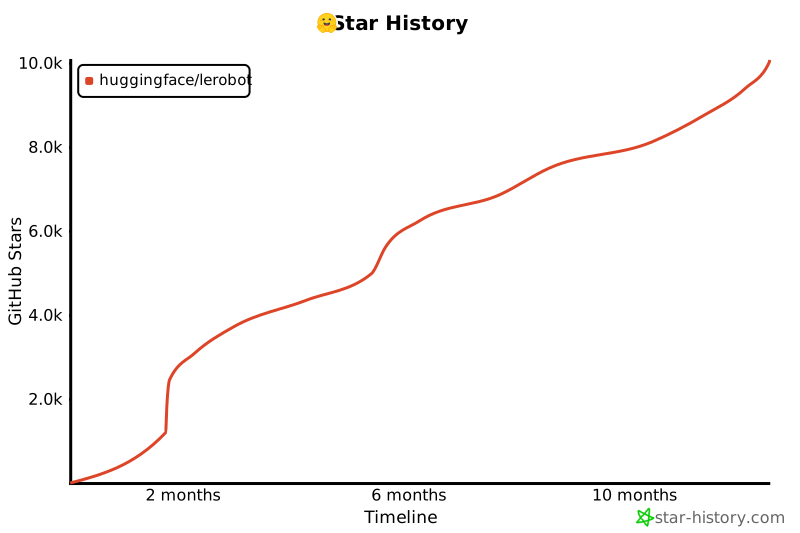](https://star-history.com/#huggingface/lerobot&Timeline)
|
||||
|
||||
```
|
||||
|
||||
```
|
||||
|
||||
@@ -35,13 +35,12 @@ import torch
|
||||
from skimage.metrics import mean_squared_error, peak_signal_noise_ratio, structural_similarity
|
||||
from tqdm import tqdm
|
||||
|
||||
from benchmarks.video.benchmark import TimeBenchmark
|
||||
from lerobot.datasets.lerobot_dataset import LeRobotDataset
|
||||
from lerobot.datasets.video_utils import (
|
||||
decode_video_frames_torchvision,
|
||||
encode_video_frames,
|
||||
)
|
||||
from lerobot.utils.constants import OBS_IMAGE
|
||||
from lerobot.utils.benchmark import TimeBenchmark
|
||||
|
||||
BASE_ENCODING = OrderedDict(
|
||||
[
|
||||
@@ -118,7 +117,7 @@ def save_first_episode(imgs_dir: Path, dataset: LeRobotDataset) -> None:
|
||||
hf_dataset = dataset.hf_dataset.with_format(None)
|
||||
|
||||
# We only save images from the first camera
|
||||
img_keys = [key for key in hf_dataset.features if key.startswith(OBS_IMAGE)]
|
||||
img_keys = [key for key in hf_dataset.features if key.startswith("observation.image")]
|
||||
imgs_dataset = hf_dataset.select_columns(img_keys[0])
|
||||
|
||||
for i, item in enumerate(
|
||||
|
||||
@@ -39,7 +39,6 @@ RUN apt-get update && apt-get install -y --no-install-recommends \
|
||||
software-properties-common build-essential git curl \
|
||||
libglib2.0-0 libgl1-mesa-glx libegl1-mesa ffmpeg \
|
||||
libusb-1.0-0-dev speech-dispatcher libgeos-dev portaudio19-dev \
|
||||
cmake pkg-config ninja-build \
|
||||
&& add-apt-repository -y ppa:deadsnakes/ppa \
|
||||
&& apt-get update \
|
||||
&& apt-get install -y --no-install-recommends \
|
||||
|
||||
@@ -31,7 +31,6 @@ ENV DEBIAN_FRONTEND=noninteractive \
|
||||
RUN apt-get update && apt-get install -y --no-install-recommends \
|
||||
build-essential git curl libglib2.0-0 libegl1-mesa-dev ffmpeg \
|
||||
libusb-1.0-0-dev speech-dispatcher libgeos-dev portaudio19-dev \
|
||||
cmake pkg-config ninja-build \
|
||||
&& curl -LsSf https://astral.sh/uv/install.sh | sh \
|
||||
&& mv /root/.local/bin/uv /usr/local/bin/uv \
|
||||
&& useradd --create-home --shell /bin/bash user_lerobot \
|
||||
|
||||
@@ -19,31 +19,16 @@
|
||||
title: Train RL in Simulation
|
||||
- local: async
|
||||
title: Use Async Inference
|
||||
title: "Tutorials"
|
||||
- sections:
|
||||
- local: lerobot-dataset-v3
|
||||
title: Using LeRobotDataset
|
||||
- local: porting_datasets_v3
|
||||
title: Porting Large Datasets
|
||||
title: "Datasets"
|
||||
title: "Tutorials"
|
||||
- sections:
|
||||
- local: smolvla
|
||||
title: Finetune SmolVLA
|
||||
- local: libero
|
||||
title: Using Libero
|
||||
title: "Policies"
|
||||
|
||||
- sections:
|
||||
- local: introduction_processors
|
||||
title: Introduction to Robot Processors
|
||||
- local: debug_processor_pipeline
|
||||
title: Debug your processor pipeline
|
||||
- local: implement_your_own_processor
|
||||
title: Implement your own processor
|
||||
- local: processors_robots_teleop
|
||||
title: Processors for Robots and Teleoperators
|
||||
title: "Robot Processors"
|
||||
- sections:
|
||||
- local: hope_jr
|
||||
title: Hope Jr
|
||||
- local: so101
|
||||
title: SO-101
|
||||
- local: so100
|
||||
@@ -52,20 +37,10 @@
|
||||
title: Koch v1.1
|
||||
- local: lekiwi
|
||||
title: LeKiwi
|
||||
- local: hope_jr
|
||||
title: Hope Jr
|
||||
- local: reachy2
|
||||
title: Reachy 2
|
||||
title: "Robots"
|
||||
- sections:
|
||||
- local: phone_teleop
|
||||
title: Phone
|
||||
title: "Teleoperators"
|
||||
- sections:
|
||||
- local: notebooks
|
||||
title: Notebooks
|
||||
- local: feetech
|
||||
title: Updating Feetech Firmware
|
||||
title: "Resources"
|
||||
- sections:
|
||||
- local: contributing
|
||||
|
||||
@@ -31,7 +31,7 @@ Then, spin up a policy server (in one terminal, or in a separate machine) specif
|
||||
You can spin up a policy server running:
|
||||
|
||||
```shell
|
||||
python src/lerobot/async_inference/policy_server.py \
|
||||
python src/lerobot/scripts/server/policy_server.py \
|
||||
--host=127.0.0.1 \
|
||||
--port=8080 \
|
||||
```
|
||||
@@ -39,7 +39,7 @@ python src/lerobot/async_inference/policy_server.py \
|
||||
This will start a policy server listening on `127.0.0.1:8080` (`localhost`, port 8080). At this stage, the policy server is empty, as all information related to which policy to run and with which parameters are specified during the first handshake with the client. Spin up a client with:
|
||||
|
||||
```shell
|
||||
python src/lerobot/async_inference/robot_client.py \
|
||||
python src/lerobot/scripts/server/robot_client.py \
|
||||
--server_address=127.0.0.1:8080 \ # SERVER: the host address and port of the policy server
|
||||
--robot.type=so100_follower \ # ROBOT: your robot type
|
||||
--robot.port=/dev/tty.usbmodem585A0076841 \ # ROBOT: your robot port
|
||||
@@ -122,8 +122,8 @@ python -m lerobot.scripts.server.policy_server \
|
||||
|
||||
<!-- prettier-ignore-start -->
|
||||
```python
|
||||
from lerobot.async_inference.configs import PolicyServerConfig
|
||||
from lerobot.async_inference.policy_server import serve
|
||||
from lerobot.scripts.server.configs import PolicyServerConfig
|
||||
from lerobot.scripts.server.policy_server import serve
|
||||
|
||||
config = PolicyServerConfig(
|
||||
host="localhost",
|
||||
@@ -148,7 +148,7 @@ The `RobotClient` streams observations to the `PolicyServer`, and receives actio
|
||||
<hfoptions id="start_robot_client">
|
||||
<hfoption id="Command">
|
||||
```bash
|
||||
python src/lerobot/async_inference/robot_client.py \
|
||||
python src/lerobot/scripts/server/robot_client.py \
|
||||
--server_address=127.0.0.1:8080 \ # SERVER: the host address and port of the policy server
|
||||
--robot.type=so100_follower \ # ROBOT: your robot type
|
||||
--robot.port=/dev/tty.usbmodem585A0076841 \ # ROBOT: your robot port
|
||||
@@ -171,9 +171,9 @@ python src/lerobot/async_inference/robot_client.py \
|
||||
import threading
|
||||
from lerobot.robots.so100_follower import SO100FollowerConfig
|
||||
from lerobot.cameras.opencv.configuration_opencv import OpenCVCameraConfig
|
||||
from lerobot.async_inference.configs import RobotClientConfig
|
||||
from lerobot.async_inference.robot_client import RobotClient
|
||||
from lerobot.async_inference.helpers import visualize_action_queue_size
|
||||
from lerobot.scripts.server.configs import RobotClientConfig
|
||||
from lerobot.scripts.server.robot_client import RobotClient
|
||||
from lerobot.scripts.server.helpers import visualize_action_queue_size
|
||||
|
||||
# 1. Create the robot instance
|
||||
"""Check out the cameras available in your setup by running `python lerobot/find_cameras.py`"""
|
||||
|
||||
@@ -1,61 +1,5 @@
|
||||
# Backward compatibility
|
||||
|
||||
## Policy Normalization Migration (PR #1452)
|
||||
|
||||
**Breaking Change**: LeRobot policies no longer have built-in normalization layers embedded in their weights. Normalization is now handled by external `PolicyProcessorPipeline` components.
|
||||
|
||||
### What changed?
|
||||
|
||||
| | Before PR #1452 | After PR #1452 |
|
||||
| -------------------------- | ------------------------------------------------ | ------------------------------------------------------------ |
|
||||
| **Normalization Location** | Embedded in model weights (`normalize_inputs.*`) | External `PolicyProcessorPipeline` components |
|
||||
| **Model State Dict** | Contains normalization statistics | **Clean weights only** - no normalization parameters |
|
||||
| **Usage** | `policy(batch)` handles everything | `preprocessor(batch)` → `policy(...)` → `postprocessor(...)` |
|
||||
|
||||
### Impact on existing models
|
||||
|
||||
- Models trained **before** PR #1452 have normalization embedded in their weights
|
||||
- These models need migration to work with the new `PolicyProcessorPipeline` system
|
||||
- The migration extracts normalization statistics and creates separate processor pipelines
|
||||
|
||||
### Migrating old models
|
||||
|
||||
Use the migration script to convert models with embedded normalization:
|
||||
|
||||
```shell
|
||||
python src/lerobot/processor/migrate_policy_normalization.py \
|
||||
--pretrained-path lerobot/act_aloha_sim_transfer_cube_human \
|
||||
--push-to-hub \
|
||||
--branch migrated
|
||||
```
|
||||
|
||||
The script:
|
||||
|
||||
1. **Extracts** normalization statistics from model weights
|
||||
2. **Creates** external preprocessor and postprocessor pipelines
|
||||
3. **Removes** normalization layers from model weights
|
||||
4. **Saves** clean model + processor pipelines
|
||||
5. **Pushes** to Hub with automatic PR creation
|
||||
|
||||
### Using migrated models
|
||||
|
||||
```python
|
||||
# New usage pattern (after migration)
|
||||
from lerobot.policies.factory import make_policy, make_pre_post_processors
|
||||
|
||||
# Load model and processors separately
|
||||
policy = make_policy(config, ds_meta=dataset.meta)
|
||||
preprocessor, postprocessor = make_pre_post_processors(
|
||||
policy_cfg=config,
|
||||
dataset_stats=dataset.meta.stats
|
||||
)
|
||||
|
||||
# Process data through pipeline
|
||||
processed_batch = preprocessor(raw_batch)
|
||||
action = policy.select_action(processed_batch)
|
||||
final_action = postprocessor(action)
|
||||
```
|
||||
|
||||
## Hardware API redesign
|
||||
|
||||
PR [#777](https://github.com/huggingface/lerobot/pull/777) improves the LeRobot calibration but is **not backward-compatible**. Below is a overview of what changed and how you can continue to work with datasets created before this pull request.
|
||||
|
||||
@@ -1,299 +0,0 @@
|
||||
# Debug Your Processor Pipeline
|
||||
|
||||
Processor pipelines can be complex, especially when chaining multiple transformation steps.
|
||||
Unlike simple function calls, pipelines lack natural observability, you can't easily see what happens
|
||||
between each step or where things go wrong.
|
||||
This guide provides debugging tools and techniques specifically designed to address these challenges
|
||||
and help you understand data flow through your pipelines.
|
||||
|
||||
We'll explore three complementary debugging approaches: **hooks** for runtime monitoring, **step-through debugging** for detailed inspection, and **feature validation** for catching structural mismatches. Each serves a different purpose and together they provide complete visibility into your pipeline's behavior.
|
||||
|
||||
## Understanding Hooks
|
||||
|
||||
Hooks are functions that get called at specific points during pipeline execution.
|
||||
They provide a way to inspect, monitor, or modify data without changing your pipeline code.
|
||||
Think of them as "event listeners" for your pipeline.
|
||||
|
||||
### What is a Hook?
|
||||
|
||||
A hook is a callback function that gets automatically invoked at specific moments during pipeline execution.
|
||||
The concept comes from event-driven programming, imagine you could "hook into" the pipeline's execution flow to observe or react to what's happening.
|
||||
|
||||
Think of hooks like inserting checkpoints into your pipeline. Every time the pipeline reaches one of these checkpoints, it pauses briefly to call your hook function, giving you a chance to inspect the current state, log information, and validate data.
|
||||
|
||||
A hook is simply a function that accepts two parameters:
|
||||
|
||||
- `step_idx: int` - The index of the current processing step (0, 1, 2, etc.)
|
||||
- `transition: EnvTransition` - The data transition at that point in the pipeline
|
||||
|
||||
The beauty of hooks is their non-invasive nature: you can add monitoring, validation, or debugging logic without changing a single line of your pipeline code. The pipeline remains clean and focused on its core logic, while hooks handle the cross-cutting concerns like logging, monitoring, and debugging.
|
||||
|
||||
### Before vs After Hooks
|
||||
|
||||
The pipeline supports two types of hooks:
|
||||
|
||||
- **Before hooks** (`register_before_step_hook`) - Called before each step executes
|
||||
- **After hooks** (`register_after_step_hook`) - Called after each step completes
|
||||
|
||||
```python
|
||||
def before_hook(step_idx: int, transition: EnvTransition):
|
||||
"""Called before step processes the transition."""
|
||||
print(f"About to execute step {step_idx}")
|
||||
# Useful for: logging, validation, setup
|
||||
|
||||
def after_hook(step_idx: int, transition: EnvTransition):
|
||||
"""Called after step has processed the transition."""
|
||||
print(f"Completed step {step_idx}")
|
||||
# Useful for: monitoring results, cleanup, debugging
|
||||
|
||||
processor.register_before_step_hook(before_hook)
|
||||
processor.register_after_step_hook(after_hook)
|
||||
```
|
||||
|
||||
### Implementing a NaN Detection Hook
|
||||
|
||||
Here's a practical example of a hook that detects NaN values:
|
||||
|
||||
```python
|
||||
def check_nans(step_idx: int, transition: EnvTransition):
|
||||
"""Check for NaN values in observations."""
|
||||
obs = transition.get(TransitionKey.OBSERVATION)
|
||||
if obs:
|
||||
for key, value in obs.items():
|
||||
if isinstance(value, torch.Tensor) and torch.isnan(value).any():
|
||||
print(f"NaN detected in {key} at step {step_idx}")
|
||||
|
||||
# Register the hook to run after each step
|
||||
processor.register_after_step_hook(check_nans)
|
||||
|
||||
# Process your data - the hook will be called automatically
|
||||
output = processor(input_data)
|
||||
|
||||
# Remove the hook when done debugging
|
||||
processor.unregister_after_step_hook(check_nans)
|
||||
```
|
||||
|
||||
### How Hooks Work Internally
|
||||
|
||||
Understanding the internal mechanism helps you use hooks more effectively. The pipeline maintains two separate lists: one for before-step hooks and another for after-step hooks. When you register a hook, it's simply appended to the appropriate list.
|
||||
|
||||
During execution, the pipeline follows a strict sequence: for each processing step, it first calls all before-hooks in registration order, then executes the actual step transformation, and finally calls all after-hooks in registration order. This creates a predictable, sandwich-like structure around each step.
|
||||
|
||||
The key insight is that hooks don't change the core pipeline logic—they're purely additive. The pipeline's `_forward` method orchestrates this dance between hooks and processing steps, ensuring that your debugging or monitoring code runs at exactly the right moments without interfering with the main data flow.
|
||||
|
||||
Here's a simplified view of how the pipeline executes hooks:
|
||||
|
||||
```python
|
||||
class DataProcessorPipeline:
|
||||
def __init__(self):
|
||||
self.steps = [...]
|
||||
self.before_step_hooks = [] # List of before hooks
|
||||
self.after_step_hooks = [] # List of after hooks
|
||||
|
||||
def _forward(self, transition):
|
||||
"""Internal method that processes the transition through all steps."""
|
||||
for step_idx, processor_step in enumerate(self.steps):
|
||||
# 1. Call all BEFORE hooks
|
||||
for hook in self.before_step_hooks:
|
||||
hook(step_idx, transition)
|
||||
|
||||
# 2. Execute the actual processing step
|
||||
transition = processor_step(transition)
|
||||
|
||||
# 3. Call all AFTER hooks
|
||||
for hook in self.after_step_hooks:
|
||||
hook(step_idx, transition)
|
||||
|
||||
return transition
|
||||
|
||||
def register_before_step_hook(self, hook_fn):
|
||||
self.before_step_hooks.append(hook_fn)
|
||||
|
||||
def register_after_step_hook(self, hook_fn):
|
||||
self.after_step_hooks.append(hook_fn)
|
||||
```
|
||||
|
||||
### Execution Flow
|
||||
|
||||
The execution flow looks like this:
|
||||
|
||||
```
|
||||
Input → Before Hook → Step 0 → After Hook → Before Hook → Step 1 → After Hook → ... → Output
|
||||
```
|
||||
|
||||
For example, with 3 steps and both hook types:
|
||||
|
||||
```python
|
||||
def timing_before(step_idx, transition):
|
||||
print(f"⏱️ Starting step {step_idx}")
|
||||
|
||||
def validation_after(step_idx, transition):
|
||||
print(f"✅ Completed step {step_idx}")
|
||||
|
||||
processor.register_before_step_hook(timing_before)
|
||||
processor.register_after_step_hook(validation_after)
|
||||
|
||||
# This will output:
|
||||
# ⏱️ Starting step 0
|
||||
# ✅ Completed step 0
|
||||
# ⏱️ Starting step 1
|
||||
# ✅ Completed step 1
|
||||
# ⏱️ Starting step 2
|
||||
# ✅ Completed step 2
|
||||
```
|
||||
|
||||
### Multiple Hooks
|
||||
|
||||
You can register multiple hooks of the same type - they execute in the order registered:
|
||||
|
||||
```python
|
||||
def log_shapes(step_idx: int, transition: EnvTransition):
|
||||
obs = transition.get(TransitionKey.OBSERVATION)
|
||||
if obs:
|
||||
print(f"Step {step_idx} observation shapes:")
|
||||
for key, value in obs.items():
|
||||
if isinstance(value, torch.Tensor):
|
||||
print(f" {key}: {value.shape}")
|
||||
|
||||
processor.register_after_step_hook(check_nans) # Executes first
|
||||
processor.register_after_step_hook(log_shapes) # Executes second
|
||||
|
||||
# Both hooks will be called after each step in registration order
|
||||
output = processor(input_data)
|
||||
```
|
||||
|
||||
While hooks are excellent for monitoring specific issues (like NaN detection) or gathering metrics during normal pipeline execution, sometimes you need to dive deeper. When you want to understand exactly what happens at each step or debug complex transformation logic, step-through debugging provides the detailed inspection you need.
|
||||
|
||||
## Step-Through Debugging
|
||||
|
||||
Step-through debugging is like having a slow-motion replay for your pipeline. Instead of watching your data get transformed in one quick blur from input to output, you can pause and examine what happens after each individual step.
|
||||
|
||||
This approach is particularly valuable when you're trying to understand a complex pipeline, debug unexpected behavior, or verify that each transformation is working as expected. Unlike hooks, which are great for automated monitoring, step-through debugging gives you manual, interactive control over the inspection process.
|
||||
|
||||
The `step_through()` method is a generator that yields the transition state after each processing step, allowing you to inspect intermediate results. Think of it as creating a series of snapshots of your data as it flows through the pipeline—each snapshot shows you exactly what your data looks like after one more transformation has been applied.
|
||||
|
||||
### How Step-Through Works
|
||||
|
||||
The `step_through()` method fundamentally changes how the pipeline executes. Instead of running all steps in sequence and only returning the final result, it transforms the pipeline into an iterator that yields intermediate results.
|
||||
|
||||
Here's what happens internally: the method starts by converting your input data into the pipeline's internal transition format, then yields this initial state. Next, it applies the first processing step and yields the result. Then it applies the second step to that result and yields again, and so on. Each `yield` gives you a complete snapshot of the transition at that point.
|
||||
|
||||
This generator pattern is powerful because it's lazy—the pipeline only computes the next step when you ask for it. This means you can stop at any point, inspect the current state thoroughly, and decide whether to continue. You're not forced to run the entire pipeline just to debug one problematic step.
|
||||
|
||||
Instead of running the entire pipeline and only seeing the final result, `step_through()` pauses after each step and gives you the intermediate transition:
|
||||
|
||||
```python
|
||||
# This creates a generator that yields intermediate states
|
||||
for i, intermediate_result in enumerate(processor.step_through(input_data)):
|
||||
print(f"=== After step {i} ===")
|
||||
|
||||
# Inspect the observation at this stage
|
||||
obs = intermediate_result.get(TransitionKey.OBSERVATION)
|
||||
if obs:
|
||||
for key, value in obs.items():
|
||||
if isinstance(value, torch.Tensor):
|
||||
print(f"{key}: shape={value.shape}, dtype={value.dtype}")
|
||||
```
|
||||
|
||||
### Interactive Debugging with Breakpoints
|
||||
|
||||
You can add breakpoints in the step-through loop to interactively debug:
|
||||
|
||||
```python
|
||||
# Step through the pipeline with debugging
|
||||
for i, intermediate in enumerate(processor.step_through(data)):
|
||||
print(f"Step {i}: {processor.steps[i].__class__.__name__}")
|
||||
|
||||
# Set a breakpoint to inspect the current state
|
||||
breakpoint() # Debugger will pause here
|
||||
|
||||
# You can now inspect 'intermediate' in the debugger:
|
||||
# - Check tensor shapes and values
|
||||
# - Verify expected transformations
|
||||
# - Look for unexpected changes
|
||||
```
|
||||
|
||||
During the debugger session, you can:
|
||||
|
||||
- Examine `intermediate[TransitionKey.OBSERVATION]` to see observation data
|
||||
- Check `intermediate[TransitionKey.ACTION]` for action transformations
|
||||
- Inspect any part of the transition to understand what each step does
|
||||
|
||||
Step-through debugging is perfect for understanding the _data_ transformations, but what about the _structure_ of that data? While hooks and step-through help you debug runtime behavior, you also need to ensure your pipeline produces data in the format expected by downstream components. This is where feature contract validation comes in.
|
||||
|
||||
## Validating Feature Contracts
|
||||
|
||||
Feature contracts define what data structure your pipeline expects as input and produces as output.
|
||||
Validating these contracts helps catch mismatches early.
|
||||
|
||||
### Understanding Feature Contracts
|
||||
|
||||
Each processor step has a `transform_features()` method that describes how it changes the data structure:
|
||||
|
||||
```python
|
||||
# Get the expected output features from your pipeline
|
||||
initial_features = {
|
||||
PipelineFeatureType.OBSERVATION: {
|
||||
"observation.state": PolicyFeature(type=FeatureType.STATE, shape=(7,)),
|
||||
"observation.image": PolicyFeature(type=FeatureType.IMAGE, shape=(3, 224, 224))
|
||||
},
|
||||
PipelineFeatureType.ACTION: {
|
||||
"action": PolicyFeature(type=FeatureType.ACTION, shape=(4,))
|
||||
}
|
||||
}
|
||||
|
||||
# Check what your pipeline will output
|
||||
output_features = processor.transform_features(initial_features)
|
||||
|
||||
print("Input features:")
|
||||
for feature_type, features in initial_features.items():
|
||||
print(f" {feature_type}:")
|
||||
for key, feature in features.items():
|
||||
print(f" {key}: {feature.type.value}, shape={feature.shape}")
|
||||
|
||||
print("\nOutput features:")
|
||||
for feature_type, features in output_features.items():
|
||||
print(f" {feature_type}:")
|
||||
for key, feature in features.items():
|
||||
print(f" {key}: {feature.type.value}, shape={feature.shape}")
|
||||
```
|
||||
|
||||
### Verifying Expected Features
|
||||
|
||||
Check that your pipeline produces the features you expect:
|
||||
|
||||
```python
|
||||
# Define what features you expect the pipeline to produce
|
||||
expected_keys = ["observation.state", "observation.image", "action"]
|
||||
|
||||
print("Validating feature contract...")
|
||||
for expected_key in expected_keys:
|
||||
found = False
|
||||
for feature_type, features in output_features.items():
|
||||
if expected_key in features:
|
||||
feature = features[expected_key]
|
||||
print(f"✅ {expected_key}: {feature.type.value}, shape={feature.shape}")
|
||||
found = True
|
||||
break
|
||||
|
||||
if not found:
|
||||
print(f"❌ Missing expected feature: {expected_key}")
|
||||
```
|
||||
|
||||
This validation helps ensure your pipeline will work correctly with downstream components that expect specific data structures.
|
||||
|
||||
## Summary
|
||||
|
||||
Now that you understand the three debugging approaches, you can tackle any pipeline issue systematically:
|
||||
|
||||
1. **Hooks** - For runtime monitoring and validation without modifying pipeline code
|
||||
2. **Step-through** - For inspecting intermediate states and understanding transformations
|
||||
3. **Feature validation** - For ensuring data structure contracts are met
|
||||
|
||||
**When to use each approach:**
|
||||
|
||||
- Start with **step-through debugging** when you need to understand what your pipeline does or when something unexpected happens
|
||||
- Add **hooks** for continuous monitoring during development and production to catch issues automatically
|
||||
- Use **feature validation** before deployment to ensure your pipeline works with downstream components
|
||||
|
||||
These three tools work together to give you the complete observability that complex pipelines naturally lack. With hooks watching for issues, step-through helping you understand behavior, and feature validation ensuring compatibility, you'll be able to debug any pipeline confidently and efficiently.
|
||||
@@ -1,71 +0,0 @@
|
||||
# Feetech Motor Firmware Update
|
||||
|
||||
This tutorial guides you through updating the firmware of Feetech motors using the official Feetech software.
|
||||
|
||||
## Prerequisites
|
||||
|
||||
- Windows computer (Feetech software is only available for Windows)
|
||||
- Feetech motor control board
|
||||
- USB cable to connect the control board to your computer
|
||||
- Feetech motors connected to the control board
|
||||
|
||||
## Step 1: Download Feetech Software
|
||||
|
||||
1. Visit the official Feetech software download page: [https://www.feetechrc.com/software.html](https://www.feetechrc.com/software.html)
|
||||
2. Download the latest version of the Feetech debugging software (FD)
|
||||
3. Install the software on your Windows computer
|
||||
|
||||
## Step 2: Hardware Setup
|
||||
|
||||
1. Connect your Feetech motors to the motor control board
|
||||
2. Connect the motor control board to your Windows computer via USB cable
|
||||
3. Ensure power is supplied to the motors
|
||||
|
||||
## Step 3: Configure Connection
|
||||
|
||||
1. Launch the Feetech debugging software
|
||||
2. Select the correct COM port from the port dropdown menu
|
||||
- If unsure which port to use, check Windows Device Manager under "Ports (COM & LPT)"
|
||||
3. Set the appropriate baud rate (typically 1000000 for most Feetech motors)
|
||||
4. Click "Open" to establish communication with the control board
|
||||
|
||||
## Step 4: Scan for Motors
|
||||
|
||||
1. Once connected, click the "Search" button to detect all connected motors
|
||||
2. The software will automatically discover and list all motors on the bus
|
||||
3. Each motor will appear with its ID number
|
||||
|
||||
## Step 5: Update Firmware
|
||||
|
||||
For each motor you want to update:
|
||||
|
||||
1. **Select the motor** from the list by clicking on it
|
||||
2. **Click on Upgrade tab**:
|
||||
3. **Click on Online button**:
|
||||
- If an potential firmware update is found, it will be displayed in the box
|
||||
4. **Click on Upgrade button**:
|
||||
- The update progress will be displayed
|
||||
|
||||
## Step 6: Verify Update
|
||||
|
||||
1. After the update completes, the software should automatically refresh the motor information
|
||||
2. Verify that the firmware version has been updated to the expected version
|
||||
|
||||
## Important Notes
|
||||
|
||||
⚠️ **Warning**: Do not disconnect power or USB during firmware updates, it will potentially brick the motor.
|
||||
|
||||
## Bonus: Motor Debugging on Linux/macOS
|
||||
|
||||
For debugging purposes only, you can use the open-source Feetech Debug Tool:
|
||||
|
||||
- **Repository**: [FT_SCServo_Debug_Qt](https://github.com/CarolinePascal/FT_SCServo_Debug_Qt/tree/fix/port-search-timer)
|
||||
|
||||
### Installation Instructions
|
||||
|
||||
Follow the instructions in the repository to install the tool, for Ubuntu you can directly install it, for MacOS you need to build it from source.
|
||||
|
||||
**Limitations:**
|
||||
|
||||
- This tool is for debugging and parameter adjustment only
|
||||
- Firmware updates must still be done on Windows with official Feetech software
|
||||
+75
-400
@@ -4,13 +4,7 @@ In this tutorial you will go through the full Human-in-the-Loop Sample-Efficient
|
||||
|
||||
HIL-SERL is a sample-efficient reinforcement learning algorithm that combines human demonstrations with online learning and human interventions. The approach starts from a small set of human demonstrations, uses them to train a reward classifier, and then employs an actor-learner architecture where humans can intervene during policy execution to guide exploration and correct unsafe behaviors. In this tutorial, you'll use a gamepad to provide interventions and control the robot during the learning process.
|
||||
|
||||
It combines three key ingredients:
|
||||
|
||||
1. **Offline demonstrations & reward classifier:** a handful of human-teleop episodes plus a vision-based success detector give the policy a shaped starting point.
|
||||
|
||||
2. **On-robot actor / learner loop with human interventions:** a distributed Soft Actor Critic (SAC) learner updates the policy while an actor explores on the physical robot; the human can jump in at any time to correct dangerous or unproductive behaviour.
|
||||
|
||||
3. **Safety & efficiency tools:** joint/end-effector (EE) bounds, crop region of interest (ROI) preprocessing and WandB monitoring keep the data useful and the hardware safe.
|
||||
It combines three key ingredients: 1. **Offline demonstrations & reward classifier:** a handful of human-teleop episodes plus a vision-based success detector give the policy a shaped starting point. 2. **On-robot actor / learner loop with human interventions:** a distributed Soft Actor Critic (SAC) learner updates the policy while an actor explores on the physical robot; the human can jump in at any time to correct dangerous or unproductive behaviour. 3. **Safety & efficiency tools:** joint/end-effector (EE) bounds, crop region of interest (ROI) preprocessing and WandB monitoring keep the data useful and the hardware safe.
|
||||
|
||||
Together these elements let HIL-SERL reach near-perfect task success and faster cycle times than imitation-only baselines.
|
||||
|
||||
@@ -62,261 +56,49 @@ pip install -e ".[hilserl]"
|
||||
|
||||
### Understanding Configuration
|
||||
|
||||
The training process begins with proper configuration for the HILSerl environment. The main configuration class is `GymManipulatorConfig` in `lerobot/rl/gym_manipulator.py`, which contains nested `HILSerlRobotEnvConfig` and `DatasetConfig`. The configuration is organized into focused, nested sub-configs:
|
||||
The training process begins with proper configuration for the HILSerl environment. The configuration class of interest is `HILSerlRobotEnvConfig` in `lerobot/envs/configs.py`. Which is defined as:
|
||||
|
||||
<!-- prettier-ignore-start -->
|
||||
```python
|
||||
class GymManipulatorConfig:
|
||||
env: HILSerlRobotEnvConfig # Environment configuration (nested)
|
||||
dataset: DatasetConfig # Dataset recording/replay configuration (nested)
|
||||
mode: str | None = None # "record", "replay", or None (for training)
|
||||
device: str = "cpu" # Compute device
|
||||
|
||||
class HILSerlRobotEnvConfig(EnvConfig):
|
||||
robot: RobotConfig | None = None # Main robot agent (defined in `lerobot/robots`)
|
||||
teleop: TeleoperatorConfig | None = None # Teleoperator agent, e.g., gamepad or leader arm
|
||||
processor: HILSerlProcessorConfig # Processing pipeline configuration (nested)
|
||||
name: str = "real_robot" # Environment name
|
||||
task: str | None = None # Task identifier
|
||||
teleop: TeleoperatorConfig | None = None # Teleoperator agent, e.g., gamepad or leader arm, (defined in `lerobot/teleoperators`)
|
||||
wrapper: EnvTransformConfig | None = None # Environment wrapper settings; check `lerobot/scripts/server/gym_manipulator.py`
|
||||
fps: int = 10 # Control frequency
|
||||
|
||||
# Nested processor configuration
|
||||
class HILSerlProcessorConfig:
|
||||
control_mode: str = "gamepad" # Control mode
|
||||
observation: ObservationConfig | None = None # Observation processing settings
|
||||
image_preprocessing: ImagePreprocessingConfig | None = None # Image crop/resize settings
|
||||
gripper: GripperConfig | None = None # Gripper control and penalty settings
|
||||
reset: ResetConfig | None = None # Environment reset and timing settings
|
||||
inverse_kinematics: InverseKinematicsConfig | None = None # IK processing settings
|
||||
reward_classifier: RewardClassifierConfig | None = None # Reward classifier settings
|
||||
max_gripper_pos: float | None = 100.0 # Maximum gripper position
|
||||
|
||||
# Sub-configuration classes
|
||||
class ObservationConfig:
|
||||
add_joint_velocity_to_observation: bool = False # Add joint velocities to state
|
||||
add_current_to_observation: bool = False # Add motor currents to state
|
||||
add_ee_pose_to_observation: bool = False # Add end-effector pose to state
|
||||
display_cameras: bool = False # Display camera feeds during execution
|
||||
|
||||
class ImagePreprocessingConfig:
|
||||
crop_params_dict: dict[str, tuple[int, int, int, int]] | None = None # Image cropping parameters
|
||||
resize_size: tuple[int, int] | None = None # Target image size
|
||||
|
||||
class GripperConfig:
|
||||
use_gripper: bool = True # Enable gripper control
|
||||
gripper_penalty: float = 0.0 # Penalty for inappropriate gripper usage
|
||||
gripper_penalty_in_reward: bool = False # Include gripper penalty in reward
|
||||
|
||||
class ResetConfig:
|
||||
fixed_reset_joint_positions: Any | None = None # Joint positions for reset
|
||||
reset_time_s: float = 5.0 # Time to wait during reset
|
||||
control_time_s: float = 20.0 # Maximum episode duration
|
||||
terminate_on_success: bool = True # Whether to terminate episodes on success detection
|
||||
|
||||
class InverseKinematicsConfig:
|
||||
urdf_path: str | None = None # Path to robot URDF file
|
||||
target_frame_name: str | None = None # End-effector frame name
|
||||
end_effector_bounds: dict[str, list[float]] | None = None # EE workspace bounds
|
||||
end_effector_step_sizes: dict[str, float] | None = None # EE step sizes per axis
|
||||
|
||||
class RewardClassifierConfig:
|
||||
pretrained_path: str | None = None # Path to pretrained reward classifier
|
||||
success_threshold: float = 0.5 # Success detection threshold
|
||||
success_reward: float = 1.0 # Reward value for successful episodes
|
||||
|
||||
# Dataset configuration
|
||||
class DatasetConfig:
|
||||
repo_id: str # LeRobot dataset repository ID
|
||||
task: str # Task identifier
|
||||
root: str | None = None # Local dataset root directory
|
||||
num_episodes_to_record: int = 5 # Number of episodes for recording
|
||||
replay_episode: int | None = None # Episode index for replay
|
||||
push_to_hub: bool = False # Whether to push datasets to Hub
|
||||
name: str = "real_robot" # Environment name
|
||||
mode: str = None # "record", "replay", or None (for training)
|
||||
repo_id: str | None = None # LeRobot dataset repository ID
|
||||
dataset_root: str | None = None # Local dataset root (optional)
|
||||
task: str = "" # Task identifier
|
||||
num_episodes: int = 10 # Number of episodes for recording
|
||||
episode: int = 0 # episode index for replay
|
||||
device: str = "cuda" # Compute device
|
||||
push_to_hub: bool = True # Whether to push the recorded datasets to Hub
|
||||
pretrained_policy_name_or_path: str | None = None # For policy loading
|
||||
reward_classifier_pretrained_path: str | None = None # For reward model
|
||||
number_of_steps_after_success: int = 0 # For reward classifier, collect more positive examples after a success to train a classifier
|
||||
```
|
||||
<!-- prettier-ignore-end -->
|
||||
|
||||
### Processor Pipeline Architecture
|
||||
|
||||
HIL-SERL uses a modular processor pipeline architecture that processes robot observations and actions through a series of composable steps. The pipeline is divided into two main components:
|
||||
|
||||
#### Environment Processor Pipeline
|
||||
|
||||
The environment processor (`env_processor`) handles incoming observations and environment state:
|
||||
|
||||
1. **VanillaObservationProcessorStep**: Converts raw robot observations into standardized format
|
||||
2. **JointVelocityProcessorStep** (optional): Adds joint velocity information to observations
|
||||
3. **MotorCurrentProcessorStep** (optional): Adds motor current readings to observations
|
||||
4. **ForwardKinematicsJointsToEE** (optional): Computes end-effector pose from joint positions
|
||||
5. **ImageCropResizeProcessorStep** (optional): Crops and resizes camera images
|
||||
6. **TimeLimitProcessorStep** (optional): Enforces episode time limits
|
||||
7. **GripperPenaltyProcessorStep** (optional): Applies penalties for inappropriate gripper usage
|
||||
8. **RewardClassifierProcessorStep** (optional): Automated reward detection using vision models
|
||||
9. **AddBatchDimensionProcessorStep**: Converts data to batch format for neural network processing
|
||||
10. **DeviceProcessorStep**: Moves data to the specified compute device (CPU/GPU)
|
||||
|
||||
#### Action Processor Pipeline
|
||||
|
||||
The action processor (`action_processor`) handles outgoing actions and human interventions:
|
||||
|
||||
1. **AddTeleopActionAsComplimentaryDataStep**: Captures teleoperator actions for logging
|
||||
2. **AddTeleopEventsAsInfoStep**: Records intervention events and episode control signals
|
||||
3. **InterventionActionProcessorStep**: Handles human interventions and episode termination
|
||||
4. **Inverse Kinematics Pipeline** (when enabled):
|
||||
- **MapDeltaActionToRobotActionStep**: Converts delta actions to robot action format
|
||||
- **EEReferenceAndDelta**: Computes end-effector reference and delta movements
|
||||
- **EEBoundsAndSafety**: Enforces workspace safety bounds
|
||||
- **InverseKinematicsEEToJoints**: Converts end-effector actions to joint targets
|
||||
- **GripperVelocityToJoint**: Handles gripper control commands
|
||||
|
||||
#### Configuration Examples
|
||||
|
||||
**Basic Observation Processing**:
|
||||
|
||||
```json
|
||||
{
|
||||
"env": {
|
||||
"processor": {
|
||||
"observation": {
|
||||
"add_joint_velocity_to_observation": true,
|
||||
"add_current_to_observation": false,
|
||||
"display_cameras": false
|
||||
}
|
||||
}
|
||||
}
|
||||
}
|
||||
```
|
||||
|
||||
**Image Processing**:
|
||||
|
||||
```json
|
||||
{
|
||||
"env": {
|
||||
"processor": {
|
||||
"image_preprocessing": {
|
||||
"crop_params_dict": {
|
||||
"observation.images.front": [180, 250, 120, 150],
|
||||
"observation.images.side": [180, 207, 180, 200]
|
||||
},
|
||||
"resize_size": [128, 128]
|
||||
}
|
||||
}
|
||||
}
|
||||
}
|
||||
```
|
||||
|
||||
**Inverse Kinematics Setup**:
|
||||
|
||||
```json
|
||||
{
|
||||
"env": {
|
||||
"processor": {
|
||||
"inverse_kinematics": {
|
||||
"urdf_path": "path/to/robot.urdf",
|
||||
"target_frame_name": "end_effector",
|
||||
"end_effector_bounds": {
|
||||
"min": [0.16, -0.08, 0.03],
|
||||
"max": [0.24, 0.2, 0.1]
|
||||
},
|
||||
"end_effector_step_sizes": {
|
||||
"x": 0.02,
|
||||
"y": 0.02,
|
||||
"z": 0.02
|
||||
}
|
||||
}
|
||||
}
|
||||
}
|
||||
}
|
||||
```
|
||||
|
||||
### Advanced Observation Processing
|
||||
|
||||
The HIL-SERL framework supports additional observation processing features that can improve policy learning:
|
||||
|
||||
#### Joint Velocity Processing
|
||||
|
||||
Enable joint velocity estimation to provide the policy with motion information:
|
||||
|
||||
```json
|
||||
{
|
||||
"env": {
|
||||
"processor": {
|
||||
"observation": {
|
||||
"add_joint_velocity_to_observation": true
|
||||
}
|
||||
}
|
||||
}
|
||||
}
|
||||
```
|
||||
|
||||
This processor:
|
||||
|
||||
- Estimates joint velocities using finite differences between consecutive joint position readings
|
||||
- Adds velocity information to the observation state vector
|
||||
- Useful for policies that need motion awareness for dynamic tasks
|
||||
|
||||
#### Motor Current Processing
|
||||
|
||||
Monitor motor currents to detect contact forces and load conditions:
|
||||
|
||||
```json
|
||||
{
|
||||
"env": {
|
||||
"processor": {
|
||||
"observation": {
|
||||
"add_current_to_observation": true
|
||||
}
|
||||
}
|
||||
}
|
||||
}
|
||||
```
|
||||
|
||||
This processor:
|
||||
|
||||
- Reads motor current values from the robot's control system
|
||||
- Adds current measurements to the observation state vector
|
||||
- Helps detect contact events, object weights, and mechanical resistance
|
||||
- Useful for contact-rich manipulation tasks
|
||||
|
||||
#### Combined Observation Processing
|
||||
|
||||
You can enable multiple observation processing features simultaneously:
|
||||
|
||||
```json
|
||||
{
|
||||
"env": {
|
||||
"processor": {
|
||||
"observation": {
|
||||
"add_joint_velocity_to_observation": true,
|
||||
"add_current_to_observation": true,
|
||||
"add_ee_pose_to_observation": false,
|
||||
"display_cameras": false
|
||||
}
|
||||
}
|
||||
}
|
||||
}
|
||||
```
|
||||
|
||||
**Note**: Enabling additional observation features increases the state space dimensionality, which may require adjusting your policy network architecture and potentially collecting more training data.
|
||||
|
||||
### Finding Robot Workspace Bounds
|
||||
|
||||
Before collecting demonstrations, you need to determine the appropriate operational bounds for your robot.
|
||||
|
||||
This helps simplify the problem of learning on the real robot in two ways: 1) by limiting the robot's operational space to a specific region that solves the task and avoids unnecessary or unsafe exploration, and 2) by allowing training in end-effector space rather than joint space. Empirically, learning in joint space for reinforcement learning in manipulation is often a harder problem - some tasks are nearly impossible to learn in joint space but become learnable when the action space is transformed to end-effector coordinates.
|
||||
|
||||
**Using lerobot-find-joint-limits**
|
||||
**Using find_joint_limits.py**
|
||||
|
||||
This script helps you find the safe operational bounds for your robot's end-effector. Given that you have a follower and leader arm, you can use the script to find the bounds for the follower arm that will be applied during training.
|
||||
Bounding the action space will reduce the redundant exploration of the agent and guarantees safety.
|
||||
|
||||
```bash
|
||||
lerobot-find-joint-limits \
|
||||
--robot.type=so100_follower \
|
||||
--robot.port=/dev/tty.usbmodem58760431541 \
|
||||
--robot.id=black \
|
||||
--teleop.type=so100_leader \
|
||||
--teleop.port=/dev/tty.usbmodem58760431551 \
|
||||
--teleop.id=blue
|
||||
python -m lerobot.scripts.find_joint_limits \
|
||||
--robot.type=so100_follower \
|
||||
--robot.port=/dev/tty.usbmodem58760431541 \
|
||||
--robot.id=black \
|
||||
--teleop.type=so100_leader \
|
||||
--teleop.port=/dev/tty.usbmodem58760431551 \
|
||||
--teleop.id=blue
|
||||
```
|
||||
|
||||
**Workflow**
|
||||
@@ -346,58 +128,24 @@ With the bounds defined, you can safely collect demonstrations for training. Tra
|
||||
|
||||
**Setting Up Record Mode**
|
||||
|
||||
Create a configuration file for recording demonstrations (or edit an existing one like [env_config.json](https://huggingface.co/datasets/lerobot/config_examples/resolve/main/rl/env_config.json)):
|
||||
Create a configuration file for recording demonstrations (or edit an existing one like [env_config_so100.json](https://huggingface.co/datasets/aractingi/lerobot-example-config-files/blob/main/env_config_so100.json)):
|
||||
|
||||
1. Set `mode` to `"record"` at the root level
|
||||
2. Specify a unique `repo_id` for your dataset in the `dataset` section (e.g., "username/task_name")
|
||||
3. Set `num_episodes_to_record` in the `dataset` section to the number of demonstrations you want to collect
|
||||
4. Set `env.processor.image_preprocessing.crop_params_dict` to `{}` initially (we'll determine crops later)
|
||||
5. Configure `env.robot`, `env.teleop`, and other hardware settings in the `env` section
|
||||
1. Set `mode` to `"record"`
|
||||
2. Specify a unique `repo_id` for your dataset (e.g., "username/task_name")
|
||||
3. Set `num_episodes` to the number of demonstrations you want to collect
|
||||
4. Set `crop_params_dict` to `null` initially (we'll determine crops later)
|
||||
5. Configure `robot`, `cameras`, and other hardware settings
|
||||
|
||||
Example configuration section:
|
||||
|
||||
```json
|
||||
{
|
||||
"env": {
|
||||
"type": "gym_manipulator",
|
||||
"name": "real_robot",
|
||||
"fps": 10,
|
||||
"processor": {
|
||||
"control_mode": "gamepad",
|
||||
"observation": {
|
||||
"display_cameras": false
|
||||
},
|
||||
"image_preprocessing": {
|
||||
"crop_params_dict": {},
|
||||
"resize_size": [128, 128]
|
||||
},
|
||||
"gripper": {
|
||||
"use_gripper": true,
|
||||
"gripper_penalty": 0.0
|
||||
},
|
||||
"reset": {
|
||||
"reset_time_s": 5.0,
|
||||
"control_time_s": 20.0
|
||||
}
|
||||
},
|
||||
"robot": {
|
||||
// ... robot configuration ...
|
||||
},
|
||||
"teleop": {
|
||||
// ... teleoperator configuration ...
|
||||
}
|
||||
},
|
||||
"dataset": {
|
||||
"repo_id": "username/pick_lift_cube",
|
||||
"root": null,
|
||||
"task": "pick_and_lift",
|
||||
"num_episodes_to_record": 15,
|
||||
"replay_episode": 0,
|
||||
"push_to_hub": true
|
||||
},
|
||||
"mode": "record",
|
||||
"device": "cpu"
|
||||
}
|
||||
"mode": "record",
|
||||
"repo_id": "username/pick_lift_cube",
|
||||
"dataset_root": null,
|
||||
"task": "pick_and_lift",
|
||||
"num_episodes": 15,
|
||||
"episode": 0,
|
||||
"push_to_hub": true
|
||||
```
|
||||
|
||||
### Using a Teleoperation Device
|
||||
@@ -443,20 +191,10 @@ The gamepad provides a very convenient way to control the robot and the episode
|
||||
To setup the gamepad, you need to set the `control_mode` to `"gamepad"` and define the `teleop` section in the configuration file.
|
||||
|
||||
```json
|
||||
{
|
||||
"env": {
|
||||
"teleop": {
|
||||
"type": "gamepad",
|
||||
"use_gripper": true
|
||||
},
|
||||
"processor": {
|
||||
"control_mode": "gamepad",
|
||||
"gripper": {
|
||||
"type": "gamepad",
|
||||
"use_gripper": true
|
||||
}
|
||||
}
|
||||
}
|
||||
}
|
||||
},
|
||||
```
|
||||
|
||||
<p align="center">
|
||||
@@ -478,21 +216,11 @@ The SO101 leader arm has reduced gears that allows it to move and track the foll
|
||||
To setup the SO101 leader, you need to set the `control_mode` to `"leader"` and define the `teleop` section in the configuration file.
|
||||
|
||||
```json
|
||||
{
|
||||
"env": {
|
||||
"teleop": {
|
||||
"type": "so101_leader",
|
||||
"port": "/dev/tty.usbmodem585A0077921",
|
||||
"use_degrees": true
|
||||
"type": "so101_leader",
|
||||
"port": "/dev/tty.usbmodem585A0077921", # check your port number
|
||||
"use_degrees": true
|
||||
},
|
||||
"processor": {
|
||||
"control_mode": "leader",
|
||||
"gripper": {
|
||||
"use_gripper": true
|
||||
}
|
||||
}
|
||||
}
|
||||
}
|
||||
```
|
||||
|
||||
In order to annotate the success/failure of the episode, **you will need** to use a keyboard to press `s` for success, `esc` for failure.
|
||||
@@ -518,12 +246,12 @@ During the online training, press `space` to take over the policy and `space` ag
|
||||
Start the recording process, an example of the config file can be found [here](https://huggingface.co/datasets/aractingi/lerobot-example-config-files/blob/main/env_config_so100.json):
|
||||
|
||||
```bash
|
||||
python -m lerobot.rl.gym_manipulator --config_path src/lerobot/configs/env_config_so100.json
|
||||
python -m lerobot.scripts.rl.gym_manipulator --config_path src/lerobot/configs/env_config_so100.json
|
||||
```
|
||||
|
||||
During recording:
|
||||
|
||||
1. The robot will reset to the initial position defined in the configuration file `env.processor.reset.fixed_reset_joint_positions`
|
||||
1. The robot will reset to the initial position defined in the configuration file `fixed_reset_joint_positions`
|
||||
2. Complete the task successfully
|
||||
3. The episode ends with a reward of 1 when you press the "success" button
|
||||
4. If the time limit is reached, or the fail button is pressed, the episode ends with a reward of 0
|
||||
@@ -549,7 +277,7 @@ Note: If you already know the crop parameters, you can skip this step and just s
|
||||
Use the `crop_dataset_roi.py` script to interactively select regions of interest in your camera images:
|
||||
|
||||
```bash
|
||||
python -m lerobot.rl.crop_dataset_roi --repo-id username/pick_lift_cube
|
||||
python -m lerobot.scripts.rl.crop_dataset_roi --repo-id username/pick_lift_cube
|
||||
```
|
||||
|
||||
1. For each camera view, the script will display the first frame
|
||||
@@ -582,19 +310,11 @@ observation.images.front: [180, 250, 120, 150]
|
||||
Add these crop parameters to your training configuration:
|
||||
|
||||
```json
|
||||
{
|
||||
"env": {
|
||||
"processor": {
|
||||
"image_preprocessing": {
|
||||
"crop_params_dict": {
|
||||
"observation.images.side": [180, 207, 180, 200],
|
||||
"observation.images.front": [180, 250, 120, 150]
|
||||
},
|
||||
"resize_size": [128, 128]
|
||||
}
|
||||
}
|
||||
}
|
||||
}
|
||||
"crop_params_dict": {
|
||||
"observation.images.side": [180, 207, 180, 200],
|
||||
"observation.images.front": [180, 250, 120, 150]
|
||||
},
|
||||
"resize_size": [128, 128]
|
||||
```
|
||||
|
||||
**Recommended image resolution**
|
||||
@@ -618,57 +338,31 @@ Before training, you need to collect a dataset with labeled examples. The `recor
|
||||
To collect a dataset, you need to modify some parameters in the environment configuration based on HILSerlRobotEnvConfig.
|
||||
|
||||
```bash
|
||||
python -m lerobot.rl.gym_manipulator --config_path src/lerobot/configs/reward_classifier_train_config.json
|
||||
python -m lerobot.scripts.rl.gym_manipulator --config_path src/lerobot/configs/reward_classifier_train_config.json
|
||||
```
|
||||
|
||||
**Key Parameters for Data Collection**
|
||||
|
||||
- **mode**: set it to `"record"` to collect a dataset (at root level)
|
||||
- **dataset.repo_id**: `"hf_username/dataset_name"`, name of the dataset and repo on the hub
|
||||
- **dataset.num_episodes_to_record**: Number of episodes to record
|
||||
- **env.processor.reset.terminate_on_success**: Whether to automatically terminate episodes when success is detected (default: `true`)
|
||||
- **env.fps**: Number of frames per second to record
|
||||
- **dataset.push_to_hub**: Whether to push the dataset to the hub
|
||||
- **mode**: set it to `"record"` to collect a dataset
|
||||
- **repo_id**: `"hf_username/dataset_name"`, name of the dataset and repo on the hub
|
||||
- **num_episodes**: Number of episodes to record
|
||||
- **number_of_steps_after_success**: Number of additional frames to record after a success (reward=1) is detected
|
||||
- **fps**: Number of frames per second to record
|
||||
- **push_to_hub**: Whether to push the dataset to the hub
|
||||
|
||||
The `env.processor.reset.terminate_on_success` parameter allows you to control episode termination behavior. When set to `false`, episodes will continue even after success is detected, allowing you to collect more positive examples with the reward=1 label. This is crucial for training reward classifiers as it provides more success state examples in your dataset. When set to `true` (default), episodes terminate immediately upon success detection.
|
||||
|
||||
**Important**: For reward classifier training, set `terminate_on_success: false` to collect sufficient positive examples. For regular HIL-SERL training, keep it as `true` to enable automatic episode termination when the task is completed successfully.
|
||||
The `number_of_steps_after_success` parameter is crucial as it allows you to collect more positive examples. When a success is detected, the system will continue recording for the specified number of steps while maintaining the reward=1 label. Otherwise, there won't be enough states in the dataset labeled to 1 to train a good classifier.
|
||||
|
||||
Example configuration section for data collection:
|
||||
|
||||
```json
|
||||
{
|
||||
"env": {
|
||||
"type": "gym_manipulator",
|
||||
"name": "real_robot",
|
||||
"fps": 10,
|
||||
"processor": {
|
||||
"reset": {
|
||||
"reset_time_s": 5.0,
|
||||
"control_time_s": 20.0,
|
||||
"terminate_on_success": false
|
||||
},
|
||||
"gripper": {
|
||||
"use_gripper": true
|
||||
}
|
||||
},
|
||||
"robot": {
|
||||
// ... robot configuration ...
|
||||
},
|
||||
"teleop": {
|
||||
// ... teleoperator configuration ...
|
||||
}
|
||||
},
|
||||
"dataset": {
|
||||
"repo_id": "hf_username/dataset_name",
|
||||
"dataset_root": "data/your_dataset",
|
||||
"task": "reward_classifier_task",
|
||||
"num_episodes_to_record": 20,
|
||||
"replay_episode": null,
|
||||
"push_to_hub": true
|
||||
},
|
||||
"mode": "record",
|
||||
"device": "cpu"
|
||||
"repo_id": "hf_username/dataset_name",
|
||||
"dataset_root": "data/your_dataset",
|
||||
"num_episodes": 20,
|
||||
"push_to_hub": true,
|
||||
"fps": 10,
|
||||
"number_of_steps_after_success": 15
|
||||
}
|
||||
```
|
||||
|
||||
@@ -727,17 +421,9 @@ To use your trained reward classifier, configure the `HILSerlRobotEnvConfig` to
|
||||
|
||||
<!-- prettier-ignore-start -->
|
||||
```python
|
||||
config = GymManipulatorConfig(
|
||||
env=HILSerlRobotEnvConfig(
|
||||
processor=HILSerlProcessorConfig(
|
||||
reward_classifier=RewardClassifierConfig(
|
||||
pretrained_path="path_to_your_pretrained_trained_model"
|
||||
)
|
||||
),
|
||||
# Other environment parameters
|
||||
),
|
||||
dataset=DatasetConfig(...),
|
||||
mode=None # For training
|
||||
env_config = HILSerlRobotEnvConfig(
|
||||
reward_classifier_pretrained_path="path_to_your_pretrained_trained_model",
|
||||
# Other environment parameters
|
||||
)
|
||||
```
|
||||
<!-- prettier-ignore-end -->
|
||||
@@ -746,25 +432,14 @@ or set the argument in the json config file.
|
||||
|
||||
```json
|
||||
{
|
||||
"env": {
|
||||
"processor": {
|
||||
"reward_classifier": {
|
||||
"pretrained_path": "path_to_your_pretrained_model",
|
||||
"success_threshold": 0.7,
|
||||
"success_reward": 1.0
|
||||
},
|
||||
"reset": {
|
||||
"terminate_on_success": true
|
||||
}
|
||||
}
|
||||
}
|
||||
"reward_classifier_pretrained_path": "path_to_your_pretrained_model"
|
||||
}
|
||||
```
|
||||
|
||||
Run `gym_manipulator.py` to test the model.
|
||||
|
||||
```bash
|
||||
python -m lerobot.rl.gym_manipulator --config_path path/to/env_config.json
|
||||
python -m lerobot.scripts.rl.gym_manipulator --config_path path/to/env_config.json
|
||||
```
|
||||
|
||||
The reward classifier will automatically provide rewards based on the visual input from the robot's cameras.
|
||||
@@ -772,12 +447,12 @@ The reward classifier will automatically provide rewards based on the visual inp
|
||||
**Example Workflow for training the reward classifier**
|
||||
|
||||
1. **Create the configuration files**:
|
||||
Create the necessary json configuration files for the reward classifier and the environment. Check the examples [here](https://huggingface.co/datasets/lerobot/config_examples/resolve/main/reward_classifier/config.json).
|
||||
Create the necessary json configuration files for the reward classifier and the environment. Check the examples [here](https://huggingface.co/datasets/aractingi/lerobot-example-config-files/tree/main).
|
||||
|
||||
2. **Collect a dataset**:
|
||||
|
||||
```bash
|
||||
python -m lerobot.rl.gym_manipulator --config_path src/lerobot/configs/env_config.json
|
||||
python -m lerobot.scripts.rl.gym_manipulator --config_path src/lerobot/configs/env_config.json
|
||||
```
|
||||
|
||||
3. **Train the classifier**:
|
||||
@@ -788,7 +463,7 @@ The reward classifier will automatically provide rewards based on the visual inp
|
||||
|
||||
4. **Test the classifier**:
|
||||
```bash
|
||||
python -m lerobot.rl.gym_manipulator --config_path src/lerobot/configs/env_config.json
|
||||
python -m lerobot.scripts.rl.gym_manipulator --config_path src/lerobot/configs/env_config.json
|
||||
```
|
||||
|
||||
### Training with Actor-Learner
|
||||
@@ -797,7 +472,7 @@ The LeRobot system uses a distributed actor-learner architecture for training. T
|
||||
|
||||
**Configuration Setup**
|
||||
|
||||
Create a training configuration file (example available [here](https://huggingface.co/datasets/lerobot/config_examples/resolve/main/rl/train_config.json)). The training config is based on the main `TrainRLServerPipelineConfig` class in `lerobot/configs/train.py`.
|
||||
Create a training configuration file (example available [here](https://huggingface.co/datasets/aractingi/lerobot-example-config-files/blob/main/train_config_hilserl_so100.json)). The training config is based on the main `TrainRLServerPipelineConfig` class in `lerobot/configs/train.py`.
|
||||
|
||||
1. Configure the policy settings (`type="sac"`, `device`, etc.)
|
||||
2. Set `dataset` to your cropped dataset
|
||||
@@ -810,7 +485,7 @@ Create a training configuration file (example available [here](https://huggingfa
|
||||
First, start the learner server process:
|
||||
|
||||
```bash
|
||||
python -m lerobot.rl.learner --config_path src/lerobot/configs/train_config_hilserl_so100.json
|
||||
python -m lerobot.scripts.rl.learner --config_path src/lerobot/configs/train_config_hilserl_so100.json
|
||||
```
|
||||
|
||||
The learner:
|
||||
@@ -825,7 +500,7 @@ The learner:
|
||||
In a separate terminal, start the actor process with the same configuration:
|
||||
|
||||
```bash
|
||||
python -m lerobot.rl.actor --config_path src/lerobot/configs/train_config_hilserl_so100.json
|
||||
python -m lerobot.scripts.rl.actor --config_path src/lerobot/configs/train_config_hilserl_so100.json
|
||||
```
|
||||
|
||||
The actor:
|
||||
|
||||
+36
-62
@@ -26,18 +26,15 @@ pip install -e ".[hilserl]"
|
||||
|
||||
## Configuration
|
||||
|
||||
To use `gym_hil` with LeRobot, you need to create a configuration file. An example is provided [here](https://huggingface.co/datasets/lerobot/config_examples/resolve/main/rl/gym_hil/env_config.json). Key configuration sections include:
|
||||
To use `gym_hil` with LeRobot, you need to create a configuration file. An example is provided [here](https://huggingface.co/datasets/aractingi/lerobot-example-config-files/blob/main/gym_hil_env.json). Key configuration sections include:
|
||||
|
||||
### Environment Type and Task
|
||||
|
||||
```json
|
||||
{
|
||||
"env": {
|
||||
"type": "gym_manipulator",
|
||||
"name": "gym_hil",
|
||||
"task": "PandaPickCubeGamepad-v0",
|
||||
"fps": 10
|
||||
},
|
||||
"type": "hil",
|
||||
"name": "franka_sim",
|
||||
"task": "PandaPickCubeGamepad-v0",
|
||||
"device": "cuda"
|
||||
}
|
||||
```
|
||||
@@ -48,40 +45,28 @@ Available tasks:
|
||||
- `PandaPickCubeGamepad-v0`: With gamepad control
|
||||
- `PandaPickCubeKeyboard-v0`: With keyboard control
|
||||
|
||||
### Processor Configuration
|
||||
### Gym Wrappers Configuration
|
||||
|
||||
```json
|
||||
{
|
||||
"env": {
|
||||
"processor": {
|
||||
"control_mode": "gamepad",
|
||||
"gripper": {
|
||||
"use_gripper": true,
|
||||
"gripper_penalty": -0.02
|
||||
},
|
||||
"reset": {
|
||||
"control_time_s": 15.0,
|
||||
"fixed_reset_joint_positions": [
|
||||
0.0, 0.195, 0.0, -2.43, 0.0, 2.62, 0.785
|
||||
]
|
||||
},
|
||||
"inverse_kinematics": {
|
||||
"end_effector_step_sizes": {
|
||||
"x": 0.025,
|
||||
"y": 0.025,
|
||||
"z": 0.025
|
||||
}
|
||||
}
|
||||
"wrapper": {
|
||||
"gripper_penalty": -0.02,
|
||||
"control_time_s": 15.0,
|
||||
"use_gripper": true,
|
||||
"fixed_reset_joint_positions": [0.0, 0.195, 0.0, -2.43, 0.0, 2.62, 0.785],
|
||||
"end_effector_step_sizes": {
|
||||
"x": 0.025,
|
||||
"y": 0.025,
|
||||
"z": 0.025
|
||||
},
|
||||
"control_mode": "gamepad"
|
||||
}
|
||||
}
|
||||
}
|
||||
```
|
||||
|
||||
Important parameters:
|
||||
|
||||
- `gripper.gripper_penalty`: Penalty for excessive gripper movement
|
||||
- `gripper.use_gripper`: Whether to enable gripper control
|
||||
- `inverse_kinematics.end_effector_step_sizes`: Size of the steps in the x,y,z axes of the end-effector
|
||||
- `gripper_penalty`: Penalty for excessive gripper movement
|
||||
- `use_gripper`: Whether to enable gripper control
|
||||
- `end_effector_step_sizes`: Size of the steps in the x,y,z axes of the end-effector
|
||||
- `control_mode`: Set to `"gamepad"` to use a gamepad controller
|
||||
|
||||
## Running with HIL RL of LeRobot
|
||||
@@ -90,50 +75,39 @@ Important parameters:
|
||||
|
||||
To run the environment, set mode to null:
|
||||
|
||||
```bash
|
||||
python -m lerobot.rl.gym_manipulator --config_path path/to/gym_hil_env.json
|
||||
<!-- prettier-ignore-start -->
|
||||
```python
|
||||
python -m lerobot.scripts.rl.gym_manipulator --config_path path/to/gym_hil_env.json
|
||||
```
|
||||
<!-- prettier-ignore-end -->
|
||||
|
||||
### Recording a Dataset
|
||||
|
||||
To collect a dataset, set the mode to `record` whilst defining the repo_id and number of episodes to record:
|
||||
|
||||
```json
|
||||
{
|
||||
"env": {
|
||||
"type": "gym_manipulator",
|
||||
"name": "gym_hil",
|
||||
"task": "PandaPickCubeGamepad-v0"
|
||||
},
|
||||
"dataset": {
|
||||
"repo_id": "username/sim_dataset",
|
||||
"root": null,
|
||||
"task": "pick_cube",
|
||||
"num_episodes_to_record": 10,
|
||||
"replay_episode": null,
|
||||
"push_to_hub": true
|
||||
},
|
||||
"mode": "record"
|
||||
}
|
||||
```
|
||||
|
||||
```bash
|
||||
python -m lerobot.rl.gym_manipulator --config_path path/to/gym_hil_env.json
|
||||
<!-- prettier-ignore-start -->
|
||||
```python
|
||||
python -m lerobot.scripts.rl.gym_manipulator --config_path path/to/gym_hil_env.json
|
||||
```
|
||||
<!-- prettier-ignore-end -->
|
||||
|
||||
### Training a Policy
|
||||
|
||||
To train a policy, checkout the configuration example available [here](https://huggingface.co/datasets/lerobot/config_examples/resolve/main/rl/gym_hil/train_config.json) and run the actor and learner servers:
|
||||
To train a policy, checkout the configuration example available [here](https://huggingface.co/datasets/aractingi/lerobot-example-config-files/blob/main/train_gym_hil_env.json) and run the actor and learner servers:
|
||||
|
||||
```bash
|
||||
python -m lerobot.rl.actor --config_path path/to/train_gym_hil_env.json
|
||||
<!-- prettier-ignore-start -->
|
||||
```python
|
||||
python -m lerobot.scripts.rl.actor --config_path path/to/train_gym_hil_env.json
|
||||
```
|
||||
<!-- prettier-ignore-end -->
|
||||
|
||||
In a different terminal, run the learner server:
|
||||
|
||||
```bash
|
||||
python -m lerobot.rl.learner --config_path path/to/train_gym_hil_env.json
|
||||
<!-- prettier-ignore-start -->
|
||||
```python
|
||||
python -m lerobot.scripts.rl.learner --config_path path/to/train_gym_hil_env.json
|
||||
```
|
||||
<!-- prettier-ignore-end -->
|
||||
|
||||
The simulation environment provides a safe and repeatable way to develop and test your Human-In-the-Loop reinforcement learning components before deploying to real robots.
|
||||
|
||||
|
||||
@@ -200,7 +200,7 @@ from lerobot.teleoperators.so100_leader.config_so100_leader import SO100LeaderCo
|
||||
from lerobot.teleoperators.so100_leader.so100_leader import SO100Leader
|
||||
from lerobot.utils.control_utils import init_keyboard_listener
|
||||
from lerobot.utils.utils import log_say
|
||||
from lerobot.utils.visualization_utils import init_rerun
|
||||
from lerobot.utils.visualization_utils import _init_rerun
|
||||
from lerobot.record import record_loop
|
||||
|
||||
NUM_EPISODES = 5
|
||||
@@ -237,7 +237,7 @@ dataset = LeRobotDataset.create(
|
||||
|
||||
# Initialize the keyboard listener and rerun visualization
|
||||
_, events = init_keyboard_listener()
|
||||
init_rerun(session_name="recording")
|
||||
_init_rerun(session_name="recording")
|
||||
|
||||
# Connect the robot and teleoperator
|
||||
robot.connect()
|
||||
@@ -517,16 +517,13 @@ from lerobot.robots.so100_follower.config_so100_follower import SO100FollowerCon
|
||||
from lerobot.robots.so100_follower.so100_follower import SO100Follower
|
||||
from lerobot.utils.control_utils import init_keyboard_listener
|
||||
from lerobot.utils.utils import log_say
|
||||
from lerobot.utils.visualization_utils import init_rerun
|
||||
from lerobot.utils.visualization_utils import _init_rerun
|
||||
from lerobot.record import record_loop
|
||||
from lerobot.policies.factory import make_processor
|
||||
|
||||
NUM_EPISODES = 5
|
||||
FPS = 30
|
||||
EPISODE_TIME_SEC = 60
|
||||
TASK_DESCRIPTION = "My task description"
|
||||
HF_MODEL_ID = "<hf_username>/<model_repo_id>"
|
||||
HF_DATASET_ID = "<hf_username>/<eval_dataset_repo_id>"
|
||||
|
||||
# Create the robot configuration
|
||||
camera_config = {"front": OpenCVCameraConfig(index_or_path=0, width=640, height=480, fps=FPS)}
|
||||
@@ -538,7 +535,7 @@ robot_config = SO100FollowerConfig(
|
||||
robot = SO100Follower(robot_config)
|
||||
|
||||
# Initialize the policy
|
||||
policy = ACTPolicy.from_pretrained(HF_MODEL_ID)
|
||||
policy = ACTPolicy.from_pretrained("<hf_username>/<my_policy_repo_id>")
|
||||
|
||||
# Configure the dataset features
|
||||
action_features = hw_to_dataset_features(robot.action_features, "action")
|
||||
@@ -547,7 +544,7 @@ dataset_features = {**action_features, **obs_features}
|
||||
|
||||
# Create the dataset
|
||||
dataset = LeRobotDataset.create(
|
||||
repo_id=HF_DATASET_ID,
|
||||
repo_id="<hf_username>/eval_<dataset_repo_id>",
|
||||
fps=FPS,
|
||||
features=dataset_features,
|
||||
robot_type=robot.name,
|
||||
@@ -557,17 +554,11 @@ dataset = LeRobotDataset.create(
|
||||
|
||||
# Initialize the keyboard listener and rerun visualization
|
||||
_, events = init_keyboard_listener()
|
||||
init_rerun(session_name="recording")
|
||||
_init_rerun(session_name="recording")
|
||||
|
||||
# Connect the robot
|
||||
robot.connect()
|
||||
|
||||
preprocessor, postprocessor = make_processor(
|
||||
policy_cfg=policy,
|
||||
pretrained_path=HF_MODEL_ID,
|
||||
dataset_stats=dataset.meta.stats,
|
||||
)
|
||||
|
||||
for episode_idx in range(NUM_EPISODES):
|
||||
log_say(f"Running inference, recording eval episode {episode_idx + 1} of {NUM_EPISODES}")
|
||||
|
||||
@@ -577,8 +568,6 @@ for episode_idx in range(NUM_EPISODES):
|
||||
events=events,
|
||||
fps=FPS,
|
||||
policy=policy,
|
||||
preprocessor=preprocessor,
|
||||
postprocessor=postprocessor,
|
||||
dataset=dataset,
|
||||
control_time_s=EPISODE_TIME_SEC,
|
||||
single_task=TASK_DESCRIPTION,
|
||||
|
||||
+10
-58
@@ -22,38 +22,13 @@ pip install -e ".[hilserl]"
|
||||
|
||||
## Teleoperate and Record a Dataset
|
||||
|
||||
To use `gym_hil` with LeRobot, you need to use a configuration file. An example config file can be found [here](https://huggingface.co/datasets/lerobot/config_examples/resolve/main/sim_il/env_config.json).
|
||||
To use `gym_hil` with LeRobot, you need to use a configuration file. An example config file can be found [here](https://huggingface.co/datasets/aractingi/lerobot-example-config-files/blob/main/env_config_gym_hil_il.json).
|
||||
|
||||
To teleoperate and collect a dataset, we need to modify this config file. Here's an example configuration for imitation learning data collection:
|
||||
To teleoperate and collect a dataset, we need to modify this config file and you should add your `repo_id` here: `"repo_id": "il_gym",` and `"num_episodes": 30,` and make sure you set `mode` to `record`, "mode": "record".
|
||||
|
||||
```json
|
||||
{
|
||||
"env": {
|
||||
"type": "gym_manipulator",
|
||||
"name": "gym_hil",
|
||||
"task": "PandaPickCubeGamepad-v0",
|
||||
"fps": 10
|
||||
},
|
||||
"dataset": {
|
||||
"repo_id": "your_username/il_gym",
|
||||
"root": null,
|
||||
"task": "pick_cube",
|
||||
"num_episodes_to_record": 30,
|
||||
"replay_episode": null,
|
||||
"push_to_hub": true
|
||||
},
|
||||
"mode": "record",
|
||||
"device": "cuda"
|
||||
}
|
||||
```
|
||||
If you do not have a Nvidia GPU also change `"device": "cuda"` parameter in the config file (for example to `mps` for MacOS).
|
||||
|
||||
Key configuration points:
|
||||
|
||||
- Set your `repo_id` in the `dataset` section: `"repo_id": "your_username/il_gym"`
|
||||
- Set `num_episodes_to_record: 30` to collect 30 demonstration episodes
|
||||
- Ensure `mode` is set to `"record"`
|
||||
- If you don't have an NVIDIA GPU, change `"device": "cuda"` to `"mps"` for macOS or `"cpu"`
|
||||
- To use keyboard instead of gamepad, change `"task"` to `"PandaPickCubeKeyboard-v0"`
|
||||
By default the config file assumes you use a controller. To use your keyboard please change the envoirment specified at `"task"` in the config file and set it to `"PandaPickCubeKeyboard-v0"`.
|
||||
|
||||
Then we can run this command to start:
|
||||
|
||||
@@ -61,14 +36,14 @@ Then we can run this command to start:
|
||||
<hfoption id="Linux">
|
||||
|
||||
```bash
|
||||
python -m lerobot.rl.gym_manipulator --config_path path/to/env_config_gym_hil_il.json
|
||||
python -m lerobot.scripts.rl.gym_manipulator --config_path path/to/env_config_gym_hil_il.json
|
||||
```
|
||||
|
||||
</hfoption>
|
||||
<hfoption id="MacOS">
|
||||
|
||||
```bash
|
||||
mjpython -m lerobot.rl.gym_manipulator --config_path path/to/env_config_gym_hil_il.json
|
||||
mjpython -m lerobot.scripts.rl.gym_manipulator --config_path path/to/env_config_gym_hil_il.json
|
||||
```
|
||||
|
||||
</hfoption>
|
||||
@@ -165,32 +140,9 @@ huggingface-cli upload ${HF_USER}/il_sim_test${CKPT} \
|
||||
|
||||
## Evaluate your policy in Sim
|
||||
|
||||
To evaluate your policy we have to use a configuration file. An example can be found [here](https://huggingface.co/datasets/lerobot/config_examples/resolve/main/sim_il/eval_config.json).
|
||||
To evaluate your policy we have to use the config file that can be found [here](https://huggingface.co/datasets/aractingi/lerobot-example-config-files/blob/main/eval_config_gym_hil.json).
|
||||
|
||||
Here's an example evaluation configuration:
|
||||
|
||||
```json
|
||||
{
|
||||
"env": {
|
||||
"type": "gym_manipulator",
|
||||
"name": "gym_hil",
|
||||
"task": "PandaPickCubeGamepad-v0",
|
||||
"fps": 10
|
||||
},
|
||||
"dataset": {
|
||||
"repo_id": "your_username/il_sim_dataset",
|
||||
"dataset_root": null,
|
||||
"task": "pick_cube"
|
||||
},
|
||||
"pretrained_policy_name_or_path": "your_username/il_sim_model",
|
||||
"device": "cuda"
|
||||
}
|
||||
```
|
||||
|
||||
Make sure to replace:
|
||||
|
||||
- `repo_id` with the dataset you trained on (e.g., `your_username/il_sim_dataset`)
|
||||
- `pretrained_policy_name_or_path` with your model ID (e.g., `your_username/il_sim_model`)
|
||||
Make sure to replace the `repo_id` with the dataset you trained on, for example `pepijn223/il_sim_dataset` and replace the `pretrained_policy_name_or_path` with your model id, for example `pepijn223/il_sim_model`
|
||||
|
||||
Then you can run this command to visualize your trained policy
|
||||
|
||||
@@ -198,14 +150,14 @@ Then you can run this command to visualize your trained policy
|
||||
<hfoption id="Linux">
|
||||
|
||||
```bash
|
||||
python -m lerobot.rl.eval_policy --config_path=path/to/eval_config_gym_hil.json
|
||||
python -m lerobot.scripts.rl.eval_policy --config_path=path/to/eval_config_gym_hil.json
|
||||
```
|
||||
|
||||
</hfoption>
|
||||
<hfoption id="MacOS">
|
||||
|
||||
```bash
|
||||
mjpython -m lerobot.rl.eval_policy --config_path=path/to/eval_config_gym_hil.json
|
||||
mjpython -m lerobot.scripts.rl.eval_policy --config_path=path/to/eval_config_gym_hil.json
|
||||
```
|
||||
|
||||
</hfoption>
|
||||
|
||||
@@ -1,273 +0,0 @@
|
||||
# Implement your own Robot Processor
|
||||
|
||||
In this tutorial, you'll learn how to implement your own Robot Processor.
|
||||
It begins by exploring the need for a custom processor, then uses the `NormalizerProcessorStep` as the running example to explain how to implement, configure, and serialize a processor. Finally, it lists all helper processors that ship with LeRobot.
|
||||
|
||||
## Why would you need a custom processor?
|
||||
|
||||
In most cases, when reading raw data from sensors or when models output actions, you need to process this data to make it compatible with your target system. For example, a common need is normalizing data ranges to make them suitable for neural networks.
|
||||
|
||||
LeRobot's `NormalizerProcessorStep` handles this crucial task:
|
||||
|
||||
```python
|
||||
# Input: raw joint positions in [0, 180] degrees
|
||||
raw_action = torch.tensor([90.0, 45.0, 135.0])
|
||||
|
||||
# After processing: normalized to [-1, 1] range for model training
|
||||
normalizer = NormalizerProcessorStep(features=features, norm_map=norm_map, stats=dataset_stats)
|
||||
normalized_result = normalizer(transition)
|
||||
# ...
|
||||
```
|
||||
|
||||
Other common processing needs include:
|
||||
|
||||
- **Device placement**: Moving tensors between CPU/GPU and converting data types
|
||||
- **Format conversion**: Transforming between different data structures
|
||||
- **Batching**: Adding/removing batch dimensions for model compatibility
|
||||
- **Safety constraints**: Applying limits to robot commands
|
||||
|
||||
```python
|
||||
# Example pipeline combining multiple processors
|
||||
pipeline = PolicyProcessorPipeline([
|
||||
RenameObservationsProcessorStep(rename_map={}),
|
||||
AddBatchDimensionProcessorStep(),
|
||||
NormalizerProcessorStep(features=features, stats=stats),
|
||||
DeviceProcessorStep(device="cuda"),
|
||||
# ...
|
||||
])
|
||||
```
|
||||
|
||||
LeRobot provides a pipeline mechanism to implement sequences of processing steps for both input data and output actions, making it easy to compose these transformations in the right order for optimal performance.
|
||||
|
||||
## How to implement your own processor?
|
||||
|
||||
We'll use the `NormalizerProcessorStep` as our main example because it demonstrates essential processor patterns including state management, configuration serialization, and tensor handling that you'll commonly need.
|
||||
|
||||
Prepare the sequence of processing steps necessary for your problem. A processor step is a class that implements the following methods:
|
||||
|
||||
- `__call__`: implements the processing step for the input transition.
|
||||
- `get_config`: gets the configuration of the processor step.
|
||||
- `state_dict`: gets the state of the processor step.
|
||||
- `load_state_dict`: loads the state of the processor step.
|
||||
- `reset`: resets the state of the processor step.
|
||||
- `feature_contract`: displays the modification to the feature space during the processor step.
|
||||
|
||||
### Implement the `__call__` method
|
||||
|
||||
The `__call__` method is the core of your processor step. It takes an `EnvTransition` and returns a modified `EnvTransition`. Here's how the `NormalizerProcessorStep` works:
|
||||
|
||||
```python
|
||||
@dataclass
|
||||
@ProcessorStepRegistry.register("normalizer_processor")
|
||||
class NormalizerProcessorStep(ProcessorStep):
|
||||
"""Normalize observations/actions using dataset statistics."""
|
||||
|
||||
features: dict[str, PolicyFeature]
|
||||
norm_map: dict[FeatureType, NormalizationMode]
|
||||
stats: dict[str, dict[str, Any]] | None = None
|
||||
eps: float = 1e-8
|
||||
_tensor_stats: dict = field(default_factory=dict, init=False, repr=False)
|
||||
|
||||
def __post_init__(self):
|
||||
"""Convert stats to tensors for efficient computation."""
|
||||
self.stats = self.stats or {}
|
||||
self._tensor_stats = to_tensor(self.stats, device=self.device, dtype=torch.float32)
|
||||
|
||||
def __call__(self, transition: EnvTransition) -> EnvTransition:
|
||||
new_transition = transition.copy()
|
||||
# Normalize observations
|
||||
# ...
|
||||
# Normalize action
|
||||
# ...
|
||||
return new_transition
|
||||
|
||||
```
|
||||
|
||||
See the full implementation in `src/lerobot/processor/normalize_processor.py` for complete details.
|
||||
|
||||
**Key principles:**
|
||||
|
||||
- **Always use `transition.copy()`** to avoid side effects
|
||||
- **Handle both observations and actions** consistently
|
||||
- **Separate config from state**: `get_config()` returns JSON-serializable params, `state_dict()` returns tensors
|
||||
- **Convert stats to tensors** in `__post_init__()` for efficient computation
|
||||
|
||||
### Configuration and State Management
|
||||
|
||||
Processors support serialization through three methods that separate configuration from tensor state. The `NormalizerProcessorStep` demonstrates this perfectly - it carries dataset statistics (tensors) in its state, and hyperparameters in its config:
|
||||
|
||||
```python
|
||||
# Continuing the NormalizerProcessorStep example...
|
||||
|
||||
def get_config(self) -> dict[str, Any]:
|
||||
"""JSON-serializable configuration (no tensors)."""
|
||||
return {
|
||||
"eps": self.eps,
|
||||
"features": {k: {"type": v.type.value, "shape": v.shape} for k, v in self.features.items()},
|
||||
"norm_map": {ft.value: nm.value for ft, nm in self.norm_map.items()},
|
||||
# ...
|
||||
}
|
||||
|
||||
def state_dict(self) -> dict[str, torch.Tensor]:
|
||||
"""Tensor state only (e.g., dataset statistics)."""
|
||||
flat: dict[str, torch.Tensor] = {}
|
||||
for key, sub in self._tensor_stats.items():
|
||||
for stat_name, tensor in sub.items():
|
||||
flat[f"{key}.{stat_name}"] = tensor.cpu() # Always save to CPU
|
||||
return flat
|
||||
|
||||
def load_state_dict(self, state: dict[str, torch.Tensor]) -> None:
|
||||
"""Restore tensor state at runtime."""
|
||||
self._tensor_stats.clear()
|
||||
for flat_key, tensor in state.items():
|
||||
key, stat_name = flat_key.rsplit(".", 1)
|
||||
# Load to processor's configured device
|
||||
self._tensor_stats.setdefault(key, {})[stat_name] = tensor.to(
|
||||
dtype=torch.float32, device=self.device
|
||||
)
|
||||
# ...
|
||||
```
|
||||
|
||||
**Usage:**
|
||||
|
||||
```python
|
||||
# Save (e.g., inside a policy)
|
||||
config = normalizer.get_config()
|
||||
tensors = normalizer.state_dict()
|
||||
|
||||
# Restore (e.g., loading a pretrained policy)
|
||||
new_normalizer = NormalizerProcessorStep(**config)
|
||||
new_normalizer.load_state_dict(tensors)
|
||||
# Now new_normalizer has the same stats and configuration
|
||||
```
|
||||
|
||||
### Transform features
|
||||
|
||||
The `transform_features` method defines how your processor transforms feature names and shapes. This is crucial for policy configuration and debugging.
|
||||
|
||||
For `NormalizerProcessorStep`, features are typically preserved unchanged since normalization doesn't alter keys or shapes:
|
||||
|
||||
```python
|
||||
def transform_features(self, features: dict[PipelineFeatureType, dict[str, PolicyFeature]]) -> dict[PipelineFeatureType, dict[str, PolicyFeature]]:
|
||||
"""Normalization preserves all feature definitions."""
|
||||
return features # No changes to feature structure
|
||||
# ...
|
||||
```
|
||||
|
||||
When your processor renames or reshapes data, implement this method to reflect the mapping for downstream components. For example, a simple rename processor:
|
||||
|
||||
```python
|
||||
def transform_features(self, features: dict[str, PolicyFeature]) -> dict[str, PolicyFeature]:
|
||||
# Simple renaming
|
||||
if "pixels" in features:
|
||||
features["observation.image"] = features.pop("pixels")
|
||||
|
||||
# Pattern-based renaming
|
||||
for key in list(features.keys()):
|
||||
if key.startswith("env_state."):
|
||||
suffix = key[len("env_state."):]
|
||||
features[f"observation.{suffix}"] = features.pop(key)
|
||||
# ...
|
||||
|
||||
return features
|
||||
```
|
||||
|
||||
**Key principles:**
|
||||
|
||||
- Use `features.pop(old_key)` to remove and get the old feature
|
||||
- Use `features[new_key] = old_feature` to add the renamed feature
|
||||
- Always return the modified features dictionary
|
||||
- Document transformations clearly in the docstring
|
||||
|
||||
### Using overrides
|
||||
|
||||
You can override step parameters at load-time using `overrides`. This is handy for non-serializable objects or site-specific settings. It works both in policy factories and with `DataProcessorPipeline.from_pretrained(...)`.
|
||||
|
||||
**Foundational model adaptation**: This is particularly useful when working with foundational pretrained policies where you rarely have access to the original training statistics. You can inject your own dataset statistics to adapt the normalizer to your specific robot or environment data.
|
||||
|
||||
Example: during policy evaluation on the robot, override the device and rename map.
|
||||
Use this to run a policy trained on CUDA on a CPU-only robot, or to remap camera keys when the robot uses different names than the dataset.
|
||||
|
||||
Direct usage with `from_pretrained`:
|
||||
|
||||
```python
|
||||
from lerobot.processor import RobotProcessorPipeline
|
||||
|
||||
# Load a foundational policy trained on diverse robot data
|
||||
# but adapt normalization to your specific robot/environment
|
||||
new_stats = LeRobotDataset(repo_id="username/my-dataset").meta.stats
|
||||
processor = RobotProcessorPipeline.from_pretrained(
|
||||
"huggingface/foundational-robot-policy", # Pretrained foundation model
|
||||
overrides={
|
||||
"normalizer_processor": {"stats": new_stats}, # Inject your robot's statistics
|
||||
"device_processor": {"device": "cuda:0"}, # registry name for registered steps
|
||||
"rename_processor": {"rename_map": robot_key_map}, # Map your robot's observation keys
|
||||
# ...
|
||||
},
|
||||
)
|
||||
```
|
||||
|
||||
## Best Practices
|
||||
|
||||
Based on analysis of all LeRobot processor implementations, here are the key patterns and practices:
|
||||
|
||||
### 1. **Safe Data Handling**
|
||||
|
||||
Always create copies of input data to avoid unintended side effects. Use `transition.copy()` and `observation.copy()` rather than modifying data in-place. This prevents your processor from accidentally affecting other components in the pipeline.
|
||||
|
||||
Check for required data before processing and handle missing data gracefully. If your processor expects certain keys (like `"pixels"` for image processing), validate their presence first. For optional data, use safe access patterns like `transition.get()` and handle `None` values appropriately.
|
||||
|
||||
When data validation fails, provide clear, actionable error messages that help users understand what went wrong and how to fix it.
|
||||
|
||||
### 2. **Choose Appropriate Base Classes**
|
||||
|
||||
LeRobot provides specialized base classes that reduce boilerplate code and ensure consistency. Use `ObservationProcessorStep` when you only need to modify observations, `ActionProcessorStep` for action-only processing, and `RobotActionProcessorStep` specifically for dictionary-based robot actions.
|
||||
|
||||
Only inherit directly from `ProcessorStep` when you need full control over the entire transition or when processing multiple transition components simultaneously. The specialized base classes handle the transition management for you and provide type safety.
|
||||
|
||||
### 3. **Registration and Naming**
|
||||
|
||||
Register your processors with descriptive, namespaced names using `@ProcessorStepRegistry.register()`. Use organization prefixes like `"robotics_lab/safety_clipper"` or `"acme_corp/vision_enhancer"` to avoid naming conflicts. Avoid generic names like `"processor"` or `"step"` that could clash with other implementations.
|
||||
|
||||
Good registration makes your processors discoverable and enables clean serialization/deserialization when saving and loading pipelines.
|
||||
|
||||
### 4. **State Management Patterns**
|
||||
|
||||
Distinguish between configuration parameters (JSON-serializable values) and internal state (tensors, buffers). Use dataclass fields with `init=False, repr=False` for internal state that shouldn't appear in the constructor or string representation.
|
||||
|
||||
Implement the `reset()` method to clear internal state between episodes. This is crucial for stateful processors that accumulate data over time, like moving averages or temporal filters.
|
||||
|
||||
Remember that `get_config()` should only return JSON-serializable configuration, while `state_dict()` handles tensor state separately.
|
||||
|
||||
### 5. **Input Validation and Error Handling**
|
||||
|
||||
Validate input types and shapes before processing. Check tensor properties like `dtype` and dimensions to ensure compatibility with your algorithms. For robot actions, verify that required pose components or joint values are present and within expected ranges.
|
||||
|
||||
Use early returns for edge cases where no processing is needed. Provide clear, descriptive error messages that include the expected vs. actual data types or shapes. This makes debugging much easier for users.
|
||||
|
||||
### 6. **Device and Dtype Awareness**
|
||||
|
||||
Design your processors to automatically adapt to the device and dtype of input tensors. Internal tensors (like normalization statistics) should match the input tensor's device and dtype to ensure compatibility with multi-GPU training, mixed precision, and distributed setups.
|
||||
|
||||
Implement a `to()` method that moves your processor's internal state to the specified device. Check device/dtype compatibility at runtime and automatically migrate internal state when needed. This pattern enables seamless operation across different hardware configurations without manual intervention.
|
||||
|
||||
## Conclusion
|
||||
|
||||
You now have all the tools to implement custom processors in LeRobot! The key steps are:
|
||||
|
||||
1. **Define your processor** as a dataclass with the required methods (`__call__`, `get_config`, `state_dict`, `load_state_dict`, `reset`, `transform_features`)
|
||||
2. **Register it** using `@ProcessorStepRegistry.register("name")` for discoverability
|
||||
3. **Integrate it** into a `DataProcessorPipeline` with other processing steps
|
||||
4. **Use base classes** like `ObservationProcessorStep` when possible to reduce boilerplate
|
||||
5. **Implement device/dtype awareness** to support multi-GPU and mixed precision setups
|
||||
|
||||
The processor system is designed to be modular and composable, allowing you to build complex data processing pipelines from simple, focused components. Whether you're preprocessing sensor data for training or post-processing model outputs for robot execution, custom processors give you the flexibility to handle any data transformation your robotics application requires.
|
||||
|
||||
Key principles for robust processors:
|
||||
|
||||
- **Device/dtype adaptation**: Internal tensors should match input tensors
|
||||
- **Clear error messages**: Help users understand what went wrong
|
||||
- **Base class usage**: Leverage specialized base classes to reduce boilerplate
|
||||
- **Feature contracts**: Declare data structure changes with `transform_features()`
|
||||
|
||||
Start simple, test thoroughly, and ensure your processors work seamlessly across different hardware configurations!
|
||||
@@ -1,314 +0,0 @@
|
||||
# Introduction to Processors
|
||||
|
||||
In robotics, there's a fundamental mismatch between the data that robots and humans produce and what machine learning models expect.
|
||||
Robots output raw sensor data like camera images and joint positions that need normalization, batching, and device placement before models can process them.
|
||||
Language instructions from humans must be tokenized into numerical representations, and different robots use different coordinate systems that need standardization.
|
||||
|
||||
The challenge extends to model outputs as well.
|
||||
Models might output end-effector positions while robots need joint-space commands, or teleoperators produce relative movements while robots expect absolute commands.
|
||||
Model predictions are often normalized and need conversion back to real-world scales.
|
||||
|
||||
Cross-domain translation adds another layer of complexity.
|
||||
Training data from one robot setup needs adaptation for deployment on different hardware, models trained with specific camera configurations must work with new arrangements, and datasets with different naming conventions need harmonization.
|
||||
|
||||
**That's where processors come in.** They serve as universal translators that bridge these gaps, ensuring seamless data flow from sensors to models to actuators.
|
||||
Processors handle all the preprocessing and postprocessing steps needed to convert raw environment data into model-ready inputs and vice versa.
|
||||
|
||||
This means that your favorite policy can be used like this:
|
||||
|
||||
```python
|
||||
import torch
|
||||
|
||||
from lerobot.datasets.lerobot_dataset import LeRobotDataset
|
||||
from lerobot.policies.factory import make_pre_post_processors
|
||||
from lerobot.policies.your_policy import YourPolicy
|
||||
from lerobot.processor.pipeline import RobotProcessorPipeline, PolicyProcessorPipeline
|
||||
dataset = LeRobotDataset("hf_user/dataset", episodes=[0])
|
||||
sample = dataset[10]
|
||||
|
||||
model = YourPolicy.from_pretrained(
|
||||
"hf_user/model",
|
||||
)
|
||||
model.eval()
|
||||
model.to("cuda")
|
||||
preprocessor, postprocessor = make_pre_post_processors(model.config, pretrained_path="hf_user/model", dataset_stats=dataset.meta.stats)
|
||||
|
||||
preprocessed_sample = preprocessor(sample)
|
||||
action = model.select_action(preprocessed_sample)
|
||||
postprocessed_action = postprocessor(action)
|
||||
```
|
||||
|
||||
## What are Processors?
|
||||
|
||||
In robotics, data comes in many forms: images from cameras, joint positions from sensors, text instructions from users, and more. Each type of data requires specific transformations before a model can use it effectively. Models need this data to be:
|
||||
|
||||
- **Normalized**: Scaled to appropriate ranges for neural network processing
|
||||
- **Batched**: Organized with proper dimensions for batch processing
|
||||
- **Tokenized**: Text converted to numerical representations
|
||||
- **Device-placed**: Moved to the right hardware (CPU/GPU)
|
||||
- **Type-converted**: Cast to appropriate data types
|
||||
|
||||
Processors handle these transformations through composable, reusable steps that can be chained together into pipelines. Think of them as a modular assembly line where each station performs a specific transformation on your data.
|
||||
|
||||
## Core Concepts
|
||||
|
||||
### EnvTransition: The Universal Data Container
|
||||
|
||||
The `EnvTransition` is the fundamental data structure that flows through all processors.
|
||||
It's a typed dictionary that represents a complete robot-environment interaction:
|
||||
|
||||
- **OBSERVATION**: All sensor data (images, states, proprioception)
|
||||
- **ACTION**: The action to execute or that was executed
|
||||
- **REWARD**: Reinforcement learning signal
|
||||
- **DONE/TRUNCATED**: Episode boundary indicators
|
||||
- **INFO**: Arbitrary metadata
|
||||
- **COMPLEMENTARY_DATA**: Task descriptions, indices, padding flags, inter-step data
|
||||
|
||||
### ProcessorStep: The Building Block
|
||||
|
||||
A `ProcessorStep` is a single transformation unit that processes transitions. It's an abstract base class with two required methods:
|
||||
|
||||
```python
|
||||
from lerobot.processor import ProcessorStep, EnvTransition
|
||||
|
||||
class MyProcessorStep(ProcessorStep):
|
||||
"""Example processor step - inherit and implement abstract methods."""
|
||||
|
||||
def __call__(self, transition: EnvTransition) -> EnvTransition:
|
||||
"""Transform the transition - REQUIRED abstract method."""
|
||||
# Your processing logic here
|
||||
return transition
|
||||
|
||||
def transform_features(self, features):
|
||||
"""Declare how this step transforms feature shapes/types - REQUIRED abstract method."""
|
||||
return features # Most processors return features unchanged
|
||||
```
|
||||
|
||||
`__call__` is the core of your processor step. It takes an `EnvTransition` and returns a modified `EnvTransition`.
|
||||
|
||||
`transform_features` is used to declare how this step transforms feature shapes/types.
|
||||
|
||||
### DataProcessorPipeline: The Generic Orchestrator
|
||||
|
||||
The `DataProcessorPipeline[TInput, TOutput]` chains multiple `ProcessorStep` instances together:
|
||||
|
||||
```python
|
||||
from lerobot.processor import RobotProcessorPipeline, PolicyProcessorPipeline
|
||||
|
||||
# For robot hardware (unbatched data)
|
||||
robot_processor = RobotProcessorPipeline[RobotAction, RobotAction](
|
||||
steps=[step1, step2, step3],
|
||||
name="robot_pipeline"
|
||||
)
|
||||
|
||||
# For model training/inference (batched data)
|
||||
policy_processor = PolicyProcessorPipeline[dict[str, Any], dict[str, Any]](
|
||||
steps=[step1, step2, step3],
|
||||
name="policy_pipeline"
|
||||
)
|
||||
```
|
||||
|
||||
## RobotProcessorPipeline vs PolicyProcessorPipeline
|
||||
|
||||
The key distinction is in the data structures they handle:
|
||||
|
||||
| Aspect | RobotProcessorPipeline | PolicyProcessorPipeline |
|
||||
| --------------- | -------------------------------------------- | ---------------------------------------- |
|
||||
| **Input** | `dict[str, Any]` - Individual robot values | `dict[str, Any]` - Batched tensors |
|
||||
| **Output** | `dict[str, Any]` - Individual robot commands | `torch.Tensor` - Policy predictions |
|
||||
| **Use Case** | Real-time robot control | Model training/inference |
|
||||
| **Data Format** | Unbatched, heterogeneous | Batched, homogeneous |
|
||||
| **Examples** | `{"joint_1": 0.5}` | `{"observation.state": tensor([[0.5]])}` |
|
||||
|
||||
**Use `RobotProcessorPipeline`** for robot hardware interfaces:
|
||||
|
||||
```python
|
||||
# Robot data structures: dict[str, Any] for observations and actions
|
||||
robot_obs: dict[str, Any] = {
|
||||
"joint_1": 0.5, # Individual joint values
|
||||
"joint_2": -0.3,
|
||||
"camera_0": image_array # Raw camera data
|
||||
}
|
||||
|
||||
robot_action: dict[str, Any] = {
|
||||
"joint_1": 0.2, # Target joint positions
|
||||
"joint_2": 0.1,
|
||||
"gripper": 0.8
|
||||
}
|
||||
```
|
||||
|
||||
**Use `PolicyProcessorPipeline`** for model training and batch processing:
|
||||
|
||||
```python
|
||||
# Policy data structures: batch dicts and tensors
|
||||
policy_batch: dict[str, Any] = {
|
||||
"observation.state": torch.tensor([[0.5, -0.3]]), # Batched states
|
||||
"observation.images.camera0": torch.tensor(...), # Batched images
|
||||
"action": torch.tensor([[0.2, 0.1, 0.8]]) # Batched actions
|
||||
}
|
||||
|
||||
policy_action: torch.Tensor = torch.tensor([[0.2, 0.1, 0.8]]) # Model output tensor
|
||||
```
|
||||
|
||||
## Converter Functions
|
||||
|
||||
LeRobot provides converter functions to bridge different data formats in `lerobot.processor.converters`. These functions handle the crucial translations between robot hardware data structures, policy model formats, and the internal `EnvTransition` representation that flows through processor pipelines.
|
||||
|
||||
| Category | Function | Description |
|
||||
| ------------------------------ | ----------------------------- | ------------------------------- |
|
||||
| **Robot Hardware Converters** | `robot_action_to_transition` | Robot dict → EnvTransition |
|
||||
| | `observation_to_transition` | Robot obs → EnvTransition |
|
||||
| | `transition_to_robot_action` | EnvTransition → Robot dict |
|
||||
| **Policy/Training Converters** | `batch_to_transition` | Batch dict → EnvTransition |
|
||||
| | `transition_to_batch` | EnvTransition → Batch dict |
|
||||
| | `policy_action_to_transition` | Policy tensor → EnvTransition |
|
||||
| | `transition_to_policy_action` | EnvTransition → Policy tensor |
|
||||
| **Utilities** | `create_transition` | Build transitions with defaults |
|
||||
| | `identity_transition` | Pass-through converter |
|
||||
|
||||
The key insight is that **robot hardware converters** work with individual values and dictionaries, while **policy/training converters** work with batched tensors and model outputs. The converter functions automatically handle the structural differences, so your processor steps can focus on the core transformations without worrying about data format compatibility.
|
||||
|
||||
## Processor Examples
|
||||
|
||||
The following examples demonstrate real-world processor configurations for policy training and inference.
|
||||
|
||||
Here is an example processor for policy training and inference:
|
||||
|
||||
```python
|
||||
# Training data preprocessing (optimized order for GPU performance)
|
||||
training_preprocessor = PolicyProcessorPipeline[dict[str, Any], dict[str, Any]](
|
||||
steps=[
|
||||
RenameObservationsProcessorStep(rename_map={}), # Standardize keys
|
||||
AddBatchDimensionProcessorStep(), # Add batch dims
|
||||
TokenizerProcessorStep(tokenizer_name="...", ...), # Tokenize language
|
||||
DeviceProcessorStep(device="cuda"), # Move to GPU first
|
||||
NormalizerProcessorStep(features=..., stats=...), # Normalize on GPU
|
||||
]
|
||||
)
|
||||
|
||||
# Model output postprocessing
|
||||
training_postprocessor = PolicyProcessorPipeline[torch.Tensor, torch.Tensor](
|
||||
steps=[
|
||||
DeviceProcessorStep(device="cpu"), # Move to CPU
|
||||
UnnormalizerProcessorStep(features=..., stats=...), # Denormalize
|
||||
]
|
||||
to_transition=policy_action_to_transition,
|
||||
to_output=transition_to_policy_action,
|
||||
)
|
||||
```
|
||||
|
||||
### An interaction between a robot and a policy with processors
|
||||
|
||||
The most common real-world scenario combines both pipeline types robot hardware generates observations that need policy processing, and policy outputs need robot-compatible postprocessing:
|
||||
|
||||
```python
|
||||
# Real deployment: Robot sensors → Model → Robot commands
|
||||
with torch.no_grad():
|
||||
while not done:
|
||||
raw_obs = robot.get_observation() # dict[str, Any]
|
||||
|
||||
# Add your robot observation to policy observation processor
|
||||
|
||||
policy_input = policy_preprocessor(raw_obs) # Batched dict
|
||||
|
||||
policy_output = policy.select_action(policy_input) # Policy tensor
|
||||
|
||||
policy_action = policy_postprocessor(policy_output)
|
||||
|
||||
# Add your robot action to policy action processor
|
||||
|
||||
robot.send_action(policy_action)
|
||||
```
|
||||
|
||||
## Feature Contracts: Shape and Type Transformation
|
||||
|
||||
Processors don't just transform data - they can also **change the data structure itself**. The `transform_features()` method declares these changes, which is crucial for dataset recording and policy creation.
|
||||
|
||||
### Why Feature Contracts Matter
|
||||
|
||||
When building datasets or policies, LeRobot needs to know:
|
||||
|
||||
- **What data fields will exist** after processing
|
||||
- **What shapes and types** each field will have
|
||||
- **How to configure models** for the expected data structure
|
||||
|
||||
```python
|
||||
# Example: A processor that adds velocity to observations
|
||||
class VelocityProcessor(ObservationProcessorStep):
|
||||
def observation(self, obs):
|
||||
new_obs = obs.copy()
|
||||
if "observation.state" in obs:
|
||||
# concatenate computed velocity field to the state
|
||||
new_obs["observation.state"] = self._compute_velocity(obs["observation.state"])
|
||||
return new_obs
|
||||
|
||||
def transform_features(self, features):
|
||||
"""Declare the new velocity field we're adding."""
|
||||
state_feature = features[PipelineFeatureType.OBSERVATION].get("observation.state")
|
||||
if state_feature:
|
||||
double_shape = (state_feature.shape[0] * 2,) if state_feature.shape else (2,)
|
||||
features[PipelineFeatureType.OBSERVATION]["observation.state"] = PolicyFeature(
|
||||
type=FeatureType.STATE, shape=double_shape
|
||||
)
|
||||
return features
|
||||
```
|
||||
|
||||
### Feature Specification Functions
|
||||
|
||||
`create_initial_features()` and `aggregate_pipeline_dataset_features()` solve a critical dataset creation problem: determining the exact final data structure before any data is processed.
|
||||
Since processor pipelines can add new features (like velocity fields), change tensor shapes (like cropping images), or rename keys, datasets need to know the complete output specification upfront to allocate proper storage and define schemas.
|
||||
These functions work together by starting with robot hardware specifications (`create_initial_features()`) then simulating the entire pipeline transformation (`aggregate_pipeline_dataset_features()`) to compute the final feature dictionary that gets passed to `LeRobotDataset.create()`, ensuring perfect alignment between what processors output and what datasets expect to store.
|
||||
|
||||
```python
|
||||
from lerobot.datasets.pipeline_features import aggregate_pipeline_dataset_features
|
||||
|
||||
# Start with robot's raw features
|
||||
initial_features = create_initial_features(
|
||||
observation=robot.observation_features, # {"joint_1.pos": float, "camera_0": (480,640,3)}
|
||||
action=robot.action_features # {"joint_1.pos": float, "gripper.pos": float}
|
||||
)
|
||||
|
||||
# Apply processor pipeline to compute final features
|
||||
final_features = aggregate_pipeline_dataset_features(
|
||||
pipeline=my_processor_pipeline,
|
||||
initial_features=initial_features,
|
||||
use_videos=True
|
||||
)
|
||||
|
||||
# Use for dataset creation
|
||||
dataset = LeRobotDataset.create(
|
||||
repo_id="my_dataset",
|
||||
features=final_features, # Knows exactly what data to expect
|
||||
...
|
||||
)
|
||||
```
|
||||
|
||||
## Common Processor Steps
|
||||
|
||||
LeRobot provides many registered processor steps. Here are the most commonly used core processors:
|
||||
|
||||
### Essential Processors
|
||||
|
||||
- **`normalizer_processor`**: Normalize observations/actions using dataset statistics (mean/std or min/max)
|
||||
- **`device_processor`**: Move tensors to CPU/GPU with optional dtype conversion
|
||||
- **`to_batch_processor`**: Add batch dimensions to transitions for model compatibility
|
||||
- **`rename_observations_processor`**: Rename observation keys using mapping dictionaries
|
||||
- **`tokenizer_processor`**: Tokenize natural language task descriptions into tokens and attention masks
|
||||
|
||||
### Next Steps
|
||||
|
||||
- **[Implement Your Own Processor](implement_your_own_processor.mdx)** - Create custom processor steps
|
||||
- **[Debug Your Pipeline](debug_processor_pipeline.mdx)** - Troubleshoot and optimize pipelines
|
||||
- **[Processors for Robots and Teleoperators](processors_robots_teleop.mdx)** - Real-world integration patterns
|
||||
|
||||
## Summary
|
||||
|
||||
Processors solve the data translation problem in robotics by providing:
|
||||
|
||||
- **Modular transformations**: Composable, reusable processing steps
|
||||
- **Type safety**: Generic pipelines with compile-time checking
|
||||
- **Performance optimization**: GPU-accelerated operations
|
||||
- **Robot/Policy distinction**: Separate pipelines for different data structures
|
||||
- **Comprehensive ecosystem**: 30+ registered processors for common tasks
|
||||
|
||||
The key insight: `RobotProcessorPipeline` handles unbatched robot hardware data, while `PolicyProcessorPipeline` handles batched model data. Choose the right tool for your data structure!
|
||||
@@ -277,7 +277,7 @@ leader.disconnect()
|
||||
</hfoption>
|
||||
</hfoptions>
|
||||
|
||||
Congrats 🎉, your robot is all set to learn a task on its own. Start training it by following this tutorial: [Getting started with real-world robots](./il_robots)
|
||||
Congrats 🎉, your robot is all set to learn a task on its own. Start training it by following this tutorial: [Getting started with real-world robots](./getting_started_real_world_robot)
|
||||
|
||||
> [!TIP]
|
||||
> If you have any questions or need help, please reach out on [Discord](https://discord.com/invite/s3KuuzsPFb).
|
||||
|
||||
@@ -323,7 +323,7 @@ To replay an episode run the API example below, make sure to change `remote_ip`,
|
||||
python examples/lekiwi/replay.py
|
||||
```
|
||||
|
||||
Congrats 🎉, your robot is all set to learn a task on its own. Start training it by the training part of this tutorial: [Getting started with real-world robots](./il_robots)
|
||||
Congrats 🎉, your robot is all set to learn a task on its own. Start training it by the training part of this tutorial: [Getting started with real-world robots](./getting_started_real_world_robot)
|
||||
|
||||
## Evaluate your policy
|
||||
|
||||
|
||||
@@ -1,281 +0,0 @@
|
||||
# LeRobotDataset v3.0
|
||||
|
||||
`LeRobotDataset v3.0` is a standardized format for robot learning data. It provides unified access to multi-modal time-series data, sensorimotor signals and multi‑camera video, as well as rich metadata for indexing, search, and visualization on the Hugging Face Hub.
|
||||
|
||||
This docs will guide you to:
|
||||
|
||||
- Understand the v3.0 design and directory layout
|
||||
- Record a dataset and push it to the Hub
|
||||
- Load datasets for training with `LeRobotDataset`
|
||||
- Stream datasets without downloading using `StreamingLeRobotDataset`
|
||||
- Apply image transforms for data augmentation during training
|
||||
- Migrate existing `v2.1` datasets to `v3.0`
|
||||
|
||||
## What’s new in `v3`
|
||||
|
||||
- **File-based storage**: Many episodes per Parquet/MP4 file (v2 used one file per episode).
|
||||
- **Relational metadata**: Episode boundaries and lookups are resolved through metadata, not filenames.
|
||||
- **Hub-native streaming**: Consume datasets directly from the Hub with `StreamingLeRobotDataset`.
|
||||
- **Lower file-system pressure**: Fewer, larger files ⇒ faster initialization and fewer issues at scale.
|
||||
- **Unified organization**: Clean directory layout with consistent path templates across data and videos.
|
||||
|
||||
## Installation
|
||||
|
||||
`LeRobotDataset v3.0` will be included in `lerobot >= 0.4.0`.
|
||||
|
||||
Until that stable release, you can use the main branch by following the [build from source instructions](./installation#from-source).
|
||||
|
||||
## Record a dataset
|
||||
|
||||
Run the command below to record a dataset with the SO-101 and push to the Hub:
|
||||
|
||||
```bash
|
||||
lerobot-record \
|
||||
--robot.type=so101_follower \
|
||||
--robot.port=/dev/tty.usbmodem585A0076841 \
|
||||
--robot.id=my_awesome_follower_arm \
|
||||
--robot.cameras="{ front: {type: opencv, index_or_path: 0, width: 1920, height: 1080, fps: 30}}" \
|
||||
--teleop.type=so101_leader \
|
||||
--teleop.port=/dev/tty.usbmodem58760431551 \
|
||||
--teleop.id=my_awesome_leader_arm \
|
||||
--display_data=true \
|
||||
--dataset.repo_id=${HF_USER}/record-test \
|
||||
--dataset.num_episodes=5 \
|
||||
--dataset.single_task="Grab the black cube"
|
||||
```
|
||||
|
||||
See the [recording guide](./il_robots#record-a-dataset) for more details.
|
||||
|
||||
## Format design
|
||||
|
||||
A core v3 principle is **decoupling storage from the user API**: data is stored efficiently (few large files), while the public API exposes intuitive episode-level access.
|
||||
|
||||
`v3` has three pillars:
|
||||
|
||||
1. **Tabular data**: Low‑dimensional, high‑frequency signals (states, actions, timestamps) stored in **Apache Parquet**. Access is memory‑mapped or streamed via the `datasets` stack.
|
||||
2. **Visual data**: Camera frames concatenated and encoded into **MP4**. Frames from the same episode are grouped; videos are sharded per camera for practical sizes.
|
||||
3. **Metadata**: JSON/Parquet records describing schema (feature names, dtypes, shapes), frame rates, normalization stats, and **episode segmentation** (start/end offsets into shared Parquet/MP4 files).
|
||||
|
||||
> To scale to millions of episodes, tabular rows and video frames from multiple episodes are **concatenated** into larger files. Episode‑specific views are reconstructed **via metadata**, not file boundaries.
|
||||
|
||||
<div style="display:flex; justify-content:center; gap:12px; flex-wrap:wrap;">
|
||||
<figure style="margin:0; text-align:center;">
|
||||
<img
|
||||
src="https://huggingface.co/datasets/huggingface/documentation-images/resolve/main/lerobotdataset-v3/asset1datasetv3.png"
|
||||
alt="LeRobotDataset v3 diagram"
|
||||
width="220"
|
||||
/>
|
||||
<figcaption style="font-size:0.9em; color:#666;">
|
||||
From episode‑based to file‑based datasets
|
||||
</figcaption>
|
||||
</figure>
|
||||
</div>
|
||||
|
||||
### Directory layout (simplified)
|
||||
|
||||
- **`meta/info.json`**: canonical schema (features, shapes/dtypes), FPS, codebase version, and **path templates** to locate data/video shards.
|
||||
- **`meta/stats.json`**: global feature statistics (mean/std/min/max) used for normalization; exposed as `dataset.meta.stats`.
|
||||
- **`meta/tasks.jsonl`**: natural‑language task descriptions mapped to integer IDs for task‑conditioned policies.
|
||||
- **`meta/episodes/`**: per‑episode records (lengths, tasks, offsets) stored as **chunked Parquet** for scalability.
|
||||
- **`data/`**: frame‑by‑frame **Parquet** shards; each file typically contains **many episodes**.
|
||||
- **`videos/`**: **MP4** shards per camera; each file typically contains **many episodes**.
|
||||
|
||||
## Load a dataset for training
|
||||
|
||||
`LeRobotDataset` returns Python dictionaries of PyTorch tensors and integrates with `torch.utils.data.DataLoader`. Here is a code example showing its use:
|
||||
|
||||
```python
|
||||
import torch
|
||||
from lerobot.datasets.lerobot_dataset import LeRobotDataset
|
||||
|
||||
repo_id = "yaak-ai/L2D-v3"
|
||||
|
||||
# 1) Load from the Hub (cached locally)
|
||||
dataset = LeRobotDataset(repo_id)
|
||||
|
||||
# 2) Random access by index
|
||||
sample = dataset[100]
|
||||
print(sample)
|
||||
# {
|
||||
# 'observation.state': tensor([...]),
|
||||
# 'action': tensor([...]),
|
||||
# 'observation.images.front_left': tensor([C, H, W]),
|
||||
# 'timestamp': tensor(1.234),
|
||||
# ...
|
||||
# }
|
||||
|
||||
# 3) Temporal windows via delta_timestamps (seconds relative to t)
|
||||
delta_timestamps = {
|
||||
"observation.images.front_left": [-0.2, -0.1, 0.0] # 0.2s and 0.1s before current frame
|
||||
}
|
||||
|
||||
dataset = LeRobotDataset(repo_id, delta_timestamps=delta_timestamps)
|
||||
|
||||
# Accessing an index now returns a stack for the specified key(s)
|
||||
sample = dataset[100]
|
||||
print(sample["observation.images.front_left"].shape) # [T, C, H, W], where T=3
|
||||
|
||||
# 4) Wrap with a DataLoader for training
|
||||
batch_size = 16
|
||||
data_loader = torch.utils.data.DataLoader(dataset, batch_size=batch_size)
|
||||
|
||||
device = "cuda" if torch.cuda.is_available() else "cpu"
|
||||
for batch in data_loader:
|
||||
observations = batch["observation.state"].to(device)
|
||||
actions = batch["action"].to(device)
|
||||
images = batch["observation.images.front_left"].to(device)
|
||||
# model.forward(batch)
|
||||
```
|
||||
|
||||
## Stream a dataset (no downloads)
|
||||
|
||||
Use `StreamingLeRobotDataset` to iterate directly from the Hub without local copies. This allows to stream large datasets without the need to downloading them onto disk or loading them onto memory, and is a key feature of the new dataset format.
|
||||
|
||||
```python
|
||||
from lerobot.datasets.streaming_dataset import StreamingLeRobotDataset
|
||||
|
||||
repo_id = "yaak-ai/L2D-v3"
|
||||
dataset = StreamingLeRobotDataset(repo_id) # streams directly from the Hub
|
||||
```
|
||||
|
||||
<div style="display:flex; justify-content:center; gap:12px; flex-wrap:wrap;">
|
||||
<figure style="margin:0; text-align:center;">
|
||||
<img
|
||||
src="https://huggingface.co/datasets/huggingface/documentation-images/resolve/main/lerobotdataset-v3/streaming-lerobot.png"
|
||||
alt="StreamingLeRobotDataset"
|
||||
width="520"
|
||||
/>
|
||||
<figcaption style="font-size:0.9em; color:#666;">
|
||||
Stream directly from the Hub for on‑the‑fly training.
|
||||
</figcaption>
|
||||
</figure>
|
||||
</div>
|
||||
|
||||
## Image transforms
|
||||
|
||||
Image transforms are data augmentations applied to camera frames during training to improve model robustness and generalization. LeRobot supports various transforms including brightness, contrast, saturation, hue, and sharpness adjustments.
|
||||
|
||||
### Using transforms during dataset creation/recording
|
||||
|
||||
Currently, transforms are applied during **training time only**, not during recording. When you create or record a dataset, the raw images are stored without transforms. This allows you to experiment with different augmentations later without re-recording data.
|
||||
|
||||
### Adding transforms to existing datasets (API)
|
||||
|
||||
Use the `image_transforms` parameter when loading a dataset for training:
|
||||
|
||||
```python
|
||||
from lerobot.datasets.lerobot_dataset import LeRobotDataset
|
||||
from lerobot.datasets.transforms import ImageTransforms, ImageTransformsConfig, ImageTransformConfig
|
||||
|
||||
# Option 1: Use default transform configuration (disabled by default)
|
||||
transforms_config = ImageTransformsConfig(
|
||||
enable=True, # Enable transforms
|
||||
max_num_transforms=3, # Apply up to 3 transforms per frame
|
||||
random_order=False, # Apply in standard order
|
||||
)
|
||||
transforms = ImageTransforms(transforms_config)
|
||||
|
||||
dataset = LeRobotDataset(
|
||||
repo_id="your-username/your-dataset",
|
||||
image_transforms=transforms
|
||||
)
|
||||
|
||||
# Option 2: Create custom transform configuration
|
||||
custom_transforms_config = ImageTransformsConfig(
|
||||
enable=True,
|
||||
max_num_transforms=2,
|
||||
random_order=True,
|
||||
tfs={
|
||||
"brightness": ImageTransformConfig(
|
||||
weight=1.0,
|
||||
type="ColorJitter",
|
||||
kwargs={"brightness": (0.7, 1.3)} # Adjust brightness range
|
||||
),
|
||||
"contrast": ImageTransformConfig(
|
||||
weight=2.0, # Higher weight = more likely to be selected
|
||||
type="ColorJitter",
|
||||
kwargs={"contrast": (0.8, 1.2)}
|
||||
),
|
||||
"sharpness": ImageTransformConfig(
|
||||
weight=0.5, # Lower weight = less likely to be selected
|
||||
type="SharpnessJitter",
|
||||
kwargs={"sharpness": (0.3, 2.0)}
|
||||
),
|
||||
}
|
||||
)
|
||||
|
||||
dataset = LeRobotDataset(
|
||||
repo_id="your-username/your-dataset",
|
||||
image_transforms=ImageTransforms(custom_transforms_config)
|
||||
)
|
||||
|
||||
# Option 3: Use pure torchvision transforms
|
||||
from torchvision.transforms import v2
|
||||
|
||||
torchvision_transforms = v2.Compose([
|
||||
v2.ColorJitter(brightness=0.2, contrast=0.2, saturation=0.2, hue=0.1),
|
||||
v2.GaussianBlur(kernel_size=3, sigma=(0.1, 2.0)),
|
||||
])
|
||||
|
||||
dataset = LeRobotDataset(
|
||||
repo_id="your-username/your-dataset",
|
||||
image_transforms=torchvision_transforms
|
||||
)
|
||||
```
|
||||
|
||||
### Available transform types
|
||||
|
||||
LeRobot provides several transform types:
|
||||
|
||||
- **`ColorJitter`**: Adjusts brightness, contrast, saturation, and hue
|
||||
- **`SharpnessJitter`**: Randomly adjusts image sharpness
|
||||
- **`Identity`**: No transformation (useful for testing)
|
||||
|
||||
You can also use any `torchvision.transforms.v2` transform by passing it directly to the `image_transforms` parameter.
|
||||
|
||||
### Configuration options
|
||||
|
||||
- **`enable`**: Enable/disable transforms (default: `False`)
|
||||
- **`max_num_transforms`**: Maximum number of transforms applied per frame (default: `3`)
|
||||
- **`random_order`**: Apply transforms in random order vs. standard order (default: `False`)
|
||||
- **`weight`**: Sampling probability for each transform (higher = more likely, if sum of weights is not 1, they will be normalized)
|
||||
- **`kwargs`**: Transform-specific parameters (e.g., brightness range)
|
||||
|
||||
### Visualizing transforms
|
||||
|
||||
Use the visualization script to preview how transforms affect your data:
|
||||
|
||||
```bash
|
||||
lerobot-imgtransform-viz \
|
||||
--repo-id=your-username/your-dataset \
|
||||
--output-dir=./transform_examples \
|
||||
--n-examples=5
|
||||
```
|
||||
|
||||
This saves example images showing the effect of each transform, helping you tune parameters.
|
||||
|
||||
### Best practices
|
||||
|
||||
- **Start conservative**: Begin with small ranges (e.g., brightness 0.9-1.1) and increase gradually
|
||||
- **Test first**: Use the visualization script to ensure transforms look reasonable
|
||||
- **Monitor training**: Strong augmentations can hurt performance if too aggressive
|
||||
- **Match your domain**: If your robot operates in varying lighting, use brightness/contrast transforms
|
||||
- **Combine wisely**: Using too many transforms simultaneously can make training unstable
|
||||
|
||||
## Migrate `v2.1` → `v3.0`
|
||||
|
||||
A converter aggregates per‑episode files into larger shards and writes episode offsets/metadata. Convert your dataset using the instructions below.
|
||||
|
||||
```bash
|
||||
# Pre-release build with v3 support:
|
||||
pip install "https://github.com/huggingface/lerobot/archive/33cad37054c2b594ceba57463e8f11ee374fa93c.zip"
|
||||
|
||||
# Convert an existing v2.1 dataset hosted on the Hub:
|
||||
python -m lerobot.datasets.v30.convert_dataset_v21_to_v30 --repo-id=<HF_USER/DATASET_ID>
|
||||
```
|
||||
|
||||
**What it does**
|
||||
|
||||
- Aggregates parquet files: `episode-0000.parquet`, `episode-0001.parquet`, … → **`file-0000.parquet`**, …
|
||||
- Aggregates mp4 files: `episode-0000.mp4`, `episode-0001.mp4`, … → **`file-0000.mp4`**, …
|
||||
- Updates `meta/episodes/*` (chunked Parquet) with per‑episode lengths, tasks, and byte/frame offsets.
|
||||
@@ -1,127 +0,0 @@
|
||||
# LIBERO
|
||||
|
||||
**LIBERO** is a benchmark designed to study **lifelong robot learning**. The idea is that robots won’t just be pretrained once in a factory, they’ll need to keep learning and adapting with their human users over time. This ongoing adaptation is called **lifelong learning in decision making (LLDM)**, and it’s a key step toward building robots that become truly personalized helpers.
|
||||
|
||||
- 📄 [LIBERO paper](https://arxiv.org/abs/2306.03310)
|
||||
- 💻 [Original LIBERO repo](https://github.com/Lifelong-Robot-Learning/LIBERO)
|
||||
|
||||
To make progress on this challenge, LIBERO provides a set of standardized tasks that focus on **knowledge transfer**: how well a robot can apply what it has already learned to new situations. By evaluating on LIBERO, different algorithms can be compared fairly and researchers can build on each other’s work.
|
||||
|
||||
LIBERO includes **five task suites**:
|
||||
|
||||
- **LIBERO-Spatial (`libero_spatial`)** – tasks that require reasoning about spatial relations.
|
||||
- **LIBERO-Object (`libero_object`)** – tasks centered on manipulating different objects.
|
||||
- **LIBERO-Goal (`libero_goal`)** – goal-conditioned tasks where the robot must adapt to changing targets.
|
||||
- **LIBERO-90 (`libero_90`)** – 90 short-horizon tasks from the LIBERO-100 collection.
|
||||
- **LIBERO-Long (`libero_10`)** – 10 long-horizon tasks from the LIBERO-100 collection.
|
||||
|
||||
Together, these suites cover **130 tasks**, ranging from simple object manipulations to complex multi-step scenarios. LIBERO is meant to grow over time, and to serve as a shared benchmark where the community can test and improve lifelong learning algorithms.
|
||||
|
||||
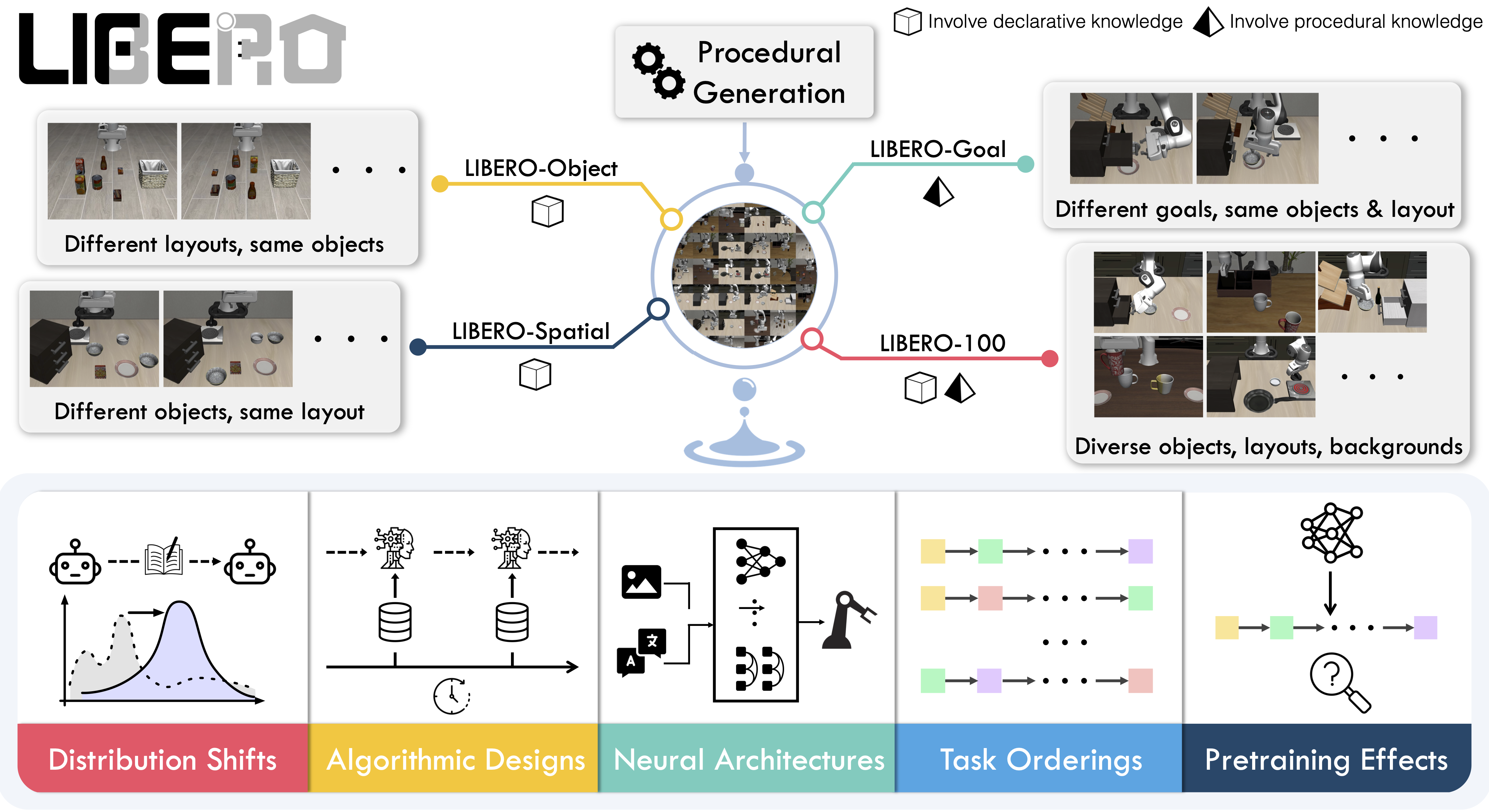
|
||||
|
||||
## Evaluating with LIBERO
|
||||
|
||||
At **LeRobot**, we ported [LIBERO](https://github.com/Lifelong-Robot-Learning/LIBERO) into our framework and used it mainly to **evaluate [SmolVLA](https://huggingface.co/docs/lerobot/en/smolvla)**, our lightweight Vision-Language-Action model.
|
||||
|
||||
LIBERO is now part of our **multi-eval supported simulation**, meaning you can benchmark your policies either on a **single suite of tasks** or across **multiple suites at once** with just a flag.
|
||||
|
||||
To Install LIBERO, after following LeRobot official instructions, just do:
|
||||
`pip install -e ".[libero]"`
|
||||
|
||||
### Single-suite evaluation
|
||||
|
||||
Evaluate a policy on one LIBERO suite:
|
||||
|
||||
```bash
|
||||
lerobot-eval \
|
||||
--policy.path="your-policy-id" \
|
||||
--env.type=libero \
|
||||
--env.task=libero_object \
|
||||
--eval.batch_size=2 \
|
||||
--eval.n_episodes=3
|
||||
```
|
||||
|
||||
- `--env.task` picks the suite (`libero_object`, `libero_spatial`, etc.).
|
||||
- `--eval.batch_size` controls how many environments run in parallel.
|
||||
- `--eval.n_episodes` sets how many episodes to run in total.
|
||||
|
||||
---
|
||||
|
||||
### Multi-suite evaluation
|
||||
|
||||
Benchmark a policy across multiple suites at once:
|
||||
|
||||
```bash
|
||||
lerobot-eval \
|
||||
--policy.path="your-policy-id" \
|
||||
--env.type=libero \
|
||||
--env.task=libero_object,libero_spatial \
|
||||
--eval.batch_size=1 \
|
||||
--eval.n_episodes=2
|
||||
```
|
||||
|
||||
- Pass a comma-separated list to `--env.task` for multi-suite evaluation.
|
||||
|
||||
### Policy inputs and outputs
|
||||
|
||||
When using LIBERO through LeRobot, policies interact with the environment via **observations** and **actions**:
|
||||
|
||||
- **Observations**
|
||||
- `observation.state` – proprioceptive features (agent state).
|
||||
- `observation.images.image` – main camera view (`agentview_image`).
|
||||
- `observation.images.image2` – wrist camera view (`robot0_eye_in_hand_image`).
|
||||
|
||||
⚠️ **Note:** LeRobot enforces the `.images.*` prefix for any multi-modal visual features. Always ensure that your policy config `input_features` use the same naming keys, and that your dataset metadata keys follow this convention during evaluation.
|
||||
If your data contains different keys, you must rename the observations to match what the policy expects, since naming keys are encoded inside the normalization statistics layer.
|
||||
This will be fixed with the upcoming Pipeline PR.
|
||||
|
||||
- **Actions**
|
||||
- Continuous control values in a `Box(-1, 1, shape=(7,))` space.
|
||||
|
||||
We also provide a notebook for quick testing:
|
||||
Training with LIBERO
|
||||
|
||||
## Training with LIBERO
|
||||
|
||||
When training on LIBERO tasks, make sure your dataset parquet and metadata keys follow the LeRobot convention.
|
||||
|
||||
The environment expects:
|
||||
|
||||
- `observation.state` → 8-dim agent state
|
||||
- `observation.images.image` → main camera (`agentview_image`)
|
||||
- `observation.images.image2` → wrist camera (`robot0_eye_in_hand_image`)
|
||||
|
||||
⚠️ Cleaning the dataset upfront is **cleaner and more efficient** than remapping keys inside the code.
|
||||
To avoid potential mismatches and key errors, we provide a **preprocessed LIBERO dataset** that is fully compatible with the current LeRobot codebase and requires no additional manipulation:
|
||||
👉 [HuggingFaceVLA/libero](https://huggingface.co/datasets/HuggingFaceVLA/libero)
|
||||
|
||||
For reference, here is the **original dataset** published by Physical Intelligence:
|
||||
👉 [physical-intelligence/libero](https://huggingface.co/datasets/physical-intelligence/libero)
|
||||
|
||||
---
|
||||
|
||||
### Example training command
|
||||
|
||||
```bash
|
||||
lerobot-train \
|
||||
--policy.type=smolvla \
|
||||
--policy.repo_id=${HF_USER}/libero-test \
|
||||
--policy.load_vlm_weights=true \
|
||||
--dataset.repo_id=HuggingFaceVLA/libero \
|
||||
--env.type=libero \
|
||||
--env.task=libero_10 \
|
||||
--output_dir=./outputs/ \
|
||||
--steps=100000 \
|
||||
--batch_size=4 \
|
||||
--eval.batch_size=1 \
|
||||
--eval.n_episodes=1 \
|
||||
--eval_freq=1000 \
|
||||
```
|
||||
|
||||
---
|
||||
|
||||
### Note on rendering
|
||||
|
||||
LeRobot uses MuJoCo for simulation. You need to set the rendering backend before training or evaluation:
|
||||
|
||||
- `export MUJOCO_GL=egl` → for headless servers (e.g. HPC, cloud)
|
||||
@@ -1,192 +0,0 @@
|
||||
# Phone
|
||||
|
||||
Use your phone (iOS or Android) to control your robot.
|
||||
|
||||
**In this guide you'll learn:**
|
||||
|
||||
- How to connect an iOS/Android phone
|
||||
- How phone pose is mapped to robot end‑effector (EE) targets
|
||||
- How to tweak safety limits, gripper control, and IK settings
|
||||
|
||||
To use phone to control your robot, install the relevant dependencies with:
|
||||
|
||||
```bash
|
||||
pip install lerobot[phone]
|
||||
```
|
||||
|
||||
## Get started
|
||||
|
||||
### Supported platforms
|
||||
|
||||
- iOS: Uses the HEBI Mobile I/O app (ARKit pose + buttons). Download the app first, open it and the examples will discover it on your network and stream the phone pose and inputs.
|
||||
- Android: Uses the `teleop` package (WebXR). When you start the Python process, it prints a local URL. Open the link on your phone, tap Start, then use Move to stream pose.
|
||||
|
||||
Links:
|
||||
|
||||
- Android WebXR library: [`teleop` on PyPI](https://pypi.org/project/teleop/)
|
||||
- iOS app: [HEBI Mobile I/O](https://docs.hebi.us/tools.html#mobile-io)
|
||||
|
||||
### Phone orientation and controls
|
||||
|
||||
- Orientation: hold the phone with the screen facing up and the top edge pointing in the same direction as the robot gripper. This ensures calibration aligns the phone’s frame with the robot frame so motion feels natural, see the image below for reference.
|
||||
- Enable/disable:
|
||||
- iOS: Hold `B1` to enable teleoperation, release to stop. The first press captures a reference pose.
|
||||
- Android: Press and hold the `Move` button, release to stop. The first press captures a reference pose.
|
||||
- Gripper control:
|
||||
- iOS: Analog input `A3` controls the gripper as velocity input.
|
||||
- Android: Buttons `A` and `B` act like increment/decrement (A opens, B closes). You can tune velocity in the `GripperVelocityToJoint` step.
|
||||
|
||||
<img src="https://huggingface.co/datasets/huggingface/documentation-images/resolve/main/lerobot/phone_teleop.webp" alt="Phone teleop orientation" title="Phone teleop orientation" width="40%">
|
||||
|
||||
### Step 1: Choose the platform
|
||||
|
||||
Modify the examples to use `PhoneOS.IOS` or `PhoneOS.ANDROID` in `PhoneConfig`. The API is identical across platforms, only the input source differs. All examples are under `examples/` and have `phone_so100_*.py` variants.
|
||||
|
||||
Teleoperation example:
|
||||
|
||||
```36:43:examples/phone_so100_teleop.py
|
||||
from lerobot.teleoperators.phone.config_phone import PhoneConfig, PhoneOS
|
||||
|
||||
teleop_config = PhoneConfig(phone_os=PhoneOS.IOS) # or PhoneOS.ANDROID
|
||||
teleop_device = Phone(teleop_config)
|
||||
```
|
||||
|
||||
### Step 2: Connect and calibrate
|
||||
|
||||
When `Phone(teleop_config)` is created and `connect()` is called, calibration is prompted automatically. Hold the phone in the orientation described above, then:
|
||||
|
||||
- iOS: press and hold `B1` to capture the reference pose.
|
||||
- Android: press `Move` button on the WebXR page to capture the reference pose.
|
||||
|
||||
Why calibrate? We capture the current pose so subsequent poses are expressed in a robot aligned frame. When you again press the button to enable control, the position is recaptured to avoid drift when your phone is repositioned while it was disabled.
|
||||
|
||||
### Step 3: Run an example
|
||||
|
||||
Run on of the examples scripts to teleoperate, record a dataset, replay a dataset or evaluate a policy.
|
||||
|
||||
All scripts assume you configured your robot (e.g., SO-100 follower) and set the correct serial port.
|
||||
|
||||
Additionally you need to **copy the urdf of the robot to the examples folder**. For the examples in this tutorial (Using SO100/SO101) it is highly recommended to use the urdf in the [SO-ARM100 repo](https://github.com/TheRobotStudio/SO-ARM100/blob/main/Simulation/SO101/so101_new_calib.urdf)
|
||||
|
||||
- Run this example to teleoperate:
|
||||
|
||||
```bash
|
||||
python examples/phone_to_so100/teleoperate.py
|
||||
```
|
||||
|
||||
After running the example:
|
||||
|
||||
- Android: after starting the script, open the printed local URL on your phone, tap Start, then press and hold Move.
|
||||
- iOS: open HEBI Mobile I/O first; B1 enables motion. A3 controls the gripper.
|
||||
|
||||
Additionally you can customize mapping or safety limits by editing the processor steps shown in the examples. You can also remap inputs (e.g., use a different analog input) or adapt the pipeline to other robots (e.g., LeKiwi) by modifying the input and kinematics steps. More about this in the [Processors for Robots and Teleoperators](./processors_robots_teleop.mdx) guide.
|
||||
|
||||
- Run this example to record a dataset, which saves absolute end effector observations and actions:
|
||||
|
||||
```bash
|
||||
python examples/phone_to_so100/record.py
|
||||
```
|
||||
|
||||
- Run this example to replay recorded episodes:
|
||||
|
||||
```bash
|
||||
python examples/phone_to_so100/replay.py
|
||||
```
|
||||
|
||||
- Run this example to evaluate a pretrained policy:
|
||||
|
||||
```bash
|
||||
python examples/phone_to_so100/evaluate.py
|
||||
```
|
||||
|
||||
### Important pipeline steps and options
|
||||
|
||||
- Kinematics are used in multiple steps. We use [Placo](https://github.com/Rhoban/placo) which is a wrapper around Pinocchio for handling our kinematics. We construct the kinematics object by passing the robot's URDF and target frame. We set `target_frame_name` to the gripper frame.
|
||||
|
||||
```examples/phone_to_so100/teleoperate.py
|
||||
kinematics_solver = RobotKinematics(
|
||||
urdf_path="./SO101/so101_new_calib.urdf",
|
||||
target_frame_name="gripper_frame_link",
|
||||
joint_names=list(robot.bus.motors.keys()),
|
||||
)
|
||||
|
||||
```
|
||||
|
||||
- The `MapPhoneActionToRobotAction` step converts the calibrated phone pose and inputs into target deltas and gripper commands, below is shown what the step outputs.
|
||||
|
||||
```src/lerobot/teleoperators/phone/phone_processor.py
|
||||
action["enabled"] = enabled
|
||||
action["target_x"] = -pos[1] if enabled else 0.0
|
||||
action["target_y"] = pos[0] if enabled else 0.0
|
||||
action["target_z"] = pos[2] if enabled else 0.0
|
||||
action["target_wx"] = rotvec[1] if enabled else 0.0
|
||||
action["target_wy"] = rotvec[0] if enabled else 0.0
|
||||
action["target_wz"] = -rotvec[2] if enabled else 0.0
|
||||
action["gripper_vel"] = gripper_vel # Still send gripper action when disabled
|
||||
```
|
||||
|
||||
- The `EEReferenceAndDelta` step converts target deltas to an absolute desired EE pose, storing a reference on enable, the `end_effector_step_sizes` are the step sizes for the EE pose and can be modified to change the motion speed.
|
||||
|
||||
```examples/phone_to_so100/teleoperate.py
|
||||
EEReferenceAndDelta(
|
||||
kinematics=kinematics_solver,
|
||||
end_effector_step_sizes={"x": 0.5, "y": 0.5, "z": 0.5},
|
||||
motor_names=list(robot.bus.motors.keys()),
|
||||
use_latched_reference=True,
|
||||
),
|
||||
```
|
||||
|
||||
- The `EEBoundsAndSafety` step clamps EE motion to a workspace and checks for large ee step jumps to ensure safety. The `end_effector_bounds` are the bounds for the EE pose and can be modified to change the workspace. The `max_ee_step_m` and `max_ee_twist_step_rad` are the step limits for the EE pose and can be modified to change the safety limits.
|
||||
|
||||
```examples/phone_to_so100/teleoperate.py
|
||||
EEBoundsAndSafety(
|
||||
end_effector_bounds={"min": [-1.0, -1.0, -1.0], "max": [1.0, 1.0, 1.0]},
|
||||
max_ee_step_m=0.10,
|
||||
max_ee_twist_step_rad=0.50,
|
||||
)
|
||||
```
|
||||
|
||||
- The `GripperVelocityToJoint` step turns a velocity‑like gripper input into absolute gripper position using the current measured state. The `speed_factor` is the factor by which the velocity is multiplied.
|
||||
|
||||
```examples/phone_to_so100/teleoperate.py
|
||||
GripperVelocityToJoint(speed_factor=20.0)
|
||||
```
|
||||
|
||||
#### Different IK initial guesses
|
||||
|
||||
We use different IK initial guesses in the kinematic steps. As initial guess either the current measured joints or the previous IK solution is used.
|
||||
|
||||
- Closed loop (used in record/eval): sets `initial_guess_current_joints=True` so IK starts from the measured joints each frame.
|
||||
|
||||
```examples/phone_to_so100/record.py
|
||||
InverseKinematicsEEToJoints(
|
||||
kinematics=kinematics_solver,
|
||||
motor_names=list(robot.bus.motors.keys()),
|
||||
initial_guess_current_joints=True, # closed loop
|
||||
)
|
||||
```
|
||||
|
||||
- Open loop (used in replay): sets `initial_guess_current_joints=False` so IK continues from the previous IK solution rather than the measured state. This preserves action stability when we replay without feedback.
|
||||
|
||||
```examples/phone_to_so100/replay.py
|
||||
InverseKinematicsEEToJoints(
|
||||
kinematics=kinematics_solver,
|
||||
motor_names=list(robot.bus.motors.keys()),
|
||||
initial_guess_current_joints=False, # open loop
|
||||
)
|
||||
```
|
||||
|
||||
### Pipeline steps explained
|
||||
|
||||
- MapPhoneActionToRobotAction: converts calibrated phone pose and inputs into target deltas and a gripper command. Motion is gated by an enable signal (B1 on iOS, Move on Android).
|
||||
- EEReferenceAndDelta: latches a reference EE pose on enable and combines it with target deltas to produce an absolute desired EE pose each frame. When disabled, it keeps sending the last commanded pose.
|
||||
- EEBoundsAndSafety: clamps the EE pose to a workspace and rate‑limits jumps for safety. Also declares `action.ee.*` features.
|
||||
- InverseKinematicsEEToJoints: turns an EE pose into joint positions with IK. `initial_guess_current_joints=True` is recommended for closed‑loop control; set `False` for open‑loop replay for stability.
|
||||
- GripperVelocityToJoint: integrates a velocity‑like gripper input into an absolute gripper position using the current measured state.
|
||||
- ForwardKinematicsJointsToEE: computes `observation.state.ee.*` from observed joints for logging and training on EE state.
|
||||
|
||||
### Troubleshooting
|
||||
|
||||
- iOS not discovered: ensure HEBI Mobile I/O is open and your laptop/phone are on the same network.
|
||||
- Android URL not reachable: check local you used `https` instead of `http`, use the exact IP printed by the script and allow your browser to enter and ignore the certificate issue.
|
||||
- Motion feels inverted: adjust the sign flips in `MapPhoneActionToRobotAction` or swap axes to match your setup.
|
||||
@@ -150,7 +150,7 @@ gsutil -m cp -r gs://gresearch/robotics/droid_100 /your/data/
|
||||
### Step 3: Port the Dataset
|
||||
|
||||
```bash
|
||||
python examples/port_datasets/port_droid.py \
|
||||
python examples/port_datasets/port_droid_rlds.py \
|
||||
--raw-dir /your/data/droid/1.0.1 \
|
||||
--repo-id your_id/droid_1.0.1 \
|
||||
--push-to-hub
|
||||
@@ -161,7 +161,7 @@ python examples/port_datasets/port_droid.py \
|
||||
For development, you can port a single shard:
|
||||
|
||||
```bash
|
||||
python examples/port_datasets/port_droid.py \
|
||||
python examples/port_datasets/port_droid_rlds.py \
|
||||
--raw-dir /your/data/droid/1.0.1 \
|
||||
--repo-id your_id/droid_1.0.1_test \
|
||||
--num-shards 2048 \
|
||||
|
||||
@@ -1,151 +0,0 @@
|
||||
# Processors for Robots and Teleoperators
|
||||
|
||||
This guide shows how to build and modify processing pipelines that connect teleoperators (e.g., phone) to robots and datasets. Pipelines standardize conversions between different action/observation spaces so you can swap teleops and robots without rewriting glue code.
|
||||
|
||||
We use the Phone to SO‑100 follower examples for concreteness, but the same patterns apply to other robots.
|
||||
|
||||
**What you'll learn**
|
||||
|
||||
- Absolute vs. relative EE control: What each means, trade‑offs, and how to choose for your task.
|
||||
- Three-pipeline pattern: How to map teleop actions → dataset actions → robot commands, and robot observations → dataset observations.
|
||||
- Adapters (`to_transition` / `to_output`): How these convert raw dicts to `EnvTransition` and back to reduce boilerplate.
|
||||
- Dataset feature contracts: How steps declare features via `transform_features(...)`, and how to aggregate/merge them for recording.
|
||||
- Choosing a representation: When to store joints, absolute EE poses, or relative EE deltas—and how that affects training.
|
||||
- Pipeline customization guidance: How to swap robots/URDFs safely and tune bounds, step sizes, and options like IK initialization.
|
||||
|
||||
### Absolute vs relative EE control
|
||||
|
||||
The examples in this guide use absolute end effector (EE) poses because they are easy to reason about. In practice, relative EE deltas or joint position are often preferred as learning features.
|
||||
|
||||
With processors, you choose the learning features you want to use for your policy. This could be joints positions/velocities, absolute EE, or relative EE positions. You can also choose to store other features, such as joint torques, motor currents, etc.
|
||||
|
||||
## Three pipelines
|
||||
|
||||
We often compose three pipelines. Depending on your setup, some can be empty if action and observation spaces already match.
|
||||
Each of these pipelines handle different conversions between different action and observation spaces. Below is a quick explanation of each pipeline.
|
||||
|
||||
1. Pipeline 1: Teleop action space → dataset action space (phone pose → EE targets)
|
||||
2. Pipeline 2: Dataset action space → robot command space (EE targets → joints)
|
||||
3. Pipeline 3: Robot observation space → dataset observation space (joints → EE pose)
|
||||
|
||||
Below is an example of the three pipelines that we use in the phone to SO-100 follower examples:
|
||||
|
||||
```69:90:examples/phone_so100_record.py
|
||||
phone_to_robot_ee_pose_processor = RobotProcessorPipeline[RobotAction, RobotAction]( # teleop -> dataset action
|
||||
steps=[
|
||||
MapPhoneActionToRobotAction(platform=teleop_config.phone_os),
|
||||
EEReferenceAndDelta(
|
||||
kinematics=kinematics_solver, end_effector_step_sizes={"x": 0.5, "y": 0.5, "z": 0.5}, motor_names=list(robot.bus.motors.keys()),
|
||||
),
|
||||
EEBoundsAndSafety(
|
||||
end_effector_bounds={"min": [-1.0, -1.0, -1.0], "max": [1.0, 1.0, 1.0]}, max_ee_step_m=0.20, max_ee_twist_step_rad=0.50,
|
||||
),
|
||||
GripperVelocityToJoint(),
|
||||
],
|
||||
to_transition=robot_action_to_transition,
|
||||
to_output=transition_to_robot_action,
|
||||
)
|
||||
|
||||
robot_ee_to_joints_processor = RobotProcessorPipeline[RobotAction, RobotAction]( # dataset action -> robot
|
||||
steps=[
|
||||
InverseKinematicsEEToJoints(
|
||||
kinematics=kinematics_solver, motor_names=list(robot.bus.motors.keys()), initial_guess_current_joints=True,
|
||||
),
|
||||
],
|
||||
to_transition=robot_action_to_transition,
|
||||
to_output=transition_to_robot_action,
|
||||
)
|
||||
|
||||
robot_joints_to_ee_pose = RobotProcessorPipeline[RobotObservation, RobotObservation]( # robot obs -> dataset obs
|
||||
steps=[
|
||||
ForwardKinematicsJointsToEE(kinematics=kinematics_solver, motor_names=list(robot.bus.motors.keys()))
|
||||
],
|
||||
to_transition=observation_to_transition,
|
||||
to_output=transition_to_observation,
|
||||
)
|
||||
```
|
||||
|
||||
## Why to_transition / to_output
|
||||
|
||||
To convert from robot/teleoperator to pipeline and back, we use the `to_transition` and `to_output` pipeline adapters.
|
||||
They standardize conversions to reduce boilerplate code, and form the bridge between the robot and teleoperators raw dictionaries and the pipeline’s `EnvTransition` format.
|
||||
In the phone to SO-100 follower examples we use the following adapters:
|
||||
|
||||
- `robot_action_to_transition`: transforms the teleop action dict to a pipeline transition.
|
||||
- `transition_to_robot_action`: transforms the pipeline transition to a robot action dict.
|
||||
- `observation_to_transition`: transforms the robot observation dict to a pipeline transition.
|
||||
- `transition_to_observation`: transforms the pipeline transition to a observation dict.
|
||||
|
||||
Checkout [src/lerobot/processor/converters.py](https://github.com/huggingface/lerobot/blob/main/src/lerobot/processor/converters.py) for more details.
|
||||
|
||||
## Dataset feature contracts
|
||||
|
||||
Dataset features are determined by the keys saved in the dataset. Each step can declare what features it modifies in a contract called `transform_features(...)`. Once you build a processor, the processor can then aggregate all of these features with `aggregate_pipeline_dataset_features()` and merge multiple feature dicts with `combine_feature_dicts(...)`.
|
||||
|
||||
Below is and example of how we declare features with the `transform_features` method in the phone to SO-100 follower examples:
|
||||
|
||||
```src/lerobot/robots/so100_follower/robot_kinematic_processor.py
|
||||
def transform_features(
|
||||
self, features: dict[PipelineFeatureType, dict[str, PolicyFeature]]
|
||||
) -> dict[PipelineFeatureType, dict[str, PolicyFeature]]:
|
||||
# We only use the ee pose in the dataset, so we don't need the joint positions
|
||||
for n in self.motor_names:
|
||||
features[PipelineFeatureType.ACTION].pop(f"{n}.pos", None)
|
||||
# We specify the dataset features of this step that we want to be stored in the dataset
|
||||
for k in ["x", "y", "z", "wx", "wy", "wz", "gripper_pos"]:
|
||||
features[PipelineFeatureType.ACTION][f"ee.{k}"] = PolicyFeature(
|
||||
type=FeatureType.STATE, shape=(1,)
|
||||
)
|
||||
return features
|
||||
```
|
||||
|
||||
Here we declare what PolicyFeatures we modify in this step, so we know what features we can expect when we run the processor. These features can then be aggregated and used to create the dataset features.
|
||||
|
||||
Below is an example of how we aggregate and merge features in the phone to SO-100 record example:
|
||||
|
||||
```121:145:examples/phone_so100_record.py
|
||||
features=combine_feature_dicts(
|
||||
# Run the feature contract of the pipelines
|
||||
# This tells you how the features would look like after the pipeline steps
|
||||
aggregate_pipeline_dataset_features(
|
||||
pipeline=phone_to_robot_ee_pose_processor,
|
||||
initial_features=create_initial_features(action=phone.action_features), # <- Action features we can expect, these come from our teleop device (phone) and action processor
|
||||
use_videos=True,
|
||||
),
|
||||
aggregate_pipeline_dataset_features(
|
||||
pipeline=robot_joints_to_ee_pose,
|
||||
initial_features=create_initial_features(observation=robot.observation_features), # <- Observation features we can expect, these come from our robot and observation processor
|
||||
use_videos=True,
|
||||
patterns=["observation.state.ee"], # <- Here you could optionally filter the features we want to store in the dataset, with a specific pattern
|
||||
|
||||
),
|
||||
),
|
||||
```
|
||||
|
||||
How it works:
|
||||
|
||||
- `aggregate_pipeline_dataset_features(...)`: applies `transform_features` across the pipeline and filters by patterns (images included when `use_videos=True`, and state features included when `patterns` is specified).
|
||||
- `combine_feature_dicts(...)`: combine multiple feature dicts.
|
||||
- Recording with `record_loop(...)` uses `build_dataset_frame(...)` to build frames consistent with `dataset.features` before we call `add_frame(...)` to add the frame to the dataset.
|
||||
|
||||
## Guidance when customizing robot pipelines
|
||||
|
||||
You can store any of the following features as your action/observation space:
|
||||
|
||||
- Joint positions
|
||||
- Absolute EE poses
|
||||
- Relative EE deltas
|
||||
- Other features: joint velocity, torques, etc.
|
||||
|
||||
Pick what you want to use for your policy action and observation space and configure/modify the pipelines and steps accordingly.
|
||||
|
||||
### Different robots
|
||||
|
||||
- You can easily reuse pipelines, for example to use another robot with phone teleop, modify the examples and swap the robot `RobotKinematics` (URDF) and `motor_names` to use your own robot with Phone teleop. Additionally you should ensure `target_frame_name` points to your gripper/wrist.
|
||||
|
||||
### Safety first
|
||||
|
||||
- When changing pipelines, start with tight bounds, implement safety steps when working with real robots.
|
||||
- Its advised to start with simulation first and then move to real robots.
|
||||
|
||||
Thats it! We hope this guide helps you get started with customizing your robot pipelines, If you run into any issues at any point, jump into our [Discord community](https://discord.com/invite/s3KuuzsPFb) for support.
|
||||
@@ -1,288 +0,0 @@
|
||||
# Reachy 2
|
||||
|
||||
Reachy 2 is an open-source humanoid robot made by Pollen Robotics, specifically designed for the development of embodied AI and real-world applications.
|
||||
Check out [Pollen Robotics website](https://www.pollen-robotics.com/reachy/), or access [Reachy 2 documentation](https://docs.pollen-robotics.com/) for more information on the platform!
|
||||
|
||||
## Teleoperate Reachy 2
|
||||
|
||||
Currently, there are two ways to teleoperate Reachy 2:
|
||||
|
||||
- Pollen Robotics’ VR teleoperation (not included in LeRobot).
|
||||
- Robot-to-robot teleoperation (use one Reachy 2 to control another).
|
||||
|
||||
## Reachy 2 Simulation
|
||||
|
||||
**(Linux only)** You can run Reachy 2 in simulation (Gazebo or MuJoCo) using the provided [Docker image](https://hub.docker.com/r/pollenrobotics/reachy2_core).
|
||||
|
||||
1. Install [Docker Engine](https://docs.docker.com/engine/).
|
||||
2. Run (for MuJoCo):
|
||||
|
||||
```
|
||||
docker run --rm -it \
|
||||
--name reachy \
|
||||
--privileged \
|
||||
--network host \
|
||||
--ipc host \
|
||||
--device-cgroup-rule='c 189:* rwm' \
|
||||
--group-add audio \
|
||||
-e ROS_DOMAIN_ID="$ROS_DOMAIN_ID" \
|
||||
-e DISPLAY="$DISPLAY" \
|
||||
-e RCUTILS_CONSOLE_OUTPUT_FORMAT="[{severity}]: {message}" \
|
||||
-e REACHY2_CORE_SERVICE_FAKE="${REACHY2_CORE_SERVICE_FAKE:-true}" \
|
||||
-v /dev:/dev \
|
||||
-v "$HOME/.reachy_config":/home/reachy/.reachy_config_override \
|
||||
-v "$HOME/.reachy.log":/home/reachy/.ros/log \
|
||||
-v /usr/lib/x86_64-linux-gnu:/opt/host-libs \
|
||||
--entrypoint /package/launch.sh \
|
||||
pollenrobotics/reachy2_core:1.7.5.9_deploy \
|
||||
start_rviz:=true start_sdk_server:=true mujoco:=true
|
||||
```
|
||||
|
||||
> If MuJoCo runs slowly (low simulation frequency), append `-e LD_LIBRARY_PATH="/opt/host-libs:$LD_LIBRARY_PATH" \` to the previous command to improve performance:
|
||||
>
|
||||
> ```
|
||||
> docker run --rm -it \
|
||||
> --name reachy \
|
||||
> --privileged \
|
||||
> --network host \
|
||||
> --ipc host \
|
||||
> --device-cgroup-rule='c 189:* rwm' \
|
||||
> --group-add audio \
|
||||
> -e ROS_DOMAIN_ID="$ROS_DOMAIN_ID" \
|
||||
> -e DISPLAY="$DISPLAY" \
|
||||
> -e RCUTILS_CONSOLE_OUTPUT_FORMAT="[{severity}]: {message}" \
|
||||
> -e REACHY2_CORE_SERVICE_FAKE="${REACHY2_CORE_SERVICE_FAKE:-true}" \
|
||||
> -e LD_LIBRARY_PATH="/opt/host-libs:$LD_LIBRARY_PATH" \
|
||||
> -v /dev:/dev \
|
||||
> -v "$HOME/.reachy_config":/home/reachy/.reachy_config_override \
|
||||
> -v "$HOME/.reachy.log":/home/reachy/.ros/log \
|
||||
> -v /usr/lib/x86_64-linux-gnu:/opt/host-libs \
|
||||
> --entrypoint /package/launch.sh \
|
||||
> pollenrobotics/reachy2_core:1.7.5.9_deploy \
|
||||
> start_rviz:=true start_sdk_server:=true mujoco:=true
|
||||
> ```
|
||||
|
||||
## Setup
|
||||
|
||||
### Prerequisites
|
||||
|
||||
- On your robot, check the **service images** meet the minimum versions:
|
||||
- **reachy2-core >= 1.7.5.2**
|
||||
- **webrtc >= 2.0.1.1**
|
||||
|
||||
Then, if you want to use VR teleoperation:
|
||||
|
||||
- Install the [Reachy 2 teleoperation application](https://docs.pollen-robotics.com/teleoperation/teleoperation-introduction/discover-teleoperation/).
|
||||
Use version **>=v1.2.0**
|
||||
|
||||
We recommend using two computers: one for teleoperation (Windows required) and another for recording with LeRobot.
|
||||
|
||||
### Install LeRobot
|
||||
|
||||
Follow the [installation instructions](https://github.com/huggingface/lerobot#installation) to install LeRobot.
|
||||
|
||||
Install LeRobot with Reachy 2 dependencies:
|
||||
|
||||
```bash
|
||||
pip install -e ".[reachy2]"
|
||||
```
|
||||
|
||||
### (Optional but recommended) Install pollen_data_acquisition_server
|
||||
|
||||
How you manage Reachy 2 recording sessions is up to you, but the **easiest** way is to use this server so you can control sessions directly from the VR teleoperation app.
|
||||
|
||||
> **Note:** Currently, only the VR teleoperation application works as a client for this server, so this step primarily targets teleoperation. You’re free to develop custom clients to manage sessions to your needs.
|
||||
|
||||
In your LeRobot environment, install the server from source:
|
||||
|
||||
```bash
|
||||
git clone https://github.com/pollen-robotics/pollen_data_acquisition_server.git
|
||||
cd pollen_data_acquisition_server
|
||||
pip install -e .
|
||||
```
|
||||
|
||||
Find the [pollen_data_acquisition_server documentation here](https://github.com/pollen-robotics/pollen_data_acquisition_server).
|
||||
|
||||
## Step 1: Recording
|
||||
|
||||
### Get Reachy 2 IP address
|
||||
|
||||
Before starting teleoperation and data recording, find the [robot's IP address](https://docs.pollen-robotics.com/getting-started/setup-reachy2/connect-reachy2/).
|
||||
We strongly recommend connecting all devices (PC and robot) via **Ethernet**.
|
||||
|
||||
### Launch recording
|
||||
|
||||
There are two ways to manage recording sessions when using the Reachy 2 VR teleoperation application:
|
||||
|
||||
- **Using the data acquisition server (recommended for VR teleop)**: The VR app orchestrates sessions (via the server it tells LeRobot when to create datasets, start/stop episodes) while also controlling the robot’s motions.
|
||||
- **Using LeRobot’s record script**: LeRobot owns session control and decides when to start/stop episodes. If you also use the VR teleop app, it’s only for motion control.
|
||||
|
||||
### Option 1: Using Pollen data acquisition server (recommended for VR teleop)
|
||||
|
||||
Make sure you have installed pollen_data_acquisition_server, as explained in the Setup section.
|
||||
|
||||
Launch the data acquisition server to be able to manage your session directly from the teleoperation application:
|
||||
|
||||
```bash
|
||||
python -m pollen_data_acquisition_server.server
|
||||
```
|
||||
|
||||
Then get into the teleoperation application and choose "Data acquisition session".
|
||||
You can finally setup your session by following the screens displayed.
|
||||
|
||||
> Even without the VR app, you can use the `pollen_data_acquisition_server` with your own client implementation.
|
||||
|
||||
### Option 2: Using lerobot.record
|
||||
|
||||
Reachy 2 is fully supported by LeRobot’s recording features.
|
||||
If you choose this option but still want to use the VR teleoperation application, select "Standard session" in the app.
|
||||
|
||||
**Example: start a recording without the mobile base:**
|
||||
First add reachy2 and reachy2_teleoperator to the imports of the record script. Then you can use the following command:
|
||||
|
||||
```bash
|
||||
python -m lerobot.record \
|
||||
--robot.type=reachy2 \
|
||||
--robot.ip_address=192.168.0.200 \
|
||||
--robot.id=r2-0000 \
|
||||
--robot.use_external_commands=true \
|
||||
--robot.with_mobile_base=false \
|
||||
--teleop.type=reachy2_teleoperator \
|
||||
--teleop.ip_address=192.168.0.200 \
|
||||
--teleop.with_mobile_base=false \
|
||||
--dataset.repo_id=pollen_robotics/record_test \
|
||||
--dataset.single_task="Reachy 2 recording test" \
|
||||
--dataset.num_episodes=1 \
|
||||
--dataset.episode_time_s=5 \
|
||||
--dataset.fps=15 \
|
||||
--dataset.push_to_hub=true \
|
||||
--dataset.private=true \
|
||||
--display_data=true
|
||||
```
|
||||
|
||||
#### Specific Options
|
||||
|
||||
**Extended setup overview (all options included):**
|
||||
|
||||
```bash
|
||||
python -m lerobot.record \
|
||||
--robot.type=reachy2 \
|
||||
--robot.ip_address=192.168.0.200 \
|
||||
--robot.use_external_commands=true \
|
||||
--robot.with_mobile_base=true \
|
||||
--robot.with_l_arm=true \
|
||||
--robot.with_r_arm=true \
|
||||
--robot.with_neck=true \
|
||||
--robot.with_antennas=true \
|
||||
--robot.with_left_teleop_camera=true \
|
||||
--robot.with_right_teleop_camera=true \
|
||||
--robot.with_torso_camera=false \
|
||||
--robot.disable_torque_on_disconnect=false \
|
||||
--robot.max_relative_target=5.0 \
|
||||
--teleop.type=reachy2_teleoperator \
|
||||
--teleop.ip_address=192.168.0.200 \
|
||||
--teleop.use_present_position=false \
|
||||
--teleop.with_mobile_base=false \
|
||||
--teleop.with_l_arm=true \
|
||||
--teleop.with_r_arm=true \
|
||||
--teleop.with_neck=true \
|
||||
--teleop.with_antennas=true \
|
||||
--dataset.repo_id=pollen_robotics/record_test \
|
||||
--dataset.single_task="Reachy 2 recording test" \
|
||||
--dataset.num_episodes=1 \
|
||||
--dataset.episode_time_s=5 \
|
||||
--dataset.fps=15 \
|
||||
--dataset.push_to_hub=true \
|
||||
--dataset.private=true \
|
||||
--display_data=true
|
||||
```
|
||||
|
||||
##### `--robot.use_external_commands`
|
||||
|
||||
Determine whether LeRobot robot.send_action() sends commands to the robot.
|
||||
**Must** be set to false while using the VR teleoperation application, as the app already sends commands.
|
||||
|
||||
##### `--teleop.use_present_position`
|
||||
|
||||
Determine whether the teleoperator reads the goal or present position of the robot.
|
||||
Must be set to true if a compliant Reachy 2 is used to control another one.
|
||||
|
||||
##### Use the relevant parts
|
||||
|
||||
From our initial tests, recording **all** joints when only some are moving can reduce model quality with certain policies.
|
||||
To avoid this, you can exclude specific parts from recording and replay using:
|
||||
|
||||
````
|
||||
--robot.with_<part>=false
|
||||
```,
|
||||
with `<part>` being one of : `mobile_base`, `l_arm`, `r_arm", `neck`, `antennas`.
|
||||
It determine whether the corresponding part is recorded in the observations. True if not set.
|
||||
|
||||
By default, **all parts are recorded**.
|
||||
|
||||
The same per-part mechanism is available in `reachy2_teleoperator` as well.
|
||||
|
||||
````
|
||||
|
||||
--teleop.with\_<part>
|
||||
|
||||
```
|
||||
with `<part>` being one of : `mobile_base`, `l_arm`, `r_arm", `neck`, `antennas`.
|
||||
Determine whether the corresponding part is recorded in the actions. True if not set.
|
||||
|
||||
> **Important:** In a given session, the **enabled parts must match** on both the robot and the teleoperator.
|
||||
For example, if the robot runs with `--robot.with_mobile_base=false`, the teleoperator must disable the same part `--teleoperator.with_mobile_base=false`.
|
||||
|
||||
##### Use the relevant cameras
|
||||
|
||||
You can do the same for **cameras**. By default, only the **teleoperation cameras** are recorded (both `left_teleop_camera` and `right_teleop_camera`). Enable or disable each camera with:
|
||||
|
||||
```
|
||||
|
||||
--robot.with_left_teleop_camera=<true|false>
|
||||
--robot.with_right_teleop_camera=<true|false>
|
||||
--robot.with_torso_camera=<true|false>
|
||||
|
||||
````
|
||||
|
||||
|
||||
## Step 2: Replay
|
||||
|
||||
Make sure the robot is configured with the same parts as the dataset:
|
||||
|
||||
```bash
|
||||
python -m lerobot.replay \
|
||||
--robot.type=reachy2 \
|
||||
--robot.ip_address=192.168.0.200 \
|
||||
--robot.use_external_commands=false \
|
||||
--robot.with_mobile_base=false \
|
||||
--dataset.repo_id=pollen_robotics/record_test \
|
||||
--dataset.episode=0
|
||||
--display_data=true
|
||||
````
|
||||
|
||||
## Step 3: Train
|
||||
|
||||
```bash
|
||||
python -m lerobot.scripts.train \
|
||||
--dataset.repo_id=pollen_robotics/record_test \
|
||||
--policy.type=act \
|
||||
--output_dir=outputs/train/reachy2_test \
|
||||
--job_name=reachy2 \
|
||||
--policy.device=mps \
|
||||
--wandb.enable=true \
|
||||
--policy.repo_id=pollen_robotics/record_test_policy
|
||||
```
|
||||
|
||||
## Step 4: Evaluate
|
||||
|
||||
```bash
|
||||
python -m lerobot.record \
|
||||
--robot.type=reachy2 \
|
||||
--robot.ip_address=192.168.0.200 \
|
||||
--display_data=false \
|
||||
--dataset.repo_id=pollen_robotics/eval_record_test \
|
||||
--dataset.single_task="Evaluate reachy2 policy" \
|
||||
--dataset.num_episodes=10 \
|
||||
--policy.path=outputs/train/reachy2_test/checkpoints/last/pretrained_model
|
||||
```
|
||||
@@ -29,7 +29,7 @@ SmolVLA is Hugging Face’s lightweight foundation model for robotics. Designed
|
||||
## Collect a dataset
|
||||
|
||||
SmolVLA is a base model, so fine-tuning on your own data is required for optimal performance in your setup.
|
||||
We recommend recording ~50 episodes of your task as a starting point. Follow our guide to get started: [Recording a Dataset](./il_robots)
|
||||
We recommend recording ~50 episodes of your task as a starting point. Follow our guide to get started: [Recording a Dataset](https://huggingface.co/docs/lerobot/getting_started_real_world_robot#record-a-dataset)
|
||||
|
||||
<Tip>
|
||||
|
||||
@@ -93,7 +93,7 @@ lerobot-train --help
|
||||
|
||||
## Evaluate the finetuned model and run it in real-time
|
||||
|
||||
Similarly for when recording an episode, it is recommended that you are logged in to the HuggingFace Hub. You can follow the corresponding steps: [Record a dataset](./il_robots).
|
||||
Similarly for when recording an episode, it is recommended that you are logged in to the HuggingFace Hub. You can follow the corresponding steps: [Record a dataset](./getting_started_real_world_robot#record-a-dataset).
|
||||
Once you are logged in, you can run inference in your setup by doing:
|
||||
|
||||
```bash
|
||||
|
||||
@@ -634,7 +634,7 @@ leader.disconnect()
|
||||
</hfoption>
|
||||
</hfoptions>
|
||||
|
||||
Congrats 🎉, your robot is all set to learn a task on its own. Start training it by following this tutorial: [Getting started with real-world robots](./il_robots)
|
||||
Congrats 🎉, your robot is all set to learn a task on its own. Start training it by following this tutorial: [Getting started with real-world robots](./getting_started_real_world_robot)
|
||||
|
||||
> [!TIP]
|
||||
> If you have any questions or need help, please reach out on [Discord](https://discord.com/invite/s3KuuzsPFb).
|
||||
|
||||
@@ -430,7 +430,7 @@ leader.disconnect()
|
||||
</hfoption>
|
||||
</hfoptions>
|
||||
|
||||
Congrats 🎉, your robot is all set to learn a task on its own. Start training it by following this tutorial: [Getting started with real-world robots](./il_robots)
|
||||
Congrats 🎉, your robot is all set to learn a task on its own. Start training it by following this tutorial: [Getting started with real-world robots](./getting_started_real_world_robot)
|
||||
|
||||
> [!TIP]
|
||||
> If you have any questions or need help, please reach out on [Discord](https://discord.com/invite/s3KuuzsPFb).
|
||||
|
||||
@@ -136,7 +136,7 @@ print(f"{dataset[0]['action'].shape=}\n") # (64, c)
|
||||
# PyTorch datasets.
|
||||
dataloader = torch.utils.data.DataLoader(
|
||||
dataset,
|
||||
num_workers=4,
|
||||
num_workers=0,
|
||||
batch_size=32,
|
||||
shuffle=True,
|
||||
)
|
||||
@@ -0,0 +1,139 @@
|
||||
# Copyright 2024 The HuggingFace Inc. team. All rights reserved.
|
||||
#
|
||||
# Licensed under the Apache License, Version 2.0 (the "License");
|
||||
# you may not use this file except in compliance with the License.
|
||||
# You may obtain a copy of the License at
|
||||
#
|
||||
# http://www.apache.org/licenses/LICENSE-2.0
|
||||
#
|
||||
# Unless required by applicable law or agreed to in writing, software
|
||||
# distributed under the License is distributed on an "AS IS" BASIS,
|
||||
# WITHOUT WARRANTIES OR CONDITIONS OF ANY KIND, either express or implied.
|
||||
# See the License for the specific language governing permissions and
|
||||
# limitations under the License.
|
||||
|
||||
"""
|
||||
This script demonstrates how to evaluate a pretrained policy from the HuggingFace Hub or from your local
|
||||
training outputs directory. In the latter case, you might want to run examples/3_train_policy.py first.
|
||||
|
||||
It requires the installation of the 'gym_pusht' simulation environment. Install it by running:
|
||||
```bash
|
||||
pip install -e ".[pusht]"
|
||||
```
|
||||
"""
|
||||
|
||||
from pathlib import Path
|
||||
|
||||
import gym_pusht # noqa: F401
|
||||
import gymnasium as gym
|
||||
import imageio
|
||||
import numpy
|
||||
import torch
|
||||
|
||||
from lerobot.policies.diffusion.modeling_diffusion import DiffusionPolicy
|
||||
|
||||
# Create a directory to store the video of the evaluation
|
||||
output_directory = Path("outputs/eval/example_pusht_diffusion")
|
||||
output_directory.mkdir(parents=True, exist_ok=True)
|
||||
|
||||
# Select your device
|
||||
device = "cuda"
|
||||
|
||||
# Provide the [hugging face repo id](https://huggingface.co/lerobot/diffusion_pusht):
|
||||
pretrained_policy_path = "lerobot/diffusion_pusht"
|
||||
# OR a path to a local outputs/train folder.
|
||||
# pretrained_policy_path = Path("outputs/train/example_pusht_diffusion")
|
||||
|
||||
policy = DiffusionPolicy.from_pretrained(pretrained_policy_path)
|
||||
|
||||
# Initialize evaluation environment to render two observation types:
|
||||
# an image of the scene and state/position of the agent. The environment
|
||||
# also automatically stops running after 300 interactions/steps.
|
||||
env = gym.make(
|
||||
"gym_pusht/PushT-v0",
|
||||
obs_type="pixels_agent_pos",
|
||||
max_episode_steps=300,
|
||||
)
|
||||
|
||||
# We can verify that the shapes of the features expected by the policy match the ones from the observations
|
||||
# produced by the environment
|
||||
print(policy.config.input_features)
|
||||
print(env.observation_space)
|
||||
|
||||
# Similarly, we can check that the actions produced by the policy will match the actions expected by the
|
||||
# environment
|
||||
print(policy.config.output_features)
|
||||
print(env.action_space)
|
||||
|
||||
# Reset the policy and environments to prepare for rollout
|
||||
policy.reset()
|
||||
numpy_observation, info = env.reset(seed=42)
|
||||
|
||||
# Prepare to collect every rewards and all the frames of the episode,
|
||||
# from initial state to final state.
|
||||
rewards = []
|
||||
frames = []
|
||||
|
||||
# Render frame of the initial state
|
||||
frames.append(env.render())
|
||||
|
||||
step = 0
|
||||
done = False
|
||||
while not done:
|
||||
# Prepare observation for the policy running in Pytorch
|
||||
state = torch.from_numpy(numpy_observation["agent_pos"])
|
||||
image = torch.from_numpy(numpy_observation["pixels"])
|
||||
|
||||
# Convert to float32 with image from channel first in [0,255]
|
||||
# to channel last in [0,1]
|
||||
state = state.to(torch.float32)
|
||||
image = image.to(torch.float32) / 255
|
||||
image = image.permute(2, 0, 1)
|
||||
|
||||
# Send data tensors from CPU to GPU
|
||||
state = state.to(device, non_blocking=True)
|
||||
image = image.to(device, non_blocking=True)
|
||||
|
||||
# Add extra (empty) batch dimension, required to forward the policy
|
||||
state = state.unsqueeze(0)
|
||||
image = image.unsqueeze(0)
|
||||
|
||||
# Create the policy input dictionary
|
||||
observation = {
|
||||
"observation.state": state,
|
||||
"observation.image": image,
|
||||
}
|
||||
|
||||
# Predict the next action with respect to the current observation
|
||||
with torch.inference_mode():
|
||||
action = policy.select_action(observation)
|
||||
|
||||
# Prepare the action for the environment
|
||||
numpy_action = action.squeeze(0).to("cpu").numpy()
|
||||
|
||||
# Step through the environment and receive a new observation
|
||||
numpy_observation, reward, terminated, truncated, info = env.step(numpy_action)
|
||||
print(f"{step=} {reward=} {terminated=}")
|
||||
|
||||
# Keep track of all the rewards and frames
|
||||
rewards.append(reward)
|
||||
frames.append(env.render())
|
||||
|
||||
# The rollout is considered done when the success state is reached (i.e. terminated is True),
|
||||
# or the maximum number of iterations is reached (i.e. truncated is True)
|
||||
done = terminated | truncated | done
|
||||
step += 1
|
||||
|
||||
if terminated:
|
||||
print("Success!")
|
||||
else:
|
||||
print("Failure!")
|
||||
|
||||
# Get the speed of environment (i.e. its number of frames per second).
|
||||
fps = env.metadata["render_fps"]
|
||||
|
||||
# Encode all frames into a mp4 video.
|
||||
video_path = output_directory / "rollout.mp4"
|
||||
imageio.mimsave(str(video_path), numpy.stack(frames), fps=fps)
|
||||
|
||||
print(f"Video of the evaluation is available in '{video_path}'.")
|
||||
@@ -12,7 +12,11 @@
|
||||
# See the License for the specific language governing permissions and
|
||||
# limitations under the License.
|
||||
|
||||
"""This script demonstrates how to train Diffusion Policy on the PushT environment."""
|
||||
"""This script demonstrates how to train Diffusion Policy on the PushT environment.
|
||||
|
||||
Once you have trained a model with this script, you can try to evaluate it on
|
||||
examples/2_evaluate_pretrained_policy.py
|
||||
"""
|
||||
|
||||
from pathlib import Path
|
||||
|
||||
@@ -23,7 +27,6 @@ from lerobot.datasets.lerobot_dataset import LeRobotDataset, LeRobotDatasetMetad
|
||||
from lerobot.datasets.utils import dataset_to_policy_features
|
||||
from lerobot.policies.diffusion.configuration_diffusion import DiffusionConfig
|
||||
from lerobot.policies.diffusion.modeling_diffusion import DiffusionPolicy
|
||||
from lerobot.policies.factory import make_pre_post_processors
|
||||
|
||||
|
||||
def main():
|
||||
@@ -53,10 +56,9 @@ def main():
|
||||
cfg = DiffusionConfig(input_features=input_features, output_features=output_features)
|
||||
|
||||
# We can now instantiate our policy with this config and the dataset stats.
|
||||
policy = DiffusionPolicy(cfg)
|
||||
policy = DiffusionPolicy(cfg, dataset_stats=dataset_metadata.stats)
|
||||
policy.train()
|
||||
policy.to(device)
|
||||
preprocessor, postprocessor = make_pre_post_processors(cfg, dataset_stats=dataset_metadata.stats)
|
||||
|
||||
# Another policy-dataset interaction is with the delta_timestamps. Each policy expects a given number frames
|
||||
# which can differ for inputs, outputs and rewards (if there are some).
|
||||
@@ -97,7 +99,7 @@ def main():
|
||||
done = False
|
||||
while not done:
|
||||
for batch in dataloader:
|
||||
batch = preprocessor(batch)
|
||||
batch = {k: (v.to(device) if isinstance(v, torch.Tensor) else v) for k, v in batch.items()}
|
||||
loss, _ = policy.forward(batch)
|
||||
loss.backward()
|
||||
optimizer.step()
|
||||
@@ -112,8 +114,6 @@ def main():
|
||||
|
||||
# Save a policy checkpoint.
|
||||
policy.save_pretrained(output_directory)
|
||||
preprocessor.save_pretrained(output_directory)
|
||||
postprocessor.save_pretrained(output_directory)
|
||||
|
||||
|
||||
if __name__ == "__main__":
|
||||
@@ -0,0 +1,311 @@
|
||||
This tutorial will explain the training script, how to use it, and particularly how to configure everything needed for the training run.
|
||||
|
||||
> **Note:** The following assumes you're running these commands on a machine equipped with a cuda GPU. If you don't have one (or if you're using a Mac), you can add `--policy.device=cpu` (`--policy.device=mps` respectively). However, be advised that the code executes much slower on cpu.
|
||||
|
||||
## The training script
|
||||
|
||||
LeRobot offers a training script at [`lerobot/scripts/train.py`](../src/lerobot/scripts/train.py). At a high level it does the following:
|
||||
|
||||
- Initialize/load a configuration for the following steps using.
|
||||
- Instantiates a dataset.
|
||||
- (Optional) Instantiates a simulation environment corresponding to that dataset.
|
||||
- Instantiates a policy.
|
||||
- Runs a standard training loop with forward pass, backward pass, optimization step, and occasional logging, evaluation (of the policy on the environment), and checkpointing.
|
||||
|
||||
## Overview of the configuration system
|
||||
|
||||
In the training script, the main function `train` expects a `TrainPipelineConfig` object:
|
||||
|
||||
<!-- prettier-ignore-start -->
|
||||
```python
|
||||
# train.py
|
||||
@parser.wrap()
|
||||
def train(cfg: TrainPipelineConfig):
|
||||
```
|
||||
<!-- prettier-ignore-end -->
|
||||
|
||||
You can inspect the `TrainPipelineConfig` defined in [`lerobot/configs/train.py`](../src/lerobot/configs/train.py) (which is heavily commented and meant to be a reference to understand any option)
|
||||
|
||||
When running the script, inputs for the command line are parsed thanks to the `@parser.wrap()` decorator and an instance of this class is automatically generated. Under the hood, this is done with [Draccus](https://github.com/dlwh/draccus) which is a tool dedicated to this purpose. If you're familiar with Hydra, Draccus can similarly load configurations from config files (.json, .yaml) and also override their values through command line inputs. Unlike Hydra, these configurations are pre-defined in the code through dataclasses rather than being defined entirely in config files. This allows for more rigorous serialization/deserialization, typing, and to manipulate configuration as objects directly in the code and not as dictionaries or namespaces (which enables nice features in an IDE such as autocomplete, jump-to-def, etc.)
|
||||
|
||||
Let's have a look at a simplified example. Amongst other attributes, the training config has the following attributes:
|
||||
|
||||
<!-- prettier-ignore-start -->
|
||||
```python
|
||||
@dataclass
|
||||
class TrainPipelineConfig:
|
||||
dataset: DatasetConfig
|
||||
env: envs.EnvConfig | None = None
|
||||
policy: PreTrainedConfig | None = None
|
||||
```
|
||||
<!-- prettier-ignore-end -->
|
||||
|
||||
in which `DatasetConfig` for example is defined as such:
|
||||
|
||||
<!-- prettier-ignore-start -->
|
||||
```python
|
||||
@dataclass
|
||||
class DatasetConfig:
|
||||
repo_id: str
|
||||
episodes: list[int] | None = None
|
||||
video_backend: str = "pyav"
|
||||
```
|
||||
<!-- prettier-ignore-end -->
|
||||
|
||||
This creates a hierarchical relationship where, for example assuming we have a `cfg` instance of `TrainPipelineConfig`, we can access the `repo_id` value with `cfg.dataset.repo_id`.
|
||||
From the command line, we can specify this value by using a very similar syntax `--dataset.repo_id=repo/id`.
|
||||
|
||||
By default, every field takes its default value specified in the dataclass. If a field doesn't have a default value, it needs to be specified either from the command line or from a config file – which path is also given in the command line (more in this below). In the example above, the `dataset` field doesn't have a default value which means it must be specified.
|
||||
|
||||
## Specifying values from the CLI
|
||||
|
||||
Let's say that we want to train [Diffusion Policy](../src/lerobot/policies/diffusion) on the [pusht](https://huggingface.co/datasets/lerobot/pusht) dataset, using the [gym_pusht](https://github.com/huggingface/gym-pusht) environment for evaluation. The command to do so would look like this:
|
||||
|
||||
```bash
|
||||
lerobot-train \
|
||||
--dataset.repo_id=lerobot/pusht \
|
||||
--policy.type=diffusion \
|
||||
--env.type=pusht
|
||||
```
|
||||
|
||||
Let's break this down:
|
||||
|
||||
- To specify the dataset, we just need to specify its `repo_id` on the hub which is the only required argument in the `DatasetConfig`. The rest of the fields have default values and in this case we are fine with those so we can just add the option `--dataset.repo_id=lerobot/pusht`.
|
||||
- To specify the policy, we can just select diffusion policy using `--policy` appended with `.type`. Here, `.type` is a special argument which allows us to select config classes inheriting from `draccus.ChoiceRegistry` and that have been decorated with the `register_subclass()` method. To have a better explanation of this feature, have a look at this [Draccus demo](https://github.com/dlwh/draccus?tab=readme-ov-file#more-flexible-configuration-with-choice-types). In our code, we use this mechanism mainly to select policies, environments, robots, and some other components like optimizers. The policies available to select are located in [lerobot/policies](../src/lerobot/policies)
|
||||
- Similarly, we select the environment with `--env.type=pusht`. The different environment configs are available in [`lerobot/envs/configs.py`](../src/lerobot/envs/configs.py)
|
||||
|
||||
Let's see another example. Let's say you've been training [ACT](../src/lerobot/policies/act) on [lerobot/aloha_sim_insertion_human](https://huggingface.co/datasets/lerobot/aloha_sim_insertion_human) using the [gym-aloha](https://github.com/huggingface/gym-aloha) environment for evaluation with:
|
||||
|
||||
```bash
|
||||
lerobot-train \
|
||||
--policy.type=act \
|
||||
--dataset.repo_id=lerobot/aloha_sim_insertion_human \
|
||||
--env.type=aloha \
|
||||
--output_dir=outputs/train/act_aloha_insertion
|
||||
```
|
||||
|
||||
> Notice we added `--output_dir` to explicitly tell where to write outputs from this run (checkpoints, training state, configs etc.). This is not mandatory and if you don't specify it, a default directory will be created from the current date and time, env.type and policy.type. This will typically look like `outputs/train/2025-01-24/16-10-05_aloha_act`.
|
||||
|
||||
We now want to train a different policy for aloha on another task. We'll change the dataset and use [lerobot/aloha_sim_transfer_cube_human](https://huggingface.co/datasets/lerobot/aloha_sim_transfer_cube_human) instead. Of course, we also need to change the task of the environment as well to match this other task.
|
||||
Looking at the [`AlohaEnv`](../src/lerobot/envs/configs.py) config, the task is `"AlohaInsertion-v0"` by default, which corresponds to the task we trained on in the command above. The [gym-aloha](https://github.com/huggingface/gym-aloha?tab=readme-ov-file#description) environment also has the `AlohaTransferCube-v0` task which corresponds to this other task we want to train on. Putting this together, we can train this new policy on this different task using:
|
||||
|
||||
```bash
|
||||
lerobot-train \
|
||||
--policy.type=act \
|
||||
--dataset.repo_id=lerobot/aloha_sim_transfer_cube_human \
|
||||
--env.type=aloha \
|
||||
--env.task=AlohaTransferCube-v0 \
|
||||
--output_dir=outputs/train/act_aloha_transfer
|
||||
```
|
||||
|
||||
## Loading from a config file
|
||||
|
||||
Now, let's assume that we want to reproduce the run just above. That run has produced a `train_config.json` file in its checkpoints, which serializes the `TrainPipelineConfig` instance it used:
|
||||
|
||||
```json
|
||||
{
|
||||
"dataset": {
|
||||
"repo_id": "lerobot/aloha_sim_transfer_cube_human",
|
||||
"episodes": null,
|
||||
...
|
||||
},
|
||||
"env": {
|
||||
"type": "aloha",
|
||||
"task": "AlohaTransferCube-v0",
|
||||
"fps": 50,
|
||||
...
|
||||
},
|
||||
"policy": {
|
||||
"type": "act",
|
||||
"n_obs_steps": 1,
|
||||
...
|
||||
},
|
||||
...
|
||||
}
|
||||
```
|
||||
|
||||
We can then simply load the config values from this file using:
|
||||
|
||||
```bash
|
||||
lerobot-train \
|
||||
--config_path=outputs/train/act_aloha_transfer/checkpoints/last/pretrained_model/ \
|
||||
--output_dir=outputs/train/act_aloha_transfer_2
|
||||
```
|
||||
|
||||
`--config_path` is also a special argument which allows to initialize the config from a local config file. It can point to a directory that contains `train_config.json` or to the config file itself directly.
|
||||
|
||||
Similarly to Hydra, we can still override some parameters in the CLI if we want to, e.g.:
|
||||
|
||||
```bash
|
||||
lerobot-train \
|
||||
--config_path=outputs/train/act_aloha_transfer/checkpoints/last/pretrained_model/ \
|
||||
--output_dir=outputs/train/act_aloha_transfer_2
|
||||
--policy.n_action_steps=80
|
||||
```
|
||||
|
||||
> Note: While `--output_dir` is not required in general, in this case we need to specify it since it will otherwise take the value from the `train_config.json` (which is `outputs/train/act_aloha_transfer`). In order to prevent accidental deletion of previous run checkpoints, we raise an error if you're trying to write in an existing directory. This is not the case when resuming a run, which is what you'll learn next.
|
||||
|
||||
`--config_path` can also accept the repo_id of a repo on the hub that contains a `train_config.json` file, e.g. running:
|
||||
|
||||
```bash
|
||||
lerobot-train --config_path=lerobot/diffusion_pusht
|
||||
```
|
||||
|
||||
will start a training run with the same configuration used for training [lerobot/diffusion_pusht](https://huggingface.co/lerobot/diffusion_pusht)
|
||||
|
||||
## Resume training
|
||||
|
||||
Being able to resume a training run is important in case it crashed or aborted for any reason. We'll demonstrate how to do that here.
|
||||
|
||||
Let's reuse the command from the previous run and add a few more options:
|
||||
|
||||
```bash
|
||||
lerobot-train \
|
||||
--policy.type=act \
|
||||
--dataset.repo_id=lerobot/aloha_sim_transfer_cube_human \
|
||||
--env.type=aloha \
|
||||
--env.task=AlohaTransferCube-v0 \
|
||||
--log_freq=25 \
|
||||
--save_freq=100 \
|
||||
--output_dir=outputs/train/run_resumption
|
||||
```
|
||||
|
||||
Here we've taken care to set up the log frequency and checkpointing frequency to low numbers so we can showcase resumption. You should be able to see some logging and have a first checkpoint within 1 minute (depending on hardware). Wait for the first checkpoint to happen, you should see a line that looks like this in your terminal:
|
||||
|
||||
```
|
||||
INFO 2025-01-24 16:10:56 ts/train.py:263 Checkpoint policy after step 100
|
||||
```
|
||||
|
||||
Now let's simulate a crash by killing the process (hit `ctrl`+`c`). We can then simply resume this run from the last checkpoint available with:
|
||||
|
||||
```bash
|
||||
lerobot-train \
|
||||
--config_path=outputs/train/run_resumption/checkpoints/last/pretrained_model/ \
|
||||
--resume=true
|
||||
```
|
||||
|
||||
You should see from the logging that your training picks up from where it left off.
|
||||
|
||||
Another reason for which you might want to resume a run is simply to extend training and add more training steps. The number of training steps is set by the option `--steps`, which is 100 000 by default.
|
||||
You could double the number of steps of the previous run with:
|
||||
|
||||
```bash
|
||||
lerobot-train \
|
||||
--config_path=outputs/train/run_resumption/checkpoints/last/pretrained_model/ \
|
||||
--resume=true \
|
||||
--steps=200000
|
||||
```
|
||||
|
||||
## Outputs of a run
|
||||
|
||||
In the output directory, there will be a folder called `checkpoints` with the following structure:
|
||||
|
||||
```bash
|
||||
outputs/train/run_resumption/checkpoints
|
||||
├── 000100 # checkpoint_dir for training step 100
|
||||
│ ├── pretrained_model/
|
||||
│ │ ├── config.json # policy config
|
||||
│ │ ├── model.safetensors # policy weights
|
||||
│ │ └── train_config.json # train config
|
||||
│ └── training_state/
|
||||
│ ├── optimizer_param_groups.json # optimizer param groups
|
||||
│ ├── optimizer_state.safetensors # optimizer state
|
||||
│ ├── rng_state.safetensors # rng states
|
||||
│ ├── scheduler_state.json # scheduler state
|
||||
│ └── training_step.json # training step
|
||||
├── 000200
|
||||
└── last -> 000200 # symlink to the last available checkpoint
|
||||
```
|
||||
|
||||
## Fine-tuning a pre-trained policy
|
||||
|
||||
In addition to the features currently in Draccus, we've added a special `.path` argument for the policy, which allows to load a policy as you would with `PreTrainedPolicy.from_pretrained()`. In that case, `path` can be a local directory that contains a checkpoint or a repo_id pointing to a pretrained policy on the hub.
|
||||
|
||||
For example, we could fine-tune a [policy pre-trained on the aloha transfer task](https://huggingface.co/lerobot/act_aloha_sim_transfer_cube_human) on the aloha insertion task. We can achieve this with:
|
||||
|
||||
```bash
|
||||
lerobot-train \
|
||||
--policy.path=lerobot/act_aloha_sim_transfer_cube_human \
|
||||
--dataset.repo_id=lerobot/aloha_sim_insertion_human \
|
||||
--env.type=aloha \
|
||||
--env.task=AlohaInsertion-v0
|
||||
```
|
||||
|
||||
When doing so, keep in mind that the features of the fine-tuning dataset would have to match the input/output features of the pretrained policy.
|
||||
|
||||
## Typical logs and metrics
|
||||
|
||||
When you start the training process, you will first see your full configuration being printed in the terminal. You can check it to make sure that you configured your run correctly. The final configuration will also be saved with the checkpoint.
|
||||
|
||||
After that, you will see training log like this one:
|
||||
|
||||
```
|
||||
INFO 2024-08-14 13:35:12 ts/train.py:192 step:0 smpl:64 ep:1 epch:0.00 loss:1.112 grdn:15.387 lr:2.0e-07 updt_s:1.738 data_s:4.774
|
||||
```
|
||||
|
||||
or evaluation log:
|
||||
|
||||
```
|
||||
INFO 2024-08-14 13:38:45 ts/train.py:226 step:100 smpl:6K ep:52 epch:0.25 ∑rwrd:20.693 success:0.0% eval_s:120.266
|
||||
```
|
||||
|
||||
These logs will also be saved in wandb if `wandb.enable` is set to `true`. Here are the meaning of some abbreviations:
|
||||
|
||||
- `smpl`: number of samples seen during training.
|
||||
- `ep`: number of episodes seen during training. An episode contains multiple samples in a complete manipulation task.
|
||||
- `epch`: number of time all unique samples are seen (epoch).
|
||||
- `grdn`: gradient norm.
|
||||
- `∑rwrd`: compute the sum of rewards in every evaluation episode and then take an average of them.
|
||||
- `success`: average success rate of eval episodes. Reward and success are usually different except for the sparsing reward setting, where reward=1 only when the task is completed successfully.
|
||||
- `eval_s`: time to evaluate the policy in the environment, in second.
|
||||
- `updt_s`: time to update the network parameters, in second.
|
||||
- `data_s`: time to load a batch of data, in second.
|
||||
|
||||
Some metrics are useful for initial performance profiling. For example, if you find the current GPU utilization is low via the `nvidia-smi` command and `data_s` sometimes is too high, you may need to modify batch size or number of dataloading workers to accelerate dataloading. We also recommend [pytorch profiler](https://github.com/huggingface/lerobot?tab=readme-ov-file#improve-your-code-with-profiling) for detailed performance probing.
|
||||
|
||||
## In short
|
||||
|
||||
We'll summarize here the main use cases to remember from this tutorial.
|
||||
|
||||
#### Train a policy from scratch – CLI
|
||||
|
||||
```bash
|
||||
lerobot-train \
|
||||
--policy.type=act \ # <- select 'act' policy
|
||||
--env.type=pusht \ # <- select 'pusht' environment
|
||||
--dataset.repo_id=lerobot/pusht # <- train on this dataset
|
||||
```
|
||||
|
||||
#### Train a policy from scratch - config file + CLI
|
||||
|
||||
```bash
|
||||
lerobot-train \
|
||||
--config_path=path/to/pretrained_model \ # <- can also be a repo_id
|
||||
--policy.n_action_steps=80 # <- you may still override values
|
||||
```
|
||||
|
||||
#### Resume/continue a training run
|
||||
|
||||
```bash
|
||||
lerobot-train \
|
||||
--config_path=checkpoint/pretrained_model/ \
|
||||
--resume=true \
|
||||
--steps=200000 # <- you can change some training parameters
|
||||
```
|
||||
|
||||
#### Fine-tuning
|
||||
|
||||
```bash
|
||||
lerobot-train \
|
||||
--policy.path=lerobot/act_aloha_sim_transfer_cube_human \ # <- can also be a local path to a checkpoint
|
||||
--dataset.repo_id=lerobot/aloha_sim_insertion_human \
|
||||
--env.type=aloha \
|
||||
--env.task=AlohaInsertion-v0
|
||||
```
|
||||
|
||||
---
|
||||
|
||||
Now that you know the basics of how to train a policy, you might want to know how to apply this knowledge to actual robots, or how to record your own datasets and train policies on your specific task?
|
||||
If that's the case, head over to the next tutorial [`7_get_started_with_real_robot.md`](./7_get_started_with_real_robot.md).
|
||||
|
||||
Or in the meantime, happy training! 🤗
|
||||
@@ -44,7 +44,6 @@ from lerobot.robots import ( # noqa: F401
|
||||
so100_follower,
|
||||
so101_follower,
|
||||
)
|
||||
from lerobot.utils.constants import ACTION
|
||||
from lerobot.utils.robot_utils import busy_wait
|
||||
from lerobot.utils.utils import (
|
||||
init_logging,
|
||||
@@ -79,16 +78,16 @@ def replay(cfg: ReplayConfig):
|
||||
|
||||
robot = make_robot_from_config(cfg.robot)
|
||||
dataset = LeRobotDataset(cfg.dataset.repo_id, root=cfg.dataset.root, episodes=[cfg.dataset.episode])
|
||||
actions = dataset.hf_dataset.select_columns(ACTION)
|
||||
actions = dataset.hf_dataset.select_columns("action")
|
||||
robot.connect()
|
||||
|
||||
log_say("Replaying episode", cfg.play_sounds, blocking=True)
|
||||
for idx in range(dataset.num_frames):
|
||||
start_episode_t = time.perf_counter()
|
||||
|
||||
action_array = actions[idx][ACTION]
|
||||
action_array = actions[idx]["action"]
|
||||
action = {}
|
||||
for i, name in enumerate(dataset.features[ACTION]["names"]):
|
||||
for i, name in enumerate(dataset.features["action"]["names"]):
|
||||
key = f"{name.removeprefix('main_')}.pos"
|
||||
action[key] = action_array[i].item()
|
||||
|
||||
|
||||
@@ -1,177 +0,0 @@
|
||||
#!/usr/bin/env python
|
||||
|
||||
# Copyright 2024 The HuggingFace Inc. team. All rights reserved.
|
||||
#
|
||||
# Licensed under the Apache License, Version 2.0 (the "License");
|
||||
# you may not use this file except in compliance with the License.
|
||||
# You may obtain a copy of the License at
|
||||
#
|
||||
# http://www.apache.org/licenses/LICENSE-2.0
|
||||
#
|
||||
# Unless required by applicable law or agreed to in writing, software
|
||||
# distributed under the License is distributed on an "AS IS" BASIS,
|
||||
# WITHOUT WARRANTIES OR CONDITIONS OF ANY KIND, either express or implied.
|
||||
# See the License for the specific language governing permissions and
|
||||
# limitations under the License.
|
||||
|
||||
"""
|
||||
This example demonstrates how to use image transforms with LeRobot datasets for data augmentation during training.
|
||||
|
||||
Image transforms are applied to camera frames to improve model robustness and generalization. They are applied
|
||||
at training time only, not during dataset recording, allowing you to experiment with different augmentations
|
||||
without re-recording data.
|
||||
"""
|
||||
|
||||
import torch
|
||||
from torchvision.transforms import v2
|
||||
from torchvision.transforms.functional import to_pil_image
|
||||
|
||||
from lerobot.datasets.lerobot_dataset import LeRobotDataset
|
||||
from lerobot.datasets.transforms import ImageTransformConfig, ImageTransforms, ImageTransformsConfig
|
||||
|
||||
|
||||
def save_image(tensor, filename):
|
||||
"""Helper function to save a tensor as an image file."""
|
||||
if tensor.dim() == 3: # [C, H, W]
|
||||
if tensor.max() > 1.0:
|
||||
tensor = tensor / 255.0
|
||||
tensor = torch.clamp(tensor, 0.0, 1.0)
|
||||
pil_image = to_pil_image(tensor)
|
||||
pil_image.save(filename)
|
||||
print(f"Saved: {filename}")
|
||||
else:
|
||||
print(f"Skipped {filename}: unexpected tensor shape {tensor.shape}")
|
||||
|
||||
|
||||
def example_1_default_transforms():
|
||||
"""Example 1: Use default transform configuration and save original vs transformed images"""
|
||||
print("\n Example 1: Default Transform Configuration with Image Saving")
|
||||
|
||||
repo_id = "pepijn223/record_main_0" # Example dataset
|
||||
|
||||
try:
|
||||
# Load dataset without transforms (original)
|
||||
dataset_original = LeRobotDataset(repo_id=repo_id)
|
||||
|
||||
# Load dataset with transforms enabled
|
||||
transforms_config = ImageTransformsConfig(
|
||||
enable=True, # Enable transforms (disabled by default)
|
||||
max_num_transforms=2, # Apply up to 2 transforms per frame
|
||||
random_order=False, # Apply in standard order
|
||||
)
|
||||
dataset_with_transforms = LeRobotDataset(
|
||||
repo_id=repo_id, image_transforms=ImageTransforms(transforms_config)
|
||||
)
|
||||
|
||||
# Save original and transformed images for comparison
|
||||
if len(dataset_original) > 0:
|
||||
frame_idx = 0 # Use first frame
|
||||
original_sample = dataset_original[frame_idx]
|
||||
transformed_sample = dataset_with_transforms[frame_idx]
|
||||
|
||||
print(f"Saving comparison images (frame {frame_idx}):")
|
||||
|
||||
for cam_key in dataset_original.meta.camera_keys:
|
||||
if cam_key in original_sample and cam_key in transformed_sample:
|
||||
cam_name = cam_key.replace(".", "_").replace("/", "_")
|
||||
|
||||
# Save original and transformed images
|
||||
save_image(original_sample[cam_key], f"{cam_name}_original.png")
|
||||
save_image(transformed_sample[cam_key], f"{cam_name}_transformed.png")
|
||||
|
||||
except Exception as e:
|
||||
print(f"Could not load dataset '{repo_id}': {e}")
|
||||
|
||||
|
||||
def example_2_custom_transforms():
|
||||
"""Example 2: Create custom transform configuration and save examples"""
|
||||
print("\n Example 2: Custom Transform Configuration")
|
||||
|
||||
repo_id = "pepijn223/record_main_0" # Example dataset
|
||||
|
||||
try:
|
||||
# Create custom transform configuration with strong effects
|
||||
custom_transforms_config = ImageTransformsConfig(
|
||||
enable=True,
|
||||
max_num_transforms=2, # Apply up to 2 transforms per frame
|
||||
random_order=True, # Apply transforms in random order
|
||||
tfs={
|
||||
"brightness": ImageTransformConfig(
|
||||
weight=1.0,
|
||||
type="ColorJitter",
|
||||
kwargs={"brightness": (0.5, 1.5)}, # Strong brightness range
|
||||
),
|
||||
"contrast": ImageTransformConfig(
|
||||
weight=1.0, # Higher weight = more likely to be selected
|
||||
type="ColorJitter",
|
||||
kwargs={"contrast": (0.6, 1.4)}, # Strong contrast
|
||||
),
|
||||
"sharpness": ImageTransformConfig(
|
||||
weight=0.5, # Lower weight = less likely to be selected
|
||||
type="SharpnessJitter",
|
||||
kwargs={"sharpness": (0.2, 2.0)}, # Strong sharpness variation
|
||||
),
|
||||
},
|
||||
)
|
||||
|
||||
dataset_with_custom_transforms = LeRobotDataset(
|
||||
repo_id=repo_id, image_transforms=ImageTransforms(custom_transforms_config)
|
||||
)
|
||||
|
||||
# Save examples with strong transforms
|
||||
if len(dataset_with_custom_transforms) > 0:
|
||||
sample = dataset_with_custom_transforms[0]
|
||||
print("Saving custom transform examples:")
|
||||
|
||||
for cam_key in dataset_with_custom_transforms.meta.camera_keys:
|
||||
if cam_key in sample:
|
||||
cam_name = cam_key.replace(".", "_").replace("/", "_")
|
||||
save_image(sample[cam_key], f"{cam_name}_custom_transforms.png")
|
||||
|
||||
except Exception as e:
|
||||
print(f"Could not load dataset '{repo_id}': {e}")
|
||||
|
||||
|
||||
def example_3_torchvision_transforms():
|
||||
"""Example 3: Use pure torchvision transforms and save examples"""
|
||||
print("\n Example 3: Pure Torchvision Transforms")
|
||||
|
||||
repo_id = "pepijn223/record_main_0" # Example dataset
|
||||
|
||||
try:
|
||||
# Create torchvision transform pipeline
|
||||
torchvision_transforms = v2.Compose(
|
||||
[
|
||||
v2.ColorJitter(brightness=0.3, contrast=0.3, saturation=0.3, hue=0.1),
|
||||
v2.GaussianBlur(kernel_size=3, sigma=(0.1, 2.0)),
|
||||
v2.RandomRotation(degrees=10), # Small rotation
|
||||
]
|
||||
)
|
||||
|
||||
dataset_with_torchvision = LeRobotDataset(repo_id=repo_id, image_transforms=torchvision_transforms)
|
||||
|
||||
# Save examples with torchvision transforms
|
||||
if len(dataset_with_torchvision) > 0:
|
||||
sample = dataset_with_torchvision[0]
|
||||
print("Saving torchvision transform examples:")
|
||||
|
||||
for cam_key in dataset_with_torchvision.meta.camera_keys:
|
||||
if cam_key in sample:
|
||||
cam_name = cam_key.replace(".", "_").replace("/", "_")
|
||||
save_image(sample[cam_key], f"{cam_name}_torchvision.png")
|
||||
|
||||
except Exception as e:
|
||||
print(f"Could not load dataset '{repo_id}': {e}")
|
||||
|
||||
|
||||
def main():
|
||||
"""Run all examples"""
|
||||
print("LeRobot Dataset Image Transforms Examples")
|
||||
|
||||
example_1_default_transforms()
|
||||
example_2_custom_transforms()
|
||||
example_3_torchvision_transforms()
|
||||
|
||||
|
||||
if __name__ == "__main__":
|
||||
main()
|
||||
+13
-59
@@ -1,54 +1,31 @@
|
||||
# !/usr/bin/env python
|
||||
|
||||
# Copyright 2025 The HuggingFace Inc. team. All rights reserved.
|
||||
#
|
||||
# Licensed under the Apache License, Version 2.0 (the "License");
|
||||
# you may not use this file except in compliance with the License.
|
||||
# You may obtain a copy of the License at
|
||||
#
|
||||
# http://www.apache.org/licenses/LICENSE-2.0
|
||||
#
|
||||
# Unless required by applicable law or agreed to in writing, software
|
||||
# distributed under the License is distributed on an "AS IS" BASIS,
|
||||
# WITHOUT WARRANTIES OR CONDITIONS OF ANY KIND, either express or implied.
|
||||
# See the License for the specific language governing permissions and
|
||||
# limitations under the License.
|
||||
|
||||
from lerobot.datasets.lerobot_dataset import LeRobotDataset
|
||||
from lerobot.datasets.utils import hw_to_dataset_features
|
||||
from lerobot.policies.act.modeling_act import ACTPolicy
|
||||
from lerobot.policies.factory import make_pre_post_processors
|
||||
from lerobot.processor import make_default_processors
|
||||
from lerobot.record import record_loop
|
||||
from lerobot.robots.lekiwi import LeKiwiClient, LeKiwiClientConfig
|
||||
from lerobot.scripts.lerobot_record import record_loop
|
||||
from lerobot.utils.constants import ACTION, OBS_STR
|
||||
from lerobot.utils.control_utils import init_keyboard_listener
|
||||
from lerobot.utils.utils import log_say
|
||||
from lerobot.utils.visualization_utils import init_rerun
|
||||
from lerobot.utils.visualization_utils import _init_rerun
|
||||
|
||||
NUM_EPISODES = 2
|
||||
FPS = 30
|
||||
EPISODE_TIME_SEC = 60
|
||||
TASK_DESCRIPTION = "My task description"
|
||||
HF_MODEL_ID = "<hf_username>/<model_repo_id>"
|
||||
HF_DATASET_ID = "<hf_username>/<eval_dataset_repo_id>"
|
||||
|
||||
# Create the robot configuration & robot
|
||||
# Create the robot and teleoperator configurations
|
||||
robot_config = LeKiwiClientConfig(remote_ip="172.18.134.136", id="lekiwi")
|
||||
|
||||
robot = LeKiwiClient(robot_config)
|
||||
|
||||
# Create policy
|
||||
policy = ACTPolicy.from_pretrained(HF_MODEL_ID)
|
||||
policy = ACTPolicy.from_pretrained("<hf_username>/<policy_repo_id>")
|
||||
|
||||
# Configure the dataset features
|
||||
action_features = hw_to_dataset_features(robot.action_features, ACTION)
|
||||
obs_features = hw_to_dataset_features(robot.observation_features, OBS_STR)
|
||||
action_features = hw_to_dataset_features(robot.action_features, "action")
|
||||
obs_features = hw_to_dataset_features(robot.observation_features, "observation")
|
||||
dataset_features = {**action_features, **obs_features}
|
||||
|
||||
# Create the dataset
|
||||
dataset = LeRobotDataset.create(
|
||||
repo_id=HF_DATASET_ID,
|
||||
repo_id="<hf_username>/<eval_dataset_repo_id>",
|
||||
fps=FPS,
|
||||
features=dataset_features,
|
||||
robot_type=robot.name,
|
||||
@@ -56,52 +33,33 @@ dataset = LeRobotDataset.create(
|
||||
image_writer_threads=4,
|
||||
)
|
||||
|
||||
# Build Policy Processors
|
||||
preprocessor, postprocessor = make_pre_post_processors(
|
||||
policy_cfg=policy,
|
||||
pretrained_path=HF_MODEL_ID,
|
||||
dataset_stats=dataset.meta.stats,
|
||||
# The inference device is automatically set to match the detected hardware, overriding any previous device settings from training to ensure compatibility.
|
||||
preprocessor_overrides={"device_processor": {"device": str(policy.config.device)}},
|
||||
)
|
||||
|
||||
# Connect the robot
|
||||
# To connect you already should have this script running on LeKiwi: `python -m lerobot.robots.lekiwi.lekiwi_host --robot.id=my_awesome_kiwi`
|
||||
robot.connect()
|
||||
|
||||
# TODO(Steven): Update this example to use pipelines
|
||||
teleop_action_processor, robot_action_processor, robot_observation_processor = make_default_processors()
|
||||
_init_rerun(session_name="recording")
|
||||
|
||||
# Initialize the keyboard listener and rerun visualization
|
||||
listener, events = init_keyboard_listener()
|
||||
init_rerun(session_name="lekiwi_evaluate")
|
||||
|
||||
if not robot.is_connected:
|
||||
raise ValueError("Robot is not connected!")
|
||||
|
||||
print("Starting evaluate loop...")
|
||||
recorded_episodes = 0
|
||||
while recorded_episodes < NUM_EPISODES and not events["stop_recording"]:
|
||||
log_say(f"Running inference, recording eval episode {recorded_episodes} of {NUM_EPISODES}")
|
||||
|
||||
# Main record loop
|
||||
# Run the policy inference loop
|
||||
record_loop(
|
||||
robot=robot,
|
||||
events=events,
|
||||
fps=FPS,
|
||||
policy=policy,
|
||||
preprocessor=preprocessor, # Pass the pre and post policy processors
|
||||
postprocessor=postprocessor,
|
||||
dataset=dataset,
|
||||
control_time_s=EPISODE_TIME_SEC,
|
||||
single_task=TASK_DESCRIPTION,
|
||||
display_data=True,
|
||||
teleop_action_processor=teleop_action_processor,
|
||||
robot_action_processor=robot_action_processor,
|
||||
robot_observation_processor=robot_observation_processor,
|
||||
)
|
||||
|
||||
# Reset the environment if not stopping or re-recording
|
||||
# Logic for reset env
|
||||
if not events["stop_recording"] and (
|
||||
(recorded_episodes < NUM_EPISODES - 1) or events["rerecord_episode"]
|
||||
):
|
||||
@@ -113,9 +71,6 @@ while recorded_episodes < NUM_EPISODES and not events["stop_recording"]:
|
||||
control_time_s=EPISODE_TIME_SEC,
|
||||
single_task=TASK_DESCRIPTION,
|
||||
display_data=True,
|
||||
teleop_action_processor=teleop_action_processor,
|
||||
robot_action_processor=robot_action_processor,
|
||||
robot_observation_processor=robot_observation_processor,
|
||||
)
|
||||
|
||||
if events["rerecord_episode"]:
|
||||
@@ -125,12 +80,11 @@ while recorded_episodes < NUM_EPISODES and not events["stop_recording"]:
|
||||
dataset.clear_episode_buffer()
|
||||
continue
|
||||
|
||||
# Save episode
|
||||
dataset.save_episode()
|
||||
recorded_episodes += 1
|
||||
|
||||
# Clean up
|
||||
log_say("Stop recording")
|
||||
# Upload to hub and clean up
|
||||
dataset.push_to_hub()
|
||||
|
||||
robot.disconnect()
|
||||
listener.stop()
|
||||
dataset.push_to_hub()
|
||||
|
||||
+14
-46
@@ -1,60 +1,37 @@
|
||||
# !/usr/bin/env python
|
||||
|
||||
# Copyright 2025 The HuggingFace Inc. team. All rights reserved.
|
||||
#
|
||||
# Licensed under the Apache License, Version 2.0 (the "License");
|
||||
# you may not use this file except in compliance with the License.
|
||||
# You may obtain a copy of the License at
|
||||
#
|
||||
# http://www.apache.org/licenses/LICENSE-2.0
|
||||
#
|
||||
# Unless required by applicable law or agreed to in writing, software
|
||||
# distributed under the License is distributed on an "AS IS" BASIS,
|
||||
# WITHOUT WARRANTIES OR CONDITIONS OF ANY KIND, either express or implied.
|
||||
# See the License for the specific language governing permissions and
|
||||
# limitations under the License.
|
||||
|
||||
from lerobot.datasets.lerobot_dataset import LeRobotDataset
|
||||
from lerobot.datasets.utils import hw_to_dataset_features
|
||||
from lerobot.processor import make_default_processors
|
||||
from lerobot.record import record_loop
|
||||
from lerobot.robots.lekiwi.config_lekiwi import LeKiwiClientConfig
|
||||
from lerobot.robots.lekiwi.lekiwi_client import LeKiwiClient
|
||||
from lerobot.scripts.lerobot_record import record_loop
|
||||
from lerobot.teleoperators.keyboard import KeyboardTeleop, KeyboardTeleopConfig
|
||||
from lerobot.teleoperators.so100_leader import SO100Leader, SO100LeaderConfig
|
||||
from lerobot.utils.constants import ACTION, OBS_STR
|
||||
from lerobot.utils.control_utils import init_keyboard_listener
|
||||
from lerobot.utils.utils import log_say
|
||||
from lerobot.utils.visualization_utils import init_rerun
|
||||
from lerobot.utils.visualization_utils import _init_rerun
|
||||
|
||||
NUM_EPISODES = 2
|
||||
NUM_EPISODES = 3
|
||||
FPS = 30
|
||||
EPISODE_TIME_SEC = 30
|
||||
RESET_TIME_SEC = 10
|
||||
TASK_DESCRIPTION = "My task description"
|
||||
HF_REPO_ID = "<hf_username>/<dataset_repo_id>"
|
||||
|
||||
# Create the robot and teleoperator configurations
|
||||
robot_config = LeKiwiClientConfig(remote_ip="172.18.134.136", id="lekiwi")
|
||||
leader_arm_config = SO100LeaderConfig(port="/dev/tty.usbmodem585A0077581", id="my_awesome_leader_arm")
|
||||
keyboard_config = KeyboardTeleopConfig()
|
||||
|
||||
# Initialize the robot and teleoperator
|
||||
robot = LeKiwiClient(robot_config)
|
||||
leader_arm = SO100Leader(leader_arm_config)
|
||||
keyboard = KeyboardTeleop(keyboard_config)
|
||||
|
||||
# TODO(Steven): Update this example to use pipelines
|
||||
teleop_action_processor, robot_action_processor, robot_observation_processor = make_default_processors()
|
||||
|
||||
# Configure the dataset features
|
||||
action_features = hw_to_dataset_features(robot.action_features, ACTION)
|
||||
obs_features = hw_to_dataset_features(robot.observation_features, OBS_STR)
|
||||
action_features = hw_to_dataset_features(robot.action_features, "action")
|
||||
obs_features = hw_to_dataset_features(robot.observation_features, "observation")
|
||||
dataset_features = {**action_features, **obs_features}
|
||||
|
||||
# Create the dataset
|
||||
dataset = LeRobotDataset.create(
|
||||
repo_id=HF_REPO_ID,
|
||||
repo_id="<hf_username>/<dataset_repo_id>",
|
||||
fps=FPS,
|
||||
features=dataset_features,
|
||||
robot_type=robot.name,
|
||||
@@ -62,25 +39,23 @@ dataset = LeRobotDataset.create(
|
||||
image_writer_threads=4,
|
||||
)
|
||||
|
||||
# Connect the robot and teleoperator
|
||||
# To connect you already should have this script running on LeKiwi: `python -m lerobot.robots.lekiwi.lekiwi_host --robot.id=my_awesome_kiwi`
|
||||
robot.connect()
|
||||
leader_arm.connect()
|
||||
keyboard.connect()
|
||||
|
||||
# Initialize the keyboard listener and rerun visualization
|
||||
_init_rerun(session_name="lekiwi_record")
|
||||
|
||||
listener, events = init_keyboard_listener()
|
||||
init_rerun(session_name="lekiwi_record")
|
||||
|
||||
if not robot.is_connected or not leader_arm.is_connected or not keyboard.is_connected:
|
||||
raise ValueError("Robot or teleop is not connected!")
|
||||
raise ValueError("Robot, leader arm of keyboard is not connected!")
|
||||
|
||||
print("Starting record loop...")
|
||||
recorded_episodes = 0
|
||||
while recorded_episodes < NUM_EPISODES and not events["stop_recording"]:
|
||||
log_say(f"Recording episode {recorded_episodes}")
|
||||
|
||||
# Main record loop
|
||||
# Run the record loop
|
||||
record_loop(
|
||||
robot=robot,
|
||||
events=events,
|
||||
@@ -90,12 +65,9 @@ while recorded_episodes < NUM_EPISODES and not events["stop_recording"]:
|
||||
control_time_s=EPISODE_TIME_SEC,
|
||||
single_task=TASK_DESCRIPTION,
|
||||
display_data=True,
|
||||
teleop_action_processor=teleop_action_processor,
|
||||
robot_action_processor=robot_action_processor,
|
||||
robot_observation_processor=robot_observation_processor,
|
||||
)
|
||||
|
||||
# Reset the environment if not stopping or re-recording
|
||||
# Logic for reset env
|
||||
if not events["stop_recording"] and (
|
||||
(recorded_episodes < NUM_EPISODES - 1) or events["rerecord_episode"]
|
||||
):
|
||||
@@ -108,9 +80,6 @@ while recorded_episodes < NUM_EPISODES and not events["stop_recording"]:
|
||||
control_time_s=RESET_TIME_SEC,
|
||||
single_task=TASK_DESCRIPTION,
|
||||
display_data=True,
|
||||
teleop_action_processor=teleop_action_processor,
|
||||
robot_action_processor=robot_action_processor,
|
||||
robot_observation_processor=robot_observation_processor,
|
||||
)
|
||||
|
||||
if events["rerecord_episode"]:
|
||||
@@ -120,14 +89,13 @@ while recorded_episodes < NUM_EPISODES and not events["stop_recording"]:
|
||||
dataset.clear_episode_buffer()
|
||||
continue
|
||||
|
||||
# Save episode
|
||||
dataset.save_episode()
|
||||
recorded_episodes += 1
|
||||
|
||||
# Clean up
|
||||
log_say("Stop recording")
|
||||
# Upload to hub and clean up
|
||||
dataset.push_to_hub()
|
||||
|
||||
robot.disconnect()
|
||||
leader_arm.disconnect()
|
||||
keyboard.disconnect()
|
||||
listener.stop()
|
||||
dataset.push_to_hub()
|
||||
|
||||
@@ -1,60 +1,32 @@
|
||||
# !/usr/bin/env python
|
||||
|
||||
# Copyright 2025 The HuggingFace Inc. team. All rights reserved.
|
||||
#
|
||||
# Licensed under the Apache License, Version 2.0 (the "License");
|
||||
# you may not use this file except in compliance with the License.
|
||||
# You may obtain a copy of the License at
|
||||
#
|
||||
# http://www.apache.org/licenses/LICENSE-2.0
|
||||
#
|
||||
# Unless required by applicable law or agreed to in writing, software
|
||||
# distributed under the License is distributed on an "AS IS" BASIS,
|
||||
# WITHOUT WARRANTIES OR CONDITIONS OF ANY KIND, either express or implied.
|
||||
# See the License for the specific language governing permissions and
|
||||
# limitations under the License.
|
||||
|
||||
import time
|
||||
|
||||
from lerobot.datasets.lerobot_dataset import LeRobotDataset
|
||||
from lerobot.robots.lekiwi.config_lekiwi import LeKiwiClientConfig
|
||||
from lerobot.robots.lekiwi.lekiwi_client import LeKiwiClient
|
||||
from lerobot.utils.constants import ACTION
|
||||
from lerobot.utils.robot_utils import busy_wait
|
||||
from lerobot.utils.utils import log_say
|
||||
|
||||
EPISODE_IDX = 0
|
||||
|
||||
# Initialize the robot config
|
||||
robot_config = LeKiwiClientConfig(remote_ip="172.18.134.136", id="lekiwi")
|
||||
|
||||
# Initialize the robot
|
||||
robot = LeKiwiClient(robot_config)
|
||||
|
||||
# Fetch the dataset to replay
|
||||
dataset = LeRobotDataset("<hf_username>/<dataset_repo_id>", episodes=[EPISODE_IDX])
|
||||
# Filter dataset to only include frames from the specified episode since episodes are chunked in dataset V3.0
|
||||
episode_frames = dataset.hf_dataset.filter(lambda x: x["episode_index"] == EPISODE_IDX)
|
||||
actions = episode_frames.select_columns(ACTION)
|
||||
actions = dataset.hf_dataset.select_columns("action")
|
||||
|
||||
# Connect to the robot
|
||||
robot.connect()
|
||||
|
||||
if not robot.is_connected:
|
||||
raise ValueError("Robot is not connected!")
|
||||
|
||||
print("Starting replay loop...")
|
||||
log_say(f"Replaying episode {EPISODE_IDX}")
|
||||
for idx in range(len(episode_frames)):
|
||||
for idx in range(dataset.num_frames):
|
||||
t0 = time.perf_counter()
|
||||
|
||||
# Get recorded action from dataset
|
||||
action = {
|
||||
name: float(actions[idx][ACTION][i]) for i, name in enumerate(dataset.features[ACTION]["names"])
|
||||
name: float(actions[idx]["action"][i]) for i, name in enumerate(dataset.features["action"]["names"])
|
||||
}
|
||||
|
||||
# Send action to robot
|
||||
_ = robot.send_action(action)
|
||||
robot.send_action(action)
|
||||
|
||||
busy_wait(max(1.0 / dataset.fps - (time.perf_counter() - t0), 0.0))
|
||||
|
||||
|
||||
@@ -1,26 +1,10 @@
|
||||
# !/usr/bin/env python
|
||||
|
||||
# Copyright 2025 The HuggingFace Inc. team. All rights reserved.
|
||||
#
|
||||
# Licensed under the Apache License, Version 2.0 (the "License");
|
||||
# you may not use this file except in compliance with the License.
|
||||
# You may obtain a copy of the License at
|
||||
#
|
||||
# http://www.apache.org/licenses/LICENSE-2.0
|
||||
#
|
||||
# Unless required by applicable law or agreed to in writing, software
|
||||
# distributed under the License is distributed on an "AS IS" BASIS,
|
||||
# WITHOUT WARRANTIES OR CONDITIONS OF ANY KIND, either express or implied.
|
||||
# See the License for the specific language governing permissions and
|
||||
# limitations under the License.
|
||||
|
||||
import time
|
||||
|
||||
from lerobot.robots.lekiwi import LeKiwiClient, LeKiwiClientConfig
|
||||
from lerobot.teleoperators.keyboard.teleop_keyboard import KeyboardTeleop, KeyboardTeleopConfig
|
||||
from lerobot.teleoperators.so100_leader import SO100Leader, SO100LeaderConfig
|
||||
from lerobot.utils.robot_utils import busy_wait
|
||||
from lerobot.utils.visualization_utils import init_rerun, log_rerun_data
|
||||
from lerobot.utils.visualization_utils import _init_rerun, log_rerun_data
|
||||
|
||||
FPS = 30
|
||||
|
||||
@@ -29,44 +13,35 @@ robot_config = LeKiwiClientConfig(remote_ip="172.18.134.136", id="my_lekiwi")
|
||||
teleop_arm_config = SO100LeaderConfig(port="/dev/tty.usbmodem585A0077581", id="my_awesome_leader_arm")
|
||||
keyboard_config = KeyboardTeleopConfig(id="my_laptop_keyboard")
|
||||
|
||||
# Initialize the robot and teleoperator
|
||||
robot = LeKiwiClient(robot_config)
|
||||
leader_arm = SO100Leader(teleop_arm_config)
|
||||
keyboard = KeyboardTeleop(keyboard_config)
|
||||
|
||||
# Connect to the robot and teleoperator
|
||||
# To connect you already should have this script running on LeKiwi: `python -m lerobot.robots.lekiwi.lekiwi_host --robot.id=my_awesome_kiwi`
|
||||
robot.connect()
|
||||
leader_arm.connect()
|
||||
keyboard.connect()
|
||||
|
||||
# Init rerun viewer
|
||||
init_rerun(session_name="lekiwi_teleop")
|
||||
_init_rerun(session_name="lekiwi_teleop")
|
||||
|
||||
if not robot.is_connected or not leader_arm.is_connected or not keyboard.is_connected:
|
||||
raise ValueError("Robot or teleop is not connected!")
|
||||
raise ValueError("Robot, leader arm of keyboard is not connected!")
|
||||
|
||||
print("Starting teleop loop...")
|
||||
while True:
|
||||
t0 = time.perf_counter()
|
||||
|
||||
# Get robot observation
|
||||
observation = robot.get_observation()
|
||||
|
||||
# Get teleop action
|
||||
# Arm
|
||||
arm_action = leader_arm.get_action()
|
||||
arm_action = {f"arm_{k}": v for k, v in arm_action.items()}
|
||||
# Keyboard
|
||||
|
||||
keyboard_keys = keyboard.get_action()
|
||||
base_action = robot._from_keyboard_to_base_action(keyboard_keys)
|
||||
|
||||
log_rerun_data(observation, {**arm_action, **base_action})
|
||||
|
||||
action = {**arm_action, **base_action} if len(base_action) > 0 else arm_action
|
||||
|
||||
# Send action to robot
|
||||
_ = robot.send_action(action)
|
||||
|
||||
# Visualize
|
||||
log_rerun_data(observation=observation, action=action)
|
||||
robot.send_action(action)
|
||||
|
||||
busy_wait(max(1.0 / FPS - (time.perf_counter() - t0), 0.0))
|
||||
|
||||
@@ -1,197 +0,0 @@
|
||||
# !/usr/bin/env python
|
||||
|
||||
# Copyright 2025 The HuggingFace Inc. team. All rights reserved.
|
||||
#
|
||||
# Licensed under the Apache License, Version 2.0 (the "License");
|
||||
# you may not use this file except in compliance with the License.
|
||||
# You may obtain a copy of the License at
|
||||
#
|
||||
# http://www.apache.org/licenses/LICENSE-2.0
|
||||
#
|
||||
# Unless required by applicable law or agreed to in writing, software
|
||||
# distributed under the License is distributed on an "AS IS" BASIS,
|
||||
# WITHOUT WARRANTIES OR CONDITIONS OF ANY KIND, either express or implied.
|
||||
# See the License for the specific language governing permissions and
|
||||
# limitations under the License.
|
||||
|
||||
from lerobot.cameras.opencv.configuration_opencv import OpenCVCameraConfig
|
||||
from lerobot.configs.types import FeatureType, PolicyFeature
|
||||
from lerobot.datasets.lerobot_dataset import LeRobotDataset
|
||||
from lerobot.datasets.pipeline_features import aggregate_pipeline_dataset_features, create_initial_features
|
||||
from lerobot.datasets.utils import combine_feature_dicts
|
||||
from lerobot.model.kinematics import RobotKinematics
|
||||
from lerobot.policies.act.modeling_act import ACTPolicy
|
||||
from lerobot.policies.factory import make_pre_post_processors
|
||||
from lerobot.processor import (
|
||||
RobotAction,
|
||||
RobotObservation,
|
||||
RobotProcessorPipeline,
|
||||
make_default_teleop_action_processor,
|
||||
)
|
||||
from lerobot.processor.converters import (
|
||||
observation_to_transition,
|
||||
robot_action_observation_to_transition,
|
||||
transition_to_observation,
|
||||
transition_to_robot_action,
|
||||
)
|
||||
from lerobot.robots.so100_follower.config_so100_follower import SO100FollowerConfig
|
||||
from lerobot.robots.so100_follower.robot_kinematic_processor import (
|
||||
ForwardKinematicsJointsToEE,
|
||||
InverseKinematicsEEToJoints,
|
||||
)
|
||||
from lerobot.robots.so100_follower.so100_follower import SO100Follower
|
||||
from lerobot.scripts.lerobot_record import record_loop
|
||||
from lerobot.utils.control_utils import init_keyboard_listener
|
||||
from lerobot.utils.utils import log_say
|
||||
from lerobot.utils.visualization_utils import init_rerun
|
||||
|
||||
NUM_EPISODES = 5
|
||||
FPS = 30
|
||||
EPISODE_TIME_SEC = 60
|
||||
TASK_DESCRIPTION = "My task description"
|
||||
HF_MODEL_ID = "<hf_username>/<model_repo_id>"
|
||||
HF_DATASET_ID = "<hf_username>/<dataset_repo_id>"
|
||||
|
||||
# Create the robot configuration & robot
|
||||
camera_config = {"front": OpenCVCameraConfig(index_or_path=0, width=640, height=480, fps=FPS)}
|
||||
robot_config = SO100FollowerConfig(
|
||||
port="/dev/tty.usbmodem58760434471",
|
||||
id="my_awesome_follower_arm",
|
||||
cameras=camera_config,
|
||||
use_degrees=True,
|
||||
)
|
||||
|
||||
robot = SO100Follower(robot_config)
|
||||
|
||||
# Create policy
|
||||
policy = ACTPolicy.from_pretrained(HF_MODEL_ID)
|
||||
|
||||
# NOTE: It is highly recommended to use the urdf in the SO-ARM100 repo: https://github.com/TheRobotStudio/SO-ARM100/blob/main/Simulation/SO101/so101_new_calib.urdf
|
||||
kinematics_solver = RobotKinematics(
|
||||
urdf_path="./SO101/so101_new_calib.urdf",
|
||||
target_frame_name="gripper_frame_link",
|
||||
joint_names=list(robot.bus.motors.keys()),
|
||||
)
|
||||
|
||||
# Build pipeline to convert EE action to joints action
|
||||
robot_ee_to_joints_processor = RobotProcessorPipeline[tuple[RobotAction, RobotObservation], RobotAction](
|
||||
steps=[
|
||||
InverseKinematicsEEToJoints(
|
||||
kinematics=kinematics_solver,
|
||||
motor_names=list(robot.bus.motors.keys()),
|
||||
initial_guess_current_joints=True,
|
||||
),
|
||||
],
|
||||
to_transition=robot_action_observation_to_transition,
|
||||
to_output=transition_to_robot_action,
|
||||
)
|
||||
|
||||
# Build pipeline to convert joints observation to EE observation
|
||||
robot_joints_to_ee_pose_processor = RobotProcessorPipeline[RobotObservation, RobotObservation](
|
||||
steps=[
|
||||
ForwardKinematicsJointsToEE(kinematics=kinematics_solver, motor_names=list(robot.bus.motors.keys()))
|
||||
],
|
||||
to_transition=observation_to_transition,
|
||||
to_output=transition_to_observation,
|
||||
)
|
||||
|
||||
# Create the dataset
|
||||
dataset = LeRobotDataset.create(
|
||||
repo_id=HF_DATASET_ID,
|
||||
fps=FPS,
|
||||
features=combine_feature_dicts(
|
||||
aggregate_pipeline_dataset_features(
|
||||
pipeline=robot_joints_to_ee_pose_processor,
|
||||
initial_features=create_initial_features(observation=robot.observation_features),
|
||||
use_videos=True,
|
||||
),
|
||||
# User for now should be explicit on the feature keys that were used for record
|
||||
# Alternatively, the user can pass the processor step that has the right features
|
||||
aggregate_pipeline_dataset_features(
|
||||
pipeline=make_default_teleop_action_processor(),
|
||||
initial_features=create_initial_features(
|
||||
action={
|
||||
f"ee.{k}": PolicyFeature(type=FeatureType.ACTION, shape=(1,))
|
||||
for k in ["x", "y", "z", "wx", "wy", "wz", "gripper_pos"]
|
||||
}
|
||||
),
|
||||
use_videos=True,
|
||||
),
|
||||
),
|
||||
robot_type=robot.name,
|
||||
use_videos=True,
|
||||
image_writer_threads=4,
|
||||
)
|
||||
|
||||
# Build Policy Processors
|
||||
preprocessor, postprocessor = make_pre_post_processors(
|
||||
policy_cfg=policy,
|
||||
pretrained_path=HF_MODEL_ID,
|
||||
dataset_stats=dataset.meta.stats,
|
||||
# The inference device is automatically set to match the detected hardware, overriding any previous device settings from training to ensure compatibility.
|
||||
preprocessor_overrides={"device_processor": {"device": str(policy.config.device)}},
|
||||
)
|
||||
|
||||
# Connect the robot
|
||||
robot.connect()
|
||||
|
||||
# Initialize the keyboard listener and rerun visualization
|
||||
listener, events = init_keyboard_listener()
|
||||
init_rerun(session_name="phone_so100_evaluate")
|
||||
|
||||
if not robot.is_connected:
|
||||
raise ValueError("Robot is not connected!")
|
||||
|
||||
print("Starting evaluate loop...")
|
||||
episode_idx = 0
|
||||
for episode_idx in range(NUM_EPISODES):
|
||||
log_say(f"Running inference, recording eval episode {episode_idx + 1} of {NUM_EPISODES}")
|
||||
|
||||
# Main record loop
|
||||
record_loop(
|
||||
robot=robot,
|
||||
events=events,
|
||||
fps=FPS,
|
||||
policy=policy,
|
||||
preprocessor=preprocessor, # Pass the pre and post policy processors
|
||||
postprocessor=postprocessor,
|
||||
dataset=dataset,
|
||||
control_time_s=EPISODE_TIME_SEC,
|
||||
single_task=TASK_DESCRIPTION,
|
||||
display_data=True,
|
||||
teleop_action_processor=make_default_teleop_action_processor(),
|
||||
robot_action_processor=robot_ee_to_joints_processor,
|
||||
robot_observation_processor=robot_joints_to_ee_pose_processor,
|
||||
)
|
||||
|
||||
# Reset the environment if not stopping or re-recording
|
||||
if not events["stop_recording"] and ((episode_idx < NUM_EPISODES - 1) or events["rerecord_episode"]):
|
||||
log_say("Reset the environment")
|
||||
record_loop(
|
||||
robot=robot,
|
||||
events=events,
|
||||
fps=FPS,
|
||||
control_time_s=EPISODE_TIME_SEC,
|
||||
single_task=TASK_DESCRIPTION,
|
||||
display_data=True,
|
||||
teleop_action_processor=make_default_teleop_action_processor(),
|
||||
robot_action_processor=robot_ee_to_joints_processor,
|
||||
robot_observation_processor=robot_joints_to_ee_pose_processor,
|
||||
)
|
||||
|
||||
if events["rerecord_episode"]:
|
||||
log_say("Re-record episode")
|
||||
events["rerecord_episode"] = False
|
||||
events["exit_early"] = False
|
||||
dataset.clear_episode_buffer()
|
||||
continue
|
||||
|
||||
# Save episode
|
||||
dataset.save_episode()
|
||||
episode_idx += 1
|
||||
|
||||
# Clean up
|
||||
log_say("Stop recording")
|
||||
robot.disconnect()
|
||||
listener.stop()
|
||||
dataset.push_to_hub()
|
||||
@@ -1,204 +0,0 @@
|
||||
# !/usr/bin/env python
|
||||
|
||||
# Copyright 2025 The HuggingFace Inc. team. All rights reserved.
|
||||
#
|
||||
# Licensed under the Apache License, Version 2.0 (the "License");
|
||||
# you may not use this file except in compliance with the License.
|
||||
# You may obtain a copy of the License at
|
||||
#
|
||||
# http://www.apache.org/licenses/LICENSE-2.0
|
||||
#
|
||||
# Unless required by applicable law or agreed to in writing, software
|
||||
# distributed under the License is distributed on an "AS IS" BASIS,
|
||||
# WITHOUT WARRANTIES OR CONDITIONS OF ANY KIND, either express or implied.
|
||||
# See the License for the specific language governing permissions and
|
||||
# limitations under the License.
|
||||
|
||||
from lerobot.cameras.opencv.configuration_opencv import OpenCVCameraConfig
|
||||
from lerobot.datasets.lerobot_dataset import LeRobotDataset
|
||||
from lerobot.datasets.pipeline_features import aggregate_pipeline_dataset_features, create_initial_features
|
||||
from lerobot.datasets.utils import combine_feature_dicts
|
||||
from lerobot.model.kinematics import RobotKinematics
|
||||
from lerobot.processor import RobotAction, RobotObservation, RobotProcessorPipeline
|
||||
from lerobot.processor.converters import (
|
||||
observation_to_transition,
|
||||
robot_action_observation_to_transition,
|
||||
transition_to_observation,
|
||||
transition_to_robot_action,
|
||||
)
|
||||
from lerobot.robots.so100_follower.config_so100_follower import SO100FollowerConfig
|
||||
from lerobot.robots.so100_follower.robot_kinematic_processor import (
|
||||
EEBoundsAndSafety,
|
||||
EEReferenceAndDelta,
|
||||
ForwardKinematicsJointsToEE,
|
||||
GripperVelocityToJoint,
|
||||
InverseKinematicsEEToJoints,
|
||||
)
|
||||
from lerobot.robots.so100_follower.so100_follower import SO100Follower
|
||||
from lerobot.scripts.lerobot_record import record_loop
|
||||
from lerobot.teleoperators.phone.config_phone import PhoneConfig, PhoneOS
|
||||
from lerobot.teleoperators.phone.phone_processor import MapPhoneActionToRobotAction
|
||||
from lerobot.teleoperators.phone.teleop_phone import Phone
|
||||
from lerobot.utils.control_utils import init_keyboard_listener
|
||||
from lerobot.utils.utils import log_say
|
||||
from lerobot.utils.visualization_utils import init_rerun
|
||||
|
||||
NUM_EPISODES = 2
|
||||
FPS = 30
|
||||
EPISODE_TIME_SEC = 60
|
||||
RESET_TIME_SEC = 30
|
||||
TASK_DESCRIPTION = "My task description"
|
||||
HF_REPO_ID = "<hf_username>/<dataset_repo_id>"
|
||||
|
||||
# Create the robot and teleoperator configurations
|
||||
camera_config = {"front": OpenCVCameraConfig(index_or_path=0, width=640, height=480, fps=FPS)}
|
||||
robot_config = SO100FollowerConfig(
|
||||
port="/dev/tty.usbmodem5A460814411",
|
||||
id="my_awesome_follower_arm",
|
||||
cameras=camera_config,
|
||||
use_degrees=True,
|
||||
)
|
||||
teleop_config = PhoneConfig(phone_os=PhoneOS.IOS) # or PhoneOS.ANDROID
|
||||
|
||||
# Initialize the robot and teleoperator
|
||||
robot = SO100Follower(robot_config)
|
||||
phone = Phone(teleop_config)
|
||||
|
||||
# NOTE: It is highly recommended to use the urdf in the SO-ARM100 repo: https://github.com/TheRobotStudio/SO-ARM100/blob/main/Simulation/SO101/so101_new_calib.urdf
|
||||
kinematics_solver = RobotKinematics(
|
||||
urdf_path="./SO101/so101_new_calib.urdf",
|
||||
target_frame_name="gripper_frame_link",
|
||||
joint_names=list(robot.bus.motors.keys()),
|
||||
)
|
||||
|
||||
# Build pipeline to convert phone action to EE action
|
||||
phone_to_robot_ee_pose_processor = RobotProcessorPipeline[tuple[RobotAction, RobotObservation], RobotAction](
|
||||
steps=[
|
||||
MapPhoneActionToRobotAction(platform=teleop_config.phone_os),
|
||||
EEReferenceAndDelta(
|
||||
kinematics=kinematics_solver,
|
||||
end_effector_step_sizes={"x": 0.5, "y": 0.5, "z": 0.5},
|
||||
motor_names=list(robot.bus.motors.keys()),
|
||||
use_latched_reference=True,
|
||||
),
|
||||
EEBoundsAndSafety(
|
||||
end_effector_bounds={"min": [-1.0, -1.0, -1.0], "max": [1.0, 1.0, 1.0]},
|
||||
max_ee_step_m=0.20,
|
||||
max_ee_twist_step_rad=0.50,
|
||||
),
|
||||
GripperVelocityToJoint(speed_factor=20.0),
|
||||
],
|
||||
to_transition=robot_action_observation_to_transition,
|
||||
to_output=transition_to_robot_action,
|
||||
)
|
||||
|
||||
# Build pipeline to convert EE action to joints action
|
||||
robot_ee_to_joints_processor = RobotProcessorPipeline[tuple[RobotAction, RobotObservation], RobotAction](
|
||||
steps=[
|
||||
InverseKinematicsEEToJoints(
|
||||
kinematics=kinematics_solver,
|
||||
motor_names=list(robot.bus.motors.keys()),
|
||||
initial_guess_current_joints=True,
|
||||
),
|
||||
],
|
||||
to_transition=robot_action_observation_to_transition,
|
||||
to_output=transition_to_robot_action,
|
||||
)
|
||||
|
||||
# Build pipeline to convert joint observation to EE observation
|
||||
robot_joints_to_ee_pose = RobotProcessorPipeline[RobotObservation, RobotObservation](
|
||||
steps=[
|
||||
ForwardKinematicsJointsToEE(kinematics=kinematics_solver, motor_names=list(robot.bus.motors.keys()))
|
||||
],
|
||||
to_transition=observation_to_transition,
|
||||
to_output=transition_to_observation,
|
||||
)
|
||||
|
||||
# Create the dataset
|
||||
dataset = LeRobotDataset.create(
|
||||
repo_id=HF_REPO_ID,
|
||||
fps=FPS,
|
||||
features=combine_feature_dicts(
|
||||
# Run the feature contract of the pipelines
|
||||
# This tells you how the features would look like after the pipeline steps
|
||||
aggregate_pipeline_dataset_features(
|
||||
pipeline=phone_to_robot_ee_pose_processor,
|
||||
initial_features=create_initial_features(action=phone.action_features),
|
||||
use_videos=True,
|
||||
),
|
||||
aggregate_pipeline_dataset_features(
|
||||
pipeline=robot_joints_to_ee_pose,
|
||||
initial_features=create_initial_features(observation=robot.observation_features),
|
||||
use_videos=True,
|
||||
),
|
||||
),
|
||||
robot_type=robot.name,
|
||||
use_videos=True,
|
||||
image_writer_threads=4,
|
||||
)
|
||||
|
||||
# Connect the robot and teleoperator
|
||||
robot.connect()
|
||||
phone.connect()
|
||||
|
||||
# Initialize the keyboard listener and rerun visualization
|
||||
listener, events = init_keyboard_listener()
|
||||
init_rerun(session_name="phone_so100_record")
|
||||
|
||||
if not robot.is_connected or not phone.is_connected:
|
||||
raise ValueError("Robot or teleop is not connected!")
|
||||
|
||||
|
||||
print("Starting record loop. Move your phone to teleoperate the robot...")
|
||||
episode_idx = 0
|
||||
while episode_idx < NUM_EPISODES and not events["stop_recording"]:
|
||||
log_say(f"Recording episode {episode_idx + 1} of {NUM_EPISODES}")
|
||||
|
||||
# Main record loop
|
||||
record_loop(
|
||||
robot=robot,
|
||||
events=events,
|
||||
fps=FPS,
|
||||
teleop=phone,
|
||||
dataset=dataset,
|
||||
control_time_s=EPISODE_TIME_SEC,
|
||||
single_task=TASK_DESCRIPTION,
|
||||
display_data=True,
|
||||
teleop_action_processor=phone_to_robot_ee_pose_processor,
|
||||
robot_action_processor=robot_ee_to_joints_processor,
|
||||
robot_observation_processor=robot_joints_to_ee_pose,
|
||||
)
|
||||
|
||||
# Reset the environment if not stopping or re-recording
|
||||
if not events["stop_recording"] and (episode_idx < NUM_EPISODES - 1 or events["rerecord_episode"]):
|
||||
log_say("Reset the environment")
|
||||
record_loop(
|
||||
robot=robot,
|
||||
events=events,
|
||||
fps=FPS,
|
||||
teleop=phone,
|
||||
control_time_s=RESET_TIME_SEC,
|
||||
single_task=TASK_DESCRIPTION,
|
||||
display_data=True,
|
||||
teleop_action_processor=phone_to_robot_ee_pose_processor,
|
||||
robot_action_processor=robot_ee_to_joints_processor,
|
||||
robot_observation_processor=robot_joints_to_ee_pose,
|
||||
)
|
||||
|
||||
if events["rerecord_episode"]:
|
||||
log_say("Re-recording episode")
|
||||
events["rerecord_episode"] = False
|
||||
events["exit_early"] = False
|
||||
dataset.clear_episode_buffer()
|
||||
continue
|
||||
|
||||
# Save episode
|
||||
dataset.save_episode()
|
||||
episode_idx += 1
|
||||
|
||||
# Clean up
|
||||
log_say("Stop recording")
|
||||
robot.disconnect()
|
||||
phone.disconnect()
|
||||
listener.stop()
|
||||
dataset.push_to_hub()
|
||||
@@ -1,100 +0,0 @@
|
||||
# !/usr/bin/env python
|
||||
|
||||
# Copyright 2025 The HuggingFace Inc. team. All rights reserved.
|
||||
#
|
||||
# Licensed under the Apache License, Version 2.0 (the "License");
|
||||
# you may not use this file except in compliance with the License.
|
||||
# You may obtain a copy of the License at
|
||||
#
|
||||
# http://www.apache.org/licenses/LICENSE-2.0
|
||||
#
|
||||
# Unless required by applicable law or agreed to in writing, software
|
||||
# distributed under the License is distributed on an "AS IS" BASIS,
|
||||
# WITHOUT WARRANTIES OR CONDITIONS OF ANY KIND, either express or implied.
|
||||
# See the License for the specific language governing permissions and
|
||||
# limitations under the License.
|
||||
|
||||
import time
|
||||
|
||||
from lerobot.datasets.lerobot_dataset import LeRobotDataset
|
||||
from lerobot.model.kinematics import RobotKinematics
|
||||
from lerobot.processor import RobotAction, RobotObservation, RobotProcessorPipeline
|
||||
from lerobot.processor.converters import (
|
||||
robot_action_observation_to_transition,
|
||||
transition_to_robot_action,
|
||||
)
|
||||
from lerobot.robots.so100_follower.config_so100_follower import SO100FollowerConfig
|
||||
from lerobot.robots.so100_follower.robot_kinematic_processor import (
|
||||
InverseKinematicsEEToJoints,
|
||||
)
|
||||
from lerobot.robots.so100_follower.so100_follower import SO100Follower
|
||||
from lerobot.utils.constants import ACTION
|
||||
from lerobot.utils.robot_utils import busy_wait
|
||||
from lerobot.utils.utils import log_say
|
||||
|
||||
EPISODE_IDX = 0
|
||||
HF_REPO_ID = "<hf_username>/<dataset_repo_id>"
|
||||
|
||||
# Initialize the robot config
|
||||
robot_config = SO100FollowerConfig(
|
||||
port="/dev/tty.usbmodem5A460814411", id="my_awesome_follower_arm", use_degrees=True
|
||||
)
|
||||
|
||||
# Initialize the robot
|
||||
robot = SO100Follower(robot_config)
|
||||
|
||||
# NOTE: It is highly recommended to use the urdf in the SO-ARM100 repo: https://github.com/TheRobotStudio/SO-ARM100/blob/main/Simulation/SO101/so101_new_calib.urdf
|
||||
kinematics_solver = RobotKinematics(
|
||||
urdf_path="./SO101/so101_new_calib.urdf",
|
||||
target_frame_name="gripper_frame_link",
|
||||
joint_names=list(robot.bus.motors.keys()),
|
||||
)
|
||||
|
||||
# Build pipeline to convert EE action to joints action
|
||||
robot_ee_to_joints_processor = RobotProcessorPipeline[tuple[RobotAction, RobotObservation], RobotAction](
|
||||
steps=[
|
||||
InverseKinematicsEEToJoints(
|
||||
kinematics=kinematics_solver,
|
||||
motor_names=list(robot.bus.motors.keys()),
|
||||
initial_guess_current_joints=False, # Because replay is open loop
|
||||
),
|
||||
],
|
||||
to_transition=robot_action_observation_to_transition,
|
||||
to_output=transition_to_robot_action,
|
||||
)
|
||||
|
||||
# Fetch the dataset to replay
|
||||
dataset = LeRobotDataset(HF_REPO_ID, episodes=[EPISODE_IDX])
|
||||
# Filter dataset to only include frames from the specified episode since episodes are chunked in dataset V3.0
|
||||
episode_frames = dataset.hf_dataset.filter(lambda x: x["episode_index"] == EPISODE_IDX)
|
||||
actions = episode_frames.select_columns(ACTION)
|
||||
|
||||
# Connect to the robot
|
||||
robot.connect()
|
||||
|
||||
if not robot.is_connected:
|
||||
raise ValueError("Robot is not connected!")
|
||||
|
||||
print("Starting replay loop...")
|
||||
log_say(f"Replaying episode {EPISODE_IDX}")
|
||||
for idx in range(len(episode_frames)):
|
||||
t0 = time.perf_counter()
|
||||
|
||||
# Get recorded action from dataset
|
||||
ee_action = {
|
||||
name: float(actions[idx][ACTION][i]) for i, name in enumerate(dataset.features[ACTION]["names"])
|
||||
}
|
||||
|
||||
# Get robot observation
|
||||
robot_obs = robot.get_observation()
|
||||
|
||||
# Dataset EE -> robot joints
|
||||
joint_action = robot_ee_to_joints_processor((ee_action, robot_obs))
|
||||
|
||||
# Send action to robot
|
||||
_ = robot.send_action(joint_action)
|
||||
|
||||
busy_wait(1.0 / dataset.fps - (time.perf_counter() - t0))
|
||||
|
||||
# Clean up
|
||||
robot.disconnect()
|
||||
@@ -1,114 +0,0 @@
|
||||
# !/usr/bin/env python
|
||||
|
||||
# Copyright 2025 The HuggingFace Inc. team. All rights reserved.
|
||||
#
|
||||
# Licensed under the Apache License, Version 2.0 (the "License");
|
||||
# you may not use this file except in compliance with the License.
|
||||
# You may obtain a copy of the License at
|
||||
#
|
||||
# http://www.apache.org/licenses/LICENSE-2.0
|
||||
#
|
||||
# Unless required by applicable law or agreed to in writing, software
|
||||
# distributed under the License is distributed on an "AS IS" BASIS,
|
||||
# WITHOUT WARRANTIES OR CONDITIONS OF ANY KIND, either express or implied.
|
||||
# See the License for the specif
|
||||
|
||||
import time
|
||||
|
||||
from lerobot.model.kinematics import RobotKinematics
|
||||
from lerobot.processor import RobotAction, RobotObservation, RobotProcessorPipeline
|
||||
from lerobot.processor.converters import (
|
||||
robot_action_observation_to_transition,
|
||||
transition_to_robot_action,
|
||||
)
|
||||
from lerobot.robots.so100_follower.config_so100_follower import SO100FollowerConfig
|
||||
from lerobot.robots.so100_follower.robot_kinematic_processor import (
|
||||
EEBoundsAndSafety,
|
||||
EEReferenceAndDelta,
|
||||
GripperVelocityToJoint,
|
||||
InverseKinematicsEEToJoints,
|
||||
)
|
||||
from lerobot.robots.so100_follower.so100_follower import SO100Follower
|
||||
from lerobot.teleoperators.phone.config_phone import PhoneConfig, PhoneOS
|
||||
from lerobot.teleoperators.phone.phone_processor import MapPhoneActionToRobotAction
|
||||
from lerobot.teleoperators.phone.teleop_phone import Phone
|
||||
from lerobot.utils.robot_utils import busy_wait
|
||||
from lerobot.utils.visualization_utils import init_rerun, log_rerun_data
|
||||
|
||||
FPS = 30
|
||||
|
||||
# Initialize the robot and teleoperator
|
||||
robot_config = SO100FollowerConfig(
|
||||
port="/dev/tty.usbmodem5A460814411", id="my_awesome_follower_arm", use_degrees=True
|
||||
)
|
||||
teleop_config = PhoneConfig(phone_os=PhoneOS.IOS) # or PhoneOS.ANDROID
|
||||
|
||||
# Initialize the robot and teleoperator
|
||||
robot = SO100Follower(robot_config)
|
||||
teleop_device = Phone(teleop_config)
|
||||
|
||||
# NOTE: It is highly recommended to use the urdf in the SO-ARM100 repo: https://github.com/TheRobotStudio/SO-ARM100/blob/main/Simulation/SO101/so101_new_calib.urdf
|
||||
kinematics_solver = RobotKinematics(
|
||||
urdf_path="./SO101/so101_new_calib.urdf",
|
||||
target_frame_name="gripper_frame_link",
|
||||
joint_names=list(robot.bus.motors.keys()),
|
||||
)
|
||||
|
||||
# Build pipeline to convert phone action to ee pose action to joint action
|
||||
phone_to_robot_joints_processor = RobotProcessorPipeline[tuple[RobotAction, RobotObservation], RobotAction](
|
||||
steps=[
|
||||
MapPhoneActionToRobotAction(platform=teleop_config.phone_os),
|
||||
EEReferenceAndDelta(
|
||||
kinematics=kinematics_solver,
|
||||
end_effector_step_sizes={"x": 0.5, "y": 0.5, "z": 0.5},
|
||||
motor_names=list(robot.bus.motors.keys()),
|
||||
use_latched_reference=True,
|
||||
),
|
||||
EEBoundsAndSafety(
|
||||
end_effector_bounds={"min": [-1.0, -1.0, -1.0], "max": [1.0, 1.0, 1.0]},
|
||||
max_ee_step_m=0.10,
|
||||
max_ee_twist_step_rad=0.50,
|
||||
),
|
||||
GripperVelocityToJoint(
|
||||
speed_factor=20.0,
|
||||
),
|
||||
InverseKinematicsEEToJoints(
|
||||
kinematics=kinematics_solver,
|
||||
motor_names=list(robot.bus.motors.keys()),
|
||||
initial_guess_current_joints=True,
|
||||
),
|
||||
],
|
||||
to_transition=robot_action_observation_to_transition,
|
||||
to_output=transition_to_robot_action,
|
||||
)
|
||||
|
||||
# Connect to the robot and teleoperator
|
||||
robot.connect()
|
||||
teleop_device.connect()
|
||||
|
||||
# Init rerun viewer
|
||||
init_rerun(session_name="phone_so100_teleop")
|
||||
|
||||
if not robot.is_connected or not teleop_device.is_connected:
|
||||
raise ValueError("Robot or teleop is not connected!")
|
||||
|
||||
print("Starting teleop loop. Move your phone to teleoperate the robot...")
|
||||
while True:
|
||||
t0 = time.perf_counter()
|
||||
|
||||
# Get robot observation
|
||||
robot_obs = robot.get_observation()
|
||||
|
||||
# Get teleop action
|
||||
phone_obs = teleop_device.get_action()
|
||||
|
||||
# Phone -> EE pose -> Joints transition
|
||||
joint_action = phone_to_robot_joints_processor((phone_obs, robot_obs))
|
||||
|
||||
# Send action to robot
|
||||
_ = robot.send_action(joint_action)
|
||||
|
||||
# Visualize
|
||||
log_rerun_data(observation=phone_obs, action=joint_action)
|
||||
|
||||
busy_wait(max(1.0 / FPS - (time.perf_counter() - t0), 0.0))
|
||||
@@ -0,0 +1,47 @@
|
||||
#!/bin/bash
|
||||
|
||||
# Example script for converting RT-1 dataset using SLURM
|
||||
# Make sure to modify the paths and parameters according to your setup
|
||||
|
||||
# Configuration
|
||||
RAW_DIR="/path/to/datasets/fractal20220817_data/0.1.0"
|
||||
REPO_ID="your_username/rt1_lerobot"
|
||||
LOGS_DIR="/path/to/logs"
|
||||
PARTITION="cpu" # Your SLURM partition name
|
||||
|
||||
# Step 1: Convert dataset using distributed processing
|
||||
echo "Starting RT-1 dataset conversion..."
|
||||
python examples/port_datasets/slurm_port_shards.py \
|
||||
--raw-dir "$RAW_DIR" \
|
||||
--repo-id "$REPO_ID" \
|
||||
--dataset-type rlds \
|
||||
--logs-dir "$LOGS_DIR" \
|
||||
--job-name rt1_conversion \
|
||||
--workers 32 \
|
||||
--num-shards 32 \
|
||||
--partition "$PARTITION" \
|
||||
--cpus-per-task 4 \
|
||||
--mem-per-cpu 2G \
|
||||
--slurm 1
|
||||
|
||||
# Step 2: Wait for jobs to complete (you can monitor with squeue)
|
||||
echo "Conversion jobs submitted. Monitor with 'squeue -u \$USER'"
|
||||
echo "Once all jobs complete, run the aggregation step:"
|
||||
echo ""
|
||||
echo "python examples/port_datasets/slurm_aggregate_shards.py \\"
|
||||
echo " --repo-id $REPO_ID \\"
|
||||
echo " --push-to-hub"
|
||||
|
||||
# Uncomment the following lines if you want to automatically aggregate
|
||||
# (but make sure all shards are complete first)
|
||||
|
||||
# echo "Waiting for jobs to complete..."
|
||||
# while [ $(squeue -u $USER -h | wc -l) -gt 0 ]; do
|
||||
# echo "Jobs still running, waiting 60 seconds..."
|
||||
# sleep 60
|
||||
# done
|
||||
|
||||
# echo "All jobs completed. Starting aggregation..."
|
||||
# python examples/port_datasets/slurm_aggregate_shards.py \
|
||||
# --repo-id "$REPO_ID" \
|
||||
# --push-to-hub
|
||||
+1
-4
@@ -1,5 +1,3 @@
|
||||
#!/usr/bin/env python
|
||||
|
||||
# Copyright 2025 The HuggingFace Inc. team. All rights reserved.
|
||||
#
|
||||
# Licensed under the Apache License, Version 2.0 (the "License");
|
||||
@@ -14,5 +12,4 @@
|
||||
# See the License for the specific language governing permissions and
|
||||
# limitations under the License.
|
||||
|
||||
from .config_phone import PhoneConfig
|
||||
from .teleop_phone import Phone
|
||||
"""Open X-Embodiment utilities for dataset conversion."""
|
||||
@@ -0,0 +1,854 @@
|
||||
"""
|
||||
Adapt from https://github.com/openvla/openvla/blob/main/prismatic/vla/datasets/rlds/oxe/configs.py
|
||||
configs.py
|
||||
|
||||
Defines per-dataset configuration (kwargs) for each dataset in Open-X Embodiment.
|
||||
|
||||
Configuration adopts the following structure:
|
||||
image_obs_keys:
|
||||
primary: primary external RGB
|
||||
secondary: secondary external RGB
|
||||
wrist: wrist RGB
|
||||
|
||||
depth_obs_keys:
|
||||
primary: primary external depth
|
||||
secondary: secondary external depth
|
||||
wrist: wrist depth
|
||||
|
||||
# Always 8-dim =>> changes based on `StateEncoding`
|
||||
state_obs_keys:
|
||||
StateEncoding.POS_EULER: EEF XYZ (3) + Roll-Pitch-Yaw (3) + <PAD> (1) + Gripper Open/Close (1)
|
||||
StateEncoding.POS_QUAT: EEF XYZ (3) + Quaternion (4) + Gripper Open/Close (1)
|
||||
StateEncoding.JOINT: Joint Angles (7, <PAD> if fewer) + Gripper Open/Close (1)
|
||||
|
||||
state_encoding: Type of `StateEncoding`
|
||||
action_encoding: Type of action encoding (e.g., EEF Position vs. Joint Position)
|
||||
"""
|
||||
|
||||
from enum import IntEnum
|
||||
|
||||
import tensorflow as tf
|
||||
|
||||
|
||||
def zero_action_filter(traj: dict) -> bool:
|
||||
"""
|
||||
Filters transitions whose actions are all-0 (only relative actions, no gripper action).
|
||||
Note: this filter is applied *after* action normalization, so need to compare to "normalized 0".
|
||||
"""
|
||||
DROID_Q01 = tf.convert_to_tensor( # NOQA: N806
|
||||
[
|
||||
-0.7776297926902771,
|
||||
-0.5803514122962952,
|
||||
-0.5795090794563293,
|
||||
-0.6464047729969025,
|
||||
-0.7041108310222626,
|
||||
-0.8895104378461838,
|
||||
]
|
||||
)
|
||||
DROID_Q99 = tf.convert_to_tensor( # NOQA: N806
|
||||
[
|
||||
0.7597932070493698,
|
||||
0.5726242214441299,
|
||||
0.7351000607013702,
|
||||
0.6705610305070877,
|
||||
0.6464948207139969,
|
||||
0.8897542208433151,
|
||||
]
|
||||
)
|
||||
DROID_NORM_0_ACT = ( # NOQA: N806
|
||||
2 * (tf.zeros_like(traj["action"][:, :6]) - DROID_Q01) / (DROID_Q99 - DROID_Q01 + 1e-8) - 1
|
||||
)
|
||||
|
||||
return tf.reduce_any(tf.math.abs(traj["action"][:, :6] - DROID_NORM_0_ACT) > 1e-5)
|
||||
|
||||
|
||||
# Defines Proprioceptive State Encoding Schemes
|
||||
class StateEncoding(IntEnum):
|
||||
# fmt: off
|
||||
NONE = -1 # No Proprioceptive State
|
||||
POS_EULER = 1 # EEF XYZ (3) + Roll-Pitch-Yaw (3) + <PAD> (1) + Gripper Open/Close (1)
|
||||
POS_QUAT = 2 # EEF XYZ (3) + Quaternion (4) + Gripper Open/Close (1)
|
||||
JOINT = 3 # Joint Angles (7, <PAD> if fewer) + Gripper Open/Close (1)
|
||||
JOINT_BIMANUAL = 4 # Joint Angles (2 x [ Joint Angles (6) + Gripper Open/Close (1) ])
|
||||
# fmt: on
|
||||
|
||||
|
||||
# Defines Action Encoding Schemes
|
||||
class ActionEncoding(IntEnum):
|
||||
# fmt: off
|
||||
EEF_POS = 1 # EEF Delta XYZ (3) + Roll-Pitch-Yaw (3) + Gripper Open/Close (1)
|
||||
EEF_POS_QUAT = 5 # EEF Delta XYZ (3) + Quaternion (4) + Gripper Open/Close (1)
|
||||
JOINT_POS = 2 # Joint Delta Position (7) + Gripper Open/Close (1)
|
||||
JOINT_POS_BIMANUAL = 3 # Joint Delta Position (2 x [ Joint Delta Position (6) + Gripper Open/Close (1) ])
|
||||
EEF_R6 = 4 # EEF Delta XYZ (3) + R6 (6) + Gripper Open/Close (1)
|
||||
# fmt: on
|
||||
|
||||
|
||||
# === Individual Dataset Configs ===
|
||||
OXE_DATASET_CONFIGS = {
|
||||
"fractal20220817_data": {
|
||||
"image_obs_keys": {"primary": "image", "secondary": None, "wrist": None},
|
||||
"depth_obs_keys": {"primary": None, "secondary": None, "wrist": None},
|
||||
"state_obs_keys": ["base_pose_tool_reached", "gripper_closed"],
|
||||
"state_encoding": StateEncoding.POS_QUAT,
|
||||
"action_encoding": ActionEncoding.EEF_POS,
|
||||
"control_frequency": 3,
|
||||
"robot_type": "Google Robot",
|
||||
},
|
||||
"kuka": {
|
||||
"image_obs_keys": {"primary": "image", "secondary": None, "wrist": None},
|
||||
"depth_obs_keys": {"primary": None, "secondary": None, "wrist": None},
|
||||
"state_obs_keys": [
|
||||
"clip_function_input/base_pose_tool_reached",
|
||||
"gripper_closed",
|
||||
],
|
||||
"state_encoding": StateEncoding.POS_QUAT,
|
||||
"action_encoding": ActionEncoding.EEF_POS,
|
||||
"control_frequency": 10,
|
||||
"robot_type": "Kuka iiwa",
|
||||
},
|
||||
"bridge_oxe": { # Version of Bridge V2 in Open X-Embodiment mixture
|
||||
"image_obs_keys": {"primary": "image", "secondary": "image_1", "wrist": None},
|
||||
"depth_obs_keys": {"primary": None, "secondary": None, "wrist": None},
|
||||
"state_obs_keys": ["EEF_state", None, "gripper_state"],
|
||||
"state_encoding": StateEncoding.POS_EULER,
|
||||
"action_encoding": ActionEncoding.EEF_POS,
|
||||
"control_frequency": 5,
|
||||
"robot_type": "WidowX",
|
||||
},
|
||||
"bridge_orig": { # Original version of Bridge V2 from project website
|
||||
"image_obs_keys": {"primary": "image_0", "secondary": "image_1", "wrist": None},
|
||||
"depth_obs_keys": {"primary": None, "secondary": None, "wrist": None},
|
||||
"state_obs_keys": ["EEF_state", None, "gripper_state"],
|
||||
"state_encoding": StateEncoding.POS_EULER,
|
||||
"action_encoding": ActionEncoding.EEF_POS,
|
||||
"control_frequency": 5,
|
||||
"robot_type": "WidowX",
|
||||
},
|
||||
"bridge_dataset": { # Original version of Bridge V2 from project website
|
||||
"image_obs_keys": {"primary": "image_0", "secondary": "image_1", "wrist": None},
|
||||
"depth_obs_keys": {"primary": None, "secondary": None, "wrist": None},
|
||||
"state_obs_keys": ["EEF_state", None, "gripper_state"],
|
||||
"state_encoding": StateEncoding.POS_EULER,
|
||||
"action_encoding": ActionEncoding.EEF_POS,
|
||||
"control_frequency": 5,
|
||||
"robot_type": "WidowX",
|
||||
},
|
||||
"taco_play": {
|
||||
"image_obs_keys": {
|
||||
"primary": "rgb_static",
|
||||
"secondary": None,
|
||||
"wrist": "rgb_gripper",
|
||||
},
|
||||
"depth_obs_keys": {
|
||||
"primary": "depth_static",
|
||||
"secondary": None,
|
||||
"wrist": "depth_gripper",
|
||||
},
|
||||
"state_obs_keys": ["state_eef", None, "state_gripper"],
|
||||
"state_encoding": StateEncoding.POS_EULER,
|
||||
"action_encoding": ActionEncoding.EEF_POS,
|
||||
"control_frequency": 15,
|
||||
"robot_type": "Franka",
|
||||
},
|
||||
"jaco_play": {
|
||||
"image_obs_keys": {
|
||||
"primary": "image",
|
||||
"secondary": None,
|
||||
"wrist": "image_wrist",
|
||||
},
|
||||
"depth_obs_keys": {"primary": None, "secondary": None, "wrist": None},
|
||||
"state_obs_keys": ["state_eef", None, "state_gripper"],
|
||||
"state_encoding": StateEncoding.POS_EULER,
|
||||
"action_encoding": ActionEncoding.EEF_POS,
|
||||
"control_frequency": 10,
|
||||
"robot_type": "Jaco 2",
|
||||
},
|
||||
"berkeley_cable_routing": {
|
||||
"image_obs_keys": {
|
||||
"primary": "image",
|
||||
"secondary": "top_image",
|
||||
"wrist": "wrist45_image",
|
||||
},
|
||||
"depth_obs_keys": {"primary": None, "secondary": None, "wrist": None},
|
||||
"state_obs_keys": ["robot_state", None],
|
||||
"state_encoding": StateEncoding.JOINT,
|
||||
"action_encoding": ActionEncoding.EEF_POS,
|
||||
"control_frequency": 10,
|
||||
"robot_type": "Franka",
|
||||
},
|
||||
"roboturk": {
|
||||
"image_obs_keys": {"primary": "front_rgb", "secondary": None, "wrist": None},
|
||||
"depth_obs_keys": {"primary": None, "secondary": None, "wrist": None},
|
||||
"state_obs_keys": [None, None, None, None, None, None, None, None],
|
||||
"state_encoding": StateEncoding.NONE,
|
||||
"action_encoding": ActionEncoding.EEF_POS,
|
||||
"control_frequency": 10,
|
||||
"robot_type": "Sawyer",
|
||||
},
|
||||
"nyu_door_opening_surprising_effectiveness": {
|
||||
"image_obs_keys": {"primary": None, "secondary": None, "wrist": "image"},
|
||||
"depth_obs_keys": {"primary": None, "secondary": None, "wrist": None},
|
||||
"state_obs_keys": [None, None, None, None, None, None, None, None],
|
||||
"state_encoding": StateEncoding.NONE,
|
||||
"action_encoding": ActionEncoding.EEF_POS,
|
||||
"control_frequency": 3,
|
||||
"robot_type": "Hello Stretch",
|
||||
},
|
||||
"viola": {
|
||||
"image_obs_keys": {
|
||||
"primary": "agentview_rgb",
|
||||
"secondary": None,
|
||||
"wrist": "eye_in_hand_rgb",
|
||||
},
|
||||
"depth_obs_keys": {"primary": None, "secondary": None, "wrist": None},
|
||||
"state_obs_keys": ["joint_states", "gripper_states"],
|
||||
"state_encoding": StateEncoding.JOINT,
|
||||
"action_encoding": ActionEncoding.EEF_POS,
|
||||
"control_frequency": 20,
|
||||
"robot_type": "Franka",
|
||||
},
|
||||
"berkeley_autolab_ur5": {
|
||||
"image_obs_keys": {
|
||||
"primary": "image",
|
||||
"secondary": None,
|
||||
"wrist": "hand_image",
|
||||
},
|
||||
"depth_obs_keys": {"primary": "depth", "secondary": None, "wrist": None},
|
||||
"state_obs_keys": ["state"],
|
||||
"state_encoding": StateEncoding.POS_QUAT,
|
||||
"action_encoding": ActionEncoding.EEF_POS,
|
||||
"control_frequency": 5,
|
||||
"robot_type": "UR5",
|
||||
},
|
||||
"toto": {
|
||||
"image_obs_keys": {"primary": "image", "secondary": None, "wrist": None},
|
||||
"depth_obs_keys": {"primary": None, "secondary": None, "wrist": None},
|
||||
"state_obs_keys": ["state", None],
|
||||
"state_encoding": StateEncoding.JOINT,
|
||||
"action_encoding": ActionEncoding.EEF_POS,
|
||||
"control_frequency": 30,
|
||||
"robot_type": "Franka",
|
||||
},
|
||||
"language_table": {
|
||||
"image_obs_keys": {"primary": "rgb", "secondary": None, "wrist": None},
|
||||
"depth_obs_keys": {"primary": None, "secondary": None, "wrist": None},
|
||||
"state_obs_keys": ["effector_translation", None, None, None, None, None, None],
|
||||
"state_encoding": StateEncoding.POS_EULER,
|
||||
"action_encoding": ActionEncoding.EEF_POS,
|
||||
"control_frequency": 10,
|
||||
"robot_type": "xArm",
|
||||
},
|
||||
"columbia_cairlab_pusht_real": {
|
||||
"image_obs_keys": {
|
||||
"primary": "image",
|
||||
"secondary": None,
|
||||
"wrist": "wrist_image",
|
||||
},
|
||||
"depth_obs_keys": {"primary": None, "secondary": None, "wrist": None},
|
||||
"state_obs_keys": ["robot_state", None, None, None, None, None, None],
|
||||
"state_encoding": StateEncoding.POS_EULER,
|
||||
"action_encoding": ActionEncoding.EEF_POS,
|
||||
"control_frequency": 10,
|
||||
"robot_type": "UR5",
|
||||
},
|
||||
"stanford_kuka_multimodal_dataset_converted_externally_to_rlds": {
|
||||
"image_obs_keys": {"primary": "image", "secondary": None, "wrist": None},
|
||||
"depth_obs_keys": {"primary": "depth_image", "secondary": None, "wrist": None},
|
||||
"state_obs_keys": ["ee_position", "ee_orientation", None],
|
||||
"state_encoding": StateEncoding.POS_QUAT,
|
||||
"action_encoding": ActionEncoding.EEF_POS,
|
||||
"control_frequency": 20,
|
||||
"robot_type": "Kuka iiwa",
|
||||
},
|
||||
"nyu_rot_dataset_converted_externally_to_rlds": {
|
||||
"image_obs_keys": {"primary": "image", "secondary": None, "wrist": None},
|
||||
"depth_obs_keys": {"primary": None, "secondary": None, "wrist": None},
|
||||
"state_obs_keys": ["eef_state", None, "gripper_state"],
|
||||
"state_encoding": StateEncoding.POS_EULER,
|
||||
"action_encoding": ActionEncoding.EEF_POS,
|
||||
"control_frequency": 3,
|
||||
"robot_type": "xArm",
|
||||
},
|
||||
"stanford_hydra_dataset_converted_externally_to_rlds": {
|
||||
"image_obs_keys": {
|
||||
"primary": "image",
|
||||
"secondary": None,
|
||||
"wrist": "wrist_image",
|
||||
},
|
||||
"depth_obs_keys": {"primary": None, "secondary": None, "wrist": None},
|
||||
"state_obs_keys": ["eef_state", None, "gripper_state"],
|
||||
"state_encoding": StateEncoding.POS_EULER,
|
||||
"action_encoding": ActionEncoding.EEF_POS,
|
||||
"control_frequency": 10,
|
||||
"robot_type": "Franka",
|
||||
},
|
||||
"austin_buds_dataset_converted_externally_to_rlds": {
|
||||
"image_obs_keys": {
|
||||
"primary": "image",
|
||||
"secondary": None,
|
||||
"wrist": "wrist_image",
|
||||
},
|
||||
"depth_obs_keys": {"primary": None, "secondary": None, "wrist": None},
|
||||
"state_obs_keys": ["state"],
|
||||
"state_encoding": StateEncoding.JOINT,
|
||||
"action_encoding": ActionEncoding.EEF_POS,
|
||||
"control_frequency": 20,
|
||||
"robot_type": "Franka",
|
||||
},
|
||||
"nyu_franka_play_dataset_converted_externally_to_rlds": {
|
||||
"image_obs_keys": {
|
||||
"primary": "image",
|
||||
"secondary": "image_additional_view",
|
||||
"wrist": None,
|
||||
},
|
||||
"depth_obs_keys": {
|
||||
"primary": "depth",
|
||||
"secondary": "depth_additional_view",
|
||||
"wrist": None,
|
||||
},
|
||||
"state_obs_keys": ["eef_state", None, None],
|
||||
"state_encoding": StateEncoding.POS_EULER,
|
||||
"action_encoding": ActionEncoding.EEF_POS,
|
||||
"control_frequency": 3,
|
||||
"robot_type": "Franka",
|
||||
},
|
||||
"maniskill_dataset_converted_externally_to_rlds": {
|
||||
"image_obs_keys": {
|
||||
"primary": "image",
|
||||
"secondary": None,
|
||||
"wrist": "wrist_image",
|
||||
},
|
||||
"depth_obs_keys": {
|
||||
"primary": "depth",
|
||||
"secondary": None,
|
||||
"wrist": "wrist_depth",
|
||||
},
|
||||
"state_obs_keys": ["tcp_pose", "gripper_state"],
|
||||
"state_encoding": StateEncoding.POS_QUAT,
|
||||
"action_encoding": ActionEncoding.EEF_POS,
|
||||
"control_frequency": 20,
|
||||
"robot_type": "Franka",
|
||||
},
|
||||
"furniture_bench_dataset_converted_externally_to_rlds": {
|
||||
"image_obs_keys": {
|
||||
"primary": "image",
|
||||
"secondary": None,
|
||||
"wrist": "wrist_image",
|
||||
},
|
||||
"depth_obs_keys": {"primary": None, "secondary": None, "wrist": None},
|
||||
"state_obs_keys": ["state"],
|
||||
"state_encoding": StateEncoding.POS_QUAT,
|
||||
"action_encoding": ActionEncoding.EEF_POS,
|
||||
"control_frequency": 10,
|
||||
"robot_type": "Franka",
|
||||
},
|
||||
"cmu_franka_exploration_dataset_converted_externally_to_rlds": {
|
||||
"image_obs_keys": {
|
||||
"primary": "highres_image",
|
||||
"secondary": None,
|
||||
"wrist": None,
|
||||
},
|
||||
"depth_obs_keys": {"primary": None, "secondary": None, "wrist": None},
|
||||
"state_obs_keys": [None, None, None, None, None, None, None, None],
|
||||
"state_encoding": StateEncoding.NONE,
|
||||
"action_encoding": ActionEncoding.EEF_POS,
|
||||
"control_frequency": 10,
|
||||
"robot_type": "Franka",
|
||||
},
|
||||
"ucsd_kitchen_dataset_converted_externally_to_rlds": {
|
||||
"image_obs_keys": {"primary": "image", "secondary": None, "wrist": None},
|
||||
"depth_obs_keys": {"primary": None, "secondary": None, "wrist": None},
|
||||
"state_obs_keys": ["joint_state", None],
|
||||
"state_encoding": StateEncoding.JOINT,
|
||||
"action_encoding": ActionEncoding.EEF_POS,
|
||||
"control_frequency": 2,
|
||||
"robot_type": "xArm",
|
||||
},
|
||||
"ucsd_pick_and_place_dataset_converted_externally_to_rlds": {
|
||||
"image_obs_keys": {"primary": "image", "secondary": None, "wrist": None},
|
||||
"depth_obs_keys": {"primary": None, "secondary": None, "wrist": None},
|
||||
"state_obs_keys": ["eef_state", None, "gripper_state"],
|
||||
"state_encoding": StateEncoding.POS_EULER,
|
||||
"action_encoding": ActionEncoding.EEF_POS,
|
||||
"control_frequency": 3,
|
||||
"robot_type": "xArm",
|
||||
},
|
||||
"austin_sailor_dataset_converted_externally_to_rlds": {
|
||||
"image_obs_keys": {
|
||||
"primary": "image",
|
||||
"secondary": None,
|
||||
"wrist": "wrist_image",
|
||||
},
|
||||
"depth_obs_keys": {"primary": None, "secondary": None, "wrist": None},
|
||||
"state_obs_keys": ["state"],
|
||||
"state_encoding": StateEncoding.POS_QUAT,
|
||||
"action_encoding": ActionEncoding.EEF_POS,
|
||||
"control_frequency": 20,
|
||||
"robot_type": "Franka",
|
||||
},
|
||||
"austin_sirius_dataset_converted_externally_to_rlds": {
|
||||
"image_obs_keys": {
|
||||
"primary": "image",
|
||||
"secondary": None,
|
||||
"wrist": "wrist_image",
|
||||
},
|
||||
"depth_obs_keys": {"primary": None, "secondary": None, "wrist": None},
|
||||
"state_obs_keys": ["state"],
|
||||
"state_encoding": StateEncoding.POS_QUAT,
|
||||
"action_encoding": ActionEncoding.EEF_POS,
|
||||
"control_frequency": 20,
|
||||
"robot_type": "Franka",
|
||||
},
|
||||
"bc_z": {
|
||||
"image_obs_keys": {"primary": "image", "secondary": None, "wrist": None},
|
||||
"depth_obs_keys": {"primary": None, "secondary": None, "wrist": None},
|
||||
"state_obs_keys": [
|
||||
"present/xyz",
|
||||
"present/axis_angle",
|
||||
None,
|
||||
"present/sensed_close",
|
||||
],
|
||||
"state_encoding": StateEncoding.POS_EULER,
|
||||
"action_encoding": ActionEncoding.EEF_POS,
|
||||
"control_frequency": 10,
|
||||
"robot_type": "Google Robot",
|
||||
},
|
||||
"utokyo_pr2_opening_fridge_converted_externally_to_rlds": {
|
||||
"image_obs_keys": {"primary": "image", "secondary": None, "wrist": None},
|
||||
"depth_obs_keys": {"primary": None, "secondary": None, "wrist": None},
|
||||
"state_obs_keys": ["eef_state", None, "gripper_state"],
|
||||
"state_encoding": StateEncoding.POS_EULER,
|
||||
"action_encoding": ActionEncoding.EEF_POS,
|
||||
"control_frequency": 10,
|
||||
"robot_type": "PR2",
|
||||
},
|
||||
"utokyo_pr2_tabletop_manipulation_converted_externally_to_rlds": {
|
||||
"image_obs_keys": {"primary": "image", "secondary": None, "wrist": None},
|
||||
"depth_obs_keys": {"primary": None, "secondary": None, "wrist": None},
|
||||
"state_obs_keys": ["eef_state", None, "gripper_state"],
|
||||
"state_encoding": StateEncoding.POS_EULER,
|
||||
"action_encoding": ActionEncoding.EEF_POS,
|
||||
"control_frequency": 10,
|
||||
"robot_type": "PR2",
|
||||
},
|
||||
"utokyo_xarm_pick_and_place_converted_externally_to_rlds": {
|
||||
"image_obs_keys": {
|
||||
"primary": "image",
|
||||
"secondary": "image2",
|
||||
"wrist": "hand_image",
|
||||
},
|
||||
"depth_obs_keys": {"primary": None, "secondary": None, "wrist": None},
|
||||
"state_obs_keys": ["end_effector_pose", None, None],
|
||||
"state_encoding": StateEncoding.POS_EULER,
|
||||
"action_encoding": ActionEncoding.EEF_POS,
|
||||
"control_frequency": 10,
|
||||
"robot_type": "xArm",
|
||||
},
|
||||
"utokyo_xarm_bimanual_converted_externally_to_rlds": {
|
||||
"image_obs_keys": {"primary": "image", "secondary": None, "wrist": None},
|
||||
"depth_obs_keys": {"primary": None, "secondary": None, "wrist": None},
|
||||
"state_obs_keys": ["pose_r", None, None],
|
||||
"state_encoding": StateEncoding.POS_EULER,
|
||||
"action_encoding": ActionEncoding.EEF_POS,
|
||||
"control_frequency": 10,
|
||||
"robot_type": "xArm Bimanual",
|
||||
},
|
||||
"robo_net": {
|
||||
"image_obs_keys": {"primary": "image", "secondary": "image1", "wrist": None},
|
||||
"depth_obs_keys": {"primary": None, "secondary": None, "wrist": None},
|
||||
"state_obs_keys": ["eef_state", None, "gripper_state"],
|
||||
"state_encoding": StateEncoding.POS_EULER,
|
||||
"action_encoding": ActionEncoding.EEF_POS,
|
||||
"control_frequency": 1,
|
||||
"robot_type": "Multi-Robot",
|
||||
},
|
||||
"berkeley_mvp_converted_externally_to_rlds": {
|
||||
"image_obs_keys": {"primary": None, "secondary": None, "wrist": "hand_image"},
|
||||
"depth_obs_keys": {"primary": None, "secondary": None, "wrist": None},
|
||||
"state_obs_keys": ["pose", "gripper"],
|
||||
"state_encoding": StateEncoding.POS_QUAT,
|
||||
"action_encoding": ActionEncoding.JOINT_POS,
|
||||
"control_frequency": 5,
|
||||
"robot_type": "xArm",
|
||||
},
|
||||
"berkeley_rpt_converted_externally_to_rlds": {
|
||||
"image_obs_keys": {"primary": None, "secondary": None, "wrist": "hand_image"},
|
||||
"depth_obs_keys": {"primary": None, "secondary": None, "wrist": None},
|
||||
"state_obs_keys": ["joint_pos", "gripper"],
|
||||
"state_encoding": StateEncoding.JOINT,
|
||||
"action_encoding": ActionEncoding.JOINT_POS,
|
||||
"control_frequency": 30,
|
||||
"robot_type": "Franka",
|
||||
},
|
||||
"kaist_nonprehensile_converted_externally_to_rlds": {
|
||||
"image_obs_keys": {"primary": "image", "secondary": None, "wrist": None},
|
||||
"depth_obs_keys": {"primary": None, "secondary": None, "wrist": None},
|
||||
"state_obs_keys": ["state", None],
|
||||
"state_encoding": StateEncoding.POS_QUAT,
|
||||
"action_encoding": ActionEncoding.EEF_POS,
|
||||
"control_frequency": 10,
|
||||
"robot_type": "Franka",
|
||||
},
|
||||
"stanford_mask_vit_converted_externally_to_rlds": {
|
||||
"image_obs_keys": {"primary": "image", "secondary": None, "wrist": None},
|
||||
"depth_obs_keys": {"primary": None, "secondary": None, "wrist": None},
|
||||
"state_obs_keys": ["eef_state", None, "gripper_state"],
|
||||
"state_encoding": StateEncoding.POS_EULER,
|
||||
"action_encoding": ActionEncoding.EEF_POS,
|
||||
"control_frequency": None,
|
||||
"robot_type": "Sawyer",
|
||||
},
|
||||
"tokyo_u_lsmo_converted_externally_to_rlds": {
|
||||
"image_obs_keys": {"primary": "image", "secondary": None, "wrist": None},
|
||||
"depth_obs_keys": {"primary": None, "secondary": None, "wrist": None},
|
||||
"state_obs_keys": ["eef_state", None, "gripper_state"],
|
||||
"state_encoding": StateEncoding.POS_EULER,
|
||||
"action_encoding": ActionEncoding.EEF_POS,
|
||||
"control_frequency": 10,
|
||||
"robot_type": "Cobotta",
|
||||
},
|
||||
"dlr_sara_pour_converted_externally_to_rlds": {
|
||||
"image_obs_keys": {"primary": "image", "secondary": None, "wrist": None},
|
||||
"depth_obs_keys": {"primary": None, "secondary": None, "wrist": None},
|
||||
"state_obs_keys": ["state", None, None],
|
||||
"state_encoding": StateEncoding.POS_EULER,
|
||||
"action_encoding": ActionEncoding.EEF_POS,
|
||||
"control_frequency": 10,
|
||||
"robot_type": "DLR SARA",
|
||||
},
|
||||
"dlr_sara_grid_clamp_converted_externally_to_rlds": {
|
||||
"image_obs_keys": {"primary": "image", "secondary": None, "wrist": None},
|
||||
"depth_obs_keys": {"primary": None, "secondary": None, "wrist": None},
|
||||
"state_obs_keys": ["state", None, None],
|
||||
"state_encoding": StateEncoding.POS_EULER,
|
||||
"action_encoding": ActionEncoding.EEF_POS,
|
||||
"control_frequency": 10,
|
||||
"robot_type": "DLR SARA",
|
||||
},
|
||||
"dlr_edan_shared_control_converted_externally_to_rlds": {
|
||||
"image_obs_keys": {"primary": "image", "secondary": None, "wrist": None},
|
||||
"depth_obs_keys": {"primary": None, "secondary": None, "wrist": None},
|
||||
"state_obs_keys": ["state", None],
|
||||
"state_encoding": StateEncoding.POS_EULER,
|
||||
"action_encoding": ActionEncoding.EEF_POS,
|
||||
"control_frequency": 5,
|
||||
"robot_type": "DLR EDAN",
|
||||
},
|
||||
"asu_table_top_converted_externally_to_rlds": {
|
||||
"image_obs_keys": {"primary": "image", "secondary": None, "wrist": None},
|
||||
"depth_obs_keys": {"primary": None, "secondary": None, "wrist": None},
|
||||
"state_obs_keys": ["eef_state", None, "gripper_state"],
|
||||
"state_encoding": StateEncoding.POS_EULER,
|
||||
"action_encoding": ActionEncoding.EEF_POS,
|
||||
"control_frequency": 12.5,
|
||||
"robot_type": "UR5",
|
||||
},
|
||||
"stanford_robocook_converted_externally_to_rlds": {
|
||||
"image_obs_keys": {"primary": "image_1", "secondary": "image_2", "wrist": None},
|
||||
"depth_obs_keys": {"primary": "depth_1", "secondary": "depth_2", "wrist": None},
|
||||
"state_obs_keys": ["eef_state", None, "gripper_state"],
|
||||
"state_encoding": StateEncoding.POS_EULER,
|
||||
"action_encoding": ActionEncoding.EEF_POS,
|
||||
"control_frequency": 5,
|
||||
"robot_type": "Franka",
|
||||
},
|
||||
"imperialcollege_sawyer_wrist_cam": {
|
||||
"image_obs_keys": {
|
||||
"primary": "image",
|
||||
"secondary": None,
|
||||
"wrist": "wrist_image",
|
||||
},
|
||||
"depth_obs_keys": {"primary": None, "secondary": None, "wrist": None},
|
||||
"state_obs_keys": [None, None, None, None, None, None, None, "state"],
|
||||
"state_encoding": StateEncoding.NONE,
|
||||
"action_encoding": ActionEncoding.EEF_POS,
|
||||
"control_frequency": 10,
|
||||
"robot_type": "Sawyer",
|
||||
},
|
||||
"iamlab_cmu_pickup_insert_converted_externally_to_rlds": {
|
||||
"image_obs_keys": {
|
||||
"primary": "image",
|
||||
"secondary": None,
|
||||
"wrist": "wrist_image",
|
||||
},
|
||||
"depth_obs_keys": {"primary": None, "secondary": None, "wrist": None},
|
||||
"state_obs_keys": ["joint_state", "gripper_state"],
|
||||
"state_encoding": StateEncoding.JOINT,
|
||||
"action_encoding": ActionEncoding.EEF_POS,
|
||||
"control_frequency": 20,
|
||||
"robot_type": "Franka",
|
||||
},
|
||||
"uiuc_d3field": {
|
||||
"image_obs_keys": {"primary": "image_1", "secondary": "image_2", "wrist": None},
|
||||
"depth_obs_keys": {"primary": "depth_1", "secondary": "depth_2", "wrist": None},
|
||||
"state_obs_keys": [None, None, None, None, None, None, None, None],
|
||||
"state_encoding": StateEncoding.NONE,
|
||||
"action_encoding": ActionEncoding.EEF_POS,
|
||||
"control_frequency": 1,
|
||||
"robot_type": "Kinova Gen3",
|
||||
},
|
||||
"utaustin_mutex": {
|
||||
"image_obs_keys": {
|
||||
"primary": "image",
|
||||
"secondary": None,
|
||||
"wrist": "wrist_image",
|
||||
},
|
||||
"depth_obs_keys": {"primary": None, "secondary": None, "wrist": None},
|
||||
"state_obs_keys": ["state"],
|
||||
"state_encoding": StateEncoding.JOINT,
|
||||
"action_encoding": ActionEncoding.EEF_POS,
|
||||
"control_frequency": 20,
|
||||
"robot_type": "Franka",
|
||||
},
|
||||
"berkeley_fanuc_manipulation": {
|
||||
"image_obs_keys": {
|
||||
"primary": "image",
|
||||
"secondary": None,
|
||||
"wrist": "wrist_image",
|
||||
},
|
||||
"depth_obs_keys": {"primary": None, "secondary": None, "wrist": None},
|
||||
"state_obs_keys": ["joint_state", None, "gripper_state"],
|
||||
"state_encoding": StateEncoding.JOINT,
|
||||
"action_encoding": ActionEncoding.EEF_POS,
|
||||
"control_frequency": 10,
|
||||
"robot_type": "Fanuc Mate",
|
||||
},
|
||||
"cmu_playing_with_food": {
|
||||
"image_obs_keys": {
|
||||
"primary": "image",
|
||||
"secondary": None,
|
||||
"wrist": "finger_vision_1",
|
||||
},
|
||||
"depth_obs_keys": {"primary": None, "secondary": None, "wrist": None},
|
||||
"state_obs_keys": ["state", None, None],
|
||||
"state_encoding": StateEncoding.POS_EULER,
|
||||
"action_encoding": ActionEncoding.EEF_POS,
|
||||
"control_frequency": 10,
|
||||
"robot_type": "Franka",
|
||||
},
|
||||
"cmu_play_fusion": {
|
||||
"image_obs_keys": {"primary": "image", "secondary": None, "wrist": None},
|
||||
"depth_obs_keys": {"primary": None, "secondary": None, "wrist": None},
|
||||
"state_obs_keys": ["state"],
|
||||
"state_encoding": StateEncoding.JOINT,
|
||||
"action_encoding": ActionEncoding.EEF_POS,
|
||||
"control_frequency": 5,
|
||||
"robot_type": "Franka",
|
||||
},
|
||||
"cmu_stretch": {
|
||||
"image_obs_keys": {"primary": "image", "secondary": None, "wrist": None},
|
||||
"depth_obs_keys": {"primary": None, "secondary": None, "wrist": None},
|
||||
"state_obs_keys": ["eef_state", None, "gripper_state"],
|
||||
"state_encoding": StateEncoding.POS_EULER,
|
||||
"action_encoding": ActionEncoding.EEF_POS,
|
||||
"control_frequency": 10,
|
||||
"robot_type": "Hello Stretch",
|
||||
},
|
||||
"berkeley_gnm_recon": {
|
||||
"image_obs_keys": {"primary": None, "secondary": None, "wrist": "image"},
|
||||
"depth_obs_keys": {"primary": None, "secondary": None, "wrist": None},
|
||||
"state_obs_keys": ["state", None, None],
|
||||
"state_encoding": StateEncoding.POS_EULER,
|
||||
"action_encoding": ActionEncoding.EEF_POS,
|
||||
"control_frequency": 3,
|
||||
"robot_type": "Jackal",
|
||||
},
|
||||
"berkeley_gnm_cory_hall": {
|
||||
"image_obs_keys": {"primary": None, "secondary": None, "wrist": "image"},
|
||||
"depth_obs_keys": {"primary": None, "secondary": None, "wrist": None},
|
||||
"state_obs_keys": ["state", None, None],
|
||||
"state_encoding": StateEncoding.POS_EULER,
|
||||
"action_encoding": ActionEncoding.EEF_POS,
|
||||
"control_frequency": 5,
|
||||
"robot_type": "RC Car",
|
||||
},
|
||||
"berkeley_gnm_sac_son": {
|
||||
"image_obs_keys": {"primary": None, "secondary": None, "wrist": "image"},
|
||||
"depth_obs_keys": {"primary": None, "secondary": None, "wrist": None},
|
||||
"state_obs_keys": ["state", None, None],
|
||||
"state_encoding": StateEncoding.POS_EULER,
|
||||
"action_encoding": ActionEncoding.EEF_POS,
|
||||
"control_frequency": 10,
|
||||
"robot_type": "TurtleBot 2",
|
||||
},
|
||||
# NOTE: modified
|
||||
"droid": {
|
||||
"image_obs_keys": {
|
||||
"primary": "exterior_image_1_left",
|
||||
"secondary": "exterior_image_2_left",
|
||||
"wrist": "wrist_image_left",
|
||||
},
|
||||
"depth_obs_keys": {"primary": None, "secondary": None, "wrist": None},
|
||||
"state_obs_keys": ["EEF_state", None, "gripper_state"],
|
||||
"state_encoding": StateEncoding.POS_EULER,
|
||||
"action_encoding": ActionEncoding.EEF_POS,
|
||||
"control_frequency": 15,
|
||||
"robot_type": "Franka",
|
||||
"aux_kwargs": {
|
||||
"dataset_frame_transform_kwargs": {
|
||||
"chunk_filter_fn": zero_action_filter,
|
||||
},
|
||||
},
|
||||
},
|
||||
"fmb_dataset": {
|
||||
"image_obs_keys": {
|
||||
"primary": "image_side_1",
|
||||
"secondary": "image_side_2",
|
||||
"wrist": "image_wrist_1",
|
||||
},
|
||||
"depth_obs_keys": {
|
||||
"primary": "image_side_1_depth",
|
||||
"secondary": "image_side_2_depth",
|
||||
"wrist": "image_wrist_1_depth",
|
||||
},
|
||||
"state_obs_keys": ["proprio"],
|
||||
"state_encoding": StateEncoding.POS_EULER,
|
||||
"action_encoding": ActionEncoding.EEF_POS,
|
||||
"control_frequency": 10,
|
||||
"robot_type": "Franka",
|
||||
},
|
||||
# NOTE: modified
|
||||
"dobbe": {
|
||||
"image_obs_keys": {"primary": "wrist_image", "secondary": None, "wrist": None},
|
||||
"depth_obs_keys": {"primary": None, "secondary": None, "wrist": None},
|
||||
"state_obs_keys": ["EEF_state", None, "gripper_state"],
|
||||
"state_encoding": StateEncoding.POS_EULER,
|
||||
"action_encoding": ActionEncoding.EEF_POS,
|
||||
"control_frequency": 3.75,
|
||||
"robot_type": "Hello Stretch",
|
||||
},
|
||||
"roboset": {
|
||||
"image_obs_keys": {
|
||||
"primary": "image_left",
|
||||
"secondary": "image_right",
|
||||
"wrist": "image_wrist",
|
||||
},
|
||||
"depth_obs_keys": {"primary": None, "secondary": None, "wrist": None},
|
||||
"state_obs_keys": ["proprio"],
|
||||
"state_encoding": StateEncoding.JOINT,
|
||||
"action_encoding": ActionEncoding.JOINT_POS,
|
||||
"control_frequency": 5,
|
||||
"robot_type": "Franka",
|
||||
},
|
||||
"rh20t": {
|
||||
"image_obs_keys": {
|
||||
"primary": "image_front",
|
||||
"secondary": "image_side_right",
|
||||
"wrist": "image_wrist",
|
||||
},
|
||||
"depth_obs_keys": {"primary": None, "secondary": None, "wrist": None},
|
||||
"state_obs_keys": ["proprio"],
|
||||
"state_encoding": StateEncoding.POS_EULER,
|
||||
"action_encoding": ActionEncoding.EEF_POS,
|
||||
"control_frequency": 10,
|
||||
"robot_type": "Flexiv",
|
||||
},
|
||||
### T-DROID datasets
|
||||
"tdroid_carrot_in_bowl": { # "put carrot in bowl" task, 50 demos @ 5 Hz control
|
||||
"image_obs_keys": {"primary": "static_image", "secondary": None, "wrist": None},
|
||||
"depth_obs_keys": {"primary": "static_depth_image", "secondary": None, "wrist": None},
|
||||
"state_obs_keys": ["EEF_state", None, "gripper_state"],
|
||||
"state_encoding": StateEncoding.POS_EULER,
|
||||
"action_encoding": ActionEncoding.EEF_POS,
|
||||
"control_frequency": 5,
|
||||
"robot_type": "Franka",
|
||||
},
|
||||
"tdroid_pour_corn_in_pot": { # "pour corn from red bonawl into steel pot" task, 50 demos @ 5 Hz control
|
||||
"image_obs_keys": {"primary": "static_image", "secondary": None, "wrist": None},
|
||||
"depth_obs_keys": {"primary": "static_depth_image", "secondary": None, "wrist": None},
|
||||
"state_obs_keys": ["EEF_state", None, "gripper_state"],
|
||||
"state_encoding": StateEncoding.POS_EULER,
|
||||
"action_encoding": ActionEncoding.EEF_POS,
|
||||
"control_frequency": 5,
|
||||
"robot_type": "Franka",
|
||||
},
|
||||
"tdroid_flip_pot_upright": { # "flip pot upright" task, 10 demos @ 5 Hz control
|
||||
"image_obs_keys": {"primary": "static_image", "secondary": None, "wrist": None},
|
||||
"depth_obs_keys": {"primary": "static_depth_image", "secondary": None, "wrist": None},
|
||||
"state_obs_keys": ["EEF_state", None, "gripper_state"],
|
||||
"state_encoding": StateEncoding.POS_EULER,
|
||||
"action_encoding": ActionEncoding.EEF_POS,
|
||||
"control_frequency": 5,
|
||||
"robot_type": "Franka",
|
||||
},
|
||||
"tdroid_move_object_onto_plate": { # "move <object> onto plate" task, 150 demos @ 5 Hz control
|
||||
"image_obs_keys": {"primary": "static_image", "secondary": None, "wrist": None},
|
||||
"depth_obs_keys": {"primary": "static_depth_image", "secondary": None, "wrist": None},
|
||||
"state_obs_keys": ["EEF_state", None, "gripper_state"],
|
||||
"state_encoding": StateEncoding.POS_EULER,
|
||||
"action_encoding": ActionEncoding.EEF_POS,
|
||||
"control_frequency": 5,
|
||||
"robot_type": "Franka",
|
||||
},
|
||||
"tdroid_knock_object_over": { # "knock <object> over" task, 70 demos @ 5 Hz control
|
||||
"image_obs_keys": {"primary": "static_image", "secondary": None, "wrist": None},
|
||||
"depth_obs_keys": {"primary": "static_depth_image", "secondary": None, "wrist": None},
|
||||
"state_obs_keys": ["EEF_state", None, "gripper_state"],
|
||||
"state_encoding": StateEncoding.POS_EULER,
|
||||
"action_encoding": ActionEncoding.EEF_POS,
|
||||
"control_frequency": 5,
|
||||
"robot_type": "Franka",
|
||||
},
|
||||
"tdroid_cover_object_with_towel": { # "cover <object> with towel" task, 45 demos @ 5 Hz control
|
||||
"image_obs_keys": {"primary": "static_image", "secondary": None, "wrist": None},
|
||||
"depth_obs_keys": {"primary": "static_depth_image", "secondary": None, "wrist": None},
|
||||
"state_obs_keys": ["EEF_state", None, "gripper_state"],
|
||||
"state_encoding": StateEncoding.POS_EULER,
|
||||
"action_encoding": ActionEncoding.EEF_POS,
|
||||
"control_frequency": 5,
|
||||
"robot_type": "Franka",
|
||||
},
|
||||
### DROID Finetuning datasets
|
||||
"droid_wipe": {
|
||||
"image_obs_keys": {
|
||||
"primary": "exterior_image_2_left",
|
||||
"secondary": None,
|
||||
"wrist": "wrist_image_left",
|
||||
},
|
||||
"depth_obs_keys": {"primary": None, "secondary": None, "wrist": None},
|
||||
"state_obs_keys": ["proprio"],
|
||||
"state_encoding": StateEncoding.POS_EULER,
|
||||
"action_encoding": ActionEncoding.EEF_POS,
|
||||
"control_frequency": 15,
|
||||
"robot_type": "Franka",
|
||||
},
|
||||
# NOTE: modified
|
||||
### LIBERO datasets (modified versions)
|
||||
"libero_spatial_no_noops": {
|
||||
"image_obs_keys": {"primary": "image", "secondary": None, "wrist": "wrist_image"},
|
||||
"depth_obs_keys": {"primary": None, "secondary": None, "wrist": None},
|
||||
"state_obs_keys": ["EEF_state", "gripper_state"],
|
||||
"state_encoding": StateEncoding.POS_EULER,
|
||||
"action_encoding": ActionEncoding.EEF_POS,
|
||||
"control_frequency": 20,
|
||||
"robot_type": "Franka",
|
||||
},
|
||||
"libero_object_no_noops": {
|
||||
"image_obs_keys": {"primary": "image", "secondary": None, "wrist": "wrist_image"},
|
||||
"depth_obs_keys": {"primary": None, "secondary": None, "wrist": None},
|
||||
"state_obs_keys": ["EEF_state", "gripper_state"],
|
||||
"state_encoding": StateEncoding.POS_EULER,
|
||||
"action_encoding": ActionEncoding.EEF_POS,
|
||||
"control_frequency": 20,
|
||||
"robot_type": "Franka",
|
||||
},
|
||||
"libero_goal_no_noops": {
|
||||
"image_obs_keys": {"primary": "image", "secondary": None, "wrist": "wrist_image"},
|
||||
"depth_obs_keys": {"primary": None, "secondary": None, "wrist": None},
|
||||
"state_obs_keys": ["EEF_state", "gripper_state"],
|
||||
"state_encoding": StateEncoding.POS_EULER,
|
||||
"action_encoding": ActionEncoding.EEF_POS,
|
||||
"control_frequency": 20,
|
||||
"robot_type": "Franka",
|
||||
},
|
||||
"libero_10_no_noops": {
|
||||
"image_obs_keys": {"primary": "image", "secondary": None, "wrist": "wrist_image"},
|
||||
"depth_obs_keys": {"primary": None, "secondary": None, "wrist": None},
|
||||
"state_obs_keys": ["EEF_state", "gripper_state"],
|
||||
"state_encoding": StateEncoding.POS_EULER,
|
||||
"action_encoding": ActionEncoding.EEF_POS,
|
||||
"control_frequency": 20,
|
||||
"robot_type": "Franka",
|
||||
},
|
||||
}
|
||||
@@ -0,0 +1,76 @@
|
||||
"""
|
||||
Copied from https://github.com/openvla/openvla/blob/main/prismatic/vla/datasets/rlds/utils/data_utils.py
|
||||
"""
|
||||
|
||||
from typing import Any
|
||||
|
||||
import tensorflow as tf
|
||||
|
||||
|
||||
def binarize_gripper_actions(actions: tf.Tensor) -> tf.Tensor:
|
||||
"""
|
||||
Converts gripper actions from continuous to binary values (0 and 1).
|
||||
|
||||
We exploit that fact that most of the time, the gripper is fully open (near 1.0) or fully closed (near 0.0). As it
|
||||
transitions between the two, it sometimes passes through a few intermediate values. We relabel those intermediate
|
||||
values based on the state that is reached _after_ those intermediate values.
|
||||
|
||||
In the edge case that the trajectory ends with an intermediate value, we give up on binarizing and relabel that
|
||||
chunk of intermediate values as the last action in the trajectory.
|
||||
|
||||
The `scan_fn` implements the following logic:
|
||||
new_actions = np.empty_like(actions)
|
||||
carry = actions[-1]
|
||||
for i in reversed(range(actions.shape[0])):
|
||||
if in_between_mask[i]:
|
||||
carry = carry
|
||||
else:
|
||||
carry = float(open_mask[i])
|
||||
new_actions[i] = carry
|
||||
"""
|
||||
open_mask, closed_mask = actions > 0.95, actions < 0.05
|
||||
in_between_mask = tf.logical_not(tf.logical_or(open_mask, closed_mask))
|
||||
is_open_float = tf.cast(open_mask, tf.float32)
|
||||
|
||||
def scan_fn(carry, i):
|
||||
return tf.cond(in_between_mask[i], lambda: tf.cast(carry, tf.float32), lambda: is_open_float[i])
|
||||
|
||||
return tf.scan(scan_fn, tf.range(tf.shape(actions)[0]), actions[-1], reverse=True)
|
||||
|
||||
|
||||
def invert_gripper_actions(actions: tf.Tensor) -> tf.Tensor:
|
||||
return 1 - actions
|
||||
|
||||
|
||||
def rel2abs_gripper_actions(actions: tf.Tensor) -> tf.Tensor:
|
||||
"""
|
||||
Converts relative gripper actions (+1 for closing, -1 for opening) to absolute actions (0 = closed; 1 = open).
|
||||
|
||||
Assumes that the first relative gripper is not redundant (i.e. close when already closed)!
|
||||
"""
|
||||
# Note =>> -1 for closing, 1 for opening, 0 for no change
|
||||
opening_mask, closing_mask = actions < -0.1, actions > 0.1
|
||||
thresholded_actions = tf.where(opening_mask, 1, tf.where(closing_mask, -1, 0))
|
||||
|
||||
def scan_fn(carry, i):
|
||||
return tf.cond(thresholded_actions[i] == 0, lambda: carry, lambda: thresholded_actions[i])
|
||||
|
||||
# If no relative grasp, assumes open for whole trajectory
|
||||
start = -1 * thresholded_actions[tf.argmax(thresholded_actions != 0, axis=0)]
|
||||
start = tf.cond(start == 0, lambda: 1, lambda: start)
|
||||
|
||||
# Note =>> -1 for closed, 1 for open
|
||||
new_actions = tf.scan(scan_fn, tf.range(tf.shape(actions)[0]), start)
|
||||
new_actions = tf.cast(new_actions, tf.float32) / 2 + 0.5
|
||||
|
||||
return new_actions
|
||||
|
||||
|
||||
# === Bridge-V2 =>> Dataset-Specific Transform ===
|
||||
def relabel_bridge_actions(traj: dict[str, Any]) -> dict[str, Any]:
|
||||
"""Relabels actions to use reached proprioceptive state; discards last timestep (no-action)."""
|
||||
movement_actions = traj["observation"]["state"][1:, :6] - traj["observation"]["state"][:-1, :6]
|
||||
traj_truncated = tf.nest.map_structure(lambda x: x[:-1], traj)
|
||||
traj_truncated["action"] = tf.concat([movement_actions, traj["action"][:-1, -1:]], axis=1)
|
||||
|
||||
return traj_truncated
|
||||
File diff suppressed because it is too large
Load Diff
@@ -0,0 +1,359 @@
|
||||
#!/usr/bin/env python
|
||||
|
||||
# Copyright 2025 The HuggingFace Inc. team. All rights reserved.
|
||||
#
|
||||
# Licensed under the Apache License, Version 2.0 (the "License");
|
||||
# you may not use this file except in compliance with the License.
|
||||
# You may obtain a copy of the License at
|
||||
#
|
||||
# http://www.apache.org/licenses/LICENSE-2.0
|
||||
#
|
||||
# Unless required by applicable law or agreed to in writing, software
|
||||
# distributed under the License is distributed on an "AS IS" BASIS,
|
||||
# WITHOUT WARRANTIES OR CONDITIONS OF ANY KIND, either express or implied.
|
||||
# See the License for the specific language governing permissions and
|
||||
# limitations under the License.
|
||||
|
||||
import argparse
|
||||
import logging
|
||||
import re
|
||||
import time
|
||||
from functools import partial
|
||||
from pathlib import Path
|
||||
from typing import Any
|
||||
|
||||
import numpy as np
|
||||
import tensorflow as tf
|
||||
import tensorflow_datasets as tfds
|
||||
from oxe_utils.configs import OXE_DATASET_CONFIGS, ActionEncoding, StateEncoding
|
||||
from oxe_utils.transforms import OXE_STANDARDIZATION_TRANSFORMS
|
||||
|
||||
from lerobot.datasets.lerobot_dataset import LeRobotDataset, LeRobotDatasetMetadata
|
||||
from lerobot.utils.utils import get_elapsed_time_in_days_hours_minutes_seconds
|
||||
|
||||
# Default FPS for datasets without specific config
|
||||
DEFAULT_FPS = 10
|
||||
DEFAULT_ROBOT_TYPE = "unknown"
|
||||
|
||||
|
||||
def determine_dataset_info(raw_dir: Path):
|
||||
"""Determine dataset name and version from directory structure."""
|
||||
last_part = raw_dir.name
|
||||
if re.match(r"^\d+\.\d+\.\d+$", last_part):
|
||||
version = last_part
|
||||
dataset_name = raw_dir.parent.name
|
||||
data_dir = raw_dir.parent.parent
|
||||
else:
|
||||
version = ""
|
||||
dataset_name = last_part
|
||||
data_dir = raw_dir.parent
|
||||
return dataset_name, version, data_dir
|
||||
|
||||
|
||||
def generate_features_from_builder(builder, dataset_name: str) -> dict[str, Any]:
|
||||
"""Generate LeRobot features schema from TFDS builder and dataset config."""
|
||||
|
||||
# Generate state names based on encoding type
|
||||
state_names = [f"motor_{i}" for i in range(8)]
|
||||
if dataset_name in OXE_DATASET_CONFIGS:
|
||||
state_encoding = OXE_DATASET_CONFIGS[dataset_name]["state_encoding"]
|
||||
if state_encoding == StateEncoding.POS_EULER:
|
||||
state_names = ["x", "y", "z", "roll", "pitch", "yaw", "pad", "gripper"]
|
||||
if "libero" in dataset_name:
|
||||
state_names = [
|
||||
"x",
|
||||
"y",
|
||||
"z",
|
||||
"roll",
|
||||
"pitch",
|
||||
"yaw",
|
||||
"gripper",
|
||||
"gripper",
|
||||
] # 2D gripper state
|
||||
elif state_encoding == StateEncoding.POS_QUAT:
|
||||
state_names = ["x", "y", "z", "rx", "ry", "rz", "rw", "gripper"]
|
||||
elif state_encoding == StateEncoding.JOINT:
|
||||
state_names = [f"motor_{i}" for i in range(7)] + ["gripper"]
|
||||
state_obs_keys = OXE_DATASET_CONFIGS[dataset_name]["state_obs_keys"]
|
||||
pad_count = state_obs_keys[:-1].count(None)
|
||||
state_names[-pad_count - 1 : -1] = ["pad"] * pad_count
|
||||
state_names[-1] = "pad" if state_obs_keys[-1] is None else state_names[-1]
|
||||
|
||||
# Generate action names based on encoding type
|
||||
action_names = [f"motor_{i}" for i in range(8)]
|
||||
if dataset_name in OXE_DATASET_CONFIGS:
|
||||
action_encoding = OXE_DATASET_CONFIGS[dataset_name]["action_encoding"]
|
||||
if action_encoding == ActionEncoding.EEF_POS:
|
||||
action_names = ["x", "y", "z", "roll", "pitch", "yaw", "gripper"]
|
||||
elif action_encoding == ActionEncoding.JOINT_POS:
|
||||
action_names = [f"motor_{i}" for i in range(7)] + ["gripper"]
|
||||
|
||||
# Base features (state and action)
|
||||
features = {
|
||||
"observation.state": {
|
||||
"dtype": "float32",
|
||||
"shape": (len(state_names),),
|
||||
"names": {"axes": state_names},
|
||||
},
|
||||
"action": {
|
||||
"dtype": "float32",
|
||||
"shape": (len(action_names),),
|
||||
"names": {"axes": action_names},
|
||||
},
|
||||
}
|
||||
|
||||
# Add image features from TFDS builder info
|
||||
obs_features = builder.info.features["steps"]["observation"]
|
||||
for key, value in obs_features.items():
|
||||
# Skip depth images and non-image features
|
||||
if "depth" in key or not any(x in key for x in ["image", "rgb"]):
|
||||
continue
|
||||
|
||||
features[f"observation.images.{key}"] = {
|
||||
"dtype": "video",
|
||||
"shape": tuple(value.shape),
|
||||
"names": ["height", "width", "channels"],
|
||||
}
|
||||
|
||||
return features
|
||||
|
||||
|
||||
def transform_raw_dataset(episode, dataset_name: str):
|
||||
"""Apply OXE standardization transforms to raw TFDS episode."""
|
||||
# Batch all steps in the episode
|
||||
traj = next(iter(episode["steps"].batch(episode["steps"].cardinality())))
|
||||
|
||||
# Apply dataset-specific transform if available
|
||||
if dataset_name in OXE_STANDARDIZATION_TRANSFORMS:
|
||||
traj = OXE_STANDARDIZATION_TRANSFORMS[dataset_name](traj)
|
||||
|
||||
# Create consolidated state vector
|
||||
if dataset_name in OXE_DATASET_CONFIGS:
|
||||
state_obs_keys = OXE_DATASET_CONFIGS[dataset_name]["state_obs_keys"]
|
||||
else:
|
||||
state_obs_keys = [None for _ in range(8)]
|
||||
|
||||
# Build proprio (proprioceptive state) vector
|
||||
proprio_components = []
|
||||
for key in state_obs_keys:
|
||||
if key is None:
|
||||
# Add padding for missing state components
|
||||
component = tf.zeros((tf.shape(traj["action"])[0], 1), dtype=tf.float32)
|
||||
else:
|
||||
component = tf.cast(traj["observation"][key], tf.float32)
|
||||
# Ensure component has right shape (add dimension if needed)
|
||||
if len(component.shape) == 1:
|
||||
component = component[:, None]
|
||||
proprio_components.append(component)
|
||||
|
||||
proprio = tf.concat(proprio_components, axis=1)
|
||||
|
||||
# Update trajectory with standardized format
|
||||
traj.update(
|
||||
{
|
||||
"proprio": proprio,
|
||||
"task": traj.get("language_instruction", ""),
|
||||
"action": tf.cast(traj["action"], tf.float32),
|
||||
}
|
||||
)
|
||||
|
||||
episode["steps"] = traj
|
||||
return episode
|
||||
|
||||
|
||||
def generate_lerobot_frames(tf_episode):
|
||||
"""Generate LeRobot frames from transformed TFDS episode."""
|
||||
traj = tf_episode["steps"]
|
||||
|
||||
# Get the task/language instruction
|
||||
if isinstance(traj["task"], tf.Tensor):
|
||||
if traj["task"].dtype == tf.string:
|
||||
task = traj["task"][0].numpy().decode() if len(traj["task"]) > 0 else ""
|
||||
else:
|
||||
task = str(traj["task"][0].numpy()) if len(traj["task"]) > 0 else ""
|
||||
else:
|
||||
task = str(traj["task"]) if traj["task"] else ""
|
||||
|
||||
# Iterate through each timestep
|
||||
num_steps = tf.shape(traj["action"])[0].numpy()
|
||||
for i in range(num_steps):
|
||||
frame = {}
|
||||
|
||||
# Add observation state
|
||||
frame["observation.state"] = traj["proprio"][i].numpy()
|
||||
|
||||
# Add action
|
||||
frame["action"] = traj["action"][i].numpy()
|
||||
|
||||
# Add images
|
||||
for key, value in traj["observation"].items():
|
||||
if any(x in key for x in ["image", "rgb"]) and "depth" not in key:
|
||||
frame[f"observation.images.{key}"] = value[i].numpy()
|
||||
|
||||
# Add task
|
||||
frame["task"] = task
|
||||
|
||||
# Cast fp64 to fp32
|
||||
for key in frame:
|
||||
if isinstance(frame[key], np.ndarray) and frame[key].dtype == np.float64:
|
||||
frame[key] = frame[key].astype(np.float32)
|
||||
|
||||
yield frame
|
||||
|
||||
|
||||
def port_rlds(
|
||||
raw_dir: Path,
|
||||
repo_id: str,
|
||||
push_to_hub: bool = False,
|
||||
num_shards: int | None = None,
|
||||
shard_index: int | None = None,
|
||||
):
|
||||
"""Port RLDS dataset to LeRobot format."""
|
||||
|
||||
# Determine dataset info
|
||||
dataset_name, version, data_dir = determine_dataset_info(raw_dir)
|
||||
|
||||
# Build TFDS dataset
|
||||
builder = tfds.builder(
|
||||
f"{dataset_name}/{version}" if version else dataset_name, data_dir=data_dir, version=version
|
||||
)
|
||||
|
||||
# Handle sharding if specified
|
||||
if num_shards is not None and shard_index is not None:
|
||||
if shard_index >= num_shards:
|
||||
raise ValueError(f"Shard index {shard_index} >= num_shards {num_shards}")
|
||||
|
||||
# Calculate shard splits
|
||||
total_episodes = builder.info.splits["train"].num_examples
|
||||
episodes_per_shard = total_episodes // num_shards
|
||||
start_idx = shard_index * episodes_per_shard
|
||||
if shard_index == num_shards - 1:
|
||||
# Last shard gets remaining episodes
|
||||
end_idx = total_episodes
|
||||
else:
|
||||
end_idx = start_idx + episodes_per_shard
|
||||
|
||||
split_str = f"train[{start_idx}:{end_idx}]"
|
||||
raw_dataset = builder.as_dataset(split=split_str)
|
||||
else:
|
||||
raw_dataset = builder.as_dataset(split="train")
|
||||
|
||||
# Apply filtering (e.g., success filter for kuka)
|
||||
if dataset_name == "kuka":
|
||||
raw_dataset = raw_dataset.filter(lambda e: e["success"])
|
||||
|
||||
# Apply transformations
|
||||
raw_dataset = raw_dataset.map(partial(transform_raw_dataset, dataset_name=dataset_name))
|
||||
|
||||
# Get dataset configuration
|
||||
fps = DEFAULT_FPS
|
||||
robot_type = DEFAULT_ROBOT_TYPE
|
||||
|
||||
if dataset_name in OXE_DATASET_CONFIGS:
|
||||
config = OXE_DATASET_CONFIGS[dataset_name]
|
||||
fps = config.get("control_frequency", DEFAULT_FPS)
|
||||
robot_type = config.get("robot_type", DEFAULT_ROBOT_TYPE)
|
||||
robot_type = robot_type.lower().replace(" ", "_").replace("-", "_")
|
||||
|
||||
# Generate features schema
|
||||
features = generate_features_from_builder(builder, dataset_name)
|
||||
|
||||
# Create LeRobot dataset
|
||||
lerobot_dataset = LeRobotDataset.create(
|
||||
repo_id=repo_id,
|
||||
robot_type=robot_type,
|
||||
fps=int(fps),
|
||||
features=features,
|
||||
)
|
||||
|
||||
# Process episodes
|
||||
start_time = time.time()
|
||||
num_episodes = raw_dataset.cardinality().numpy().item()
|
||||
logging.info(f"Number of episodes: {num_episodes}")
|
||||
|
||||
for episode_index, episode in enumerate(raw_dataset):
|
||||
elapsed_time = time.time() - start_time
|
||||
d, h, m, s = get_elapsed_time_in_days_hours_minutes_seconds(elapsed_time)
|
||||
|
||||
logging.info(
|
||||
f"{episode_index} / {num_episodes} episodes processed "
|
||||
f"(after {d} days, {h} hours, {m} minutes, {s:.3f} seconds)"
|
||||
)
|
||||
|
||||
# Generate and add frames
|
||||
for frame in generate_lerobot_frames(episode):
|
||||
lerobot_dataset.add_frame(frame)
|
||||
|
||||
lerobot_dataset.save_episode()
|
||||
logging.info("Save_episode")
|
||||
|
||||
# Push to hub if requested
|
||||
if push_to_hub:
|
||||
tags = ["openx", dataset_name]
|
||||
if robot_type != "unknown":
|
||||
tags.append(robot_type)
|
||||
|
||||
lerobot_dataset.push_to_hub(
|
||||
tags=tags,
|
||||
private=False,
|
||||
)
|
||||
|
||||
|
||||
def validate_dataset(repo_id):
|
||||
"""Sanity check that ensures metadata can be loaded and all files are present."""
|
||||
meta = LeRobotDatasetMetadata(repo_id)
|
||||
|
||||
if meta.total_episodes == 0:
|
||||
raise ValueError("Number of episodes is 0.")
|
||||
|
||||
for ep_idx in range(meta.total_episodes):
|
||||
data_path = meta.root / meta.get_data_file_path(ep_idx)
|
||||
|
||||
if not data_path.exists():
|
||||
raise ValueError(f"Parquet file is missing in: {data_path}")
|
||||
|
||||
for vid_key in meta.video_keys:
|
||||
vid_path = meta.root / meta.get_video_file_path(ep_idx, vid_key)
|
||||
if not vid_path.exists():
|
||||
raise ValueError(f"Video file is missing in: {vid_path}")
|
||||
|
||||
|
||||
def main():
|
||||
parser = argparse.ArgumentParser()
|
||||
|
||||
parser.add_argument(
|
||||
"--raw-dir",
|
||||
type=Path,
|
||||
required=True,
|
||||
help="Directory containing input raw datasets (e.g. `path/to/dataset` or `path/to/dataset/version).",
|
||||
)
|
||||
parser.add_argument(
|
||||
"--repo-id",
|
||||
type=str,
|
||||
help="Repository identifier on Hugging Face: a community or a user name `/` the name of the dataset, required when push-to-hub is True",
|
||||
)
|
||||
parser.add_argument(
|
||||
"--push-to-hub",
|
||||
action="store_true",
|
||||
help="Upload to hub.",
|
||||
)
|
||||
parser.add_argument(
|
||||
"--num-shards",
|
||||
type=int,
|
||||
default=None,
|
||||
help="Number of shards to split the dataset into for parallel processing.",
|
||||
)
|
||||
parser.add_argument(
|
||||
"--shard-index",
|
||||
type=int,
|
||||
default=None,
|
||||
help="Index of the shard to process (0-indexed).",
|
||||
)
|
||||
|
||||
args = parser.parse_args()
|
||||
|
||||
port_rlds(**vars(args))
|
||||
|
||||
|
||||
if __name__ == "__main__":
|
||||
main()
|
||||
@@ -20,7 +20,7 @@ from pathlib import Path
|
||||
from datatrove.executor import LocalPipelineExecutor
|
||||
from datatrove.executor.slurm import SlurmPipelineExecutor
|
||||
from datatrove.pipeline.base import PipelineStep
|
||||
from port_datasets.droid_rlds.port_droid import DROID_SHARDS
|
||||
from port_droid import DROID_SHARDS
|
||||
|
||||
|
||||
class PortDroidShards(PipelineStep):
|
||||
@@ -35,7 +35,7 @@ class PortDroidShards(PipelineStep):
|
||||
|
||||
def run(self, data=None, rank: int = 0, world_size: int = 1):
|
||||
from datasets.utils.tqdm import disable_progress_bars
|
||||
from port_datasets.droid_rlds.port_droid import port_droid, validate_dataset
|
||||
from port_droid import port_droid, validate_dataset
|
||||
|
||||
from lerobot.utils.utils import init_logging
|
||||
|
||||
@@ -61,13 +61,71 @@ class PortDroidShards(PipelineStep):
|
||||
validate_dataset(shard_repo_id)
|
||||
|
||||
|
||||
class PortRLDSShards(PipelineStep):
|
||||
def __init__(
|
||||
self,
|
||||
raw_dir: Path | str,
|
||||
repo_id: str = None,
|
||||
num_shards: int = None,
|
||||
):
|
||||
super().__init__()
|
||||
self.raw_dir = Path(raw_dir)
|
||||
self.repo_id = repo_id
|
||||
self.num_shards = num_shards
|
||||
|
||||
def run(self, data=None, rank: int = 0, world_size: int = 1):
|
||||
from datasets.utils.tqdm import disable_progress_bars
|
||||
from port_rlds import port_rlds, validate_dataset
|
||||
|
||||
from lerobot.utils.utils import init_logging
|
||||
|
||||
init_logging()
|
||||
disable_progress_bars()
|
||||
|
||||
shard_repo_id = f"{self.repo_id}_world_{world_size}_rank_{rank}"
|
||||
|
||||
try:
|
||||
validate_dataset(shard_repo_id)
|
||||
return
|
||||
except Exception:
|
||||
pass # nosec B110 - Dataset doesn't exist yet, continue with porting
|
||||
|
||||
port_rlds(
|
||||
self.raw_dir,
|
||||
shard_repo_id,
|
||||
push_to_hub=False,
|
||||
num_shards=world_size,
|
||||
shard_index=rank,
|
||||
)
|
||||
|
||||
validate_dataset(shard_repo_id)
|
||||
|
||||
|
||||
def make_port_executor(
|
||||
raw_dir, repo_id, job_name, logs_dir, workers, partition, cpus_per_task, mem_per_cpu, slurm=True
|
||||
raw_dir,
|
||||
repo_id,
|
||||
job_name,
|
||||
logs_dir,
|
||||
workers,
|
||||
partition,
|
||||
cpus_per_task,
|
||||
mem_per_cpu,
|
||||
slurm=True,
|
||||
dataset_type="droid",
|
||||
num_shards=None,
|
||||
):
|
||||
# Select appropriate pipeline step based on dataset type
|
||||
if dataset_type.lower() == "droid":
|
||||
pipeline_step = PortDroidShards(raw_dir, repo_id)
|
||||
default_shards = DROID_SHARDS
|
||||
elif dataset_type.lower() == "rlds":
|
||||
pipeline_step = PortRLDSShards(raw_dir, repo_id, num_shards)
|
||||
default_shards = num_shards or workers # Use num_shards or fallback to workers
|
||||
else:
|
||||
raise ValueError(f"Unsupported dataset type: {dataset_type}")
|
||||
|
||||
kwargs = {
|
||||
"pipeline": [
|
||||
PortDroidShards(raw_dir, repo_id),
|
||||
],
|
||||
"pipeline": [pipeline_step],
|
||||
"logging_dir": str(logs_dir / job_name),
|
||||
}
|
||||
|
||||
@@ -75,7 +133,7 @@ def make_port_executor(
|
||||
kwargs.update(
|
||||
{
|
||||
"job_name": job_name,
|
||||
"tasks": DROID_SHARDS,
|
||||
"tasks": default_shards,
|
||||
"workers": workers,
|
||||
"time": "08:00:00",
|
||||
"partition": partition,
|
||||
@@ -113,13 +171,21 @@ def main():
|
||||
parser.add_argument(
|
||||
"--logs-dir",
|
||||
type=Path,
|
||||
help="Path to logs directory for `datatrove`.",
|
||||
default=Path("./logs"),
|
||||
help="Path to logs directory for `datatrove` (default: ./logs).",
|
||||
)
|
||||
parser.add_argument(
|
||||
"--dataset-type",
|
||||
type=str,
|
||||
choices=["droid", "rlds"],
|
||||
default="droid",
|
||||
help="Type of dataset to process: 'droid' for DROID datasets or 'rlds' for RLDS/OpenX datasets.",
|
||||
)
|
||||
parser.add_argument(
|
||||
"--job-name",
|
||||
type=str,
|
||||
default="port_droid",
|
||||
help="Job name used in slurm, and name of the directory created inside the provided logs directory.",
|
||||
default=None,
|
||||
help="Job name used in slurm, and name of the directory created inside the provided logs directory. Defaults to 'port_{dataset_type}'.",
|
||||
)
|
||||
parser.add_argument(
|
||||
"--slurm",
|
||||
@@ -130,8 +196,14 @@ def main():
|
||||
parser.add_argument(
|
||||
"--workers",
|
||||
type=int,
|
||||
default=2048,
|
||||
help="Number of slurm workers. It should be less than the maximum number of shards.",
|
||||
default=None,
|
||||
help="Number of slurm workers. Defaults: 2048 for DROID, 64 for RLDS datasets.",
|
||||
)
|
||||
parser.add_argument(
|
||||
"--num-shards",
|
||||
type=int,
|
||||
default=None,
|
||||
help="Number of shards to split the dataset into. For DROID datasets, this is fixed at 2048. For RLDS datasets, defaults to number of workers.",
|
||||
)
|
||||
parser.add_argument(
|
||||
"--partition",
|
||||
@@ -152,8 +224,21 @@ def main():
|
||||
)
|
||||
|
||||
args = parser.parse_args()
|
||||
|
||||
# Set defaults based on dataset type
|
||||
if args.job_name is None:
|
||||
args.job_name = f"port_{args.dataset_type}"
|
||||
|
||||
if args.workers is None:
|
||||
if args.dataset_type == "droid":
|
||||
args.workers = 2048
|
||||
else: # rlds
|
||||
args.workers = 64
|
||||
|
||||
# Convert args to kwargs and process
|
||||
kwargs = vars(args)
|
||||
kwargs["slurm"] = kwargs.pop("slurm") == 1
|
||||
|
||||
port_executor = make_port_executor(**kwargs)
|
||||
port_executor.run()
|
||||
|
||||
|
||||
@@ -1,198 +0,0 @@
|
||||
# !/usr/bin/env python
|
||||
|
||||
# Copyright 2025 The HuggingFace Inc. team. All rights reserved.
|
||||
#
|
||||
# Licensed under the Apache License, Version 2.0 (the "License");
|
||||
# you may not use this file except in compliance with the License.
|
||||
# You may obtain a copy of the License at
|
||||
#
|
||||
# http://www.apache.org/licenses/LICENSE-2.0
|
||||
#
|
||||
# Unless required by applicable law or agreed to in writing, software
|
||||
# distributed under the License is distributed on an "AS IS" BASIS,
|
||||
# WITHOUT WARRANTIES OR CONDITIONS OF ANY KIND, either express or implied.
|
||||
# See the License for the specific language governing permissions and
|
||||
# limitations under the License.
|
||||
|
||||
from lerobot.cameras.opencv.configuration_opencv import OpenCVCameraConfig
|
||||
from lerobot.configs.types import FeatureType, PolicyFeature
|
||||
from lerobot.datasets.lerobot_dataset import LeRobotDataset
|
||||
from lerobot.datasets.pipeline_features import aggregate_pipeline_dataset_features, create_initial_features
|
||||
from lerobot.datasets.utils import combine_feature_dicts
|
||||
from lerobot.model.kinematics import RobotKinematics
|
||||
from lerobot.policies.act.modeling_act import ACTPolicy
|
||||
from lerobot.policies.factory import make_pre_post_processors
|
||||
from lerobot.processor import (
|
||||
RobotAction,
|
||||
RobotObservation,
|
||||
RobotProcessorPipeline,
|
||||
make_default_teleop_action_processor,
|
||||
)
|
||||
from lerobot.processor.converters import (
|
||||
observation_to_transition,
|
||||
robot_action_observation_to_transition,
|
||||
transition_to_observation,
|
||||
transition_to_robot_action,
|
||||
)
|
||||
from lerobot.robots.so100_follower.config_so100_follower import SO100FollowerConfig
|
||||
from lerobot.robots.so100_follower.robot_kinematic_processor import (
|
||||
ForwardKinematicsJointsToEE,
|
||||
InverseKinematicsEEToJoints,
|
||||
)
|
||||
from lerobot.robots.so100_follower.so100_follower import SO100Follower
|
||||
from lerobot.scripts.lerobot_record import record_loop
|
||||
from lerobot.utils.control_utils import init_keyboard_listener
|
||||
from lerobot.utils.utils import log_say
|
||||
from lerobot.utils.visualization_utils import init_rerun
|
||||
|
||||
NUM_EPISODES = 5
|
||||
FPS = 30
|
||||
EPISODE_TIME_SEC = 60
|
||||
TASK_DESCRIPTION = "My task description"
|
||||
HF_MODEL_ID = "<hf_username>/<model_repo_id>"
|
||||
HF_DATASET_ID = "<hf_username>/<dataset_repo_id>"
|
||||
|
||||
# Create the robot configuration & robot
|
||||
camera_config = {"front": OpenCVCameraConfig(index_or_path=0, width=640, height=480, fps=FPS)}
|
||||
robot_config = SO100FollowerConfig(
|
||||
port="/dev/tty.usbmodem5A460814411",
|
||||
id="my_awesome_follower_arm",
|
||||
cameras=camera_config,
|
||||
use_degrees=True,
|
||||
)
|
||||
|
||||
robot = SO100Follower(robot_config)
|
||||
|
||||
# Create policy
|
||||
policy = ACTPolicy.from_pretrained(HF_MODEL_ID)
|
||||
|
||||
# NOTE: It is highly recommended to use the urdf in the SO-ARM100 repo: https://github.com/TheRobotStudio/SO-ARM100/blob/main/Simulation/SO101/so101_new_calib.urdf
|
||||
kinematics_solver = RobotKinematics(
|
||||
urdf_path="./SO101/so101_new_calib.urdf",
|
||||
target_frame_name="gripper_frame_link",
|
||||
joint_names=list(robot.bus.motors.keys()),
|
||||
)
|
||||
|
||||
# Build pipeline to convert EE action to joints action
|
||||
robot_ee_to_joints_processor = RobotProcessorPipeline[tuple[RobotAction, RobotObservation], RobotAction](
|
||||
steps=[
|
||||
InverseKinematicsEEToJoints(
|
||||
kinematics=kinematics_solver,
|
||||
motor_names=list(robot.bus.motors.keys()),
|
||||
initial_guess_current_joints=True,
|
||||
),
|
||||
],
|
||||
to_transition=robot_action_observation_to_transition,
|
||||
to_output=transition_to_robot_action,
|
||||
)
|
||||
|
||||
# Build pipeline to convert joints observation to EE observation
|
||||
robot_joints_to_ee_pose_processor = RobotProcessorPipeline[RobotObservation, RobotObservation](
|
||||
steps=[
|
||||
ForwardKinematicsJointsToEE(kinematics=kinematics_solver, motor_names=list(robot.bus.motors.keys()))
|
||||
],
|
||||
to_transition=observation_to_transition,
|
||||
to_output=transition_to_observation,
|
||||
)
|
||||
|
||||
|
||||
# Create the dataset
|
||||
dataset = LeRobotDataset.create(
|
||||
repo_id=HF_DATASET_ID,
|
||||
fps=FPS,
|
||||
features=combine_feature_dicts(
|
||||
aggregate_pipeline_dataset_features(
|
||||
pipeline=robot_joints_to_ee_pose_processor,
|
||||
initial_features=create_initial_features(observation=robot.observation_features),
|
||||
use_videos=True,
|
||||
),
|
||||
# User for now should be explicit on the feature keys that were used for record
|
||||
# Alternatively, the user can pass the processor step that has the right features
|
||||
aggregate_pipeline_dataset_features(
|
||||
pipeline=make_default_teleop_action_processor(),
|
||||
initial_features=create_initial_features(
|
||||
action={
|
||||
f"ee.{k}": PolicyFeature(type=FeatureType.ACTION, shape=(1,))
|
||||
for k in ["x", "y", "z", "wx", "wy", "wz", "gripper_pos"]
|
||||
}
|
||||
),
|
||||
use_videos=True,
|
||||
),
|
||||
),
|
||||
robot_type=robot.name,
|
||||
use_videos=True,
|
||||
image_writer_threads=4,
|
||||
)
|
||||
|
||||
# Build Policy Processors
|
||||
preprocessor, postprocessor = make_pre_post_processors(
|
||||
policy_cfg=policy,
|
||||
pretrained_path=HF_MODEL_ID,
|
||||
dataset_stats=dataset.meta.stats,
|
||||
# The inference device is automatically set to match the detected hardware, overriding any previous device settings from training to ensure compatibility.
|
||||
preprocessor_overrides={"device_processor": {"device": str(policy.config.device)}},
|
||||
)
|
||||
|
||||
# Connect the robot and teleoperator
|
||||
robot.connect()
|
||||
|
||||
# Initialize the keyboard listener and rerun visualization
|
||||
listener, events = init_keyboard_listener()
|
||||
init_rerun(session_name="so100_so100_evaluate")
|
||||
|
||||
if not robot.is_connected:
|
||||
raise ValueError("Robot is not connected!")
|
||||
|
||||
print("Starting evaluate loop...")
|
||||
episode_idx = 0
|
||||
for episode_idx in range(NUM_EPISODES):
|
||||
log_say(f"Running inference, recording eval episode {episode_idx + 1} of {NUM_EPISODES}")
|
||||
|
||||
# Main record loop
|
||||
record_loop(
|
||||
robot=robot,
|
||||
events=events,
|
||||
fps=FPS,
|
||||
policy=policy,
|
||||
preprocessor=preprocessor, # Pass the pre and post policy processors
|
||||
postprocessor=postprocessor,
|
||||
dataset=dataset,
|
||||
control_time_s=EPISODE_TIME_SEC,
|
||||
single_task=TASK_DESCRIPTION,
|
||||
display_data=True,
|
||||
teleop_action_processor=make_default_teleop_action_processor(),
|
||||
robot_action_processor=robot_ee_to_joints_processor,
|
||||
robot_observation_processor=robot_joints_to_ee_pose_processor,
|
||||
)
|
||||
|
||||
# Reset the environment if not stopping or re-recording
|
||||
if not events["stop_recording"] and ((episode_idx < NUM_EPISODES - 1) or events["rerecord_episode"]):
|
||||
log_say("Reset the environment")
|
||||
record_loop(
|
||||
robot=robot,
|
||||
events=events,
|
||||
fps=FPS,
|
||||
control_time_s=EPISODE_TIME_SEC,
|
||||
single_task=TASK_DESCRIPTION,
|
||||
display_data=True,
|
||||
teleop_action_processor=make_default_teleop_action_processor(),
|
||||
robot_action_processor=robot_ee_to_joints_processor,
|
||||
robot_observation_processor=robot_joints_to_ee_pose_processor,
|
||||
)
|
||||
|
||||
if events["rerecord_episode"]:
|
||||
log_say("Re-record episode")
|
||||
events["rerecord_episode"] = False
|
||||
events["exit_early"] = False
|
||||
dataset.clear_episode_buffer()
|
||||
continue
|
||||
|
||||
# Save episode
|
||||
dataset.save_episode()
|
||||
episode_idx += 1
|
||||
|
||||
# Clean up
|
||||
log_say("Stop recording")
|
||||
robot.disconnect()
|
||||
listener.stop()
|
||||
dataset.push_to_hub()
|
||||
@@ -1,203 +0,0 @@
|
||||
# !/usr/bin/env python
|
||||
|
||||
# Copyright 2025 The HuggingFace Inc. team. All rights reserved.
|
||||
#
|
||||
# Licensed under the Apache License, Version 2.0 (the "License");
|
||||
# you may not use this file except in compliance with the License.
|
||||
# You may obtain a copy of the License at
|
||||
#
|
||||
# http://www.apache.org/licenses/LICENSE-2.0
|
||||
#
|
||||
# Unless required by applicable law or agreed to in writing, software
|
||||
# distributed under the License is distributed on an "AS IS" BASIS,
|
||||
# WITHOUT WARRANTIES OR CONDITIONS OF ANY KIND, either express or implied.
|
||||
# See the License for the specific language governing permissions and
|
||||
# limitations under the License.
|
||||
|
||||
|
||||
from lerobot.cameras.opencv.configuration_opencv import OpenCVCameraConfig
|
||||
from lerobot.datasets.lerobot_dataset import LeRobotDataset
|
||||
from lerobot.datasets.pipeline_features import aggregate_pipeline_dataset_features, create_initial_features
|
||||
from lerobot.datasets.utils import combine_feature_dicts
|
||||
from lerobot.model.kinematics import RobotKinematics
|
||||
from lerobot.processor import RobotAction, RobotObservation, RobotProcessorPipeline
|
||||
from lerobot.processor.converters import (
|
||||
observation_to_transition,
|
||||
robot_action_observation_to_transition,
|
||||
transition_to_observation,
|
||||
transition_to_robot_action,
|
||||
)
|
||||
from lerobot.robots.so100_follower.config_so100_follower import SO100FollowerConfig
|
||||
from lerobot.robots.so100_follower.robot_kinematic_processor import (
|
||||
EEBoundsAndSafety,
|
||||
ForwardKinematicsJointsToEE,
|
||||
InverseKinematicsEEToJoints,
|
||||
)
|
||||
from lerobot.robots.so100_follower.so100_follower import SO100Follower
|
||||
from lerobot.scripts.lerobot_record import record_loop
|
||||
from lerobot.teleoperators.so100_leader.config_so100_leader import SO100LeaderConfig
|
||||
from lerobot.teleoperators.so100_leader.so100_leader import SO100Leader
|
||||
from lerobot.utils.control_utils import init_keyboard_listener
|
||||
from lerobot.utils.utils import log_say
|
||||
from lerobot.utils.visualization_utils import init_rerun
|
||||
|
||||
NUM_EPISODES = 2
|
||||
FPS = 30
|
||||
EPISODE_TIME_SEC = 60
|
||||
RESET_TIME_SEC = 30
|
||||
TASK_DESCRIPTION = "My task description"
|
||||
HF_REPO_ID = "<hf_username>/<dataset_repo_id>"
|
||||
|
||||
# Create the robot and teleoperator configurations
|
||||
camera_config = {"front": OpenCVCameraConfig(index_or_path=0, width=640, height=480, fps=FPS)}
|
||||
follower_config = SO100FollowerConfig(
|
||||
port="/dev/tty.usbmodem5A460814411", id="my_awesome_follower_arm", cameras=camera_config, use_degrees=True
|
||||
)
|
||||
leader_config = SO100LeaderConfig(port="/dev/tty.usbmodem5A460819811", id="my_awesome_leader_arm")
|
||||
|
||||
# Initialize the robot and teleoperator
|
||||
follower = SO100Follower(follower_config)
|
||||
leader = SO100Leader(leader_config)
|
||||
|
||||
# NOTE: It is highly recommended to use the urdf in the SO-ARM100 repo: https://github.com/TheRobotStudio/SO-ARM100/blob/main/Simulation/SO101/so101_new_calib.urdf
|
||||
follower_kinematics_solver = RobotKinematics(
|
||||
urdf_path="./SO101/so101_new_calib.urdf",
|
||||
target_frame_name="gripper_frame_link",
|
||||
joint_names=list(follower.bus.motors.keys()),
|
||||
)
|
||||
|
||||
# NOTE: It is highly recommended to use the urdf in the SO-ARM100 repo: https://github.com/TheRobotStudio/SO-ARM100/blob/main/Simulation/SO101/so101_new_calib.urdf
|
||||
leader_kinematics_solver = RobotKinematics(
|
||||
urdf_path="./SO101/so101_new_calib.urdf",
|
||||
target_frame_name="gripper_frame_link",
|
||||
joint_names=list(leader.bus.motors.keys()),
|
||||
)
|
||||
|
||||
# Build pipeline to convert follower joints to EE observation
|
||||
follower_joints_to_ee = RobotProcessorPipeline[RobotObservation, RobotObservation](
|
||||
steps=[
|
||||
ForwardKinematicsJointsToEE(
|
||||
kinematics=follower_kinematics_solver, motor_names=list(follower.bus.motors.keys())
|
||||
),
|
||||
],
|
||||
to_transition=observation_to_transition,
|
||||
to_output=transition_to_observation,
|
||||
)
|
||||
|
||||
# Build pipeline to convert leader joints to EE action
|
||||
leader_joints_to_ee = RobotProcessorPipeline[tuple[RobotAction, RobotObservation], RobotAction](
|
||||
steps=[
|
||||
ForwardKinematicsJointsToEE(
|
||||
kinematics=leader_kinematics_solver, motor_names=list(leader.bus.motors.keys())
|
||||
),
|
||||
],
|
||||
to_transition=robot_action_observation_to_transition,
|
||||
to_output=transition_to_robot_action,
|
||||
)
|
||||
|
||||
# Build pipeline to convert EE action to follower joints
|
||||
ee_to_follower_joints = RobotProcessorPipeline[tuple[RobotAction, RobotObservation], RobotAction](
|
||||
[
|
||||
EEBoundsAndSafety(
|
||||
end_effector_bounds={"min": [-1.0, -1.0, -1.0], "max": [1.0, 1.0, 1.0]},
|
||||
max_ee_step_m=0.10,
|
||||
max_ee_twist_step_rad=0.50,
|
||||
),
|
||||
InverseKinematicsEEToJoints(
|
||||
kinematics=follower_kinematics_solver,
|
||||
motor_names=list(follower.bus.motors.keys()),
|
||||
initial_guess_current_joints=True,
|
||||
),
|
||||
],
|
||||
to_transition=robot_action_observation_to_transition,
|
||||
to_output=transition_to_robot_action,
|
||||
)
|
||||
|
||||
# Create the dataset
|
||||
dataset = LeRobotDataset.create(
|
||||
repo_id=HF_REPO_ID,
|
||||
fps=FPS,
|
||||
features=combine_feature_dicts(
|
||||
# Run the feature contract of the pipelines
|
||||
# This tells you how the features would look like after the pipeline steps
|
||||
aggregate_pipeline_dataset_features(
|
||||
pipeline=leader_joints_to_ee,
|
||||
initial_features=create_initial_features(action=leader.action_features),
|
||||
use_videos=True,
|
||||
),
|
||||
aggregate_pipeline_dataset_features(
|
||||
pipeline=follower_joints_to_ee,
|
||||
initial_features=create_initial_features(observation=follower.observation_features),
|
||||
use_videos=True,
|
||||
),
|
||||
),
|
||||
robot_type=follower.name,
|
||||
use_videos=True,
|
||||
image_writer_threads=4,
|
||||
)
|
||||
|
||||
|
||||
# Connect the robot and teleoperator
|
||||
leader.connect()
|
||||
follower.connect()
|
||||
|
||||
# Initialize the keyboard listener and rerun visualization
|
||||
listener, events = init_keyboard_listener()
|
||||
init_rerun(session_name="recording_phone")
|
||||
|
||||
if not leader.is_connected or not follower.is_connected:
|
||||
raise ValueError("Robot or teleop is not connected!")
|
||||
|
||||
print("Starting record loop...")
|
||||
episode_idx = 0
|
||||
while episode_idx < NUM_EPISODES and not events["stop_recording"]:
|
||||
log_say(f"Recording episode {episode_idx + 1} of {NUM_EPISODES}")
|
||||
|
||||
# Main record loop
|
||||
record_loop(
|
||||
robot=follower,
|
||||
events=events,
|
||||
fps=FPS,
|
||||
teleop=leader,
|
||||
dataset=dataset,
|
||||
control_time_s=EPISODE_TIME_SEC,
|
||||
single_task=TASK_DESCRIPTION,
|
||||
display_data=True,
|
||||
teleop_action_processor=leader_joints_to_ee,
|
||||
robot_action_processor=ee_to_follower_joints,
|
||||
robot_observation_processor=follower_joints_to_ee,
|
||||
)
|
||||
|
||||
# Reset the environment if not stopping or re-recording
|
||||
if not events["stop_recording"] and (episode_idx < NUM_EPISODES - 1 or events["rerecord_episode"]):
|
||||
log_say("Reset the environment")
|
||||
record_loop(
|
||||
robot=follower,
|
||||
events=events,
|
||||
fps=FPS,
|
||||
teleop=leader,
|
||||
control_time_s=RESET_TIME_SEC,
|
||||
single_task=TASK_DESCRIPTION,
|
||||
display_data=True,
|
||||
teleop_action_processor=leader_joints_to_ee,
|
||||
robot_action_processor=ee_to_follower_joints,
|
||||
robot_observation_processor=follower_joints_to_ee,
|
||||
)
|
||||
|
||||
if events["rerecord_episode"]:
|
||||
log_say("Re-recording episode")
|
||||
events["rerecord_episode"] = False
|
||||
events["exit_early"] = False
|
||||
dataset.clear_episode_buffer()
|
||||
continue
|
||||
|
||||
# Save episode
|
||||
dataset.save_episode()
|
||||
episode_idx += 1
|
||||
|
||||
# Clean up
|
||||
log_say("Stop recording")
|
||||
leader.disconnect()
|
||||
follower.disconnect()
|
||||
listener.stop()
|
||||
dataset.push_to_hub()
|
||||
@@ -1,101 +0,0 @@
|
||||
# !/usr/bin/env python
|
||||
|
||||
# Copyright 2025 The HuggingFace Inc. team. All rights reserved.
|
||||
#
|
||||
# Licensed under the Apache License, Version 2.0 (the "License");
|
||||
# you may not use this file except in compliance with the License.
|
||||
# You may obtain a copy of the License at
|
||||
#
|
||||
# http://www.apache.org/licenses/LICENSE-2.0
|
||||
#
|
||||
# Unless required by applicable law or agreed to in writing, software
|
||||
# distributed under the License is distributed on an "AS IS" BASIS,
|
||||
# WITHOUT WARRANTIES OR CONDITIONS OF ANY KIND, either express or implied.
|
||||
# See the License for the specific language governing permissions and
|
||||
# limitations under the License.
|
||||
|
||||
|
||||
import time
|
||||
|
||||
from lerobot.datasets.lerobot_dataset import LeRobotDataset
|
||||
from lerobot.model.kinematics import RobotKinematics
|
||||
from lerobot.processor import RobotAction, RobotObservation, RobotProcessorPipeline
|
||||
from lerobot.processor.converters import (
|
||||
robot_action_observation_to_transition,
|
||||
transition_to_robot_action,
|
||||
)
|
||||
from lerobot.robots.so100_follower.config_so100_follower import SO100FollowerConfig
|
||||
from lerobot.robots.so100_follower.robot_kinematic_processor import (
|
||||
InverseKinematicsEEToJoints,
|
||||
)
|
||||
from lerobot.robots.so100_follower.so100_follower import SO100Follower
|
||||
from lerobot.utils.constants import ACTION
|
||||
from lerobot.utils.robot_utils import busy_wait
|
||||
from lerobot.utils.utils import log_say
|
||||
|
||||
EPISODE_IDX = 0
|
||||
HF_REPO_ID = "<hf_username>/<dataset_repo_id>"
|
||||
|
||||
# Initialize the robot config
|
||||
robot_config = SO100FollowerConfig(
|
||||
port="/dev/tty.usbmodem5A460814411", id="my_awesome_follower_arm", use_degrees=True
|
||||
)
|
||||
|
||||
# Initialize the robot
|
||||
robot = SO100Follower(robot_config)
|
||||
|
||||
# NOTE: It is highly recommended to use the urdf in the SO-ARM100 repo: https://github.com/TheRobotStudio/SO-ARM100/blob/main/Simulation/SO101/so101_new_calib.urdf
|
||||
kinematics_solver = RobotKinematics(
|
||||
urdf_path="./SO101/so101_new_calib.urdf",
|
||||
target_frame_name="gripper_frame_link",
|
||||
joint_names=list(robot.bus.motors.keys()),
|
||||
)
|
||||
|
||||
# Build pipeline to convert EE action to joints action
|
||||
robot_ee_to_joints_processor = RobotProcessorPipeline[tuple[RobotAction, RobotObservation], RobotAction](
|
||||
steps=[
|
||||
InverseKinematicsEEToJoints(
|
||||
kinematics=kinematics_solver,
|
||||
motor_names=list(robot.bus.motors.keys()),
|
||||
initial_guess_current_joints=False, # Because replay is open loop
|
||||
),
|
||||
],
|
||||
to_transition=robot_action_observation_to_transition,
|
||||
to_output=transition_to_robot_action,
|
||||
)
|
||||
|
||||
# Fetch the dataset to replay
|
||||
dataset = LeRobotDataset(HF_REPO_ID, episodes=[EPISODE_IDX])
|
||||
# Filter dataset to only include frames from the specified episode since episodes are chunked in dataset V3.0
|
||||
episode_frames = dataset.hf_dataset.filter(lambda x: x["episode_index"] == EPISODE_IDX)
|
||||
actions = episode_frames.select_columns(ACTION)
|
||||
|
||||
# Connect to the robot
|
||||
robot.connect()
|
||||
|
||||
if not robot.is_connected:
|
||||
raise ValueError("Robot is not connected!")
|
||||
|
||||
print("Starting replay loop...")
|
||||
log_say(f"Replaying episode {EPISODE_IDX}")
|
||||
for idx in range(len(episode_frames)):
|
||||
t0 = time.perf_counter()
|
||||
|
||||
# Get recorded action from dataset
|
||||
ee_action = {
|
||||
name: float(actions[idx][ACTION][i]) for i, name in enumerate(dataset.features[ACTION]["names"])
|
||||
}
|
||||
|
||||
# Get robot observation
|
||||
robot_obs = robot.get_observation()
|
||||
|
||||
# Dataset EE -> robot joints
|
||||
joint_action = robot_ee_to_joints_processor((ee_action, robot_obs))
|
||||
|
||||
# Send action to robot
|
||||
_ = robot.send_action(joint_action)
|
||||
|
||||
busy_wait(1.0 / dataset.fps - (time.perf_counter() - t0))
|
||||
|
||||
# Clean up
|
||||
robot.disconnect()
|
||||
@@ -1,122 +0,0 @@
|
||||
# !/usr/bin/env python
|
||||
|
||||
# Copyright 2025 The HuggingFace Inc. team. All rights reserved.
|
||||
#
|
||||
# Licensed under the Apache License, Version 2.0 (the "License");
|
||||
# you may not use this file except in compliance with the License.
|
||||
# You may obtain a copy of the License at
|
||||
#
|
||||
# http://www.apache.org/licenses/LICENSE-2.0
|
||||
#
|
||||
# Unless required by applicable law or agreed to in writing, software
|
||||
# distributed under the License is distributed on an "AS IS" BASIS,
|
||||
# WITHOUT WARRANTIES OR CONDITIONS OF ANY KIND, either express or implied.
|
||||
# See the License for the specific language governing permissions and
|
||||
# limitations under the License.
|
||||
|
||||
import time
|
||||
|
||||
from lerobot.model.kinematics import RobotKinematics
|
||||
from lerobot.processor import RobotAction, RobotObservation, RobotProcessorPipeline
|
||||
from lerobot.processor.converters import (
|
||||
robot_action_observation_to_transition,
|
||||
robot_action_to_transition,
|
||||
transition_to_robot_action,
|
||||
)
|
||||
from lerobot.robots.so100_follower.config_so100_follower import SO100FollowerConfig
|
||||
from lerobot.robots.so100_follower.robot_kinematic_processor import (
|
||||
EEBoundsAndSafety,
|
||||
ForwardKinematicsJointsToEE,
|
||||
InverseKinematicsEEToJoints,
|
||||
)
|
||||
from lerobot.robots.so100_follower.so100_follower import SO100Follower
|
||||
from lerobot.teleoperators.so100_leader.config_so100_leader import SO100LeaderConfig
|
||||
from lerobot.teleoperators.so100_leader.so100_leader import SO100Leader
|
||||
from lerobot.utils.robot_utils import busy_wait
|
||||
from lerobot.utils.visualization_utils import init_rerun, log_rerun_data
|
||||
|
||||
FPS = 30
|
||||
|
||||
# Initialize the robot and teleoperator config
|
||||
follower_config = SO100FollowerConfig(
|
||||
port="/dev/tty.usbmodem5A460814411", id="my_awesome_follower_arm", use_degrees=True
|
||||
)
|
||||
leader_config = SO100LeaderConfig(port="/dev/tty.usbmodem5A460819811", id="my_awesome_leader_arm")
|
||||
|
||||
# Initialize the robot and teleoperator
|
||||
follower = SO100Follower(follower_config)
|
||||
leader = SO100Leader(leader_config)
|
||||
|
||||
# NOTE: It is highly recommended to use the urdf in the SO-ARM100 repo: https://github.com/TheRobotStudio/SO-ARM100/blob/main/Simulation/SO101/so101_new_calib.urdf
|
||||
follower_kinematics_solver = RobotKinematics(
|
||||
urdf_path="./SO101/so101_new_calib.urdf",
|
||||
target_frame_name="gripper_frame_link",
|
||||
joint_names=list(follower.bus.motors.keys()),
|
||||
)
|
||||
|
||||
# NOTE: It is highly recommended to use the urdf in the SO-ARM100 repo: https://github.com/TheRobotStudio/SO-ARM100/blob/main/Simulation/SO101/so101_new_calib.urdf
|
||||
leader_kinematics_solver = RobotKinematics(
|
||||
urdf_path="./SO101/so101_new_calib.urdf",
|
||||
target_frame_name="gripper_frame_link",
|
||||
joint_names=list(leader.bus.motors.keys()),
|
||||
)
|
||||
|
||||
# Build pipeline to convert teleop joints to EE action
|
||||
leader_to_ee = RobotProcessorPipeline[RobotAction, RobotAction](
|
||||
steps=[
|
||||
ForwardKinematicsJointsToEE(
|
||||
kinematics=leader_kinematics_solver, motor_names=list(leader.bus.motors.keys())
|
||||
),
|
||||
],
|
||||
to_transition=robot_action_to_transition,
|
||||
to_output=transition_to_robot_action,
|
||||
)
|
||||
|
||||
# build pipeline to convert EE action to robot joints
|
||||
ee_to_follower_joints = RobotProcessorPipeline[tuple[RobotAction, RobotObservation], RobotAction](
|
||||
[
|
||||
EEBoundsAndSafety(
|
||||
end_effector_bounds={"min": [-1.0, -1.0, -1.0], "max": [1.0, 1.0, 1.0]},
|
||||
max_ee_step_m=0.10,
|
||||
max_ee_twist_step_rad=0.50,
|
||||
),
|
||||
InverseKinematicsEEToJoints(
|
||||
kinematics=follower_kinematics_solver,
|
||||
motor_names=list(follower.bus.motors.keys()),
|
||||
initial_guess_current_joints=False,
|
||||
),
|
||||
],
|
||||
to_transition=robot_action_observation_to_transition,
|
||||
to_output=transition_to_robot_action,
|
||||
)
|
||||
|
||||
# Connect to the robot and teleoperator
|
||||
follower.connect()
|
||||
leader.connect()
|
||||
|
||||
# Init rerun viewer
|
||||
init_rerun(session_name="so100_so100_EE_teleop")
|
||||
|
||||
print("Starting teleop loop...")
|
||||
while True:
|
||||
t0 = time.perf_counter()
|
||||
|
||||
# Get robot observation
|
||||
robot_obs = follower.get_observation()
|
||||
|
||||
# Get teleop observation
|
||||
leader_joints_obs = leader.get_action()
|
||||
|
||||
# teleop joints -> teleop EE action
|
||||
leader_ee_act = leader_to_ee(leader_joints_obs)
|
||||
|
||||
# teleop EE -> robot joints
|
||||
follower_joints_act = ee_to_follower_joints((leader_ee_act, robot_obs))
|
||||
|
||||
# Send action to robot
|
||||
_ = follower.send_action(follower_joints_act)
|
||||
|
||||
# Visualize
|
||||
log_rerun_data(observation=leader_ee_act, action=follower_joints_act)
|
||||
|
||||
busy_wait(max(1.0 / FPS - (time.perf_counter() - t0), 0.0))
|
||||
@@ -1,108 +0,0 @@
|
||||
# Copyright 2025 The HuggingFace Inc. team. All rights reserved.
|
||||
#
|
||||
# Licensed under the Apache License, Version 2.0 (the "License");
|
||||
# you may not use this file except in compliance with the License.
|
||||
# You may obtain a copy of the License at
|
||||
#
|
||||
# http://www.apache.org/licenses/LICENSE-2.0
|
||||
#
|
||||
# Unless required by applicable law or agreed to in writing, software
|
||||
# distributed under the License is distributed on an "AS IS" BASIS,
|
||||
# WITHOUT WARRANTIES OR CONDITIONS OF ANY KIND, either express or implied.
|
||||
# See the License for the specific language governing permissions and
|
||||
# limitations under the License.
|
||||
|
||||
"""This script demonstrates how to train a Diffusion Policy on the PushT environment,
|
||||
using a dataset processed in streaming mode."""
|
||||
|
||||
from pathlib import Path
|
||||
|
||||
import torch
|
||||
|
||||
from lerobot.configs.types import FeatureType
|
||||
from lerobot.datasets.lerobot_dataset import LeRobotDatasetMetadata
|
||||
from lerobot.datasets.streaming_dataset import StreamingLeRobotDataset
|
||||
from lerobot.datasets.utils import dataset_to_policy_features
|
||||
from lerobot.policies.act.configuration_act import ACTConfig
|
||||
from lerobot.policies.act.modeling_act import ACTPolicy
|
||||
from lerobot.policies.factory import make_pre_post_processors
|
||||
from lerobot.utils.constants import ACTION
|
||||
|
||||
|
||||
def main():
|
||||
# Create a directory to store the training checkpoint.
|
||||
output_directory = Path("outputs/train/example_streaming_dataset")
|
||||
output_directory.mkdir(parents=True, exist_ok=True)
|
||||
|
||||
# Selects the "best" device available
|
||||
device = (
|
||||
torch.device("cuda")
|
||||
if torch.cuda.is_available()
|
||||
else torch.device("mps")
|
||||
if torch.backends.mps.is_available()
|
||||
else torch.device("cpu")
|
||||
)
|
||||
print(f"Using device: {device}")
|
||||
|
||||
training_steps = 10
|
||||
log_freq = 1
|
||||
|
||||
dataset_id = "lerobot/droid_1.0.1" # 26M frames! Would require 4TB of disk space if installed locally (:
|
||||
dataset_metadata = LeRobotDatasetMetadata(dataset_id)
|
||||
features = dataset_to_policy_features(dataset_metadata.features)
|
||||
output_features = {key: ft for key, ft in features.items() if ft.type is FeatureType.ACTION}
|
||||
input_features = {key: ft for key, ft in features.items() if key not in output_features}
|
||||
|
||||
# We can now instantiate our policy with this config and the dataset stats.
|
||||
cfg = ACTConfig(input_features=input_features, output_features=output_features)
|
||||
policy = ACTPolicy(cfg)
|
||||
policy.train()
|
||||
policy.to(device)
|
||||
preprocessor, postprocessor = make_pre_post_processors(cfg, dataset_stats=dataset_metadata.stats)
|
||||
|
||||
# Delta timestamps are used to (1) augment frames used during training and (2) supervise the policy.
|
||||
# Here, we use delta-timestamps to only provide ground truth actions for supervision
|
||||
delta_timestamps = {
|
||||
ACTION: [t / dataset_metadata.fps for t in range(cfg.n_action_steps)],
|
||||
}
|
||||
|
||||
# Instantiating the training dataset in streaming mode allows to not consume up memory as the data is fetched
|
||||
# iteratively rather than being load into memory all at once. Retrieved frames are shuffled across epochs
|
||||
dataset = StreamingLeRobotDataset(dataset_id, delta_timestamps=delta_timestamps, tolerance_s=1e-3)
|
||||
|
||||
optimizer = torch.optim.Adam(policy.parameters(), lr=1e-4)
|
||||
dataloader = torch.utils.data.DataLoader(
|
||||
dataset,
|
||||
num_workers=4,
|
||||
batch_size=16,
|
||||
pin_memory=device.type != "cpu",
|
||||
drop_last=True,
|
||||
prefetch_factor=2, # loads batches with multiprocessing while policy trains
|
||||
)
|
||||
|
||||
# Run training loop.
|
||||
step = 0
|
||||
done = False
|
||||
while not done:
|
||||
for batch in dataloader:
|
||||
batch = preprocessor(batch)
|
||||
loss, _ = policy.forward(batch)
|
||||
loss.backward()
|
||||
optimizer.step()
|
||||
optimizer.zero_grad()
|
||||
|
||||
if step % log_freq == 0:
|
||||
print(f"step: {step} loss: {loss.item():.3f}")
|
||||
step += 1
|
||||
if step >= training_steps:
|
||||
done = True
|
||||
break
|
||||
|
||||
# Save a policy checkpoint.
|
||||
policy.save_pretrained(output_directory)
|
||||
preprocessor.save_pretrained(output_directory)
|
||||
postprocessor.save_pretrained(output_directory)
|
||||
|
||||
|
||||
if __name__ == "__main__":
|
||||
main()
|
||||
+13
-99
@@ -59,7 +59,7 @@ keywords = ["lerobot", "huggingface", "robotics", "machine learning", "artifici
|
||||
dependencies = [
|
||||
|
||||
# Hugging Face dependencies
|
||||
"datasets>=4.0.0",
|
||||
"datasets>=2.19.0,<=3.6.0", # TODO: Bumb dependency
|
||||
"diffusers>=0.27.2",
|
||||
"huggingface-hub[hf-transfer,cli]>=0.34.2",
|
||||
|
||||
@@ -94,7 +94,7 @@ dependencies = [
|
||||
# Common
|
||||
pygame-dep = ["pygame>=2.5.1"]
|
||||
placo-dep = ["placo>=0.9.6"]
|
||||
transformers-dep = ["transformers>=4.52.0"]
|
||||
transformers-dep = ["transformers>=4.50.3,<4.52.0"] # TODO: Bumb dependency
|
||||
grpcio-dep = ["grpcio==1.73.1", "protobuf==6.31.0"]
|
||||
|
||||
# Motors
|
||||
@@ -105,13 +105,11 @@ dynamixel = ["dynamixel-sdk>=3.7.31"]
|
||||
gamepad = ["lerobot[pygame-dep]", "hidapi>=0.14.0"]
|
||||
hopejr = ["lerobot[feetech]", "lerobot[pygame-dep]"]
|
||||
lekiwi = ["lerobot[feetech]", "pyzmq>=26.2.1"]
|
||||
reachy2 = ["reachy2_sdk>=1.0.14"]
|
||||
kinematics = ["lerobot[placo-dep]"]
|
||||
intelrealsense = [
|
||||
"pyrealsense2>=2.55.1.6486 ; sys_platform != 'darwin'",
|
||||
"pyrealsense2-macosx>=2.54 ; sys_platform == 'darwin'",
|
||||
]
|
||||
phone = ["hebi-py>=2.8.0", "teleop>=0.1.0"]
|
||||
# stretch = [
|
||||
# "hello-robot-stretch-body>=0.7.27 ; sys_platform == 'linux'",
|
||||
# "pyrender @ git+https://github.com/mmatl/pyrender.git ; sys_platform == 'linux'",
|
||||
@@ -121,7 +119,7 @@ phone = ["hebi-py>=2.8.0", "teleop>=0.1.0"]
|
||||
# Policies
|
||||
pi0 = ["lerobot[transformers-dep]"]
|
||||
smolvla = ["lerobot[transformers-dep]", "num2words>=0.5.14", "accelerate>=1.7.0", "safetensors>=0.4.3"]
|
||||
hilserl = ["lerobot[transformers-dep]", "gym-hil>=0.1.11", "lerobot[grpcio-dep]", "lerobot[placo-dep]"]
|
||||
hilserl = ["lerobot[transformers-dep]", "gym-hil>=0.1.9", "lerobot[grpcio-dep]", "lerobot[placo-dep]"]
|
||||
|
||||
# Features
|
||||
async = ["lerobot[grpcio-dep]", "matplotlib>=3.10.3"]
|
||||
@@ -135,8 +133,6 @@ video_benchmark = ["scikit-image>=0.23.2", "pandas>=2.2.2"]
|
||||
aloha = ["gym-aloha>=0.1.1"]
|
||||
pusht = ["gym-pusht>=0.1.5", "pymunk>=6.6.0,<7.0.0"] # TODO: Fix pymunk version in gym-pusht instead
|
||||
xarm = ["gym-xarm>=0.1.1"]
|
||||
libero = ["lerobot[transformers-dep]", "libero @ git+https://github.com/huggingface/lerobot-libero.git@main#egg=libero"]
|
||||
|
||||
|
||||
# All
|
||||
all = [
|
||||
@@ -144,7 +140,6 @@ all = [
|
||||
"lerobot[gamepad]",
|
||||
"lerobot[hopejr]",
|
||||
"lerobot[lekiwi]",
|
||||
"lerobot[reachy2]",
|
||||
"lerobot[kinematics]",
|
||||
"lerobot[intelrealsense]",
|
||||
"lerobot[pi0]",
|
||||
@@ -156,25 +151,19 @@ all = [
|
||||
"lerobot[video_benchmark]",
|
||||
"lerobot[aloha]",
|
||||
"lerobot[pusht]",
|
||||
"lerobot[xarm]",
|
||||
"lerobot[phone]",
|
||||
"lerobot[libero]",
|
||||
"lerobot[xarm]"
|
||||
]
|
||||
|
||||
[project.scripts]
|
||||
lerobot-calibrate="lerobot.scripts.lerobot_calibrate:main"
|
||||
lerobot-find-cameras="lerobot.scripts.lerobot_find_cameras:main"
|
||||
lerobot-find-port="lerobot.scripts.lerobot_find_port:main"
|
||||
lerobot-record="lerobot.scripts.lerobot_record:main"
|
||||
lerobot-replay="lerobot.scripts.lerobot_replay:main"
|
||||
lerobot-setup-motors="lerobot.scripts.lerobot_setup_motors:main"
|
||||
lerobot-teleoperate="lerobot.scripts.lerobot_teleoperate:main"
|
||||
lerobot-eval="lerobot.scripts.lerobot_eval:main"
|
||||
lerobot-train="lerobot.scripts.lerobot_train:main"
|
||||
lerobot-dataset-viz="lerobot.scripts.lerobot_dataset_viz:main"
|
||||
lerobot-info="lerobot.scripts.lerobot_info:main"
|
||||
lerobot-find-joint-limits="lerobot.scripts.lerobot_find_joint_limits:main"
|
||||
lerobot-imgtransform-viz="lerobot.scripts.lerobot_imgtransform_viz:main"
|
||||
lerobot-calibrate="lerobot.calibrate:main"
|
||||
lerobot-find-cameras="lerobot.find_cameras:main"
|
||||
lerobot-find-port="lerobot.find_port:main"
|
||||
lerobot-record="lerobot.record:main"
|
||||
lerobot-replay="lerobot.replay:main"
|
||||
lerobot-setup-motors="lerobot.setup_motors:main"
|
||||
lerobot-teleoperate="lerobot.teleoperate:main"
|
||||
lerobot-eval="lerobot.scripts.eval:main"
|
||||
lerobot-train="lerobot.scripts.train:main"
|
||||
|
||||
# ---------------- Tool Configurations ----------------
|
||||
[tool.setuptools.packages.find]
|
||||
@@ -267,83 +256,8 @@ default.extend-ignore-identifiers-re = [
|
||||
# color = true
|
||||
# paths = ["src/lerobot"]
|
||||
|
||||
# TODO: Enable mypy gradually module by module across multiple PRs
|
||||
# Uncomment [tool.mypy] first, then uncomment individual module overrides as they get proper type annotations
|
||||
|
||||
# [tool.mypy]
|
||||
# python_version = "3.10"
|
||||
# warn_return_any = true
|
||||
# warn_unused_configs = true
|
||||
# ignore_missing_imports = false
|
||||
# strict = true
|
||||
# disallow_untyped_defs = true
|
||||
# disallow_incomplete_defs = true
|
||||
# check_untyped_defs = true
|
||||
|
||||
# [[tool.mypy.overrides]]
|
||||
# module = "lerobot.utils.*"
|
||||
# # include = "src/lerobot/utils/**/*.py"
|
||||
|
||||
# [[tool.mypy.overrides]]
|
||||
# module = "lerobot.configs.*"
|
||||
# # include = "src/lerobot/configs/**/*.py"
|
||||
|
||||
# # Data processing modules
|
||||
# [[tool.mypy.overrides]]
|
||||
# module = "lerobot.processor.*"
|
||||
# # include = "src/lerobot/processor/**/*.py"
|
||||
|
||||
# [[tool.mypy.overrides]]
|
||||
# module = "lerobot.datasets.*"
|
||||
# # include = "src/lerobot/datasets/**/*.py"
|
||||
|
||||
# # Core machine learning modules
|
||||
# [[tool.mypy.overrides]]
|
||||
# module = "lerobot.optim.*"
|
||||
# # include = "src/lerobot/optim/**/*.py"
|
||||
|
||||
# [[tool.mypy.overrides]]
|
||||
# module = "lerobot.model.*"
|
||||
# # include = "src/lerobot/model/**/*.py"
|
||||
|
||||
# # Hardware interfaces
|
||||
# [[tool.mypy.overrides]]
|
||||
# module = "lerobot.cameras.*"
|
||||
# # include = "src/lerobot/cameras/**/*.py"
|
||||
|
||||
# [[tool.mypy.overrides]]
|
||||
# module = "lerobot.motors.*"
|
||||
# # include = "src/lerobot/motors/**/*.py"
|
||||
|
||||
# [[tool.mypy.overrides]]
|
||||
# module = "lerobot.robots.*"
|
||||
# # include = "src/lerobot/robots/**/*.py"
|
||||
|
||||
# [[tool.mypy.overrides]]
|
||||
# module = "lerobot.teleoperators.*"
|
||||
# # include = "src/lerobot/teleoperators/**/*.py"
|
||||
|
||||
# # Complex modules (enable these last)
|
||||
# [[tool.mypy.overrides]]
|
||||
# module = "lerobot.policies.*"
|
||||
# # include = "src/lerobot/policies/**/*.py"
|
||||
|
||||
# [[tool.mypy.overrides]]
|
||||
# module = "lerobot.rl.*"
|
||||
# # include = "src/lerobot/rl/**/*.py"
|
||||
|
||||
# [[tool.mypy.overrides]]
|
||||
# module = "lerobot.envs.*"
|
||||
# # include = "src/lerobot/envs/**/*.py"
|
||||
|
||||
# [[tool.mypy.overrides]]
|
||||
# module = "lerobot.async_inference.*"
|
||||
# # include = "src/lerobot/async_inference/**/*.py"
|
||||
|
||||
# [[tool.mypy.overrides]]
|
||||
# module = "lerobot.transport.*"
|
||||
# # include = "src/lerobot/transport/**/*.py"
|
||||
|
||||
# [[tool.mypy.overrides]]
|
||||
# module = "lerobot.scripts.*"
|
||||
# # include = "src/lerobot/scripts/**/*.py"
|
||||
|
||||
@@ -31,7 +31,7 @@ if platform.system() == "Windows" and "OPENCV_VIDEOIO_MSMF_ENABLE_HW_TRANSFORMS"
|
||||
import cv2
|
||||
import numpy as np
|
||||
|
||||
from lerobot.utils.errors import DeviceAlreadyConnectedError, DeviceNotConnectedError
|
||||
from lerobot.errors import DeviceAlreadyConnectedError, DeviceNotConnectedError
|
||||
|
||||
from ..camera import Camera
|
||||
from ..utils import get_cv2_backend, get_cv2_rotation
|
||||
|
||||
@@ -1,16 +0,0 @@
|
||||
# Copyright 2024 The HuggingFace Inc. team. All rights reserved.
|
||||
#
|
||||
# Licensed under the Apache License, Version 2.0 (the "License");
|
||||
# you may not use this file except in compliance with the License.
|
||||
# You may obtain a copy of the License at
|
||||
#
|
||||
# http://www.apache.org/licenses/LICENSE-2.0
|
||||
#
|
||||
# Unless required by applicable law or agreed to in writing, software
|
||||
# distributed under the License is distributed on an "AS IS" BASIS,
|
||||
# WITHOUT WARRANTIES OR CONDITIONS OF ANY KIND, either express or implied.
|
||||
# See the License for the specific language governing permissions and
|
||||
# limitations under the License.
|
||||
|
||||
from .configuration_reachy2_camera import Reachy2CameraConfig
|
||||
from .reachy2_camera import Reachy2Camera
|
||||
@@ -1,78 +0,0 @@
|
||||
# Copyright 2024 The HuggingFace Inc. team. All rights reserved.
|
||||
#
|
||||
# Licensed under the Apache License, Version 2.0 (the "License");
|
||||
# you may not use this file except in compliance with the License.
|
||||
# You may obtain a copy of the License at
|
||||
#
|
||||
# http://www.apache.org/licenses/LICENSE-2.0
|
||||
#
|
||||
# Unless required by applicable law or agreed to in writing, software
|
||||
# distributed under the License is distributed on an "AS IS" BASIS,
|
||||
# WITHOUT WARRANTIES OR CONDITIONS OF ANY KIND, either express or implied.
|
||||
# See the License for the specific language governing permissions and
|
||||
# limitations under the License.
|
||||
|
||||
from dataclasses import dataclass
|
||||
|
||||
from ..configs import CameraConfig, ColorMode
|
||||
|
||||
|
||||
@CameraConfig.register_subclass("reachy2_camera")
|
||||
@dataclass
|
||||
class Reachy2CameraConfig(CameraConfig):
|
||||
"""Configuration class for Reachy 2 camera devices.
|
||||
|
||||
This class provides configuration options for Reachy 2 cameras,
|
||||
supporting both the teleop and depth cameras. It includes settings
|
||||
for resolution, frame rate, color mode, and the selection of the cameras.
|
||||
|
||||
Example configurations:
|
||||
```python
|
||||
# Basic configurations
|
||||
Reachy2CameraConfig(
|
||||
name="teleop",
|
||||
image_type="left",
|
||||
ip_address="192.168.0.200", # IP address of the robot
|
||||
fps=15,
|
||||
width=640,
|
||||
height=480,
|
||||
color_mode=ColorMode.RGB,
|
||||
) # Left teleop camera, 640x480 @ 15FPS
|
||||
```
|
||||
|
||||
Attributes:
|
||||
name: Name of the camera device. Can be "teleop" or "depth".
|
||||
image_type: Type of image stream. For "teleop" camera, can be "left" or "right".
|
||||
For "depth" camera, can be "rgb" or "depth". (depth is not supported yet)
|
||||
fps: Requested frames per second for the color stream.
|
||||
width: Requested frame width in pixels for the color stream.
|
||||
height: Requested frame height in pixels for the color stream.
|
||||
color_mode: Color mode for image output (RGB or BGR). Defaults to RGB.
|
||||
ip_address: IP address of the robot. Defaults to "localhost".
|
||||
port: Port number for the camera server. Defaults to 50065.
|
||||
|
||||
Note:
|
||||
- Only 3-channel color output (RGB/BGR) is currently supported.
|
||||
"""
|
||||
|
||||
name: str
|
||||
image_type: str
|
||||
color_mode: ColorMode = ColorMode.RGB
|
||||
ip_address: str | None = "localhost"
|
||||
port: int = 50065
|
||||
# use_depth: bool = False
|
||||
|
||||
def __post_init__(self):
|
||||
if self.name not in ["teleop", "depth"]:
|
||||
raise ValueError(f"`name` is expected to be 'teleop' or 'depth', but {self.name} is provided.")
|
||||
if (self.name == "teleop" and self.image_type not in ["left", "right"]) or (
|
||||
self.name == "depth" and self.image_type not in ["rgb", "depth"]
|
||||
):
|
||||
raise ValueError(
|
||||
f"`image_type` is expected to be 'left' or 'right' for teleop camera, and 'rgb' or 'depth' for depth camera, but {self.image_type} is provided."
|
||||
)
|
||||
|
||||
if self.color_mode not in ["rgb", "bgr"]:
|
||||
raise ValueError(
|
||||
f"`color_mode` is expected to be 'rgb' or 'bgr', but {self.color_mode} is provided."
|
||||
)
|
||||
@@ -1,288 +0,0 @@
|
||||
# Copyright 2024 The HuggingFace Inc. team. All rights reserved.
|
||||
#
|
||||
# Licensed under the Apache License, Version 2.0 (the "License");
|
||||
# you may not use this file except in compliance with the License.
|
||||
# You may obtain a copy of the License at
|
||||
#
|
||||
# http://www.apache.org/licenses/LICENSE-2.0
|
||||
#
|
||||
# Unless required by applicable law or agreed to in writing, software
|
||||
# distributed under the License is distributed on an "AS IS" BASIS,
|
||||
# WITHOUT WARRANTIES OR CONDITIONS OF ANY KIND, either express or implied.
|
||||
# See the License for the specific language governing permissions and
|
||||
# limitations under the License.
|
||||
|
||||
"""
|
||||
Provides the Reachy2Camera class for capturing frames from Reachy 2 cameras using Reachy 2's CameraManager.
|
||||
"""
|
||||
|
||||
import logging
|
||||
import os
|
||||
import platform
|
||||
import time
|
||||
from threading import Event, Lock, Thread
|
||||
from typing import Any
|
||||
|
||||
# Fix MSMF hardware transform compatibility for Windows before importing cv2
|
||||
if platform.system() == "Windows" and "OPENCV_VIDEOIO_MSMF_ENABLE_HW_TRANSFORMS" not in os.environ:
|
||||
os.environ["OPENCV_VIDEOIO_MSMF_ENABLE_HW_TRANSFORMS"] = "0"
|
||||
import cv2
|
||||
import numpy as np
|
||||
from reachy2_sdk.media.camera import CameraView
|
||||
from reachy2_sdk.media.camera_manager import CameraManager
|
||||
|
||||
from lerobot.utils.errors import DeviceNotConnectedError
|
||||
|
||||
from ..camera import Camera
|
||||
from .configuration_reachy2_camera import ColorMode, Reachy2CameraConfig
|
||||
|
||||
logger = logging.getLogger(__name__)
|
||||
|
||||
|
||||
class Reachy2Camera(Camera):
|
||||
"""
|
||||
Manages Reachy 2 camera using Reachy 2 CameraManager.
|
||||
|
||||
This class provides a high-level interface to connect to, configure, and read
|
||||
frames from Reachy 2 cameras. It supports both synchronous and asynchronous
|
||||
frame reading.
|
||||
|
||||
An Reachy2Camera instance requires a camera name (e.g., "teleop") and an image
|
||||
type (e.g., "left") to be specified in the configuration.
|
||||
|
||||
The camera's default settings (FPS, resolution, color mode) are used unless
|
||||
overridden in the configuration.
|
||||
"""
|
||||
|
||||
def __init__(self, config: Reachy2CameraConfig):
|
||||
"""
|
||||
Initializes the Reachy2Camera instance.
|
||||
|
||||
Args:
|
||||
config: The configuration settings for the camera.
|
||||
"""
|
||||
super().__init__(config)
|
||||
|
||||
self.config = config
|
||||
|
||||
self.fps = config.fps
|
||||
self.color_mode = config.color_mode
|
||||
|
||||
self.cam_manager: CameraManager | None = None
|
||||
|
||||
self.thread: Thread | None = None
|
||||
self.stop_event: Event | None = None
|
||||
self.frame_lock: Lock = Lock()
|
||||
self.latest_frame: np.ndarray | None = None
|
||||
self.new_frame_event: Event = Event()
|
||||
|
||||
def __str__(self) -> str:
|
||||
return f"{self.__class__.__name__}({self.config.name}, {self.config.image_type})"
|
||||
|
||||
@property
|
||||
def is_connected(self) -> bool:
|
||||
"""Checks if the camera is currently connected and opened."""
|
||||
if self.config.name == "teleop":
|
||||
return self.cam_manager._grpc_connected and self.cam_manager.teleop if self.cam_manager else False
|
||||
elif self.config.name == "depth":
|
||||
return self.cam_manager._grpc_connected and self.cam_manager.depth if self.cam_manager else False
|
||||
else:
|
||||
raise ValueError(f"Invalid camera name '{self.config.name}'. Expected 'teleop' or 'depth'.")
|
||||
|
||||
def connect(self, warmup: bool = True):
|
||||
"""
|
||||
Connects to the Reachy2 CameraManager as specified in the configuration.
|
||||
"""
|
||||
self.cam_manager = CameraManager(host=self.config.ip_address, port=self.config.port)
|
||||
self.cam_manager.initialize_cameras()
|
||||
|
||||
logger.info(f"{self} connected.")
|
||||
|
||||
@staticmethod
|
||||
def find_cameras(ip_address: str = "localhost", port: int = 50065) -> list[dict[str, Any]]:
|
||||
"""
|
||||
Detects available Reachy 2 cameras.
|
||||
|
||||
Returns:
|
||||
List[Dict[str, Any]]: A list of dictionaries,
|
||||
where each dictionary contains 'name', 'stereo',
|
||||
and the default profile properties (width, height, fps).
|
||||
"""
|
||||
initialized_cameras = []
|
||||
camera_manager = CameraManager(host=ip_address, port=port)
|
||||
|
||||
for camera in [camera_manager.teleop, camera_manager.depth]:
|
||||
if camera is None:
|
||||
continue
|
||||
|
||||
height, width, _, _, _, _, _ = camera.get_parameters()
|
||||
|
||||
camera_info = {
|
||||
"name": camera._cam_info.name,
|
||||
"stereo": camera._cam_info.stereo,
|
||||
"default_profile": {
|
||||
"width": width,
|
||||
"height": height,
|
||||
"fps": 30,
|
||||
},
|
||||
}
|
||||
initialized_cameras.append(camera_info)
|
||||
|
||||
camera_manager.disconnect()
|
||||
return initialized_cameras
|
||||
|
||||
def read(self, color_mode: ColorMode | None = None) -> np.ndarray:
|
||||
"""
|
||||
Reads a single frame synchronously from the camera.
|
||||
|
||||
This is a blocking call.
|
||||
|
||||
Args:
|
||||
color_mode (Optional[ColorMode]): If specified, overrides the default
|
||||
color mode (`self.color_mode`) for this read operation (e.g.,
|
||||
request RGB even if default is BGR).
|
||||
|
||||
Returns:
|
||||
np.ndarray: The captured frame as a NumPy array in the format
|
||||
(height, width, channels), using the specified or default
|
||||
color mode and applying any configured rotation.
|
||||
"""
|
||||
if not self.is_connected:
|
||||
raise DeviceNotConnectedError(f"{self} is not connected.")
|
||||
|
||||
start_time = time.perf_counter()
|
||||
|
||||
frame = None
|
||||
|
||||
if self.cam_manager is None:
|
||||
raise DeviceNotConnectedError(f"{self} is not connected.")
|
||||
else:
|
||||
if self.config.name == "teleop" and hasattr(self.cam_manager, "teleop"):
|
||||
if self.config.image_type == "left":
|
||||
frame = self.cam_manager.teleop.get_frame(CameraView.LEFT, size=(640, 480))[0]
|
||||
elif self.config.image_type == "right":
|
||||
frame = self.cam_manager.teleop.get_frame(CameraView.RIGHT, size=(640, 480))[0]
|
||||
elif self.config.name == "depth" and hasattr(self.cam_manager, "depth"):
|
||||
if self.config.image_type == "depth":
|
||||
frame = self.cam_manager.depth.get_depth_frame()[0]
|
||||
elif self.config.image_type == "rgb":
|
||||
frame = self.cam_manager.depth.get_frame(size=(640, 480))[0]
|
||||
|
||||
if frame is None:
|
||||
return np.empty((0, 0, 3), dtype=np.uint8)
|
||||
|
||||
if self.config.color_mode == "rgb":
|
||||
frame = cv2.cvtColor(frame, cv2.COLOR_BGR2RGB)
|
||||
|
||||
read_duration_ms = (time.perf_counter() - start_time) * 1e3
|
||||
logger.debug(f"{self} read took: {read_duration_ms:.1f}ms")
|
||||
|
||||
return frame
|
||||
|
||||
def _read_loop(self):
|
||||
"""
|
||||
Internal loop run by the background thread for asynchronous reading.
|
||||
|
||||
On each iteration:
|
||||
1. Reads a color frame
|
||||
2. Stores result in latest_frame (thread-safe)
|
||||
3. Sets new_frame_event to notify listeners
|
||||
|
||||
Stops on DeviceNotConnectedError, logs other errors and continues.
|
||||
"""
|
||||
while not self.stop_event.is_set():
|
||||
try:
|
||||
color_image = self.read()
|
||||
|
||||
with self.frame_lock:
|
||||
self.latest_frame = color_image
|
||||
self.new_frame_event.set()
|
||||
|
||||
except DeviceNotConnectedError:
|
||||
break
|
||||
except Exception as e:
|
||||
logger.warning(f"Error reading frame in background thread for {self}: {e}")
|
||||
|
||||
def _start_read_thread(self) -> None:
|
||||
"""Starts or restarts the background read thread if it's not running."""
|
||||
if self.thread is not None and self.thread.is_alive():
|
||||
self.thread.join(timeout=0.1)
|
||||
if self.stop_event is not None:
|
||||
self.stop_event.set()
|
||||
|
||||
self.stop_event = Event()
|
||||
self.thread = Thread(target=self._read_loop, args=(), name=f"{self}_read_loop")
|
||||
self.thread.daemon = True
|
||||
self.thread.start()
|
||||
|
||||
def _stop_read_thread(self) -> None:
|
||||
"""Signals the background read thread to stop and waits for it to join."""
|
||||
if self.stop_event is not None:
|
||||
self.stop_event.set()
|
||||
|
||||
if self.thread is not None and self.thread.is_alive():
|
||||
self.thread.join(timeout=2.0)
|
||||
|
||||
self.thread = None
|
||||
self.stop_event = None
|
||||
|
||||
def async_read(self, timeout_ms: float = 200) -> np.ndarray:
|
||||
"""
|
||||
Reads the latest available frame asynchronously.
|
||||
|
||||
This method retrieves the most recent frame captured by the background
|
||||
read thread. It does not block waiting for the camera hardware directly,
|
||||
but may wait up to timeout_ms for the background thread to provide a frame.
|
||||
|
||||
Args:
|
||||
timeout_ms (float): Maximum time in milliseconds to wait for a frame
|
||||
to become available. Defaults to 200ms (0.2 seconds).
|
||||
|
||||
Returns:
|
||||
np.ndarray: The latest captured frame as a NumPy array in the format
|
||||
(height, width, channels), processed according to configuration.
|
||||
|
||||
Raises:
|
||||
DeviceNotConnectedError: If the camera is not connected.
|
||||
TimeoutError: If no frame becomes available within the specified timeout.
|
||||
RuntimeError: If an unexpected error occurs.
|
||||
"""
|
||||
if not self.is_connected:
|
||||
raise DeviceNotConnectedError(f"{self} is not connected.")
|
||||
|
||||
if self.thread is None or not self.thread.is_alive():
|
||||
self._start_read_thread()
|
||||
|
||||
if not self.new_frame_event.wait(timeout=timeout_ms / 1000.0):
|
||||
thread_alive = self.thread is not None and self.thread.is_alive()
|
||||
raise TimeoutError(
|
||||
f"Timed out waiting for frame from camera {self} after {timeout_ms} ms. "
|
||||
f"Read thread alive: {thread_alive}."
|
||||
)
|
||||
|
||||
with self.frame_lock:
|
||||
frame = self.latest_frame
|
||||
self.new_frame_event.clear()
|
||||
|
||||
if frame is None:
|
||||
raise RuntimeError(f"Internal error: Event set but no frame available for {self}.")
|
||||
|
||||
return frame
|
||||
|
||||
def disconnect(self):
|
||||
"""
|
||||
Stops the background read thread (if running).
|
||||
|
||||
Raises:
|
||||
DeviceNotConnectedError: If the camera is already disconnected.
|
||||
"""
|
||||
if not self.is_connected and self.thread is None:
|
||||
raise DeviceNotConnectedError(f"{self} not connected.")
|
||||
|
||||
if self.thread is not None:
|
||||
self._stop_read_thread()
|
||||
|
||||
if self.cam_manager is not None:
|
||||
self.cam_manager.disconnect()
|
||||
|
||||
logger.info(f"{self} disconnected.")
|
||||
@@ -29,7 +29,7 @@ try:
|
||||
except Exception as e:
|
||||
logging.info(f"Could not import realsense: {e}")
|
||||
|
||||
from lerobot.utils.errors import DeviceAlreadyConnectedError, DeviceNotConnectedError
|
||||
from lerobot.errors import DeviceAlreadyConnectedError, DeviceNotConnectedError
|
||||
|
||||
from ..camera import Camera
|
||||
from ..configs import ColorMode
|
||||
|
||||
@@ -37,14 +37,8 @@ def make_cameras_from_configs(camera_configs: dict[str, CameraConfig]) -> dict[s
|
||||
from .realsense.camera_realsense import RealSenseCamera
|
||||
|
||||
cameras[key] = RealSenseCamera(cfg)
|
||||
|
||||
elif cfg.type == "reachy2_camera":
|
||||
from .reachy2_camera.reachy2_camera import Reachy2Camera
|
||||
|
||||
cameras[key] = Reachy2Camera(cfg)
|
||||
|
||||
else:
|
||||
raise ValueError(f"The camera type '{cfg.type}' is not valid.")
|
||||
raise ValueError(f"The motor type '{cfg.type}' is not valid.")
|
||||
|
||||
return cameras
|
||||
|
||||
|
||||
@@ -37,7 +37,6 @@ class DatasetConfig:
|
||||
revision: str | None = None
|
||||
use_imagenet_stats: bool = True
|
||||
video_backend: str = field(default_factory=get_safe_default_codec)
|
||||
streaming: bool = False
|
||||
|
||||
|
||||
@dataclass
|
||||
|
||||
@@ -26,10 +26,10 @@ from huggingface_hub import hf_hub_download
|
||||
from huggingface_hub.constants import CONFIG_NAME
|
||||
from huggingface_hub.errors import HfHubHTTPError
|
||||
|
||||
from lerobot.configs.types import FeatureType, PolicyFeature
|
||||
from lerobot.configs.types import FeatureType, NormalizationMode, PolicyFeature
|
||||
from lerobot.constants import ACTION, OBS_STATE
|
||||
from lerobot.optim.optimizers import OptimizerConfig
|
||||
from lerobot.optim.schedulers import LRSchedulerConfig
|
||||
from lerobot.utils.constants import ACTION, OBS_STATE
|
||||
from lerobot.utils.hub import HubMixin
|
||||
from lerobot.utils.utils import auto_select_torch_device, is_amp_available, is_torch_device_available
|
||||
|
||||
@@ -53,6 +53,7 @@ class PreTrainedConfig(draccus.ChoiceRegistry, HubMixin, abc.ABC):
|
||||
"""
|
||||
|
||||
n_obs_steps: int = 1
|
||||
normalization_mapping: dict[str, NormalizationMode] = field(default_factory=dict)
|
||||
|
||||
input_features: dict[str, PolicyFeature] = field(default_factory=dict)
|
||||
output_features: dict[str, PolicyFeature] = field(default_factory=dict)
|
||||
@@ -196,10 +197,11 @@ class PreTrainedConfig(draccus.ChoiceRegistry, HubMixin, abc.ABC):
|
||||
config = json.load(f)
|
||||
|
||||
config.pop("type")
|
||||
with tempfile.NamedTemporaryFile("w+", delete=False, suffix=".json") as f:
|
||||
with tempfile.NamedTemporaryFile("w+") as f:
|
||||
json.dump(config, f)
|
||||
config_file = f.name
|
||||
f.flush()
|
||||
|
||||
cli_overrides = policy_kwargs.pop("cli_overrides", [])
|
||||
with draccus.config_type("json"):
|
||||
return draccus.parse(orig_config.__class__, config_file, args=cli_overrides)
|
||||
cli_overrides = policy_kwargs.pop("cli_overrides", [])
|
||||
with draccus.config_type("json"):
|
||||
return draccus.parse(orig_config.__class__, config_file, args=cli_overrides)
|
||||
|
||||
@@ -24,12 +24,6 @@ class FeatureType(str, Enum):
|
||||
ENV = "ENV"
|
||||
ACTION = "ACTION"
|
||||
REWARD = "REWARD"
|
||||
LANGUAGE = "LANGUAGE"
|
||||
|
||||
|
||||
class PipelineFeatureType(str, Enum):
|
||||
ACTION = "ACTION"
|
||||
OBSERVATION = "OBSERVATION"
|
||||
|
||||
|
||||
class NormalizationMode(str, Enum):
|
||||
|
||||
@@ -17,20 +17,12 @@ from pathlib import Path
|
||||
|
||||
from huggingface_hub.constants import HF_HOME
|
||||
|
||||
OBS_STR = "observation"
|
||||
OBS_PREFIX = OBS_STR + "."
|
||||
OBS_ENV_STATE = OBS_STR + ".environment_state"
|
||||
OBS_STATE = OBS_STR + ".state"
|
||||
OBS_IMAGE = OBS_STR + ".image"
|
||||
OBS_IMAGES = OBS_IMAGE + "s"
|
||||
OBS_LANGUAGE = OBS_STR + ".language"
|
||||
OBS_LANGUAGE_TOKENS = OBS_LANGUAGE + ".tokens"
|
||||
OBS_LANGUAGE_ATTENTION_MASK = OBS_LANGUAGE + ".attention_mask"
|
||||
|
||||
OBS_ENV_STATE = "observation.environment_state"
|
||||
OBS_STATE = "observation.state"
|
||||
OBS_IMAGE = "observation.image"
|
||||
OBS_IMAGES = "observation.images"
|
||||
ACTION = "action"
|
||||
REWARD = "next.reward"
|
||||
TRUNCATED = "next.truncated"
|
||||
DONE = "next.done"
|
||||
|
||||
ROBOTS = "robots"
|
||||
ROBOT_TYPE = "robot_type"
|
||||
@@ -47,9 +39,6 @@ OPTIMIZER_STATE = "optimizer_state.safetensors"
|
||||
OPTIMIZER_PARAM_GROUPS = "optimizer_param_groups.json"
|
||||
SCHEDULER_STATE = "scheduler_state.json"
|
||||
|
||||
POLICY_PREPROCESSOR_DEFAULT_NAME = "policy_preprocessor"
|
||||
POLICY_POSTPROCESSOR_DEFAULT_NAME = "policy_postprocessor"
|
||||
|
||||
if "LEROBOT_HOME" in os.environ:
|
||||
raise ValueError(
|
||||
f"You have a 'LEROBOT_HOME' environment variable set to '{os.getenv('LEROBOT_HOME')}'.\n"
|
||||
@@ -63,8 +52,3 @@ HF_LEROBOT_HOME = Path(os.getenv("HF_LEROBOT_HOME", default_cache_path)).expandu
|
||||
# calibration dir
|
||||
default_calibration_path = HF_LEROBOT_HOME / "calibration"
|
||||
HF_LEROBOT_CALIBRATION = Path(os.getenv("HF_LEROBOT_CALIBRATION", default_calibration_path)).expanduser()
|
||||
|
||||
|
||||
# streaming datasets
|
||||
LOOKBACK_BACKTRACKTABLE = 100
|
||||
LOOKAHEAD_BACKTRACKTABLE = 100
|
||||
@@ -39,7 +39,7 @@ from lerobot.datasets.utils import (
|
||||
write_stats,
|
||||
write_tasks,
|
||||
)
|
||||
from lerobot.datasets.video_utils import concatenate_video_files
|
||||
from lerobot.datasets.video_utils import concat_video_files
|
||||
|
||||
|
||||
def validate_all_metadata(all_metadata: list[LeRobotDatasetMetadata]):
|
||||
@@ -298,9 +298,12 @@ def aggregate_videos(src_meta, dst_meta, videos_idx, video_files_size_in_mb, chu
|
||||
timestamps_shift_s = dst_meta.info["total_frames"] / dst_meta.info["fps"]
|
||||
|
||||
# Append to existing video file
|
||||
concatenate_video_files(
|
||||
concat_video_files(
|
||||
[dst_path, src_path],
|
||||
dst_path,
|
||||
dst_meta.root,
|
||||
key,
|
||||
chunk_idx,
|
||||
file_idx,
|
||||
)
|
||||
# Update the latest_duration when appending (shifts timestamps!)
|
||||
update_latest_duration = not update_latest_duration
|
||||
|
||||
@@ -14,11 +14,43 @@
|
||||
|
||||
import packaging.version
|
||||
|
||||
V30_MESSAGE = """
|
||||
V2_MESSAGE = """
|
||||
The dataset you requested ({repo_id}) is in {version} format.
|
||||
|
||||
We introduced a new format since v3.0 which is not backward compatible with v2.1.
|
||||
Please, update your dataset to the new format using this command:
|
||||
We introduced a new format since v2.0 which is not backward compatible with v1.x.
|
||||
Please, use our conversion script. Modify the following command with your own task description:
|
||||
```
|
||||
python -m lerobot.datasets.v2.convert_dataset_v1_to_v2 \\
|
||||
--repo-id {repo_id} \\
|
||||
--single-task "TASK DESCRIPTION." # <---- /!\\ Replace TASK DESCRIPTION /!\\
|
||||
```
|
||||
|
||||
A few examples to replace TASK DESCRIPTION: "Pick up the blue cube and place it into the bin.", "Insert the
|
||||
peg into the socket.", "Slide open the ziploc bag.", "Take the elevator to the 1st floor.", "Open the top
|
||||
cabinet, store the pot inside it then close the cabinet.", "Push the T-shaped block onto the T-shaped
|
||||
target.", "Grab the spray paint on the shelf and place it in the bin on top of the robot dog.", "Fold the
|
||||
sweatshirt.", ...
|
||||
|
||||
If you encounter a problem, contact LeRobot maintainers on [Discord](https://discord.com/invite/s3KuuzsPFb)
|
||||
or open an [issue on GitHub](https://github.com/huggingface/lerobot/issues/new/choose).
|
||||
"""
|
||||
|
||||
V21_MESSAGE = """
|
||||
The dataset you requested ({repo_id}) is in {version} format.
|
||||
While current version of LeRobot is backward-compatible with it, the version of your dataset still uses global
|
||||
stats instead of per-episode stats. Update your dataset stats to the new format using this command:
|
||||
```
|
||||
python -m lerobot.datasets.v21.convert_dataset_v20_to_v21 --repo-id={repo_id}
|
||||
```
|
||||
|
||||
If you encounter a problem, contact LeRobot maintainers on [Discord](https://discord.com/invite/s3KuuzsPFb)
|
||||
or open an [issue on GitHub](https://github.com/huggingface/lerobot/issues/new/choose).
|
||||
"""
|
||||
|
||||
V30_MESSAGE = """
|
||||
The dataset you requested ({repo_id}) is in {version} format.
|
||||
While current version of LeRobot is backward-compatible with it, the version of your dataset still uses global
|
||||
stats instead of per-episode stats. Update your dataset stats to the new format using this command:
|
||||
```
|
||||
python -m lerobot.datasets.v30.convert_dataset_v21_to_v30 --repo-id={repo_id}
|
||||
```
|
||||
|
||||
@@ -25,9 +25,7 @@ from lerobot.datasets.lerobot_dataset import (
|
||||
LeRobotDatasetMetadata,
|
||||
MultiLeRobotDataset,
|
||||
)
|
||||
from lerobot.datasets.streaming_dataset import StreamingLeRobotDataset
|
||||
from lerobot.datasets.transforms import ImageTransforms
|
||||
from lerobot.utils.constants import ACTION, OBS_PREFIX, REWARD
|
||||
|
||||
IMAGENET_STATS = {
|
||||
"mean": [[[0.485]], [[0.456]], [[0.406]]], # (c,1,1)
|
||||
@@ -55,11 +53,11 @@ def resolve_delta_timestamps(
|
||||
"""
|
||||
delta_timestamps = {}
|
||||
for key in ds_meta.features:
|
||||
if key == REWARD and cfg.reward_delta_indices is not None:
|
||||
if key == "next.reward" and cfg.reward_delta_indices is not None:
|
||||
delta_timestamps[key] = [i / ds_meta.fps for i in cfg.reward_delta_indices]
|
||||
if key == ACTION and cfg.action_delta_indices is not None:
|
||||
if key == "action" and cfg.action_delta_indices is not None:
|
||||
delta_timestamps[key] = [i / ds_meta.fps for i in cfg.action_delta_indices]
|
||||
if key.startswith(OBS_PREFIX) and cfg.observation_delta_indices is not None:
|
||||
if key.startswith("observation.") and cfg.observation_delta_indices is not None:
|
||||
delta_timestamps[key] = [i / ds_meta.fps for i in cfg.observation_delta_indices]
|
||||
|
||||
if len(delta_timestamps) == 0:
|
||||
@@ -89,26 +87,15 @@ def make_dataset(cfg: TrainPipelineConfig) -> LeRobotDataset | MultiLeRobotDatas
|
||||
cfg.dataset.repo_id, root=cfg.dataset.root, revision=cfg.dataset.revision
|
||||
)
|
||||
delta_timestamps = resolve_delta_timestamps(cfg.policy, ds_meta)
|
||||
if not cfg.dataset.streaming:
|
||||
dataset = LeRobotDataset(
|
||||
cfg.dataset.repo_id,
|
||||
root=cfg.dataset.root,
|
||||
episodes=cfg.dataset.episodes,
|
||||
delta_timestamps=delta_timestamps,
|
||||
image_transforms=image_transforms,
|
||||
revision=cfg.dataset.revision,
|
||||
video_backend=cfg.dataset.video_backend,
|
||||
)
|
||||
else:
|
||||
dataset = StreamingLeRobotDataset(
|
||||
cfg.dataset.repo_id,
|
||||
root=cfg.dataset.root,
|
||||
episodes=cfg.dataset.episodes,
|
||||
delta_timestamps=delta_timestamps,
|
||||
image_transforms=image_transforms,
|
||||
revision=cfg.dataset.revision,
|
||||
max_num_shards=cfg.num_workers,
|
||||
)
|
||||
dataset = LeRobotDataset(
|
||||
cfg.dataset.repo_id,
|
||||
root=cfg.dataset.root,
|
||||
episodes=cfg.dataset.episodes,
|
||||
delta_timestamps=delta_timestamps,
|
||||
image_transforms=image_transforms,
|
||||
revision=cfg.dataset.revision,
|
||||
video_backend=cfg.dataset.video_backend,
|
||||
)
|
||||
else:
|
||||
raise NotImplementedError("The MultiLeRobotDataset isn't supported for now.")
|
||||
dataset = MultiLeRobotDataset(
|
||||
|
||||
@@ -29,8 +29,10 @@ import PIL.Image
|
||||
import torch
|
||||
import torch.utils
|
||||
from huggingface_hub import HfApi, snapshot_download
|
||||
from huggingface_hub.constants import REPOCARD_NAME
|
||||
from huggingface_hub.errors import RevisionNotFoundError
|
||||
|
||||
from lerobot.constants import HF_LEROBOT_HOME
|
||||
from lerobot.datasets.compute_stats import aggregate_stats, compute_episode_stats
|
||||
from lerobot.datasets.image_writer import AsyncImageWriter, write_image
|
||||
from lerobot.datasets.utils import (
|
||||
@@ -71,14 +73,13 @@ from lerobot.datasets.utils import (
|
||||
)
|
||||
from lerobot.datasets.video_utils import (
|
||||
VideoFrame,
|
||||
concatenate_video_files,
|
||||
concat_video_files,
|
||||
decode_video_frames,
|
||||
encode_video_frames,
|
||||
get_safe_default_codec,
|
||||
get_video_duration_in_s,
|
||||
get_video_info,
|
||||
)
|
||||
from lerobot.utils.constants import HF_LEROBOT_HOME
|
||||
|
||||
CODEBASE_VERSION = "v3.0"
|
||||
|
||||
@@ -128,10 +129,6 @@ class LeRobotDatasetMetadata:
|
||||
ignore_patterns=ignore_patterns,
|
||||
)
|
||||
|
||||
@property
|
||||
def url_root(self) -> str:
|
||||
return f"hf://datasets/{self.repo_id}"
|
||||
|
||||
@property
|
||||
def _version(self) -> packaging.version.Version:
|
||||
"""Codebase version used to create this dataset."""
|
||||
@@ -349,26 +346,21 @@ class LeRobotDatasetMetadata:
|
||||
self.info["total_frames"] += episode_length
|
||||
self.info["total_tasks"] = len(self.tasks)
|
||||
self.info["splits"] = {"train": f"0:{self.info['total_episodes']}"}
|
||||
|
||||
if len(self.video_keys) > 0:
|
||||
self.update_video_info()
|
||||
write_info(self.info, self.root)
|
||||
|
||||
self.stats = aggregate_stats([self.stats, episode_stats]) if self.stats is not None else episode_stats
|
||||
write_stats(self.stats, self.root)
|
||||
|
||||
def update_video_info(self, video_key: str | None = None) -> None:
|
||||
def update_video_info(self) -> None:
|
||||
"""
|
||||
Warning: this function writes info from first episode videos, implicitly assuming that all videos have
|
||||
been encoded the same way. Also, this means it assumes the first episode exists.
|
||||
"""
|
||||
if video_key is not None and video_key not in self.video_keys:
|
||||
raise ValueError(f"Video key {video_key} not found in dataset")
|
||||
|
||||
video_keys = [video_key] if video_key is not None else self.video_keys
|
||||
for key in video_keys:
|
||||
for key in self.video_keys:
|
||||
if not self.features[key].get("info", None):
|
||||
video_path = self.root / self.video_path.format(
|
||||
video_key=video_key, chunk_index=0, file_index=0
|
||||
)
|
||||
video_path = self.root / self.get_video_file_path(ep_index=0, vid_key=key)
|
||||
self.info["features"][key]["info"] = get_video_info(video_path)
|
||||
|
||||
def update_chunk_settings(
|
||||
@@ -473,7 +465,6 @@ class LeRobotDataset(torch.utils.data.Dataset):
|
||||
force_cache_sync: bool = False,
|
||||
download_videos: bool = True,
|
||||
video_backend: str | None = None,
|
||||
batch_encoding_size: int = 1,
|
||||
):
|
||||
"""
|
||||
2 modes are available for instantiating this class, depending on 2 different use cases:
|
||||
@@ -584,8 +575,6 @@ class LeRobotDataset(torch.utils.data.Dataset):
|
||||
True.
|
||||
video_backend (str | None, optional): Video backend to use for decoding videos. Defaults to torchcodec when available int the platform; otherwise, defaults to 'pyav'.
|
||||
You can also use the 'pyav' decoder used by Torchvision, which used to be the default option, or 'video_reader' which is another decoder of Torchvision.
|
||||
batch_encoding_size (int, optional): Number of episodes to accumulate before batch encoding videos.
|
||||
Set to 1 for immediate encoding (default), or higher for batched encoding. Defaults to 1.
|
||||
"""
|
||||
super().__init__()
|
||||
self.repo_id = repo_id
|
||||
@@ -597,8 +586,6 @@ class LeRobotDataset(torch.utils.data.Dataset):
|
||||
self.revision = revision if revision else CODEBASE_VERSION
|
||||
self.video_backend = video_backend if video_backend else get_safe_default_codec()
|
||||
self.delta_indices = None
|
||||
self.batch_encoding_size = batch_encoding_size
|
||||
self.episodes_since_last_encoding = 0
|
||||
|
||||
# Unused attributes
|
||||
self.image_writer = None
|
||||
@@ -674,10 +661,11 @@ class LeRobotDataset(torch.utils.data.Dataset):
|
||||
else:
|
||||
hub_api.upload_folder(**upload_kwargs)
|
||||
|
||||
card = create_lerobot_dataset_card(
|
||||
tags=tags, dataset_info=self.meta.info, license=license, **card_kwargs
|
||||
)
|
||||
card.push_to_hub(repo_id=self.repo_id, repo_type="dataset", revision=branch)
|
||||
if not hub_api.file_exists(self.repo_id, REPOCARD_NAME, repo_type="dataset", revision=branch):
|
||||
card = create_lerobot_dataset_card(
|
||||
tags=tags, dataset_info=self.meta.info, license=license, **card_kwargs
|
||||
)
|
||||
card.push_to_hub(repo_id=self.repo_id, repo_type="dataset", revision=branch)
|
||||
|
||||
if tag_version:
|
||||
with contextlib.suppress(RevisionNotFoundError):
|
||||
@@ -969,10 +957,6 @@ class LeRobotDataset(torch.utils.data.Dataset):
|
||||
"""
|
||||
This will save to disk the current episode in self.episode_buffer.
|
||||
|
||||
Video encoding is handled automatically based on batch_encoding_size:
|
||||
- If batch_encoding_size == 1: Videos are encoded immediately after each episode
|
||||
- If batch_encoding_size > 1: Videos are encoded in batches.
|
||||
|
||||
Args:
|
||||
episode_data (dict | None, optional): Dict containing the episode data to save. If None, this will
|
||||
save the current episode in self.episode_buffer, which is filled with 'add_frame'. Defaults to
|
||||
@@ -1009,81 +993,15 @@ class LeRobotDataset(torch.utils.data.Dataset):
|
||||
ep_stats = compute_episode_stats(episode_buffer, self.features)
|
||||
|
||||
ep_metadata = self._save_episode_data(episode_buffer)
|
||||
has_video_keys = len(self.meta.video_keys) > 0
|
||||
use_batched_encoding = self.batch_encoding_size > 1
|
||||
|
||||
if has_video_keys and not use_batched_encoding:
|
||||
for video_key in self.meta.video_keys:
|
||||
ep_metadata.update(self._save_episode_video(video_key, episode_index))
|
||||
for video_key in self.meta.video_keys:
|
||||
ep_metadata.update(self._save_episode_video(video_key, episode_index))
|
||||
|
||||
# `meta.save_episode` need to be executed after encoding the videos
|
||||
self.meta.save_episode(episode_index, episode_length, episode_tasks, ep_stats, ep_metadata)
|
||||
|
||||
if has_video_keys and use_batched_encoding:
|
||||
# Check if we should trigger batch encoding
|
||||
self.episodes_since_last_encoding += 1
|
||||
if self.episodes_since_last_encoding == self.batch_encoding_size:
|
||||
start_ep = self.num_episodes - self.batch_encoding_size
|
||||
end_ep = self.num_episodes
|
||||
self._batch_save_episode_video(start_ep, end_ep)
|
||||
self.episodes_since_last_encoding = 0
|
||||
|
||||
if not episode_data:
|
||||
# Reset episode buffer and clean up temporary images (if not already deleted during video encoding)
|
||||
self.clear_episode_buffer(delete_images=len(self.meta.image_keys) > 0)
|
||||
|
||||
def _batch_save_episode_video(self, start_episode: int, end_episode: int | None = None):
|
||||
"""
|
||||
Batch save videos for multiple episodes.
|
||||
|
||||
Args:
|
||||
start_episode: Starting episode index (inclusive)
|
||||
end_episode: Ending episode index (exclusive). If None, encodes all episodes from start_episode to the current episode.
|
||||
"""
|
||||
if end_episode is None:
|
||||
end_episode = self.num_episodes
|
||||
|
||||
logging.info(
|
||||
f"Batch encoding {self.batch_encoding_size} videos for episodes {start_episode} to {end_episode - 1}"
|
||||
)
|
||||
|
||||
chunk_idx = self.meta.episodes[start_episode]["data/chunk_index"]
|
||||
file_idx = self.meta.episodes[start_episode]["data/file_index"]
|
||||
episode_df_path = self.root / DEFAULT_EPISODES_PATH.format(chunk_index=chunk_idx, file_index=file_idx)
|
||||
episode_df = pd.read_parquet(episode_df_path)
|
||||
|
||||
for ep_idx in range(start_episode, end_episode):
|
||||
logging.info(f"Encoding videos for episode {ep_idx}")
|
||||
|
||||
if (
|
||||
self.meta.episodes[ep_idx]["data/chunk_index"] != chunk_idx
|
||||
or self.meta.episodes[ep_idx]["data/file_index"] != file_idx
|
||||
):
|
||||
# The current episode is in a new chunk or file.
|
||||
# Save previous episode dataframe and update the Hugging Face dataset by reloading it.
|
||||
episode_df.to_parquet(episode_df_path)
|
||||
self.meta.episodes = load_episodes(self.root)
|
||||
|
||||
# Load new episode dataframe
|
||||
chunk_idx = self.meta.episodes[ep_idx]["data/chunk_index"]
|
||||
file_idx = self.meta.episodes[ep_idx]["data/file_index"]
|
||||
episode_df_path = self.root / DEFAULT_EPISODES_PATH.format(
|
||||
chunk_index=chunk_idx, file_index=file_idx
|
||||
)
|
||||
episode_df = pd.read_parquet(episode_df_path)
|
||||
|
||||
# Save the current episode's video metadata to the dataframe
|
||||
video_ep_metadata = {}
|
||||
for video_key in self.meta.video_keys:
|
||||
video_ep_metadata.update(self._save_episode_video(video_key, ep_idx))
|
||||
video_ep_metadata.pop("episode_index")
|
||||
video_ep_df = pd.DataFrame(video_ep_metadata, index=[ep_idx]).convert_dtypes(
|
||||
dtype_backend="pyarrow"
|
||||
) # allows NaN values along with integers
|
||||
|
||||
episode_df = episode_df.combine_first(video_ep_df)
|
||||
episode_df.to_parquet(episode_df_path)
|
||||
self.meta.episodes = load_episodes(self.root)
|
||||
# Reset episode buffer and clean up temporary images
|
||||
self.clear_episode_buffer()
|
||||
|
||||
def _save_episode_data(self, episode_buffer: dict) -> dict:
|
||||
"""Save episode data to a parquet file and update the Hugging Face dataset of frames data.
|
||||
@@ -1164,10 +1082,7 @@ class LeRobotDataset(torch.utils.data.Dataset):
|
||||
ep_size_in_mb = get_video_size_in_mb(ep_path)
|
||||
ep_duration_in_s = get_video_duration_in_s(ep_path)
|
||||
|
||||
if self.meta.episodes is None or (
|
||||
f"videos/{video_key}/chunk_index" not in self.meta.episodes.column_names
|
||||
or f"videos/{video_key}/file_index" not in self.meta.episodes.column_names
|
||||
):
|
||||
if self.meta.episodes is None:
|
||||
# Initialize indices for a new dataset made of the first episode data
|
||||
chunk_idx, file_idx = 0, 0
|
||||
latest_duration_in_s = 0.0
|
||||
@@ -1177,8 +1092,8 @@ class LeRobotDataset(torch.utils.data.Dataset):
|
||||
new_path.parent.mkdir(parents=True, exist_ok=True)
|
||||
shutil.move(str(ep_path), str(new_path))
|
||||
else:
|
||||
# Retrieve information from the latest updated video file (possibly several episodes ago)
|
||||
latest_ep = self.meta.episodes[episode_index - 1]
|
||||
# Retrieve information from the latest video file
|
||||
latest_ep = self.meta.episodes[-1]
|
||||
chunk_idx = latest_ep[f"videos/{video_key}/chunk_index"]
|
||||
file_idx = latest_ep[f"videos/{video_key}/file_index"]
|
||||
|
||||
@@ -1199,19 +1114,11 @@ class LeRobotDataset(torch.utils.data.Dataset):
|
||||
latest_duration_in_s = 0.0
|
||||
else:
|
||||
# Update latest video file
|
||||
concatenate_video_files(
|
||||
[latest_path, ep_path],
|
||||
latest_path,
|
||||
)
|
||||
concat_video_files([latest_path, ep_path], self.root, video_key, chunk_idx, file_idx)
|
||||
|
||||
# Remove temporary directory
|
||||
shutil.rmtree(str(ep_path.parent))
|
||||
|
||||
# Update video info (only needed when first episode is encoded since it reads from episode 0)
|
||||
if episode_index == 0:
|
||||
self.meta.update_video_info(video_key)
|
||||
write_info(self.meta.info, self.meta.root) # ensure video info always written properly
|
||||
|
||||
metadata = {
|
||||
"episode_index": episode_index,
|
||||
f"videos/{video_key}/chunk_index": chunk_idx,
|
||||
@@ -1221,17 +1128,10 @@ class LeRobotDataset(torch.utils.data.Dataset):
|
||||
}
|
||||
return metadata
|
||||
|
||||
def clear_episode_buffer(self, delete_images: bool = True) -> None:
|
||||
# Clean up image files for the current episode buffer
|
||||
if delete_images:
|
||||
# Wait for the async image writer to finish
|
||||
if self.image_writer is not None:
|
||||
self._wait_image_writer()
|
||||
episode_index = self.episode_buffer["episode_index"]
|
||||
if isinstance(episode_index, np.ndarray):
|
||||
episode_index = episode_index.item() if episode_index.size == 1 else episode_index[0]
|
||||
def clear_episode_buffer(self) -> None:
|
||||
if self.image_writer is not None:
|
||||
for cam_key in self.meta.camera_keys:
|
||||
img_dir = self._get_image_file_dir(episode_index, cam_key)
|
||||
img_dir = self.root / "images" / cam_key
|
||||
if img_dir.is_dir():
|
||||
shutil.rmtree(img_dir)
|
||||
|
||||
@@ -1272,7 +1172,6 @@ class LeRobotDataset(torch.utils.data.Dataset):
|
||||
temp_path = Path(tempfile.mkdtemp(dir=self.root)) / f"{video_key}_{episode_index:03d}.mp4"
|
||||
img_dir = self._get_image_file_dir(episode_index, video_key)
|
||||
encode_video_frames(img_dir, temp_path, self.fps, overwrite=True)
|
||||
shutil.rmtree(img_dir)
|
||||
return temp_path
|
||||
|
||||
@classmethod
|
||||
@@ -1288,7 +1187,6 @@ class LeRobotDataset(torch.utils.data.Dataset):
|
||||
image_writer_processes: int = 0,
|
||||
image_writer_threads: int = 0,
|
||||
video_backend: str | None = None,
|
||||
batch_encoding_size: int = 1,
|
||||
) -> "LeRobotDataset":
|
||||
"""Create a LeRobot Dataset from scratch in order to record data."""
|
||||
obj = cls.__new__(cls)
|
||||
@@ -1305,8 +1203,6 @@ class LeRobotDataset(torch.utils.data.Dataset):
|
||||
obj.revision = None
|
||||
obj.tolerance_s = tolerance_s
|
||||
obj.image_writer = None
|
||||
obj.batch_encoding_size = batch_encoding_size
|
||||
obj.episodes_since_last_encoding = 0
|
||||
|
||||
if image_writer_processes or image_writer_threads:
|
||||
obj.start_image_writer(image_writer_processes, image_writer_threads)
|
||||
|
||||
@@ -1,139 +0,0 @@
|
||||
# Copyright 2025 The HuggingFace Inc. team. All rights reserved.
|
||||
#
|
||||
# Licensed under the Apache License, Version 2.0 (the "License");
|
||||
# you may not use this file except in compliance with the License.
|
||||
# You may obtain a copy of the License at
|
||||
#
|
||||
# http://www.apache.org/licenses/LICENSE-2.0
|
||||
#
|
||||
# Unless required by applicable law or agreed to in writing, software
|
||||
# distributed under the License is distributed on an "AS IS" BASIS,
|
||||
# WITHOUT WARRANTIES OR CONDITIONS OF ANY KIND, either express or implied.
|
||||
# See the License for the specific language governing permissions and
|
||||
# limitations under the License.
|
||||
|
||||
import re
|
||||
from collections.abc import Sequence
|
||||
from typing import Any
|
||||
|
||||
from lerobot.configs.types import PipelineFeatureType
|
||||
from lerobot.datasets.utils import hw_to_dataset_features
|
||||
from lerobot.processor import DataProcessorPipeline
|
||||
from lerobot.utils.constants import ACTION, OBS_IMAGES, OBS_STATE, OBS_STR
|
||||
|
||||
|
||||
def create_initial_features(
|
||||
action: dict[str, Any] | None = None, observation: dict[str, Any] | None = None
|
||||
) -> dict[PipelineFeatureType, dict[str, Any]]:
|
||||
"""
|
||||
Creates the initial features dict for the dataset from action and observation specs.
|
||||
|
||||
Args:
|
||||
action: A dictionary of action feature names to their types/shapes.
|
||||
observation: A dictionary of observation feature names to their types/shapes.
|
||||
|
||||
Returns:
|
||||
The initial features dictionary structured by PipelineFeatureType.
|
||||
"""
|
||||
features = {PipelineFeatureType.ACTION: {}, PipelineFeatureType.OBSERVATION: {}}
|
||||
if action:
|
||||
features[PipelineFeatureType.ACTION] = action
|
||||
if observation:
|
||||
features[PipelineFeatureType.OBSERVATION] = observation
|
||||
return features
|
||||
|
||||
|
||||
# Helper to filter state/action keys based on regex patterns.
|
||||
def should_keep(key: str, patterns: tuple[str]) -> bool:
|
||||
if patterns is None:
|
||||
return True
|
||||
return any(re.search(pat, key) for pat in patterns)
|
||||
|
||||
|
||||
def strip_prefix(key: str, prefixes_to_strip: tuple[str]) -> str:
|
||||
for prefix in prefixes_to_strip:
|
||||
if key.startswith(prefix):
|
||||
return key[len(prefix) :]
|
||||
return key
|
||||
|
||||
|
||||
# Define prefixes to strip from feature keys for clean names.
|
||||
# Handles both fully qualified (e.g., "action.state") and short (e.g., "state") forms.
|
||||
PREFIXES_TO_STRIP = tuple(
|
||||
f"{token}." for const in (ACTION, OBS_STATE, OBS_IMAGES) for token in (const, const.split(".")[-1])
|
||||
)
|
||||
|
||||
|
||||
def aggregate_pipeline_dataset_features(
|
||||
pipeline: DataProcessorPipeline,
|
||||
initial_features: dict[PipelineFeatureType, dict[str, Any]],
|
||||
*,
|
||||
use_videos: bool = True,
|
||||
patterns: Sequence[str] | None = None,
|
||||
) -> dict[str, dict]:
|
||||
"""
|
||||
Aggregates and filters pipeline features to create a dataset-ready features dictionary.
|
||||
|
||||
This function transforms initial features using the pipeline, categorizes them as action or observations
|
||||
(image or state), filters them based on `use_videos` and `patterns`, and finally
|
||||
formats them for use with a Hugging Face LeRobot Dataset.
|
||||
|
||||
Args:
|
||||
pipeline: The DataProcessorPipeline to apply.
|
||||
initial_features: A dictionary of raw feature specs for actions and observations.
|
||||
use_videos: If False, image features are excluded.
|
||||
patterns: A sequence of regex patterns to filter action and state features.
|
||||
Image features are not affected by this filter.
|
||||
|
||||
Returns:
|
||||
A dictionary of features formatted for a Hugging Face LeRobot Dataset.
|
||||
"""
|
||||
all_features = pipeline.transform_features(initial_features)
|
||||
|
||||
# Intermediate storage for categorized and filtered features.
|
||||
processed_features: dict[str, dict[str, Any]] = {
|
||||
ACTION: {},
|
||||
OBS_STR: {},
|
||||
}
|
||||
images_token = OBS_IMAGES.split(".")[-1]
|
||||
|
||||
# Iterate through all features transformed by the pipeline.
|
||||
for ptype, feats in all_features.items():
|
||||
if ptype not in [PipelineFeatureType.ACTION, PipelineFeatureType.OBSERVATION]:
|
||||
continue
|
||||
|
||||
for key, value in feats.items():
|
||||
# 1. Categorize the feature.
|
||||
is_action = ptype == PipelineFeatureType.ACTION
|
||||
# Observations are classified as images if their key matches image-related tokens or if the shape of the feature is 3.
|
||||
# All other observations are treated as state.
|
||||
is_image = not is_action and (
|
||||
(isinstance(value, tuple) and len(value) == 3)
|
||||
or (
|
||||
key.startswith(f"{OBS_IMAGES}.")
|
||||
or key.startswith(f"{images_token}.")
|
||||
or f".{images_token}." in key
|
||||
)
|
||||
)
|
||||
|
||||
# 2. Apply filtering rules.
|
||||
if is_image and not use_videos:
|
||||
continue
|
||||
if not is_image and not should_keep(key, patterns):
|
||||
continue
|
||||
|
||||
# 3. Add the feature to the appropriate group with a clean name.
|
||||
name = strip_prefix(key, PREFIXES_TO_STRIP)
|
||||
if is_action:
|
||||
processed_features[ACTION][name] = value
|
||||
else:
|
||||
processed_features[OBS_STR][name] = value
|
||||
|
||||
# Convert the processed features into the final dataset format.
|
||||
dataset_features = {}
|
||||
if processed_features[ACTION]:
|
||||
dataset_features.update(hw_to_dataset_features(processed_features[ACTION], ACTION, use_videos))
|
||||
if processed_features[OBS_STR]:
|
||||
dataset_features.update(hw_to_dataset_features(processed_features[OBS_STR], OBS_STR, use_videos))
|
||||
|
||||
return dataset_features
|
||||
@@ -1,535 +0,0 @@
|
||||
#!/usr/bin/env python
|
||||
|
||||
# Copyright 2025 The HuggingFace Inc. team. All rights reserved.
|
||||
#
|
||||
# Licensed under the Apache License, Version 2.0 (the "License");
|
||||
# you may not use this file except in compliance with the License.
|
||||
# You may obtain a copy of the License at
|
||||
#
|
||||
# http://www.apache.org/licenses/LICENSE-2.0
|
||||
#
|
||||
# Unless required by applicable law or agreed to in writing, software
|
||||
# distributed under the License is distributed on an "AS IS" BASIS,
|
||||
# WITHOUT WARRANTIES OR CONDITIONS OF ANY KIND, either express or implied.
|
||||
# See the License for the specific language governing permissions and
|
||||
# limitations under the License.
|
||||
from collections.abc import Callable, Generator, Iterator
|
||||
from pathlib import Path
|
||||
|
||||
import datasets
|
||||
import numpy as np
|
||||
import torch
|
||||
from datasets import load_dataset
|
||||
|
||||
from lerobot.datasets.lerobot_dataset import CODEBASE_VERSION, LeRobotDatasetMetadata
|
||||
from lerobot.datasets.utils import (
|
||||
Backtrackable,
|
||||
LookAheadError,
|
||||
LookBackError,
|
||||
check_version_compatibility,
|
||||
find_float_index,
|
||||
get_delta_indices,
|
||||
is_float_in_list,
|
||||
item_to_torch,
|
||||
safe_shard,
|
||||
)
|
||||
from lerobot.datasets.video_utils import (
|
||||
VideoDecoderCache,
|
||||
decode_video_frames_torchcodec,
|
||||
)
|
||||
from lerobot.utils.constants import HF_LEROBOT_HOME, LOOKAHEAD_BACKTRACKTABLE, LOOKBACK_BACKTRACKTABLE
|
||||
|
||||
|
||||
class StreamingLeRobotDataset(torch.utils.data.IterableDataset):
|
||||
"""LeRobotDataset with streaming capabilities.
|
||||
|
||||
This class extends LeRobotDataset to add streaming functionality, allowing data to be streamed
|
||||
rather than loaded entirely into memory. This is especially useful for large datasets that may
|
||||
not fit in memory or when you want to quickly explore a dataset without downloading it completely.
|
||||
|
||||
The key innovation is using a Backtrackable iterator that maintains a bounded buffer of recent
|
||||
items, allowing us to access previous frames for delta timestamps without loading the entire
|
||||
dataset into memory.
|
||||
|
||||
Example:
|
||||
Basic usage:
|
||||
```python
|
||||
from lerobot.common.datasets.streaming_dataset import StreamingLeRobotDataset
|
||||
|
||||
# Create a streaming dataset with delta timestamps
|
||||
delta_timestamps = {
|
||||
"observation.image": [-1.0, -0.5, 0.0], # 1 sec ago, 0.5 sec ago, current
|
||||
"action": [0.0, 0.1, 0.2], # current, 0.1 sec future, 0.2 sec future
|
||||
}
|
||||
|
||||
dataset = StreamingLeRobotDataset(
|
||||
repo_id="your-dataset-repo-id",
|
||||
delta_timestamps=delta_timestamps,
|
||||
streaming=True,
|
||||
buffer_size=1000,
|
||||
)
|
||||
|
||||
# Iterate over the dataset
|
||||
for i, item in enumerate(dataset):
|
||||
print(f"Sample {i}: Episode {item['episode_index']} Frame {item['frame_index']}")
|
||||
# item will contain stacked frames according to delta_timestamps
|
||||
if i >= 10:
|
||||
break
|
||||
```
|
||||
"""
|
||||
|
||||
def __init__(
|
||||
self,
|
||||
repo_id: str,
|
||||
root: str | Path | None = None,
|
||||
episodes: list[int] | None = None,
|
||||
image_transforms: Callable | None = None,
|
||||
delta_timestamps: dict[list[float]] | None = None,
|
||||
tolerance_s: float = 1e-4,
|
||||
revision: str | None = None,
|
||||
force_cache_sync: bool = False,
|
||||
streaming: bool = True,
|
||||
buffer_size: int = 1000,
|
||||
max_num_shards: int = 16,
|
||||
seed: int = 42,
|
||||
rng: np.random.Generator | None = None,
|
||||
shuffle: bool = True,
|
||||
):
|
||||
"""Initialize a StreamingLeRobotDataset.
|
||||
|
||||
Args:
|
||||
repo_id (str): This is the repo id that will be used to fetch the dataset.
|
||||
root (Path | None, optional): Local directory to use for downloading/writing files.
|
||||
episodes (list[int] | None, optional): If specified, this will only load episodes specified by
|
||||
their episode_index in this list.
|
||||
image_transforms (Callable | None, optional): Transform to apply to image data.
|
||||
tolerance_s (float, optional): Tolerance in seconds for timestamp matching.
|
||||
revision (str, optional): Git revision id (branch name, tag, or commit hash).
|
||||
force_cache_sync (bool, optional): Flag to sync and refresh local files first.
|
||||
streaming (bool, optional): Whether to stream the dataset or load it all. Defaults to True.
|
||||
buffer_size (int, optional): Buffer size for shuffling when streaming. Defaults to 1000.
|
||||
max_num_shards (int, optional): Number of shards to re-shard the input dataset into. Defaults to 16.
|
||||
seed (int, optional): Reproducibility random seed.
|
||||
rng (np.random.Generator | None, optional): Random number generator.
|
||||
shuffle (bool, optional): Whether to shuffle the dataset across exhaustions. Defaults to True.
|
||||
"""
|
||||
super().__init__()
|
||||
self.repo_id = repo_id
|
||||
self.root = Path(root) if root else HF_LEROBOT_HOME / repo_id
|
||||
self.streaming_from_local = root is not None
|
||||
|
||||
self.image_transforms = image_transforms
|
||||
self.episodes = episodes
|
||||
self.tolerance_s = tolerance_s
|
||||
self.revision = revision if revision else CODEBASE_VERSION
|
||||
self.seed = seed
|
||||
self.rng = rng if rng is not None else np.random.default_rng(seed)
|
||||
self.shuffle = shuffle
|
||||
|
||||
self.streaming = streaming
|
||||
self.buffer_size = buffer_size
|
||||
|
||||
# We cache the video decoders to avoid re-initializing them at each frame (avoiding a ~10x slowdown)
|
||||
self.video_decoder_cache = None
|
||||
|
||||
self.root.mkdir(exist_ok=True, parents=True)
|
||||
|
||||
# Load metadata
|
||||
self.meta = LeRobotDatasetMetadata(
|
||||
self.repo_id, self.root, self.revision, force_cache_sync=force_cache_sync
|
||||
)
|
||||
# Check version
|
||||
check_version_compatibility(self.repo_id, self.meta._version, CODEBASE_VERSION)
|
||||
|
||||
self.delta_timestamps = None
|
||||
self.delta_indices = None
|
||||
|
||||
if delta_timestamps is not None:
|
||||
self._validate_delta_timestamp_keys(delta_timestamps) # raises ValueError if invalid
|
||||
self.delta_timestamps = delta_timestamps
|
||||
self.delta_indices = get_delta_indices(self.delta_timestamps, self.fps)
|
||||
|
||||
self.hf_dataset: datasets.IterableDataset = load_dataset(
|
||||
self.repo_id if not self.streaming_from_local else str(self.root),
|
||||
split="train",
|
||||
streaming=self.streaming,
|
||||
data_files="data/*/*.parquet",
|
||||
revision=self.revision,
|
||||
)
|
||||
|
||||
self.num_shards = min(self.hf_dataset.num_shards, max_num_shards)
|
||||
|
||||
@property
|
||||
def num_frames(self):
|
||||
return self.meta.total_frames
|
||||
|
||||
@property
|
||||
def num_episodes(self):
|
||||
return self.meta.total_episodes
|
||||
|
||||
@property
|
||||
def fps(self):
|
||||
return self.meta.fps
|
||||
|
||||
@staticmethod
|
||||
def _iter_random_indices(
|
||||
rng: np.random.Generator, buffer_size: int, random_batch_size=100
|
||||
) -> Iterator[int]:
|
||||
while True:
|
||||
yield from (int(i) for i in rng.integers(0, buffer_size, size=random_batch_size))
|
||||
|
||||
@staticmethod
|
||||
def _infinite_generator_over_elements(rng: np.random.Generator, elements: list[int]) -> Iterator[int]:
|
||||
while True:
|
||||
yield rng.choice(elements)
|
||||
|
||||
# TODO(fracapuano): Implement multi-threaded prefetching to accelerate data loading.
|
||||
# The current sequential iteration is a bottleneck. A producer-consumer pattern
|
||||
# could be used with a ThreadPoolExecutor to run `make_frame` (especially video decoding)
|
||||
# in parallel, feeding a queue from which this iterator will yield processed items.
|
||||
def __iter__(self) -> Iterator[dict[str, torch.Tensor]]:
|
||||
if self.video_decoder_cache is None:
|
||||
self.video_decoder_cache = VideoDecoderCache()
|
||||
|
||||
# keep the same seed across exhaustions if shuffle is False, otherwise shuffle data across exhaustions
|
||||
rng = np.random.default_rng(self.seed) if not self.shuffle else self.rng
|
||||
|
||||
buffer_indices_generator = self._iter_random_indices(rng, self.buffer_size)
|
||||
|
||||
idx_to_backtrack_dataset = {
|
||||
idx: self._make_backtrackable_dataset(safe_shard(self.hf_dataset, idx, self.num_shards))
|
||||
for idx in range(self.num_shards)
|
||||
}
|
||||
|
||||
# This buffer is populated while iterating on the dataset's shards
|
||||
# the logic is to add 2 levels of randomness:
|
||||
# (1) sample one shard at random from the ones available, and
|
||||
# (2) sample one frame from the shard sampled at (1)
|
||||
frames_buffer = []
|
||||
while available_shards := list(idx_to_backtrack_dataset.keys()):
|
||||
shard_key = next(self._infinite_generator_over_elements(rng, available_shards))
|
||||
backtrack_dataset = idx_to_backtrack_dataset[shard_key] # selects which shard to iterate on
|
||||
|
||||
try:
|
||||
for frame in self.make_frame(backtrack_dataset):
|
||||
if len(frames_buffer) == self.buffer_size:
|
||||
i = next(buffer_indices_generator) # samples a element from the buffer
|
||||
yield frames_buffer[i]
|
||||
frames_buffer[i] = frame
|
||||
else:
|
||||
frames_buffer.append(frame)
|
||||
break # random shard sampled, switch shard
|
||||
except (
|
||||
RuntimeError,
|
||||
StopIteration,
|
||||
): # NOTE: StopIteration inside a generator throws a RuntimeError since python 3.7
|
||||
del idx_to_backtrack_dataset[shard_key] # Remove exhausted shard, onto another shard
|
||||
|
||||
# Once shards are all exhausted, shuffle the buffer and yield the remaining frames
|
||||
rng.shuffle(frames_buffer)
|
||||
yield from frames_buffer
|
||||
|
||||
def _get_window_steps(
|
||||
self, delta_timestamps: dict[str, list[float]] | None = None, dynamic_bounds: bool = False
|
||||
) -> tuple[int, int]:
|
||||
if delta_timestamps is None:
|
||||
return 1, 1
|
||||
|
||||
if not dynamic_bounds:
|
||||
# Fix the windows
|
||||
lookback = LOOKBACK_BACKTRACKTABLE
|
||||
lookahead = LOOKAHEAD_BACKTRACKTABLE
|
||||
else:
|
||||
# Dynamically adjust the windows based on the given delta_timesteps
|
||||
all_timestamps = sum(delta_timestamps.values(), [])
|
||||
lookback = min(all_timestamps) * self.fps
|
||||
lookahead = max(all_timestamps) * self.fps
|
||||
|
||||
# When lookback is >=0 it means no negative timesteps have been provided
|
||||
lookback = 0 if lookback >= 0 else (lookback * -1)
|
||||
|
||||
return lookback, lookahead
|
||||
|
||||
def _make_backtrackable_dataset(self, dataset: datasets.IterableDataset) -> Backtrackable:
|
||||
lookback, lookahead = self._get_window_steps(self.delta_timestamps)
|
||||
return Backtrackable(dataset, history=lookback, lookahead=lookahead)
|
||||
|
||||
def _make_timestamps_from_indices(
|
||||
self, start_ts: float, indices: dict[str, list[int]] | None = None
|
||||
) -> dict[str, list[float]]:
|
||||
if indices is not None:
|
||||
return {
|
||||
key: (
|
||||
start_ts + torch.tensor(indices[key]) / self.fps
|
||||
).tolist() # NOTE: why not delta_timestamps directly?
|
||||
for key in self.delta_timestamps
|
||||
}
|
||||
else:
|
||||
return dict.fromkeys(self.meta.video_keys, [start_ts])
|
||||
|
||||
def _make_padding_camera_frame(self, camera_key: str):
|
||||
"""Variable-shape padding frame for given camera keys, given in (H, W, C)"""
|
||||
return torch.zeros(self.meta.info["features"][camera_key]["shape"]).permute(-1, 0, 1)
|
||||
|
||||
def _get_video_frame_padding_mask(
|
||||
self,
|
||||
video_frames: dict[str, torch.Tensor],
|
||||
query_timestamps: dict[str, list[float]],
|
||||
original_timestamps: dict[str, list[float]],
|
||||
) -> dict[str, torch.BoolTensor]:
|
||||
padding_mask = {}
|
||||
|
||||
for video_key, timestamps in original_timestamps.items():
|
||||
if video_key not in video_frames:
|
||||
continue # only padding on video keys that are available
|
||||
frames = []
|
||||
mask = []
|
||||
padding_frame = self._make_padding_camera_frame(video_key)
|
||||
for ts in timestamps:
|
||||
if is_float_in_list(ts, query_timestamps[video_key]):
|
||||
idx = find_float_index(ts, query_timestamps[video_key])
|
||||
frames.append(video_frames[video_key][idx, :])
|
||||
mask.append(False)
|
||||
else:
|
||||
frames.append(padding_frame)
|
||||
mask.append(True)
|
||||
|
||||
padding_mask[f"{video_key}_is_pad"] = torch.BoolTensor(mask)
|
||||
|
||||
return padding_mask
|
||||
|
||||
def make_frame(
|
||||
self, dataset_iterator: Backtrackable, previous_dataset_iterator: Backtrackable | None = None
|
||||
) -> Generator:
|
||||
"""Makes a frame starting from a dataset iterator"""
|
||||
item = next(dataset_iterator)
|
||||
item = item_to_torch(item)
|
||||
|
||||
updates = [] # list of "updates" to apply to the item retrieved from hf_dataset (w/o camera features)
|
||||
|
||||
# Get episode index from the item
|
||||
ep_idx = item["episode_index"]
|
||||
|
||||
# "timestamp" restarts from 0 for each episode, whereas we need a global timestep within the single .mp4 file (given by index/fps)
|
||||
current_ts = item["index"] / self.fps
|
||||
|
||||
episode_boundaries_ts = {
|
||||
key: (
|
||||
self.meta.episodes[ep_idx][f"videos/{key}/from_timestamp"],
|
||||
self.meta.episodes[ep_idx][f"videos/{key}/to_timestamp"],
|
||||
)
|
||||
for key in self.meta.video_keys
|
||||
}
|
||||
|
||||
# Apply delta querying logic if necessary
|
||||
if self.delta_indices is not None:
|
||||
query_result, padding = self._get_delta_frames(dataset_iterator, item)
|
||||
updates.append(query_result)
|
||||
updates.append(padding)
|
||||
|
||||
# Load video frames, when needed
|
||||
if len(self.meta.video_keys) > 0:
|
||||
original_timestamps = self._make_timestamps_from_indices(current_ts, self.delta_indices)
|
||||
|
||||
# Some timestamps might not result available considering the episode's boundaries
|
||||
query_timestamps = self._get_query_timestamps(
|
||||
current_ts, self.delta_indices, episode_boundaries_ts
|
||||
)
|
||||
video_frames = self._query_videos(query_timestamps, ep_idx)
|
||||
|
||||
if self.image_transforms is not None:
|
||||
image_keys = self.meta.camera_keys
|
||||
for cam in image_keys:
|
||||
video_frames[cam] = self.image_transforms(video_frames[cam])
|
||||
|
||||
updates.append(video_frames)
|
||||
|
||||
if self.delta_indices is not None:
|
||||
# We always return the same number of frames. Unavailable frames are padded.
|
||||
padding_mask = self._get_video_frame_padding_mask(
|
||||
video_frames, query_timestamps, original_timestamps
|
||||
)
|
||||
updates.append(padding_mask)
|
||||
|
||||
result = item.copy()
|
||||
for update in updates:
|
||||
result.update(update)
|
||||
|
||||
result["task"] = self.meta.tasks.iloc[item["task_index"]].name
|
||||
|
||||
yield result
|
||||
|
||||
def _get_query_timestamps(
|
||||
self,
|
||||
current_ts: float,
|
||||
query_indices: dict[str, list[int]] | None = None,
|
||||
episode_boundaries_ts: dict[str, tuple[float, float]] | None = None,
|
||||
) -> dict[str, list[float]]:
|
||||
query_timestamps = {}
|
||||
keys_to_timestamps = self._make_timestamps_from_indices(current_ts, query_indices)
|
||||
for key in self.meta.video_keys:
|
||||
if query_indices is not None and key in query_indices:
|
||||
timestamps = keys_to_timestamps[key]
|
||||
# Clamp out timesteps outside of episode boundaries
|
||||
query_timestamps[key] = torch.clamp(
|
||||
torch.tensor(timestamps), *episode_boundaries_ts[key]
|
||||
).tolist()
|
||||
|
||||
else:
|
||||
query_timestamps[key] = [current_ts]
|
||||
|
||||
return query_timestamps
|
||||
|
||||
def _query_videos(self, query_timestamps: dict[str, list[float]], ep_idx: int) -> dict:
|
||||
"""Note: When using data workers (e.g. DataLoader with num_workers>0), do not call this function
|
||||
in the main process (e.g. by using a second Dataloader with num_workers=0). It will result in a
|
||||
Segmentation Fault. This probably happens because a memory reference to the video loader is created in
|
||||
the main process and a subprocess fails to access it.
|
||||
"""
|
||||
|
||||
item = {}
|
||||
for video_key, query_ts in query_timestamps.items():
|
||||
root = self.meta.url_root if self.streaming and not self.streaming_from_local else self.root
|
||||
video_path = f"{root}/{self.meta.get_video_file_path(ep_idx, video_key)}"
|
||||
frames = decode_video_frames_torchcodec(
|
||||
video_path, query_ts, self.tolerance_s, decoder_cache=self.video_decoder_cache
|
||||
)
|
||||
|
||||
item[video_key] = frames.squeeze(0) if len(query_ts) == 1 else frames
|
||||
|
||||
return item
|
||||
|
||||
def _get_delta_frames(self, dataset_iterator: Backtrackable, current_item: dict):
|
||||
# TODO(fracapuano): Modularize this function, refactor the code
|
||||
"""Get frames with delta offsets using the backtrackable iterator.
|
||||
|
||||
Args:
|
||||
current_item (dict): Current item from the iterator.
|
||||
ep_idx (int): Episode index.
|
||||
|
||||
Returns:
|
||||
tuple: (query_result, padding) - frames at delta offsets and padding info.
|
||||
"""
|
||||
current_episode_idx = current_item["episode_index"]
|
||||
|
||||
# Prepare results
|
||||
query_result = {}
|
||||
padding = {}
|
||||
|
||||
for key, delta_indices in self.delta_indices.items():
|
||||
if key in self.meta.video_keys:
|
||||
continue # visual frames are decoded separately
|
||||
|
||||
target_frames = []
|
||||
is_pad = []
|
||||
|
||||
# Create a results dictionary to store frames in processing order, then reconstruct original order for stacking
|
||||
delta_results = {}
|
||||
|
||||
# Separate and sort deltas by difficulty (easier operations first)
|
||||
negative_deltas = sorted([d for d in delta_indices if d < 0], reverse=True) # [-1, -2, -3, ...]
|
||||
positive_deltas = sorted([d for d in delta_indices if d > 0]) # [1, 2, 3, ...]
|
||||
zero_deltas = [d for d in delta_indices if d == 0]
|
||||
|
||||
# Process zero deltas (current frame)
|
||||
for delta in zero_deltas:
|
||||
delta_results[delta] = (
|
||||
current_item[key],
|
||||
False,
|
||||
)
|
||||
|
||||
# Process negative deltas in order of increasing difficulty
|
||||
lookback_failed = False
|
||||
|
||||
last_successful_frame = current_item[key]
|
||||
|
||||
for delta in negative_deltas:
|
||||
if lookback_failed:
|
||||
delta_results[delta] = (last_successful_frame, True)
|
||||
continue
|
||||
|
||||
try:
|
||||
steps_back = abs(delta)
|
||||
if dataset_iterator.can_peek_back(steps_back):
|
||||
past_item = dataset_iterator.peek_back(steps_back)
|
||||
past_item = item_to_torch(past_item)
|
||||
|
||||
if past_item["episode_index"] == current_episode_idx:
|
||||
delta_results[delta] = (past_item[key], False)
|
||||
last_successful_frame = past_item[key]
|
||||
|
||||
else:
|
||||
raise LookBackError("Retrieved frame is from different episode!")
|
||||
else:
|
||||
raise LookBackError("Cannot go back further than the history buffer!")
|
||||
|
||||
except LookBackError:
|
||||
delta_results[delta] = (last_successful_frame, True)
|
||||
lookback_failed = True # All subsequent negative deltas will also fail
|
||||
|
||||
# Process positive deltas in order of increasing difficulty
|
||||
lookahead_failed = False
|
||||
last_successful_frame = current_item[key]
|
||||
|
||||
for delta in positive_deltas:
|
||||
if lookahead_failed:
|
||||
delta_results[delta] = (last_successful_frame, True)
|
||||
continue
|
||||
|
||||
try:
|
||||
if dataset_iterator.can_peek_ahead(delta):
|
||||
future_item = dataset_iterator.peek_ahead(delta)
|
||||
future_item = item_to_torch(future_item)
|
||||
|
||||
if future_item["episode_index"] == current_episode_idx:
|
||||
delta_results[delta] = (future_item[key], False)
|
||||
last_successful_frame = future_item[key]
|
||||
|
||||
else:
|
||||
raise LookAheadError("Retrieved frame is from different episode!")
|
||||
else:
|
||||
raise LookAheadError("Cannot go ahead further than the lookahead buffer!")
|
||||
|
||||
except LookAheadError:
|
||||
delta_results[delta] = (last_successful_frame, True)
|
||||
lookahead_failed = True # All subsequent positive deltas will also fail
|
||||
|
||||
# Reconstruct original order for stacking
|
||||
for delta in delta_indices:
|
||||
frame, is_padded = delta_results[delta]
|
||||
|
||||
# add batch dimension for stacking
|
||||
target_frames.append(frame) # frame.unsqueeze(0))
|
||||
is_pad.append(is_padded)
|
||||
|
||||
# Stack frames and add to results
|
||||
if target_frames:
|
||||
query_result[key] = torch.stack(target_frames)
|
||||
padding[f"{key}_is_pad"] = torch.BoolTensor(is_pad)
|
||||
|
||||
return query_result, padding
|
||||
|
||||
def _validate_delta_timestamp_keys(self, delta_timestamps: dict[list[float]]) -> None:
|
||||
"""
|
||||
Validate that all keys in delta_timestamps correspond to actual features in the dataset.
|
||||
|
||||
Raises:
|
||||
ValueError: If any delta timestamp key doesn't correspond to a dataset feature.
|
||||
"""
|
||||
if delta_timestamps is None:
|
||||
return
|
||||
|
||||
# Get all available feature keys from the dataset metadata
|
||||
available_features = set(self.meta.features.keys())
|
||||
|
||||
# Get all keys from delta_timestamps
|
||||
delta_keys = set(delta_timestamps.keys())
|
||||
|
||||
# Find any keys that don't correspond to features
|
||||
invalid_keys = delta_keys - available_features
|
||||
|
||||
if invalid_keys:
|
||||
raise ValueError(
|
||||
f"The following delta_timestamp keys do not correspond to dataset features: {invalid_keys}. "
|
||||
f"Available features are: {sorted(available_features)}"
|
||||
)
|
||||
+33
-667
@@ -17,11 +17,10 @@ import contextlib
|
||||
import importlib.resources
|
||||
import json
|
||||
import logging
|
||||
from collections import deque
|
||||
from collections.abc import Iterable, Iterator
|
||||
from collections.abc import Iterator
|
||||
from pathlib import Path
|
||||
from pprint import pformat
|
||||
from typing import Any, Deque, Generic, TypeVar
|
||||
from typing import Any
|
||||
|
||||
import datasets
|
||||
import numpy as np
|
||||
@@ -43,7 +42,6 @@ from lerobot.datasets.backward_compatibility import (
|
||||
BackwardCompatibilityError,
|
||||
ForwardCompatibilityError,
|
||||
)
|
||||
from lerobot.utils.constants import ACTION, OBS_ENV_STATE, OBS_STR
|
||||
from lerobot.utils.utils import is_valid_numpy_dtype_string
|
||||
|
||||
DEFAULT_CHUNK_SIZE = 1000 # Max number of files per chunk
|
||||
@@ -88,8 +86,6 @@ DEFAULT_FEATURES = {
|
||||
"task_index": {"dtype": "int64", "shape": (1,), "names": None},
|
||||
}
|
||||
|
||||
T = TypeVar("T")
|
||||
|
||||
|
||||
def get_parquet_file_size_in_mb(parquet_path: str | Path) -> float:
|
||||
metadata = pq.read_metadata(parquet_path)
|
||||
@@ -151,20 +147,14 @@ def get_video_size_in_mb(mp4_path: Path) -> float:
|
||||
|
||||
|
||||
def flatten_dict(d: dict, parent_key: str = "", sep: str = "/") -> dict:
|
||||
"""Flatten a nested dictionary by joining keys with a separator.
|
||||
"""Flatten a nested dictionary structure by collapsing nested keys into one key with a separator.
|
||||
|
||||
Example:
|
||||
>>> dct = {"a": {"b": 1, "c": {"d": 2}}, "e": 3}
|
||||
>>> print(flatten_dict(dct))
|
||||
{'a/b': 1, 'a/c/d': 2, 'e': 3}
|
||||
|
||||
Args:
|
||||
d (dict): The dictionary to flatten.
|
||||
parent_key (str): The base key to prepend to the keys in this level.
|
||||
sep (str): The separator to use between keys.
|
||||
|
||||
Returns:
|
||||
dict: A flattened dictionary.
|
||||
For example:
|
||||
```
|
||||
>>> dct = {"a": {"b": 1, "c": {"d": 2}}, "e": 3}`
|
||||
>>> print(flatten_dict(dct))
|
||||
{"a/b": 1, "a/c/d": 2, "e": 3}
|
||||
```
|
||||
"""
|
||||
items = []
|
||||
for k, v in d.items():
|
||||
@@ -177,20 +167,6 @@ def flatten_dict(d: dict, parent_key: str = "", sep: str = "/") -> dict:
|
||||
|
||||
|
||||
def unflatten_dict(d: dict, sep: str = "/") -> dict:
|
||||
"""Unflatten a dictionary with delimited keys into a nested dictionary.
|
||||
|
||||
Example:
|
||||
>>> flat_dct = {"a/b": 1, "a/c/d": 2, "e": 3}
|
||||
>>> print(unflatten_dict(flat_dct))
|
||||
{'a': {'b': 1, 'c': {'d': 2}}, 'e': 3}
|
||||
|
||||
Args:
|
||||
d (dict): A dictionary with flattened keys.
|
||||
sep (str): The separator used in the keys.
|
||||
|
||||
Returns:
|
||||
dict: A nested dictionary.
|
||||
"""
|
||||
outdict = {}
|
||||
for key, value in d.items():
|
||||
parts = key.split(sep)
|
||||
@@ -204,19 +180,6 @@ def unflatten_dict(d: dict, sep: str = "/") -> dict:
|
||||
|
||||
|
||||
def serialize_dict(stats: dict[str, torch.Tensor | np.ndarray | dict]) -> dict:
|
||||
"""Serialize a dictionary containing tensors or numpy arrays to be JSON-compatible.
|
||||
|
||||
Converts torch.Tensor, np.ndarray, and np.generic types to lists or native Python types.
|
||||
|
||||
Args:
|
||||
stats (dict): A dictionary that may contain non-serializable numeric types.
|
||||
|
||||
Returns:
|
||||
dict: A dictionary with all values converted to JSON-serializable types.
|
||||
|
||||
Raises:
|
||||
NotImplementedError: If a value has an unsupported type.
|
||||
"""
|
||||
serialized_dict = {}
|
||||
for key, value in flatten_dict(stats).items():
|
||||
if isinstance(value, (torch.Tensor, np.ndarray)):
|
||||
@@ -233,17 +196,6 @@ def serialize_dict(stats: dict[str, torch.Tensor | np.ndarray | dict]) -> dict:
|
||||
|
||||
|
||||
def embed_images(dataset: datasets.Dataset) -> datasets.Dataset:
|
||||
"""Embed image bytes into the dataset table before saving to Parquet.
|
||||
|
||||
This function prepares a Hugging Face dataset for serialization by converting
|
||||
image objects into an embedded format that can be stored in Arrow/Parquet.
|
||||
|
||||
Args:
|
||||
dataset (datasets.Dataset): The input dataset, possibly containing image features.
|
||||
|
||||
Returns:
|
||||
datasets.Dataset: The dataset with images embedded in the table storage.
|
||||
"""
|
||||
# Embed image bytes into the table before saving to parquet
|
||||
format = dataset.format
|
||||
dataset = dataset.with_format("arrow")
|
||||
@@ -253,27 +205,11 @@ def embed_images(dataset: datasets.Dataset) -> datasets.Dataset:
|
||||
|
||||
|
||||
def load_json(fpath: Path) -> Any:
|
||||
"""Load data from a JSON file.
|
||||
|
||||
Args:
|
||||
fpath (Path): Path to the JSON file.
|
||||
|
||||
Returns:
|
||||
Any: The data loaded from the JSON file.
|
||||
"""
|
||||
with open(fpath) as f:
|
||||
return json.load(f)
|
||||
|
||||
|
||||
def write_json(data: dict, fpath: Path) -> None:
|
||||
"""Write data to a JSON file.
|
||||
|
||||
Creates parent directories if they don't exist.
|
||||
|
||||
Args:
|
||||
data (dict): The dictionary to write.
|
||||
fpath (Path): The path to the output JSON file.
|
||||
"""
|
||||
fpath.parent.mkdir(exist_ok=True, parents=True)
|
||||
with open(fpath, "w") as f:
|
||||
json.dump(data, f, indent=4, ensure_ascii=False)
|
||||
@@ -284,16 +220,6 @@ def write_info(info: dict, local_dir: Path) -> None:
|
||||
|
||||
|
||||
def load_info(local_dir: Path) -> dict:
|
||||
"""Load dataset info metadata from its standard file path.
|
||||
|
||||
Also converts shape lists to tuples for consistency.
|
||||
|
||||
Args:
|
||||
local_dir (Path): The root directory of the dataset.
|
||||
|
||||
Returns:
|
||||
dict: The dataset information dictionary.
|
||||
"""
|
||||
info = load_json(local_dir / INFO_PATH)
|
||||
for ft in info["features"].values():
|
||||
ft["shape"] = tuple(ft["shape"])
|
||||
@@ -301,40 +227,16 @@ def load_info(local_dir: Path) -> dict:
|
||||
|
||||
|
||||
def write_stats(stats: dict, local_dir: Path) -> None:
|
||||
"""Serialize and write dataset statistics to their standard file path.
|
||||
|
||||
Args:
|
||||
stats (dict): The statistics dictionary (can contain tensors/numpy arrays).
|
||||
local_dir (Path): The root directory of the dataset.
|
||||
"""
|
||||
serialized_stats = serialize_dict(stats)
|
||||
write_json(serialized_stats, local_dir / STATS_PATH)
|
||||
|
||||
|
||||
def cast_stats_to_numpy(stats: dict) -> dict[str, dict[str, np.ndarray]]:
|
||||
"""Recursively cast numerical values in a stats dictionary to numpy arrays.
|
||||
|
||||
Args:
|
||||
stats (dict): The statistics dictionary.
|
||||
|
||||
Returns:
|
||||
dict: The statistics dictionary with values cast to numpy arrays.
|
||||
"""
|
||||
stats = {key: np.array(value) for key, value in flatten_dict(stats).items()}
|
||||
return unflatten_dict(stats)
|
||||
|
||||
|
||||
def load_stats(local_dir: Path) -> dict[str, dict[str, np.ndarray]] | None:
|
||||
"""Load dataset statistics and cast numerical values to numpy arrays.
|
||||
|
||||
Returns None if the stats file doesn't exist.
|
||||
|
||||
Args:
|
||||
local_dir (Path): The root directory of the dataset.
|
||||
|
||||
Returns:
|
||||
A dictionary of statistics or None if the file is not found.
|
||||
"""
|
||||
if not (local_dir / STATS_PATH).exists():
|
||||
return None
|
||||
stats = load_json(local_dir / STATS_PATH)
|
||||
@@ -392,18 +294,6 @@ def backward_compatible_episodes_stats(
|
||||
def load_image_as_numpy(
|
||||
fpath: str | Path, dtype: np.dtype = np.float32, channel_first: bool = True
|
||||
) -> np.ndarray:
|
||||
"""Load an image from a file into a numpy array.
|
||||
|
||||
Args:
|
||||
fpath (str | Path): Path to the image file.
|
||||
dtype (np.dtype): The desired data type of the output array. If floating,
|
||||
pixels are scaled to [0, 1].
|
||||
channel_first (bool): If True, converts the image to (C, H, W) format.
|
||||
Otherwise, it remains in (H, W, C) format.
|
||||
|
||||
Returns:
|
||||
np.ndarray: The image as a numpy array.
|
||||
"""
|
||||
img = PILImage.open(fpath).convert("RGB")
|
||||
img_array = np.array(img, dtype=dtype)
|
||||
if channel_first: # (H, W, C) -> (C, H, W)
|
||||
@@ -414,19 +304,10 @@ def load_image_as_numpy(
|
||||
|
||||
|
||||
def hf_transform_to_torch(items_dict: dict[str, list[Any]]) -> dict[str, list[torch.Tensor | str]]:
|
||||
"""Convert a batch from a Hugging Face dataset to torch tensors.
|
||||
|
||||
This transform function converts items from Hugging Face dataset format (pyarrow)
|
||||
to torch tensors. Importantly, images are converted from PIL objects (H, W, C, uint8)
|
||||
to a torch image representation (C, H, W, float32) in the range [0, 1]. Other
|
||||
types are converted to torch.tensor.
|
||||
|
||||
Args:
|
||||
items_dict (dict): A dictionary representing a batch of data from a
|
||||
Hugging Face dataset.
|
||||
|
||||
Returns:
|
||||
dict: The batch with items converted to torch tensors.
|
||||
"""Get a transform function that convert items from Hugging Face dataset (pyarrow)
|
||||
to torch tensors. Importantly, images are converted from PIL, which corresponds to
|
||||
a channel last representation (h w c) of uint8 type, to a torch image representation
|
||||
with channel first (c h w) of float32 type in range [0,1].
|
||||
"""
|
||||
for key in items_dict:
|
||||
first_item = items_dict[key][0]
|
||||
@@ -441,14 +322,6 @@ def hf_transform_to_torch(items_dict: dict[str, list[Any]]) -> dict[str, list[to
|
||||
|
||||
|
||||
def is_valid_version(version: str) -> bool:
|
||||
"""Check if a string is a valid PEP 440 version.
|
||||
|
||||
Args:
|
||||
version (str): The version string to check.
|
||||
|
||||
Returns:
|
||||
bool: True if the version string is valid, False otherwise.
|
||||
"""
|
||||
try:
|
||||
packaging.version.parse(version)
|
||||
return True
|
||||
@@ -462,18 +335,6 @@ def check_version_compatibility(
|
||||
current_version: str | packaging.version.Version,
|
||||
enforce_breaking_major: bool = True,
|
||||
) -> None:
|
||||
"""Check for version compatibility between a dataset and the current codebase.
|
||||
|
||||
Args:
|
||||
repo_id (str): The repository ID for logging purposes.
|
||||
version_to_check (str | packaging.version.Version): The version of the dataset.
|
||||
current_version (str | packaging.version.Version): The current version of the codebase.
|
||||
enforce_breaking_major (bool): If True, raise an error on major version mismatch.
|
||||
|
||||
Raises:
|
||||
BackwardCompatibilityError: If the dataset version is from a newer, incompatible
|
||||
major version of the codebase.
|
||||
"""
|
||||
v_check = (
|
||||
packaging.version.parse(version_to_check)
|
||||
if not isinstance(version_to_check, packaging.version.Version)
|
||||
@@ -491,14 +352,7 @@ def check_version_compatibility(
|
||||
|
||||
|
||||
def get_repo_versions(repo_id: str) -> list[packaging.version.Version]:
|
||||
"""Return available valid versions (branches and tags) on a given Hub repo.
|
||||
|
||||
Args:
|
||||
repo_id (str): The repository ID on the Hugging Face Hub.
|
||||
|
||||
Returns:
|
||||
list[packaging.version.Version]: A list of valid versions found.
|
||||
"""
|
||||
"""Returns available valid versions (branches and tags) on given repo."""
|
||||
api = HfApi()
|
||||
repo_refs = api.list_repo_refs(repo_id, repo_type="dataset")
|
||||
repo_refs = [b.name for b in repo_refs.branches + repo_refs.tags]
|
||||
@@ -511,22 +365,9 @@ def get_repo_versions(repo_id: str) -> list[packaging.version.Version]:
|
||||
|
||||
|
||||
def get_safe_version(repo_id: str, version: str | packaging.version.Version) -> str:
|
||||
"""Return the specified version if available on repo, or the latest compatible one.
|
||||
|
||||
If the exact version is not found, it looks for the latest version with the
|
||||
same major version number that is less than or equal to the target minor version.
|
||||
|
||||
Args:
|
||||
repo_id (str): The repository ID on the Hugging Face Hub.
|
||||
version (str | packaging.version.Version): The target version.
|
||||
|
||||
Returns:
|
||||
str: The safe version string (e.g., "v1.2.3") to use as a revision.
|
||||
|
||||
Raises:
|
||||
RevisionNotFoundError: If the repo has no version tags.
|
||||
BackwardCompatibilityError: If only older major versions are available.
|
||||
ForwardCompatibilityError: If only newer major versions are available.
|
||||
"""
|
||||
Returns the version if available on repo or the latest compatible one.
|
||||
Otherwise, will throw a `CompatibilityError`.
|
||||
"""
|
||||
target_version = (
|
||||
packaging.version.parse(version) if not isinstance(version, packaging.version.Version) else version
|
||||
@@ -568,17 +409,6 @@ def get_safe_version(repo_id: str, version: str | packaging.version.Version) ->
|
||||
|
||||
|
||||
def get_hf_features_from_features(features: dict) -> datasets.Features:
|
||||
"""Convert a LeRobot features dictionary to a `datasets.Features` object.
|
||||
|
||||
Args:
|
||||
features (dict): A LeRobot-style feature dictionary.
|
||||
|
||||
Returns:
|
||||
datasets.Features: The corresponding Hugging Face `datasets.Features` object.
|
||||
|
||||
Raises:
|
||||
ValueError: If a feature has an unsupported shape.
|
||||
"""
|
||||
hf_features = {}
|
||||
for key, ft in features.items():
|
||||
if ft["dtype"] == "video":
|
||||
@@ -606,14 +436,6 @@ def get_hf_features_from_features(features: dict) -> datasets.Features:
|
||||
|
||||
|
||||
def _validate_feature_names(features: dict[str, dict]) -> None:
|
||||
"""Validate that feature names do not contain invalid characters.
|
||||
|
||||
Args:
|
||||
features (dict): The LeRobot features dictionary.
|
||||
|
||||
Raises:
|
||||
ValueError: If any feature name contains '/'.
|
||||
"""
|
||||
invalid_features = {name: ft for name, ft in features.items() if "/" in name}
|
||||
if invalid_features:
|
||||
raise ValueError(f"Feature names should not contain '/'. Found '/' in '{invalid_features}'.")
|
||||
@@ -622,38 +444,18 @@ def _validate_feature_names(features: dict[str, dict]) -> None:
|
||||
def hw_to_dataset_features(
|
||||
hw_features: dict[str, type | tuple], prefix: str, use_video: bool = True
|
||||
) -> dict[str, dict]:
|
||||
"""Convert hardware-specific features to a LeRobot dataset feature dictionary.
|
||||
|
||||
This function takes a dictionary describing hardware outputs (like joint states
|
||||
or camera image shapes) and formats it into the standard LeRobot feature
|
||||
specification.
|
||||
|
||||
Args:
|
||||
hw_features (dict): Dictionary mapping feature names to their type (float for
|
||||
joints) or shape (tuple for images).
|
||||
prefix (str): The prefix to add to the feature keys (e.g., "observation"
|
||||
or "action").
|
||||
use_video (bool): If True, image features are marked as "video", otherwise "image".
|
||||
|
||||
Returns:
|
||||
dict: A LeRobot features dictionary.
|
||||
"""
|
||||
features = {}
|
||||
joint_fts = {
|
||||
key: ftype
|
||||
for key, ftype in hw_features.items()
|
||||
if ftype is float or (isinstance(ftype, PolicyFeature) and ftype.type != FeatureType.VISUAL)
|
||||
}
|
||||
joint_fts = {key: ftype for key, ftype in hw_features.items() if ftype is float}
|
||||
cam_fts = {key: shape for key, shape in hw_features.items() if isinstance(shape, tuple)}
|
||||
|
||||
if joint_fts and prefix == ACTION:
|
||||
if joint_fts and prefix == "action":
|
||||
features[prefix] = {
|
||||
"dtype": "float32",
|
||||
"shape": (len(joint_fts),),
|
||||
"names": list(joint_fts),
|
||||
}
|
||||
|
||||
if joint_fts and prefix == OBS_STR:
|
||||
if joint_fts and prefix == "observation":
|
||||
features[f"{prefix}.state"] = {
|
||||
"dtype": "float32",
|
||||
"shape": (len(joint_fts),),
|
||||
@@ -674,20 +476,6 @@ def hw_to_dataset_features(
|
||||
def build_dataset_frame(
|
||||
ds_features: dict[str, dict], values: dict[str, Any], prefix: str
|
||||
) -> dict[str, np.ndarray]:
|
||||
"""Construct a single data frame from raw values based on dataset features.
|
||||
|
||||
A "frame" is a dictionary containing all the data for a single timestep,
|
||||
formatted as numpy arrays according to the feature specification.
|
||||
|
||||
Args:
|
||||
ds_features (dict): The LeRobot dataset features dictionary.
|
||||
values (dict): A dictionary of raw values from the hardware/environment.
|
||||
prefix (str): The prefix to filter features by (e.g., "observation"
|
||||
or "action").
|
||||
|
||||
Returns:
|
||||
dict: A dictionary representing a single frame of data.
|
||||
"""
|
||||
frame = {}
|
||||
for key, ft in ds_features.items():
|
||||
if key in DEFAULT_FEATURES or not key.startswith(prefix):
|
||||
@@ -701,21 +489,6 @@ def build_dataset_frame(
|
||||
|
||||
|
||||
def dataset_to_policy_features(features: dict[str, dict]) -> dict[str, PolicyFeature]:
|
||||
"""Convert dataset features to policy features.
|
||||
|
||||
This function transforms the dataset's feature specification into a format
|
||||
that a policy can use, classifying features by type (e.g., visual, state,
|
||||
action) and ensuring correct shapes (e.g., channel-first for images).
|
||||
|
||||
Args:
|
||||
features (dict): The LeRobot dataset features dictionary.
|
||||
|
||||
Returns:
|
||||
dict: A dictionary mapping feature keys to `PolicyFeature` objects.
|
||||
|
||||
Raises:
|
||||
ValueError: If an image feature does not have a 3D shape.
|
||||
"""
|
||||
# TODO(aliberts): Implement "type" in dataset features and simplify this
|
||||
policy_features = {}
|
||||
for key, ft in features.items():
|
||||
@@ -729,11 +502,11 @@ def dataset_to_policy_features(features: dict[str, dict]) -> dict[str, PolicyFea
|
||||
# Backward compatibility for "channel" which is an error introduced in LeRobotDataset v2.0 for ported datasets.
|
||||
if names[2] in ["channel", "channels"]: # (h, w, c) -> (c, h, w)
|
||||
shape = (shape[2], shape[0], shape[1])
|
||||
elif key == OBS_ENV_STATE:
|
||||
elif key == "observation.environment_state":
|
||||
type = FeatureType.ENV
|
||||
elif key.startswith(OBS_STR):
|
||||
elif key.startswith("observation"):
|
||||
type = FeatureType.STATE
|
||||
elif key.startswith(ACTION):
|
||||
elif key.startswith("action"):
|
||||
type = FeatureType.ACTION
|
||||
else:
|
||||
continue
|
||||
@@ -746,58 +519,6 @@ def dataset_to_policy_features(features: dict[str, dict]) -> dict[str, PolicyFea
|
||||
return policy_features
|
||||
|
||||
|
||||
def combine_feature_dicts(*dicts: dict) -> dict:
|
||||
"""Merge LeRobot grouped feature dicts.
|
||||
|
||||
- For 1D numeric specs (dtype not image/video/string) with "names": we merge the names and recompute the shape.
|
||||
- For others (e.g. `observation.images.*`), the last one wins (if they are identical).
|
||||
|
||||
Args:
|
||||
*dicts: A variable number of LeRobot feature dictionaries to merge.
|
||||
|
||||
Returns:
|
||||
dict: A single merged feature dictionary.
|
||||
|
||||
Raises:
|
||||
ValueError: If there's a dtype mismatch for a feature being merged.
|
||||
"""
|
||||
out: dict = {}
|
||||
for d in dicts:
|
||||
for key, value in d.items():
|
||||
if not isinstance(value, dict):
|
||||
out[key] = value
|
||||
continue
|
||||
|
||||
dtype = value.get("dtype")
|
||||
shape = value.get("shape")
|
||||
is_vector = (
|
||||
dtype not in ("image", "video", "string")
|
||||
and isinstance(shape, tuple)
|
||||
and len(shape) == 1
|
||||
and "names" in value
|
||||
)
|
||||
|
||||
if is_vector:
|
||||
# Initialize or retrieve the accumulating dict for this feature key
|
||||
target = out.setdefault(key, {"dtype": dtype, "names": [], "shape": (0,)})
|
||||
# Ensure consistent data types across merged entries
|
||||
if "dtype" in target and dtype != target["dtype"]:
|
||||
raise ValueError(f"dtype mismatch for '{key}': {target['dtype']} vs {dtype}")
|
||||
|
||||
# Merge feature names: append only new ones to preserve order without duplicates
|
||||
seen = set(target["names"])
|
||||
for n in value["names"]:
|
||||
if n not in seen:
|
||||
target["names"].append(n)
|
||||
seen.add(n)
|
||||
# Recompute the shape to reflect the updated number of features
|
||||
target["shape"] = (len(target["names"]),)
|
||||
else:
|
||||
# For images/videos and non-1D entries: override with the latest definition
|
||||
out[key] = value
|
||||
return out
|
||||
|
||||
|
||||
def create_empty_dataset_info(
|
||||
codebase_version: str,
|
||||
fps: int,
|
||||
@@ -808,18 +529,6 @@ def create_empty_dataset_info(
|
||||
data_files_size_in_mb: int | None = None,
|
||||
video_files_size_in_mb: int | None = None,
|
||||
) -> dict:
|
||||
"""Create a template dictionary for a new dataset's `info.json`.
|
||||
|
||||
Args:
|
||||
codebase_version (str): The version of the LeRobot codebase.
|
||||
fps (int): The frames per second of the data.
|
||||
features (dict): The LeRobot features dictionary for the dataset.
|
||||
use_videos (bool): Whether the dataset will store videos.
|
||||
robot_type (str | None): The type of robot used, if any.
|
||||
|
||||
Returns:
|
||||
dict: A dictionary with the initial dataset metadata.
|
||||
"""
|
||||
return {
|
||||
"codebase_version": codebase_version,
|
||||
"robot_type": robot_type,
|
||||
@@ -840,23 +549,9 @@ def create_empty_dataset_info(
|
||||
def check_delta_timestamps(
|
||||
delta_timestamps: dict[str, list[float]], fps: int, tolerance_s: float, raise_value_error: bool = True
|
||||
) -> bool:
|
||||
"""Check if delta timestamps are multiples of 1/fps +/- tolerance.
|
||||
|
||||
This ensures that adding these delta timestamps to any existing timestamp in
|
||||
the dataset will result in a value that aligns with the dataset's frame rate.
|
||||
|
||||
Args:
|
||||
delta_timestamps (dict): A dictionary where values are lists of time
|
||||
deltas in seconds.
|
||||
fps (int): The frames per second of the dataset.
|
||||
tolerance_s (float): The allowed tolerance in seconds.
|
||||
raise_value_error (bool): If True, raises an error on failure.
|
||||
|
||||
Returns:
|
||||
bool: True if all deltas are valid, False otherwise.
|
||||
|
||||
Raises:
|
||||
ValueError: If any delta is outside the tolerance and `raise_value_error` is True.
|
||||
"""This will check if all the values in delta_timestamps are multiples of 1/fps +/- tolerance.
|
||||
This is to ensure that these delta_timestamps added to any timestamp from a dataset will themselves be
|
||||
actual timestamps from the dataset.
|
||||
"""
|
||||
outside_tolerance = {}
|
||||
for key, delta_ts in delta_timestamps.items():
|
||||
@@ -882,15 +577,6 @@ def check_delta_timestamps(
|
||||
|
||||
|
||||
def get_delta_indices(delta_timestamps: dict[str, list[float]], fps: int) -> dict[str, list[int]]:
|
||||
"""Convert delta timestamps in seconds to delta indices in frames.
|
||||
|
||||
Args:
|
||||
delta_timestamps (dict): A dictionary of time deltas in seconds.
|
||||
fps (int): The frames per second of the dataset.
|
||||
|
||||
Returns:
|
||||
dict: A dictionary of frame delta indices.
|
||||
"""
|
||||
delta_indices = {}
|
||||
for key, delta_ts in delta_timestamps.items():
|
||||
delta_indices[key] = [round(d * fps) for d in delta_ts]
|
||||
@@ -899,17 +585,9 @@ def get_delta_indices(delta_timestamps: dict[str, list[float]], fps: int) -> dic
|
||||
|
||||
|
||||
def cycle(iterable: Any) -> Iterator[Any]:
|
||||
"""Create a dataloader-safe cyclical iterator.
|
||||
"""The equivalent of itertools.cycle, but safe for Pytorch dataloaders.
|
||||
|
||||
This is an equivalent of `itertools.cycle` but is safe for use with
|
||||
PyTorch DataLoaders with multiple workers.
|
||||
See https://github.com/pytorch/pytorch/issues/23900 for details.
|
||||
|
||||
Args:
|
||||
iterable: The iterable to cycle over.
|
||||
|
||||
Yields:
|
||||
Items from the iterable, restarting from the beginning when exhausted.
|
||||
See https://github.com/pytorch/pytorch/issues/23900 for information on why itertools.cycle is not safe.
|
||||
"""
|
||||
iterator = iter(iterable)
|
||||
while True:
|
||||
@@ -920,14 +598,8 @@ def cycle(iterable: Any) -> Iterator[Any]:
|
||||
|
||||
|
||||
def create_branch(repo_id: str, *, branch: str, repo_type: str | None = None) -> None:
|
||||
"""Create a branch on an existing Hugging Face repo.
|
||||
|
||||
Deletes the branch if it already exists before creating it.
|
||||
|
||||
Args:
|
||||
repo_id (str): The ID of the repository.
|
||||
branch (str): The name of the branch to create.
|
||||
repo_type (str | None): The type of the repository (e.g., "dataset").
|
||||
"""Create a branch on a existing Hugging Face repo. Delete the branch if it already
|
||||
exists before creating it.
|
||||
"""
|
||||
api = HfApi()
|
||||
|
||||
@@ -945,20 +617,9 @@ def create_lerobot_dataset_card(
|
||||
dataset_info: dict | None = None,
|
||||
**kwargs,
|
||||
) -> DatasetCard:
|
||||
"""Create a `DatasetCard` for a LeRobot dataset.
|
||||
|
||||
Keyword arguments are used to replace values in the card template.
|
||||
Note: If specified, `license` must be a valid license identifier from
|
||||
https://huggingface.co/docs/hub/repositories-licenses.
|
||||
|
||||
Args:
|
||||
tags (list | None): A list of tags to add to the dataset card.
|
||||
dataset_info (dict | None): The dataset's info dictionary, which will
|
||||
be displayed on the card.
|
||||
**kwargs: Additional keyword arguments to populate the card template.
|
||||
|
||||
Returns:
|
||||
DatasetCard: The generated dataset card object.
|
||||
"""
|
||||
Keyword arguments will be used to replace values in src/lerobot/datasets/card_template.md.
|
||||
Note: If specified, license must be one of https://huggingface.co/docs/hub/repositories-licenses.
|
||||
"""
|
||||
card_tags = ["LeRobot"]
|
||||
|
||||
@@ -1011,15 +672,6 @@ def validate_frame(frame: dict, features: dict) -> None:
|
||||
|
||||
|
||||
def validate_features_presence(actual_features: set[str], expected_features: set[str]) -> str:
|
||||
"""Check for missing or extra features in a frame.
|
||||
|
||||
Args:
|
||||
actual_features (set[str]): The set of feature names present in the frame.
|
||||
expected_features (set[str]): The set of feature names expected in the frame.
|
||||
|
||||
Returns:
|
||||
str: An error message string if there's a mismatch, otherwise an empty string.
|
||||
"""
|
||||
error_message = ""
|
||||
missing_features = expected_features - actual_features
|
||||
extra_features = actual_features - expected_features
|
||||
@@ -1037,19 +689,6 @@ def validate_features_presence(actual_features: set[str], expected_features: set
|
||||
def validate_feature_dtype_and_shape(
|
||||
name: str, feature: dict, value: np.ndarray | PILImage.Image | str
|
||||
) -> str:
|
||||
"""Validate the dtype and shape of a single feature's value.
|
||||
|
||||
Args:
|
||||
name (str): The name of the feature.
|
||||
feature (dict): The feature specification from the LeRobot features dictionary.
|
||||
value: The value of the feature to validate.
|
||||
|
||||
Returns:
|
||||
str: An error message if validation fails, otherwise an empty string.
|
||||
|
||||
Raises:
|
||||
NotImplementedError: If the feature dtype is not supported for validation.
|
||||
"""
|
||||
expected_dtype = feature["dtype"]
|
||||
expected_shape = feature["shape"]
|
||||
if is_valid_numpy_dtype_string(expected_dtype):
|
||||
@@ -1065,17 +704,6 @@ def validate_feature_dtype_and_shape(
|
||||
def validate_feature_numpy_array(
|
||||
name: str, expected_dtype: str, expected_shape: list[int], value: np.ndarray
|
||||
) -> str:
|
||||
"""Validate a feature that is expected to be a numpy array.
|
||||
|
||||
Args:
|
||||
name (str): The name of the feature.
|
||||
expected_dtype (str): The expected numpy dtype as a string.
|
||||
expected_shape (list[int]): The expected shape.
|
||||
value (np.ndarray): The numpy array to validate.
|
||||
|
||||
Returns:
|
||||
str: An error message if validation fails, otherwise an empty string.
|
||||
"""
|
||||
error_message = ""
|
||||
if isinstance(value, np.ndarray):
|
||||
actual_dtype = value.dtype
|
||||
@@ -1095,18 +723,6 @@ def validate_feature_numpy_array(
|
||||
def validate_feature_image_or_video(
|
||||
name: str, expected_shape: list[str], value: np.ndarray | PILImage.Image
|
||||
) -> str:
|
||||
"""Validate a feature that is expected to be an image or video frame.
|
||||
|
||||
Accepts `np.ndarray` (channel-first or channel-last) or `PIL.Image.Image`.
|
||||
|
||||
Args:
|
||||
name (str): The name of the feature.
|
||||
expected_shape (list[str]): The expected shape (C, H, W).
|
||||
value: The image data to validate.
|
||||
|
||||
Returns:
|
||||
str: An error message if validation fails, otherwise an empty string.
|
||||
"""
|
||||
# Note: The check of pixels range ([0,1] for float and [0,255] for uint8) is done by the image writer threads.
|
||||
error_message = ""
|
||||
if isinstance(value, np.ndarray):
|
||||
@@ -1123,35 +739,12 @@ def validate_feature_image_or_video(
|
||||
|
||||
|
||||
def validate_feature_string(name: str, value: str) -> str:
|
||||
"""Validate a feature that is expected to be a string.
|
||||
|
||||
Args:
|
||||
name (str): The name of the feature.
|
||||
value (str): The value to validate.
|
||||
|
||||
Returns:
|
||||
str: An error message if validation fails, otherwise an empty string.
|
||||
"""
|
||||
if not isinstance(value, str):
|
||||
return f"The feature '{name}' is expected to be of type 'str', but type '{type(value)}' provided instead.\n"
|
||||
return ""
|
||||
|
||||
|
||||
def validate_episode_buffer(episode_buffer: dict, total_episodes: int, features: dict) -> None:
|
||||
"""Validate the episode buffer before it's written to disk.
|
||||
|
||||
Ensures the buffer has the required keys, contains at least one frame, and
|
||||
has features consistent with the dataset's specification.
|
||||
|
||||
Args:
|
||||
episode_buffer (dict): The buffer containing data for a single episode.
|
||||
total_episodes (int): The current total number of episodes in the dataset.
|
||||
features (dict): The LeRobot features dictionary for the dataset.
|
||||
|
||||
Raises:
|
||||
ValueError: If the buffer is invalid.
|
||||
NotImplementedError: If the episode index is manually set and doesn't match.
|
||||
"""
|
||||
if "size" not in episode_buffer:
|
||||
raise ValueError("size key not found in episode_buffer")
|
||||
|
||||
@@ -1183,230 +776,3 @@ def to_parquet_with_hf_images(df: pandas.DataFrame, path: Path) -> None:
|
||||
"""
|
||||
# TODO(qlhoest): replace this weird synthax by `df.to_parquet(path)` only
|
||||
datasets.Dataset.from_dict(df.to_dict(orient="list")).to_parquet(path)
|
||||
|
||||
|
||||
def item_to_torch(item: dict) -> dict:
|
||||
"""Convert all items in a dictionary to PyTorch tensors where appropriate.
|
||||
|
||||
This function is used to convert an item from a streaming dataset to PyTorch tensors.
|
||||
|
||||
Args:
|
||||
item (dict): Dictionary of items from a dataset.
|
||||
|
||||
Returns:
|
||||
dict: Dictionary with all tensor-like items converted to torch.Tensor.
|
||||
"""
|
||||
for key, val in item.items():
|
||||
if isinstance(val, (np.ndarray, list)) and key not in ["task"]:
|
||||
# Convert numpy arrays and lists to torch tensors
|
||||
item[key] = torch.tensor(val)
|
||||
return item
|
||||
|
||||
|
||||
def is_float_in_list(target, float_list, threshold=1e-6):
|
||||
return any(abs(target - x) <= threshold for x in float_list)
|
||||
|
||||
|
||||
def find_float_index(target, float_list, threshold=1e-6):
|
||||
for i, x in enumerate(float_list):
|
||||
if abs(target - x) <= threshold:
|
||||
return i
|
||||
return -1
|
||||
|
||||
|
||||
class LookBackError(Exception):
|
||||
"""
|
||||
Exception raised when trying to look back in the history of a Backtrackable object.
|
||||
"""
|
||||
|
||||
pass
|
||||
|
||||
|
||||
class LookAheadError(Exception):
|
||||
"""
|
||||
Exception raised when trying to look ahead in the future of a Backtrackable object.
|
||||
"""
|
||||
|
||||
pass
|
||||
|
||||
|
||||
class Backtrackable(Generic[T]):
|
||||
"""
|
||||
Wrap any iterator/iterable so you can step back up to `history` items
|
||||
and look ahead up to `lookahead` items.
|
||||
|
||||
This is useful for streaming datasets where you need to access previous and future items
|
||||
but can't load the entire dataset into memory.
|
||||
|
||||
Example:
|
||||
-------
|
||||
```python
|
||||
ds = load_dataset("c4", "en", streaming=True, split="train")
|
||||
rev = Backtrackable(ds, history=3, lookahead=2)
|
||||
|
||||
x0 = next(rev) # forward
|
||||
x1 = next(rev)
|
||||
x2 = next(rev)
|
||||
|
||||
# Look ahead
|
||||
x3_peek = rev.peek_ahead(1) # next item without moving cursor
|
||||
x4_peek = rev.peek_ahead(2) # two items ahead
|
||||
|
||||
# Look back
|
||||
x1_again = rev.peek_back(1) # previous item without moving cursor
|
||||
x0_again = rev.peek_back(2) # two items back
|
||||
|
||||
# Move backward
|
||||
x1_back = rev.prev() # back one step
|
||||
next(rev) # returns x2, continues forward from where we were
|
||||
```
|
||||
"""
|
||||
|
||||
__slots__ = ("_source", "_back_buf", "_ahead_buf", "_cursor", "_history", "_lookahead")
|
||||
|
||||
def __init__(self, iterable: Iterable[T], *, history: int = 1, lookahead: int = 0):
|
||||
if history < 1:
|
||||
raise ValueError("history must be >= 1")
|
||||
if lookahead <= 0:
|
||||
raise ValueError("lookahead must be > 0")
|
||||
|
||||
self._source: Iterator[T] = iter(iterable)
|
||||
self._back_buf: Deque[T] = deque(maxlen=history)
|
||||
self._ahead_buf: Deque[T] = deque(maxlen=lookahead) if lookahead > 0 else deque()
|
||||
self._cursor: int = 0
|
||||
self._history = history
|
||||
self._lookahead = lookahead
|
||||
|
||||
def __iter__(self) -> "Backtrackable[T]":
|
||||
return self
|
||||
|
||||
def __next__(self) -> T:
|
||||
# If we've stepped back, consume from back buffer first
|
||||
if self._cursor < 0: # -1 means "last item", etc.
|
||||
self._cursor += 1
|
||||
return self._back_buf[self._cursor]
|
||||
|
||||
# If we have items in the ahead buffer, use them first
|
||||
item = self._ahead_buf.popleft() if self._ahead_buf else next(self._source)
|
||||
|
||||
# Add current item to back buffer and reset cursor
|
||||
self._back_buf.append(item)
|
||||
self._cursor = 0
|
||||
return item
|
||||
|
||||
def prev(self) -> T:
|
||||
"""
|
||||
Step one item back in history and return it.
|
||||
Raises IndexError if already at the oldest buffered item.
|
||||
"""
|
||||
if len(self._back_buf) + self._cursor <= 1:
|
||||
raise LookBackError("At start of history")
|
||||
|
||||
self._cursor -= 1
|
||||
return self._back_buf[self._cursor]
|
||||
|
||||
def peek_back(self, n: int = 1) -> T:
|
||||
"""
|
||||
Look `n` items back (n=1 == previous item) without moving the cursor.
|
||||
"""
|
||||
if n < 0 or n + 1 > len(self._back_buf) + self._cursor:
|
||||
raise LookBackError("peek_back distance out of range")
|
||||
|
||||
return self._back_buf[self._cursor - (n + 1)]
|
||||
|
||||
def peek_ahead(self, n: int = 1) -> T:
|
||||
"""
|
||||
Look `n` items ahead (n=1 == next item) without moving the cursor.
|
||||
Fills the ahead buffer if necessary.
|
||||
"""
|
||||
if n < 1:
|
||||
raise LookAheadError("peek_ahead distance must be 1 or more")
|
||||
elif n > self._lookahead:
|
||||
raise LookAheadError("peek_ahead distance exceeds lookahead limit")
|
||||
|
||||
# Fill ahead buffer if we don't have enough items
|
||||
while len(self._ahead_buf) < n:
|
||||
try:
|
||||
item = next(self._source)
|
||||
self._ahead_buf.append(item)
|
||||
|
||||
except StopIteration as err:
|
||||
raise LookAheadError("peek_ahead: not enough items in source") from err
|
||||
|
||||
return self._ahead_buf[n - 1]
|
||||
|
||||
def history(self) -> list[T]:
|
||||
"""
|
||||
Return a copy of the buffered history (most recent last).
|
||||
The list length ≤ `history` argument passed at construction.
|
||||
"""
|
||||
if self._cursor == 0:
|
||||
return list(self._back_buf)
|
||||
|
||||
# When cursor<0, slice so the order remains chronological
|
||||
return list(self._back_buf)[: self._cursor or None]
|
||||
|
||||
def lookahead_buffer(self) -> list[T]:
|
||||
"""
|
||||
Return a copy of the current lookahead buffer.
|
||||
"""
|
||||
return list(self._ahead_buf)
|
||||
|
||||
def can_peek_back(self, steps: int = 1) -> bool:
|
||||
"""
|
||||
Check if we can go back `steps` items without raising an IndexError.
|
||||
"""
|
||||
return steps <= len(self._back_buf) + self._cursor
|
||||
|
||||
def can_peek_ahead(self, steps: int = 1) -> bool:
|
||||
"""
|
||||
Check if we can peek ahead `steps` items.
|
||||
This may involve trying to fill the ahead buffer.
|
||||
"""
|
||||
if self._lookahead > 0 and steps > self._lookahead:
|
||||
return False
|
||||
|
||||
# Try to fill ahead buffer to check if we can peek that far
|
||||
try:
|
||||
while len(self._ahead_buf) < steps:
|
||||
if self._lookahead > 0 and len(self._ahead_buf) >= self._lookahead:
|
||||
return False
|
||||
item = next(self._source)
|
||||
self._ahead_buf.append(item)
|
||||
return True
|
||||
except StopIteration:
|
||||
return False
|
||||
|
||||
def reset_cursor(self) -> None:
|
||||
"""
|
||||
Reset cursor to the most recent position (equivalent to calling next()
|
||||
until you're back to the latest item).
|
||||
"""
|
||||
self._cursor = 0
|
||||
|
||||
def clear_ahead_buffer(self) -> None:
|
||||
"""
|
||||
Clear the ahead buffer, discarding any pre-fetched items.
|
||||
"""
|
||||
self._ahead_buf.clear()
|
||||
|
||||
def switch_source_iterable(self, new_source: Iterable[T]) -> None:
|
||||
"""
|
||||
Switch the source of the backtrackable to a new iterable, keeping the history.
|
||||
|
||||
This is useful when iterating over a sequence of datasets. The history from the
|
||||
previous source is kept, but the lookahead buffer is cleared. The cursor is reset
|
||||
to the present.
|
||||
"""
|
||||
self._source = iter(new_source)
|
||||
self.clear_ahead_buffer()
|
||||
self.reset_cursor()
|
||||
|
||||
|
||||
def safe_shard(dataset: datasets.IterableDataset, index: int, num_shards: int) -> datasets.Dataset:
|
||||
"""
|
||||
Safe shards the dataset.
|
||||
"""
|
||||
shard_idx = min(dataset.num_shards, index + 1) - 1
|
||||
|
||||
return dataset.shard(num_shards, index=shard_idx)
|
||||
|
||||
@@ -34,7 +34,6 @@ python src/lerobot/datasets/v30/convert_dataset_v21_to_v30.py \
|
||||
"""
|
||||
|
||||
import argparse
|
||||
import logging
|
||||
import shutil
|
||||
from pathlib import Path
|
||||
from typing import Any
|
||||
@@ -47,6 +46,7 @@ from datasets import Dataset, Features, Image
|
||||
from huggingface_hub import HfApi, snapshot_download
|
||||
from requests import HTTPError
|
||||
|
||||
from lerobot.constants import HF_LEROBOT_HOME
|
||||
from lerobot.datasets.compute_stats import aggregate_stats
|
||||
from lerobot.datasets.lerobot_dataset import CODEBASE_VERSION, LeRobotDataset
|
||||
from lerobot.datasets.utils import (
|
||||
@@ -70,9 +70,7 @@ from lerobot.datasets.utils import (
|
||||
write_stats,
|
||||
write_tasks,
|
||||
)
|
||||
from lerobot.datasets.video_utils import concatenate_video_files, get_video_duration_in_s
|
||||
from lerobot.utils.constants import HF_LEROBOT_HOME
|
||||
from lerobot.utils.utils import init_logging
|
||||
from lerobot.datasets.video_utils import concat_video_files, get_video_duration_in_s
|
||||
|
||||
V21 = "v2.1"
|
||||
|
||||
@@ -146,7 +144,6 @@ def legacy_load_tasks(local_dir: Path) -> tuple[dict, dict]:
|
||||
|
||||
|
||||
def convert_tasks(root, new_root):
|
||||
logging.info(f"Converting tasks from {root} to {new_root}")
|
||||
tasks, _ = legacy_load_tasks(root)
|
||||
task_indices = tasks.keys()
|
||||
task_strings = tasks.values()
|
||||
@@ -188,10 +185,7 @@ def convert_data(root: Path, new_root: Path, data_file_size_in_mb: int):
|
||||
num_frames = 0
|
||||
paths_to_cat = []
|
||||
episodes_metadata = []
|
||||
|
||||
logging.info(f"Converting data files from {len(ep_paths)} episodes")
|
||||
|
||||
for ep_path in tqdm.tqdm(ep_paths, desc="convert data files"):
|
||||
for ep_path in ep_paths:
|
||||
ep_size_in_mb = get_parquet_file_size_in_mb(ep_path)
|
||||
ep_num_frames = get_parquet_num_frames(ep_path)
|
||||
ep_metadata = {
|
||||
@@ -210,11 +204,11 @@ def convert_data(root: Path, new_root: Path, data_file_size_in_mb: int):
|
||||
paths_to_cat.append(ep_path)
|
||||
continue
|
||||
|
||||
if paths_to_cat:
|
||||
concat_data_files(paths_to_cat, new_root, chunk_idx, file_idx, image_keys)
|
||||
concat_data_files(paths_to_cat, new_root, chunk_idx, file_idx, image_keys)
|
||||
|
||||
# Reset for the next file
|
||||
size_in_mb = ep_size_in_mb
|
||||
num_frames = ep_num_frames
|
||||
paths_to_cat = [ep_path]
|
||||
|
||||
chunk_idx, file_idx = update_chunk_file_indices(chunk_idx, file_idx, DEFAULT_CHUNK_SIZE)
|
||||
@@ -241,8 +235,6 @@ def get_image_keys(root):
|
||||
|
||||
|
||||
def convert_videos(root: Path, new_root: Path, video_file_size_in_mb: int):
|
||||
logging.info(f"Converting videos from {root} to {new_root}")
|
||||
|
||||
video_keys = get_video_keys(root)
|
||||
if len(video_keys) == 0:
|
||||
return None
|
||||
@@ -261,7 +253,7 @@ def convert_videos(root: Path, new_root: Path, video_file_size_in_mb: int):
|
||||
episods_metadata = []
|
||||
num_cameras = len(video_keys)
|
||||
num_episodes = num_eps_per_cam[0]
|
||||
for ep_idx in tqdm.tqdm(range(num_episodes), desc="convert videos"):
|
||||
for ep_idx in range(num_episodes):
|
||||
# Sanity check
|
||||
ep_ids = [eps_metadata_per_cam[cam_idx][ep_idx]["episode_index"] for cam_idx in range(num_cameras)]
|
||||
ep_ids += [ep_idx]
|
||||
@@ -288,7 +280,6 @@ def convert_videos_of_camera(root: Path, new_root: Path, video_key: str, video_f
|
||||
duration_in_s = 0.0
|
||||
paths_to_cat = []
|
||||
episodes_metadata = []
|
||||
|
||||
for ep_path in tqdm.tqdm(ep_paths, desc=f"convert videos of {video_key}"):
|
||||
ep_size_in_mb = get_video_size_in_mb(ep_path)
|
||||
ep_duration_in_s = get_video_duration_in_s(ep_path)
|
||||
@@ -296,11 +287,7 @@ def convert_videos_of_camera(root: Path, new_root: Path, video_key: str, video_f
|
||||
# Check if adding this episode would exceed the limit
|
||||
if size_in_mb + ep_size_in_mb >= video_file_size_in_mb and len(paths_to_cat) > 0:
|
||||
# Size limit would be exceeded, save current accumulation WITHOUT this episode
|
||||
concatenate_video_files(
|
||||
paths_to_cat,
|
||||
new_root
|
||||
/ DEFAULT_VIDEO_PATH.format(video_key=video_key, chunk_index=chunk_idx, file_index=file_idx),
|
||||
)
|
||||
concat_video_files(paths_to_cat, new_root, video_key, chunk_idx, file_idx)
|
||||
|
||||
# Update episodes metadata for the file we just saved
|
||||
for i, _ in enumerate(paths_to_cat):
|
||||
@@ -332,11 +319,7 @@ def convert_videos_of_camera(root: Path, new_root: Path, video_key: str, video_f
|
||||
|
||||
# Write remaining videos if any
|
||||
if paths_to_cat:
|
||||
concatenate_video_files(
|
||||
paths_to_cat,
|
||||
new_root
|
||||
/ DEFAULT_VIDEO_PATH.format(video_key=video_key, chunk_index=chunk_idx, file_index=file_idx),
|
||||
)
|
||||
concat_video_files(paths_to_cat, new_root, video_key, chunk_idx, file_idx)
|
||||
|
||||
# Update episodes metadata for the final file
|
||||
for i, _ in enumerate(paths_to_cat):
|
||||
@@ -382,8 +365,6 @@ def generate_episode_metadata_dict(
|
||||
|
||||
|
||||
def convert_episodes_metadata(root, new_root, episodes_metadata, episodes_video_metadata=None):
|
||||
logging.info(f"Converting episodes metadata from {root} to {new_root}")
|
||||
|
||||
episodes_legacy_metadata = legacy_load_episodes(root)
|
||||
episodes_stats = legacy_load_episodes_stats(root)
|
||||
|
||||
@@ -414,8 +395,7 @@ def convert_info(root, new_root, data_file_size_in_mb, video_file_size_in_mb):
|
||||
info["video_files_size_in_mb"] = video_file_size_in_mb
|
||||
info["data_path"] = DEFAULT_DATA_PATH
|
||||
info["video_path"] = DEFAULT_VIDEO_PATH
|
||||
info["fps"] = int(info["fps"])
|
||||
logging.info(f"Converting info from {root} to {new_root}")
|
||||
info["fps"] = float(info["fps"])
|
||||
for key in info["features"]:
|
||||
if info["features"][key]["dtype"] == "video":
|
||||
# already has fps in video_info
|
||||
@@ -480,7 +460,6 @@ def convert_dataset(
|
||||
|
||||
|
||||
if __name__ == "__main__":
|
||||
init_logging()
|
||||
parser = argparse.ArgumentParser()
|
||||
parser.add_argument(
|
||||
"--repo-id",
|
||||
|
||||
@@ -17,21 +17,22 @@ import glob
|
||||
import importlib
|
||||
import logging
|
||||
import shutil
|
||||
import subprocess
|
||||
import tempfile
|
||||
import warnings
|
||||
from dataclasses import dataclass, field
|
||||
from pathlib import Path
|
||||
from threading import Lock
|
||||
from typing import Any, ClassVar
|
||||
|
||||
import av
|
||||
import fsspec
|
||||
import pyarrow as pa
|
||||
import torch
|
||||
import torchvision
|
||||
from datasets.features.features import register_feature
|
||||
from PIL import Image
|
||||
|
||||
from lerobot.datasets.utils import DEFAULT_VIDEO_PATH
|
||||
|
||||
|
||||
def get_safe_default_codec():
|
||||
if importlib.util.find_spec("torchcodec"):
|
||||
@@ -171,68 +172,15 @@ def decode_video_frames_torchvision(
|
||||
return closest_frames
|
||||
|
||||
|
||||
class VideoDecoderCache:
|
||||
"""Thread-safe cache for video decoders to avoid expensive re-initialization."""
|
||||
|
||||
def __init__(self):
|
||||
self._cache: dict[str, tuple[Any, Any]] = {}
|
||||
self._lock = Lock()
|
||||
|
||||
def get_decoder(self, video_path: str):
|
||||
"""Get a cached decoder or create a new one."""
|
||||
if importlib.util.find_spec("torchcodec"):
|
||||
from torchcodec.decoders import VideoDecoder
|
||||
else:
|
||||
raise ImportError("torchcodec is required but not available.")
|
||||
|
||||
video_path = str(video_path)
|
||||
|
||||
with self._lock:
|
||||
if video_path not in self._cache:
|
||||
file_handle = fsspec.open(video_path).__enter__()
|
||||
decoder = VideoDecoder(file_handle, seek_mode="approximate")
|
||||
self._cache[video_path] = (decoder, file_handle)
|
||||
|
||||
return self._cache[video_path][0]
|
||||
|
||||
def clear(self):
|
||||
"""Clear the cache and close file handles."""
|
||||
with self._lock:
|
||||
for _, file_handle in self._cache.values():
|
||||
file_handle.close()
|
||||
self._cache.clear()
|
||||
|
||||
def size(self) -> int:
|
||||
"""Return the number of cached decoders."""
|
||||
with self._lock:
|
||||
return len(self._cache)
|
||||
|
||||
|
||||
class FrameTimestampError(ValueError):
|
||||
"""Helper error to indicate the retrieved timestamps exceed the queried ones"""
|
||||
|
||||
pass
|
||||
|
||||
|
||||
_default_decoder_cache = VideoDecoderCache()
|
||||
|
||||
|
||||
def decode_video_frames_torchcodec(
|
||||
video_path: Path | str,
|
||||
timestamps: list[float],
|
||||
tolerance_s: float,
|
||||
device: str = "cpu",
|
||||
log_loaded_timestamps: bool = False,
|
||||
decoder_cache: VideoDecoderCache | None = None,
|
||||
) -> torch.Tensor:
|
||||
"""Loads frames associated with the requested timestamps of a video using torchcodec.
|
||||
|
||||
Args:
|
||||
video_path: Path to the video file.
|
||||
timestamps: List of timestamps to extract frames.
|
||||
tolerance_s: Allowed deviation in seconds for frame retrieval.
|
||||
log_loaded_timestamps: Whether to log loaded timestamps.
|
||||
decoder_cache: Optional decoder cache instance. Uses default if None.
|
||||
|
||||
Note: Setting device="cuda" outside the main process, e.g. in data loader workers, will lead to CUDA initialization errors.
|
||||
|
||||
Note: Video benefits from inter-frame compression. Instead of storing every frame individually,
|
||||
@@ -241,24 +189,27 @@ def decode_video_frames_torchcodec(
|
||||
and all subsequent frames until reaching the requested frame. The number of key frames in a video
|
||||
can be adjusted during encoding to take into account decoding time and video size in bytes.
|
||||
"""
|
||||
if decoder_cache is None:
|
||||
decoder_cache = _default_decoder_cache
|
||||
|
||||
# Use cached decoder instead of creating new one each time
|
||||
decoder = decoder_cache.get_decoder(str(video_path))
|
||||
if importlib.util.find_spec("torchcodec"):
|
||||
from torchcodec.decoders import VideoDecoder
|
||||
else:
|
||||
raise ImportError("torchcodec is required but not available.")
|
||||
|
||||
loaded_ts = []
|
||||
# initialize video decoder
|
||||
decoder = VideoDecoder(video_path, device=device, seek_mode="approximate")
|
||||
loaded_frames = []
|
||||
|
||||
loaded_ts = []
|
||||
# get metadata for frame information
|
||||
metadata = decoder.metadata
|
||||
average_fps = metadata.average_fps
|
||||
|
||||
# convert timestamps to frame indices
|
||||
frame_indices = [round(ts * average_fps) for ts in timestamps]
|
||||
|
||||
# retrieve frames based on indices
|
||||
frames_batch = decoder.get_frames_at(indices=frame_indices)
|
||||
|
||||
for frame, pts in zip(frames_batch.data, frames_batch.pts_seconds, strict=True):
|
||||
for frame, pts in zip(frames_batch.data, frames_batch.pts_seconds, strict=False):
|
||||
loaded_frames.append(frame)
|
||||
loaded_ts.append(pts.item())
|
||||
if log_loaded_timestamps:
|
||||
@@ -289,14 +240,10 @@ def decode_video_frames_torchcodec(
|
||||
if log_loaded_timestamps:
|
||||
logging.info(f"{closest_ts=}")
|
||||
|
||||
# convert to float32 in [0,1] range
|
||||
closest_frames = (closest_frames / 255.0).type(torch.float32)
|
||||
|
||||
if not len(timestamps) == len(closest_frames):
|
||||
raise FrameTimestampError(
|
||||
f"Retrieved timestamps differ from queried {set(closest_frames) - set(timestamps)}"
|
||||
)
|
||||
# convert to float32 in [0,1] range (channel first)
|
||||
closest_frames = closest_frames.type(torch.float32) / 255
|
||||
|
||||
assert len(timestamps) == len(closest_frames)
|
||||
return closest_frames
|
||||
|
||||
|
||||
@@ -320,10 +267,6 @@ def encode_video_frames(
|
||||
video_path = Path(video_path)
|
||||
imgs_dir = Path(imgs_dir)
|
||||
|
||||
if video_path.exists() and not overwrite:
|
||||
logging.warning(f"Video file already exists: {video_path}. Skipping encoding.")
|
||||
return
|
||||
|
||||
video_path.parent.mkdir(parents=True, exist_ok=True)
|
||||
|
||||
# Encoders/pixel formats incompatibility check
|
||||
@@ -392,87 +335,60 @@ def encode_video_frames(
|
||||
raise OSError(f"Video encoding did not work. File not found: {video_path}.")
|
||||
|
||||
|
||||
def concatenate_video_files(
|
||||
input_video_paths: list[Path | str], output_video_path: Path, overwrite: bool = True
|
||||
):
|
||||
def concat_video_files(paths_to_cat: list[Path], root: Path, video_key: str, chunk_idx: int, file_idx: int):
|
||||
"""
|
||||
Concatenate multiple video files into a single video file using pyav.
|
||||
Concatenate multiple video files into a single video file using ffmpeg.
|
||||
|
||||
This function takes a list of video input file paths and concatenates them into a single
|
||||
This function takes a list of video file paths and concatenates them into a single
|
||||
output video file. It uses ffmpeg's concat demuxer with stream copy mode for fast
|
||||
concatenation without re-encoding.
|
||||
|
||||
Args:
|
||||
input_video_paths: Ordered list of input video file paths to concatenate.
|
||||
output_video_path: Path to the output video file.
|
||||
overwrite: Whether to overwrite the output video file if it already exists. Default is True.
|
||||
paths_to_cat: List of video file paths to concatenate, in order.
|
||||
root: Root directory where temporary files and output will be created.
|
||||
video_key: Video key identifier (e.g., camera name) used in output path.
|
||||
chunk_idx: Chunk index for organizing output files.
|
||||
file_idx: File index within the chunk.
|
||||
|
||||
Note:
|
||||
- Creates a temporary directory for intermediate files that is cleaned up after use.
|
||||
- Uses ffmpeg's concat demuxer which requires all input videos to have the same
|
||||
codec, resolution, and frame rate for proper concatenation.
|
||||
- Output path follows the DEFAULT_VIDEO_PATH pattern with video_key, chunk_idx,
|
||||
and file_idx parameters.
|
||||
- This function uses subprocess to call ffmpeg directly because PyAV doesn't have
|
||||
built-in support for video concatenation. The concat demuxer in ffmpeg handles
|
||||
all the complex timestamp adjustments automatically.
|
||||
"""
|
||||
|
||||
output_video_path = Path(output_video_path)
|
||||
tmp_dir = Path(tempfile.mkdtemp(dir=root))
|
||||
path_concat_video_files = tmp_dir / "concat_video_files.txt"
|
||||
with open(path_concat_video_files, "w") as f:
|
||||
for ep_path in paths_to_cat:
|
||||
f.write(f"file '{str(ep_path)}'\n")
|
||||
|
||||
if output_video_path.exists() and not overwrite:
|
||||
logging.warning(f"Video file already exists: {output_video_path}. Skipping concatenation.")
|
||||
return
|
||||
path_tmp_output = tmp_dir / "tmp_output.mp4"
|
||||
command = [
|
||||
"ffmpeg",
|
||||
"-y",
|
||||
"-f",
|
||||
"concat",
|
||||
"-safe",
|
||||
"0",
|
||||
"-i",
|
||||
str(path_concat_video_files),
|
||||
"-c",
|
||||
"copy",
|
||||
str(path_tmp_output),
|
||||
]
|
||||
subprocess.run(command, check=True)
|
||||
|
||||
output_video_path.parent.mkdir(parents=True, exist_ok=True)
|
||||
|
||||
if len(input_video_paths) == 0:
|
||||
raise FileNotFoundError("No input video paths provided.")
|
||||
|
||||
# Create a temporary .ffconcat file to list the input video paths
|
||||
with tempfile.NamedTemporaryFile(mode="w", suffix=".ffconcat", delete=False) as tmp_concatenate_file:
|
||||
tmp_concatenate_file.write("ffconcat version 1.0\n")
|
||||
for input_path in input_video_paths:
|
||||
tmp_concatenate_file.write(f"file '{str(input_path)}'\n")
|
||||
tmp_concatenate_file.flush()
|
||||
tmp_concatenate_path = tmp_concatenate_file.name
|
||||
|
||||
# Create input and output containers
|
||||
input_container = av.open(
|
||||
tmp_concatenate_path, mode="r", format="concat", options={"safe": "0"}
|
||||
) # safe = 0 allows absolute paths as well as relative paths
|
||||
|
||||
tmp_output_video_path = tempfile.NamedTemporaryFile(suffix=".mp4", delete=False).name
|
||||
output_container = av.open(
|
||||
tmp_output_video_path, mode="w", options={"movflags": "faststart"}
|
||||
) # faststart is to move the metadata to the beginning of the file to speed up loading
|
||||
|
||||
# Replicate input streams in output container
|
||||
stream_map = {}
|
||||
for input_stream in input_container.streams:
|
||||
if input_stream.type in ("video", "audio", "subtitle"): # only copy compatible streams
|
||||
stream_map[input_stream.index] = output_container.add_stream_from_template(
|
||||
template=input_stream, opaque=True
|
||||
)
|
||||
stream_map[
|
||||
input_stream.index
|
||||
].time_base = (
|
||||
input_stream.time_base
|
||||
) # set the time base to the input stream time base (missing in the codec context)
|
||||
|
||||
# Demux + remux packets (no re-encode)
|
||||
for packet in input_container.demux():
|
||||
# Skip packets from un-mapped streams
|
||||
if packet.stream.index not in stream_map:
|
||||
continue
|
||||
|
||||
# Skip demux flushing packets
|
||||
if packet.dts is None:
|
||||
continue
|
||||
|
||||
output_stream = stream_map[packet.stream.index]
|
||||
packet.stream = output_stream
|
||||
output_container.mux(packet)
|
||||
|
||||
input_container.close()
|
||||
output_container.close()
|
||||
shutil.move(tmp_output_video_path, output_video_path)
|
||||
Path(tmp_concatenate_path).unlink()
|
||||
output_path = root / DEFAULT_VIDEO_PATH.format(
|
||||
video_key=video_key, chunk_index=chunk_idx, file_index=file_idx
|
||||
)
|
||||
output_path.parent.mkdir(parents=True, exist_ok=True)
|
||||
shutil.move(str(path_tmp_output), str(output_path))
|
||||
shutil.rmtree(str(tmp_dir))
|
||||
|
||||
|
||||
@dataclass
|
||||
@@ -618,66 +534,3 @@ def get_video_duration_in_s(video_path: Path | str) -> float:
|
||||
# Fallback to container duration if stream duration is not available
|
||||
duration = float(container.duration / av.time_base)
|
||||
return duration
|
||||
|
||||
|
||||
class VideoEncodingManager:
|
||||
"""
|
||||
Context manager that ensures proper video encoding and data cleanup even if exceptions occur.
|
||||
|
||||
This manager handles:
|
||||
- Batch encoding for any remaining episodes when recording interrupted
|
||||
- Cleaning up temporary image files from interrupted episodes
|
||||
- Removing empty image directories
|
||||
|
||||
Args:
|
||||
dataset: The LeRobotDataset instance
|
||||
"""
|
||||
|
||||
def __init__(self, dataset):
|
||||
self.dataset = dataset
|
||||
|
||||
def __enter__(self):
|
||||
return self
|
||||
|
||||
def __exit__(self, exc_type, exc_val, exc_tb):
|
||||
# Handle any remaining episodes that haven't been batch encoded
|
||||
if self.dataset.episodes_since_last_encoding > 0:
|
||||
if exc_type is not None:
|
||||
logging.info("Exception occurred. Encoding remaining episodes before exit...")
|
||||
else:
|
||||
logging.info("Recording stopped. Encoding remaining episodes...")
|
||||
|
||||
start_ep = self.dataset.num_episodes - self.dataset.episodes_since_last_encoding
|
||||
end_ep = self.dataset.num_episodes
|
||||
logging.info(
|
||||
f"Encoding remaining {self.dataset.episodes_since_last_encoding} episodes, "
|
||||
f"from episode {start_ep} to {end_ep - 1}"
|
||||
)
|
||||
self.dataset._batch_save_episode_video(start_ep, end_ep)
|
||||
|
||||
# Clean up episode images if recording was interrupted
|
||||
if exc_type is not None:
|
||||
interrupted_episode_index = self.dataset.num_episodes
|
||||
for key in self.dataset.meta.video_keys:
|
||||
img_dir = self.dataset._get_image_file_path(
|
||||
episode_index=interrupted_episode_index, image_key=key, frame_index=0
|
||||
).parent
|
||||
if img_dir.exists():
|
||||
logging.debug(
|
||||
f"Cleaning up interrupted episode images for episode {interrupted_episode_index}, camera {key}"
|
||||
)
|
||||
shutil.rmtree(img_dir)
|
||||
|
||||
# Clean up any remaining images directory if it's empty
|
||||
img_dir = self.dataset.root / "images"
|
||||
# Check for any remaining PNG files
|
||||
png_files = list(img_dir.rglob("*.png"))
|
||||
if len(png_files) == 0:
|
||||
# Only remove the images directory if no PNG files remain
|
||||
if img_dir.exists():
|
||||
shutil.rmtree(img_dir)
|
||||
logging.debug("Cleaned up empty images directory")
|
||||
else:
|
||||
logging.debug(f"Images directory is not empty, containing {len(png_files)} PNG files")
|
||||
|
||||
return False # Don't suppress the original exception
|
||||
|
||||
+78
-103
@@ -19,9 +19,9 @@ from typing import Any
|
||||
import draccus
|
||||
|
||||
from lerobot.configs.types import FeatureType, PolicyFeature
|
||||
from lerobot.constants import ACTION, OBS_ENV_STATE, OBS_IMAGE, OBS_IMAGES, OBS_STATE
|
||||
from lerobot.robots import RobotConfig
|
||||
from lerobot.teleoperators.config import TeleoperatorConfig
|
||||
from lerobot.utils.constants import ACTION, OBS_ENV_STATE, OBS_IMAGE, OBS_IMAGES, OBS_STATE
|
||||
|
||||
|
||||
@dataclass
|
||||
@@ -30,8 +30,6 @@ class EnvConfig(draccus.ChoiceRegistry, abc.ABC):
|
||||
fps: int = 30
|
||||
features: dict[str, PolicyFeature] = field(default_factory=dict)
|
||||
features_map: dict[str, str] = field(default_factory=dict)
|
||||
max_parallel_tasks: int = 1
|
||||
disable_env_checker: bool = True
|
||||
|
||||
@property
|
||||
def type(self) -> str:
|
||||
@@ -53,12 +51,12 @@ class AlohaEnv(EnvConfig):
|
||||
render_mode: str = "rgb_array"
|
||||
features: dict[str, PolicyFeature] = field(
|
||||
default_factory=lambda: {
|
||||
ACTION: PolicyFeature(type=FeatureType.ACTION, shape=(14,)),
|
||||
"action": PolicyFeature(type=FeatureType.ACTION, shape=(14,)),
|
||||
}
|
||||
)
|
||||
features_map: dict[str, str] = field(
|
||||
default_factory=lambda: {
|
||||
ACTION: ACTION,
|
||||
"action": ACTION,
|
||||
"agent_pos": OBS_STATE,
|
||||
"top": f"{OBS_IMAGE}.top",
|
||||
"pixels/top": f"{OBS_IMAGES}.top",
|
||||
@@ -93,13 +91,13 @@ class PushtEnv(EnvConfig):
|
||||
visualization_height: int = 384
|
||||
features: dict[str, PolicyFeature] = field(
|
||||
default_factory=lambda: {
|
||||
ACTION: PolicyFeature(type=FeatureType.ACTION, shape=(2,)),
|
||||
"action": PolicyFeature(type=FeatureType.ACTION, shape=(2,)),
|
||||
"agent_pos": PolicyFeature(type=FeatureType.STATE, shape=(2,)),
|
||||
}
|
||||
)
|
||||
features_map: dict[str, str] = field(
|
||||
default_factory=lambda: {
|
||||
ACTION: ACTION,
|
||||
"action": ACTION,
|
||||
"agent_pos": OBS_STATE,
|
||||
"environment_state": OBS_ENV_STATE,
|
||||
"pixels": OBS_IMAGE,
|
||||
@@ -135,13 +133,13 @@ class XarmEnv(EnvConfig):
|
||||
visualization_height: int = 384
|
||||
features: dict[str, PolicyFeature] = field(
|
||||
default_factory=lambda: {
|
||||
ACTION: PolicyFeature(type=FeatureType.ACTION, shape=(4,)),
|
||||
"action": PolicyFeature(type=FeatureType.ACTION, shape=(4,)),
|
||||
"pixels": PolicyFeature(type=FeatureType.VISUAL, shape=(84, 84, 3)),
|
||||
}
|
||||
)
|
||||
features_map: dict[str, str] = field(
|
||||
default_factory=lambda: {
|
||||
ACTION: ACTION,
|
||||
"action": ACTION,
|
||||
"agent_pos": OBS_STATE,
|
||||
"pixels": OBS_IMAGE,
|
||||
}
|
||||
@@ -163,71 +161,33 @@ class XarmEnv(EnvConfig):
|
||||
|
||||
|
||||
@dataclass
|
||||
class ImagePreprocessingConfig:
|
||||
crop_params_dict: dict[str, tuple[int, int, int, int]] | None = None
|
||||
resize_size: tuple[int, int] | None = None
|
||||
class VideoRecordConfig:
|
||||
"""Configuration for video recording in ManiSkill environments."""
|
||||
|
||||
enabled: bool = False
|
||||
record_dir: str = "videos"
|
||||
trajectory_name: str = "trajectory"
|
||||
|
||||
|
||||
@dataclass
|
||||
class RewardClassifierConfig:
|
||||
"""Configuration for reward classification."""
|
||||
|
||||
pretrained_path: str | None = None
|
||||
success_threshold: float = 0.5
|
||||
success_reward: float = 1.0
|
||||
|
||||
|
||||
@dataclass
|
||||
class InverseKinematicsConfig:
|
||||
"""Configuration for inverse kinematics processing."""
|
||||
|
||||
urdf_path: str | None = None
|
||||
target_frame_name: str | None = None
|
||||
end_effector_bounds: dict[str, list[float]] | None = None
|
||||
end_effector_step_sizes: dict[str, float] | None = None
|
||||
|
||||
|
||||
@dataclass
|
||||
class ObservationConfig:
|
||||
"""Configuration for observation processing."""
|
||||
class EnvTransformConfig:
|
||||
"""Configuration for environment wrappers."""
|
||||
|
||||
# ee_action_space_params: EEActionSpaceConfig = field(default_factory=EEActionSpaceConfig)
|
||||
control_mode: str = "gamepad"
|
||||
display_cameras: bool = False
|
||||
add_joint_velocity_to_observation: bool = False
|
||||
add_current_to_observation: bool = False
|
||||
add_ee_pose_to_observation: bool = False
|
||||
display_cameras: bool = False
|
||||
|
||||
|
||||
@dataclass
|
||||
class GripperConfig:
|
||||
"""Configuration for gripper control and penalties."""
|
||||
|
||||
use_gripper: bool = True
|
||||
gripper_penalty: float = 0.0
|
||||
gripper_penalty_in_reward: bool = False
|
||||
|
||||
|
||||
@dataclass
|
||||
class ResetConfig:
|
||||
"""Configuration for environment reset behavior."""
|
||||
|
||||
crop_params_dict: dict[str, tuple[int, int, int, int]] | None = None
|
||||
resize_size: tuple[int, int] | None = None
|
||||
control_time_s: float = 20.0
|
||||
fixed_reset_joint_positions: Any | None = None
|
||||
reset_time_s: float = 5.0
|
||||
control_time_s: float = 20.0
|
||||
terminate_on_success: bool = True
|
||||
|
||||
|
||||
@dataclass
|
||||
class HILSerlProcessorConfig:
|
||||
"""Configuration for environment processing pipeline."""
|
||||
|
||||
control_mode: str = "gamepad"
|
||||
observation: ObservationConfig | None = None
|
||||
image_preprocessing: ImagePreprocessingConfig | None = None
|
||||
gripper: GripperConfig | None = None
|
||||
reset: ResetConfig | None = None
|
||||
inverse_kinematics: InverseKinematicsConfig | None = None
|
||||
reward_classifier: RewardClassifierConfig | None = None
|
||||
max_gripper_pos: float | None = 100.0
|
||||
use_gripper: bool = True
|
||||
gripper_quantization_threshold: float | None = 0.8
|
||||
gripper_penalty: float = 0.0
|
||||
gripper_penalty_in_reward: bool = False
|
||||
|
||||
|
||||
@EnvConfig.register_subclass(name="gym_manipulator")
|
||||
@@ -237,62 +197,77 @@ class HILSerlRobotEnvConfig(EnvConfig):
|
||||
|
||||
robot: RobotConfig | None = None
|
||||
teleop: TeleoperatorConfig | None = None
|
||||
processor: HILSerlProcessorConfig = field(default_factory=HILSerlProcessorConfig)
|
||||
|
||||
wrapper: EnvTransformConfig | None = None
|
||||
fps: int = 10
|
||||
name: str = "real_robot"
|
||||
mode: str | None = None # Either "record", "replay", None
|
||||
repo_id: str | None = None
|
||||
dataset_root: str | None = None
|
||||
task: str | None = ""
|
||||
num_episodes: int = 10 # only for record mode
|
||||
episode: int = 0
|
||||
device: str = "cuda"
|
||||
push_to_hub: bool = True
|
||||
pretrained_policy_name_or_path: str | None = None
|
||||
reward_classifier_pretrained_path: str | None = None
|
||||
# For the reward classifier, to record more positive examples after a success
|
||||
number_of_steps_after_success: int = 0
|
||||
|
||||
@property
|
||||
def gym_kwargs(self) -> dict:
|
||||
return {}
|
||||
|
||||
|
||||
@EnvConfig.register_subclass("libero")
|
||||
@EnvConfig.register_subclass("hil")
|
||||
@dataclass
|
||||
class LiberoEnv(EnvConfig):
|
||||
task: str = "libero_10" # can also choose libero_spatial, libero_object, etc.
|
||||
fps: int = 30
|
||||
episode_length: int = 520
|
||||
obs_type: str = "pixels_agent_pos"
|
||||
render_mode: str = "rgb_array"
|
||||
camera_name: str = "agentview_image,robot0_eye_in_hand_image"
|
||||
init_states: bool = True
|
||||
camera_name_mapping: dict[str, str] | None = (None,)
|
||||
class HILEnvConfig(EnvConfig):
|
||||
"""Configuration for the HIL environment."""
|
||||
|
||||
name: str = "PandaPickCube"
|
||||
task: str | None = "PandaPickCubeKeyboard-v0"
|
||||
use_viewer: bool = True
|
||||
gripper_penalty: float = 0.0
|
||||
use_gamepad: bool = True
|
||||
state_dim: int = 18
|
||||
action_dim: int = 4
|
||||
fps: int = 100
|
||||
episode_length: int = 100
|
||||
video_record: VideoRecordConfig = field(default_factory=VideoRecordConfig)
|
||||
features: dict[str, PolicyFeature] = field(
|
||||
default_factory=lambda: {
|
||||
ACTION: PolicyFeature(type=FeatureType.ACTION, shape=(7,)),
|
||||
"action": PolicyFeature(type=FeatureType.ACTION, shape=(4,)),
|
||||
"observation.image": PolicyFeature(type=FeatureType.VISUAL, shape=(3, 128, 128)),
|
||||
"observation.state": PolicyFeature(type=FeatureType.STATE, shape=(18,)),
|
||||
}
|
||||
)
|
||||
features_map: dict[str, str] = field(
|
||||
default_factory=lambda: {
|
||||
ACTION: ACTION,
|
||||
"agent_pos": OBS_STATE,
|
||||
"pixels/agentview_image": f"{OBS_IMAGES}.image",
|
||||
"pixels/robot0_eye_in_hand_image": f"{OBS_IMAGES}.image2",
|
||||
"action": ACTION,
|
||||
"observation.image": OBS_IMAGE,
|
||||
"observation.state": OBS_STATE,
|
||||
}
|
||||
)
|
||||
|
||||
def __post_init__(self):
|
||||
if self.obs_type == "pixels":
|
||||
self.features["pixels/agentview_image"] = PolicyFeature(
|
||||
type=FeatureType.VISUAL, shape=(360, 360, 3)
|
||||
)
|
||||
self.features["pixels/robot0_eye_in_hand_image"] = PolicyFeature(
|
||||
type=FeatureType.VISUAL, shape=(360, 360, 3)
|
||||
)
|
||||
elif self.obs_type == "pixels_agent_pos":
|
||||
self.features["agent_pos"] = PolicyFeature(type=FeatureType.STATE, shape=(8,))
|
||||
self.features["pixels/agentview_image"] = PolicyFeature(
|
||||
type=FeatureType.VISUAL, shape=(360, 360, 3)
|
||||
)
|
||||
self.features["pixels/robot0_eye_in_hand_image"] = PolicyFeature(
|
||||
type=FeatureType.VISUAL, shape=(360, 360, 3)
|
||||
)
|
||||
else:
|
||||
raise ValueError(f"Unsupported obs_type: {self.obs_type}")
|
||||
################# args from hilserlrobotenv
|
||||
reward_classifier_pretrained_path: str | None = None
|
||||
robot_config: RobotConfig | None = None
|
||||
teleop_config: TeleoperatorConfig | None = None
|
||||
wrapper: EnvTransformConfig | None = None
|
||||
mode: str | None = None # Either "record", "replay", None
|
||||
repo_id: str | None = None
|
||||
dataset_root: str | None = None
|
||||
num_episodes: int = 10 # only for record mode
|
||||
episode: int = 0
|
||||
device: str = "cuda"
|
||||
push_to_hub: bool = True
|
||||
pretrained_policy_name_or_path: str | None = None
|
||||
# For the reward classifier, to record more positive examples after a success
|
||||
number_of_steps_after_success: int = 0
|
||||
############################
|
||||
|
||||
@property
|
||||
def gym_kwargs(self) -> dict:
|
||||
return {
|
||||
"obs_type": self.obs_type,
|
||||
"render_mode": self.render_mode,
|
||||
"use_viewer": self.use_viewer,
|
||||
"use_gamepad": self.use_gamepad,
|
||||
"gripper_penalty": self.gripper_penalty,
|
||||
}
|
||||
|
||||
+13
-33
@@ -17,7 +17,7 @@ import importlib
|
||||
|
||||
import gymnasium as gym
|
||||
|
||||
from lerobot.envs.configs import AlohaEnv, EnvConfig, LiberoEnv, PushtEnv, XarmEnv
|
||||
from lerobot.envs.configs import AlohaEnv, EnvConfig, HILEnvConfig, PushtEnv, XarmEnv
|
||||
|
||||
|
||||
def make_env_config(env_type: str, **kwargs) -> EnvConfig:
|
||||
@@ -27,15 +27,13 @@ def make_env_config(env_type: str, **kwargs) -> EnvConfig:
|
||||
return PushtEnv(**kwargs)
|
||||
elif env_type == "xarm":
|
||||
return XarmEnv(**kwargs)
|
||||
elif env_type == "libero":
|
||||
return LiberoEnv(**kwargs)
|
||||
elif env_type == "hil":
|
||||
return HILEnvConfig(**kwargs)
|
||||
else:
|
||||
raise ValueError(f"Policy type '{env_type}' is not available.")
|
||||
|
||||
|
||||
def make_env(
|
||||
cfg: EnvConfig, n_envs: int = 1, use_async_envs: bool = False
|
||||
) -> dict[str, dict[int, gym.vector.VectorEnv]]:
|
||||
def make_env(cfg: EnvConfig, n_envs: int = 1, use_async_envs: bool = False) -> gym.vector.VectorEnv | None:
|
||||
"""Makes a gym vector environment according to the config.
|
||||
|
||||
Args:
|
||||
@@ -49,30 +47,13 @@ def make_env(
|
||||
ModuleNotFoundError: If the requested env package is not installed
|
||||
|
||||
Returns:
|
||||
dict[str, dict[int, gym.vector.VectorEnv]]:
|
||||
A mapping from suite name to indexed vectorized environments.
|
||||
- For multi-task benchmarks (e.g., LIBERO): one entry per suite, and one vec env per task_id.
|
||||
- For single-task environments: a single suite entry (cfg.type) with task_id=0.
|
||||
|
||||
gym.vector.VectorEnv: The parallelized gym.env instance.
|
||||
"""
|
||||
if n_envs < 1:
|
||||
raise ValueError("`n_envs` must be at least 1")
|
||||
|
||||
env_cls = gym.vector.AsyncVectorEnv if use_async_envs else gym.vector.SyncVectorEnv
|
||||
|
||||
if "libero" in cfg.type:
|
||||
from lerobot.envs.libero import create_libero_envs
|
||||
|
||||
return create_libero_envs(
|
||||
task=cfg.task,
|
||||
n_envs=n_envs,
|
||||
camera_name=cfg.camera_name,
|
||||
init_states=cfg.init_states,
|
||||
gym_kwargs=cfg.gym_kwargs,
|
||||
env_cls=env_cls,
|
||||
)
|
||||
raise ValueError("`n_envs must be at least 1")
|
||||
|
||||
package_name = f"gym_{cfg.type}"
|
||||
|
||||
try:
|
||||
importlib.import_module(package_name)
|
||||
except ModuleNotFoundError as e:
|
||||
@@ -81,11 +62,10 @@ def make_env(
|
||||
|
||||
gym_handle = f"{package_name}/{cfg.task}"
|
||||
|
||||
def _make_one():
|
||||
return gym.make(gym_handle, disable_env_checker=cfg.disable_env_checker, **(cfg.gym_kwargs or {}))
|
||||
# batched version of the env that returns an observation of shape (b, c)
|
||||
env_cls = gym.vector.AsyncVectorEnv if use_async_envs else gym.vector.SyncVectorEnv
|
||||
env = env_cls(
|
||||
[lambda: gym.make(gym_handle, disable_env_checker=True, **cfg.gym_kwargs) for _ in range(n_envs)]
|
||||
)
|
||||
|
||||
vec = env_cls([_make_one for _ in range(n_envs)])
|
||||
|
||||
# normalize to {suite: {task_id: vec_env}} for consistency
|
||||
suite_name = cfg.type # e.g., "pusht", "aloha"
|
||||
return {suite_name: {0: vec}}
|
||||
return env
|
||||
|
||||
@@ -1,377 +0,0 @@
|
||||
#!/usr/bin/env python
|
||||
|
||||
# Copyright 2025 The HuggingFace Inc. team. All rights reserved.
|
||||
#
|
||||
# Licensed under the Apache License, Version 2.0 (the "License");
|
||||
# you may not use this file except in compliance with the License.
|
||||
# You may obtain a copy of the License at
|
||||
#
|
||||
# http://www.apache.org/licenses/LICENSE-2.0
|
||||
#
|
||||
# Unless required by applicable law or agreed to in writing, software
|
||||
# distributed under the License is distributed on an "AS IS" BASIS,
|
||||
# WITHOUT WARRANTIES OR CONDITIONS OF ANY KIND, either express or implied.
|
||||
# See the License for the specific language governing permissions and
|
||||
# limitations under the License.
|
||||
from __future__ import annotations
|
||||
|
||||
import os
|
||||
from collections import defaultdict
|
||||
from collections.abc import Callable, Iterable, Mapping, Sequence
|
||||
from functools import partial
|
||||
from pathlib import Path
|
||||
from typing import Any
|
||||
|
||||
import gymnasium as gym
|
||||
import numpy as np
|
||||
import torch
|
||||
from gymnasium import spaces
|
||||
from libero.libero import benchmark, get_libero_path
|
||||
from libero.libero.envs import OffScreenRenderEnv
|
||||
from robosuite.utils.transform_utils import quat2axisangle
|
||||
|
||||
|
||||
def _parse_camera_names(camera_name: str | Sequence[str]) -> list[str]:
|
||||
"""Normalize camera_name into a non-empty list of strings."""
|
||||
if isinstance(camera_name, str):
|
||||
cams = [c.strip() for c in camera_name.split(",") if c.strip()]
|
||||
elif isinstance(camera_name, (list, tuple)):
|
||||
cams = [str(c).strip() for c in camera_name if str(c).strip()]
|
||||
else:
|
||||
raise TypeError(f"camera_name must be str or sequence[str], got {type(camera_name).__name__}")
|
||||
if not cams:
|
||||
raise ValueError("camera_name resolved to an empty list.")
|
||||
return cams
|
||||
|
||||
|
||||
def _get_suite(name: str) -> benchmark.Benchmark:
|
||||
"""Instantiate a LIBERO suite by name with clear validation."""
|
||||
bench = benchmark.get_benchmark_dict()
|
||||
if name not in bench:
|
||||
raise ValueError(f"Unknown LIBERO suite '{name}'. Available: {', '.join(sorted(bench.keys()))}")
|
||||
suite = bench[name]()
|
||||
if not getattr(suite, "tasks", None):
|
||||
raise ValueError(f"Suite '{name}' has no tasks.")
|
||||
return suite
|
||||
|
||||
|
||||
def _select_task_ids(total_tasks: int, task_ids: Iterable[int] | None) -> list[int]:
|
||||
"""Validate/normalize task ids. If None → all tasks."""
|
||||
if task_ids is None:
|
||||
return list(range(total_tasks))
|
||||
ids = sorted({int(t) for t in task_ids})
|
||||
for t in ids:
|
||||
if t < 0 or t >= total_tasks:
|
||||
raise ValueError(f"task_id {t} out of range [0, {total_tasks - 1}].")
|
||||
return ids
|
||||
|
||||
|
||||
def get_task_init_states(task_suite: Any, i: int) -> np.ndarray:
|
||||
init_states_path = (
|
||||
Path(get_libero_path("init_states"))
|
||||
/ task_suite.tasks[i].problem_folder
|
||||
/ task_suite.tasks[i].init_states_file
|
||||
)
|
||||
init_states = torch.load(init_states_path, weights_only=False) # nosec B614
|
||||
return init_states
|
||||
|
||||
|
||||
def get_libero_dummy_action():
|
||||
"""Get dummy/no-op action, used to roll out the simulation while the robot does nothing."""
|
||||
return [0, 0, 0, 0, 0, 0, -1]
|
||||
|
||||
|
||||
OBS_STATE_DIM = 8
|
||||
ACTION_DIM = 7
|
||||
AGENT_POS_LOW = -1000.0
|
||||
AGENT_POS_HIGH = 1000.0
|
||||
ACTION_LOW = -1.0
|
||||
ACTION_HIGH = 1.0
|
||||
TASK_SUITE_MAX_STEPS: dict[str, int] = {
|
||||
"libero_spatial": 280, # longest training demo has 193 steps
|
||||
"libero_object": 280, # longest training demo has 254 steps
|
||||
"libero_goal": 300, # longest training demo has 270 steps
|
||||
"libero_10": 520, # longest training demo has 505 steps
|
||||
"libero_90": 400, # longest training demo has 373 steps
|
||||
}
|
||||
|
||||
|
||||
class LiberoEnv(gym.Env):
|
||||
metadata = {"render_modes": ["rgb_array"], "render_fps": 80}
|
||||
|
||||
def __init__(
|
||||
self,
|
||||
task_suite: Any,
|
||||
task_id: int,
|
||||
task_suite_name: str,
|
||||
camera_name: str | Sequence[str] = "agentview_image,robot0_eye_in_hand_image",
|
||||
obs_type: str = "pixels",
|
||||
render_mode: str = "rgb_array",
|
||||
observation_width: int = 256,
|
||||
observation_height: int = 256,
|
||||
visualization_width: int = 640,
|
||||
visualization_height: int = 480,
|
||||
init_states: bool = True,
|
||||
episode_index: int = 0,
|
||||
camera_name_mapping: dict[str, str] | None = None,
|
||||
num_steps_wait: int = 10,
|
||||
):
|
||||
super().__init__()
|
||||
self.task_id = task_id
|
||||
self.obs_type = obs_type
|
||||
self.render_mode = render_mode
|
||||
self.observation_width = observation_width
|
||||
self.observation_height = observation_height
|
||||
self.visualization_width = visualization_width
|
||||
self.visualization_height = visualization_height
|
||||
self.init_states = init_states
|
||||
self.camera_name = _parse_camera_names(
|
||||
camera_name
|
||||
) # agentview_image (main) or robot0_eye_in_hand_image (wrist)
|
||||
|
||||
# Map raw camera names to "image1" and "image2".
|
||||
# The preprocessing step `preprocess_observation` will then prefix these with `.images.*`,
|
||||
# following the LeRobot convention (e.g., `observation.images.image`, `observation.images.image2`).
|
||||
# This ensures the policy consistently receives observations in the
|
||||
# expected format regardless of the original camera naming.
|
||||
if camera_name_mapping is None:
|
||||
camera_name_mapping = {
|
||||
"agentview_image": "image",
|
||||
"robot0_eye_in_hand_image": "image2",
|
||||
}
|
||||
self.camera_name_mapping = camera_name_mapping
|
||||
self.num_steps_wait = num_steps_wait
|
||||
self.episode_index = episode_index
|
||||
# Load once and keep
|
||||
self._init_states = get_task_init_states(task_suite, self.task_id) if self.init_states else None
|
||||
self._init_state_id = self.episode_index # tie each sub-env to a fixed init state
|
||||
|
||||
self._env = self._make_envs_task(task_suite, self.task_id)
|
||||
default_steps = 500
|
||||
self._max_episode_steps = TASK_SUITE_MAX_STEPS.get(task_suite_name, default_steps)
|
||||
|
||||
images = {}
|
||||
for cam in self.camera_name:
|
||||
images[self.camera_name_mapping[cam]] = spaces.Box(
|
||||
low=0,
|
||||
high=255,
|
||||
shape=(self.observation_height, self.observation_width, 3),
|
||||
dtype=np.uint8,
|
||||
)
|
||||
|
||||
if self.obs_type == "state":
|
||||
raise NotImplementedError(
|
||||
"The 'state' observation type is not supported in LiberoEnv. "
|
||||
"Please switch to an image-based obs_type (e.g. 'pixels', 'pixels_agent_pos')."
|
||||
)
|
||||
|
||||
elif self.obs_type == "pixels":
|
||||
self.observation_space = spaces.Dict(
|
||||
{
|
||||
"pixels": spaces.Dict(images),
|
||||
}
|
||||
)
|
||||
elif self.obs_type == "pixels_agent_pos":
|
||||
self.observation_space = spaces.Dict(
|
||||
{
|
||||
"pixels": spaces.Dict(images),
|
||||
"agent_pos": spaces.Box(
|
||||
low=AGENT_POS_LOW,
|
||||
high=AGENT_POS_HIGH,
|
||||
shape=(OBS_STATE_DIM,),
|
||||
dtype=np.float64,
|
||||
),
|
||||
}
|
||||
)
|
||||
|
||||
self.action_space = spaces.Box(
|
||||
low=ACTION_LOW, high=ACTION_HIGH, shape=(ACTION_DIM,), dtype=np.float32
|
||||
)
|
||||
|
||||
def render(self):
|
||||
raw_obs = self._env.env._get_observations()
|
||||
image = self._format_raw_obs(raw_obs)["pixels"]["image"]
|
||||
return image
|
||||
|
||||
def _make_envs_task(self, task_suite: Any, task_id: int = 0):
|
||||
task = task_suite.get_task(task_id)
|
||||
self.task = task.name
|
||||
self.task_description = task.language
|
||||
task_bddl_file = os.path.join(get_libero_path("bddl_files"), task.problem_folder, task.bddl_file)
|
||||
|
||||
env_args = {
|
||||
"bddl_file_name": task_bddl_file,
|
||||
"camera_heights": self.observation_height,
|
||||
"camera_widths": self.observation_width,
|
||||
}
|
||||
env = OffScreenRenderEnv(**env_args)
|
||||
env.reset()
|
||||
return env
|
||||
|
||||
def _format_raw_obs(self, raw_obs: dict[str, Any]) -> dict[str, Any]:
|
||||
images = {}
|
||||
for camera_name in self.camera_name:
|
||||
image = raw_obs[camera_name]
|
||||
image = image[::-1, ::-1] # rotate 180 degrees
|
||||
images[self.camera_name_mapping[camera_name]] = image
|
||||
state = np.concatenate(
|
||||
(
|
||||
raw_obs["robot0_eef_pos"],
|
||||
quat2axisangle(raw_obs["robot0_eef_quat"]),
|
||||
raw_obs["robot0_gripper_qpos"],
|
||||
)
|
||||
)
|
||||
agent_pos = state
|
||||
if self.obs_type == "pixels":
|
||||
return {"pixels": images.copy()}
|
||||
if self.obs_type == "pixels_agent_pos":
|
||||
return {
|
||||
"pixels": images.copy(),
|
||||
"agent_pos": agent_pos,
|
||||
}
|
||||
raise NotImplementedError(
|
||||
f"The observation type '{self.obs_type}' is not supported in LiberoEnv. "
|
||||
"Please switch to an image-based obs_type (e.g. 'pixels', 'pixels_agent_pos')."
|
||||
)
|
||||
|
||||
def reset(self, seed=None, **kwargs):
|
||||
super().reset(seed=seed)
|
||||
self._env.seed(seed)
|
||||
if self.init_states and self._init_states is not None:
|
||||
self._env.set_init_state(self._init_states[self._init_state_id])
|
||||
raw_obs = self._env.reset()
|
||||
|
||||
# After reset, objects may be unstable (slightly floating, intersecting, etc.).
|
||||
# Step the simulator with a no-op action for a few frames so everything settles.
|
||||
# Increasing this value can improve determinism and reproducibility across resets.
|
||||
for _ in range(self.num_steps_wait):
|
||||
raw_obs, _, _, _ = self._env.step(get_libero_dummy_action())
|
||||
observation = self._format_raw_obs(raw_obs)
|
||||
info = {"is_success": False}
|
||||
return observation, info
|
||||
|
||||
def step(self, action: np.ndarray) -> tuple[dict[str, Any], float, bool, bool, dict[str, Any]]:
|
||||
if action.ndim != 1:
|
||||
raise ValueError(
|
||||
f"Expected action to be 1-D (shape (action_dim,)), "
|
||||
f"but got shape {action.shape} with ndim={action.ndim}"
|
||||
)
|
||||
raw_obs, reward, done, info = self._env.step(action)
|
||||
|
||||
is_success = self._env.check_success()
|
||||
terminated = done or is_success
|
||||
info["is_success"] = is_success
|
||||
|
||||
observation = self._format_raw_obs(raw_obs)
|
||||
if done:
|
||||
self.reset()
|
||||
info.update(
|
||||
{
|
||||
"task": self.task,
|
||||
"task_id": self.task_id,
|
||||
"done": done,
|
||||
"is_success": is_success,
|
||||
}
|
||||
)
|
||||
truncated = False
|
||||
return observation, reward, terminated, truncated, info
|
||||
|
||||
def close(self):
|
||||
self._env.close()
|
||||
|
||||
|
||||
def _make_env_fns(
|
||||
*,
|
||||
suite,
|
||||
suite_name: str,
|
||||
task_id: int,
|
||||
n_envs: int,
|
||||
camera_names: list[str],
|
||||
init_states: bool,
|
||||
gym_kwargs: Mapping[str, Any],
|
||||
) -> list[Callable[[], LiberoEnv]]:
|
||||
"""Build n_envs factory callables for a single (suite, task_id)."""
|
||||
|
||||
def _make_env(episode_index: int, **kwargs) -> LiberoEnv:
|
||||
local_kwargs = dict(kwargs)
|
||||
return LiberoEnv(
|
||||
task_suite=suite,
|
||||
task_id=task_id,
|
||||
task_suite_name=suite_name,
|
||||
camera_name=camera_names,
|
||||
init_states=init_states,
|
||||
episode_index=episode_index,
|
||||
**local_kwargs,
|
||||
)
|
||||
|
||||
fns: list[Callable[[], LiberoEnv]] = []
|
||||
for episode_index in range(n_envs):
|
||||
fns.append(partial(_make_env, episode_index, **gym_kwargs))
|
||||
return fns
|
||||
|
||||
|
||||
# ---- Main API ----------------------------------------------------------------
|
||||
|
||||
|
||||
def create_libero_envs(
|
||||
task: str,
|
||||
n_envs: int,
|
||||
gym_kwargs: dict[str, Any] | None = None,
|
||||
camera_name: str | Sequence[str] = "agentview_image,robot0_eye_in_hand_image",
|
||||
init_states: bool = True,
|
||||
env_cls: Callable[[Sequence[Callable[[], Any]]], Any] | None = None,
|
||||
) -> dict[str, dict[int, Any]]:
|
||||
"""
|
||||
Create vectorized LIBERO environments with a consistent return shape.
|
||||
|
||||
Returns:
|
||||
dict[suite_name][task_id] -> vec_env (env_cls([...]) with exactly n_envs factories)
|
||||
Notes:
|
||||
- n_envs is the number of rollouts *per task* (episode_index = 0..n_envs-1).
|
||||
- `task` can be a single suite or a comma-separated list of suites.
|
||||
- You may pass `task_ids` (list[int]) inside `gym_kwargs` to restrict tasks per suite.
|
||||
"""
|
||||
if env_cls is None or not callable(env_cls):
|
||||
raise ValueError("env_cls must be a callable that wraps a list of environment factory callables.")
|
||||
if not isinstance(n_envs, int) or n_envs <= 0:
|
||||
raise ValueError(f"n_envs must be a positive int; got {n_envs}.")
|
||||
|
||||
gym_kwargs = dict(gym_kwargs or {})
|
||||
task_ids_filter = gym_kwargs.pop("task_ids", None) # optional: limit to specific tasks
|
||||
|
||||
camera_names = _parse_camera_names(camera_name)
|
||||
suite_names = [s.strip() for s in str(task).split(",") if s.strip()]
|
||||
if not suite_names:
|
||||
raise ValueError("`task` must contain at least one LIBERO suite name.")
|
||||
|
||||
print(
|
||||
f"Creating LIBERO envs | suites={suite_names} | n_envs(per task)={n_envs} | init_states={init_states}"
|
||||
)
|
||||
if task_ids_filter is not None:
|
||||
print(f"Restricting to task_ids={task_ids_filter}")
|
||||
|
||||
out: dict[str, dict[int, Any]] = defaultdict(dict)
|
||||
|
||||
for suite_name in suite_names:
|
||||
suite = _get_suite(suite_name)
|
||||
total = len(suite.tasks)
|
||||
selected = _select_task_ids(total, task_ids_filter)
|
||||
|
||||
if not selected:
|
||||
raise ValueError(f"No tasks selected for suite '{suite_name}' (available: {total}).")
|
||||
|
||||
for tid in selected:
|
||||
fns = _make_env_fns(
|
||||
suite=suite,
|
||||
suite_name=suite_name,
|
||||
task_id=tid,
|
||||
n_envs=n_envs,
|
||||
camera_names=camera_names,
|
||||
init_states=init_states,
|
||||
gym_kwargs=gym_kwargs,
|
||||
)
|
||||
out[suite_name][tid] = env_cls(fns)
|
||||
print(f"Built vec env | suite={suite_name} | task_id={tid} | n_envs={n_envs}")
|
||||
|
||||
# return plain dicts for predictability
|
||||
return {suite: dict(task_map) for suite, task_map in out.items()}
|
||||
@@ -14,8 +14,6 @@
|
||||
# See the License for the specific language governing permissions and
|
||||
# limitations under the License.
|
||||
import warnings
|
||||
from collections.abc import Mapping, Sequence
|
||||
from functools import singledispatch
|
||||
from typing import Any
|
||||
|
||||
import einops
|
||||
@@ -26,7 +24,6 @@ from torch import Tensor
|
||||
|
||||
from lerobot.configs.types import FeatureType, PolicyFeature
|
||||
from lerobot.envs.configs import EnvConfig
|
||||
from lerobot.utils.constants import OBS_ENV_STATE, OBS_IMAGE, OBS_IMAGES, OBS_STATE
|
||||
from lerobot.utils.utils import get_channel_first_image_shape
|
||||
|
||||
|
||||
@@ -42,9 +39,9 @@ def preprocess_observation(observations: dict[str, np.ndarray]) -> dict[str, Ten
|
||||
return_observations = {}
|
||||
if "pixels" in observations:
|
||||
if isinstance(observations["pixels"], dict):
|
||||
imgs = {f"{OBS_IMAGES}.{key}": img for key, img in observations["pixels"].items()}
|
||||
imgs = {f"observation.images.{key}": img for key, img in observations["pixels"].items()}
|
||||
else:
|
||||
imgs = {OBS_IMAGE: observations["pixels"]}
|
||||
imgs = {"observation.image": observations["pixels"]}
|
||||
|
||||
for imgkey, img in imgs.items():
|
||||
# TODO(aliberts, rcadene): use transforms.ToTensor()?
|
||||
@@ -73,13 +70,13 @@ def preprocess_observation(observations: dict[str, np.ndarray]) -> dict[str, Ten
|
||||
if env_state.dim() == 1:
|
||||
env_state = env_state.unsqueeze(0)
|
||||
|
||||
return_observations[OBS_ENV_STATE] = env_state
|
||||
return_observations["observation.environment_state"] = env_state
|
||||
|
||||
# TODO(rcadene): enable pixels only baseline with `obs_type="pixels"` in environment by removing
|
||||
agent_pos = torch.from_numpy(observations["agent_pos"]).float()
|
||||
if agent_pos.dim() == 1:
|
||||
agent_pos = agent_pos.unsqueeze(0)
|
||||
return_observations[OBS_STATE] = agent_pos
|
||||
return_observations["observation.state"] = agent_pos
|
||||
|
||||
return return_observations
|
||||
|
||||
@@ -130,68 +127,10 @@ def check_env_attributes_and_types(env: gym.vector.VectorEnv) -> None:
|
||||
def add_envs_task(env: gym.vector.VectorEnv, observation: dict[str, Any]) -> dict[str, Any]:
|
||||
"""Adds task feature to the observation dict with respect to the first environment attribute."""
|
||||
if hasattr(env.envs[0], "task_description"):
|
||||
task_result = env.call("task_description")
|
||||
|
||||
if isinstance(task_result, tuple):
|
||||
task_result = list(task_result)
|
||||
|
||||
if not isinstance(task_result, list):
|
||||
raise TypeError(f"Expected task_description to return a list, got {type(task_result)}")
|
||||
if not all(isinstance(item, str) for item in task_result):
|
||||
raise TypeError("All items in task_description result must be strings")
|
||||
|
||||
observation["task"] = task_result
|
||||
observation["task"] = env.call("task_description")
|
||||
elif hasattr(env.envs[0], "task"):
|
||||
task_result = env.call("task")
|
||||
|
||||
if isinstance(task_result, tuple):
|
||||
task_result = list(task_result)
|
||||
|
||||
if not isinstance(task_result, list):
|
||||
raise TypeError(f"Expected task to return a list, got {type(task_result)}")
|
||||
if not all(isinstance(item, str) for item in task_result):
|
||||
raise TypeError("All items in task result must be strings")
|
||||
|
||||
observation["task"] = task_result
|
||||
observation["task"] = env.call("task")
|
||||
else: # For envs without language instructions, e.g. aloha transfer cube and etc.
|
||||
num_envs = observation[list(observation.keys())[0]].shape[0]
|
||||
observation["task"] = ["" for _ in range(num_envs)]
|
||||
return observation
|
||||
|
||||
|
||||
def _close_single_env(env: Any) -> None:
|
||||
try:
|
||||
env.close()
|
||||
except Exception as exc:
|
||||
print(f"Exception while closing env {env}: {exc}")
|
||||
|
||||
|
||||
@singledispatch
|
||||
def close_envs(obj: Any) -> None:
|
||||
"""Default: raise if the type is not recognized."""
|
||||
raise NotImplementedError(f"close_envs not implemented for type {type(obj).__name__}")
|
||||
|
||||
|
||||
@close_envs.register
|
||||
def _(env: Mapping) -> None:
|
||||
for v in env.values():
|
||||
if isinstance(v, Mapping):
|
||||
close_envs(v)
|
||||
elif hasattr(v, "close"):
|
||||
_close_single_env(v)
|
||||
|
||||
|
||||
@close_envs.register
|
||||
def _(envs: Sequence) -> None:
|
||||
if isinstance(envs, (str, bytes)):
|
||||
return
|
||||
for v in envs:
|
||||
if isinstance(v, Mapping) or isinstance(v, Sequence) and not isinstance(v, (str, bytes)):
|
||||
close_envs(v)
|
||||
elif hasattr(v, "close"):
|
||||
_close_single_env(v)
|
||||
|
||||
|
||||
@close_envs.register
|
||||
def _(env: gym.Env) -> None:
|
||||
_close_single_env(env)
|
||||
|
||||
@@ -24,7 +24,7 @@ lerobot-find-cameras
|
||||
```
|
||||
"""
|
||||
|
||||
# NOTE(Steven): RealSense can also be identified/opened as OpenCV cameras. If you know the camera is a RealSense, use the `lerobot-find-cameras realsense` flag to avoid confusion.
|
||||
# NOTE(Steven): RealSense can also be identified/opened as OpenCV cameras. If you know the camera is a RealSense, use the `lerobot.find_cameras realsense` flag to avoid confusion.
|
||||
# NOTE(Steven): macOS cameras sometimes report different FPS at init time, not an issue here as we don't specify FPS when opening the cameras, but the information displayed might not be truthful.
|
||||
|
||||
import argparse
|
||||
@@ -22,7 +22,7 @@ import logging
|
||||
from copy import deepcopy
|
||||
from enum import Enum
|
||||
|
||||
from lerobot.motors.encoding_utils import decode_twos_complement, encode_twos_complement
|
||||
from lerobot.utils.encoding_utils import decode_twos_complement, encode_twos_complement
|
||||
|
||||
from ..motors_bus import Motor, MotorCalibration, MotorsBus, NameOrID, Value, get_address
|
||||
from .tables import (
|
||||
|
||||
@@ -17,7 +17,7 @@ from copy import deepcopy
|
||||
from enum import Enum
|
||||
from pprint import pformat
|
||||
|
||||
from lerobot.motors.encoding_utils import decode_sign_magnitude, encode_sign_magnitude
|
||||
from lerobot.utils.encoding_utils import decode_sign_magnitude, encode_sign_magnitude
|
||||
|
||||
from ..motors_bus import Motor, MotorCalibration, MotorsBus, NameOrID, Value, get_address
|
||||
from .tables import (
|
||||
|
||||
@@ -32,7 +32,7 @@ import serial
|
||||
from deepdiff import DeepDiff
|
||||
from tqdm import tqdm
|
||||
|
||||
from lerobot.utils.errors import DeviceAlreadyConnectedError, DeviceNotConnectedError
|
||||
from lerobot.errors import DeviceAlreadyConnectedError, DeviceNotConnectedError
|
||||
from lerobot.utils.utils import enter_pressed, move_cursor_up
|
||||
|
||||
NameOrID: TypeAlias = str | int
|
||||
|
||||
@@ -22,11 +22,11 @@ import draccus
|
||||
import torch
|
||||
from safetensors.torch import load_file, save_file
|
||||
|
||||
from lerobot.datasets.utils import flatten_dict, unflatten_dict, write_json
|
||||
from lerobot.utils.constants import (
|
||||
from lerobot.constants import (
|
||||
OPTIMIZER_PARAM_GROUPS,
|
||||
OPTIMIZER_STATE,
|
||||
)
|
||||
from lerobot.datasets.utils import flatten_dict, unflatten_dict, write_json
|
||||
from lerobot.utils.io_utils import deserialize_json_into_object
|
||||
|
||||
|
||||
|
||||
@@ -22,8 +22,8 @@ import draccus
|
||||
from torch.optim import Optimizer
|
||||
from torch.optim.lr_scheduler import LambdaLR, LRScheduler
|
||||
|
||||
from lerobot.constants import SCHEDULER_STATE
|
||||
from lerobot.datasets.utils import write_json
|
||||
from lerobot.utils.constants import SCHEDULER_STATE
|
||||
from lerobot.utils.io_utils import deserialize_json_into_object
|
||||
|
||||
|
||||
|
||||
@@ -15,17 +15,6 @@
|
||||
from .act.configuration_act import ACTConfig as ACTConfig
|
||||
from .diffusion.configuration_diffusion import DiffusionConfig as DiffusionConfig
|
||||
from .pi0.configuration_pi0 import PI0Config as PI0Config
|
||||
from .pi0.processor_pi0 import Pi0NewLineProcessor
|
||||
from .smolvla.configuration_smolvla import SmolVLAConfig as SmolVLAConfig
|
||||
from .smolvla.processor_smolvla import SmolVLANewLineProcessor
|
||||
from .tdmpc.configuration_tdmpc import TDMPCConfig as TDMPCConfig
|
||||
from .vqbet.configuration_vqbet import VQBeTConfig as VQBeTConfig
|
||||
|
||||
__all__ = [
|
||||
"ACTConfig",
|
||||
"DiffusionConfig",
|
||||
"PI0Config",
|
||||
"SmolVLAConfig",
|
||||
"TDMPCConfig",
|
||||
"VQBeTConfig",
|
||||
]
|
||||
|
||||
@@ -33,9 +33,10 @@ from torch import Tensor, nn
|
||||
from torchvision.models._utils import IntermediateLayerGetter
|
||||
from torchvision.ops.misc import FrozenBatchNorm2d
|
||||
|
||||
from lerobot.constants import ACTION, OBS_IMAGES
|
||||
from lerobot.policies.act.configuration_act import ACTConfig
|
||||
from lerobot.policies.normalize import Normalize, Unnormalize
|
||||
from lerobot.policies.pretrained import PreTrainedPolicy
|
||||
from lerobot.utils.constants import ACTION, OBS_ENV_STATE, OBS_IMAGES, OBS_STATE
|
||||
|
||||
|
||||
class ACTPolicy(PreTrainedPolicy):
|
||||
@@ -50,16 +51,27 @@ class ACTPolicy(PreTrainedPolicy):
|
||||
def __init__(
|
||||
self,
|
||||
config: ACTConfig,
|
||||
dataset_stats: dict[str, dict[str, Tensor]] | None = None,
|
||||
):
|
||||
"""
|
||||
Args:
|
||||
config: Policy configuration class instance or None, in which case the default instantiation of
|
||||
the configuration class is used.
|
||||
dataset_stats: Dataset statistics to be used for normalization. If not passed here, it is expected
|
||||
that they will be passed with a call to `load_state_dict` before the policy is used.
|
||||
"""
|
||||
super().__init__(config)
|
||||
config.validate_features()
|
||||
self.config = config
|
||||
|
||||
self.normalize_inputs = Normalize(config.input_features, config.normalization_mapping, dataset_stats)
|
||||
self.normalize_targets = Normalize(
|
||||
config.output_features, config.normalization_mapping, dataset_stats
|
||||
)
|
||||
self.unnormalize_outputs = Unnormalize(
|
||||
config.output_features, config.normalization_mapping, dataset_stats
|
||||
)
|
||||
|
||||
self.model = ACT(config)
|
||||
|
||||
if config.temporal_ensemble_coeff is not None:
|
||||
@@ -125,19 +137,23 @@ class ACTPolicy(PreTrainedPolicy):
|
||||
"""Predict a chunk of actions given environment observations."""
|
||||
self.eval()
|
||||
|
||||
batch = self.normalize_inputs(batch)
|
||||
if self.config.image_features:
|
||||
batch = dict(batch) # shallow copy so that adding a key doesn't modify the original
|
||||
batch[OBS_IMAGES] = [batch[key] for key in self.config.image_features]
|
||||
|
||||
actions = self.model(batch)[0]
|
||||
actions = self.unnormalize_outputs({ACTION: actions})[ACTION]
|
||||
return actions
|
||||
|
||||
def forward(self, batch: dict[str, Tensor]) -> tuple[Tensor, dict]:
|
||||
"""Run the batch through the model and compute the loss for training or validation."""
|
||||
batch = self.normalize_inputs(batch)
|
||||
if self.config.image_features:
|
||||
batch = dict(batch) # shallow copy so that adding a key doesn't modify the original
|
||||
batch[OBS_IMAGES] = [batch[key] for key in self.config.image_features]
|
||||
|
||||
batch = self.normalize_targets(batch)
|
||||
actions_hat, (mu_hat, log_sigma_x2_hat) = self.model(batch)
|
||||
|
||||
l1_loss = (
|
||||
@@ -394,25 +410,25 @@ class ACT(nn.Module):
|
||||
latent dimension.
|
||||
"""
|
||||
if self.config.use_vae and self.training:
|
||||
assert ACTION in batch, (
|
||||
assert "action" in batch, (
|
||||
"actions must be provided when using the variational objective in training mode."
|
||||
)
|
||||
|
||||
if OBS_IMAGES in batch:
|
||||
batch_size = batch[OBS_IMAGES][0].shape[0]
|
||||
if "observation.images" in batch:
|
||||
batch_size = batch["observation.images"][0].shape[0]
|
||||
else:
|
||||
batch_size = batch[OBS_ENV_STATE].shape[0]
|
||||
batch_size = batch["observation.environment_state"].shape[0]
|
||||
|
||||
# Prepare the latent for input to the transformer encoder.
|
||||
if self.config.use_vae and ACTION in batch and self.training:
|
||||
if self.config.use_vae and "action" in batch and self.training:
|
||||
# Prepare the input to the VAE encoder: [cls, *joint_space_configuration, *action_sequence].
|
||||
cls_embed = einops.repeat(
|
||||
self.vae_encoder_cls_embed.weight, "1 d -> b 1 d", b=batch_size
|
||||
) # (B, 1, D)
|
||||
if self.config.robot_state_feature:
|
||||
robot_state_embed = self.vae_encoder_robot_state_input_proj(batch[OBS_STATE])
|
||||
robot_state_embed = self.vae_encoder_robot_state_input_proj(batch["observation.state"])
|
||||
robot_state_embed = robot_state_embed.unsqueeze(1) # (B, 1, D)
|
||||
action_embed = self.vae_encoder_action_input_proj(batch[ACTION]) # (B, S, D)
|
||||
action_embed = self.vae_encoder_action_input_proj(batch["action"]) # (B, S, D)
|
||||
|
||||
if self.config.robot_state_feature:
|
||||
vae_encoder_input = [cls_embed, robot_state_embed, action_embed] # (B, S+2, D)
|
||||
@@ -430,7 +446,7 @@ class ACT(nn.Module):
|
||||
cls_joint_is_pad = torch.full(
|
||||
(batch_size, 2 if self.config.robot_state_feature else 1),
|
||||
False,
|
||||
device=batch[OBS_STATE].device,
|
||||
device=batch["observation.state"].device,
|
||||
)
|
||||
key_padding_mask = torch.cat(
|
||||
[cls_joint_is_pad, batch["action_is_pad"]], axis=1
|
||||
@@ -454,7 +470,7 @@ class ACT(nn.Module):
|
||||
mu = log_sigma_x2 = None
|
||||
# TODO(rcadene, alexander-soare): remove call to `.to` to speedup forward ; precompute and use buffer
|
||||
latent_sample = torch.zeros([batch_size, self.config.latent_dim], dtype=torch.float32).to(
|
||||
batch[OBS_STATE].device
|
||||
batch["observation.state"].device
|
||||
)
|
||||
|
||||
# Prepare transformer encoder inputs.
|
||||
@@ -462,16 +478,18 @@ class ACT(nn.Module):
|
||||
encoder_in_pos_embed = list(self.encoder_1d_feature_pos_embed.weight.unsqueeze(1))
|
||||
# Robot state token.
|
||||
if self.config.robot_state_feature:
|
||||
encoder_in_tokens.append(self.encoder_robot_state_input_proj(batch[OBS_STATE]))
|
||||
encoder_in_tokens.append(self.encoder_robot_state_input_proj(batch["observation.state"]))
|
||||
# Environment state token.
|
||||
if self.config.env_state_feature:
|
||||
encoder_in_tokens.append(self.encoder_env_state_input_proj(batch[OBS_ENV_STATE]))
|
||||
encoder_in_tokens.append(
|
||||
self.encoder_env_state_input_proj(batch["observation.environment_state"])
|
||||
)
|
||||
|
||||
if self.config.image_features:
|
||||
# For a list of images, the H and W may vary but H*W is constant.
|
||||
# NOTE: If modifying this section, verify on MPS devices that
|
||||
# gradients remain stable (no explosions or NaNs).
|
||||
for img in batch[OBS_IMAGES]:
|
||||
for img in batch["observation.images"]:
|
||||
cam_features = self.backbone(img)["feature_map"]
|
||||
cam_pos_embed = self.encoder_cam_feat_pos_embed(cam_features).to(dtype=cam_features.dtype)
|
||||
cam_features = self.encoder_img_feat_input_proj(cam_features)
|
||||
|
||||
@@ -1,85 +0,0 @@
|
||||
#!/usr/bin/env python
|
||||
|
||||
# Copyright 2024 Tony Z. Zhao and The HuggingFace Inc. team. All rights reserved.
|
||||
#
|
||||
# Licensed under the Apache License, Version 2.0 (the "License");
|
||||
# you may not use this file except in compliance with the License.
|
||||
# You may obtain a copy of the License at
|
||||
#
|
||||
# http://www.apache.org/licenses/LICENSE-2.0
|
||||
#
|
||||
# Unless required by applicable law or agreed to in writing, software
|
||||
# distributed under the License is distributed on an "AS IS" BASIS,
|
||||
# WITHOUT WARRANTIES OR CONDITIONS OF ANY KIND, either express or implied.
|
||||
# See the License for the specific language governing permissions and
|
||||
# limitations under the License.
|
||||
from typing import Any
|
||||
|
||||
import torch
|
||||
|
||||
from lerobot.policies.act.configuration_act import ACTConfig
|
||||
from lerobot.processor import (
|
||||
AddBatchDimensionProcessorStep,
|
||||
DeviceProcessorStep,
|
||||
NormalizerProcessorStep,
|
||||
PolicyAction,
|
||||
PolicyProcessorPipeline,
|
||||
RenameObservationsProcessorStep,
|
||||
UnnormalizerProcessorStep,
|
||||
)
|
||||
from lerobot.processor.converters import policy_action_to_transition, transition_to_policy_action
|
||||
from lerobot.utils.constants import POLICY_POSTPROCESSOR_DEFAULT_NAME, POLICY_PREPROCESSOR_DEFAULT_NAME
|
||||
|
||||
|
||||
def make_act_pre_post_processors(
|
||||
config: ACTConfig,
|
||||
dataset_stats: dict[str, dict[str, torch.Tensor]] | None = None,
|
||||
) -> tuple[
|
||||
PolicyProcessorPipeline[dict[str, Any], dict[str, Any]],
|
||||
PolicyProcessorPipeline[PolicyAction, PolicyAction],
|
||||
]:
|
||||
"""Creates the pre- and post-processing pipelines for the ACT policy.
|
||||
|
||||
The pre-processing pipeline handles normalization, batching, and device placement for the model inputs.
|
||||
The post-processing pipeline handles unnormalization and moves the model outputs back to the CPU.
|
||||
|
||||
Args:
|
||||
config (ACTConfig): The ACT policy configuration object.
|
||||
dataset_stats (dict[str, dict[str, torch.Tensor]] | None): A dictionary containing dataset
|
||||
statistics (e.g., mean and std) used for normalization. Defaults to None.
|
||||
|
||||
Returns:
|
||||
tuple[PolicyProcessorPipeline[dict[str, Any], dict[str, Any]], PolicyProcessorPipeline[PolicyAction, PolicyAction]]: A tuple containing the
|
||||
pre-processor pipeline and the post-processor pipeline.
|
||||
"""
|
||||
|
||||
input_steps = [
|
||||
RenameObservationsProcessorStep(rename_map={}),
|
||||
AddBatchDimensionProcessorStep(),
|
||||
DeviceProcessorStep(device=config.device),
|
||||
NormalizerProcessorStep(
|
||||
features={**config.input_features, **config.output_features},
|
||||
norm_map=config.normalization_mapping,
|
||||
stats=dataset_stats,
|
||||
device=config.device,
|
||||
),
|
||||
]
|
||||
output_steps = [
|
||||
UnnormalizerProcessorStep(
|
||||
features=config.output_features, norm_map=config.normalization_mapping, stats=dataset_stats
|
||||
),
|
||||
DeviceProcessorStep(device="cpu"),
|
||||
]
|
||||
|
||||
return (
|
||||
PolicyProcessorPipeline[dict[str, Any], dict[str, Any]](
|
||||
steps=input_steps,
|
||||
name=POLICY_PREPROCESSOR_DEFAULT_NAME,
|
||||
),
|
||||
PolicyProcessorPipeline[PolicyAction, PolicyAction](
|
||||
steps=output_steps,
|
||||
name=POLICY_POSTPROCESSOR_DEFAULT_NAME,
|
||||
to_transition=policy_action_to_transition,
|
||||
to_output=transition_to_policy_action,
|
||||
),
|
||||
)
|
||||
@@ -33,7 +33,9 @@ from diffusers.schedulers.scheduling_ddim import DDIMScheduler
|
||||
from diffusers.schedulers.scheduling_ddpm import DDPMScheduler
|
||||
from torch import Tensor, nn
|
||||
|
||||
from lerobot.constants import ACTION, OBS_ENV_STATE, OBS_IMAGES, OBS_STATE
|
||||
from lerobot.policies.diffusion.configuration_diffusion import DiffusionConfig
|
||||
from lerobot.policies.normalize import Normalize, Unnormalize
|
||||
from lerobot.policies.pretrained import PreTrainedPolicy
|
||||
from lerobot.policies.utils import (
|
||||
get_device_from_parameters,
|
||||
@@ -41,7 +43,6 @@ from lerobot.policies.utils import (
|
||||
get_output_shape,
|
||||
populate_queues,
|
||||
)
|
||||
from lerobot.utils.constants import ACTION, OBS_ENV_STATE, OBS_IMAGES, OBS_STATE
|
||||
|
||||
|
||||
class DiffusionPolicy(PreTrainedPolicy):
|
||||
@@ -56,6 +57,7 @@ class DiffusionPolicy(PreTrainedPolicy):
|
||||
def __init__(
|
||||
self,
|
||||
config: DiffusionConfig,
|
||||
dataset_stats: dict[str, dict[str, Tensor]] | None = None,
|
||||
):
|
||||
"""
|
||||
Args:
|
||||
@@ -68,6 +70,14 @@ class DiffusionPolicy(PreTrainedPolicy):
|
||||
config.validate_features()
|
||||
self.config = config
|
||||
|
||||
self.normalize_inputs = Normalize(config.input_features, config.normalization_mapping, dataset_stats)
|
||||
self.normalize_targets = Normalize(
|
||||
config.output_features, config.normalization_mapping, dataset_stats
|
||||
)
|
||||
self.unnormalize_outputs = Unnormalize(
|
||||
config.output_features, config.normalization_mapping, dataset_stats
|
||||
)
|
||||
|
||||
# queues are populated during rollout of the policy, they contain the n latest observations and actions
|
||||
self._queues = None
|
||||
|
||||
@@ -81,13 +91,13 @@ class DiffusionPolicy(PreTrainedPolicy):
|
||||
def reset(self):
|
||||
"""Clear observation and action queues. Should be called on `env.reset()`"""
|
||||
self._queues = {
|
||||
OBS_STATE: deque(maxlen=self.config.n_obs_steps),
|
||||
ACTION: deque(maxlen=self.config.n_action_steps),
|
||||
"observation.state": deque(maxlen=self.config.n_obs_steps),
|
||||
"action": deque(maxlen=self.config.n_action_steps),
|
||||
}
|
||||
if self.config.image_features:
|
||||
self._queues[OBS_IMAGES] = deque(maxlen=self.config.n_obs_steps)
|
||||
self._queues["observation.images"] = deque(maxlen=self.config.n_obs_steps)
|
||||
if self.config.env_state_feature:
|
||||
self._queues[OBS_ENV_STATE] = deque(maxlen=self.config.n_obs_steps)
|
||||
self._queues["observation.environment_state"] = deque(maxlen=self.config.n_obs_steps)
|
||||
|
||||
@torch.no_grad()
|
||||
def predict_action_chunk(self, batch: dict[str, Tensor]) -> Tensor:
|
||||
@@ -96,6 +106,9 @@ class DiffusionPolicy(PreTrainedPolicy):
|
||||
batch = {k: torch.stack(list(self._queues[k]), dim=1) for k in batch if k in self._queues}
|
||||
actions = self.diffusion.generate_actions(batch)
|
||||
|
||||
# TODO(rcadene): make above methods return output dictionary?
|
||||
actions = self.unnormalize_outputs({ACTION: actions})[ACTION]
|
||||
|
||||
return actions
|
||||
|
||||
@torch.no_grad()
|
||||
@@ -124,6 +137,7 @@ class DiffusionPolicy(PreTrainedPolicy):
|
||||
if ACTION in batch:
|
||||
batch.pop(ACTION)
|
||||
|
||||
batch = self.normalize_inputs(batch)
|
||||
if self.config.image_features:
|
||||
batch = dict(batch) # shallow copy so that adding a key doesn't modify the original
|
||||
batch[OBS_IMAGES] = torch.stack([batch[key] for key in self.config.image_features], dim=-4)
|
||||
@@ -139,9 +153,11 @@ class DiffusionPolicy(PreTrainedPolicy):
|
||||
|
||||
def forward(self, batch: dict[str, Tensor]) -> tuple[Tensor, None]:
|
||||
"""Run the batch through the model and compute the loss for training or validation."""
|
||||
batch = self.normalize_inputs(batch)
|
||||
if self.config.image_features:
|
||||
batch = dict(batch) # shallow copy so that adding a key doesn't modify the original
|
||||
batch[OBS_IMAGES] = torch.stack([batch[key] for key in self.config.image_features], dim=-4)
|
||||
batch = self.normalize_targets(batch)
|
||||
loss = self.diffusion.compute_loss(batch)
|
||||
# no output_dict so returning None
|
||||
return loss, None
|
||||
@@ -234,7 +250,7 @@ class DiffusionModel(nn.Module):
|
||||
if self.config.image_features:
|
||||
if self.config.use_separate_rgb_encoder_per_camera:
|
||||
# Combine batch and sequence dims while rearranging to make the camera index dimension first.
|
||||
images_per_camera = einops.rearrange(batch[OBS_IMAGES], "b s n ... -> n (b s) ...")
|
||||
images_per_camera = einops.rearrange(batch["observation.images"], "b s n ... -> n (b s) ...")
|
||||
img_features_list = torch.cat(
|
||||
[
|
||||
encoder(images)
|
||||
@@ -249,7 +265,7 @@ class DiffusionModel(nn.Module):
|
||||
else:
|
||||
# Combine batch, sequence, and "which camera" dims before passing to shared encoder.
|
||||
img_features = self.rgb_encoder(
|
||||
einops.rearrange(batch[OBS_IMAGES], "b s n ... -> (b s n) ...")
|
||||
einops.rearrange(batch["observation.images"], "b s n ... -> (b s n) ...")
|
||||
)
|
||||
# Separate batch dim and sequence dim back out. The camera index dim gets absorbed into the
|
||||
# feature dim (effectively concatenating the camera features).
|
||||
@@ -275,7 +291,7 @@ class DiffusionModel(nn.Module):
|
||||
"observation.environment_state": (B, n_obs_steps, environment_dim)
|
||||
}
|
||||
"""
|
||||
batch_size, n_obs_steps = batch[OBS_STATE].shape[:2]
|
||||
batch_size, n_obs_steps = batch["observation.state"].shape[:2]
|
||||
assert n_obs_steps == self.config.n_obs_steps
|
||||
|
||||
# Encode image features and concatenate them all together along with the state vector.
|
||||
@@ -306,10 +322,10 @@ class DiffusionModel(nn.Module):
|
||||
}
|
||||
"""
|
||||
# Input validation.
|
||||
assert set(batch).issuperset({OBS_STATE, ACTION, "action_is_pad"})
|
||||
assert OBS_IMAGES in batch or OBS_ENV_STATE in batch
|
||||
n_obs_steps = batch[OBS_STATE].shape[1]
|
||||
horizon = batch[ACTION].shape[1]
|
||||
assert set(batch).issuperset({"observation.state", "action", "action_is_pad"})
|
||||
assert "observation.images" in batch or "observation.environment_state" in batch
|
||||
n_obs_steps = batch["observation.state"].shape[1]
|
||||
horizon = batch["action"].shape[1]
|
||||
assert horizon == self.config.horizon
|
||||
assert n_obs_steps == self.config.n_obs_steps
|
||||
|
||||
@@ -317,7 +333,7 @@ class DiffusionModel(nn.Module):
|
||||
global_cond = self._prepare_global_conditioning(batch) # (B, global_cond_dim)
|
||||
|
||||
# Forward diffusion.
|
||||
trajectory = batch[ACTION]
|
||||
trajectory = batch["action"]
|
||||
# Sample noise to add to the trajectory.
|
||||
eps = torch.randn(trajectory.shape, device=trajectory.device)
|
||||
# Sample a random noising timestep for each item in the batch.
|
||||
@@ -338,7 +354,7 @@ class DiffusionModel(nn.Module):
|
||||
if self.config.prediction_type == "epsilon":
|
||||
target = eps
|
||||
elif self.config.prediction_type == "sample":
|
||||
target = batch[ACTION]
|
||||
target = batch["action"]
|
||||
else:
|
||||
raise ValueError(f"Unsupported prediction type {self.config.prediction_type}")
|
||||
|
||||
|
||||
@@ -1,92 +0,0 @@
|
||||
#!/usr/bin/env python
|
||||
|
||||
# Copyright 2024 Columbia Artificial Intelligence, Robotics Lab,
|
||||
# and The HuggingFace Inc. team. All rights reserved.
|
||||
#
|
||||
# Licensed under the Apache License, Version 2.0 (the "License");
|
||||
# you may not use this file except in compliance with the License.
|
||||
# You may obtain a copy of the License at
|
||||
#
|
||||
# http://www.apache.org/licenses/LICENSE-2.0
|
||||
#
|
||||
# Unless required by applicable law or agreed to in writing, software
|
||||
# distributed under the License is distributed on an "AS IS" BASIS,
|
||||
# WITHOUT WARRANTIES OR CONDITIONS OF ANY KIND, either express or implied.
|
||||
# See the License for the specific language governing permissions and
|
||||
# limitations under the License.
|
||||
from typing import Any
|
||||
|
||||
import torch
|
||||
|
||||
from lerobot.policies.diffusion.configuration_diffusion import DiffusionConfig
|
||||
from lerobot.processor import (
|
||||
AddBatchDimensionProcessorStep,
|
||||
DeviceProcessorStep,
|
||||
NormalizerProcessorStep,
|
||||
PolicyAction,
|
||||
PolicyProcessorPipeline,
|
||||
RenameObservationsProcessorStep,
|
||||
UnnormalizerProcessorStep,
|
||||
)
|
||||
from lerobot.processor.converters import policy_action_to_transition, transition_to_policy_action
|
||||
from lerobot.utils.constants import POLICY_POSTPROCESSOR_DEFAULT_NAME, POLICY_PREPROCESSOR_DEFAULT_NAME
|
||||
|
||||
|
||||
def make_diffusion_pre_post_processors(
|
||||
config: DiffusionConfig,
|
||||
dataset_stats: dict[str, dict[str, torch.Tensor]] | None = None,
|
||||
) -> tuple[
|
||||
PolicyProcessorPipeline[dict[str, Any], dict[str, Any]],
|
||||
PolicyProcessorPipeline[PolicyAction, PolicyAction],
|
||||
]:
|
||||
"""
|
||||
Constructs pre-processor and post-processor pipelines for a diffusion policy.
|
||||
|
||||
The pre-processing pipeline prepares the input data for the model by:
|
||||
1. Renaming features.
|
||||
2. Normalizing the input and output features based on dataset statistics.
|
||||
3. Adding a batch dimension.
|
||||
4. Moving the data to the specified device.
|
||||
|
||||
The post-processing pipeline handles the model's output by:
|
||||
1. Moving the data to the CPU.
|
||||
2. Unnormalizing the output features to their original scale.
|
||||
|
||||
Args:
|
||||
config: The configuration object for the diffusion policy,
|
||||
containing feature definitions, normalization mappings, and device information.
|
||||
dataset_stats: A dictionary of statistics used for normalization.
|
||||
Defaults to None.
|
||||
|
||||
Returns:
|
||||
A tuple containing the configured pre-processor and post-processor pipelines.
|
||||
"""
|
||||
|
||||
input_steps = [
|
||||
RenameObservationsProcessorStep(rename_map={}),
|
||||
AddBatchDimensionProcessorStep(),
|
||||
DeviceProcessorStep(device=config.device),
|
||||
NormalizerProcessorStep(
|
||||
features={**config.input_features, **config.output_features},
|
||||
norm_map=config.normalization_mapping,
|
||||
stats=dataset_stats,
|
||||
),
|
||||
]
|
||||
output_steps = [
|
||||
UnnormalizerProcessorStep(
|
||||
features=config.output_features, norm_map=config.normalization_mapping, stats=dataset_stats
|
||||
),
|
||||
DeviceProcessorStep(device="cpu"),
|
||||
]
|
||||
return (
|
||||
PolicyProcessorPipeline[dict[str, Any], dict[str, Any]](
|
||||
steps=input_steps,
|
||||
name=POLICY_PREPROCESSOR_DEFAULT_NAME,
|
||||
),
|
||||
PolicyProcessorPipeline[PolicyAction, PolicyAction](
|
||||
steps=output_steps,
|
||||
name=POLICY_POSTPROCESSOR_DEFAULT_NAME,
|
||||
to_transition=policy_action_to_transition,
|
||||
to_output=transition_to_policy_action,
|
||||
),
|
||||
)
|
||||
+19
-222
@@ -14,13 +14,9 @@
|
||||
# See the License for the specific language governing permissions and
|
||||
# limitations under the License.
|
||||
|
||||
from __future__ import annotations
|
||||
|
||||
import logging
|
||||
from typing import Any, TypedDict
|
||||
|
||||
import torch
|
||||
from typing_extensions import Unpack
|
||||
from torch import nn
|
||||
|
||||
from lerobot.configs.policies import PreTrainedConfig
|
||||
from lerobot.configs.types import FeatureType
|
||||
@@ -38,33 +34,10 @@ from lerobot.policies.sac.reward_model.configuration_classifier import RewardCla
|
||||
from lerobot.policies.smolvla.configuration_smolvla import SmolVLAConfig
|
||||
from lerobot.policies.tdmpc.configuration_tdmpc import TDMPCConfig
|
||||
from lerobot.policies.vqbet.configuration_vqbet import VQBeTConfig
|
||||
from lerobot.processor import PolicyAction, PolicyProcessorPipeline
|
||||
from lerobot.processor.converters import (
|
||||
batch_to_transition,
|
||||
policy_action_to_transition,
|
||||
transition_to_batch,
|
||||
transition_to_policy_action,
|
||||
)
|
||||
from lerobot.utils.constants import POLICY_POSTPROCESSOR_DEFAULT_NAME, POLICY_PREPROCESSOR_DEFAULT_NAME
|
||||
|
||||
|
||||
def get_policy_class(name: str) -> type[PreTrainedPolicy]:
|
||||
"""
|
||||
Retrieves a policy class by its registered name.
|
||||
|
||||
This function uses dynamic imports to avoid loading all policy classes into memory
|
||||
at once, improving startup time and reducing dependencies.
|
||||
|
||||
Args:
|
||||
name: The name of the policy. Supported names are "tdmpc", "diffusion", "act",
|
||||
"vqbet", "pi0", "pi0fast", "sac", "reward_classifier", "smolvla".
|
||||
|
||||
Returns:
|
||||
The policy class corresponding to the given name.
|
||||
|
||||
Raises:
|
||||
NotImplementedError: If the policy name is not recognized.
|
||||
"""
|
||||
def get_policy_class(name: str) -> PreTrainedPolicy:
|
||||
"""Get the policy's class and config class given a name (matching the policy class' `name` attribute)."""
|
||||
if name == "tdmpc":
|
||||
from lerobot.policies.tdmpc.modeling_tdmpc import TDMPCPolicy
|
||||
|
||||
@@ -106,24 +79,6 @@ def get_policy_class(name: str) -> type[PreTrainedPolicy]:
|
||||
|
||||
|
||||
def make_policy_config(policy_type: str, **kwargs) -> PreTrainedConfig:
|
||||
"""
|
||||
Instantiates a policy configuration object based on the policy type.
|
||||
|
||||
This factory function simplifies the creation of policy configuration objects by
|
||||
mapping a string identifier to the corresponding config class.
|
||||
|
||||
Args:
|
||||
policy_type: The type of the policy. Supported types include "tdmpc",
|
||||
"diffusion", "act", "vqbet", "pi0", "pi0fast", "sac", "smolvla",
|
||||
"reward_classifier".
|
||||
**kwargs: Keyword arguments to be passed to the configuration class constructor.
|
||||
|
||||
Returns:
|
||||
An instance of a `PreTrainedConfig` subclass.
|
||||
|
||||
Raises:
|
||||
ValueError: If the `policy_type` is not recognized.
|
||||
"""
|
||||
if policy_type == "tdmpc":
|
||||
return TDMPCConfig(**kwargs)
|
||||
elif policy_type == "diffusion":
|
||||
@@ -146,187 +101,30 @@ def make_policy_config(policy_type: str, **kwargs) -> PreTrainedConfig:
|
||||
raise ValueError(f"Policy type '{policy_type}' is not available.")
|
||||
|
||||
|
||||
class ProcessorConfigKwargs(TypedDict, total=False):
|
||||
"""
|
||||
A TypedDict defining the keyword arguments for processor configuration.
|
||||
|
||||
This provides type hints for the optional arguments passed to `make_pre_post_processors`,
|
||||
improving code clarity and enabling static analysis.
|
||||
|
||||
Attributes:
|
||||
preprocessor_config_filename: The filename for the preprocessor configuration.
|
||||
postprocessor_config_filename: The filename for the postprocessor configuration.
|
||||
preprocessor_overrides: A dictionary of overrides for the preprocessor configuration.
|
||||
postprocessor_overrides: A dictionary of overrides for the postprocessor configuration.
|
||||
dataset_stats: Dataset statistics for normalization.
|
||||
"""
|
||||
|
||||
preprocessor_config_filename: str | None
|
||||
postprocessor_config_filename: str | None
|
||||
preprocessor_overrides: dict[str, Any] | None
|
||||
postprocessor_overrides: dict[str, Any] | None
|
||||
dataset_stats: dict[str, dict[str, torch.Tensor]] | None
|
||||
|
||||
|
||||
def make_pre_post_processors(
|
||||
policy_cfg: PreTrainedConfig,
|
||||
pretrained_path: str | None = None,
|
||||
**kwargs: Unpack[ProcessorConfigKwargs],
|
||||
) -> tuple[
|
||||
PolicyProcessorPipeline[dict[str, Any], dict[str, Any]],
|
||||
PolicyProcessorPipeline[PolicyAction, PolicyAction],
|
||||
]:
|
||||
"""
|
||||
Create or load pre- and post-processor pipelines for a given policy.
|
||||
|
||||
This function acts as a factory. It can either load existing processor pipelines
|
||||
from a pretrained path or create new ones from scratch based on the policy
|
||||
configuration. Each policy type has a dedicated factory function for its
|
||||
processors (e.g., `make_tdmpc_pre_post_processors`).
|
||||
|
||||
Args:
|
||||
policy_cfg: The configuration of the policy for which to create processors.
|
||||
pretrained_path: An optional path to load pretrained processor pipelines from.
|
||||
If provided, pipelines are loaded from this path.
|
||||
**kwargs: Keyword arguments for processor configuration, as defined in
|
||||
`ProcessorConfigKwargs`.
|
||||
|
||||
Returns:
|
||||
A tuple containing the input (pre-processor) and output (post-processor) pipelines.
|
||||
|
||||
Raises:
|
||||
NotImplementedError: If a processor factory is not implemented for the given
|
||||
policy configuration type.
|
||||
"""
|
||||
if pretrained_path:
|
||||
return (
|
||||
PolicyProcessorPipeline.from_pretrained(
|
||||
pretrained_model_name_or_path=pretrained_path,
|
||||
config_filename=kwargs.get(
|
||||
"preprocessor_config_filename", f"{POLICY_PREPROCESSOR_DEFAULT_NAME}.json"
|
||||
),
|
||||
overrides=kwargs.get("preprocessor_overrides", {}),
|
||||
to_transition=batch_to_transition,
|
||||
to_output=transition_to_batch,
|
||||
),
|
||||
PolicyProcessorPipeline.from_pretrained(
|
||||
pretrained_model_name_or_path=pretrained_path,
|
||||
config_filename=kwargs.get(
|
||||
"postprocessor_config_filename", f"{POLICY_POSTPROCESSOR_DEFAULT_NAME}.json"
|
||||
),
|
||||
overrides=kwargs.get("postprocessor_overrides", {}),
|
||||
to_transition=policy_action_to_transition,
|
||||
to_output=transition_to_policy_action,
|
||||
),
|
||||
)
|
||||
|
||||
# Create a new processor based on policy type
|
||||
if isinstance(policy_cfg, TDMPCConfig):
|
||||
from lerobot.policies.tdmpc.processor_tdmpc import make_tdmpc_pre_post_processors
|
||||
|
||||
processors = make_tdmpc_pre_post_processors(
|
||||
config=policy_cfg,
|
||||
dataset_stats=kwargs.get("dataset_stats"),
|
||||
)
|
||||
|
||||
elif isinstance(policy_cfg, DiffusionConfig):
|
||||
from lerobot.policies.diffusion.processor_diffusion import make_diffusion_pre_post_processors
|
||||
|
||||
processors = make_diffusion_pre_post_processors(
|
||||
config=policy_cfg,
|
||||
dataset_stats=kwargs.get("dataset_stats"),
|
||||
)
|
||||
|
||||
elif isinstance(policy_cfg, ACTConfig):
|
||||
from lerobot.policies.act.processor_act import make_act_pre_post_processors
|
||||
|
||||
processors = make_act_pre_post_processors(
|
||||
config=policy_cfg,
|
||||
dataset_stats=kwargs.get("dataset_stats"),
|
||||
)
|
||||
|
||||
elif isinstance(policy_cfg, VQBeTConfig):
|
||||
from lerobot.policies.vqbet.processor_vqbet import make_vqbet_pre_post_processors
|
||||
|
||||
processors = make_vqbet_pre_post_processors(
|
||||
config=policy_cfg,
|
||||
dataset_stats=kwargs.get("dataset_stats"),
|
||||
)
|
||||
|
||||
elif isinstance(policy_cfg, PI0Config):
|
||||
from lerobot.policies.pi0.processor_pi0 import make_pi0_pre_post_processors
|
||||
|
||||
processors = make_pi0_pre_post_processors(
|
||||
config=policy_cfg,
|
||||
dataset_stats=kwargs.get("dataset_stats"),
|
||||
)
|
||||
|
||||
elif isinstance(policy_cfg, PI0FASTConfig):
|
||||
from lerobot.policies.pi0fast.processor_pi0fast import make_pi0fast_pre_post_processors
|
||||
|
||||
processors = make_pi0fast_pre_post_processors(
|
||||
config=policy_cfg,
|
||||
dataset_stats=kwargs.get("dataset_stats"),
|
||||
)
|
||||
|
||||
elif isinstance(policy_cfg, SACConfig):
|
||||
from lerobot.policies.sac.processor_sac import make_sac_pre_post_processors
|
||||
|
||||
processors = make_sac_pre_post_processors(
|
||||
config=policy_cfg,
|
||||
dataset_stats=kwargs.get("dataset_stats"),
|
||||
)
|
||||
|
||||
elif isinstance(policy_cfg, RewardClassifierConfig):
|
||||
from lerobot.policies.sac.reward_model.processor_classifier import make_classifier_processor
|
||||
|
||||
processors = make_classifier_processor(
|
||||
config=policy_cfg,
|
||||
dataset_stats=kwargs.get("dataset_stats"),
|
||||
)
|
||||
|
||||
elif isinstance(policy_cfg, SmolVLAConfig):
|
||||
from lerobot.policies.smolvla.processor_smolvla import make_smolvla_pre_post_processors
|
||||
|
||||
processors = make_smolvla_pre_post_processors(
|
||||
config=policy_cfg,
|
||||
dataset_stats=kwargs.get("dataset_stats"),
|
||||
)
|
||||
|
||||
else:
|
||||
raise NotImplementedError(f"Processor for policy type '{policy_cfg.type}' is not implemented.")
|
||||
|
||||
return processors
|
||||
|
||||
|
||||
def make_policy(
|
||||
cfg: PreTrainedConfig,
|
||||
ds_meta: LeRobotDatasetMetadata | None = None,
|
||||
env_cfg: EnvConfig | None = None,
|
||||
) -> PreTrainedPolicy:
|
||||
"""
|
||||
Instantiate a policy model.
|
||||
"""Make an instance of a policy class.
|
||||
|
||||
This factory function handles the logic of creating a policy, which requires
|
||||
determining the input and output feature shapes. These shapes can be derived
|
||||
either from a `LeRobotDatasetMetadata` object or an `EnvConfig` object. The function
|
||||
can either initialize a new policy from scratch or load a pretrained one.
|
||||
This function exists because (for now) we need to parse features from either a dataset or an environment
|
||||
in order to properly dimension and instantiate a policy for that dataset or environment.
|
||||
|
||||
Args:
|
||||
cfg: The configuration for the policy to be created. If `cfg.pretrained_path` is
|
||||
set, the policy will be loaded with weights from that path.
|
||||
ds_meta: Dataset metadata used to infer feature shapes and types. Also provides
|
||||
statistics for normalization layers.
|
||||
env_cfg: Environment configuration used to infer feature shapes and types.
|
||||
One of `ds_meta` or `env_cfg` must be provided.
|
||||
|
||||
Returns:
|
||||
An instantiated and device-placed policy model.
|
||||
cfg (PreTrainedConfig): The config of the policy to make. If `pretrained_path` is set, the policy will
|
||||
be loaded with the weights from that path.
|
||||
ds_meta (LeRobotDatasetMetadata | None, optional): Dataset metadata to take input/output shapes and
|
||||
statistics to use for (un)normalization of inputs/outputs in the policy. Defaults to None.
|
||||
env_cfg (EnvConfig | None, optional): The config of a gym environment to parse features from. Must be
|
||||
provided if ds_meta is not. Defaults to None.
|
||||
|
||||
Raises:
|
||||
ValueError: If both or neither of `ds_meta` and `env_cfg` are provided.
|
||||
NotImplementedError: If attempting to use an unsupported policy-backend
|
||||
combination (e.g., VQBeT with 'mps').
|
||||
ValueError: Either ds_meta or env and env_cfg must be provided.
|
||||
NotImplementedError: if the policy.type is 'vqbet' and the policy device 'mps' (due to an incompatibility)
|
||||
|
||||
Returns:
|
||||
PreTrainedPolicy: _description_
|
||||
"""
|
||||
if bool(ds_meta) == bool(env_cfg):
|
||||
raise ValueError("Either one of a dataset metadata or a sim env must be provided.")
|
||||
@@ -349,6 +147,7 @@ def make_policy(
|
||||
kwargs = {}
|
||||
if ds_meta is not None:
|
||||
features = dataset_to_policy_features(ds_meta.features)
|
||||
kwargs["dataset_stats"] = ds_meta.stats
|
||||
else:
|
||||
if not cfg.pretrained_path:
|
||||
logging.warning(
|
||||
@@ -356,8 +155,6 @@ def make_policy(
|
||||
"rather than a dataset. Normalization modules inside the policy will have infinite values "
|
||||
"by default without stats from a dataset."
|
||||
)
|
||||
if env_cfg is None:
|
||||
raise ValueError("env_cfg cannot be None when ds_meta is not provided")
|
||||
features = env_to_policy_features(env_cfg)
|
||||
|
||||
cfg.output_features = {key: ft for key, ft in features.items() if ft.type is FeatureType.ACTION}
|
||||
@@ -374,7 +171,7 @@ def make_policy(
|
||||
policy = policy_cls(**kwargs)
|
||||
|
||||
policy.to(cfg.device)
|
||||
assert isinstance(policy, torch.nn.Module)
|
||||
assert isinstance(policy, nn.Module)
|
||||
|
||||
# policy = torch.compile(policy, mode="reduce-overhead")
|
||||
|
||||
|
||||
@@ -0,0 +1,420 @@
|
||||
#!/usr/bin/env python
|
||||
|
||||
# Copyright 2024 The HuggingFace Inc. team. All rights reserved.
|
||||
#
|
||||
# Licensed under the Apache License, Version 2.0 (the "License");
|
||||
# you may not use this file except in compliance with the License.
|
||||
# You may obtain a copy of the License at
|
||||
#
|
||||
# http://www.apache.org/licenses/LICENSE-2.0
|
||||
#
|
||||
# Unless required by applicable law or agreed to in writing, software
|
||||
# distributed under the License is distributed on an "AS IS" BASIS,
|
||||
# WITHOUT WARRANTIES OR CONDITIONS OF ANY KIND, either express or implied.
|
||||
# See the License for the specific language governing permissions and
|
||||
# limitations under the License.
|
||||
import numpy as np
|
||||
import torch
|
||||
from torch import Tensor, nn
|
||||
|
||||
from lerobot.configs.types import FeatureType, NormalizationMode, PolicyFeature
|
||||
|
||||
|
||||
def create_stats_buffers(
|
||||
features: dict[str, PolicyFeature],
|
||||
norm_map: dict[str, NormalizationMode],
|
||||
stats: dict[str, dict[str, Tensor]] | None = None,
|
||||
) -> dict[str, dict[str, nn.ParameterDict]]:
|
||||
"""
|
||||
Create buffers per modality (e.g. "observation.image", "action") containing their mean, std, min, max
|
||||
statistics.
|
||||
|
||||
Args: (see Normalize and Unnormalize)
|
||||
|
||||
Returns:
|
||||
dict: A dictionary where keys are modalities and values are `nn.ParameterDict` containing
|
||||
`nn.Parameters` set to `requires_grad=False`, suitable to not be updated during backpropagation.
|
||||
"""
|
||||
stats_buffers = {}
|
||||
|
||||
for key, ft in features.items():
|
||||
norm_mode = norm_map.get(ft.type, NormalizationMode.IDENTITY)
|
||||
if norm_mode is NormalizationMode.IDENTITY:
|
||||
continue
|
||||
|
||||
assert isinstance(norm_mode, NormalizationMode)
|
||||
|
||||
shape = tuple(ft.shape)
|
||||
|
||||
if ft.type is FeatureType.VISUAL:
|
||||
# sanity checks
|
||||
assert len(shape) == 3, f"number of dimensions of {key} != 3 ({shape=}"
|
||||
c, h, w = shape
|
||||
assert c < h and c < w, f"{key} is not channel first ({shape=})"
|
||||
# override image shape to be invariant to height and width
|
||||
shape = (c, 1, 1)
|
||||
|
||||
# Note: we initialize mean, std, min, max to infinity. They should be overwritten
|
||||
# downstream by `stats` or `policy.load_state_dict`, as expected. During forward,
|
||||
# we assert they are not infinity anymore.
|
||||
|
||||
buffer = {}
|
||||
if norm_mode is NormalizationMode.MEAN_STD:
|
||||
mean = torch.ones(shape, dtype=torch.float32) * torch.inf
|
||||
std = torch.ones(shape, dtype=torch.float32) * torch.inf
|
||||
buffer = nn.ParameterDict(
|
||||
{
|
||||
"mean": nn.Parameter(mean, requires_grad=False),
|
||||
"std": nn.Parameter(std, requires_grad=False),
|
||||
}
|
||||
)
|
||||
elif norm_mode is NormalizationMode.MIN_MAX:
|
||||
min = torch.ones(shape, dtype=torch.float32) * torch.inf
|
||||
max = torch.ones(shape, dtype=torch.float32) * torch.inf
|
||||
buffer = nn.ParameterDict(
|
||||
{
|
||||
"min": nn.Parameter(min, requires_grad=False),
|
||||
"max": nn.Parameter(max, requires_grad=False),
|
||||
}
|
||||
)
|
||||
|
||||
# TODO(aliberts, rcadene): harmonize this to only use one framework (np or torch)
|
||||
if stats:
|
||||
if isinstance(stats[key]["mean"], np.ndarray):
|
||||
if norm_mode is NormalizationMode.MEAN_STD:
|
||||
buffer["mean"].data = torch.from_numpy(stats[key]["mean"]).to(dtype=torch.float32)
|
||||
buffer["std"].data = torch.from_numpy(stats[key]["std"]).to(dtype=torch.float32)
|
||||
elif norm_mode is NormalizationMode.MIN_MAX:
|
||||
buffer["min"].data = torch.from_numpy(stats[key]["min"]).to(dtype=torch.float32)
|
||||
buffer["max"].data = torch.from_numpy(stats[key]["max"]).to(dtype=torch.float32)
|
||||
elif isinstance(stats[key]["mean"], torch.Tensor):
|
||||
# Note: The clone is needed to make sure that the logic in save_pretrained doesn't see duplicated
|
||||
# tensors anywhere (for example, when we use the same stats for normalization and
|
||||
# unnormalization). See the logic here
|
||||
# https://github.com/huggingface/safetensors/blob/079781fd0dc455ba0fe851e2b4507c33d0c0d407/bindings/python/py_src/safetensors/torch.py#L97.
|
||||
if norm_mode is NormalizationMode.MEAN_STD:
|
||||
buffer["mean"].data = stats[key]["mean"].clone().to(dtype=torch.float32)
|
||||
buffer["std"].data = stats[key]["std"].clone().to(dtype=torch.float32)
|
||||
elif norm_mode is NormalizationMode.MIN_MAX:
|
||||
buffer["min"].data = stats[key]["min"].clone().to(dtype=torch.float32)
|
||||
buffer["max"].data = stats[key]["max"].clone().to(dtype=torch.float32)
|
||||
else:
|
||||
type_ = type(stats[key]["mean"])
|
||||
raise ValueError(f"np.ndarray or torch.Tensor expected, but type is '{type_}' instead.")
|
||||
|
||||
stats_buffers[key] = buffer
|
||||
return stats_buffers
|
||||
|
||||
|
||||
def _no_stats_error_str(name: str) -> str:
|
||||
return (
|
||||
f"`{name}` is infinity. You should either initialize with `stats` as an argument, or use a "
|
||||
"pretrained model."
|
||||
)
|
||||
|
||||
|
||||
class Normalize(nn.Module):
|
||||
"""Normalizes data (e.g. "observation.image") for more stable and faster convergence during training."""
|
||||
|
||||
def __init__(
|
||||
self,
|
||||
features: dict[str, PolicyFeature],
|
||||
norm_map: dict[str, NormalizationMode],
|
||||
stats: dict[str, dict[str, Tensor]] | None = None,
|
||||
):
|
||||
"""
|
||||
Args:
|
||||
shapes (dict): A dictionary where keys are input modalities (e.g. "observation.image") and values
|
||||
are their shapes (e.g. `[3,96,96]`]). These shapes are used to create the tensor buffer containing
|
||||
mean, std, min, max statistics. If the provided `shapes` contain keys related to images, the shape
|
||||
is adjusted to be invariant to height and width, assuming a channel-first (c, h, w) format.
|
||||
modes (dict): A dictionary where keys are output modalities (e.g. "observation.image") and values
|
||||
are their normalization modes among:
|
||||
- "mean_std": subtract the mean and divide by standard deviation.
|
||||
- "min_max": map to [-1, 1] range.
|
||||
stats (dict, optional): A dictionary where keys are output modalities (e.g. "observation.image")
|
||||
and values are dictionaries of statistic types and their values (e.g.
|
||||
`{"mean": torch.randn(3,1,1)}, "std": torch.randn(3,1,1)}`). If provided, as expected for
|
||||
training the model for the first time, these statistics will overwrite the default buffers. If
|
||||
not provided, as expected for finetuning or evaluation, the default buffers should to be
|
||||
overwritten by a call to `policy.load_state_dict(state_dict)`. That way, initializing the
|
||||
dataset is not needed to get the stats, since they are already in the policy state_dict.
|
||||
"""
|
||||
super().__init__()
|
||||
self.features = features
|
||||
self.norm_map = norm_map
|
||||
self.stats = stats
|
||||
stats_buffers = create_stats_buffers(features, norm_map, stats)
|
||||
for key, buffer in stats_buffers.items():
|
||||
setattr(self, "buffer_" + key.replace(".", "_"), buffer)
|
||||
|
||||
# TODO(rcadene): should we remove torch.no_grad?
|
||||
@torch.no_grad()
|
||||
def forward(self, batch: dict[str, Tensor]) -> dict[str, Tensor]:
|
||||
# TODO: Remove this shallow copy
|
||||
batch = dict(batch) # shallow copy avoids mutating the input batch
|
||||
for key, ft in self.features.items():
|
||||
if key not in batch:
|
||||
# FIXME(aliberts, rcadene): This might lead to silent fail!
|
||||
continue
|
||||
|
||||
norm_mode = self.norm_map.get(ft.type, NormalizationMode.IDENTITY)
|
||||
if norm_mode is NormalizationMode.IDENTITY:
|
||||
continue
|
||||
|
||||
buffer = getattr(self, "buffer_" + key.replace(".", "_"))
|
||||
|
||||
if norm_mode is NormalizationMode.MEAN_STD:
|
||||
mean = buffer["mean"]
|
||||
std = buffer["std"]
|
||||
assert not torch.isinf(mean).any(), _no_stats_error_str("mean")
|
||||
assert not torch.isinf(std).any(), _no_stats_error_str("std")
|
||||
batch[key] = (batch[key] - mean) / (std + 1e-8)
|
||||
elif norm_mode is NormalizationMode.MIN_MAX:
|
||||
min = buffer["min"]
|
||||
max = buffer["max"]
|
||||
assert not torch.isinf(min).any(), _no_stats_error_str("min")
|
||||
assert not torch.isinf(max).any(), _no_stats_error_str("max")
|
||||
# normalize to [0,1]
|
||||
batch[key] = (batch[key] - min) / (max - min + 1e-8)
|
||||
# normalize to [-1, 1]
|
||||
batch[key] = batch[key] * 2 - 1
|
||||
else:
|
||||
raise ValueError(norm_mode)
|
||||
return batch
|
||||
|
||||
|
||||
class Unnormalize(nn.Module):
|
||||
"""
|
||||
Similar to `Normalize` but unnormalizes output data (e.g. `{"action": torch.randn(b,c)}`) in their
|
||||
original range used by the environment.
|
||||
"""
|
||||
|
||||
def __init__(
|
||||
self,
|
||||
features: dict[str, PolicyFeature],
|
||||
norm_map: dict[str, NormalizationMode],
|
||||
stats: dict[str, dict[str, Tensor]] | None = None,
|
||||
):
|
||||
"""
|
||||
Args:
|
||||
shapes (dict): A dictionary where keys are input modalities (e.g. "observation.image") and values
|
||||
are their shapes (e.g. `[3,96,96]`]). These shapes are used to create the tensor buffer containing
|
||||
mean, std, min, max statistics. If the provided `shapes` contain keys related to images, the shape
|
||||
is adjusted to be invariant to height and width, assuming a channel-first (c, h, w) format.
|
||||
modes (dict): A dictionary where keys are output modalities (e.g. "observation.image") and values
|
||||
are their normalization modes among:
|
||||
- "mean_std": subtract the mean and divide by standard deviation.
|
||||
- "min_max": map to [-1, 1] range.
|
||||
stats (dict, optional): A dictionary where keys are output modalities (e.g. "observation.image")
|
||||
and values are dictionaries of statistic types and their values (e.g.
|
||||
`{"mean": torch.randn(3,1,1)}, "std": torch.randn(3,1,1)}`). If provided, as expected for
|
||||
training the model for the first time, these statistics will overwrite the default buffers. If
|
||||
not provided, as expected for finetuning or evaluation, the default buffers should to be
|
||||
overwritten by a call to `policy.load_state_dict(state_dict)`. That way, initializing the
|
||||
dataset is not needed to get the stats, since they are already in the policy state_dict.
|
||||
"""
|
||||
super().__init__()
|
||||
self.features = features
|
||||
self.norm_map = norm_map
|
||||
self.stats = stats
|
||||
# `self.buffer_observation_state["mean"]` contains `torch.tensor(state_dim)`
|
||||
stats_buffers = create_stats_buffers(features, norm_map, stats)
|
||||
for key, buffer in stats_buffers.items():
|
||||
setattr(self, "buffer_" + key.replace(".", "_"), buffer)
|
||||
|
||||
# TODO(rcadene): should we remove torch.no_grad?
|
||||
@torch.no_grad()
|
||||
def forward(self, batch: dict[str, Tensor]) -> dict[str, Tensor]:
|
||||
batch = dict(batch) # shallow copy avoids mutating the input batch
|
||||
for key, ft in self.features.items():
|
||||
if key not in batch:
|
||||
continue
|
||||
|
||||
norm_mode = self.norm_map.get(ft.type, NormalizationMode.IDENTITY)
|
||||
if norm_mode is NormalizationMode.IDENTITY:
|
||||
continue
|
||||
|
||||
buffer = getattr(self, "buffer_" + key.replace(".", "_"))
|
||||
|
||||
if norm_mode is NormalizationMode.MEAN_STD:
|
||||
mean = buffer["mean"]
|
||||
std = buffer["std"]
|
||||
assert not torch.isinf(mean).any(), _no_stats_error_str("mean")
|
||||
assert not torch.isinf(std).any(), _no_stats_error_str("std")
|
||||
batch[key] = batch[key] * std + mean
|
||||
elif norm_mode is NormalizationMode.MIN_MAX:
|
||||
min = buffer["min"]
|
||||
max = buffer["max"]
|
||||
assert not torch.isinf(min).any(), _no_stats_error_str("min")
|
||||
assert not torch.isinf(max).any(), _no_stats_error_str("max")
|
||||
batch[key] = (batch[key] + 1) / 2
|
||||
batch[key] = batch[key] * (max - min) + min
|
||||
else:
|
||||
raise ValueError(norm_mode)
|
||||
return batch
|
||||
|
||||
|
||||
# TODO (azouitine): We should replace all normalization on the policies with register_buffer normalization
|
||||
# and remove the `Normalize` and `Unnormalize` classes.
|
||||
def _initialize_stats_buffers(
|
||||
module: nn.Module,
|
||||
features: dict[str, PolicyFeature],
|
||||
norm_map: dict[str, NormalizationMode],
|
||||
stats: dict[str, dict[str, Tensor]] | None = None,
|
||||
) -> None:
|
||||
"""Register statistics buffers (mean/std or min/max) on the given *module*.
|
||||
|
||||
The logic matches the previous constructors of `NormalizeBuffer` and `UnnormalizeBuffer`,
|
||||
but is factored out so it can be reused by both classes and stay in sync.
|
||||
"""
|
||||
for key, ft in features.items():
|
||||
norm_mode = norm_map.get(ft.type, NormalizationMode.IDENTITY)
|
||||
if norm_mode is NormalizationMode.IDENTITY:
|
||||
continue
|
||||
|
||||
shape: tuple[int, ...] = tuple(ft.shape)
|
||||
if ft.type is FeatureType.VISUAL:
|
||||
# reduce spatial dimensions, keep channel dimension only
|
||||
c, *_ = shape
|
||||
shape = (c, 1, 1)
|
||||
|
||||
prefix = key.replace(".", "_")
|
||||
|
||||
if norm_mode is NormalizationMode.MEAN_STD:
|
||||
mean = torch.full(shape, torch.inf, dtype=torch.float32)
|
||||
std = torch.full(shape, torch.inf, dtype=torch.float32)
|
||||
|
||||
if stats and key in stats and "mean" in stats[key] and "std" in stats[key]:
|
||||
mean_data = stats[key]["mean"]
|
||||
std_data = stats[key]["std"]
|
||||
if isinstance(mean_data, torch.Tensor):
|
||||
# Note: The clone is needed to make sure that the logic in save_pretrained doesn't see duplicated
|
||||
# tensors anywhere (for example, when we use the same stats for normalization and
|
||||
# unnormalization). See the logic here
|
||||
# https://github.com/huggingface/safetensors/blob/079781fd0dc455ba0fe851e2b4507c33d0c0d407/bindings/python/py_src/safetensors/torch.py#L97.
|
||||
mean = mean_data.clone().to(dtype=torch.float32)
|
||||
std = std_data.clone().to(dtype=torch.float32)
|
||||
else:
|
||||
raise ValueError(f"Unsupported stats type for key '{key}' (expected ndarray or Tensor).")
|
||||
|
||||
module.register_buffer(f"{prefix}_mean", mean)
|
||||
module.register_buffer(f"{prefix}_std", std)
|
||||
continue
|
||||
|
||||
if norm_mode is NormalizationMode.MIN_MAX:
|
||||
min_val = torch.full(shape, torch.inf, dtype=torch.float32)
|
||||
max_val = torch.full(shape, torch.inf, dtype=torch.float32)
|
||||
|
||||
if stats and key in stats and "min" in stats[key] and "max" in stats[key]:
|
||||
min_data = stats[key]["min"]
|
||||
max_data = stats[key]["max"]
|
||||
if isinstance(min_data, torch.Tensor):
|
||||
min_val = min_data.clone().to(dtype=torch.float32)
|
||||
max_val = max_data.clone().to(dtype=torch.float32)
|
||||
else:
|
||||
raise ValueError(f"Unsupported stats type for key '{key}' (expected ndarray or Tensor).")
|
||||
|
||||
module.register_buffer(f"{prefix}_min", min_val)
|
||||
module.register_buffer(f"{prefix}_max", max_val)
|
||||
continue
|
||||
|
||||
raise ValueError(norm_mode)
|
||||
|
||||
|
||||
class NormalizeBuffer(nn.Module):
|
||||
"""Same as `Normalize` but statistics are stored as registered buffers rather than parameters."""
|
||||
|
||||
def __init__(
|
||||
self,
|
||||
features: dict[str, PolicyFeature],
|
||||
norm_map: dict[str, NormalizationMode],
|
||||
stats: dict[str, dict[str, Tensor]] | None = None,
|
||||
):
|
||||
super().__init__()
|
||||
self.features = features
|
||||
self.norm_map = norm_map
|
||||
|
||||
_initialize_stats_buffers(self, features, norm_map, stats)
|
||||
|
||||
def forward(self, batch: dict[str, Tensor]) -> dict[str, Tensor]:
|
||||
batch = dict(batch)
|
||||
for key, ft in self.features.items():
|
||||
if key not in batch:
|
||||
continue
|
||||
|
||||
norm_mode = self.norm_map.get(ft.type, NormalizationMode.IDENTITY)
|
||||
if norm_mode is NormalizationMode.IDENTITY:
|
||||
continue
|
||||
|
||||
prefix = key.replace(".", "_")
|
||||
|
||||
if norm_mode is NormalizationMode.MEAN_STD:
|
||||
mean = getattr(self, f"{prefix}_mean")
|
||||
std = getattr(self, f"{prefix}_std")
|
||||
assert not torch.isinf(mean).any(), _no_stats_error_str("mean")
|
||||
assert not torch.isinf(std).any(), _no_stats_error_str("std")
|
||||
batch[key] = (batch[key] - mean) / (std + 1e-8)
|
||||
continue
|
||||
|
||||
if norm_mode is NormalizationMode.MIN_MAX:
|
||||
min_val = getattr(self, f"{prefix}_min")
|
||||
max_val = getattr(self, f"{prefix}_max")
|
||||
assert not torch.isinf(min_val).any(), _no_stats_error_str("min")
|
||||
assert not torch.isinf(max_val).any(), _no_stats_error_str("max")
|
||||
batch[key] = (batch[key] - min_val) / (max_val - min_val + 1e-8)
|
||||
batch[key] = batch[key] * 2 - 1
|
||||
continue
|
||||
|
||||
raise ValueError(norm_mode)
|
||||
|
||||
return batch
|
||||
|
||||
|
||||
class UnnormalizeBuffer(nn.Module):
|
||||
"""Inverse operation of `NormalizeBuffer`. Uses registered buffers for statistics."""
|
||||
|
||||
def __init__(
|
||||
self,
|
||||
features: dict[str, PolicyFeature],
|
||||
norm_map: dict[str, NormalizationMode],
|
||||
stats: dict[str, dict[str, Tensor]] | None = None,
|
||||
):
|
||||
super().__init__()
|
||||
self.features = features
|
||||
self.norm_map = norm_map
|
||||
|
||||
_initialize_stats_buffers(self, features, norm_map, stats)
|
||||
|
||||
def forward(self, batch: dict[str, Tensor]) -> dict[str, Tensor]:
|
||||
# batch = dict(batch)
|
||||
for key, ft in self.features.items():
|
||||
if key not in batch:
|
||||
continue
|
||||
|
||||
norm_mode = self.norm_map.get(ft.type, NormalizationMode.IDENTITY)
|
||||
if norm_mode is NormalizationMode.IDENTITY:
|
||||
continue
|
||||
|
||||
prefix = key.replace(".", "_")
|
||||
|
||||
if norm_mode is NormalizationMode.MEAN_STD:
|
||||
mean = getattr(self, f"{prefix}_mean")
|
||||
std = getattr(self, f"{prefix}_std")
|
||||
assert not torch.isinf(mean).any(), _no_stats_error_str("mean")
|
||||
assert not torch.isinf(std).any(), _no_stats_error_str("std")
|
||||
batch[key] = batch[key] * std + mean
|
||||
continue
|
||||
|
||||
if norm_mode is NormalizationMode.MIN_MAX:
|
||||
min_val = getattr(self, f"{prefix}_min")
|
||||
max_val = getattr(self, f"{prefix}_max")
|
||||
assert not torch.isinf(min_val).any(), _no_stats_error_str("min")
|
||||
assert not torch.isinf(max_val).any(), _no_stats_error_str("max")
|
||||
batch[key] = (batch[key] + 1) / 2
|
||||
batch[key] = batch[key] * (max_val - min_val) + min_val
|
||||
continue
|
||||
|
||||
raise ValueError(norm_mode)
|
||||
|
||||
return batch
|
||||
@@ -20,7 +20,6 @@ from lerobot.optim.optimizers import AdamWConfig
|
||||
from lerobot.optim.schedulers import (
|
||||
CosineDecayWithWarmupSchedulerConfig,
|
||||
)
|
||||
from lerobot.utils.constants import OBS_IMAGES
|
||||
|
||||
|
||||
@PreTrainedConfig.register_subclass("pi0")
|
||||
@@ -114,7 +113,7 @@ class PI0Config(PreTrainedConfig):
|
||||
# raise ValueError("You must provide at least one image or the environment state among the inputs.")
|
||||
|
||||
for i in range(self.empty_cameras):
|
||||
key = f"{OBS_IMAGES}.empty_camera_{i}"
|
||||
key = f"observation.images.empty_camera_{i}"
|
||||
empty_camera = PolicyFeature(
|
||||
type=FeatureType.VISUAL,
|
||||
shape=(3, 480, 640),
|
||||
|
||||
@@ -21,7 +21,6 @@ import torch
|
||||
from lerobot.configs.policies import PreTrainedConfig
|
||||
from lerobot.datasets.lerobot_dataset import LeRobotDatasetMetadata
|
||||
from lerobot.policies.factory import make_policy
|
||||
from lerobot.utils.constants import ACTION, OBS_IMAGES, OBS_STATE
|
||||
|
||||
|
||||
def display(tensor: torch.Tensor):
|
||||
@@ -61,26 +60,26 @@ def main():
|
||||
|
||||
# Override stats
|
||||
dataset_meta = LeRobotDatasetMetadata(dataset_repo_id)
|
||||
dataset_meta.stats[OBS_STATE]["mean"] = torch.tensor(
|
||||
dataset_meta.stats["observation.state"]["mean"] = torch.tensor(
|
||||
norm_stats["norm_stats"]["state"]["mean"][:num_motors], dtype=torch.float32
|
||||
)
|
||||
dataset_meta.stats[OBS_STATE]["std"] = torch.tensor(
|
||||
dataset_meta.stats["observation.state"]["std"] = torch.tensor(
|
||||
norm_stats["norm_stats"]["state"]["std"][:num_motors], dtype=torch.float32
|
||||
)
|
||||
|
||||
# Create LeRobot batch from Jax
|
||||
batch = {}
|
||||
for cam_key, uint_chw_array in example["images"].items():
|
||||
batch[f"{OBS_IMAGES}.{cam_key}"] = torch.from_numpy(uint_chw_array) / 255.0
|
||||
batch[OBS_STATE] = torch.from_numpy(example["state"])
|
||||
batch[ACTION] = torch.from_numpy(outputs["actions"])
|
||||
batch[f"observation.images.{cam_key}"] = torch.from_numpy(uint_chw_array) / 255.0
|
||||
batch["observation.state"] = torch.from_numpy(example["state"])
|
||||
batch["action"] = torch.from_numpy(outputs["actions"])
|
||||
batch["task"] = example["prompt"]
|
||||
|
||||
if model_name == "pi0_aloha_towel":
|
||||
del batch[f"{OBS_IMAGES}.cam_low"]
|
||||
del batch["observation.images.cam_low"]
|
||||
elif model_name == "pi0_aloha_sim":
|
||||
batch[f"{OBS_IMAGES}.top"] = batch[f"{OBS_IMAGES}.cam_high"]
|
||||
del batch[f"{OBS_IMAGES}.cam_high"]
|
||||
batch["observation.images.top"] = batch["observation.images.cam_high"]
|
||||
del batch["observation.images.cam_high"]
|
||||
|
||||
# Batchify
|
||||
for key in batch:
|
||||
@@ -117,7 +116,7 @@ def main():
|
||||
actions.append(action)
|
||||
|
||||
actions = torch.stack(actions, dim=1)
|
||||
pi_actions = batch[ACTION]
|
||||
pi_actions = batch["action"]
|
||||
print("actions")
|
||||
display(actions)
|
||||
print()
|
||||
|
||||
@@ -56,15 +56,18 @@ from collections import deque
|
||||
import torch
|
||||
import torch.nn.functional as F # noqa: N812
|
||||
from torch import Tensor, nn
|
||||
from transformers import AutoTokenizer
|
||||
|
||||
from lerobot.constants import ACTION, OBS_STATE
|
||||
from lerobot.policies.normalize import Normalize, Unnormalize
|
||||
from lerobot.policies.pi0.configuration_pi0 import PI0Config
|
||||
from lerobot.policies.pi0.paligemma_with_expert import (
|
||||
PaliGemmaWithExpertConfig,
|
||||
PaliGemmaWithExpertModel,
|
||||
)
|
||||
from lerobot.policies.pretrained import PreTrainedPolicy
|
||||
from lerobot.utils.constants import ACTION, OBS_LANGUAGE_ATTENTION_MASK, OBS_LANGUAGE_TOKENS, OBS_STATE
|
||||
from lerobot.utils.utils import get_safe_dtype
|
||||
from lerobot.policies.utils import log_model_loading_keys
|
||||
from lerobot.utils.utils import get_safe_dtype, init_logging
|
||||
|
||||
|
||||
def create_sinusoidal_pos_embedding(
|
||||
@@ -220,17 +223,28 @@ class PI0Policy(PreTrainedPolicy):
|
||||
def __init__(
|
||||
self,
|
||||
config: PI0Config,
|
||||
dataset_stats: dict[str, dict[str, Tensor]] | None = None,
|
||||
):
|
||||
"""
|
||||
Args:
|
||||
config: Policy configuration class instance or None, in which case the default instantiation of
|
||||
the configuration class is used.
|
||||
dataset_stats: Dataset statistics to be used for normalization. If not passed here, it is expected
|
||||
that they will be passed with a call to `load_state_dict` before the policy is used.
|
||||
"""
|
||||
|
||||
super().__init__(config)
|
||||
config.validate_features()
|
||||
self.config = config
|
||||
self.normalize_inputs = Normalize(config.input_features, config.normalization_mapping, dataset_stats)
|
||||
self.normalize_targets = Normalize(
|
||||
config.output_features, config.normalization_mapping, dataset_stats
|
||||
)
|
||||
self.unnormalize_outputs = Unnormalize(
|
||||
config.output_features, config.normalization_mapping, dataset_stats
|
||||
)
|
||||
|
||||
self.language_tokenizer = AutoTokenizer.from_pretrained("google/paligemma-3b-pt-224")
|
||||
self.model = PI0FlowMatching(config)
|
||||
|
||||
self.reset()
|
||||
@@ -239,6 +253,99 @@ class PI0Policy(PreTrainedPolicy):
|
||||
"""This should be called whenever the environment is reset."""
|
||||
self._action_queue = deque([], maxlen=self.config.n_action_steps)
|
||||
|
||||
@classmethod
|
||||
def _transform_state_dict_keys(cls, state_dict: dict) -> dict:
|
||||
"""
|
||||
Transform state dict keys to match expected model structure.
|
||||
|
||||
Transformations:
|
||||
- model.paligemma_with_expert.paligemma.language_model.lm_head ->
|
||||
model.paligemma_with_expert.paligemma.lm_head
|
||||
- model.paligemma_with_expert.paligemma.language_model.model ->
|
||||
model.paligemma_with_expert.paligemma.model.language_model
|
||||
- model.paligemma_with_expert.paligemma.vision_tower ->
|
||||
model.paligemma_with_expert.paligemma.model.vision_tower
|
||||
- model.paligemma_with_expert.paligemma.multi_modal_projector ->
|
||||
model.paligemma_with_expert.paligemma.model.multi_modal_projector
|
||||
|
||||
Also handles tied weights between lm_head.weight and
|
||||
embed_tokens.weight.
|
||||
"""
|
||||
import re
|
||||
|
||||
transformed_dict = {}
|
||||
|
||||
transformations = [
|
||||
(
|
||||
re.compile(r"\.paligemma_with_expert\.paligemma\.language_model\.lm_head"),
|
||||
".paligemma_with_expert.paligemma.lm_head",
|
||||
),
|
||||
(
|
||||
re.compile(r"\.paligemma_with_expert\.paligemma\.language_model\.model"),
|
||||
".paligemma_with_expert.paligemma.model.language_model",
|
||||
),
|
||||
(
|
||||
re.compile(r"\.paligemma_with_expert\.paligemma\.vision_tower"),
|
||||
".paligemma_with_expert.paligemma.model.vision_tower",
|
||||
),
|
||||
(
|
||||
re.compile(r"\.paligemma_with_expert\.paligemma\.multi_modal_projector"),
|
||||
".paligemma_with_expert.paligemma.model.multi_modal_projector",
|
||||
),
|
||||
]
|
||||
|
||||
for key, value in state_dict.items():
|
||||
new_key = key
|
||||
for pattern, replacement in transformations:
|
||||
new_key = pattern.sub(replacement, new_key)
|
||||
transformed_dict[new_key] = value
|
||||
|
||||
# Handle tied weights: lm_head.weight and embed_tokens.weight share memory
|
||||
lm_head_key = None
|
||||
embed_tokens_key = None
|
||||
|
||||
for key in transformed_dict:
|
||||
if key.endswith(".paligemma_with_expert.paligemma.lm_head.weight"):
|
||||
lm_head_key = key
|
||||
elif key.endswith(".paligemma_with_expert.paligemma.model.language_model.embed_tokens.weight"):
|
||||
embed_tokens_key = key
|
||||
if lm_head_key and embed_tokens_key:
|
||||
break
|
||||
|
||||
if lm_head_key and not embed_tokens_key:
|
||||
embed_tokens_key = lm_head_key.replace(
|
||||
".lm_head.weight", ".model.language_model.embed_tokens.weight"
|
||||
)
|
||||
transformed_dict[embed_tokens_key] = transformed_dict[lm_head_key]
|
||||
elif embed_tokens_key and not lm_head_key:
|
||||
lm_head_key = embed_tokens_key.replace(
|
||||
".model.language_model.embed_tokens.weight", ".lm_head.weight"
|
||||
)
|
||||
transformed_dict[lm_head_key] = transformed_dict[embed_tokens_key]
|
||||
|
||||
return transformed_dict
|
||||
|
||||
@classmethod
|
||||
def _load_as_safetensor(
|
||||
cls, model: "PI0Policy", model_file: str, map_location: str, strict: bool
|
||||
) -> "PI0Policy":
|
||||
"""Override to apply key transformations before loading."""
|
||||
from safetensors.torch import load_file
|
||||
|
||||
init_logging()
|
||||
# Load the state dict from file safely
|
||||
state_dict = load_file(model_file, device=map_location)
|
||||
|
||||
# Apply key transformations
|
||||
transformed_state_dict = cls._transform_state_dict_keys(state_dict)
|
||||
|
||||
# Load the transformed state dict
|
||||
msg = model.load_state_dict(transformed_state_dict, strict=strict)
|
||||
|
||||
# Log message
|
||||
log_model_loading_keys(msg.missing_keys, msg.unexpected_keys)
|
||||
return model
|
||||
|
||||
def get_optim_params(self) -> dict:
|
||||
return self.parameters()
|
||||
|
||||
@@ -270,13 +377,14 @@ class PI0Policy(PreTrainedPolicy):
|
||||
if self.config.adapt_to_pi_aloha:
|
||||
batch[OBS_STATE] = self._pi_aloha_decode_state(batch[OBS_STATE])
|
||||
|
||||
batch = self.normalize_inputs(batch)
|
||||
|
||||
# Action queue logic for n_action_steps > 1. When the action_queue is depleted, populate it by
|
||||
# querying the policy.
|
||||
if len(self._action_queue) == 0:
|
||||
images, img_masks = self.prepare_images(batch)
|
||||
state = self.prepare_state(batch)
|
||||
lang_tokens = batch[f"{OBS_LANGUAGE_TOKENS}"]
|
||||
lang_masks = batch[f"{OBS_LANGUAGE_ATTENTION_MASK}"]
|
||||
lang_tokens, lang_masks = self.prepare_language(batch)
|
||||
|
||||
actions = self.model.sample_actions(
|
||||
images, img_masks, lang_tokens, lang_masks, state, noise=noise
|
||||
@@ -286,6 +394,8 @@ class PI0Policy(PreTrainedPolicy):
|
||||
original_action_dim = self.config.action_feature.shape[0]
|
||||
actions = actions[:, :, :original_action_dim]
|
||||
|
||||
actions = self.unnormalize_outputs({"action": actions})["action"]
|
||||
|
||||
if self.config.adapt_to_pi_aloha:
|
||||
actions = self._pi_aloha_encode_actions(actions)
|
||||
|
||||
@@ -300,10 +410,12 @@ class PI0Policy(PreTrainedPolicy):
|
||||
batch[OBS_STATE] = self._pi_aloha_decode_state(batch[OBS_STATE])
|
||||
batch[ACTION] = self._pi_aloha_encode_actions_inv(batch[ACTION])
|
||||
|
||||
batch = self.normalize_inputs(batch)
|
||||
batch = self.normalize_targets(batch)
|
||||
|
||||
images, img_masks = self.prepare_images(batch)
|
||||
state = self.prepare_state(batch)
|
||||
lang_tokens = batch[f"{OBS_LANGUAGE_TOKENS}"]
|
||||
lang_masks = batch[f"{OBS_LANGUAGE_ATTENTION_MASK}"]
|
||||
lang_tokens, lang_masks = self.prepare_language(batch)
|
||||
actions = self.prepare_action(batch)
|
||||
actions_is_pad = batch.get("action_is_pad")
|
||||
|
||||
@@ -370,6 +482,26 @@ class PI0Policy(PreTrainedPolicy):
|
||||
|
||||
return images, img_masks
|
||||
|
||||
def prepare_language(self, batch) -> tuple[Tensor, Tensor]:
|
||||
"""Tokenize the text input"""
|
||||
device = batch[OBS_STATE].device
|
||||
tasks = batch["task"]
|
||||
|
||||
# PaliGemma prompt has to end with a new line
|
||||
tasks = [task if task.endswith("\n") else f"{task}\n" for task in tasks]
|
||||
|
||||
tokenized_prompt = self.language_tokenizer.__call__(
|
||||
tasks,
|
||||
padding="max_length",
|
||||
padding_side="right",
|
||||
max_length=self.config.tokenizer_max_length,
|
||||
return_tensors="pt",
|
||||
)
|
||||
lang_tokens = tokenized_prompt["input_ids"].to(device=device)
|
||||
lang_masks = tokenized_prompt["attention_mask"].to(device=device, dtype=torch.bool)
|
||||
|
||||
return lang_tokens, lang_masks
|
||||
|
||||
def _pi_aloha_decode_state(self, state):
|
||||
# Flip the joints.
|
||||
for motor_idx in [1, 2, 8, 9]:
|
||||
@@ -435,7 +567,7 @@ class PI0FlowMatching(nn.Module):
|
||||
└──────────────────────────────┘
|
||||
"""
|
||||
|
||||
def __init__(self, config: PI0Config):
|
||||
def __init__(self, config):
|
||||
super().__init__()
|
||||
self.config = config
|
||||
|
||||
|
||||
@@ -1,166 +0,0 @@
|
||||
#!/usr/bin/env python
|
||||
|
||||
# Copyright 2025 Physical Intelligence and The HuggingFace Inc. team. All rights reserved.
|
||||
#
|
||||
# Licensed under the Apache License, Version 2.0 (the "License");
|
||||
# you may not use this file except in compliance with the License.
|
||||
# You may obtain a copy of the License at
|
||||
#
|
||||
# http://www.apache.org/licenses/LICENSE-2.0
|
||||
#
|
||||
# Unless required by applicable law or agreed to in writing, software
|
||||
# distributed under the License is distributed on an "AS IS" BASIS,
|
||||
# WITHOUT WARRANTIES OR CONDITIONS OF ANY KIND, either express or implied.
|
||||
# See the License for the specific language governing permissions and
|
||||
# limitations under the License.
|
||||
|
||||
from typing import Any
|
||||
|
||||
import torch
|
||||
|
||||
from lerobot.configs.types import PipelineFeatureType, PolicyFeature
|
||||
from lerobot.policies.pi0.configuration_pi0 import PI0Config
|
||||
from lerobot.processor import (
|
||||
AddBatchDimensionProcessorStep,
|
||||
ComplementaryDataProcessorStep,
|
||||
DeviceProcessorStep,
|
||||
NormalizerProcessorStep,
|
||||
PolicyAction,
|
||||
PolicyProcessorPipeline,
|
||||
ProcessorStep,
|
||||
ProcessorStepRegistry,
|
||||
RenameObservationsProcessorStep,
|
||||
TokenizerProcessorStep,
|
||||
UnnormalizerProcessorStep,
|
||||
)
|
||||
from lerobot.processor.converters import policy_action_to_transition, transition_to_policy_action
|
||||
from lerobot.utils.constants import POLICY_POSTPROCESSOR_DEFAULT_NAME, POLICY_PREPROCESSOR_DEFAULT_NAME
|
||||
|
||||
|
||||
@ProcessorStepRegistry.register(name="pi0_new_line_processor")
|
||||
class Pi0NewLineProcessor(ComplementaryDataProcessorStep):
|
||||
"""
|
||||
Ensures that the task description string ends with a newline character.
|
||||
|
||||
This processing step is required for compatibility with the PaliGemma tokenizer,
|
||||
which expects a newline at the end of the text prompt. It handles both single
|
||||
strings and lists of strings for the 'task' key in complementary data.
|
||||
"""
|
||||
|
||||
def complementary_data(self, complementary_data):
|
||||
"""
|
||||
Adds a newline to the 'task' field if it doesn't already have one.
|
||||
|
||||
Args:
|
||||
complementary_data: A dictionary that may contain a 'task' key with a
|
||||
string or list of strings.
|
||||
|
||||
Returns:
|
||||
A new dictionary with the modified 'task' field.
|
||||
"""
|
||||
if "task" not in complementary_data:
|
||||
return complementary_data
|
||||
|
||||
task = complementary_data["task"]
|
||||
if task is None:
|
||||
return complementary_data
|
||||
|
||||
new_complementary_data = dict(complementary_data)
|
||||
|
||||
# Handle both string and list of strings
|
||||
if isinstance(task, str):
|
||||
# Single string: add newline if not present
|
||||
if not task.endswith("\n"):
|
||||
new_complementary_data["task"] = f"{task}\n"
|
||||
elif isinstance(task, list) and all(isinstance(t, str) for t in task):
|
||||
# List of strings: add newline to each if not present
|
||||
new_complementary_data["task"] = [t if t.endswith("\n") else f"{t}\n" for t in task]
|
||||
# If task is neither string nor list of strings, leave unchanged
|
||||
|
||||
return new_complementary_data
|
||||
|
||||
def transform_features(
|
||||
self, features: dict[PipelineFeatureType, dict[str, PolicyFeature]]
|
||||
) -> dict[PipelineFeatureType, dict[str, PolicyFeature]]:
|
||||
"""
|
||||
This step does not alter the feature definitions.
|
||||
|
||||
Args:
|
||||
features: The input feature dictionary.
|
||||
|
||||
Returns:
|
||||
The unchanged feature dictionary.
|
||||
"""
|
||||
return features
|
||||
|
||||
|
||||
def make_pi0_pre_post_processors(
|
||||
config: PI0Config,
|
||||
dataset_stats: dict[str, dict[str, torch.Tensor]] | None = None,
|
||||
) -> tuple[
|
||||
PolicyProcessorPipeline[dict[str, Any], dict[str, Any]],
|
||||
PolicyProcessorPipeline[PolicyAction, PolicyAction],
|
||||
]:
|
||||
"""
|
||||
Constructs pre-processor and post-processor pipelines for the PI0 policy.
|
||||
|
||||
The pre-processing pipeline prepares input data for the model by:
|
||||
1. Renaming features to match pretrained configurations.
|
||||
2. Normalizing input and output features based on dataset statistics.
|
||||
3. Adding a batch dimension.
|
||||
4. Appending a newline character to the task description for tokenizer compatibility.
|
||||
5. Tokenizing the text prompt using the PaliGemma tokenizer.
|
||||
6. Moving all data to the specified device.
|
||||
|
||||
The post-processing pipeline handles the model's output by:
|
||||
1. Moving data to the CPU.
|
||||
2. Unnormalizing the output features to their original scale.
|
||||
|
||||
Args:
|
||||
config: The configuration object for the PI0 policy.
|
||||
dataset_stats: A dictionary of statistics for normalization.
|
||||
preprocessor_kwargs: Additional arguments for the pre-processor pipeline.
|
||||
postprocessor_kwargs: Additional arguments for the post-processor pipeline.
|
||||
|
||||
Returns:
|
||||
A tuple containing the configured pre-processor and post-processor pipelines.
|
||||
"""
|
||||
|
||||
# Add remaining processors
|
||||
input_steps: list[ProcessorStep] = [
|
||||
RenameObservationsProcessorStep(rename_map={}), # To mimic the same processor as pretrained one
|
||||
AddBatchDimensionProcessorStep(),
|
||||
Pi0NewLineProcessor(), # Add newlines before tokenization for PaliGemma
|
||||
TokenizerProcessorStep(
|
||||
tokenizer_name="google/paligemma-3b-pt-224",
|
||||
max_length=config.tokenizer_max_length,
|
||||
padding_side="right",
|
||||
padding="max_length",
|
||||
),
|
||||
DeviceProcessorStep(device=config.device),
|
||||
NormalizerProcessorStep(
|
||||
features={**config.input_features, **config.output_features},
|
||||
norm_map=config.normalization_mapping,
|
||||
stats=dataset_stats,
|
||||
),
|
||||
]
|
||||
|
||||
output_steps: list[ProcessorStep] = [
|
||||
UnnormalizerProcessorStep(
|
||||
features=config.output_features, norm_map=config.normalization_mapping, stats=dataset_stats
|
||||
),
|
||||
DeviceProcessorStep(device="cpu"),
|
||||
]
|
||||
|
||||
return (
|
||||
PolicyProcessorPipeline[dict[str, Any], dict[str, Any]](
|
||||
steps=input_steps,
|
||||
name=POLICY_PREPROCESSOR_DEFAULT_NAME,
|
||||
),
|
||||
PolicyProcessorPipeline[PolicyAction, PolicyAction](
|
||||
steps=output_steps,
|
||||
name=POLICY_POSTPROCESSOR_DEFAULT_NAME,
|
||||
to_transition=policy_action_to_transition,
|
||||
to_output=transition_to_policy_action,
|
||||
),
|
||||
)
|
||||
@@ -6,7 +6,6 @@ from lerobot.optim.optimizers import AdamWConfig
|
||||
from lerobot.optim.schedulers import (
|
||||
CosineDecayWithWarmupSchedulerConfig,
|
||||
)
|
||||
from lerobot.utils.constants import OBS_IMAGES
|
||||
|
||||
|
||||
@PreTrainedConfig.register_subclass("pi0fast")
|
||||
@@ -100,7 +99,7 @@ class PI0FASTConfig(PreTrainedConfig):
|
||||
|
||||
def validate_features(self) -> None:
|
||||
for i in range(self.empty_cameras):
|
||||
key = f"{OBS_IMAGES}.empty_camera_{i}"
|
||||
key = f"observation.images.empty_camera_{i}"
|
||||
empty_camera = PolicyFeature(
|
||||
type=FeatureType.VISUAL,
|
||||
shape=(3, 480, 640),
|
||||
|
||||
Some files were not shown because too many files have changed in this diff Show More
Reference in New Issue
Block a user